Using Soundverse DNA to Train AI on Your Existing Music Catalog
Learn how Soundverse DNA enables ethical AI music training on your catalog.
Using Soundverse DNA to Train AI on Your Existing Catalog
In 2026, the intersection of artificial intelligence and music is more collaborative than ever. Musicians and producers are no longer mere observers of AI-powered creativity—they are active participants shaping algorithms with their own sounds, styles, and artistic fingerprints. This evolution owes much to technologies like Soundverse DNA, a pioneering system designed specifically for ethical, artist-led AI training.
Soundverse has positioned itself as a leading platform in AI-driven music creation. For those managing large music catalogs—be they record labels, producers, or independent creators—the ability to train AI models responsibly and securely on existing works is now essential. This article explores how Soundverse DNA AI training works and how it empowers creators to turn their past music into dynamic, monetizable AI models.
Why train AI on your existing music catalog in 2026?
AI music has matured rapidly by 2026. After the data ethics debates of 2024–2025, the industry converged on one principle: consent-based training should be non-negotiable. Artists demand control over how their styles and catalogs are used, and labels seek transparent monetization frameworks. This is where AI music training solutions like Soundverse DNA enter the spotlight.
Training AI on your catalog allows you to:
- Preserve your sonic identity while embracing future technology.
- Generate brand-consistent, royalty-safe compositions for expanded use cases.
- Monetize your unique style through licensing and machine learning.
- Reduce creative time by enabling AI-assisted workflows without compromising originality.
By 2026, machine learning for music catalogs has become more than a technical process—it’s a creative partnership.
What is Soundverse DNA and how does it revolutionize AI music training?
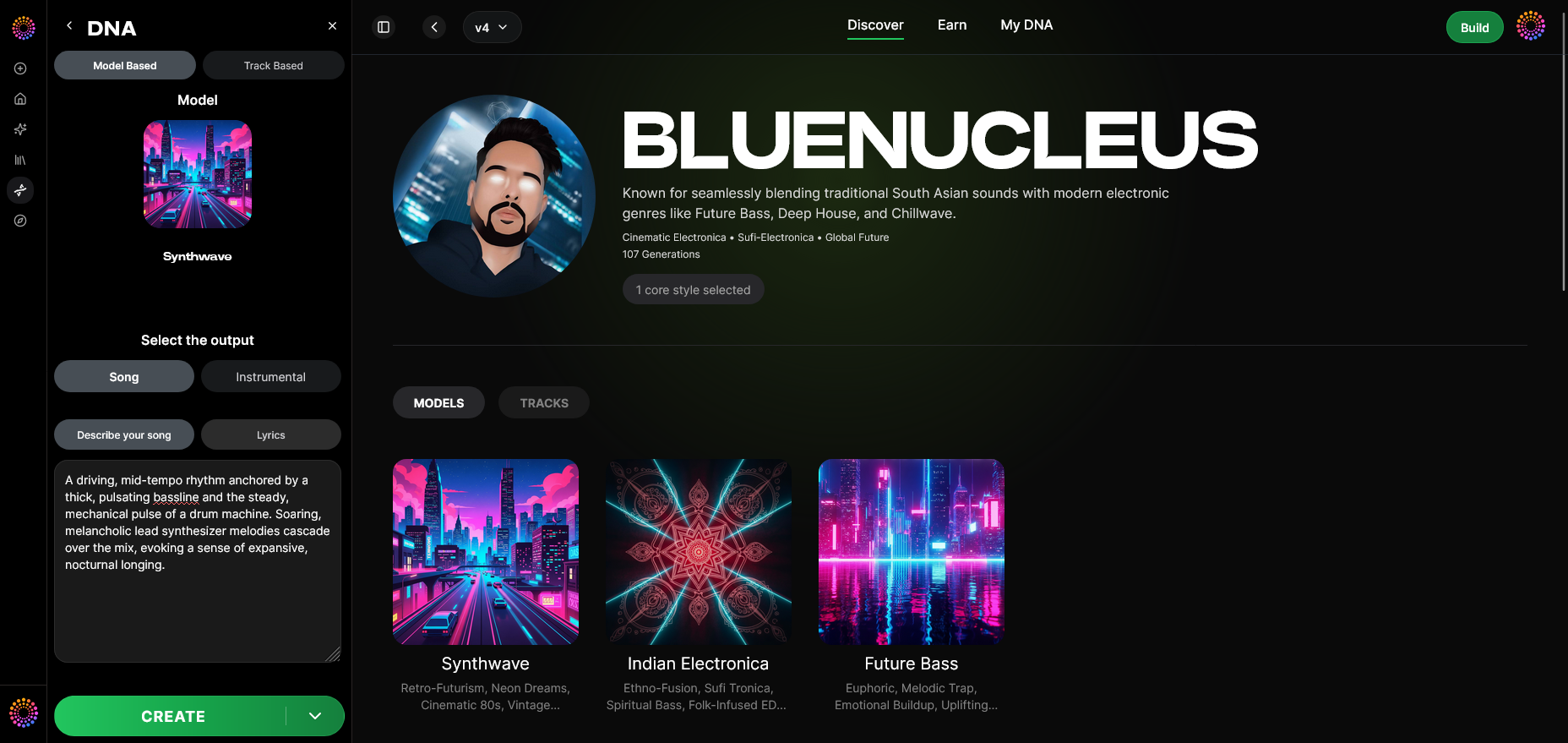

Soundverse DNA is an artist-trained AI music generation system that captures and reproduces the core essence of an artist’s sound. Instead of training on public datasets or “scraped” music, Soundverse DNA relies entirely on licensed and consented audio catalogs. This ensures that artists retain ownership, attribution, and new income streams every time their model is used.
The Soundverse platform integrates several capabilities:
- Full DNA (Songs/Instrumentals): Train models based on your entire musical identity.
- Voice DNA (Vocal timbre/style): Focus specifically on recreating vocal tone and delivery.
- DNA Marketplace: Upload and license your style so fans and creators can use it ethically.
- Sensitivity Selector: Cluster catalog material into different stylistic eras for fine-tuned generation.
- Private Mode: A secure co-creation environment allowing private collaboration.
Together, these capabilities allow producers and rights-holders to teach AI how to create in their distinct sonic voice while maintaining full control.
How to make AI training with Soundverse DNA work for your catalog
Step 1: Overview — Understanding DNA Mode
The DNA Mode feature is where Soundverse users begin. It introduces the fundamental concept behind Soundverse DNA AI training—creating a personalized model extracted from your catalog’s sonic characteristics. This overview provides clear documentation and tutorials for artists, producers, and developers.
Step 2: Dashboard — My DNA Management
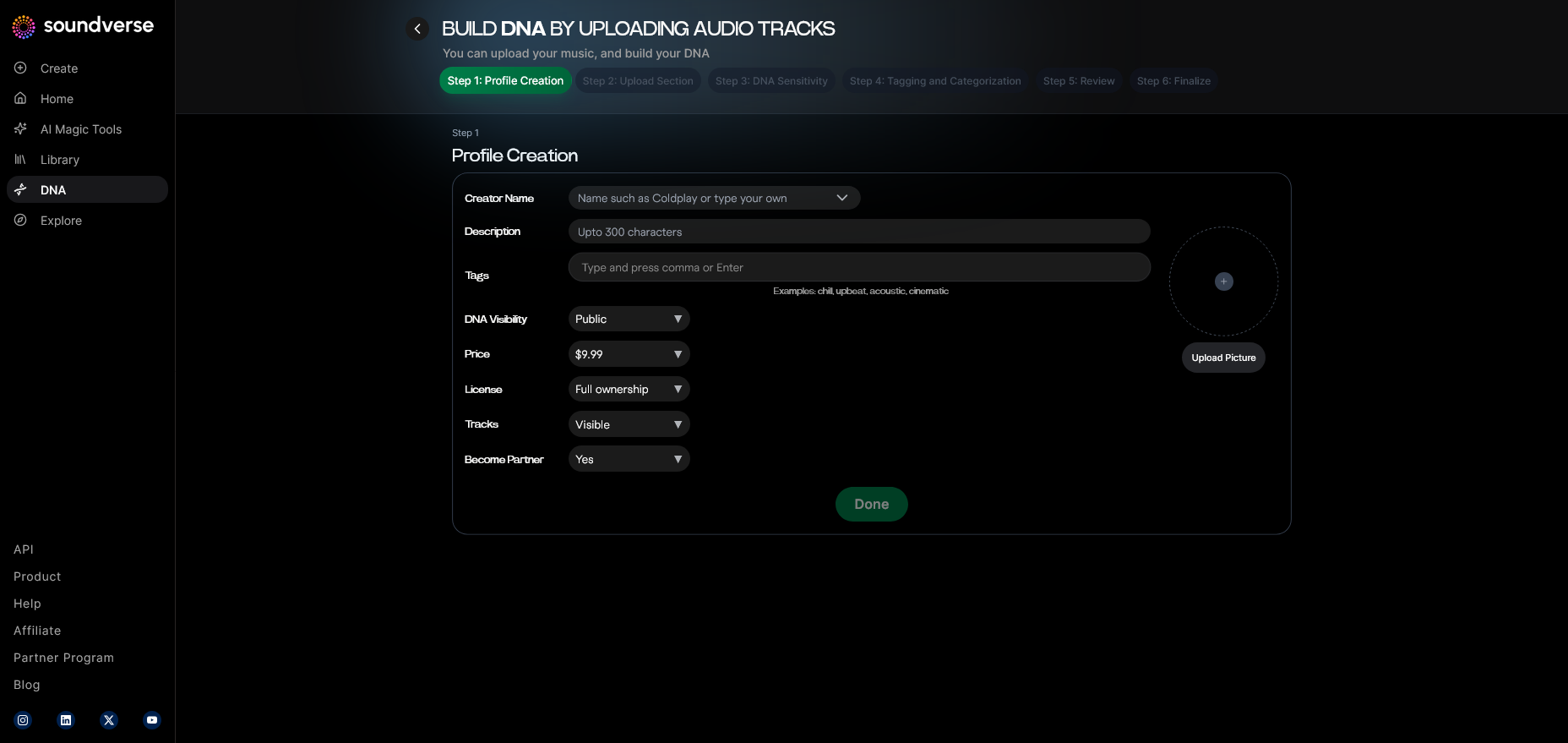
Inside the Dashboard, creators can view, manage, and track all existing DNA models. The interface lists training progress, model usage statistics, and royalty data. It becomes the central command center for catalog-based AI music training.
Step 3: Creator Profile — Setting up your profile
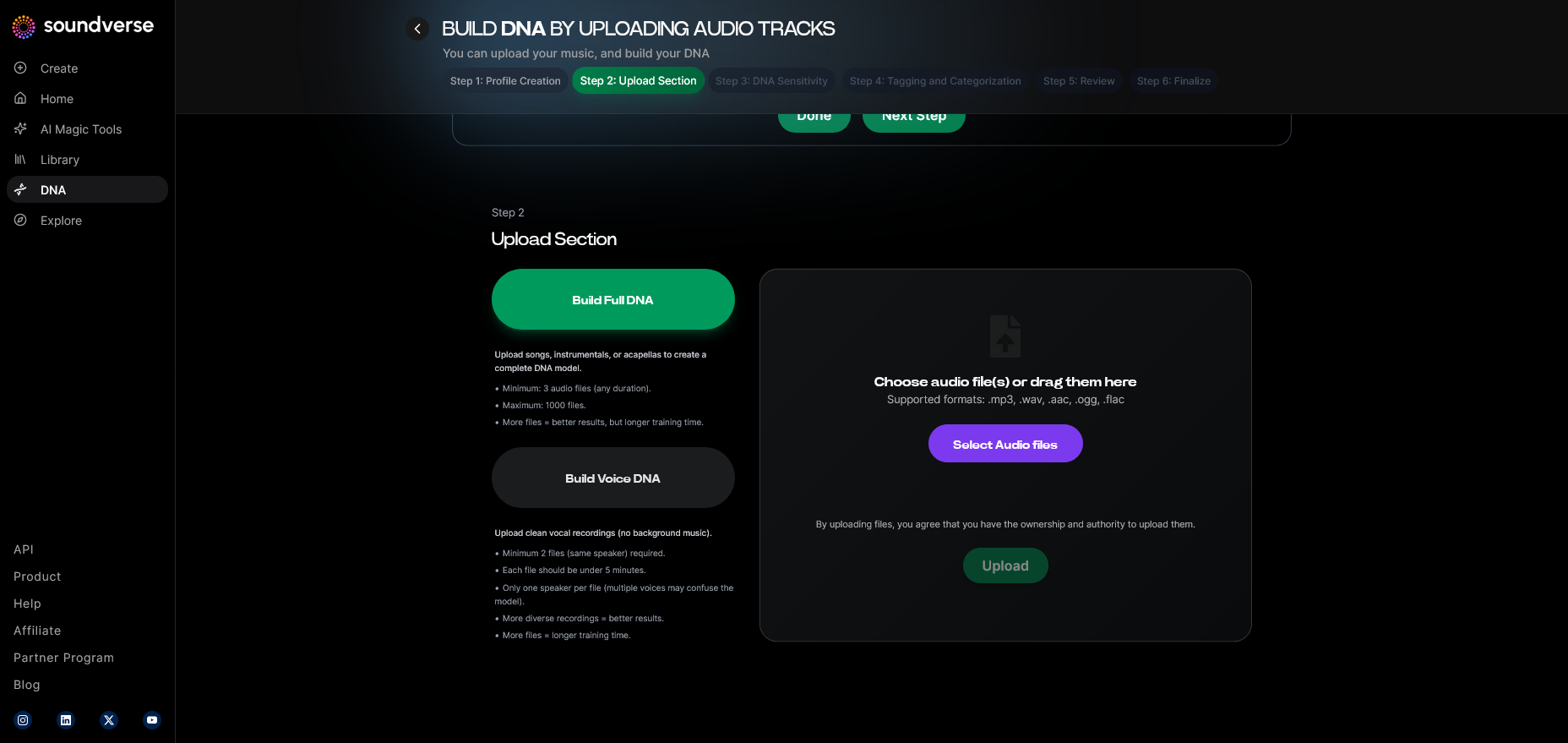
Soundverse allows creators to customize their profiles to ensure proper attribution. Profiles act as public-facing credentials that confirm ownership and consent within the Soundverse ecosystem.
Step 4: DNA Type Selection — Choose your model format
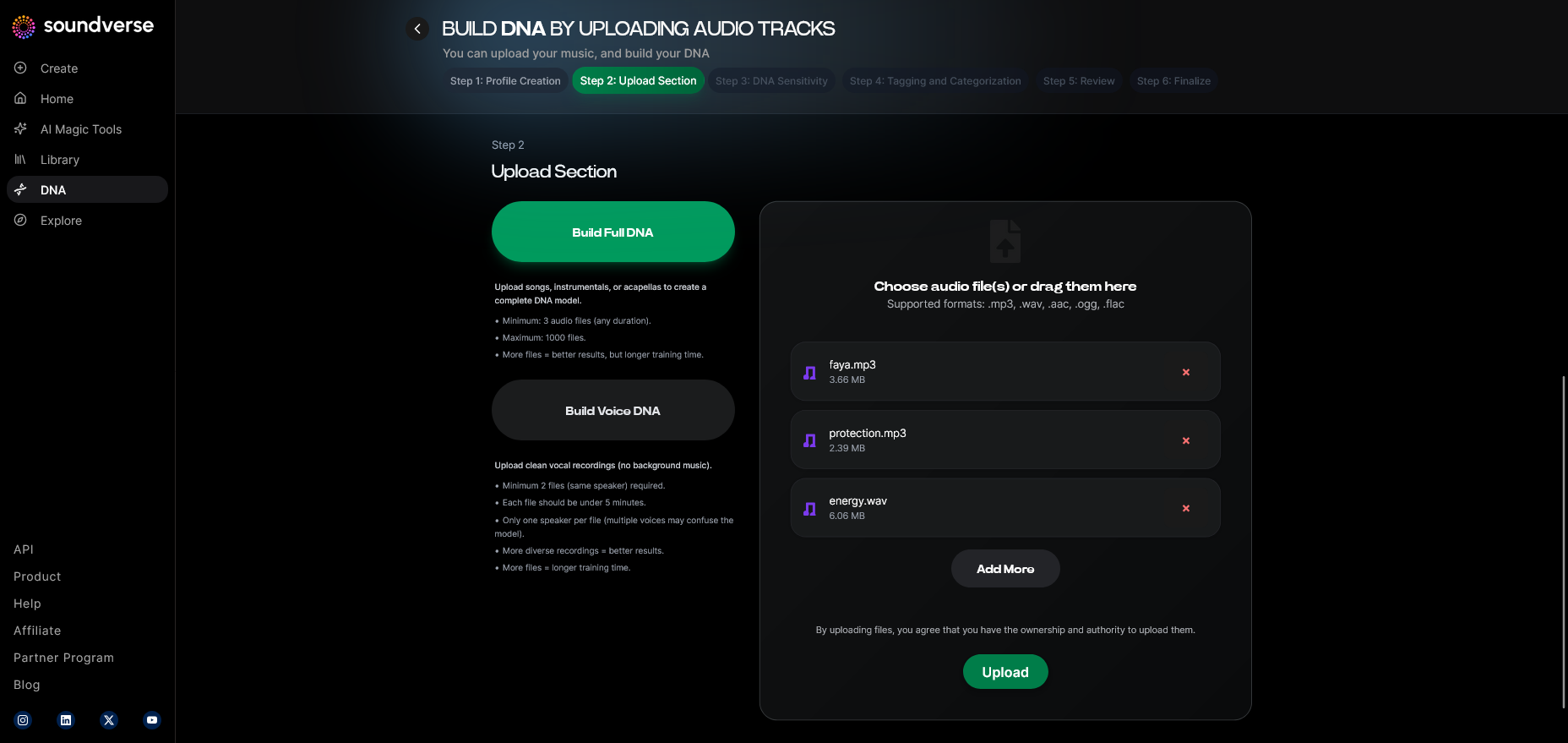
Users can select either Full DNA (songs/instrumentals) or Voice DNA (vocals). This determines what part of your catalog will serve as the foundation for training.
Step 5: Upload Files — Feeding your catalog
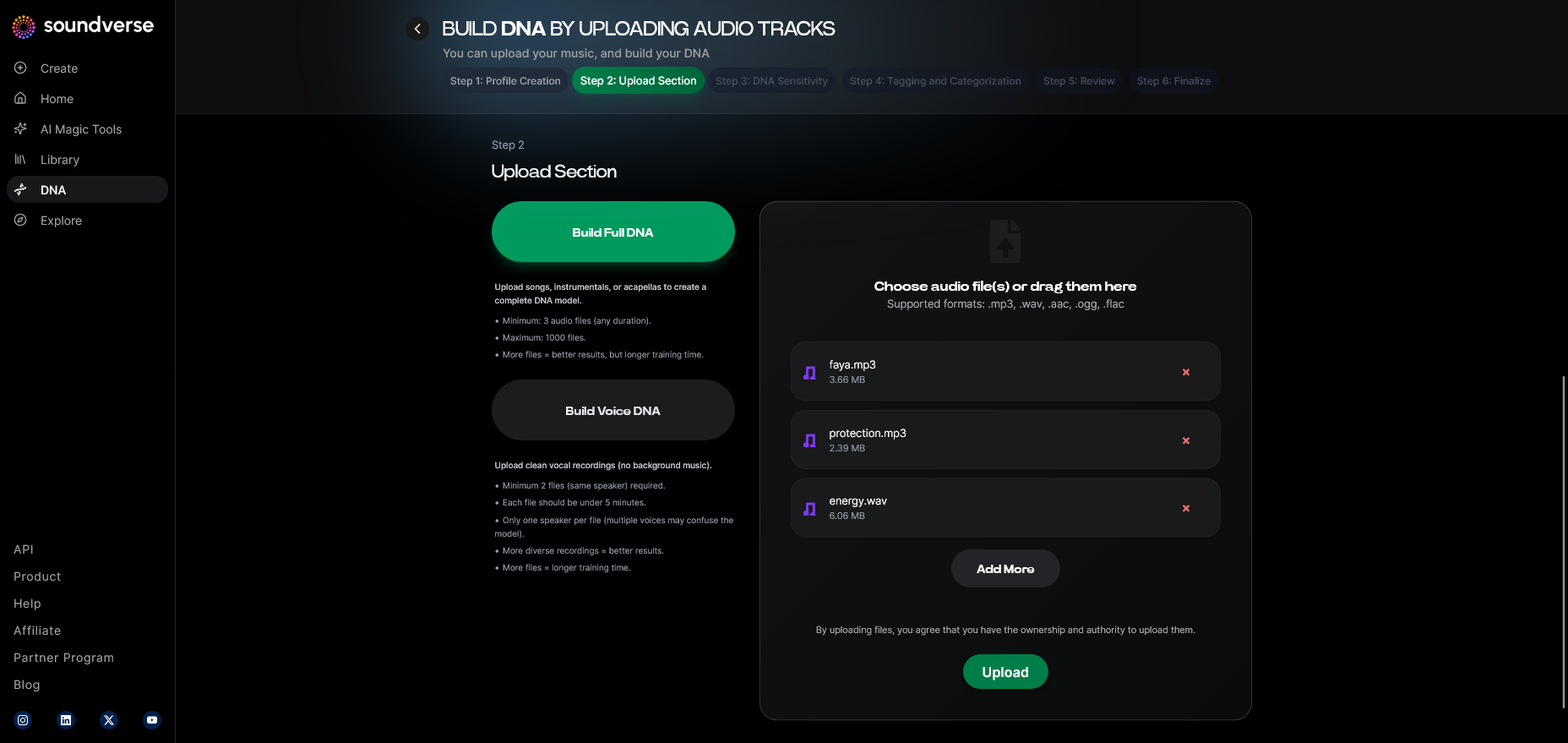
Here you upload your licensed audio files—songs, stems, or instrumentals. The system processes these asynchronously, tagging metadata and preparing the material for clustering.
Step 6: Sensitivity Setting — Adjusting AI responsiveness
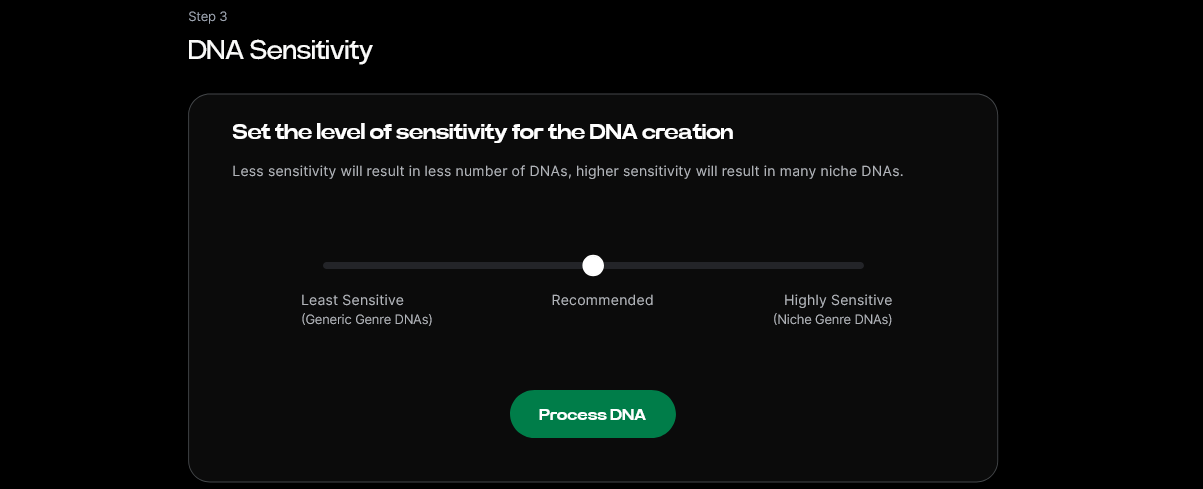
With the Sensitivity Selector, you control how much stylistic variation the AI introduces. This ensures consistency with your catalog’s distinct era or genre.
Step 7: Auto Tagging — Intelligent metadata generation
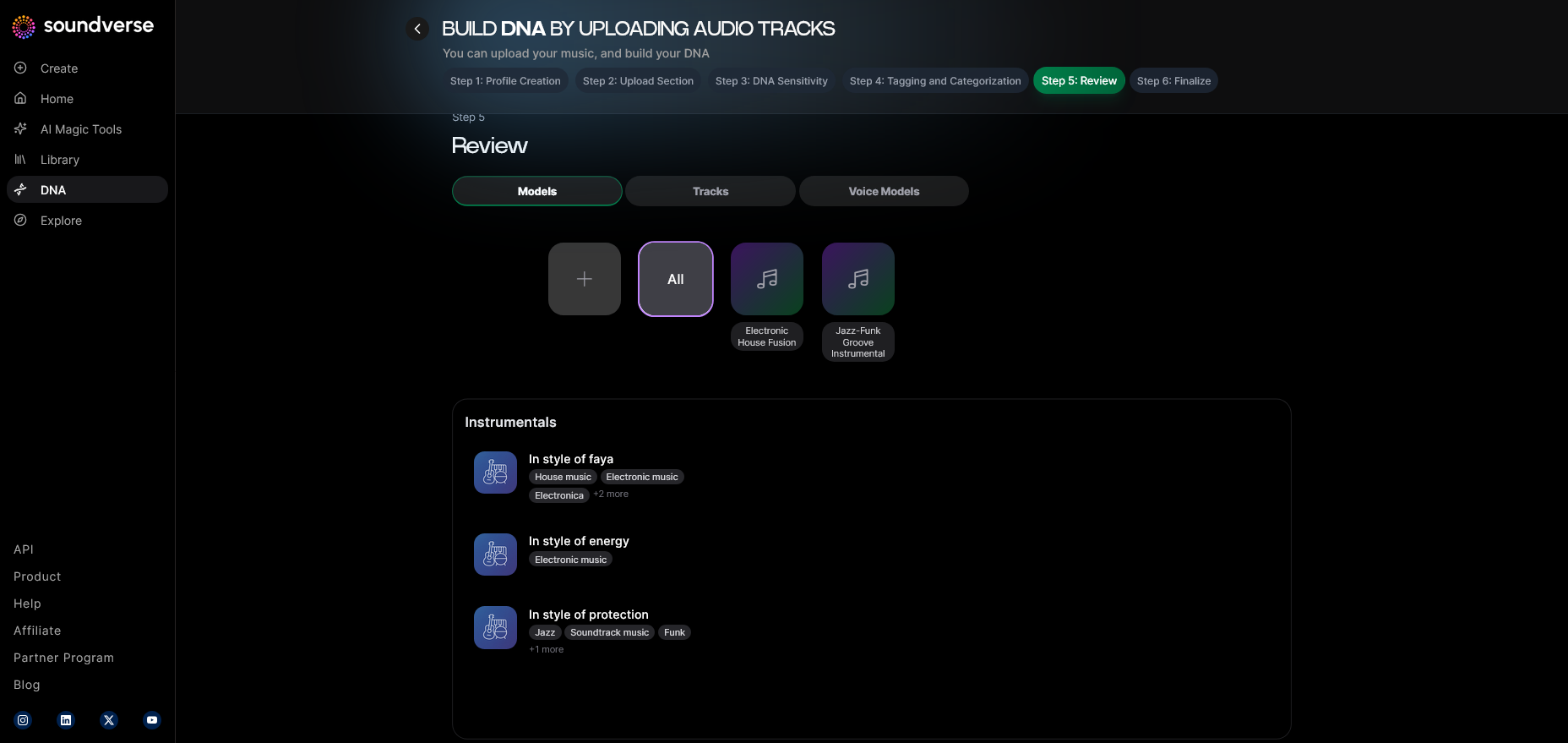
Soundverse automatically assigns tags such as mood, tempo, and genre. This simplifies searchability and improves the AI’s contextual understanding during training.
Step 8: Review & Publish — Verifying your DNA model
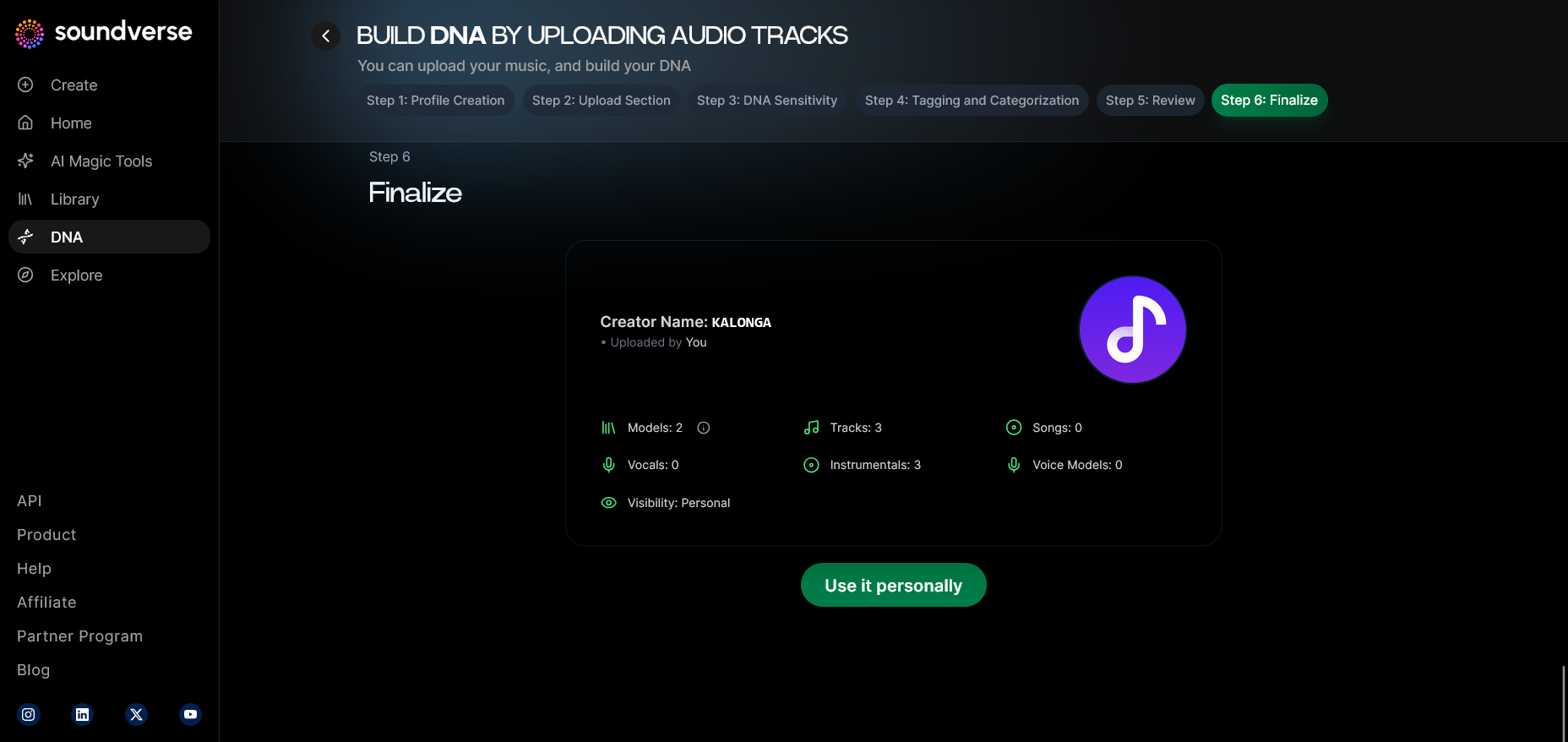
Before publishing your Soundverse DNA model, you review metadata, presets, and ethics confirmations. Once approved, your AI model is registered with the Soundverse Trace trust layer, ensuring transparent attribution.
Step 9: Generation Panel — Creating new tracks
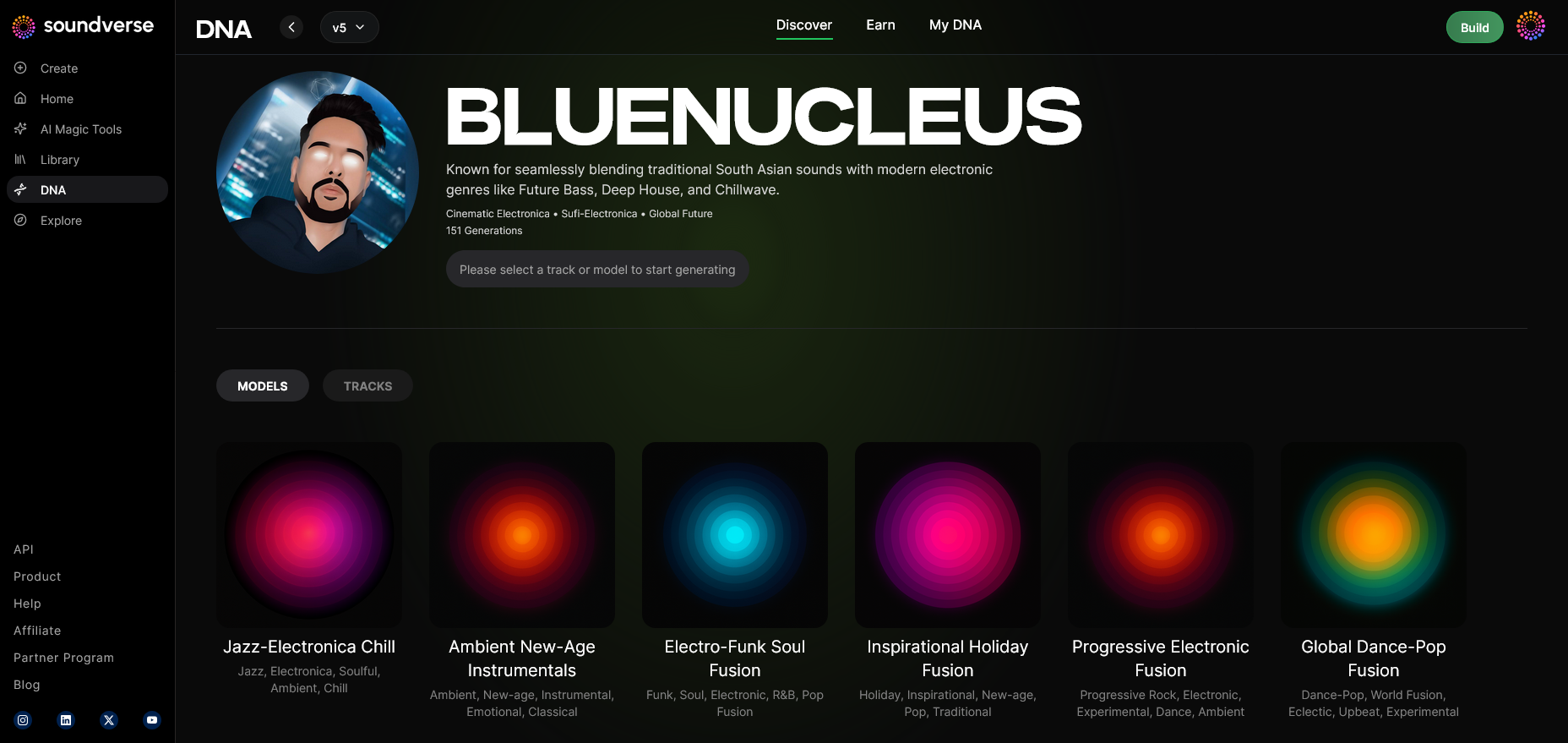
In this panel, you start generating new music using your trained AI DNA. You can toggle between model-based mode and track-based mode depending on whether you want full compositions or vocal performances.
Step 10: Model-Based Mode — Leveraging your Sonic Identity
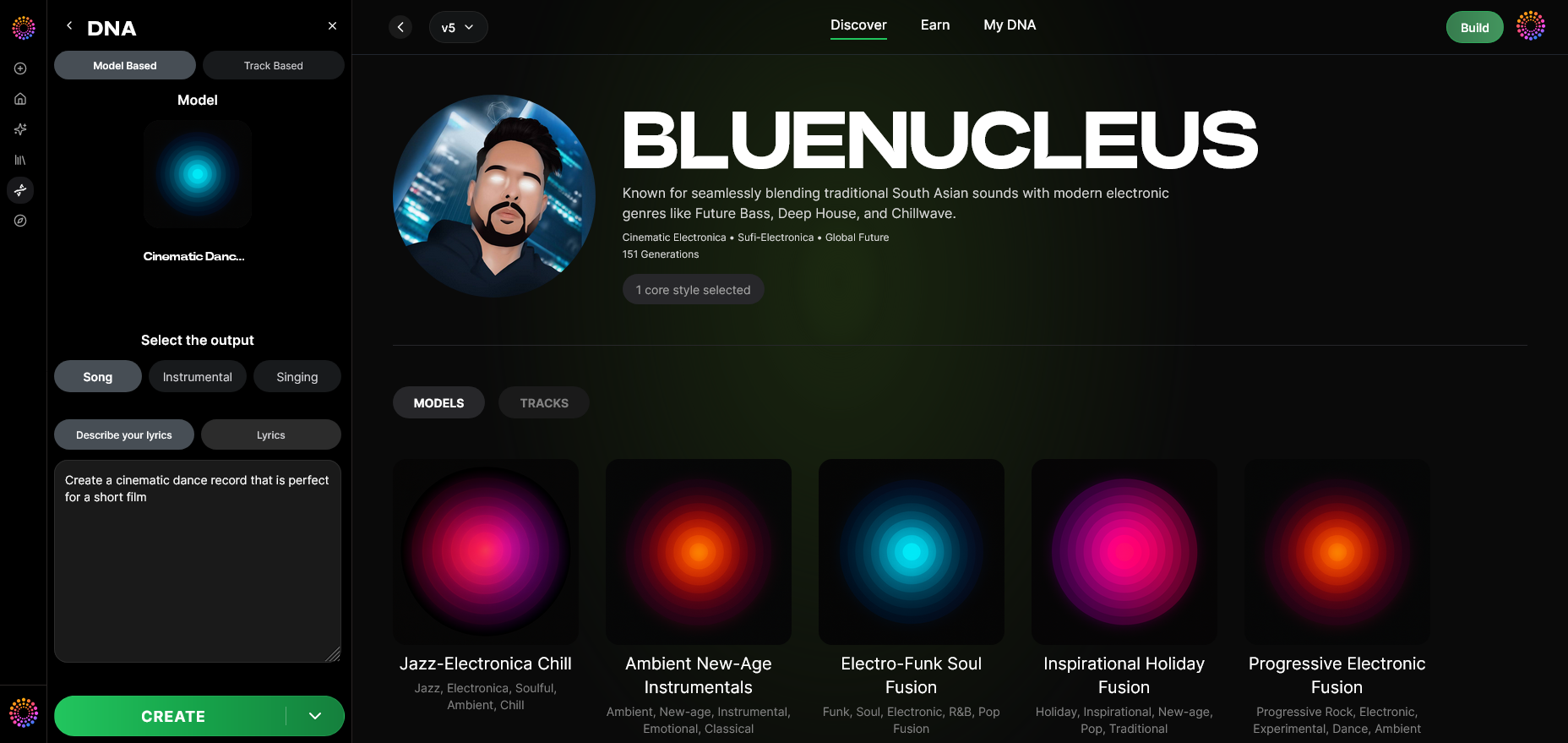
This toggle activates the direct use of your DNA model. When active, all generations stem directly from the artist DNA signature.
Step 11: Output Type — Choose song or instrumental
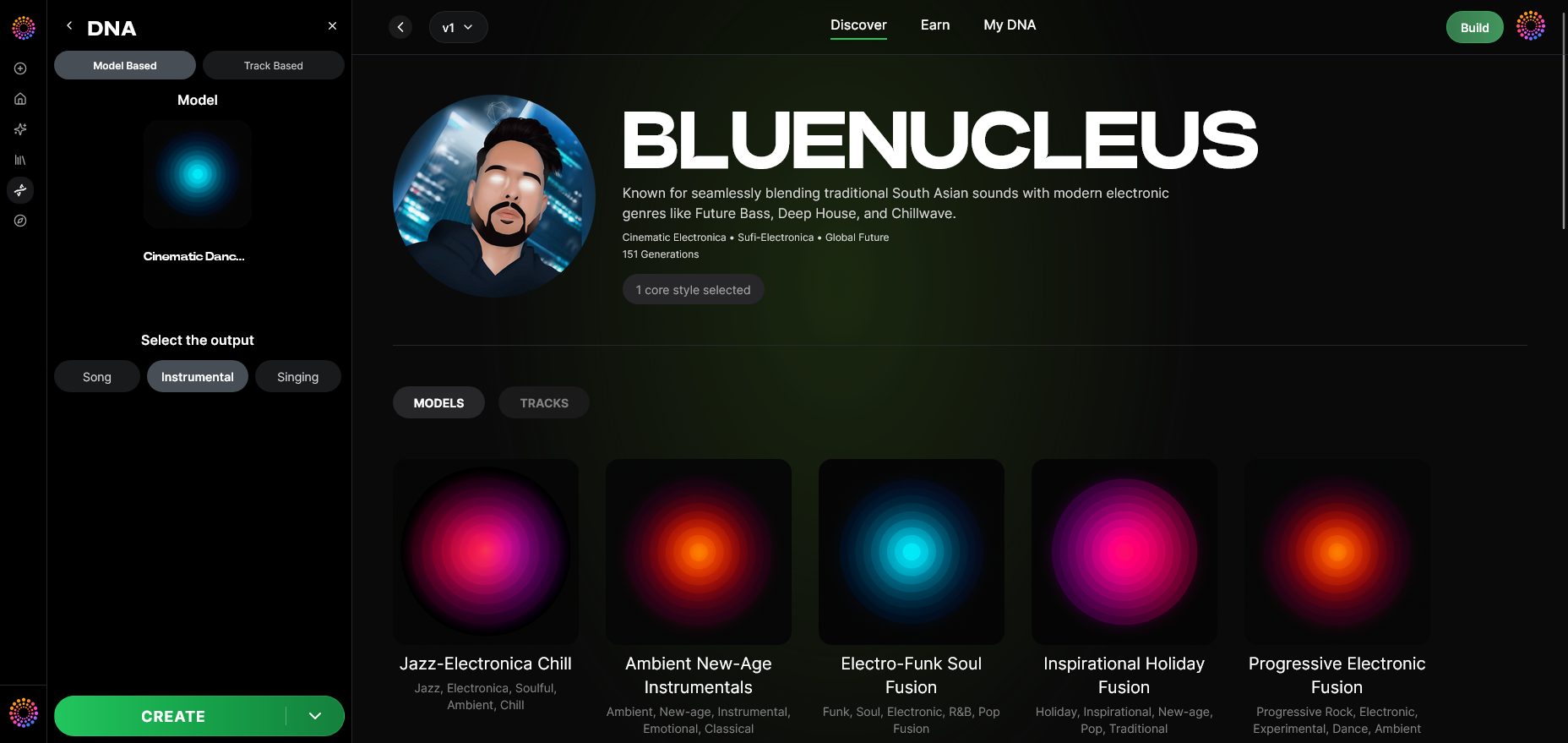
Decide whether to generate full songs or instrumentals. It’s ideal for producers who need quick cues for projects like advertising, video scoring, or gaming.
Step 12: Prompt Type — Steering creative direction
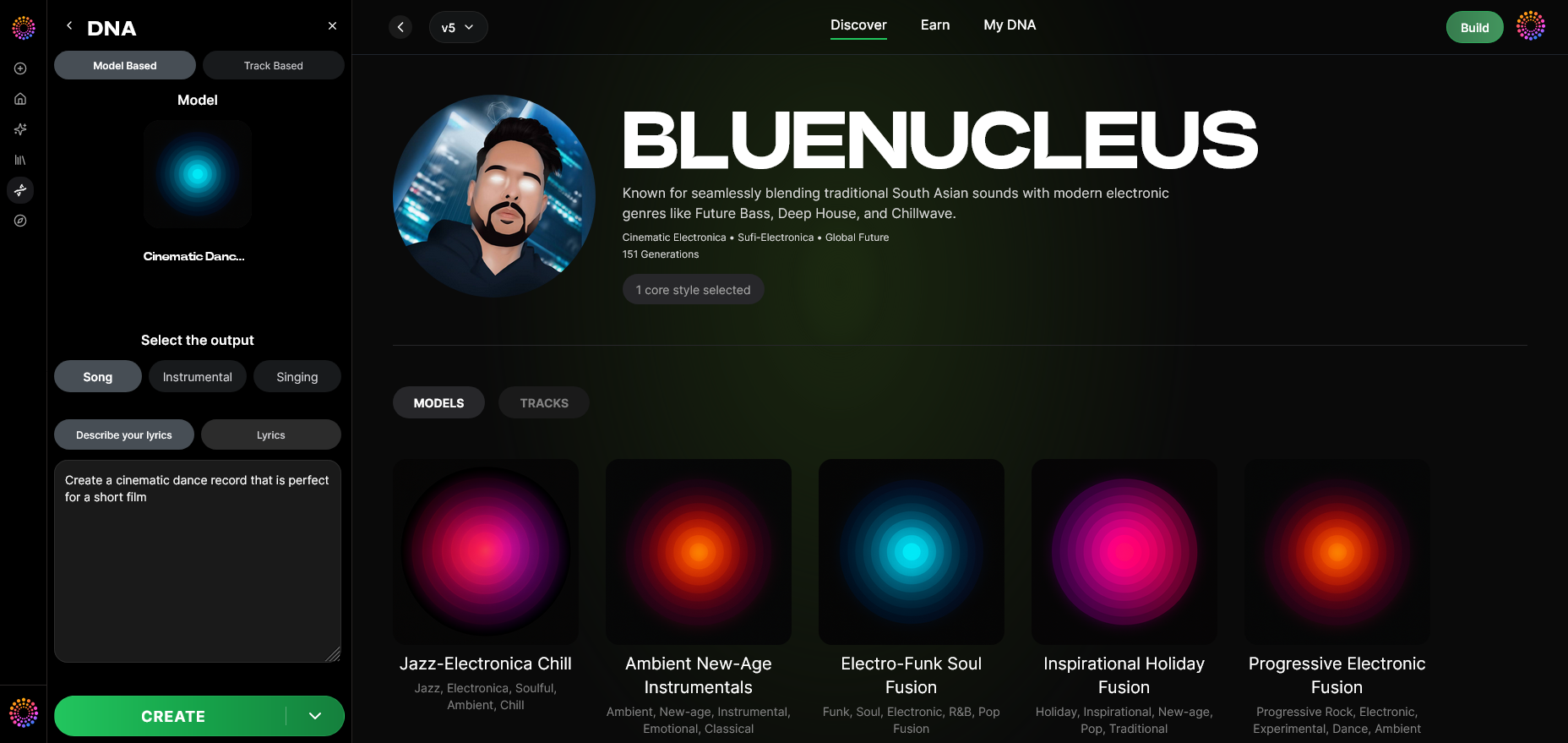
Define how prompts guide the generation process. You can enter descriptive text or choose genre presets—similar to features discussed in Soundverse AI Magic Tools. For a deeper dive, watch our guide on creating Deep House music and tutorial on how to make your own music with Soundverse.
Step 13: Generation Complete — Reviewing final results
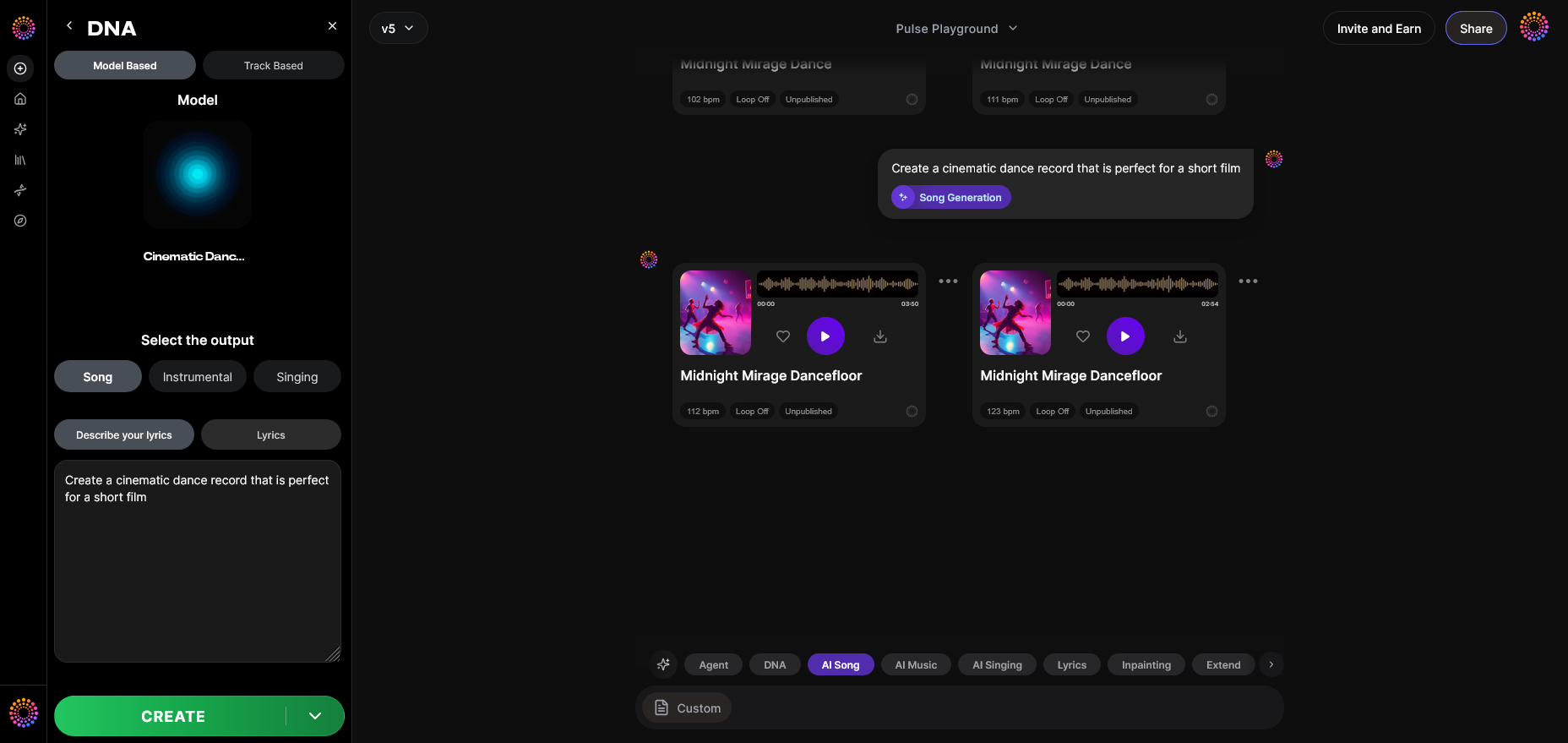
Once processing finishes, the AI presents generated tracks inspired by your catalog. This asynchronous workflow ensures high fidelity and copyright safety.
Step 14: Export Options — Delivering your AI-generated track
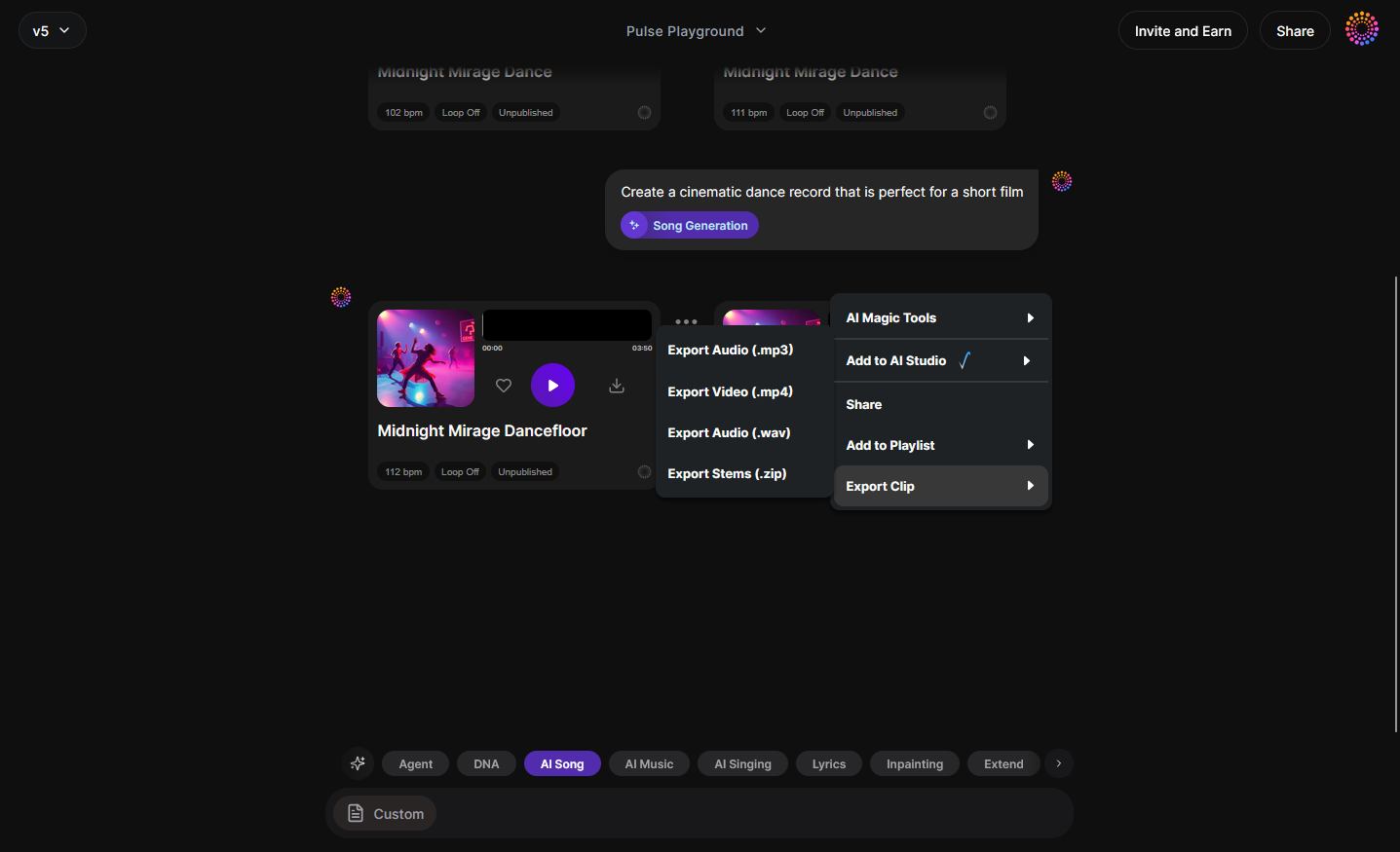
Finally, export your output in your preferred format. Soundverse Trace embeds attribution data and rights metadata into your exported file for long-term protection.
What makes Soundverse DNA unique among AI music training platforms?
While other generative systems like Mubert or Soundraw create AI music using generic datasets, Soundverse DNA distinguishes itself through consent-driven learning. By integrating its Ethical AI Music Framework, Soundverse establishes a six-stage pipeline ensuring transparency, consent, attribution, and compensation.
This ethical backbone also powers the Content Partner Program, allowing any label or rights-holder to receive recurring royalties tied to usage metrics. Furthermore, Soundverse Trace provides a persistent attribution layer across the entire lifecycle—from dataset creation to export.
These features collectively support AI-driven music creation without legal ambiguity. The result is a system that treats data ethics as central to creativity instead of secondary compliance.
What types of creators benefit most from Soundverse DNA AI training?
Soundverse DNA is especially beneficial for:
- Labels managing deep catalogs: Train AI to reproduce catalog consistency for synchronization, brand, or remix projects.
- Independent producers: Generate new content in their own style faster while licensing their Sonic DNA.
- Film/game scorers: Quickly produce genre-matched cues legally.
- AI developers: Build and integrate AI models using real artistic data under ethical accreditation.
By using Soundverse DNA, creators no longer worry about unauthorized dataset scraping or style replication. Instead, they gain secure co-creation and fair compensation.
How Soundverse connects to other AI music innovations
Soundverse DNA works cohesively with other Soundverse tools covered in related posts like Generate AI Music With Soundverse Text to Music and Soundverse AI Revolutionizing Music Creation for New Age Content Creators. Together, these systems create a seamless workflow from catalog ingestion to AI generation.
If you’re exploring genre-specific creation, Soundverse also supports dedicated templates—such as tutorials on How to Create Country Music With Soundverse AI and How to Create Jazz Music With Soundverse AI.
Pro tips for successful Soundverse DNA AI training
- Curate high-quality files: Upload master-level audio for accurate DNA rendering.
- Use Sensitivity Selector strategically: Cluster catalogs to reflect stylistic evolution.
- Combine with Soundverse Trace: Maintain transparent attribution across exports.
- Monitor royalty data inside the DNA Marketplace: Track recurring usage-based earnings.
- Adopt Private Mode for brand-sensitive collaborations: Keep co-created models confidential until ready for release.
Train Your AI with Soundverse DNA Today
Unlock the potential of your music catalog by training AI that truly understands your unique sound. Soundverse DNA enables musicians and creators to personalize music generation like never before.
Get Started with Soundverse DNA
Related Articles
- Soundverse Introduces Stem Separation AI Magic Tool: Learn how Soundverse’s AI can separate and enhance individual tracks from any song to boost your music production workflow.
- How AI-Generated Music is Transforming the Music Industry: Discover how AI tools like Soundverse are reshaping the way artists compose, produce, and collaborate across genres.
- Soundverse Assistant: Your AI Music Co-Producer: Explore how Soundverse Assistant can auto-select tools, streamline creativity, and help you produce professional tracks faster.
- How an AI Music Generator Inspires Creative Fusion: See how AI-generated music tools ignite inspiration and bridge creativity between human artists and intelligent systems.
Here's how to make AI Music with Soundverse
Video Guide

Here’s another long walkthrough of how to use Soundverse AI.
Text Guide
- To know more about AI Magic Tools, check here.
- To know more about Soundverse Assistant, check here.
- To know more about Arrangement Studio, check here.
Soundverse is an AI Assistant that allows content creators and music makers to create original content in a flash using Generative AI. With the help of Soundverse Assistant and AI Magic Tools, our users get an unfair advantage over other creators to create audio and music content quickly, easily and cheaply. Soundverse Assistant is your ultimate music companion. You simply speak to the assistant to get your stuff done. The more you speak to it, the more it starts understanding you and your goals. AI Magic Tools help convert your creative dreams into tangible music and audio. Use AI Magic Tools such as text to music, stem separation, or lyrics generation to realise your content dreams faster. Soundverse is here to take music production to the next level. We're not just a digital audio workstation (DAW) competing with Ableton or Logic, we're building a completely new paradigm of easy and conversational content creation.
TikTok: https://www.tiktok.com/@soundverse.ai
Twitter: https://twitter.com/soundverse_ai
Instagram: https://www.instagram.com/soundverse.ai
LinkedIn: https://www.linkedin.com/company/soundverseai
Youtube: https://www.youtube.com/@SoundverseAI
Facebook: https://www.facebook.com/profile.php?id=100095674445607
Join Soundverse for Free and make Viral AI Music

We are constantly building more product experiences. Keep checking our Blog to stay updated about them!