Is There a Way to Remove Vocals from a Song?
Learn how to remove vocals from a song and create karaoke tracks using Soundverse’s Stem Separator tool.
Is There a Way to Remove Vocals from a Song?
In 2026, removing vocals from a song has become one of the most common tasks for music producers, remixers, and karaoke enthusiasts. Whether you’re trying to isolate instrumental sections for remixing, extract clean samples for educational analysis, or create high-quality karaoke tracks, the need for reliable vocal remover software has never been greater. With advancements in AI-driven audio editing tools, separating vocals and instruments is no longer confined to seasoned audio engineers—it’s accessible to anyone passionate about music production.
Why Would You Want to Remove Vocals from a Song?
There are many creative and practical reasons to remove vocals from a song. Producers might want to sample a beat or rebuild a track’s instrumental foundation for remixing projects. Karaoke creators often strip away vocals to make performance-ready backing tracks. Educators and audio engineers analyze the composition of mixes by isolating different elements like drums, bass, or guitars. The ability to separate vocals and instruments opens up an entirely new level of flexibility across all these domains.
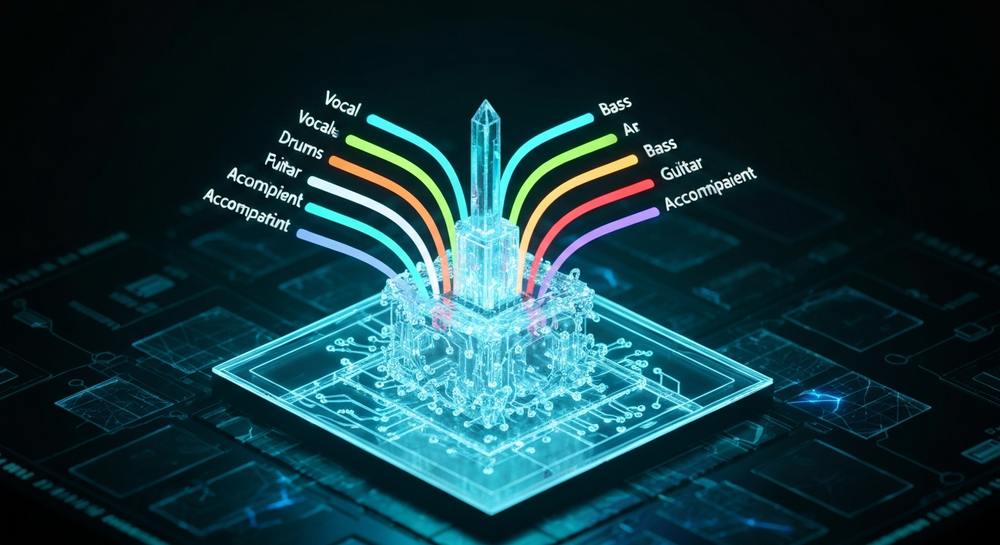
In past years (2024–2025), removing vocals often relied on destructive editing methods—phase cancellation, frequency filtering, or equalization tricks. While those techniques could somewhat mask the vocals, they were imperfect and introduced noticeable artifacts. By 2026, AI-driven stem separation tools have revolutionized this process by achieving high-quality isolation of up to six stems (vocals, drums, bass, guitar, accompaniment, and others) without compromising the integrity of the audio.
What Are the Challenges of Traditional Vocal Removal?
Before the rise of advanced AI-powered tools, removing vocals from a song involved understanding complex audio properties. Vocals are typically centered in the stereo field, meaning older techniques tried to subtract the center frequencies to silence the voice. Unfortunately, any other instrument recorded in the same spatial range—such as snare drums or lead guitar—would also get partially removed.

Additionally, frequency-based removal often reduced clarity and punch from instrumental sections, creating hollow-sounding results unsuitable for professional use. These limitations made manual vocal removal a tedious process only viable for rough demos, but not production-level tracks.
How AI Has Changed Vocal Remover Software in 2026
As artificial intelligence and machine learning models matured between 2024 and 2026, AI-based audio editing tools became capable of understanding and analyzing complex musical layers. Modern vocal remover software doesn't simply erase frequencies; it intelligently recognizes patterns unique to vocals, instruments, and harmonics using neural processing techniques.
This has made music production significantly more efficient. For example, creators using tools like Soundverse can generate entirely new arrangements, swap voices, and even fix recording imperfections—all without lowering audio fidelity. Related technologies, such as Soundverse’s Voice Swap and Inpainting, complement the workflow by allowing voice identity changes and surgical regeneration of selected parts of a song. For a deeper dive, watch our guide on creating Deep House music and tutorial on how to make music with Soundverse.
How to Remove Vocals from a Song Using Soundverse Stem Separator

The most advanced and user-friendly way to remove vocals from a song today is through the Soundverse Stem Separator—a professional-grade AI-powered feature that transforms any mixed audio into separate editable components.
What Is Soundverse Stem Separator?
Soundverse’s Stem Separator tool dissects mixed audio into up to six distinct stems: vocals, drums, bass, guitar, accompaniment, and more. This groundbreaking technology gives artists control over every sonic layer with minimal effort. It supports multiple input methods including file uploads, audio URLs, and even real-time recordings.
Core Capabilities:
- 6-stem AI separation for detailed editing.
- Support for uploaded files, audio URLs, or direct recordings.
- Accurate, high-quality isolation that preserves tonal richness.
Primary Use Cases:
- Remixing and sampling.
- Karaoke track creation.
- Educational analysis of mixing structure.
- Cleaning up audio for professional editing.
Once processed, producers can download the isolated vocal and instrumental tracks separately for integration into digital audio workstations (DAWs) like Ableton Live, Logic Pro, or FL Studio. Because Soundverse uses asynchronous processing, you upload or record your audio and let the AI work in the background until results are ready.
Step 1: Upload Interface

Start by visiting Soundverse and navigating to the Stem Separator dashboard. You can upload your song directly from your local storage or paste a link to an online audio file. Optionally, record new audio right inside the interface to process your vocals or instrument live. The intuitive upload dialog ensures compatibility with major formats such as MP3 and WAV.
Step 2: Additional References

If you want even cleaner separation results, Soundverse’s interface allows you to add optional reference tracks. These serve as comparison data points, helping the AI more precisely distinguish between vocal and instrumental frequencies when processing complex mixes.
Step 3: Results Display

Once processing completes, Soundverse displays the separated stems visually. You’ll see layered visualizations representing vocals, drums, bass, and accompanying instruments. Each stem can be previewed individually (after processing, not live), allowing you to confirm the accuracy and decide which elements to utilize in your next project.
Step 4: Download Stems

Finally, export the results. You can download each isolated stem individually or combine them for hybrid usage. These separated tracks are perfect for remixing, mashups, or karaoke playback. The processed files maintain high-quality fidelity, making them flexible for studio or performance environments.
Pro Tips for Better Vocal Removal Results
- Choose High-Quality Audio Sources: AI algorithms work best with clean, high-resolution input. Avoid overly compressed MP3s or low-bitrate recordings.
- Experiment with Isolation Levels: Some songs have overlapping frequencies; experiment with different separation intensities to find balanced results.
- Refine Using Post-Processing EQ: After separation, use EQ or reverb effects to smooth transitions if planning a remix.
- Combine with Other AI Tools: You can use Soundverse’s Voice Swap after separation to replace vocal identity or Inpainting for fixing lyrics and arrangements.
- Use Stems for Educational Analysis: For students learning mix theory, separated stems reveal spatial placement, balance, and dynamic structure, ideal for understanding professional production techniques.
How Soundverse Is Revolutionizing Music Production
Soundverse doesn't just assist in removing vocals; it’s transforming creative workflows entirely. By providing AI-based tools that bridge professional music production with accessibility, Soundverse empowers artists to reimagine sound in new ways. Beyond stem separation, creators have access to text-to-music generation, arrangement features, and genre templates that support nearly any musical vision.
Explore more about this innovation in Soundverse Introduces Stem Separation AI Magic Tool and learn how these advancements fit into broader music industry trends. For those experimenting with new styles, you can see how AI helps you create EDM or even make healing meditation music with intuitive prompts. Dive deeper in the Explore Tab tutorial on Soundverse’s YouTube channel.
Start Separating Vocals with Soundverse AI Today!
Experience powerful AI-driven stem separation to remove vocals from a song and create custom instrumentals with ease. Simplify your workflow and unlock new creative freedom in seconds.
Try Soundverse AI Free
Related Articles
- Soundverse Introduces Stem Separation AI Magic Tool — Discover how Soundverse’s new AI feature can isolate vocals and instruments with precision.
- What Are Song Stems and Why Do You Need Them — Learn the importance of song stems and how they transform your editing and mixing process.
- Soundverse Assistant: Your AI Music Co-Producer — Meet Soundverse Assistant — the smart AI tool that helps you produce, mix, and edit music effortlessly.
- Best AI Music Generator: Top Picks and Review — Explore the best AI music generators, including Soundverse, to elevate your creative projects.
Here's how to make AI Music with Soundverse
Video Guide

Here’s another long walkthrough of how to use Soundverse AI.
Text Guide
- To know more about AI Magic Tools, check here.
- To know more about Soundverse Assistant, check here.
- To know more about Arrangement Studio, check here.
Soundverse is an AI Assistant that allows content creators and music makers to create original content in a flash using Generative AI.
With the help of Soundverse Assistant and AI Magic Tools, our users get an unfair advantage over other creators to create audio and music content quickly, easily and cheaply.
Soundverse Assistant is your ultimate music companion. You simply speak to the assistant to get your stuff done. The more you speak to it, the more it starts understanding you and your goals.
AI Magic Tools help convert your creative dreams into tangible music and audio. Use AI Magic Tools such as text to music, stem separation, or lyrics generation to realise your content dreams faster.
Soundverse is here to take music production to the next level. We're not just a digital audio workstation (DAW) competing with Ableton or Logic, we're building a completely new paradigm of easy and conversational content creation.
TikTok: https://www.tiktok.com/@soundverse.ai
Twitter: https://twitter.com/soundverse_ai
Instagram: https://www.instagram.com/soundverse.ai
LinkedIn: https://www.linkedin.com/company/soundverseai
Youtube: https://www.youtube.com/@SoundverseAI
Facebook: https://www.facebook.com/profile.php?id=100095674445607
Join Soundverse for Free and make Viral AI Music

We are constantly building more product experiences. Keep checking our Blog to stay updated about them!