Is There a Beats App? Complete Guide for 2026 Users
Discover the Beats app and how to connect Beats headphones on Android and iPhone in 2026.
Is There a Beats App?
In 2026, Beats continues to be one of the most recognized names in premium headphones and earphones. Whether you own Beats Studio Pro, Beats Fit Pro, or Powerbeats, you may wonder — is there a dedicated Beats app to manage all your devices? Many consumers and tech enthusiasts are searching for a simple way to adjust sound settings, handle connectivity, and receive firmware updates for their Beats audio gear.
What is the Beats App?
The Beats app is the official mobile companion for Beats headphones and earphones. It provides device management, customization, and connection assistance for products under the Beats by Dre brand. With this app, users can manage paired devices, monitor battery level, update firmware, and customize sound preferences quickly.
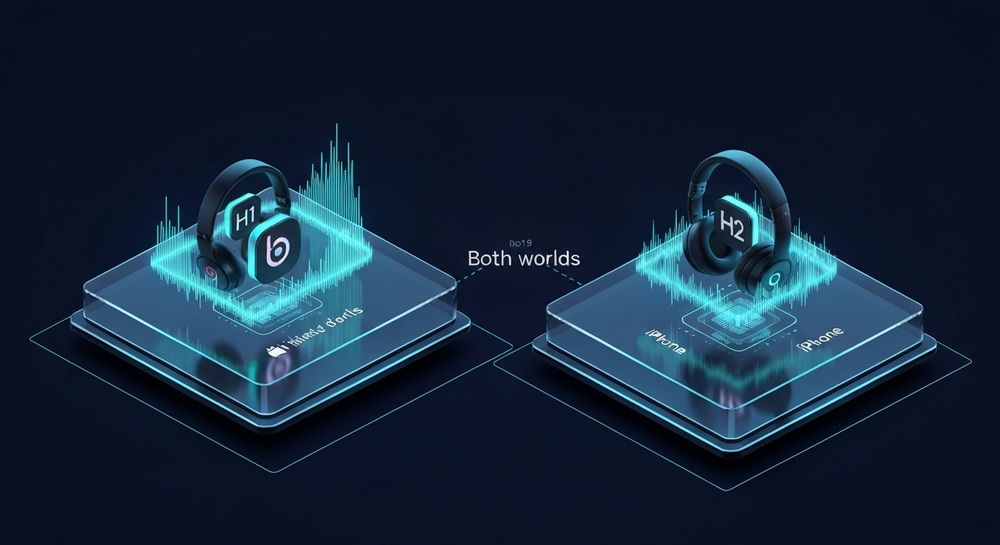
For Android users, the Beats app is available through the Google Play Store and works seamlessly with most current Beats models. For iPhone users, Beats functionality is integrated through Apple's ecosystem, primarily within the Bluetooth and Settings interfaces rather than a separate app.
Is There a Dedicated Beats Headphones App?
Yes, there is a dedicated Beats headphones app — specifically for Android. The “Beats” app acts as a hub for connectivity and control, offering a unified experience similar to what AirPods users enjoy on iOS devices. Android users get options for easy pairing, product firmware updates, and noise control features depending on the model.
On iPhones and iPads, Beats products leverage Apple’s built-in integration with iOS. When you pair Beats headphones, the interface displays battery information, connection status, and active features directly via the system. So while not a standalone Beats by Dre app, the experience is natively embedded.
How Does Beats Connectivity Work in 2026?
Beats connectivity has evolved significantly over the years, especially as Apple’s ecosystem deepens and Android support increases. In 2026, Beats headphones connect via Bluetooth, with specialized chips such as Apple’s H1 or H2 chip enhancing fast pairing and audio sync across devices.
On Android:
- Download the official Beats app from Google Play.
- Allow Bluetooth access.
- Open the app and follow on-screen pairing instructions.
On iPhone:
- Activate Bluetooth in Settings.
- Hold your Beats device near your iPhone or iPad.
- iOS automatically detects compatible Beats gear through the Apple ecosystem.
This modern Bluetooth synchronization means you can easily swap between devices as long as they’re logged into your Apple ID or Google account.
What Can You Do with the Beats App for Android?
The Beats app for Android gives users complete control over their listening experience. As of 2026, primary features include:
- Device status and battery life monitoring – Real-time battery levels for left and right earbuds or headphones.
- Firmware updates – Receive the latest software improvements directly from Beats.
- Customization – Adjust ANC (Active Noise Cancellation) and transparency modes for compatible products.
- Connectivity management – Add or remove devices, rename headphones, and perform troubleshooting.
- Product information access – Instantly view serial numbers, model details, and help guides.
Is There a Beats App for iPhone?
As mentioned earlier, there isn’t a separate Beats app for iPhone. Instead, all Beats functionality integrates through Apple’s native system environment. When you pair Beats headphones with an iPhone, features like battery status, quick pairing, and audio customization are accessible without needing to download anything.
Apple’s dynamic settings make the experience seamless – your Beats show up automatically under Bluetooth devices. For deeper management, Apple’s ecosystem uses internal firmware update channels, keeping your Beats hardware up to date behind the scenes.
Is the Beats by Dre App Still Available?
In the past (2024 and 2025), there was confusion between “Beats by Dre” branded marketing apps and “Beats” device utilities. By 2026, the brand consolidated all consumer-facing utilities under the simplified “Beats” app name. The Beats by Dre app as a promotional platform has been phased out, and all essential functions are now within the Beats connectivity tool or through native Apple integration.
What if You Want to Create Beats Music?
Interestingly, many who search for “Beats app” are not only looking to manage headphones. Some users are looking for an app to create beats or instrumental music. While the Beats app handles hardware connectivity, production and music creation require different tools — and this is where Soundverse comes in.
How to Make Beats with Soundverse AI Music Generator

Soundverse offers a powerful AI Music Generator that lets users create instrumental beats from text prompts. Instead of manually producing music or buying expensive software, creators can describe what they want — such as “upbeat electronic rhythm with futuristic synths”—and Soundverse automatically generates a complete high-quality track.
Official Features of Soundverse AI Music Generator:
- Text-to-Music Creation: Generate original instrumental music or rhythms from simple text inputs.
- Loop Mode: Ideal for seamless repetition, making it perfect for YouTube backgrounds or game soundtracks.
- Genre & Mood Control: Specify musical genres, mood intensity, and instruments.
- V4 and V5 Model Options: Choose between different AI generation models for varied sound detail.
Primary Use Cases:
- Background music for videos and podcasts.
- Game soundtracks and ambient loops.
- Meditation or wellness tracks.
- Commercial advertising and score production.
For creators transitioning from traditional music apps or searching for next-generation AI tools, Soundverse becomes an innovative solution. If you have explored guides like How to Create Country Music with Soundverse AI or How to Create Rap Music with AI, you’ll appreciate how this tool simplifies the beat-making process. The platform doesn’t rely on real-time monitoring but instead works asynchronously — you input your creative description, and Soundverse processes and delivers the finished track.
For a deeper dive, watch our guide on creating Deep House music and another detailed tutorial on making music with AI. You can also check out the Explore Tab walkthrough for understanding Soundverse functionalities better.
Soundverse’s AI Music Generator beautifully complements creative workflows. Developers and video creators can build continuous soundscapes just like professional composers but within minutes. If you want to learn how AI is transforming composition, check out How AI-Generated Music Is Transforming the Music Industry, a deep dive into how tools like Soundverse redefine production.
Soundverse vs Traditional Beats Music Apps
Unlike the Beats app—which is centered on managing headphones—the Soundverse AI Music Generator focuses on creating sounds, instrumentals, and full tracks. The two serve different purposes:
- Beats App: Hardware pairing, sound adjustment, firmware updates.
- Soundverse: AI-based music creation from text prompts, looping sound design, and genre control.
This makes Soundverse not just a complement to audio gear but a creative powerhouse for anyone producing digital sound. Whether you craft hip-hop beats, lo-fi ambience, or cinematic music, Soundverse replaces traditional DAWs with AI-driven innovation.
Check out related content such as Soundverse AI Magic Tools Create Content Quickly with AI and Mubert Alternatives: Soundverse to explore advanced creation workflows.
Generate Beats Instantly with Soundverse
Want to create and customize your own beats effortlessly? Soundverse lets you produce professional-grade instrumentals and music in seconds using AI technology. Start making your next viral track today.
Create Beats with AI Now
Related Articles
- Generate AI Music with Soundverse Text-to-Music — Learn how Soundverse’s text-to-music feature transforms written prompts into dynamic, high-quality sound compositions in seconds.
- Soundverse AI Revolutionizing Music Creation for New-Age Content Creators — Discover how Soundverse is redefining the way creators approach music production with intuitive AI-driven tools.
- Let Soundverse Assistant Auto-Select the Right AI Magic Tool for You — Explore how the Soundverse Assistant helps you choose the perfect AI tool for your creative needs without any guesswork.
- Best Suno Alternative: Soundverse AI Free Sign-Up — Find out why Soundverse stands out as an excellent alternative to Suno for music generation and content creation.
Here's how to make AI Music with Soundverse
Video Guide

Here’s another long walkthrough of how to use Soundverse AI.
Text Guide
- To know more about AI Magic Tools, check here.
- To know more about Soundverse Assistant, check here.
- To know more about Arrangement Studio, check here.
Soundverse is an AI Assistant that allows content creators and music makers to create original content in a flash using Generative AI.
With the help of Soundverse Assistant and AI Magic Tools, our users get an unfair advantage over other creators to create audio and music content quickly, easily and cheaply.
Soundverse Assistant is your ultimate music companion. You simply speak to the assistant to get your stuff done. The more you speak to it, the more it starts understanding you and your goals.
AI Magic Tools help convert your creative dreams into tangible music and audio. Use AI Magic Tools such as text to music, stem separation, or lyrics generation to realise your content dreams faster.
Soundverse is here to take music production to the next level. We're not just a digital audio workstation (DAW) competing with Ableton or Logic, we're building a completely new paradigm of easy and conversational content creation.
TikTok: https://www.tiktok.com/@soundverse.ai
Twitter: https://twitter.com/soundverse_ai
Instagram: https://www.instagram.com/soundverse.ai
LinkedIn: https://www.linkedin.com/company/soundverseai
Youtube: https://www.youtube.com/@SoundverseAI
Facebook: https://www.facebook.com/profile.php?id=100095674445607
Join Soundverse for Free and make Viral AI Music

We are constantly building more product experiences. Keep checking our Blog to stay updated about them!