How to Write Effective Prompts for AI Music Generation
Learn how to write effective AI music generation prompts for better music creation results.
How to Write Effective Prompts for AI Music Generation
In 2026, musicians and producers have embraced artificial intelligence as a creative partner rather than a novelty. One of the most powerful tools reshaping composition is text-to-music technology, which allows creators to describe musical ideas using natural language. But the secret to unlocking truly expressive, high-quality results lies in mastering AI music prompt writing — the art of communicating precisely what you want the AI to compose.
What is AI Music Prompt Writing?
AI music prompt writing is the process of crafting textual descriptions that guide generative music AI tools to produce instrumentals, beats, and soundscapes that match specific creative intentions. Instead of turning knobs or scrolling through endless loops, artists now define tone, tempo, genre, and mood using language. For example, a producer might write “soft ambient piano piece for meditation with slow tempo and reverb-rich synth pads.” That description tells the AI what features to include, the emotional vibe to capture, and even the structural density of the track.
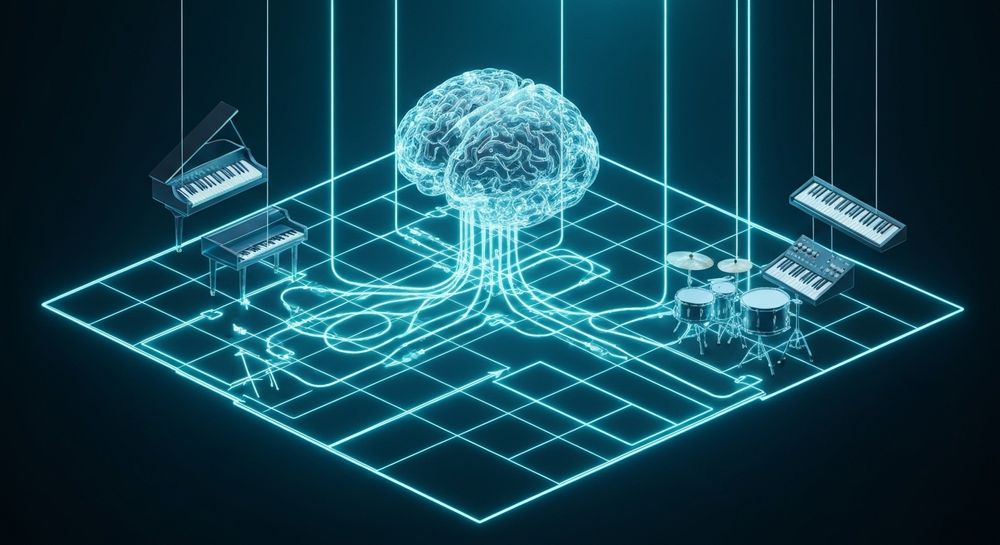
In essence, your words become the blueprint for the music. Precise prompts help the AI understand genre conventions, emotional context, and production style, resulting in consistent, usable outputs — whether it’s a podcast intro, a game soundtrack, or a cinematic ambient bed.
Why Are Effective Prompts Crucial in AI Music Generation?
The quality of your prompt directly affects the quality of your music. Generative music AI models respond to descriptive, well-structured language. Vague prompts such as “make nice music” often lead to generic outputs. In contrast, a focused prompt like “energetic electronic dance beat with punchy bass and rising synth textures” produces a defined result that fits the creator’s intent.
Effective prompts serve several purposes:
- Precision: Describes exactly what kind of music the AI should generate.
- Emotion Transfer: Conveys the mood — happy, introspective, suspenseful — guiding the tonal palette.
- Functional Fit: Ensures the music suits its use case, such as background scoring, meditation, or commercial advertising.
- Stylistic Consistency: Helps maintain uniformity across multiple tracks in a project.
When used well, good prompts make AI music generation more predictable and artistic rather than random.
What Makes a Good AI Music Prompt?
A strong prompt balances creativity and clarity. Too little detail leaves the AI guessing; too much can confuse it. The ideal music creation prompts describe style, tempo, instrumentation, and emotion in a concise but rich way.
Essential Elements of an AI Music Prompt
- Genre – Define a clear musical style: pop, jazz, EDM, classical, lofi, trap, etc.
- Mood or Emotion – Identify the feeling you want to evoke: calm, energetic, romantic, mysterious.
- Instrumentation – Mention featured instruments: acoustic guitar, piano, synths, strings, drums.
- Tempo and Rhythm Clues – Add words such as “slow,” “fast-paced,” “mid-tempo groove,” or “steady pulse.”
- Texture and Atmosphere – Describe layers or production traits like “ambient reverb,” “crisp percussion,” or “warm analog tone.”
Example Prompt Structures
- “Minimalist electronic chill track with soft bells and a gentle rhythm for relaxing background use.”
- “Epic orchestral trailer music with deep drums and rising brass for cinematic impact.”
- “Futuristic lofi beat featuring synth pads and vinyl crackle for late-night studying.”
Each phrase tells the AI precisely what sonic story to build.
How Can You Improve Your AI Songwriting Prompts Over Time?
Writing effective generative music AI prompts gets better with practice. As AI models evolve — like the advanced V4 and V5 engines used in Soundverse — they interpret descriptive words with greater sensitivity. To stay ahead of 2026’s creative curve, musicians should focus on:
- Experimentation: Adjust small details in each prompt to see how variations affect output.
- Genre Familiarity: The deeper you understand genre traits, the easier it is to describe them.
- Mood Vocabulary Development: Learn expressive adjectives and phrases — “ethereal,” “nostalgic,” “percussive,” “lush.”
- Analyzing AI Feedback: Compare generated results with prompts to identify which descriptions yield preferred outcomes.
For more inspiration, creators can explore collections of specialized prompt examples such as those in 100 text-to-music prompts that will help you create viral music or genre-specific guides like How to Create EDM with Soundverse AI.
Common Mistakes to Avoid When Writing Music Prompts
Even seasoned artists can fall into common pitfalls. Here are errors to watch out for:
- Overloading the Prompt: A sentence with too many genre tags or emotional descriptions can confuse the AI.
- Contradictory Instructions: Asking for “slow fast-paced acoustic EDM” mixes incompatible traits.
- Ignoring Use Case: A soundtrack for meditation should not carry dramatic crescendos typical of a movie trailer.
- Neglecting Structure: Brief one-word prompts limit context; aim for full descriptive phrases.
Avoiding these issues keeps your AI songwriting process smooth and predictable.
How Does Context Affect Generative Music AI Results?
Context is everything in AI music generation. The same phrase might yield different outputs depending on how it’s framed. For instance, “dark cinematic music” may sound eerie with orchestral instrumentation or heavy with electronic distortion. Providing contextual clues — such as setting (film score, background ambient, or video game loop) — helps the AI select appropriate instrumentation and pacing.
This sensitivity to context has evolved significantly since 2025, with generative models now capable of interpreting subtler emotional and thematic detail. As a result, creators enjoy greater precision when defining tone and genre.
How to Make AI Music Prompt Writing More Creative
Creativity thrives when artists combine descriptive precision with imaginative phrasing. Try merging emotional adjectives with vivid imagery: “aurora-like synth textures,” “desert wind ambience,” or “cyberpunk alley groove.” These poetic cues inspire the AI to add expressive qualities.
You can even draw from narrative scenes. Describe what your imaginary listener is doing: “music that feels like watching sunrise from a rooftop,” “soundscape matching the pace of running through rain.” Conceptual storytelling transforms ordinary music creation prompts into living sonic experiences.
For examples of atmospheric generation, explore how to create music evoking the desert and how an AI music generator inspires creative fusion. For practical demonstrations, watch our guide on creating Deep House music or tutorial on making music on the Soundverse YouTube channel.
How to Make AI Music Prompt Writing with Soundverse AI Music Generator

Now that you understand the fundamentals of crafting effective prompts, here’s how you can use Soundverse’s AI Music Generator to turn those words into complete instrumental compositions.
Soundverse’s AI Music Generator is designed for creating fully produced, loopable instrumental tracks from text inputs. It specializes in background music, beats, and soundscapes without vocals — perfect for video content, gaming, meditation, and commercial projects.
Step 1: Feature Overview

Access AI Music Generator from the Soundverse main menu. It operates under the platform’s V4 and V5 text-to-music models, optimized for genre and mood control.
Step 2: Description Input

Type your crafted prompt describing the desired music. For instance, “dreamy atmospheric ambient track for meditation with soft pads and subtle rhythmic pulse.” Ensure the prompt includes genre, emotion, and desired instrumentation.
Step 3: Style & Duration

Select the musical style, mood, and track duration. You can choose between short clips or longer loops suitable for games or streaming backgrounds.
Step 4: Generation

Soundverse processes your description asynchronously and generates instrumental output that matches your text prompt. No real-time preview occurs; you simply wait for the system to finish processing.
Step 5: Export Options

After generation, download your created instrumental music. You can use it immediately in videos, presentations, or ambient playlists.
With Loop Mode, you can make the track repeat seamlessly, enabling infinite playback in games or meditative sessions. For additional help, check our “Explore” Tab walk-through for deep insights.
Why Choose Soundverse for AI Music Generation?
Unlike generic text-to-music platforms, Soundverse integrates specialized models tuned for professional production. The AI offers detailed control over genre, mood, and instrumentation while maintaining smooth looping options — vital for soundtrack and wellness industries.
Additionally, artists can complement their sound design with:
- AI Song Generator for full songs with vocals.
- AI Lyrics Writer to craft lyrically strong structures.
- Agent, the conversational AI that orchestrates complex workflows such as “create a pop song then remove drums.”
Soundverse empowers creators to go from idea to export without juggling multiple tools.
For further reading about AI-assisted production, explore related insights such as how AI-generated music is transforming the music industry and Soundverse AI revolutionizing music creation for new age content creators.
Start Creating Music with AI Today
Unlock limitless creative potential with Soundverse’s text-to-music generation tools. Compose, remix, and produce stunning tracks in minutes using smart AI prompts designed to fit any genre or mood.
- 100 Text-to-Music Prompts That Will Help You Create Viral Music — Discover a curated list of creative prompts you can use to inspire your next AI-generated track and boost your creative workflow.
- Generate AI Music with Soundverse Text-to-Music — Learn how Soundverse’s text-to-music feature transforms written ideas into fully realized music compositions effortlessly.
- Soundverse Assistant: Your AI Music Co-Producer — Meet your virtual co-producer that helps refine song ideas and automate creative processes through advanced AI music tools.
- Best AI Music Generator: Top Picks and Review — Explore the leading AI music generators, including Soundverse, and see how they compare in creativity, quality, and ease of use.
Here's how to make AI Music with Soundverse
Video Guide

Here’s another long walkthrough of how to use Soundverse AI.
Text Guide
- To know more about AI Magic Tools, check here.
- To know more about Soundverse Assistant, check here.
- To know more about Arrangement Studio, check here.
Soundverse is an AI Assistant that allows content creators and music makers to create original content in a flash using Generative AI.
With the help of Soundverse Assistant and AI Magic Tools, our users get an unfair advantage over other creators to create audio and music content quickly, easily and cheaply.
Soundverse Assistant is your ultimate music companion. You simply speak to the assistant to get your stuff done. The more you speak to it, the more it starts understanding you and your goals.
AI Magic Tools help convert your creative dreams into tangible music and audio. Use AI Magic Tools such as text to music, stem separation, or lyrics generation to realise your content dreams faster.
Soundverse is here to take music production to the next level. We're not just a digital audio workstation (DAW) competing with Ableton or Logic, we're building a completely new paradigm of easy and conversational content creation.
TikTok: https://www.tiktok.com/@soundverse.ai
Twitter: https://twitter.com/soundverse_ai
Instagram: https://www.instagram.com/soundverse.ai
LinkedIn: https://www.linkedin.com/company/soundverseai
Youtube: https://www.youtube.com/@SoundverseAI
Facebook: https://www.facebook.com/profile.php?id=100095674445607
Join Soundverse for Free and make Viral AI Music

We are constantly building more product experiences. Keep checking our Blog to stay updated about them!