How to Use Suno AI More Effectively: A Complete Guide for 2026
Learn the best Suno AI tips and guides to enhance your music creation workflow in 2026.
How to Use Suno AI More Effectively
In 2026, AI-driven music tools have transformed the creative process for both professionals and hobbyists. Among the most widely used platforms is Suno AI, a system designed to assist in the creation of AI-generated songs and production workflows. But with the expanding number of features and creative options, knowing the right Suno AI tips can dramatically improve your results. Whether you’re a content creator, independent musician, or AI enthusiast, understanding how to use Suno AI more effectively is vital to unlocking your full potential.
What is Suno AI and why is it popular in 2026?
Suno AI is a music generation platform that enables users to turn written text or conceptual prompts into complete musical compositions. By 2026, it’s become one of the most accessible ways to generate full songs without needing in-depth knowledge of music theory or production tools. Much like other text-to-music tools, it can interpret genre, mood, and structure from your prompt, creating seamless compositions for videos, social media, and creative projects.
The reason Suno AI remains a trend leader in 2026 lies in its ease of use combined with creative flexibility. Still, even with simplicity, many creators only scratch the surface of what’s possible. Learning proven Suno AI best practices can help you move from ‘quick generation’ to professional-level production.
What are the most useful Suno AI tips for achieving better results?
The foundation of great AI-generated music doesn’t solely rely on prompts. It also depends on how you plan, refine, and interpret the output. Here are some key Suno AI tips to help enhance your workflow:
- Start with Intent-Based Prompts: Always write prompts that describe both emotion and purpose. For example, instead of saying "make a chill song," you could prompt: "create an ambient electronic track for an introspective moment in a short film." This level of detail helps the AI model build more contextually rich results.
- Experiment with Genre Crossovers: One of the most underestimated strategies in AI music generation is blending unexpected genres. Suno AI can merge stylistic influences such as jazz and electronic or cinematic and pop, broadening creative flavor.
- Leverage Iterative Refinement: Never settle on your first output. Ask Suno AI to adjust instrument balance, extend choruses, or modify tempo. Iterative improvement is one of the most valuable Suno AI best practices.
- Incorporate Reference Audio: Upload short snippets to guide tonal color or rhythm concepts. This often leads to more consistent sound character across songs.
- Think in Sections: Structure prompts by song components — intro, verse, build, chorus, outro — for better musical form.
- Use AI music generation strategically: Treat Suno AI as a collaborator, not a replacement. Combine AI-driven melodies with human finishing touches.
- Analyze Outputs Critically: Compare the AI’s results with existing tracks to understand composition strength and dynamics.
- Focus on Thematic Consistency: If creating a soundtrack or podcast intro, keep thematic repetition in tone, instruments, and tempo.
These methods allow musicians and content creators to consistently achieve higher-quality outcomes that feel customized, not canned.
How does music creation with Suno AI differ from traditional production?

Unlike traditional songwriting where composition might take hours or days, AI platforms can create multiple track variations in minutes. However, the philosophical approach still matters. In traditional workflows, human intuition carries emotional nuances. In Suno AI, clarity and precision in text input replace manual playing.
Musicians are increasingly combining both workflows — using Suno AI to prototype before recording live instruments. This hybrid approach has solidified AI music generation as an essential pre-production step. As mentioned in this Soundverse blog, artists who embrace AI as part of their creative process end up amplifying originality rather than diminishing it. You can also watch Soundverse’s tutorial on how to make music for more insights on integrating platforms effectively.
How to Use Suno AI More Effectively – A Step-by-Step Approach
Applying Suno AI tips effectively involves structured experimentation. Below is a practical walkthrough:
Step 1: Overview — Understanding the Interface
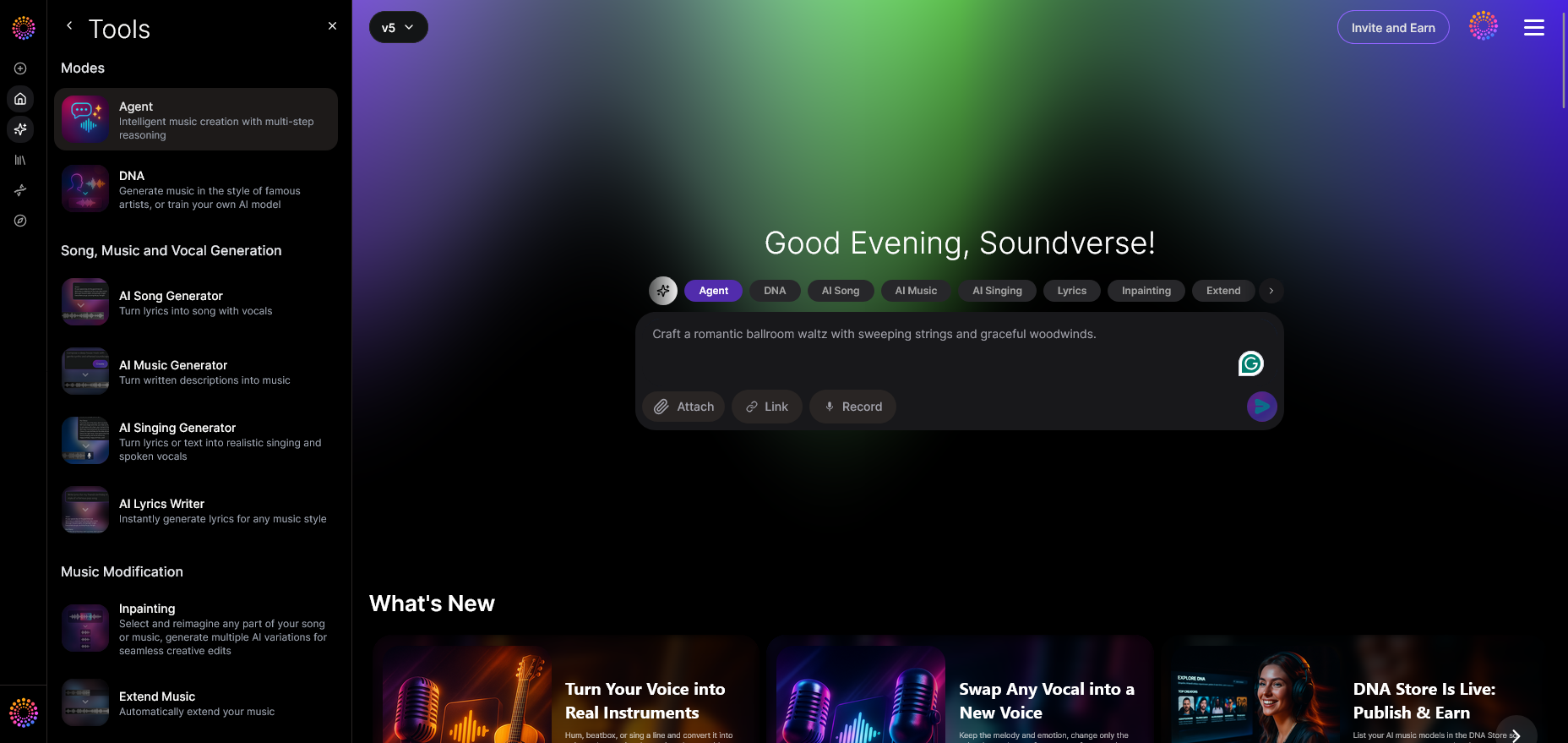
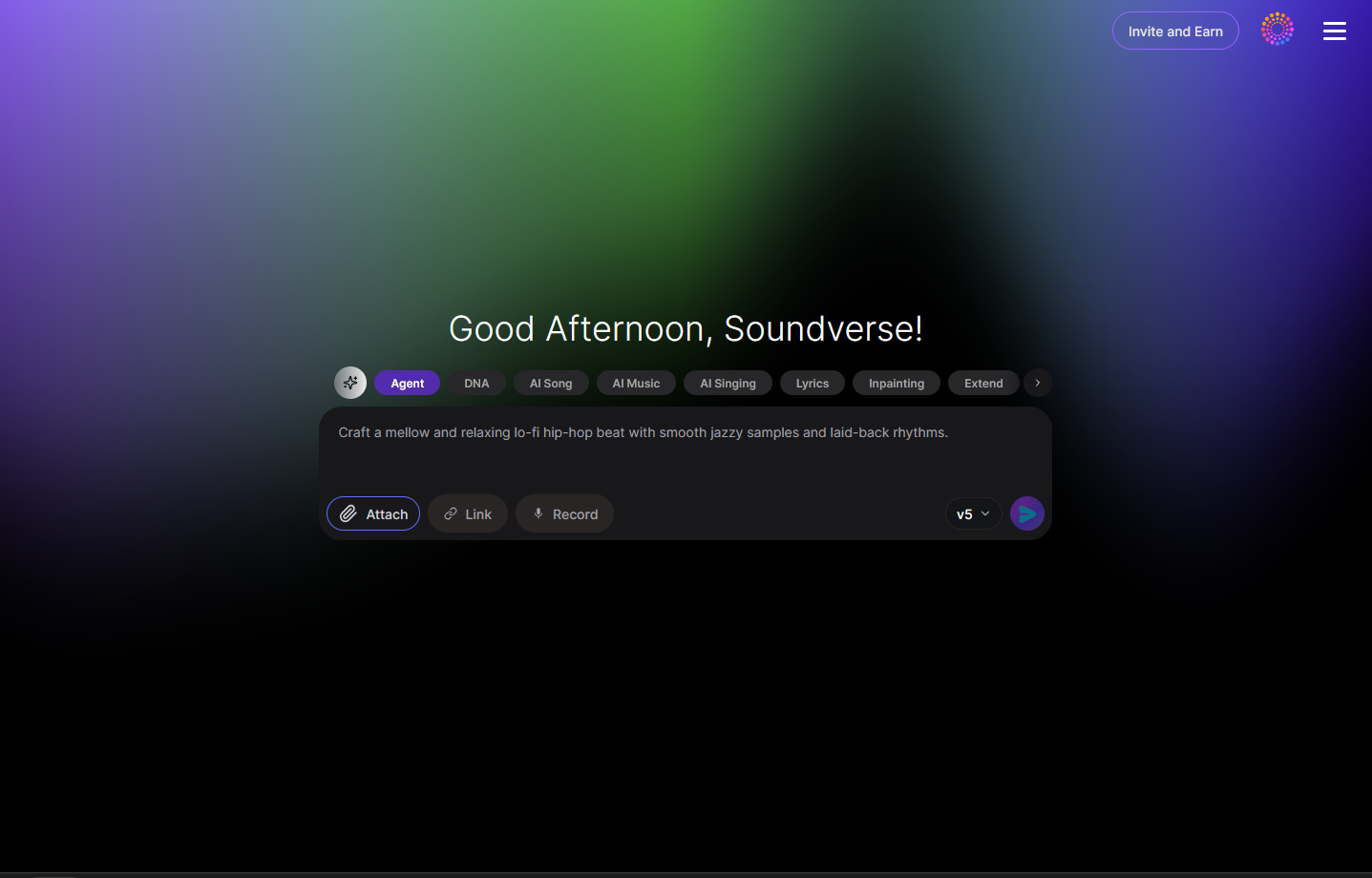
Begin by familiarizing yourself with the Suno AI interface. Focus on the main prompt input area and any parameter adjustments for style or genre. Although Suno AI doesn’t require deep technical skill, knowing where to modify tempo and intensity helps personalize output.
Step 2: Reference Audio — Adding Guidance to Prompts
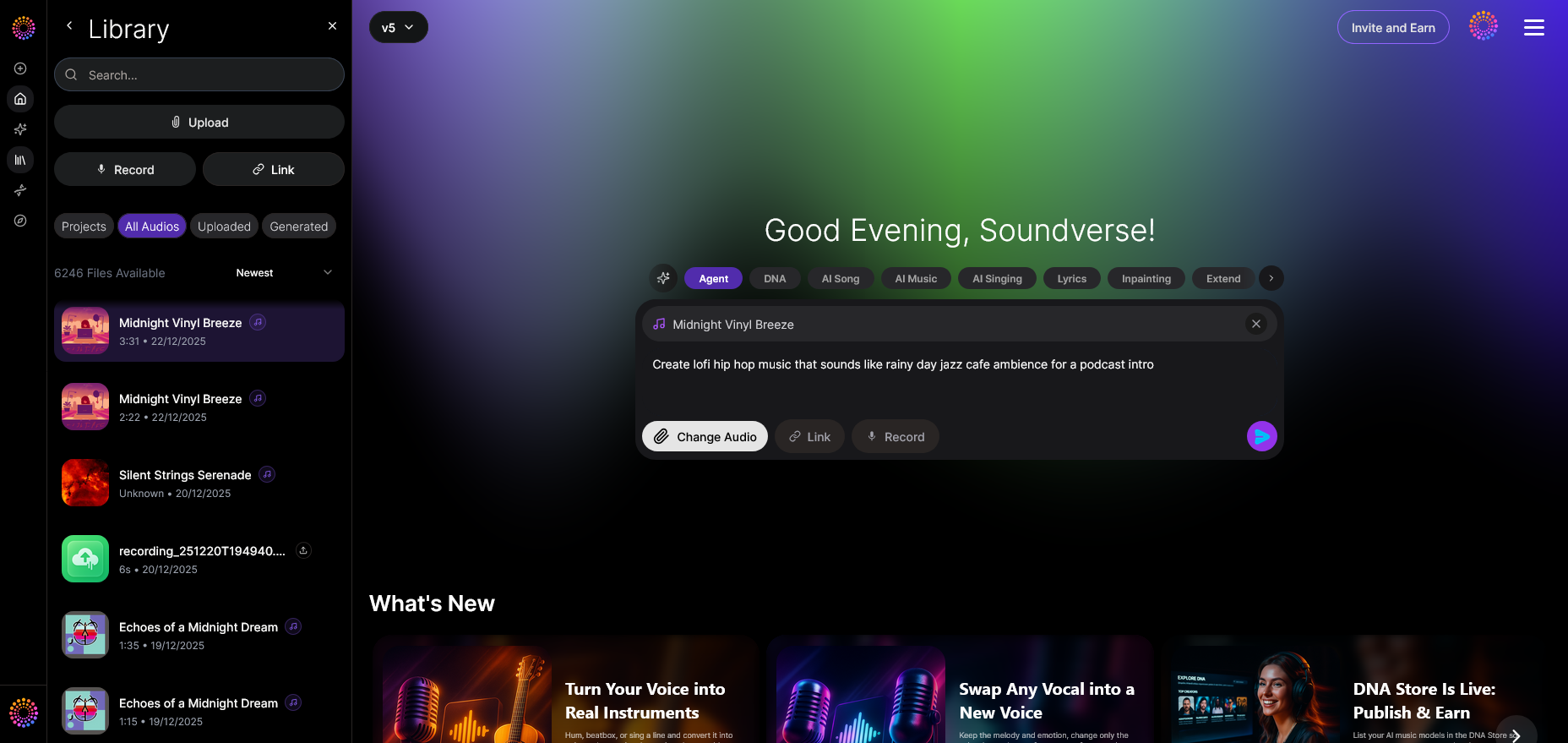
If the tool supports it, add reference clips that represent what you envision. This informs the AI model about rhythm, energy, and ambiance. It’s similar to best practices used in platforms discussed in this Soundverse guide. For additional visual guidance, check out the Explore Tab tutorial from Soundverse’s YouTube series.
Step 3: Attach Button — Integrate Supporting Files
Attach lyrics or brief musical ideas. Text-based context enhances generation clarity, while instrument references can help maintain tonal consistency.
Step 4: Submit Request — Generate Your Music
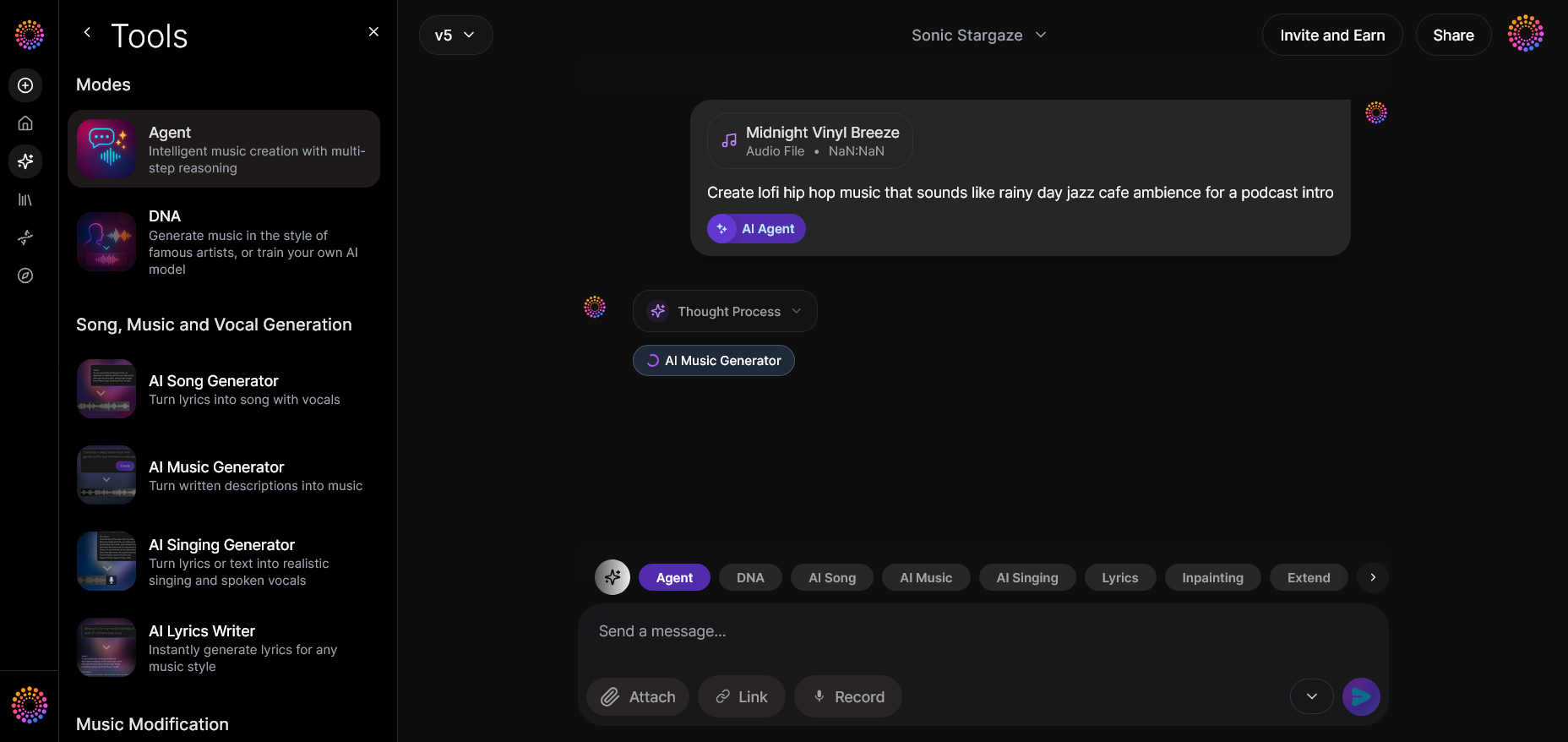
Click the designated 'Generate' or 'Submit' button and allow the system to process your prompt. This step relies on the AI’s asynchronous workflow — you’ll receive results after computational sequencing, not through live preview.
Step 5: Review Output — Evaluate the Generated Results
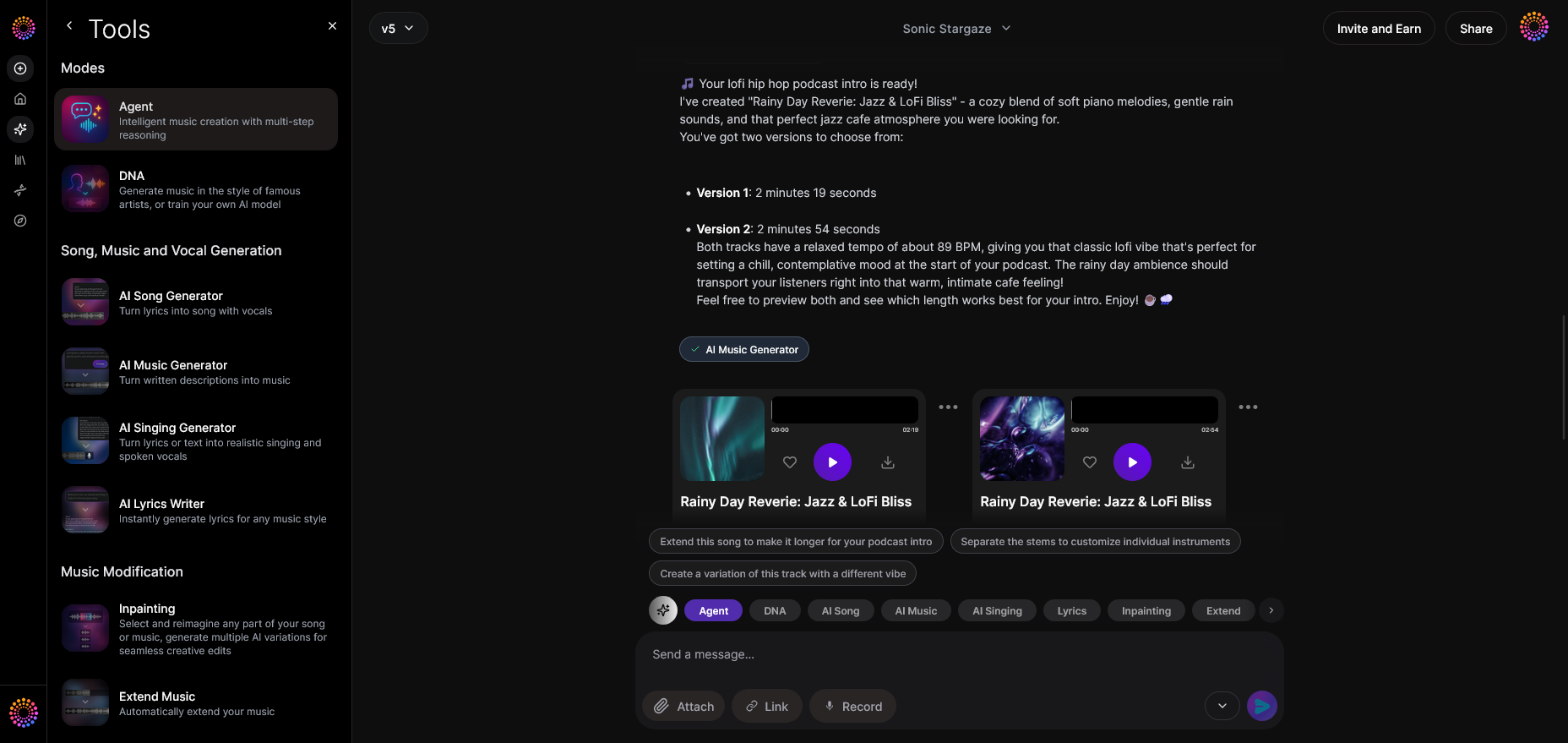
Analyze your track carefully. Pay attention to intro transitions, chord progressions, and energy peaks. Comparing outputs from different prompts can reveal how subtle changes influence musical composition.
Step 6: Refine Conversation — Request Adjustments
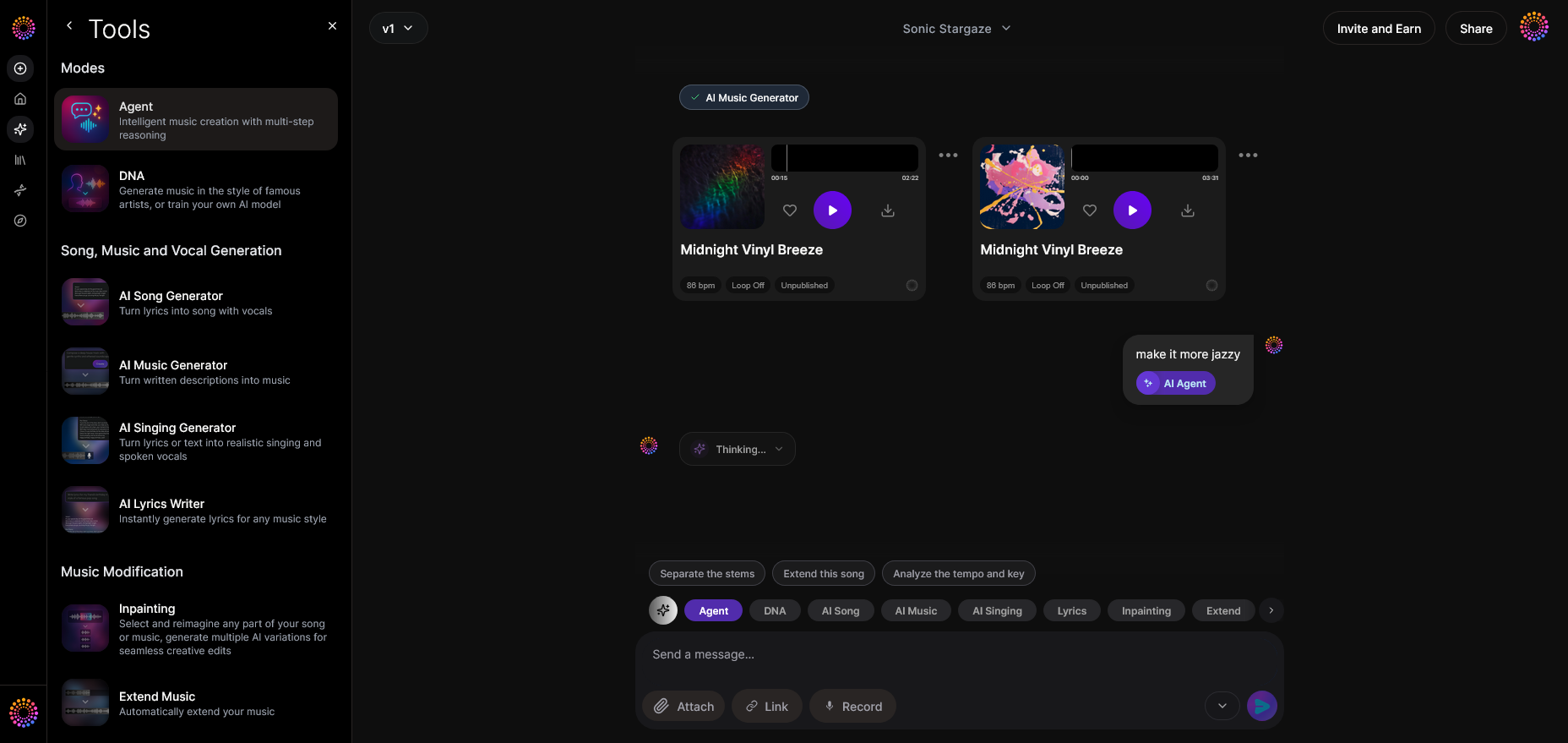
Ask the AI to alter mood or instrumentation based on results. Saying “make percussion softer” or “add cinematic strings to chorus” enhances precision. Refinement is the hallmark of a well-executed Suno AI guide.
Step 7: Advanced Controls — Explore Depth Settings
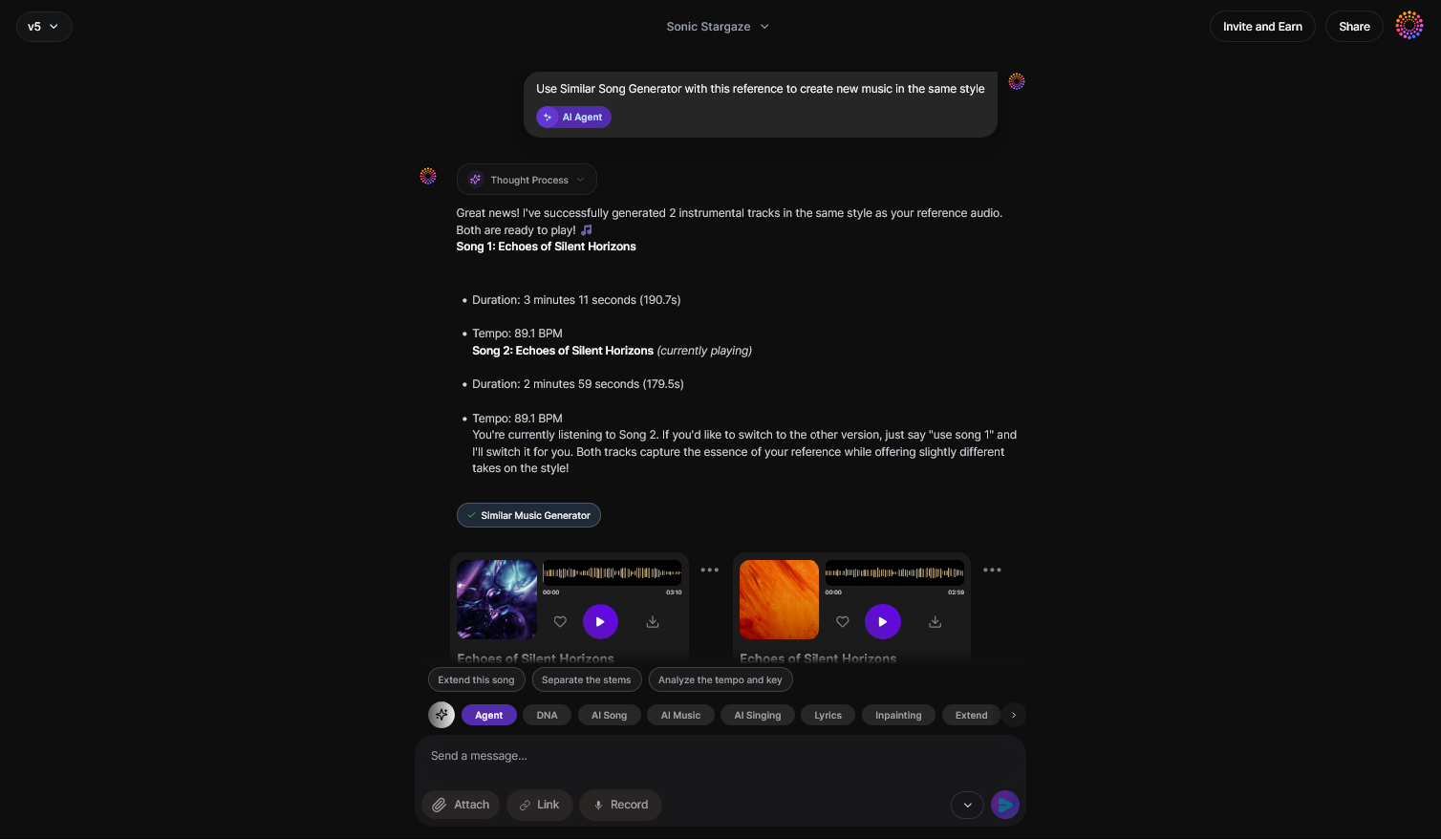
Review advanced controls such as key and tempo modifications. These options give creators more control over arrangement style — similar to setup in Soundverse’s Arrangement Studio.
Step 8: Export Options — Deliver Your Track
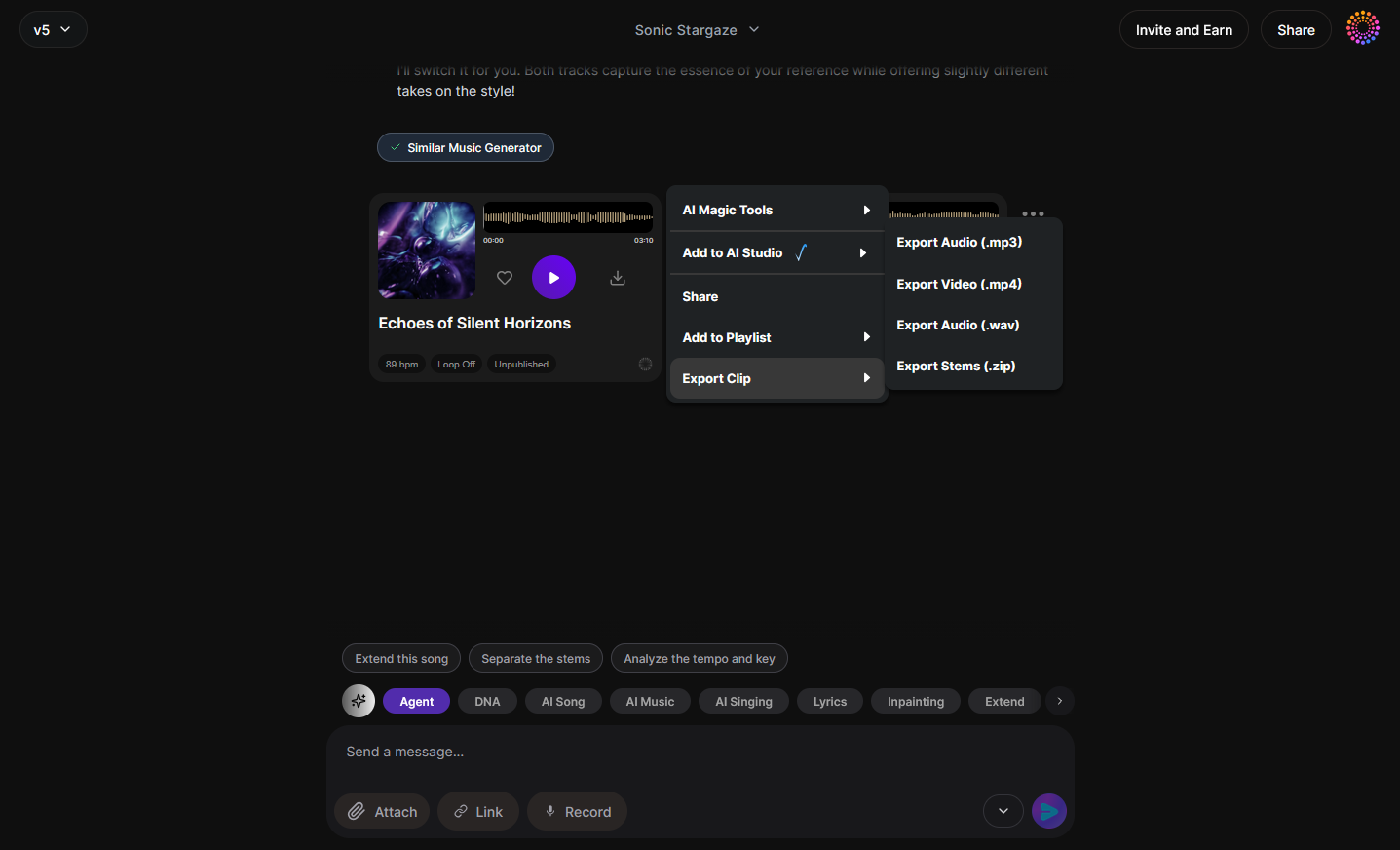
Export files in your preferred format. Use WAV for higher quality or MP3 for sharing. Always maintain backups for iterative edits.
Step 9: New Conversation — Start Fresh Projects
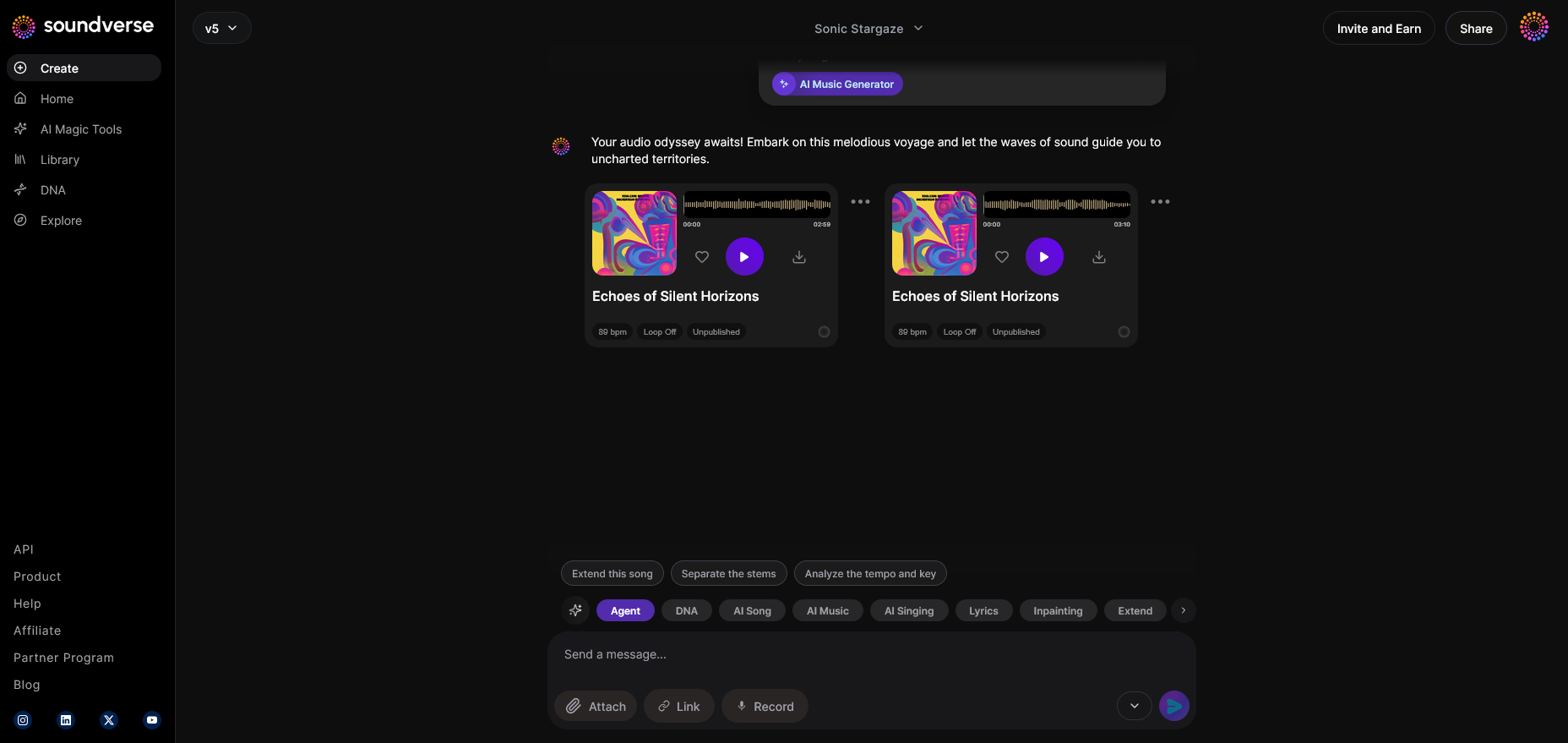
Whenever inspiration strikes, begin a new project to prevent context overlap. Keeping sessions separate ensures clarity of theme.
How to make music creation with Suno AI faster and more creative
Once familiar with the process, efficiency is key. Setting up a prompt library — categorized by vibe, emotion, or use-case — minimizes repetition. In fact, Soundverse’s text-to-music guide emphasizes prompt reuse for consistent artistic tone.
Moreover, integrating AI music generation tools alongside traditional DAWs (Digital Audio Workstations) enhances workflow synergy. You can use Suno AI for rough sketches and finish arrangements using manual input. See Soundverse’s guide on creating Deep House music to understand how layering AI and human creativity maximizes results.
How to make AI music with Soundverse Agent
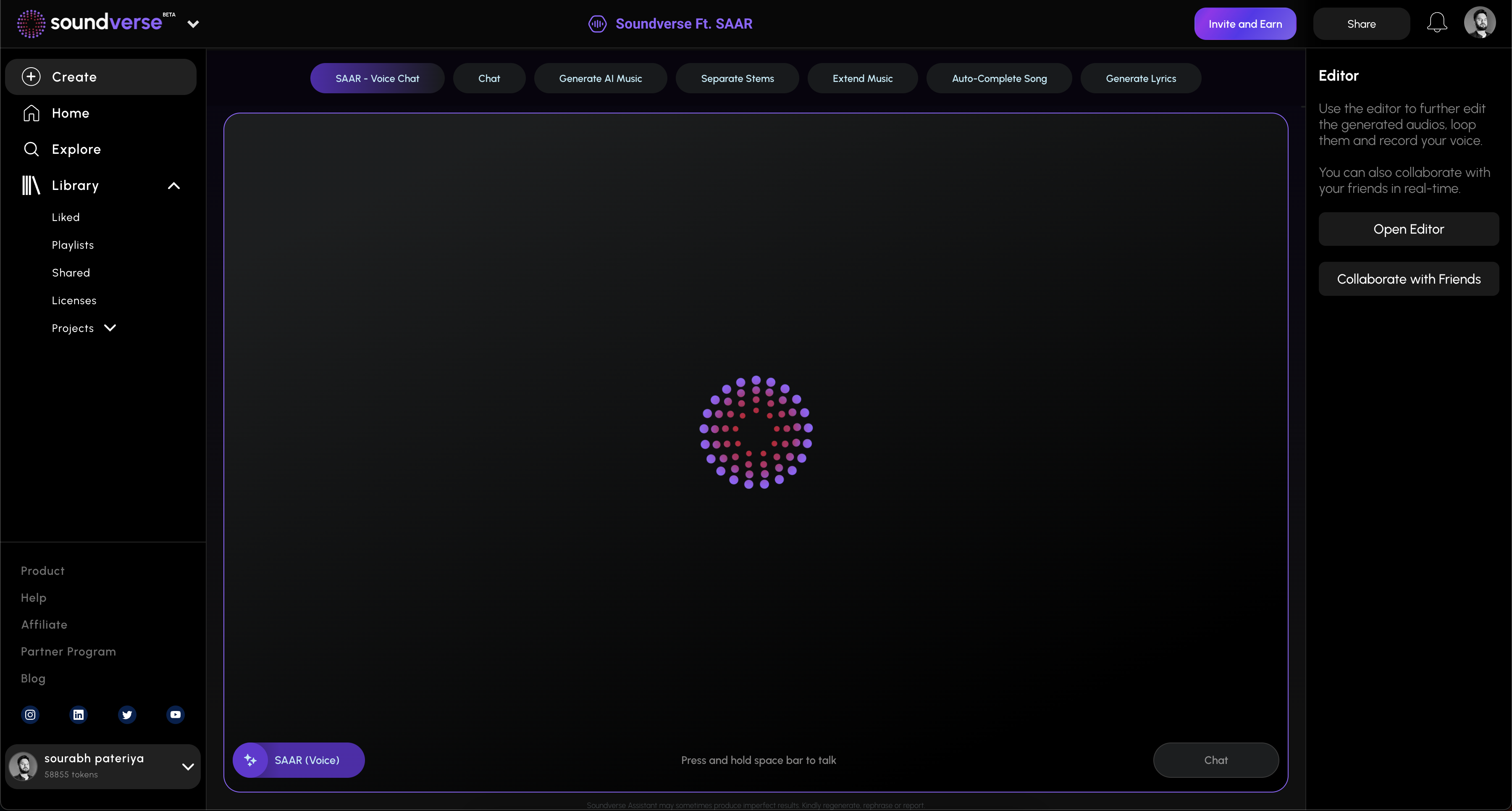
Now that you understand how to use Suno AI more effectively, let’s examine how Soundverse can streamline your entire creation pipeline.
Soundverse’s Agent is a conversational AI music assistant that acts as a centralized controller for creation tools across the platform. Using multi-step reasoning, Agent interprets natural language commands like “create a pop song, then remove the drums” and executes these requests with precision. Unlike basic generators, it automates workflows by coordinating between modules such as AI Song Generator and AI Music Generator.
The Agent’s contextual memory means it remembers previous prompts, enabling smoother iterative refining — similar to Suno AI’s adjustment abilities but within a larger orchestration ecosystem. Users can incorporate reference audio, issue cross-tool commands, and utilize voice input for added accessibility. This makes Agent an ideal solution for both beginners and professional producers.
Soundverse also integrates Soundverse DNA, a system trained on licensed artist catalogs to ensure ethical and copyright-safe creations. It helps users produce consistent tracks tied to an artist’s creative identity, reinforcing authenticity while respecting intellectual rights.
By merging intelligent workflow automation and contextual awareness, Soundverse Agent significantly reduces manual intervention. This not only saves time but creates harmony between ideation and execution — all in one streamlined environment.
Final Thoughts
Effectively using Suno AI is about intention, refinement, and iterative creativity. As AI continues reshaping music production in 2026, those who master these Suno AI tips and integrate tools like Soundverse Agent will lead innovation in modern composition. Combining descriptive input strategies, structured workflow steps, and adaptive refinement transforms AI-generated music from novelty to artistry.
If you’re ready to elevate your creative process beyond basic generation, exploring how the Soundverse platform automates multi-step workflows can be the next logical progression.
Start Creating Smarter with Soundverse AI
Unleash your creativity with cutting-edge AI music tools that help you compose, arrange, and produce professional-quality tracks in minutes. Try Soundverse today and elevate your workflow.
- Best Suno Alternative: Soundverse AI Free Sign-Up — Discover why Soundverse is the top free alternative to Suno AI for making sophisticated, copyright-safe music.
- Generate AI Music with Soundverse Text-to-Music — Learn how to convert your text prompts into immersive musical compositions using Soundverse AI’s intuitive text-to-music technology.
- Soundverse AI Revolutionizing Music Creation for New Age Content Creators — Explore how Soundverse AI is empowering artists, YouTubers, and producers to create original soundtracks effortlessly.
- What AI Can Generate Songs — An in-depth look at the AI platforms capable of composing full songs, and where Soundverse stands among the leaders.
Here's how to make AI Music with Soundverse
Video Guide

Here’s another long walkthrough of how to use Soundverse AI.
Text Guide
- To know more about AI Magic Tools, check here.
- To know more about Soundverse Assistant, check here.
- To know more about Arrangement Studio, check here.
Soundverse is an AI Assistant that allows content creators and music makers to create original content in a flash using Generative AI.
With the help of Soundverse Assistant and AI Magic Tools, our users get an unfair advantage over other creators to create audio and music content quickly, easily and cheaply.
Soundverse Assistant is your ultimate music companion. You simply speak to the assistant to get your stuff done. The more you speak to it, the more it starts understanding you and your goals.
AI Magic Tools help convert your creative dreams into tangible music and audio. Use AI Magic Tools such as text to music, stem separation, or lyrics generation to realise your content dreams faster.
Soundverse is here to take music production to the next level. We're not just a digital audio workstation (DAW) competing with Ableton or Logic, we're building a completely new paradigm of easy and conversational content creation.
TikTok: https://www.tiktok.com/@soundverse.ai
Twitter: https://twitter.com/soundverse_ai
Instagram: https://www.instagram.com/soundverse.ai
LinkedIn: https://www.linkedin.com/company/soundverseai
Youtube: https://www.youtube.com/@SoundverseAI
Facebook: https://www.facebook.com/profile.php?id=100095674445607
Join Soundverse for Free and make Viral AI Music

We are constantly building more product experiences. Keep checking our Blog to stay updated about them!