How to Use Soundverse DNA to Train an AI Model in Your Own Music Style
Learn how to use Soundverse DNA to train an AI model in your own music style ethically and creatively in 2026.
How to Use Soundverse DNA to Train an AI Model in Your Own Music Style
In 2026, AI-driven music creation has become one of the most exciting developments in the music industry. The rise of tools like Soundverse DNA has changed how artists compose, produce, and share their sound. Instead of relying on generic AI music generation models, musicians can now train custom AI models built around their unique musical DNA. This capability brings personalization, ethical data usage, and creative scalability into one ecosystem.
What Is Soundverse DNA?
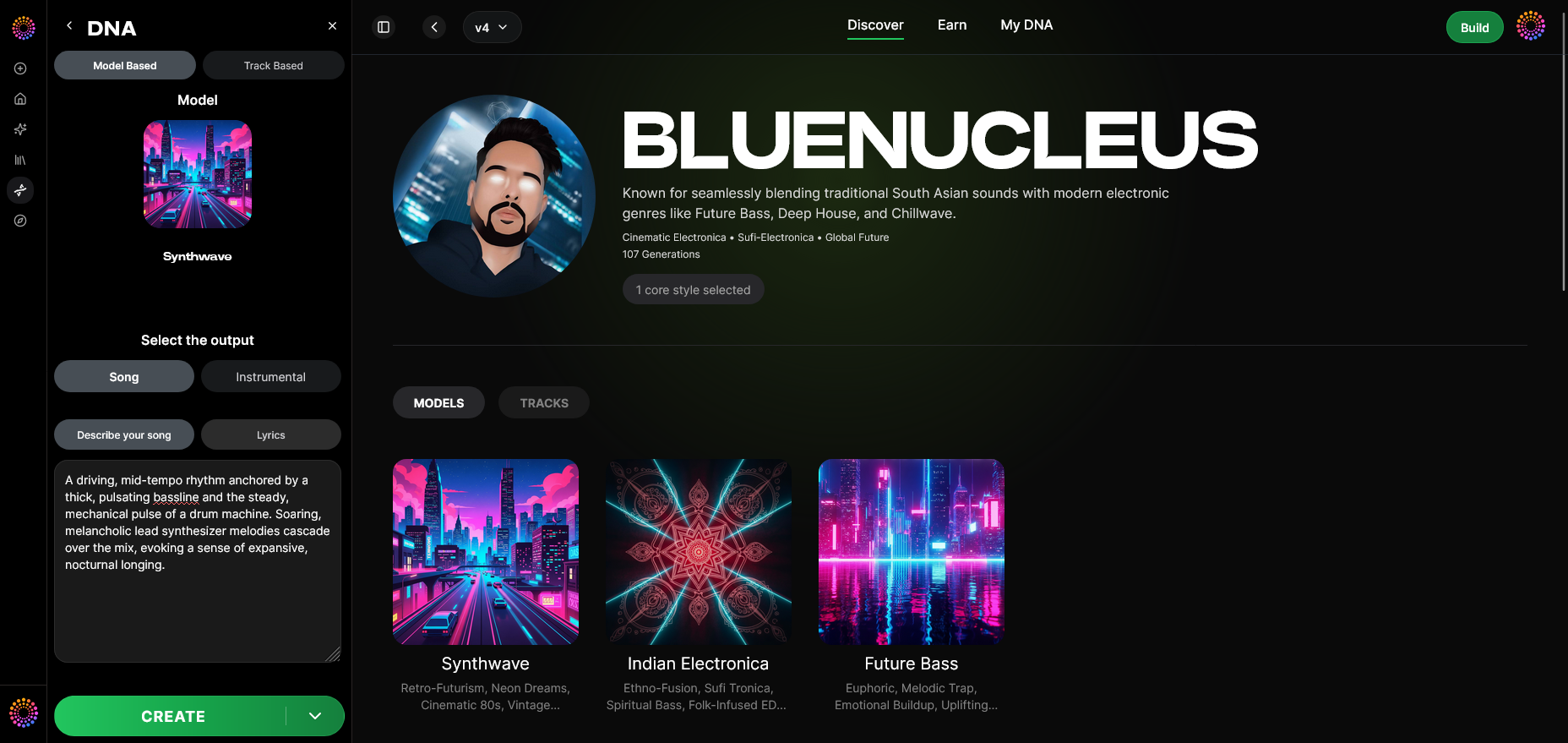
Soundverse DNA is a proprietary artist-trained AI music generation system designed to replicate sonic identities while maintaining fairness and copyright safety. It allows creators to train their AI models using licensed catalogs, ensuring full consent from artists and resolving the ethical concerns surrounding unauthorized data scraping.
The primary feature — Soundverse DNA — operates within the framework of the Ethical AI Music Framework, which guarantees transparency and artist compensation through structured attribution. Using Soundverse DNA, users can build Full DNA (songs/instrumentals) or Voice DNA (vocal timbres and unique vocal styles). Once trained, these AI models power ethically generated, stylistically consistent tracks.
Soundverse DNA includes several advanced capabilities:
- Full DNA and Voice DNA: Train the AI using instrumentals, full compositions, or vocal recordings.
- DNA Marketplace: Share or license your style publicly and earn royalties when fans use it.
- Sensitivity Selector: Helps cluster your catalog into stylistic eras for nuanced AI responses.
- Private Mode: Allows secure, non-public training and collaboration sessions.
The result: You can create music aligned with your artistic fingerprint while maintaining ethical and legal control over your catalog.
If you are interested in how Soundverse AI impacts the modern music landscape, you can explore more about music industry trends and overall AI ethics in composition.
How to Make Custom AI Music Training with Soundverse DNA

To truly personalize your music generation experience, learn how Soundverse DNA’s system trains AI to interpret your unique sonic tone. The process is highly intuitive and built for both emerging artists and professional producers seeking to integrate AI into their workflow.
Step 1: Overview
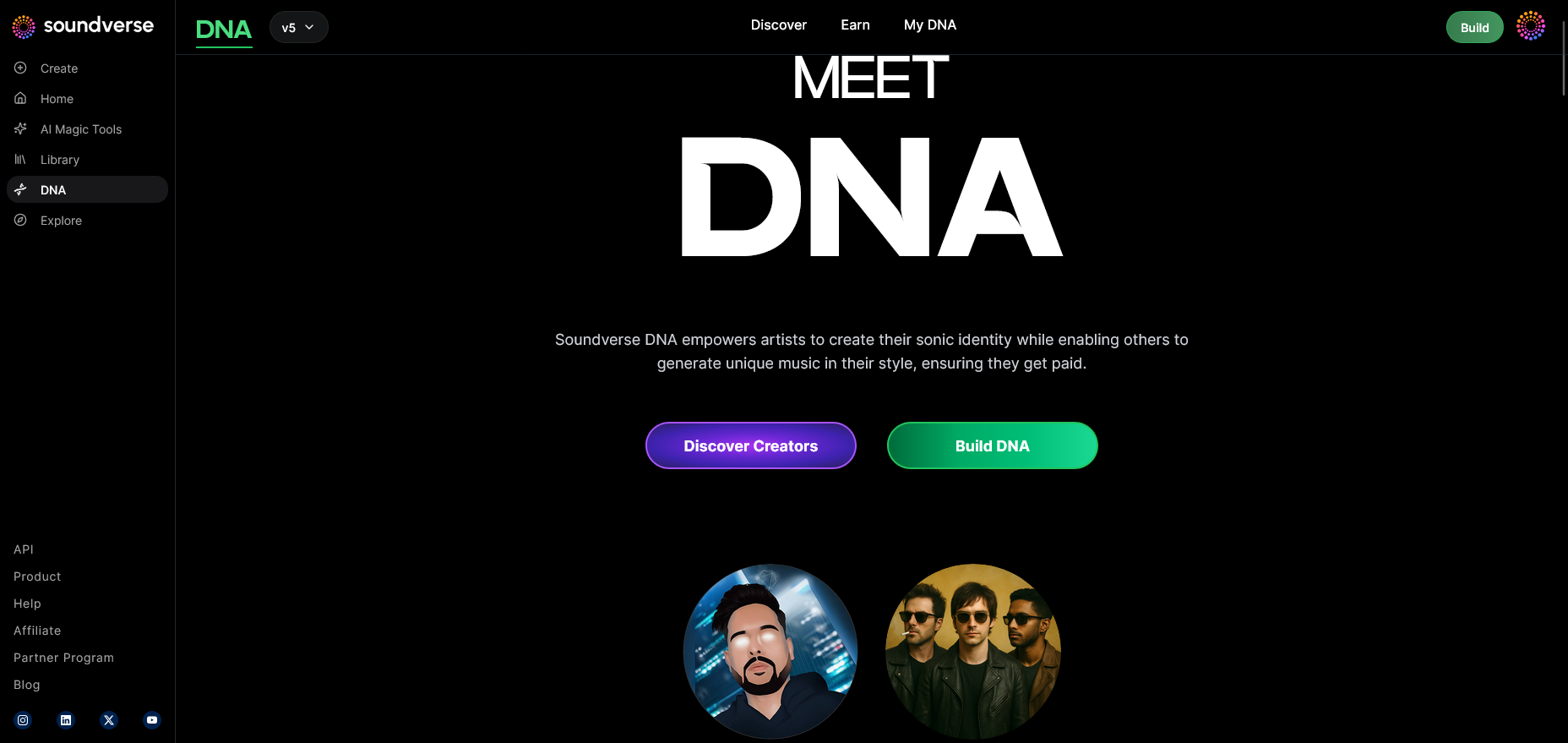
Upon entering Soundverse, select the DNA mode. This is your entry point into DNA-based training. Here, you’ll see an overview explaining how your audio files become the foundation for a personalized AI model. You’ll be reminded that data training is done asynchronously — upload first, then Soundverse processes to generate the model.
Step 2: Dashboard
Inside your DNA dashboard, manage active models and upload new content. The dashboard displays performance metrics for your trained DNAs and tracks how often fans generate music using your model. This interface acts as your AI control room, where you monitor monetization and creative output.
Step 3: Creator Profile
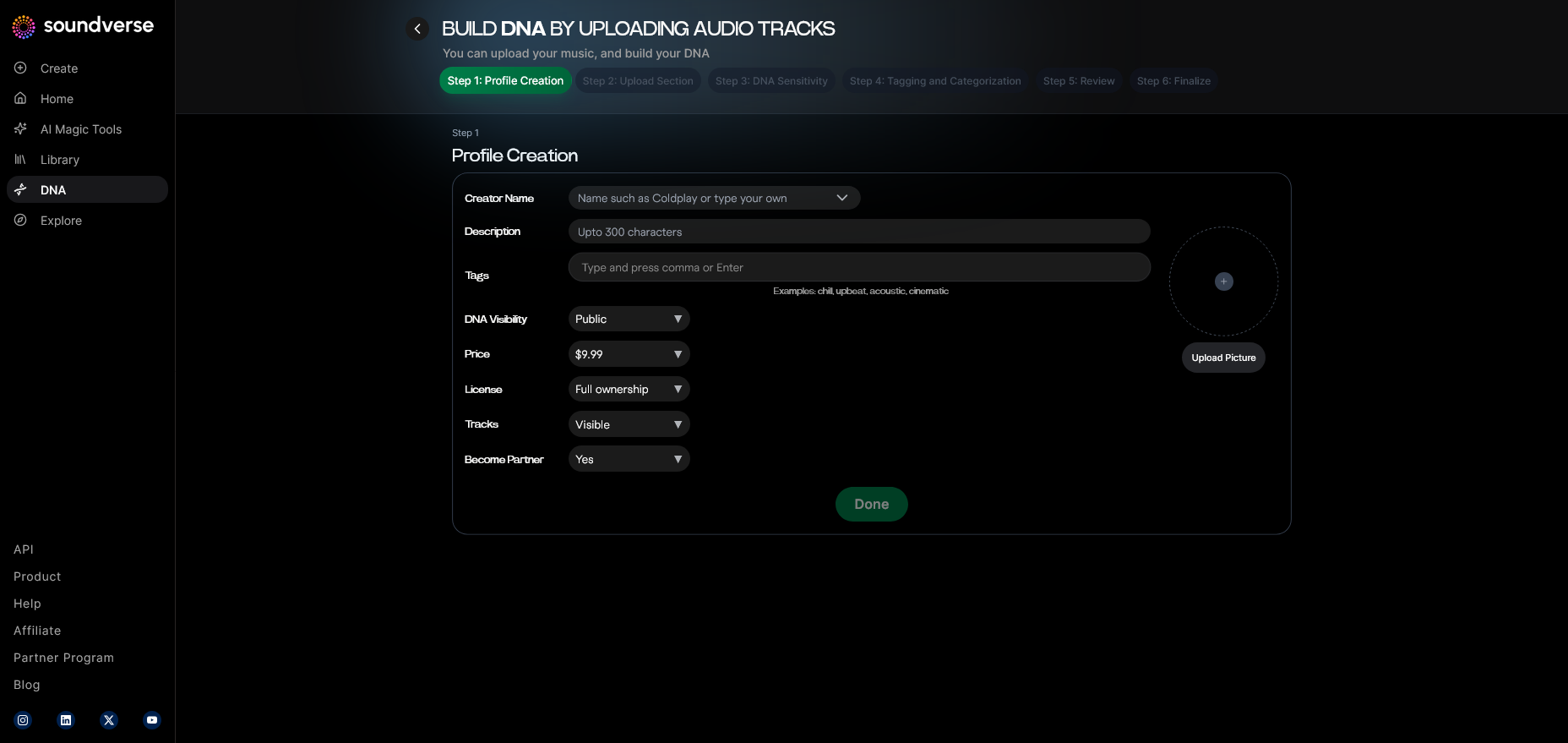
Before training starts, you set up your creator profile. Add artistic details like genre, influences, and era of sound. These metadata markers enhance AI understanding and ensure that generated music remains consistent with your artistic identity.
Step 4: DNA Type Selection
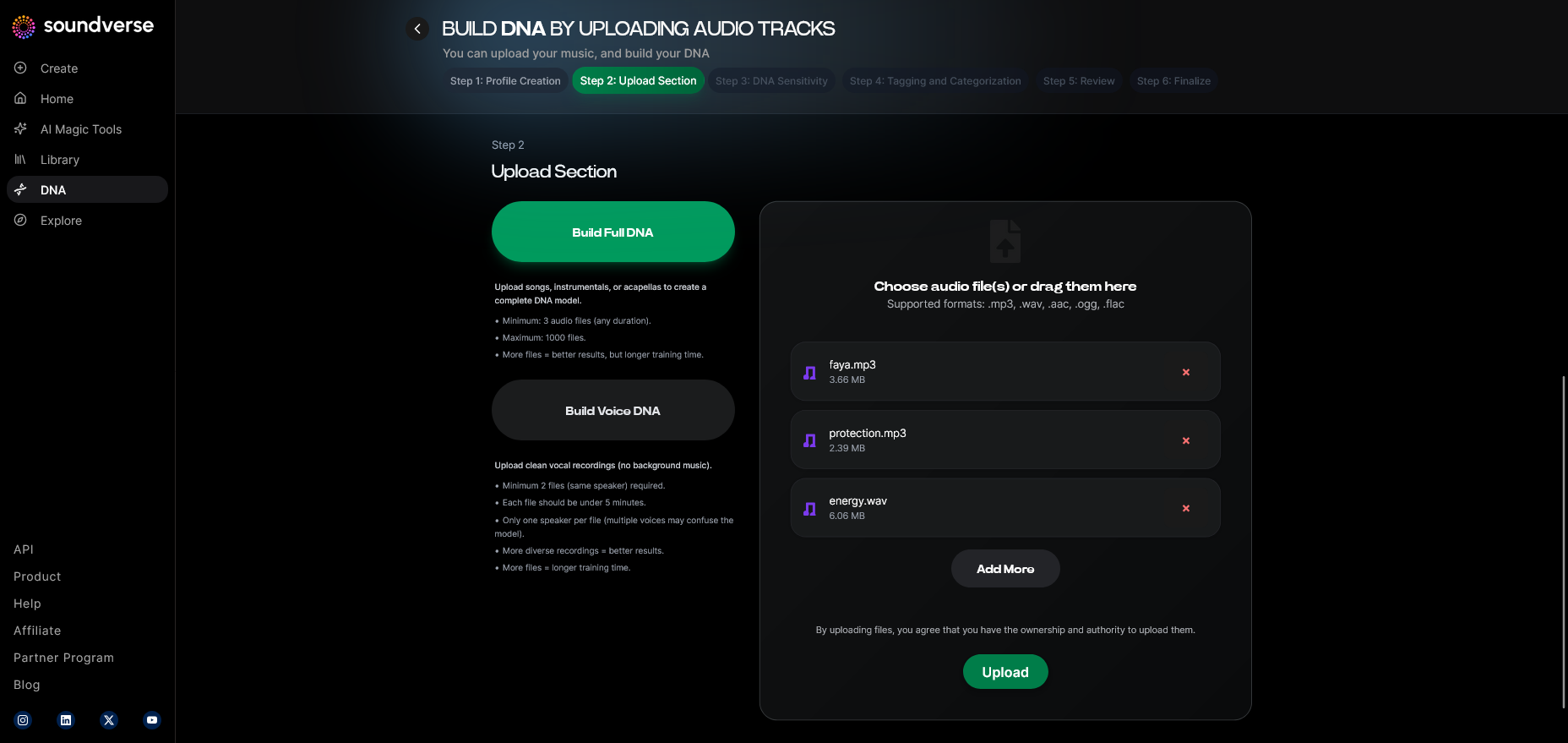
Choose between Full DNA and Voice DNA. Full DNA involves instrumental and compositional data, whereas Voice DNA focuses on tonal characteristics and expressive parameters of vocals.
Step 5: Upload Files
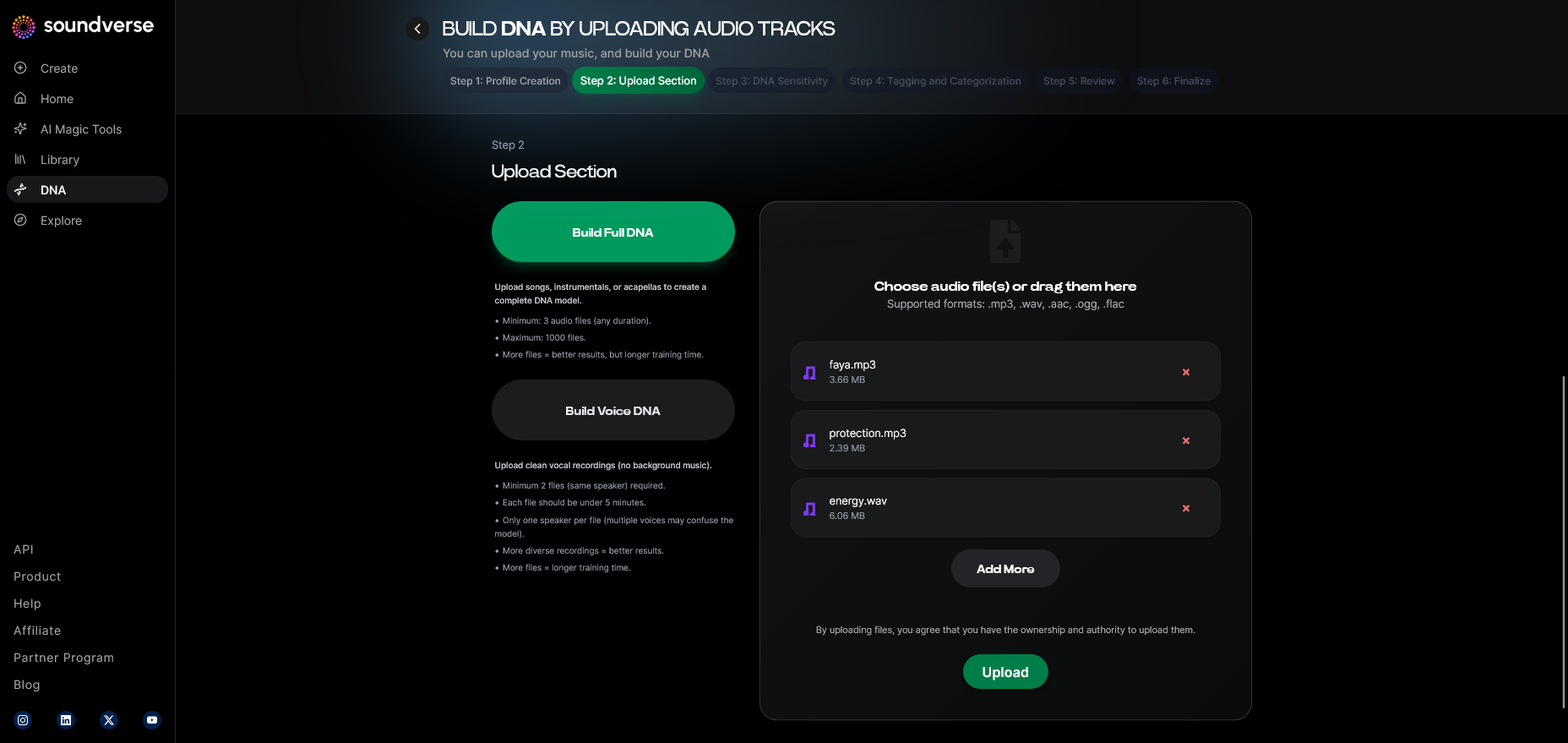
This is where your personalized training begins. Upload your songs or stems into the interface. The model analyzes frequencies, rhythmic patterns, and melodic signatures to assemble a representation of your music style. You can also add metadata like tempo or genre references for better calibration.
Step 6: Sensitivity Setting
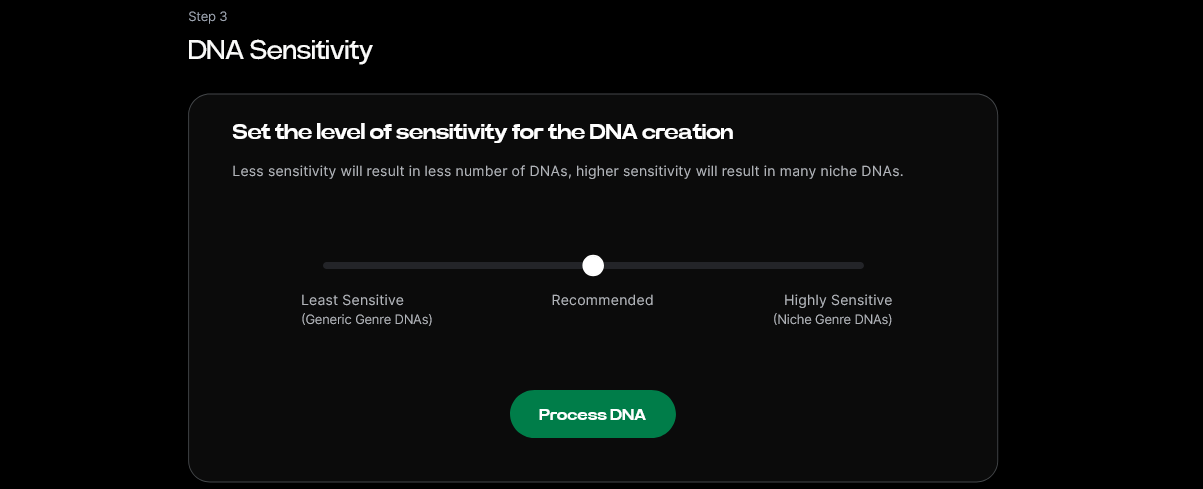
Adjust the sensitivity slider to control stylistic adaptability. A lower sensitivity means the model reproduces your sound with high accuracy. A higher setting allows more creative variation based on prompts, making it ideal for flexible, genre-blending results.
Step 7: Auto Tagging
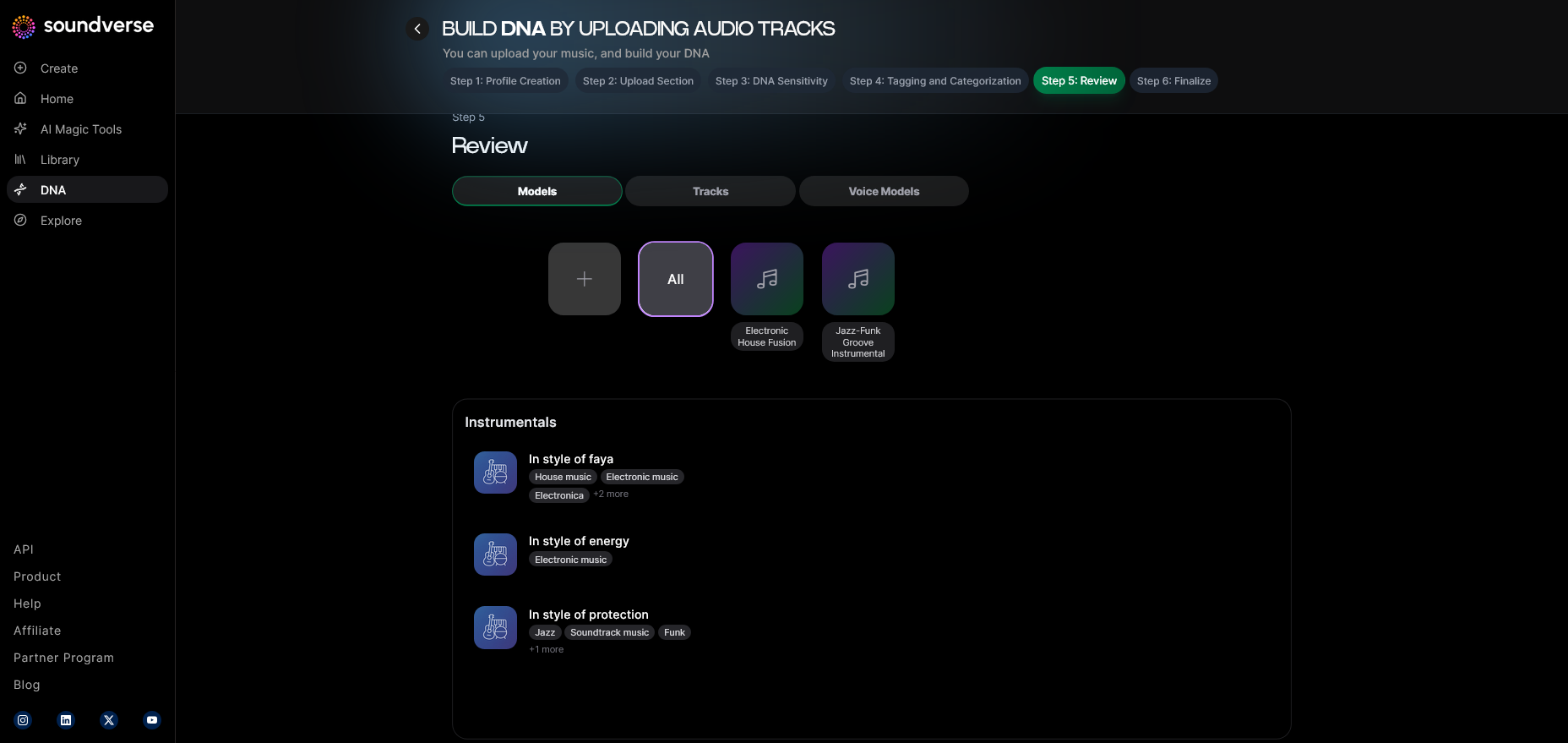
Soundverse automatically generates tags for uploaded audio, such as tempo, emotion, mood, and compositional style. This smart metadata system saves time and improves consistency when expanding your training dataset.
Step 8: Review & Publish
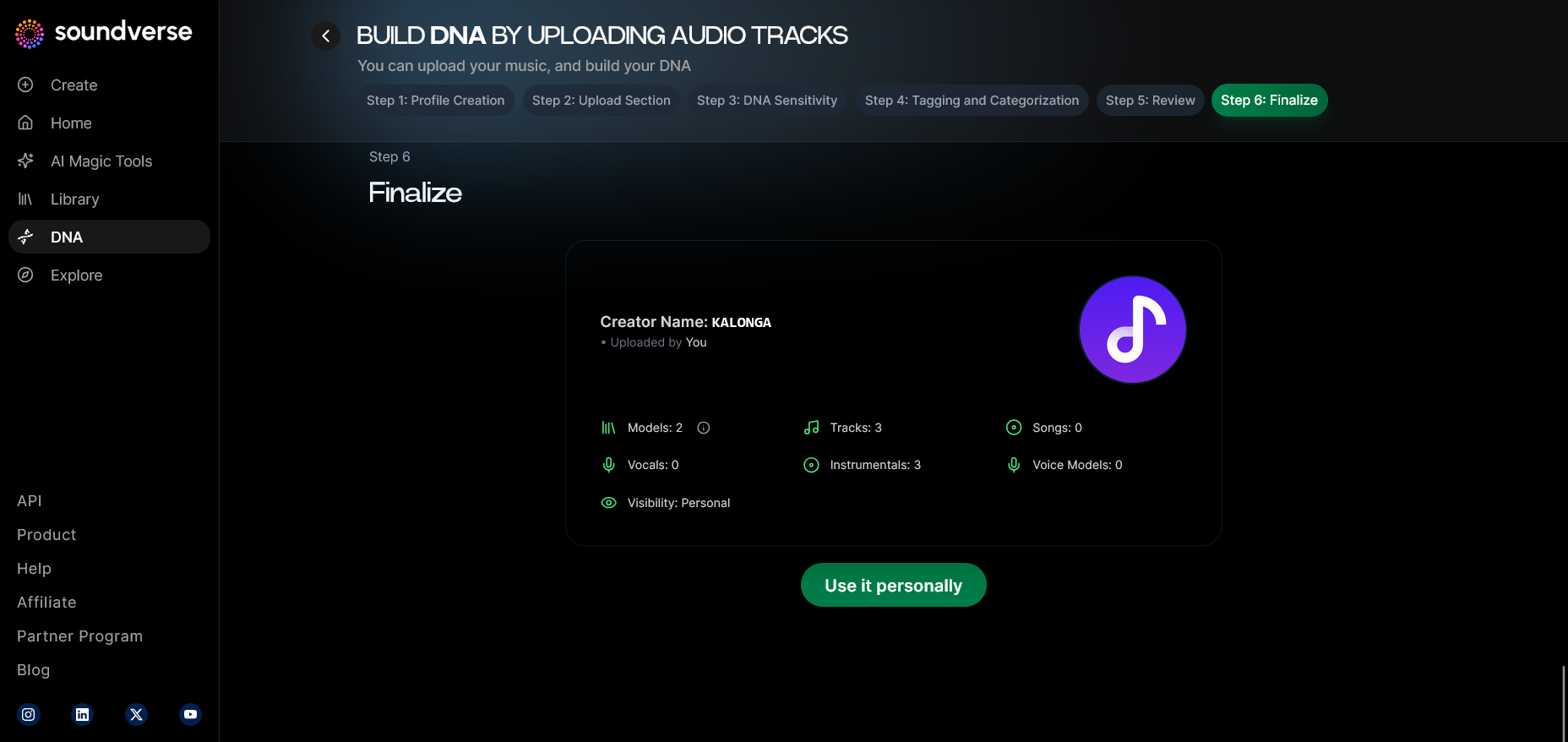
Before finalizing, review the model’s insights and approve its readiness. Once published, your Soundverse DNA becomes accessible — either privately (for internal use) or publicly via the DNA Marketplace.
Step 9: Generation Panel
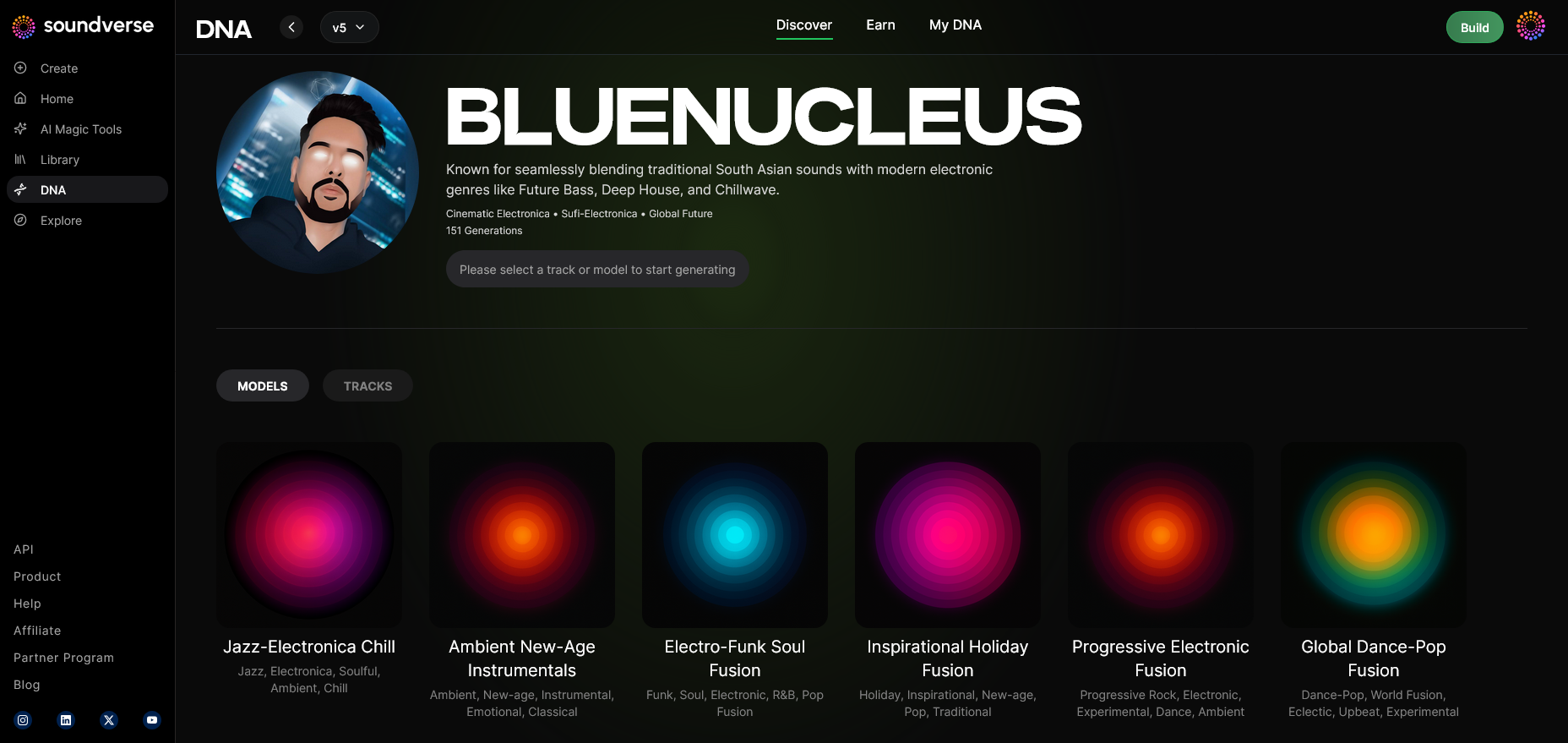
After training, move to the generation panel. This section allows you to prompt the AI to generate new music pieces that reflect your DNA. Input prompt types include concepts, genres, or moods. The generation is processed asynchronously; results appear once AI composition is complete. For a deeper dive, watch our guide on how to make music or the Deep House tutorial from the Soundverse YouTube channel.
Step 10: Model-Based Mode
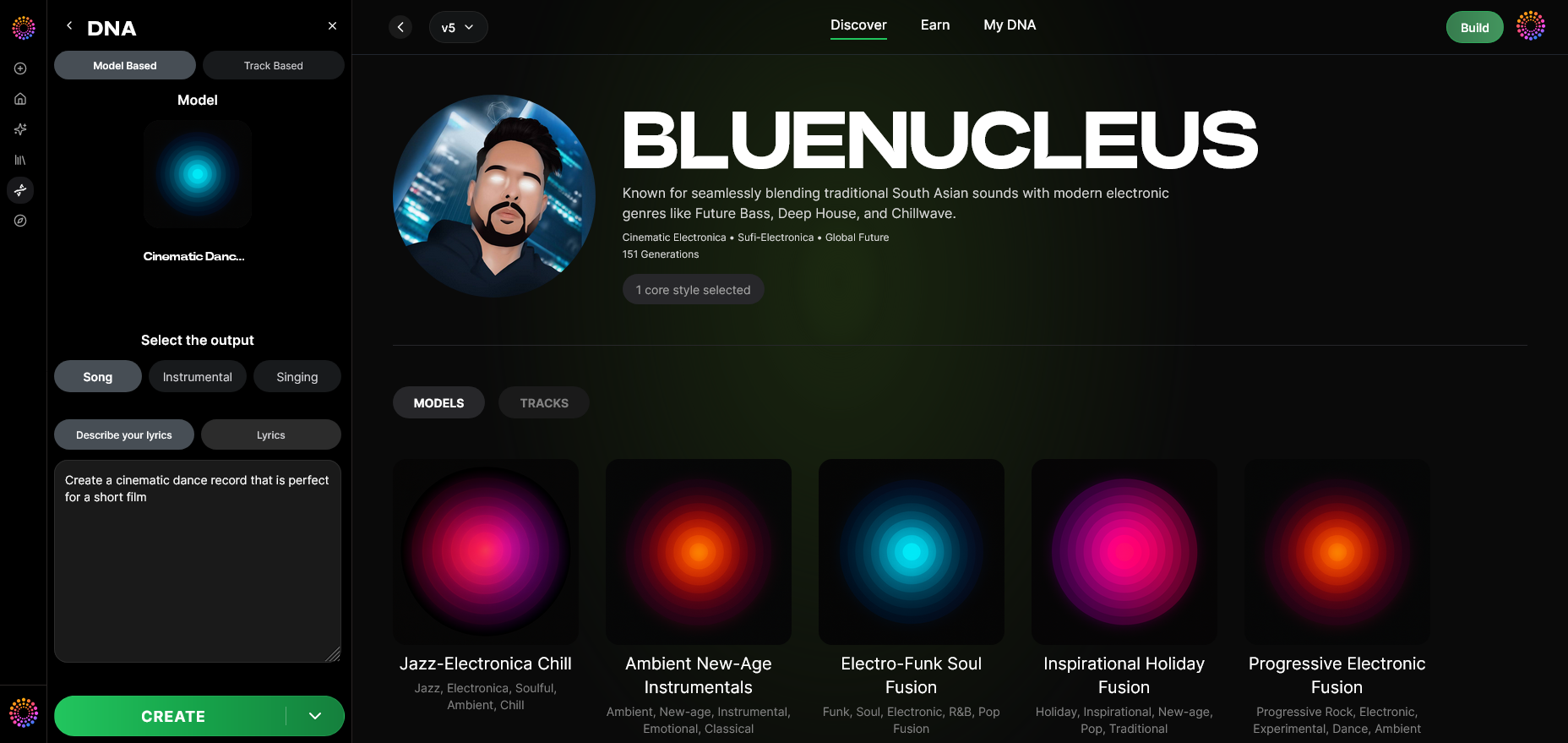
Toggle between model-based and non-model modes. Model-based generation uses your DNA parameters, ensuring that results maintain recognizable stylistic traits distinct from generic AI outputs.
Step 11: Output Type
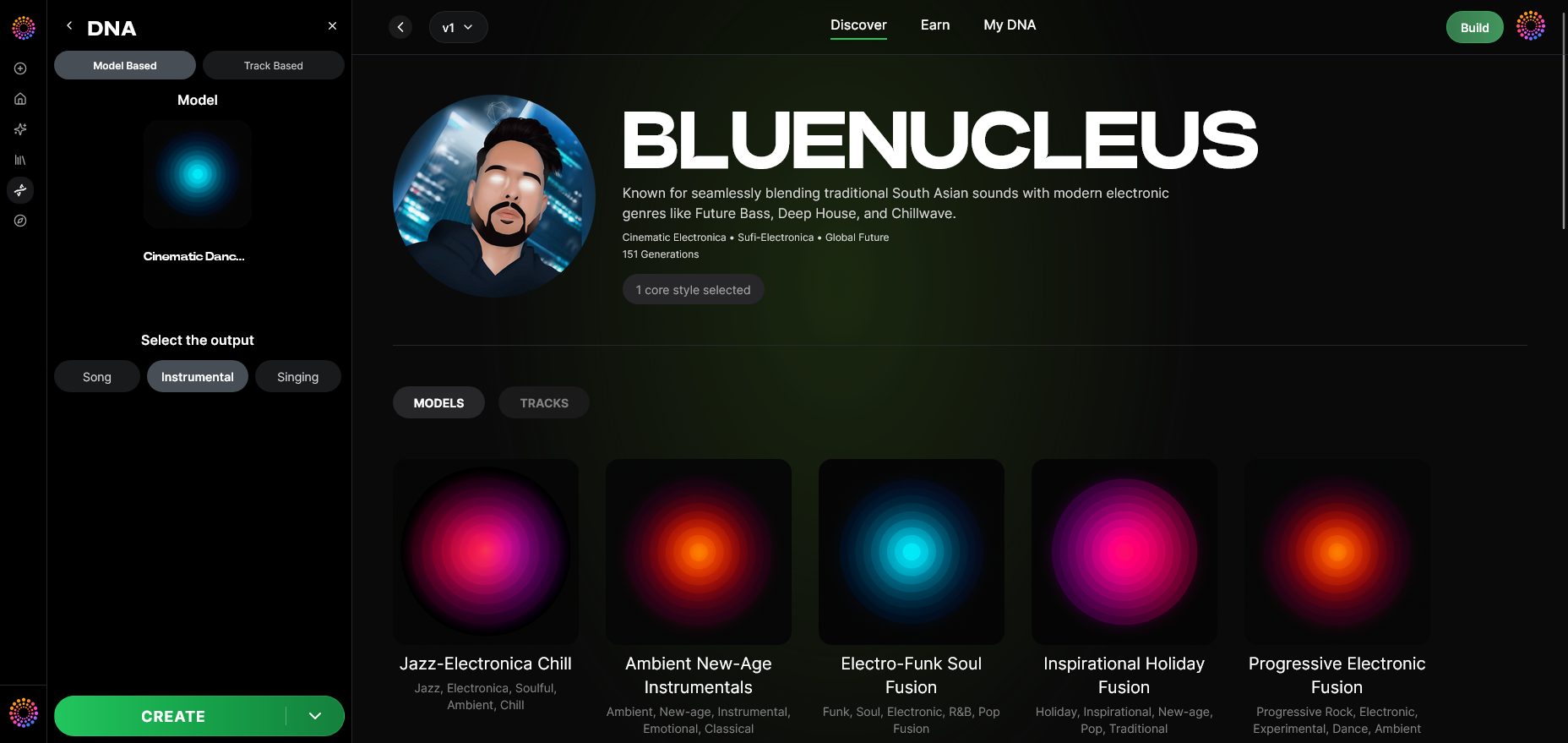
Select between Song Instrumental or Singing modes based on your creative purpose. Instrumental outputs are perfect for producers and film composers, while singing outputs work well for vocal artists looking to extend their catalog with consistent vocal identity.
Step 12: Prompt Type
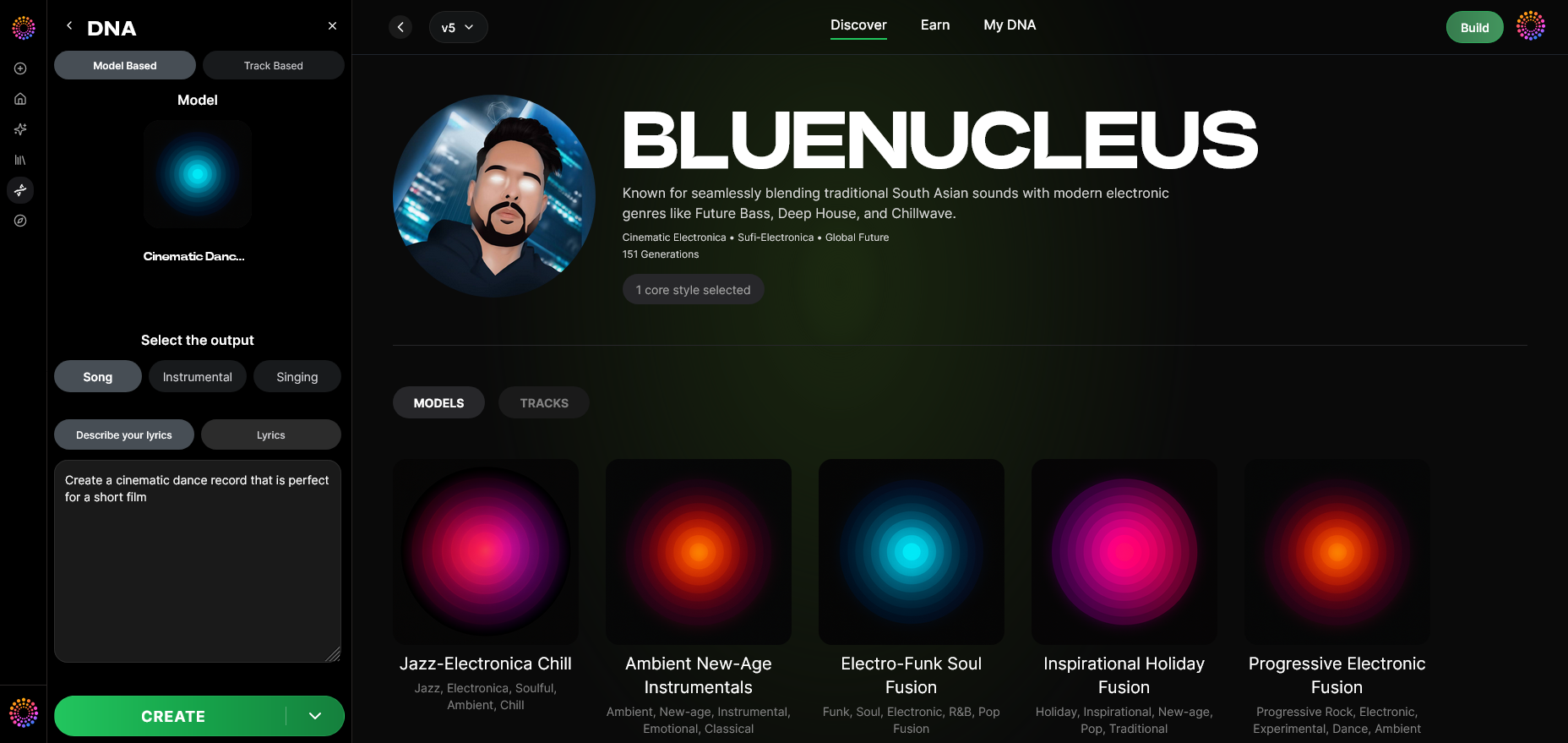
Choose how prompts guide your AI generation—using text-based descriptions, reference tracks, or emotional keywords. Text prompts allow expressive interpretation aligned with your DNA’s signature traits.
Step 13: Generation Complete
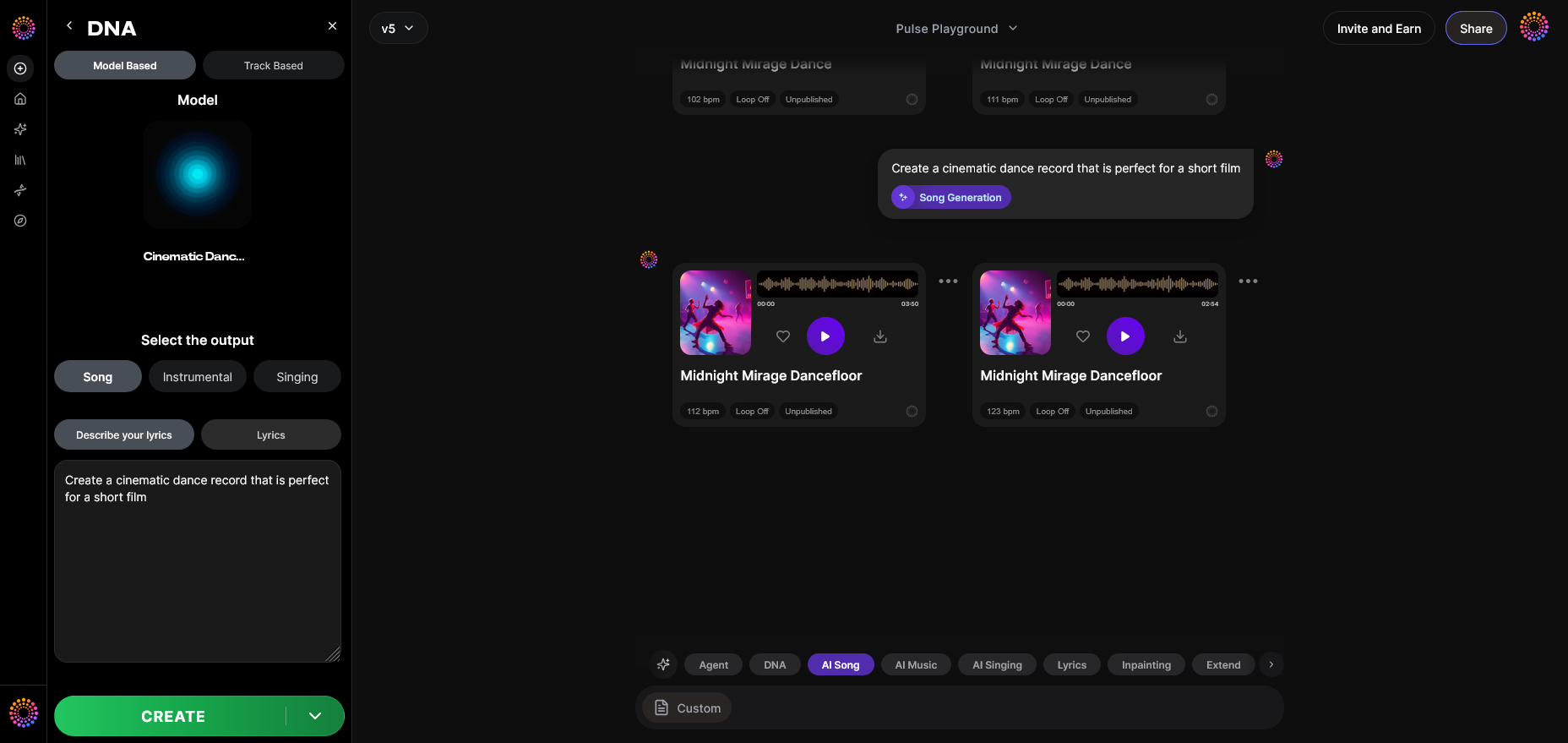
Once generation finishes, you’ll receive the result files in the dashboard. Touchpoints such as rhythm, melody, and vocal tone reflect your DNA training layer.
Step 14: Export Options
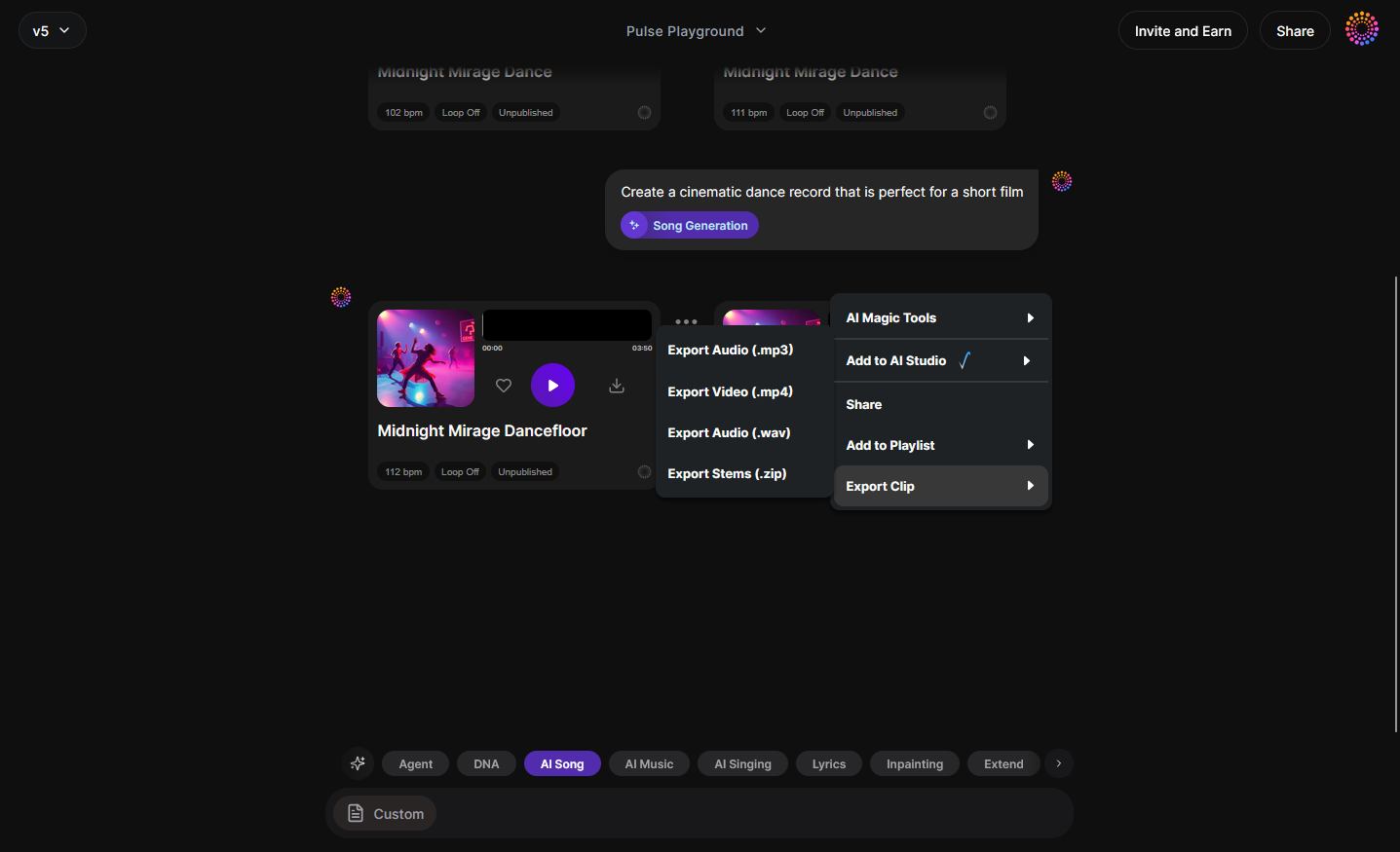
Export the track to multiple formats, including WAV, MP3, or project stems. You can explore advanced workflows through Soundverse AI Magic Tools, which integrate this generation into larger production pipelines.
Step 15: Track-Based Mode
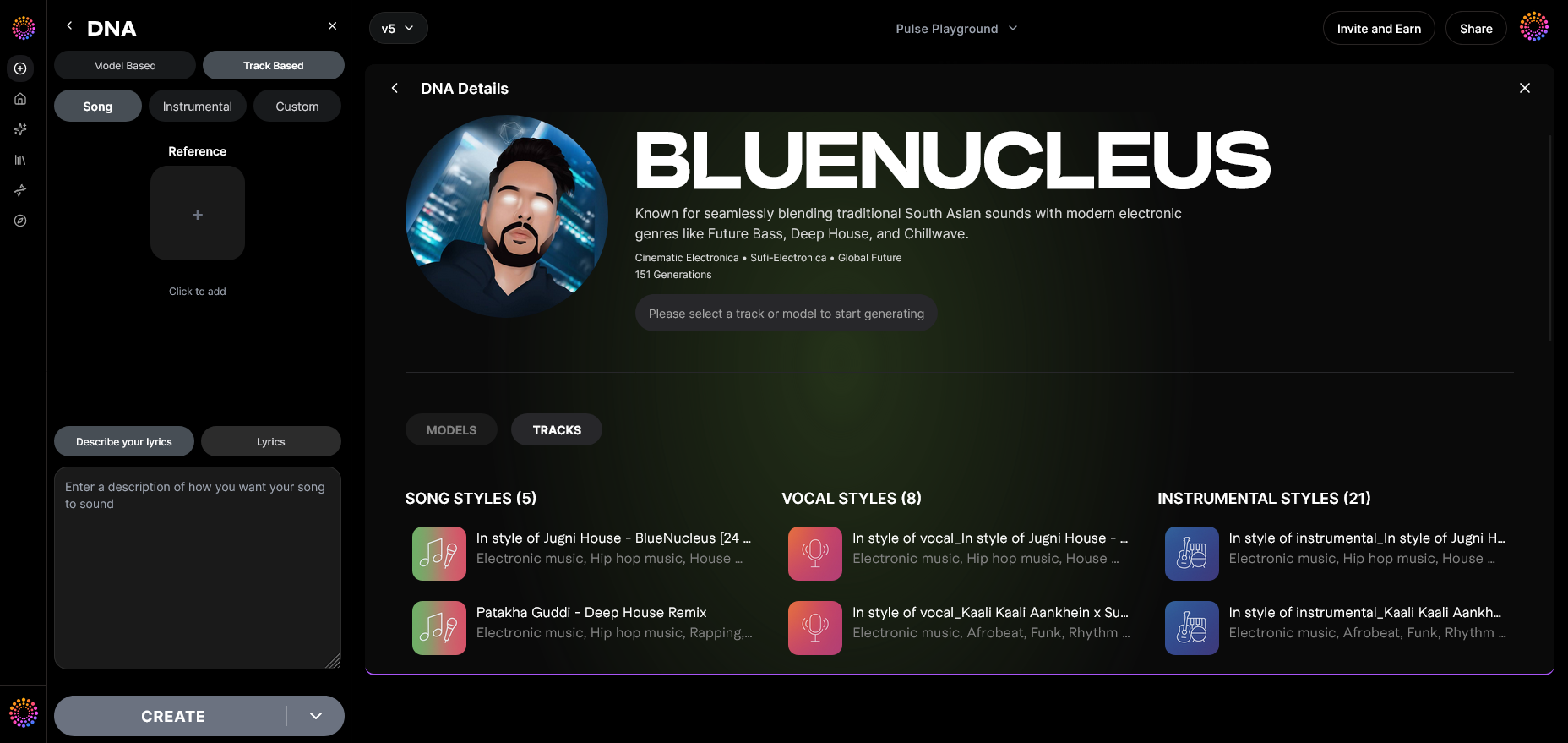
Track-based generation lets you use your DNA model to adapt existing tracks. It can reimagine arrangements or layer similar textures for remixing or brand scoring.
Step 16: Style Selection
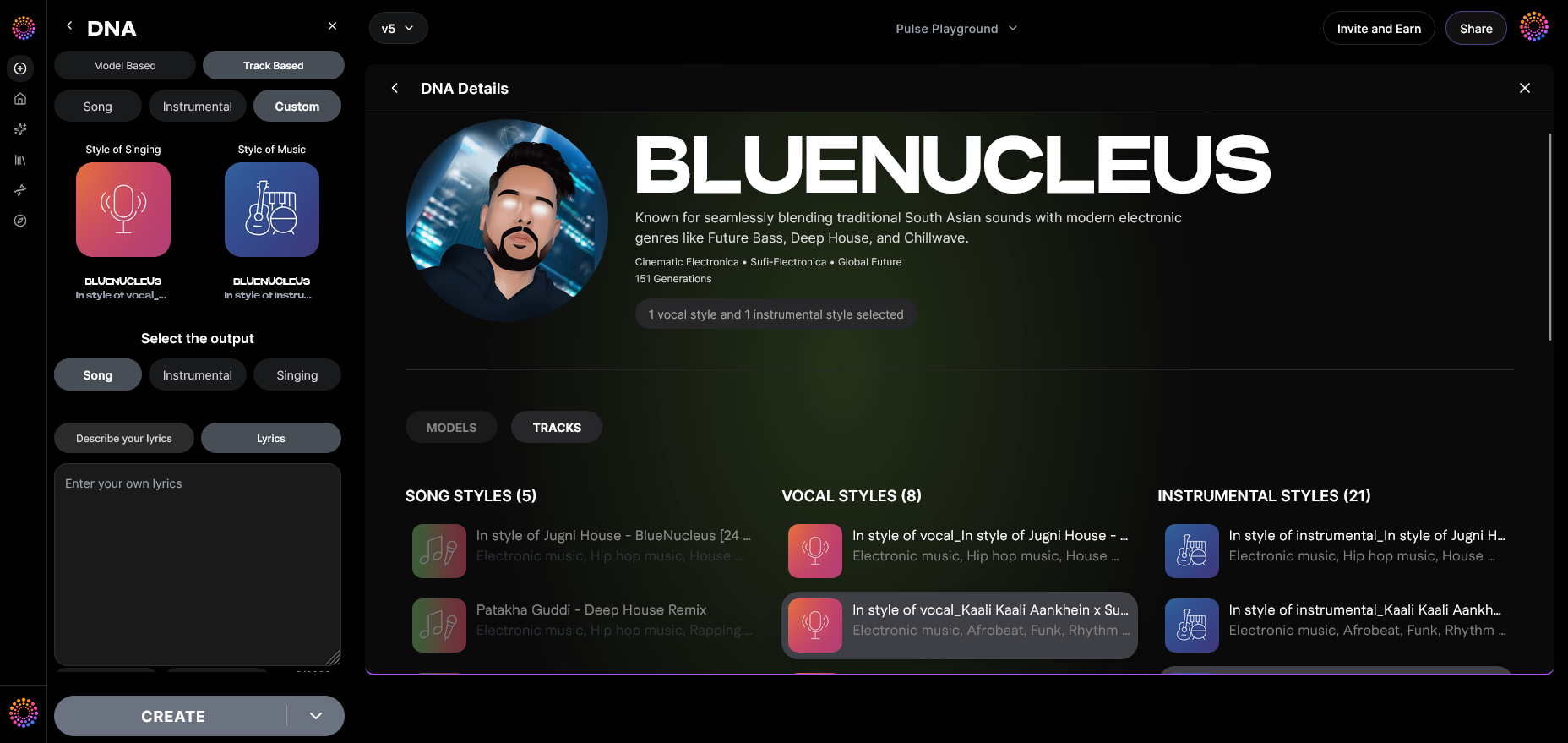
Fine-tune stylistic elements like instrumentation balance, harmonic density, and overall compositional complexity. Artists who want more creative variability use this for experimental expressions.
Step 17: Lyrics Input
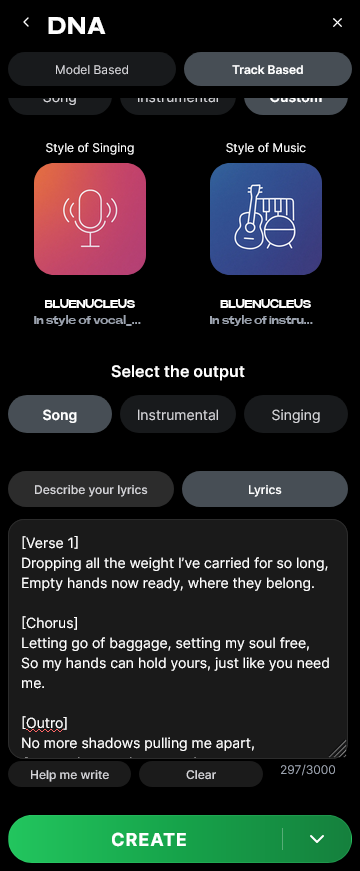
Upload or type lyrics for singing generation modes. The AI processes phonetic alignment separately using Voice DNA attributes, ensuring vocal coherence with your original timbre.
Step 18: Model-Based Singing
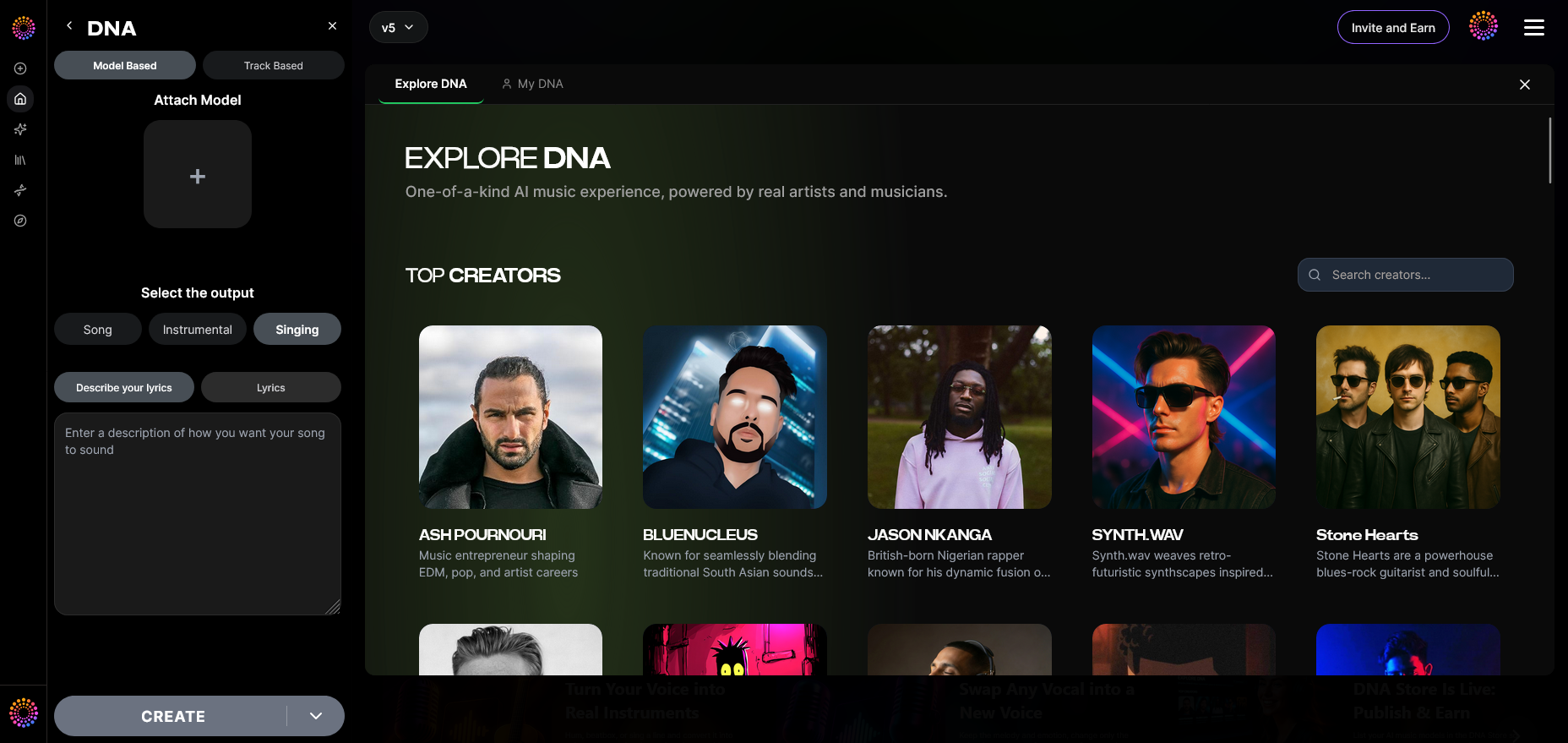
When enabled, the model uses your trained Voice DNA to generate vocals with identical tonality and phrasing patterns. This allows for brand-consistent soundtracks or creative collaborations.
Step 19: Attach Model
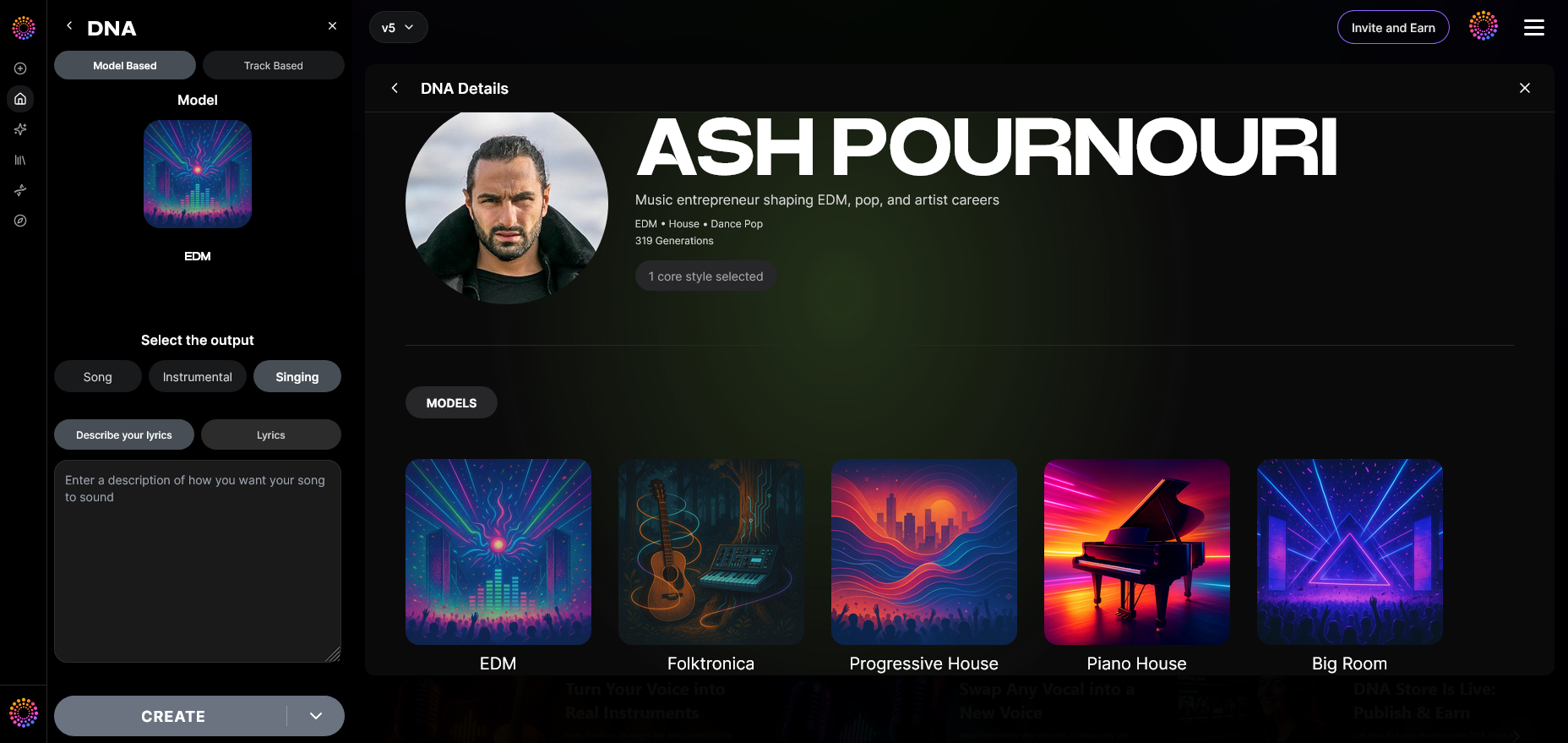
Finally, you may attach your trained DNA model to new sessions or share it publicly through Soundverse’s ecosystem. Fans or clients can then license or generate with your DNA under consent-based monetization terms.
Pro Tips for Successful AI Music Training
- Use professionally mixed tracks: High-quality recordings ensure better model fidelity.
- Train across multiple moods and eras: Utilize the Sensitivity Selector for accurate style clustering.
- Monitor ethical compliance: All uploads must be owned by you or licensed under Soundverse Content Partner Program.
- Experiment with prompt variations: Try abstract emotional prompts or descriptive mood keywords for unique compositions.
- Explore vertical use cases: Musicians trained under Film or Game Scoring modes can extend commercial use with legal safety.
For inspiration on creating songs with varying moods and genres, check the resources on generating music with filters or even specialized tutorials like How to Create Country Music with Soundverse AI.
Why Artists Use Soundverse DNA in 2026
Soundverse stands out because it gives artists the ability to create copyright-safe and consistent brand soundtracks. Independent creators are increasingly turning to DNA-based AI training to sustain creative control and monetize stylistic identity.
By aligning with the Ethical AI Music Framework, Soundverse safeguards both artistic integrity and user freedom. Its marketplace also opens new income streams, where your sound becomes a royalty-generating asset for fans and collaborators.
For those exploring alternatives, Soundraw Alternative and Mubert Alternatives – Soundverse provide helpful insights on how Soundverse ethically outperforms other generative platforms.
Start Training Your AI in Your Unique Sound
Use Soundverse DNA to personalize your AI’s musical output and create tracks that truly reflect your original style. Experience effortless training and generation with built-in intelligence tuned to your sound.
Related Articles
- Generate AI Music with Soundverse Text-to-Music: Learn how to transform text descriptions into full musical compositions using Soundverse’s advanced text-to-music tool.
- Soundverse Assistant: Your AI Music Co‑Producer: Discover how the Soundverse Assistant can automate complex music production tasks and become your creative collaborator.
- Soundverse Introduces Stem Separation AI Magic Tool: Explore how Soundverse’s stem separation feature lets creators isolate vocals or instruments to rework their tracks effortlessly.
- AI Music Generator and Human Composers: A Future Together: Understand how AI tools are complementing human creativity and shaping the next era of music creation.
Here's how to make AI Music with Soundverse
Video Guide

Here’s another long walkthrough of how to use Soundverse AI.
Text Guide
- To know more about AI Magic Tools, check here.
- To know more about Soundverse Assistant, check here.
- To know more about Arrangement Studio, check here.
Soundverse is an AI Assistant that allows content creators and music makers to create original content in a flash using Generative AI. With the help of Soundverse Assistant and AI Magic Tools, our users get an unfair advantage over other creators to create audio and music content quickly, easily and cheaply. Soundverse Assistant is your ultimate music companion. You simply speak to the assistant to get your stuff done. The more you speak to it, the more it starts understanding you and your goals. AI Magic Tools help convert your creative dreams into tangible music and audio. Use AI Magic Tools such as text to music, stem separation, or lyrics generation to realise your content dreams faster. Soundverse is here to take music production to the next level. We're not just a digital audio workstation (DAW) competing with Ableton or Logic, we're building a completely new paradigm of easy and conversational content creation.
TikTok: https://www.tiktok.com/@soundverse.ai
Twitter: https://twitter.com/soundverse_ai
Instagram: https://www.instagram.com/soundverse.ai
LinkedIn: https://www.linkedin.com/company/soundverseai
Youtube: https://www.youtube.com/@SoundverseAI
Facebook: https://www.facebook.com/profile.php?id=100095674445607
Join Soundverse for Free and make Viral AI Music

We are constantly building more product experiences. Keep checking our Blog to stay updated about them!