How to Turn MIDI Files into Full Songs Using AI
Learn how to use AI to convert MIDI melodies into fully produced songs with vocals and instruments.
How to Turn MIDI Files into Full Songs Using AI
Creating music from a simple melody sketch has evolved dramatically by 2026. What once required a full studio and hours of mixing can now be done using advanced AI tools in minutes. One of the key processes driving this transformation is the concept of turning MIDI files into complete songs using artificial intelligence.
What does MIDI to song AI mean?
MIDI to song AI refers to artificial intelligence systems that can take a MIDI file—a digital representation of musical notes—and transform it into a fully produced piece of music with instruments, arrangement, and even vocals. Whereas traditional MIDI files only indicate pitch and timing, AI systems interpret the melody as creative material and expand it into a complete composition.
This process has become foundational for AI music generation, used by workflow tools in 2026 across composition, teaching, and demo production.
Why are music creators using AI to convert MIDI files into songs?
By 2026, AI music generation has become a practical co-creation tool for producers and composers. Turning MIDI to song AI offers several benefits:
- Speed and Efficiency – Composers can instantly test song ideas instead of waiting for full studio arrangements.
- Creative Expansion – AI fills in missing parts—drums, basslines, harmonies, and vocals—based on the input melody and genre preferences.
- Education and Learning – Teachers can demonstrate how melodies evolve into finished tracks.
- Accessibility – Even beginners can create high-quality demos without mastering production software.
With MIDI to song AI tools, like Soundverse’s generator, music creation is no longer restricted by technical production limits. Tools like Lemonaide VST: AI MIDI seed generator and Synthesizer V show how realistic MIDI-driven performances continue to evolve through AI.
How does AI interpret a MIDI melody?
The AI analyzes the uploaded MIDI file by reading note positions, pitch sequences, and rhythm. This input provides the skeleton for a full arrangement. Next:
- It selects suitable instruments depending on the style or genre you choose.
- It layers harmonies over the melody.
- It generates vocal lines and lyrics if provided.
- It mixes and balances the audio tracks to produce a polished version.
In simple terms, AI acts as a digital composer expanding the minimal data of MIDI into expressive sound. For an in-depth viewing, check the Soundverse Tutorial Series - How to Make Music.
How to Turn MIDI Files into Full Songs Using AI (Step-by-Step Guide)
The following guide walks through how music producers and enthusiasts can transform simple MIDI sketches into fully produced songs using modern AI tools.
Step 1: Feature Overview — Access MIDI to Song Generator
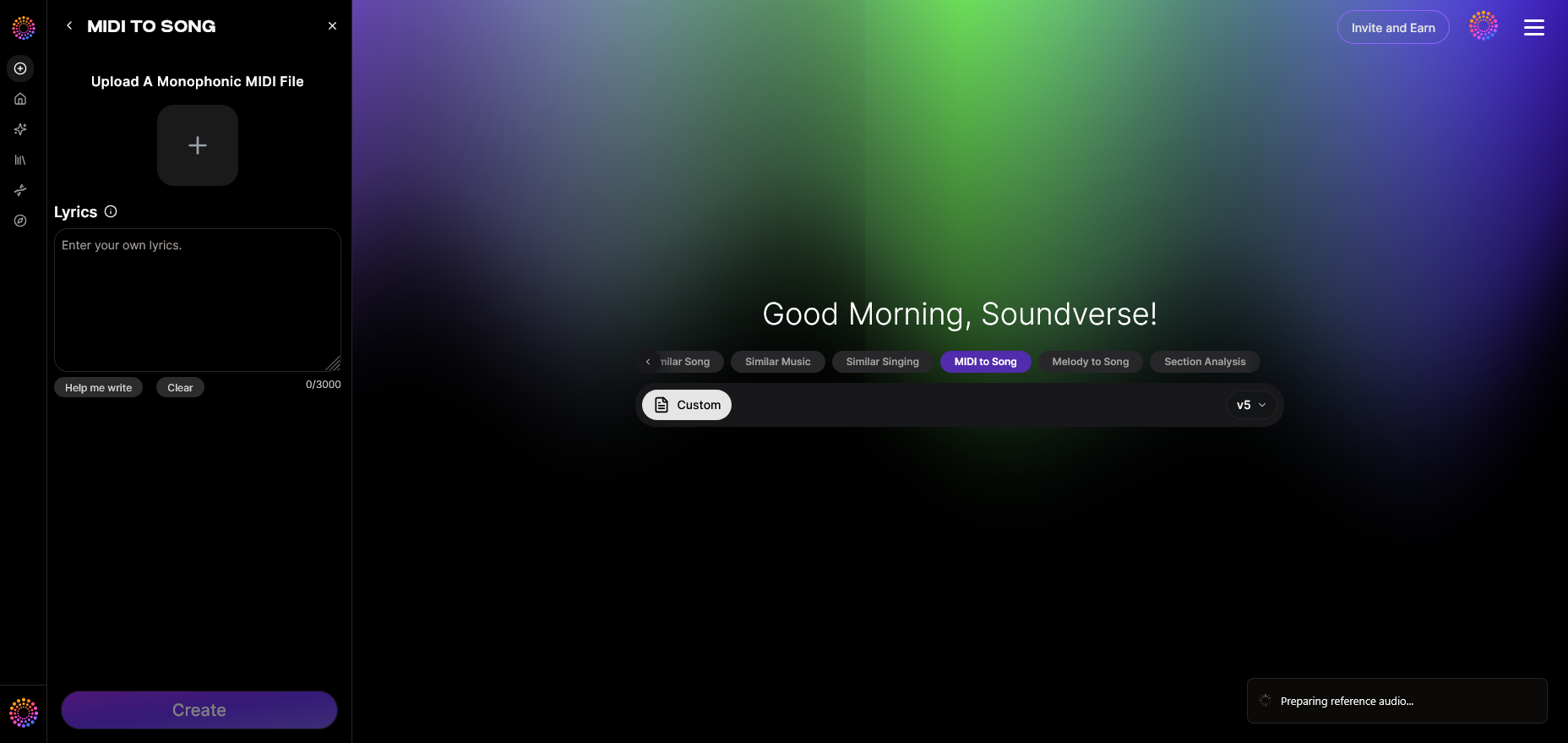
Start by logging into your AI music platform and selecting the MIDI to Song Generator feature. This specialized tool converts monophonic MIDI melodies into complete arrangements, automatically adding instruments and vocals.
Step 2: Upload MIDI — Upload MIDI file with melody
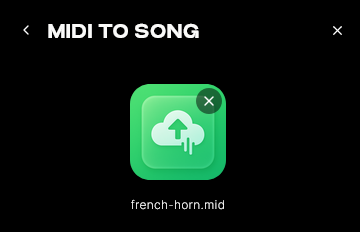
Upload your MIDI file (.mid format). Ensure it’s monophonic—only one melody line rather than chords—so that the AI can accurately interpret the melodic direction. Most platforms allow drag-and-drop or browsing from your folder.
Step 3: Enter Optional Lyrics — Choose music style and genre
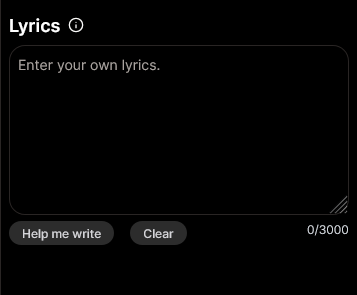
Once your melody is uploaded, you can optionally input lyrics that the AI will use to generate vocals. You can also define parameters such as musical style (Pop, Jazz, Country, EDM) or vibe (romantic, cinematic, upbeat). This gives the AI contextual guidance when arranging.
Step 4: Generation — Convert MIDI to full song with vocals
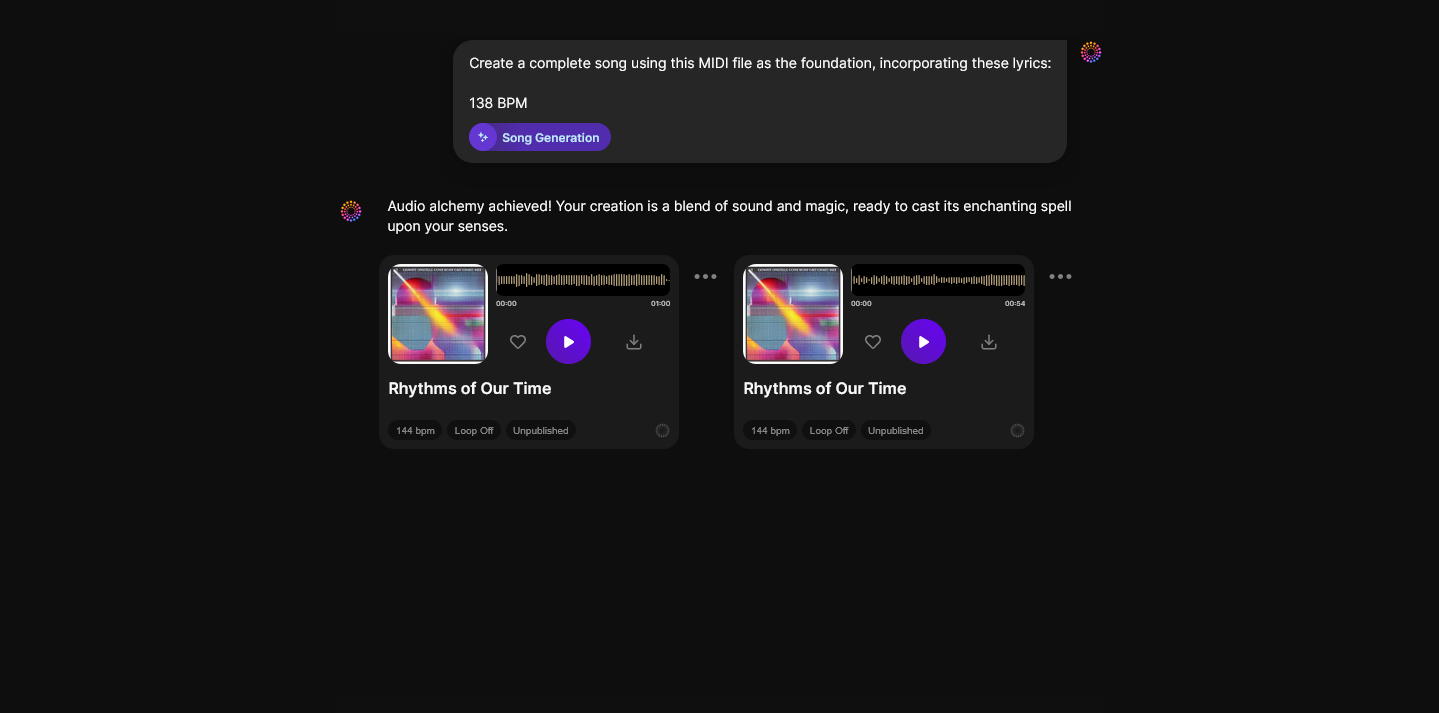
After you’ve entered your data, trigger the generation process. The AI will analyze your melody and automatically build:
- Drum and bass sections
- Harmonic progression
- Instrumentation layers
- Vocals based on your provided lyrics or melodic phrasing
The system interprets your melody as the song’s core theme, ensuring that the final product retains your original composition intent.
Step 5: Download Song — Export complete generated song
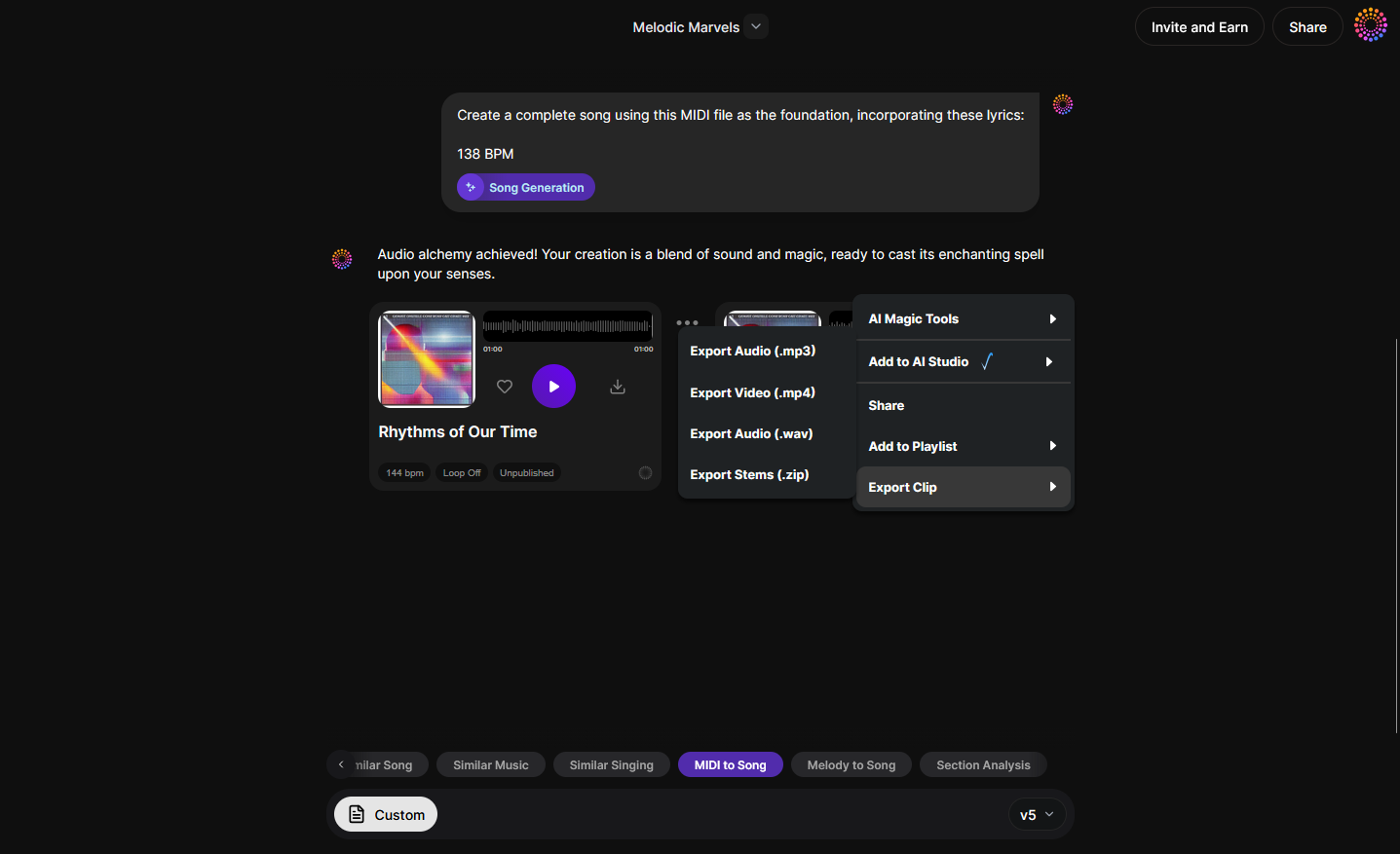
Once the generation process completes, you can download your finished track as a high-quality audio file. You can use it as a demo, educational showcase, or even part of a commercial production after mastering.
How does melody-to-song AI compare to MIDI-to-song AI?
While both systems aim to create music from basic melodic information, the input format differs:
- MIDI to song AI works from precise note data created by a sequencer or keyboard.
- Melody to song AI transforms audio melody like humming or instrument recording into full arrangements.
Both are central to modern composition workflows, providing composers flexibility depending on their creative starting point. For example, when you don’t have a keyboard, melody-to-song generation lets vocal-based ideas become fully arranged productions. Soundverse’s Melody to Song Generator serves exactly this purpose.
How AI music generation is reshaping production in 2026
The shift toward AI-enhanced composition began in 2024 and matured through 2025. In 2026, music producers are now blending AI arrangements with live instrumentation. Tools like Soundverse and similar platforms have led to new hybrid workflows:
- AI generates initial compositions.
- Producers refine mix layers manually.
- Musicians overlay analog performances for texture.
Even industry veterans use AI as a creative assistant rather than a replacement. By automating repetitive production tasks, creators have more time for artistry.
Challenges and creative control in MIDI to song AI workflows
Despite automation, creative decision-making remains vital:
- Choosing style presets determines instrumentation complexity.
- Editing generated compositions ensures authenticity.
- Adding manual EQ and mixing keeps tone consistent with your unique style.
Soundverse and similar tools emphasize adaptability—you can iterate outputs until a version fits your musical vision.
How to make MIDI to song AI generation more expressive
To enhance generated outcomes, follow these creative practices:
- Craft a strong melody. AI builds layers from the melodic input, so clarity matters.
- Provide lyrics or thematic ideas. The generator can embed mood and tone better when guided.
- Select precise genre filters. For instance, in Soundverse, defining an EDM or jazz profile changes arrangement dynamics significantly.
- Combine AI results with manual production. Import the generated song into your DAW for further customization.
For detailed inspirations, check related articles such as How to Create EDM with Soundverse AI or How to Create Country Music with Soundverse AI. You can also explore creative sessions like Soundverse Tutorial Series - Explore Tab.
How to make MIDI to song AI workflow sustainable for your projects
For content creators and educators aiming for consistent output:
- Archive your generated songs for thematic reuse.
- Train students with visible melody-to-song examples.
- Use AI for demo generation, then finalize through traditional mixing.
By integrating this automation into your workflow, you can maintain creative productivity through the year.
Now that you understand how MIDI-to-song AI generation works, here’s how you can create it instantly using Soundverse.
Soundverse’s MIDI to Song Generator transforms monophonic MIDI files into fully produced songs with instrumentation and vocals. It interprets your MIDI melody as the backbone of a complete arrangement. You can upload your MIDI file, add optional lyrics, select a genre, and let the AI handle instrumentation and mixing. Once processed, download your ready-to-use song and share it instantly.
Core capabilities include:
- MIDI file upload (.mid)
- Lyric input for AI vocals
- Automatic full production generation
Primary use cases:
- Composers visualizing sketches
- Educators illustrating melody-to-song techniques
- Quick demo creation for labels or clients
Soundverse also offers complementary tools such as the Voice to Instrument, which converts humming or beatboxing into instruments, and the AI Song Generator, which builds tracks from lyrics or descriptions.
By 2026, Soundverse positions itself as one of the most versatile AI music platforms, bridging creativity and automation. For further learning, explore how AI is influencing modern trends in our Music Industry Trends guide.
Create Full Songs from MIDI with AI Today
Turn your rough MIDI tracks into polished, professional music in minutes. Soundverse’s intelligent engine brings arrangement, mixing, and mastering automation to your creative process.
Start Creating with Soundverse
- Soundverse Introduces Stem Separation AI Magic Tool — Discover how Soundverse’s new stem separation tool lets you isolate and remix elements from any track with ease.
- Soundverse AI Magic Tools: Create Content Quickly with AI — Explore the full suite of Soundverse AI Magic Tools that speed up your music creation process from concept to completion.
- Generate AI Music with Soundverse Text-to-Music — Learn how to generate stunning, royalty-free music using simple text prompts through Soundverse’s text-to-music feature.
- What is Soundverse Arrangement Studio and What Does It Do — Uncover how the Soundverse Arrangement Studio helps creators structure and refine their songs with AI-guided precision.
Here's how to make AI Music with Soundverse
Video Guide

Here’s another long walkthrough of how to use Soundverse AI.
Text Guide
- To know more about AI Magic Tools, check here.
- To know more about Soundverse Assistant, check here.
- To know more about Arrangement Studio, check here.
Soundverse is an AI Assistant that allows content creators and music makers to create original content in a flash using Generative AI.
With the help of Soundverse Assistant and AI Magic Tools, our users get an unfair advantage over other creators to create audio and music content quickly, easily and cheaply.
Soundverse Assistant is your ultimate music companion. You simply speak to the assistant to get your stuff done. The more you speak to it, the more it starts understanding you and your goals.
AI Magic Tools help convert your creative dreams into tangible music and audio. Use AI Magic Tools such as text to music, stem separation, or lyrics generation to realise your content dreams faster.
Soundverse is here to take music production to the next level. We're not just a digital audio workstation (DAW) competing with Ableton or Logic, we're building a completely new paradigm of easy and conversational content creation.
TikTok: https://www.tiktok.com/@soundverse.ai
Twitter: https://twitter.com/soundverse_ai
Instagram: https://www.instagram.com/soundverse.ai
LinkedIn: https://www.linkedin.com/company/soundverseai
Youtube: https://www.youtube.com/@SoundverseAI
Facebook: https://www.facebook.com/profile.php?id=100095674445607
Join Soundverse for Free and make Viral AI Music

We are constantly building more product experiences. Keep checking our Blog to stay updated about them!