How to Separate Vocals from a Song: A Complete Guide for 2026
Learn how to remove vocals from a song using Soundverse's Stem Separator. Step-by-step guide for producers and remix artists in 2026.
How to Separate Vocals from a Song
Removing vocals from a song has become one of the most requested processes in modern music editing, especially among producers, remixers, and sound designers. Whether you want to create karaoke tracks, extract an acapella for remixing, or analyze the mix structure of a classic song, understanding how to effectively remove vocals from a song can unlock creative opportunities across music production, live performance, and education.
In 2026, advances in AI and digital signal processing have made vocal isolation easier and more accurate than ever. Gone are the days of manual EQ filtering or phase cancellation techniques that sacrifice audio quality. Today’s AI vocal remover tools deliver stunningly clean results suitable for professional music production.
Why do producers want to remove vocals from a song?
Music professionals remove vocals from a song for many reasons:
- Remixing and sampling – Isolating a vocal or instrumental track helps reshape familiar songs in new genres or tempos.
- Karaoke and performance tracks – Musicians often need instrumental versions of popular songs for live shows.
- Mix training – Audio engineers study how balance, panning, and effects were used on original mixes.
- Film and video scoring – Sometimes you need vocal-free versions to adapt existing songs to visual content.
In the past, removing vocals meant hours of manual editing with DAWs — a tedious process that rarely achieved true separation. But in 2026, AI-driven systems like Soundverse’s Stem Separator redefine this workflow with precision and speed.
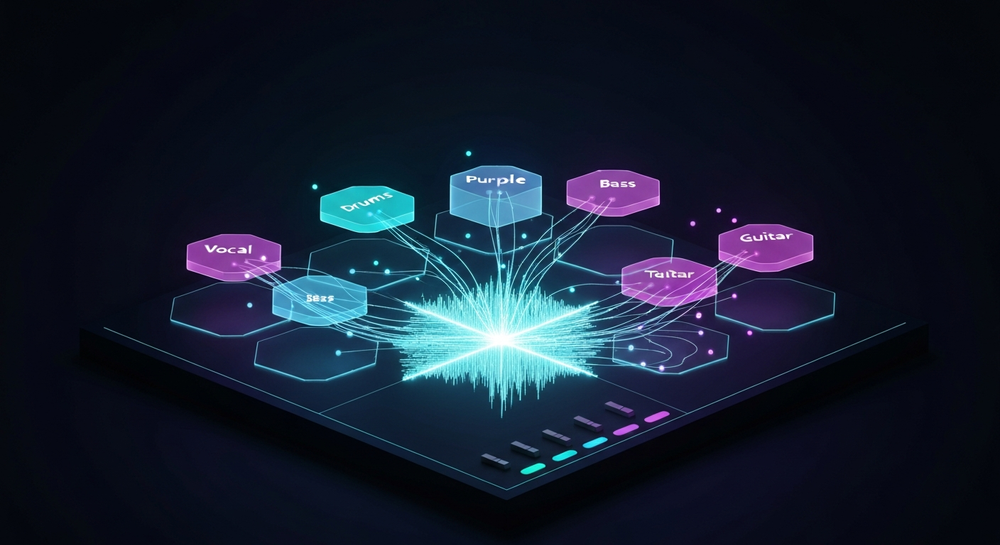
How to make vocal removal easy with Soundverse Stem Separator

The Soundverse Stem Separator is an AI-powered tool that dissects mixed audio into up to six editable stems — Vocals, Drums, Bass, Guitar, Accompaniment, and more. It’s designed for professional-level isolation and high-quality processing using deep neural models trained specifically for complex mix scenarios.
Core Capabilities
- 6-Stem Separation: Breaks down the full mix into individual elements, providing flexibility to manipulate vocals, drums, bass, and instruments independently.
- Multi-Input Support: Users can import audio via URL, file upload, or direct recording within the Soundverse interface.
- Premium Isolation Quality: Advanced model architecture ensures minimal artifacting during separation, ideal for remixing or performance preparation.
Primary Use Cases
- Remixing and Sampling: Producers can easily create unique versions or mashups.
- Karaoke or Backing Tracks: Remove the vocal stem cleanly to create performance-ready instrumentals.
- Educational Mix Analysis: Students and mix engineers can study layer composition in real-time-separated stems.
- Audio Cleanup: Editors can remove unwanted background vocals or dialogue layers for film and podcast production.
If you’re working in modern music genres such as EDM, pop, or jazz, Soundverse tools align perfectly with workflows shown in related tutorials like How to Create EDM with Soundverse AI or How to Create Jazz Music with Soundverse AI, where stem separation plays an essential role in remixing.
For a deeper dive, watch our guide on creating Deep House music or explore the Soundverse Tutorial Series - How to Make Music for broader context.

How to remove vocals from a song: Step-by-Step Tutorial
Let’s explore the streamlined process of using Soundverse Stem Separator.
Step 1: Upload Interface

Begin by accessing Soundverse’s upload dialog. You can drag and drop your song file directly into the interface or paste a URL link to an existing audio source. There’s also an option to record audio directly. Once uploaded, Soundverse starts processing the file asynchronously—this ensures smooth AI computation without slowing your system.
Step 2: Additional References

For accuracy, especially when isolating complex harmonies, you can provide reference audio tracks. These references help Soundverse’s AI model identify tonal and structural cues, enabling precise vocal isolation even in heavily compressed mixes. This step is optional but recommended for professional results.
Step 3: Results Display

Once the system completes processing, you’ll see a visual representation of separated stems. Each stem—Vocals, Drums, Bass, Guitar, Accompaniment, and more—is displayed in separate slots. This clear visualization supports efficient editing workflows. You can solo or mute each stem and preview sound qualities before downloading.
Step 4: Download Stems

After reviewing, download individual stems. For most remixing tasks, users download only the instrumental layer or vocal stem. The exported files work seamlessly across DAWs such as Ableton Live, Logic Pro, FL Studio, or Pro Tools for advanced editing.
These intuitive steps are designed for both beginners and professionals. No real-time preview is included—processing happens asynchronously—but the final results are optimized for high fidelity and accurate tonal isolation.
Pro Tips for Better Vocal Isolation
- Choose high-quality source audio: The cleaner your input track, the better Soundverse’s AI will perform.
- Avoid compressed streaming rips: These files often contain phase distortion that confuses any vocal isolation model.
- Use secondary references when possible: Upload similar genre or vocal-style tracks as guides.
- Clean your stems in post: Apply EQ cuts around 300Hz–3kHz to remove residual vocal textures from instruments if needed.
- Combine with Voice Swap: Once vocals are separated, you can use Voice Swap to replace vocal identity with a celebrity or custom voice model—ideal for creative reinterpretations.
How Soundverse Fits into Modern Music Production Workflows
Soundverse isn’t just about stem separation. Its entire platform ecosystem enhances creative audio design:
- AI Singing Generator: Produce professional acapellas from text, unlocking endless remix potential.
- Voice Swap: Transform vocal identity after isolation, allowing stylistic experiments while maintaining emotional delivery.
- Agent (AI Assistant): Your command center for automating multi-step operations like “remove drums, enhance vocals, and export the instrumental.”
These features integrate seamlessly for innovative post-production. You can explore how Soundverse automates creative processes in articles like Soundverse Assistant: Your AI Music Co-Producer or Soundverse Introduces Stem Separation AI Magic Tool.
By 2026, producers are leveraging these tools not just for technical editing but artistic expression—building music that merges human creativity with machine precision.
Future Trends: Where AI Vocal Isolation is Heading
The next phase of AI-driven audio editing involves context-aware processing. Systems like Soundverse are evolving to recognize musical intent instead of just frequencies. This means future tools may adapt vocal extraction strategies based on genre (pop vs. metal), emotional tone, or even vocal timbre.
Additionally, AI is merging with immersive formats like 3D spatial audio, where isolated vocal stems can be repositioned dynamically within virtual environments—a concept already influencing film sound design and VR content. Learn how these trends are transforming audio creation in How AI-Generated Music is Transforming the Music Industry and Music Industry Trends.
Start Removing Vocals from Songs Instantly with Soundverse AI
Experience studio-grade stem separation using Soundverse’s AI Magic Tool. Extract vocals, instrumentals, and beats effortlessly to create remixes or karaoke tracks in seconds.
- Soundverse Introduces Stem Separation AI Magic Tool: Discover how Soundverse’s AI Magic Tool enables creators to separate vocals and instrumentals in any track effortlessly.
- What Are Song Stems and Why Do You Need Them: Learn the importance of song stems and how they revolutionize your editing and remixing workflow.
- Soundverse Assistant: Your AI Music Co-Producer: Find out how the Soundverse Assistant helps streamline music creation by automating complex tasks.
- Enhancing YouTube Content with Royalty-Free and Copyright-Free Music Using Soundverse AI: Explore how to elevate your YouTube videos with customizable, royalty-free music generated by Soundverse AI.
Here's how to make AI Music with Soundverse
Video Guide

Here’s another long walkthrough of how to use Soundverse AI.
Text Guide
- To know more about AI Magic Tools, check here.
- To know more about Soundverse Assistant, check here.
- To know more about Arrangement Studio, check here.
Soundverse is an AI Assistant that allows content creators and music makers to create original content in a flash using Generative AI.
With the help of Soundverse Assistant and AI Magic Tools, our users get an unfair advantage over other creators to create audio and music content quickly, easily and cheaply.
Soundverse Assistant is your ultimate music companion. You simply speak to the assistant to get your stuff done. The more you speak to it, the more it starts understanding you and your goals.
AI Magic Tools help convert your creative dreams into tangible music and audio. Use AI Magic Tools such as text to music, stem separation, or lyrics generation to realise your content dreams faster.
Soundverse is here to take music production to the next level. We're not just a digital audio workstation (DAW) competing with Ableton or Logic, we're building a completely new paradigm of easy and conversational content creation.
TikTok: https://www.tiktok.com/@soundverse.ai Twitter: https://twitter.com/soundverse_ai Instagram: https://www.instagram.com/soundverse.ai LinkedIn: https://www.linkedin.com/company/soundverseai Youtube: https://www.youtube.com/@SoundverseAI Facebook: https://www.facebook.com/profile.php?id=100095674445607
Join Soundverse for Free and make Viral AI Music

We are constantly building more product experiences. Keep checking our Blog to stay updated about them!