How to Separate Vocals and Music: The Complete 2026 Guide to Vocal Separation
Learn vocal separation and audio splitting using Soundverse Stem Separator for clean, professional mixes.
How to Separate Vocals and Music
Separating vocals from music—commonly referred to as vocal separation—has become an essential technique in music production, remixing, and content creation. By 2026, AI-powered music stem separation has evolved dramatically, giving producers and creators unprecedented control over every layer of sound. Whether you’re remixing a classic hit, designing a karaoke track, or crafting a cinematic soundscape, the ability to remove vocals from a song or isolate instruments provides new creative freedom.
Why is Vocal Separation Important in 2026?
Audio engineers and producers in 2026 rely heavily on vocal separation for precision editing and creative experimentation. The technique allows them to dissect complex mixes, extract layers, and rebuild them in fresh contexts. This is particularly useful in remix culture, which continues to thrive thanks to AI music tools capable of breaking audio into component pieces.
With the rise of social media music creators, this process is not limited to studios anymore. Artists on platforms like YouTube, TikTok, and SoundCloud are using AI-driven audio splitting tools to repurpose existing soundtracks, create covers, or develop voice-free instrumentals for background use. As technology matured from 2024 to 2025, algorithms improved their ability to recognize voice timbres and separate them cleanly from other musical components.
What is Vocal Separation?
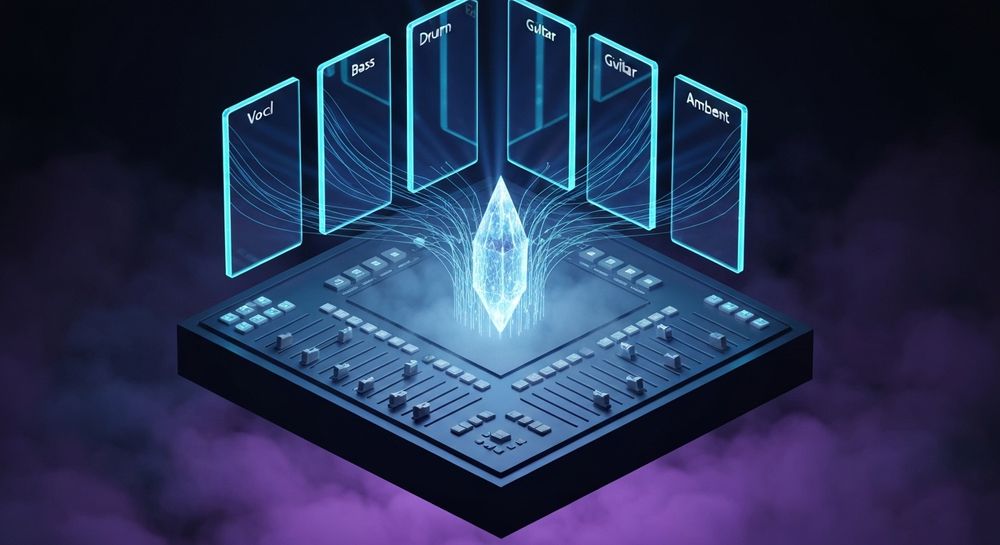
Vocal separation is the process of isolating a vocal track from a combined audio file—or conversely, removing vocals to leave behind instrumental elements. This technique is often associated with audio splitting, where mixed audio is divided into multiple individual stems such as vocals, bass, drums, and guitars. Advanced AI audio tools achieve this using machine learning models trained on thousands of audio examples.
In practice, music stem separation allows you to work with six or more distinct parts from one track. Modern producers use this as an entry point for creative manipulation, remixing, and sound design that extends well beyond traditional mixing.

How to Make Vocal Separation with Soundverse Stem Separator

Soundverse’s Stem Separator is the heart of professional AI vocal separation workflows in 2026. Built with deep learning technology optimized for high-fidelity results, it can dissect complex mixes into six editable stems. Those include Vocals, Drums, Bass, Guitar, Accompaniment, and any other component found in an audio file.
Core Capabilities
- 6-stem separation for detailed control over each musical layer.
- Support for URL, file uploads, and direct recordings as input sources.
- High-quality isolation based on contemporary AI audio filtering standards.
Primary Use Cases
- Remixing and Sampling – Extract specific parts to build new compositions.
- Backing Tracks Creation – Remove vocals to make karaoke or live performance versions.
- Educational Mix Analysis – Study production structures in professional mixes.
- Audio Cleanup for Editing – Separate unwanted elements from video content or podcasts.
The Stem Separator’s asynchronous processing ensures accuracy and stability. You upload or record first, let the AI process, and then receive distinct stems ready for download.
Step 1: Upload Interface

Begin your project by accessing the upload interface inside Soundverse. You can drag and drop an audio file from your device or paste a public URL to music you have rights to analyze. Additionally, you can record directly inside the platform, creating instant samples to process.
Step 2: Additional References

Optionally, upload a reference audio track to guide the AI in matching tonal balance or structure. This can help refine the separation quality for tracks that share instruments or overlapping voices. Whether remixing or preparing educational material, reference guidance enhances the precision of audio splitting.
Step 3: Results Display

After processing, Soundverse presents a visual breakdown of the separated stems. You can preview each stem—such as vocals, guitar, or drums—directly in the results display. Each layer maintains its original timing and pitch details, allowing you to integrate them seamlessly into your editing environment. For a deeper dive, watch our guide on creating Deep House music or tutorial on how to make music inside Soundverse to explore post-separation creative workflows.
Step 4: Download Stems

Finally, download the individual stems you wish to work with. Each file is saved in high-quality format, primed for remixing, sampling, or academic analysis. At this stage, you can move to any digital audio workstation (DAW) or proceed with advanced Soundverse tools like Voice Swap or Inpainting to refine specific areas.
Pro Tips for Effective Vocal Separation
- Use High-Quality Source Audio: Low bitrate MP3 files may result in blurred edges between stems; WAV or FLAC ensures cleaner separations.
- Consider Recording Directly: When designing new projects, direct uploads avoid compression issues found in online sources.
- Combine Stem Separator with Voice Swap: If you’ve separated vocals but want a different singer identity, Voice Swap allows you to exchange the voice DNA while maintaining timing and emotion.
- Rebuild Songs Creatively: After isolating stems, add new textures or layers using Soundverse’s AI Magic Tools. This introduces hybrid compositions ideal for trends discussed in music industry trends.
- Leverage Inpainting for Small Fixes: The Soundverse Inpainting tool can repair distorted regions or change lyrical sections without altering the entire mix.
How AI Audio Tools Shape Production in 2026
AI audio tools in 2026 have advanced to handle nuanced sound features, from dynamic pitch curves to spectral harmonics. Compared to early AI generators in 2024, today’s models deliver nearly studio-grade results. Soundverse has positioned itself among top innovators in music AI, enabling cross-tool collaboration for seamless audio workflows—from text-to-music generation to vocal manipulation.
The combination of music stem separation and AI-assisted remixing reshapes creative possibilities. Producers can reconstruct entire arrangements using just fragments of sound—redefining remix culture and live production.
Integrating Soundverse Tools for Complete Workflow
After mastering the core Stem Separator process, integrate other Soundverse tools for holistic sound editing:
- Voice Swap – Replace any vocal component with an alternate identity. This complements vocal separation perfectly.
- Inpainting – Adjust lyrical or instrumental errors surgically without losing surrounding content.
- AI Arrangement Studio – Combine stems inside Soundverse Arrangement Studio for refined song structures.
Together, these tools form an ecosystem of flexible sound control—ideal for editors working on film, gaming, and new forms of interactive audio.
How Soundverse Helps You Go Beyond Separation
If vocal separation is the first step, Soundverse’s full suite takes you further. The platform acts as your AI co-producer—as described in Soundverse Assistant: Your AI Music Co-Producer—offering song-building capabilities for any genre. Whether you create EDM, jazz, or country music, the ability to start from separated stems enhances production efficiency.
In the ever-evolving music world of 2026, where creators prioritize flexibility and fast turnaround, mastering vocal separation through the Soundverse Stem Separator represents a major advantage. It empowers music professionals to deconstruct, analyze, and reinvent audio with surgical precision.
Try Soundverse’s AI Magic Tool for Perfect Vocal Separation!
Instantly separate vocals and instrumentals with precision using Soundverse’s Stem Separation AI. Create remixes, karaoke tracks, or professional stems in seconds.
Start Separating Vocals Now
- Soundverse Introduces Stem Separation AI Magic Tool — Discover how Soundverse’s Stem Separation AI can instantly split vocals and music tracks for effortless editing and remixing.
- What Are Song Stems and Why Do You Need Them — Learn what song stems are and why they’re essential for producers, mixers, and music creators working with AI-generated music.
- The Benefits of Composing with AI Music Generator — Explore the advantages of integrating AI music generators into your creative process for faster and more inspired compositions.
- Soundverse AI Revolutionizing Music Creation for New Age Content Creators — See how Soundverse is empowering creators with cutting-edge AI tools that reshape how music is produced and shared.
Here's how to make AI Music with Soundverse
Video Guide

Here’s another long walkthrough of how to use Soundverse AI.
Text Guide
- To know more about AI Magic Tools, check here.
- To know more about Soundverse Assistant, check here.
- To know more about Arrangement Studio, check here.
Soundverse is an AI Assistant that allows content creators and music makers to create original content in a flash using Generative AI.
With the help of Soundverse Assistant and AI Magic Tools, our users get an unfair advantage over other creators to create audio and music content quickly, easily and cheaply.
Soundverse Assistant is your ultimate music companion. You simply speak to the assistant to get your stuff done. The more you speak to it, the more it starts understanding you and your goals.
AI Magic Tools help convert your creative dreams into tangible music and audio. Use AI Magic Tools such as text to music, stem separation, or lyrics generation to realise your content dreams faster.
Soundverse is here to take music production to the next level. We're not just a digital audio workstation (DAW) competing with Ableton or Logic, we're building a completely new paradigm of easy and conversational content creation.
TikTok: https://www.tiktok.com/@soundverse.ai
Twitter: https://twitter.com/soundverse_ai
Instagram: https://www.instagram.com/soundverse.ai
LinkedIn: https://www.linkedin.com/company/soundverseai
Youtube: https://www.youtube.com/@SoundverseAI
Facebook: https://www.facebook.com/profile.php?id=100095674445607
Join Soundverse for Free and make Viral AI Music

We are constantly building more product experiences. Keep checking our Blog to stay updated about them!