How to Separate Different Instruments in a Song: A 2026 Guide to Instrument Separation in Audio Mixing
Learn professional audio editing techniques to isolate instruments and remix songs using modern stem separation software in 2026.
How to Separate Different Instruments in a Song
Separating different instruments in a song has become a cornerstone skill for music producers, audio engineers, and remix artists in 2026. With the evolution of AI-powered mixing tools, instrument separation in audio mixing is now accessible even to independent creators working from home studios. Understanding how to isolate each sound source helps you achieve cleaner mixes, identify the dynamic relationships between instruments, and unlock creative opportunities for remixing and sampling.
Why is instrument separation in audio mixing so important in 2026?
Instrument separation is the process of extracting individual instrument tracks from a full mix. Traditionally, engineers relied on multitrack sessions to work independently on drums, bass, vocals, and guitars. However, in many cases—like remixes or sampling—you only have access to a completed master file. That’s where advanced audio editing techniques and stem separation software come in.
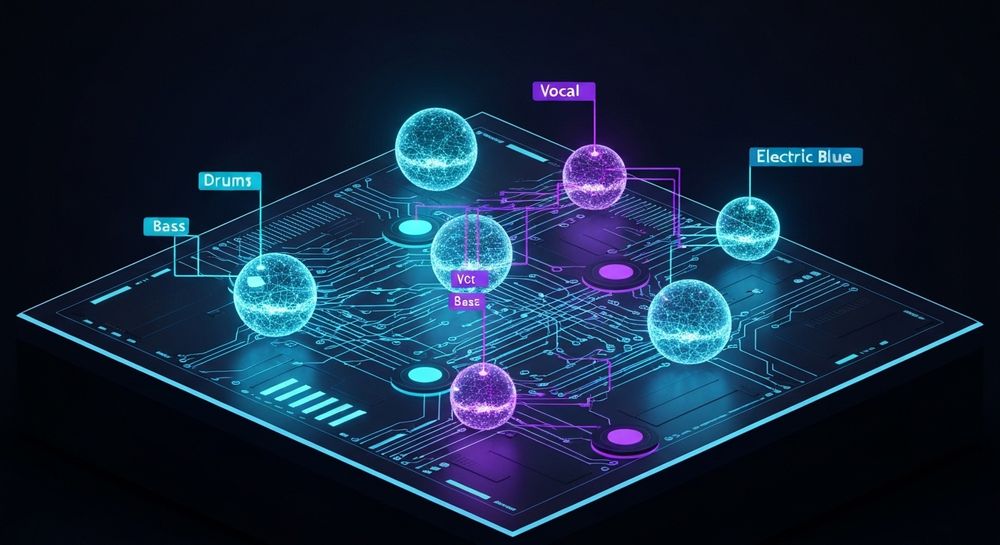
In 2026, the demand for controlled sound isolation in mixing has surged due to the growing volume of collaborative online projects and remix competitions. Producers need to edit instrument stems directly to modify groove, tonality, or harmony without re-recording. For sound engineers, it enables restoration and enhancement of live recordings, podcast music beds, or performance tracks.
What are the most effective audio editing techniques for instrument separation?
Several audio editing techniques help achieve cleaner instrument separation:

- Spectral Editing: Uses frequency analysis to visually identify and isolate specific sound ranges (e.g., removing cymbal bleed from a vocal stem). Modern DAWs provide spectral view modes that assist in removing overlapping frequencies.
- Mid/Side Processing: This audio engineering method separates center and side signals. Instruments with wide stereo placement (like guitars or synths) can be treated individually from mono sources like vocals or kick.
- Phase Cancellation: Engineers sometimes use phase inversion with duplicate tracks to isolate or remove certain sound elements. For example, subtracting everything but the vocal frequencies.
- Dynamic EQ and Multiband Compression: These help control overlapping frequencies, ensuring each instrument sits clearly across the overall mix.
These techniques evolved from the analog studio era, but AI-driven tools popularized between 2024–2025 have now made fully automated stem separation standard practice, as explained in Stem Separation Explained: How AI Splits Music Into Parts (2026).
What software is best for separating instruments from a mixed track?
The market of stem separation software has grown exponentially by 2026. Here are some popular solutions:
- Soundverse Stem Separator – A professional-grade AI tool capable of dissecting any mixed audio into up to six individual editable stems (Vocals, Drums, Bass, Guitar, Accompaniment, and more). It supports separation from files, URLs, and direct recordings. Learn more about how it revolutionized remix workflows.
- iZotope RX (izotope.com) – Industry-standard restoration and spectral repair software, offering complex noise reduction and component isolation.
- Audionamix XTRAX STEMS (audionamix.com) – A robust AI-based solution that automatically creates stems for vocals, drums, and other instruments, popular among DJs and post-producers.
- Spleeter by Deezer (research.deezer.com) – Open-source tool that brought deep learning to casual users, useful for simple instrument isolation tasks.
Each tool approaches sound isolation in mixing differently, but most use deep neural networks trained on millions of audio examples to recognize timbres and energy patterns (Oreate AI Blog).
How to practice DIY audio engineering for instrument isolation
Even with software support, a solid understanding of audio fundamentals remains essential. DIY audio engineering for separation involves:
- Learning Instrument Frequency Ranges: Each instrument occupies specific frequency zones—kick drums around 50–100 Hz, vocals mostly between 1–4 kHz, and cymbals around 8–12 kHz. Knowing this lets you apply precise EQ cuts and boosts.
- Using Reference Tracks: Import well-mixed songs to study the relationship between instruments in a clean mix. This helps you identify which frequencies overlap and how professionals balance the sound.
- Manual Filtering: Use notch filters and high-pass/low-pass filters to eliminate unwanted frequencies and clear space for isolated instruments.
- Layering Stems: Combine separated stems with new composition elements for remixes. Many modern producers use platforms like Soundverse for this workflow.
You can explore related production guides such as AI music creation basics and music industry trends to understand how AI reshaped DIY workflows.
Common challenges when separating instruments manually
While powerful, manual separation often faces these issues:
- Frequency Overlap: Instruments like guitar and keyboard share ranges that make pure isolation hard.
- Reverb and Effects Bleed: Studio mixes often have spatial effects that make instruments blend into each other.
- Low-Quality Source Audio: The poorer the recording, the harder it is to achieve clean separation.
- Time Consumption: Manual editing can take hours compared to automated separation tools (Futuresound Academy).
Overcoming these requires skill, patience, and reliable reference monitoring.
How to make instrument separation in audio mixing easier with AI
AI tools trained on high-quality datasets streamline the tedious separation process by identifying precise audio components. Machine learning models can now handle complex environments like live concerts, cinematic scores, and densely layered EDM tracks.
The benefit of AI-powered instrument separation is that it combines speed with accuracy. For remixers, it’s a gateway to instantly extract basslines, drum grooves, or vocal harmonies for sampling and creative reuse. For educators analyzing mix structures, separated stems allow pinpoint analysis of composition, rhythm, and tone balance.
For a deeper dive, watch our guide on creating Deep House music.
You can learn about how AI-powered music platforms are transforming the creative industry in this detailed report on AI-generated music innovations.
How to make instrument separation in audio mixing with Soundverse Stem Separator

Now that you understand the fundamentals of instrument isolation, here’s how to achieve it instantly using Soundverse.
Soundverse’s Stem Separator is a cutting-edge AI tool specifically designed for remixing, sampling, and detailed mix breakdowns. It can dissect any mixed audio track into up to six editable stems—Vocals, Drums, Bass, Guitar, Accompaniment, and more. This allows producers to work independently on each part without needing the original project session.
Step 1: Upload Interface

Start by uploading your audio file through the upload interface. Soundverse supports file uploads, URLs, or direct recordings, making it ideal whether you're importing a studio mix or a performance recording.
Step 2: Additional References

Optionally, upload a reference audio file to help guide tonal benchmarks for separation quality. This step isn’t necessary but enhances how the AI interprets instrument contrast and timbre.
Step 3: Results Display

After processing, Soundverse generates a visual display of your separated stems. Each stem—vocals, bass, drums, and so on—appears individually, ready for solo playback or further editing in your preferred DAW or Soundverse Arrangement Studio.
Step 4: Download Stems

Once satisfied with the separation, download each individual stem. These separate audio tracks can then be used for remixing, live backing tracks, educational analysis, or advanced audio editing.
Soundverse ensures high-quality isolation with minimal artifacts, outperforming traditional algorithmic splitters. It integrates seamlessly with related tools like Voice to Instrument, which transforms vocal inputs into playable instrumental sounds, and the Arrangement Studio, allowing collaborative post-production and compositional rearrangement.
Final Thoughts: The Future of DIY Audio Engineering
By 2026, instrument separation in audio mixing has evolved from a niche technique to an everyday workflow for content creators, producers, and educators. With platforms like Soundverse, sound isolation in mixing no longer requires large studio budgets or complex hardware chains.
The combination of smart AI stem separation, creative remixing tools, and integrated production environments means music creation is faster, cleaner, and more versatile than ever before. If you want to explore more on how AI redefined music making, check out Soundverse's AI magic tools and discover the fusion of technology with artistry.
In conclusion, understanding and mastering instrument separation in audio mixing opens endless creative possibilities—from reimagining classics to crafting entirely new compositions—all powered by intelligent audio design. The age of precise, effortless stem isolation is here, and Soundverse leads the charge.
Master Instrument Separation with AI-Powered Tools
Achieve clear, professional mixes with Soundverse’s AI Magic Tool — designed to isolate instruments flawlessly and enhance your creative control. Experience precision mixing powered by next-gen technology.
Start Free with Soundverse
Related Articles
- Soundverse Introduces Stem Separation AI Magic Tool: Discover how Soundverse’s advanced AI stem separation technology lets you effortlessly isolate instruments in any song.
- What Are Song Stems and Why Do You Need Them: Learn the fundamentals of song stems and how they can empower precise instrument separation and audio editing.
- Soundverse AI Magic Tools: Create Content Quickly with AI: Explore Soundverse’s suite of AI Magic Tools designed to streamline the music creation and mixing process.
- Soundverse Assistant: Your AI Music Co-Producer: Meet Soundverse Assistant — your intelligent co-producer that simplifies mixing and improves instrument clarity with AI precision.
Here's how to make AI Music with Soundverse
Video Guide

Here’s another long walkthrough of how to use Soundverse AI.
Text Guide
- To know more about AI Magic Tools, check here.
- To know more about Soundverse Assistant, check here.
- To know more about Arrangement Studio, check here.
Soundverse is an AI Assistant that allows content creators and music makers to create original content in a flash using Generative AI.
With the help of Soundverse Assistant and AI Magic Tools, our users get an unfair advantage over other creators to create audio and music content quickly, easily and cheaply.
Soundverse Assistant is your ultimate music companion. You simply speak to the assistant to get your stuff done. The more you speak to it, the more it starts understanding you and your goals.
AI Magic Tools help convert your creative dreams into tangible music and audio. Use AI Magic Tools such as text to music, stem separation, or lyrics generation to realise your content dreams faster.
Soundverse is here to take music production to the next level. We're not just a digital audio workstation (DAW) competing with Ableton or Logic, we're building a completely new paradigm of easy and conversational content creation.
TikTok: https://www.tiktok.com/@soundverse.ai
Twitter: https://twitter.com/soundverse_ai
Instagram: https://www.instagram.com/soundverse.ai
LinkedIn: https://www.linkedin.com/company/soundverseai
Youtube: https://www.youtube.com/@SoundverseAI
Facebook: https://www.facebook.com/profile.php?id=100095674445607
Join Soundverse for Free and make Viral AI Music

We are constantly building more product experiences. Keep checking our Blog to stay updated about them!