How to Remove Vocals from a Song: The 2026 Guide for Producers and Creators
Learn how to remove vocals from any song using Soundverse’s Stem Separator tool.
How to Remove Vocals from a Song
Removing vocals from a song has become one of the most common tasks for musicians, producers, and audio engineers in 2026. Whether you’re creating karaoke tracks, remixing popular hits, or isolating instrumental layers for study, the ability to remove vocals from a song precisely and cleanly is a key part of modern music production. Thanks to AI advancements and powerful tools like the Soundverse Stem Separator, achieving studio-quality results is easier than ever.
Why do producers want to remove vocals from a song in 2026?
In past years like 2024 and 2025, artists often relied on traditional equalization and phase cancellation methods to isolate instrumentals. While these could work to some extent, they lacked clarity and often introduced artifacts. In 2026, with the rise of AI-powered vocal remover tools, it’s now possible to achieve accurate stem isolation — preserving each instrumental component without degrading the mix.
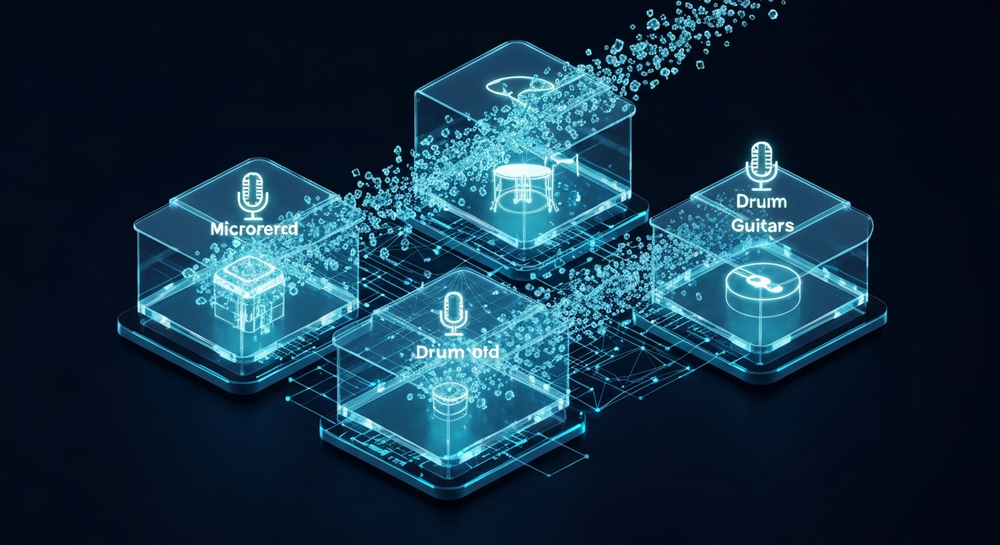
Producers remove vocals for various reasons:
- Karaoke track creation: Building backing tracks for live performance or entertainment.
- Sampling and remixing: Extracting clean instrumentals for creative reinterpretation.
- Mix education: Studying balance and instrument placement within professional mixes.
- Audio clean-up: Fixing recordings where background vocals need suppression.
Whether you work on pop, EDM, jazz, or cinematic music, being able to remove vocals efficiently gives you creative freedom and control over your sound.
How to make vocal removal effortless with Soundverse Stem Separator

Soundverse’s Stem Separator is a powerful AI-driven feature designed precisely for dissecting mixed audio into editable stems. It separates up to six distinct parts — Vocals, Drums, Bass, Guitar, Accompaniment, and more — allowing total flexibility in post-processing.

Feature Overview
- 6-stem separation: Get precise vocal isolation, instrumental extraction, or background layering.
- Multiple input options: Upload from a file, URL, or live recorded audio.
- High-quality isolation: Advanced algorithms preserve fidelity while isolating elements.
Soundverse’s tool is ideal for:
- Remixing and sampling sessions.
- Creating karaoke or backing tracks.
- Analyzing the arrangement and instrumentation of hit songs.
For deeper learning on Soundverse’s technology, refer to Soundverse Introduces Stem Separation AI Magic Tool where we explore how the algorithm revolutionizes audio editing.
For a deeper dive, watch our guide on creating Deep House music or the tutorial on how to make music directly from the Soundverse YouTube channel.
Step 1: Upload Interface

Begin by logging into your Soundverse workspace and navigating to the Stem Separator tool. Once inside, you’ll find an upload dialog. Drag and drop your audio file directly onto the interface. The tool supports MP3, WAV, and other industry formats. You can also paste a URL from an online source if you prefer not to use a local file. This initial upload step is critical. Make sure the recording has balanced stereo sound, as AI separation works best when frequencies are clearly represented.
Step 2: Additional References

At this stage, Soundverse allows users to provide reference audio files. This optional step helps contextualize the separation — for instance, uploading an instrumental version of the same track to improve the accuracy of vocal isolation. If you’re handling a remix, you can use similar songs or test instrument-only versions to refine stem extraction. Learn how different music styles affect AI processing in our educational post Music Industry Trends.
Step 3: Results Display

Once the file is processed, Soundverse shows a visual stem layout — separate waveform views for vocals, drums, bass, guitar, and accompaniment. Each section is easily selectable for preview and audio comparison. Note that Soundverse works asynchronously: your track is analyzed in the cloud, and results are displayed after generation. Unlike some older programs, there’s no real-time preview; instead, you gain higher accuracy and less distortion.
Step 4: Download Stems

Finally, download the separated files individually. If your goal is to remove vocals from a song, simply discard the vocal stem and retain the rest (drums, bass, guitar, accompaniment). This creates the perfect base for karaoke or remixing. The exported files can be imported into digital audio workstations such as Ableton Live, FL Studio, or Logic Pro for further refinement. You can adjust frequencies, add effects, or layer new vocals using Voice Swap, another Soundverse tool that replaces voice identities while preserving performance.
What are pro tips for achieving perfect instrumental isolation?
- Start with high-resolution audio: AI performs better when source material is clear and uncompressed.
- Avoid over-compression: Tracks mastered too heavily are harder to separate cleanly.
- Balance levels before upload: Ensure consistent amplitude across channels.
- Use references for consistency: Upload similar genre examples to help AI understand tonal profiles.
- Integrate results creatively: Combine extracted instrumentals with new arrangements using effects or synthesizers. Read about how producers fuse genres in How AI-Generated Music Is Transforming the Music Industry.
Soundverse’s 6-stem separation stands out because each extracted component can be manipulated independently, offering creative control not possible with traditional EQ isolators or mid-side vocal removal methods.
How to use vocal remover tools safely and legally
While removing vocals from songs can yield great remix or karaoke results, remember that original recordings remain copyrighted. If you’re creating derivative works, ensure rights compliance and avoid distributing stems without permission unless the tracks are royalty-free. For guidance on licensing, refer to Navigating the World of Royalty-Free and Copyright-Free Music Using Soundverse AI.
Benefits of AI-powered vocal removal
In 2026, AI separation technology continues improving, allowing:
- Near studio-grade isolation quality.
- Faster processing times.
- Organic preservation of reverb tails and spatial details.
By integrating tools like Soundverse’s Stem Separator with other AI features such as Inpainting (for editing specific sections) and Voice Swap (for vocal customization), producers can handle complete mix manipulation without external plugins.
When should you remove vocals from a song?
Some practical use cases include:
- Live Performers: Creating backing tracks or instrumental loops for gigs.
- DJ Remixing: Generating acapella-free edits for mix smoothness.
- Music Education: Analyzing bass grooves or drum synchronization.
- Film and Content Creators: Building custom soundtrack bases.
Removing vocals isn’t only for karaoke creation — it’s part of professional mix exploration and personalization.
Start Removing Vocals the Smart Way!
Unlock the power of AI and isolate vocals or instrumentals in seconds with Soundverse’s Magic Tool. Perfect for remixing, practice tracks, or karaoke creation—no technical skills required.
- Soundverse Introduces Stem Separation AI Magic Tool: Discover Soundverse’s powerful stem separation technology that lets you split songs into vocals, drums, and more with one click.
- What Are Song Stems and Why Do You Need Them: Learn everything about song stems and how they can transform your mixing and music creation workflow.
- Enhancing YouTube Content with Royalty-Free and Copyright-Free Music Using Soundverse AI: Find out how creators can enhance their YouTube videos using Soundverse’s royalty-free music library and AI-powered tools.
- Soundverse AI Magic Tools: Create Content Quickly with AI: Explore Soundverse’s suite of AI Magic Tools designed to help creators produce, edit, and remix audio instantly.
Here's how to make AI Music with Soundverse
Video Guide

Here’s another long walkthrough of how to use Soundverse AI.
Text Guide
- To know more about AI Magic Tools, check here.
- To know more about Soundverse Assistant, check here.
- To know more about Arrangement Studio, check here.
Soundverse is an AI Assistant that allows content creators and music makers to create original content in a flash using Generative AI. With the help of Soundverse Assistant and AI Magic Tools, our users get an unfair advantage over other creators to create audio and music content quickly, easily and cheaply. Soundverse Assistant is your ultimate music companion. You simply speak to the assistant to get your stuff done. The more you speak to it, the more it starts understanding you and your goals. AI Magic Tools help convert your creative dreams into tangible music and audio. Use AI Magic Tools such as text to music, stem separation, or lyrics generation to realise your content dreams faster. Soundverse is here to take music production to the next level. We're not just a digital audio workstation (DAW) competing with Ableton or Logic, we're building a completely new paradigm of easy and conversational content creation.
TikTok: https://www.tiktok.com/@soundverse.ai
Twitter: https://twitter.com/soundverse_ai
Instagram: https://www.instagram.com/soundverse.ai
LinkedIn: https://www.linkedin.com/company/soundverseai
Youtube: https://www.youtube.com/@SoundverseAI
Facebook: https://www.facebook.com/profile.php?id=100095674445607
Join Soundverse for Free and make Viral AI Music

We are constantly building more product experiences. Keep checking our Blog to stay updated about them!