How to Produce Trance Music: A Complete Guide for 2026
Learn how to produce trance music using modern techniques and Soundverse AI tools in 2026.
How to Produce Trance Music
Trance music continues to captivate audiences in 2026 with its uplifting melodies, pulsing basslines, and emotional progressions. For aspiring producers and DJs, learning how to produce trance music is not just about creating sounds — it's about mastering rhythm, harmony, and atmosphere. With modern AI tools and production software evolving rapidly, achieving a professional trance sound has never been more accessible.
What defines trance music in 2026?
Trance originated in the early 1990s and evolved through sub-genres like progressive, uplifting, and psytrance. In 2026, new production techniques and AI-assisted workflows are shaping how this genre is made. Producers use innovative automation, AI synthesis, and hybrid analog-digital setups to create timeless tracks that feel both futuristic and emotional.
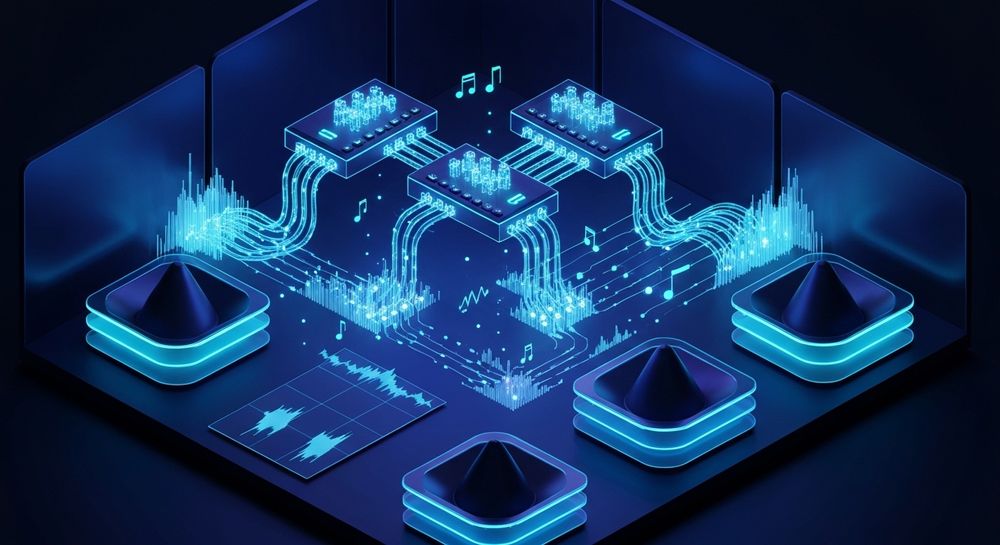
Modern trance music is characterized by its tempo range (typically between 125–145 BPM), hypnotic melodies, and euphoric breakdowns. Trends in trance music production during 2026 highlight cleaner mixes, enhanced stereo imaging, and smoother transitions between sections — largely supported by tools like Soundverse AI Music Generator. For deeper mastering guidance on classic techniques such as phase distortion or modulation shaping, review Master Funk Tribu's Hypnotic Hard Trance: Essential Production ....
How to make trance music with Soundverse AI Music Generator

The Soundverse AI Music Generator is a revolutionary text-to-music system that allows creators to produce instrumental trance tracks directly from text prompts. It specializes in background music, beats, and loops — perfect for DJs and producers looking to create seamless trance soundscapes.
Core Features
- Text-to-Music Generation: Input descriptive text prompts such as "uplifting trance with deep bass and shimmering synths." Soundverse then produces a full instrumental piece.
- Loop Mode: Ensures your trance beat creation flows continuously with no audible breaks — ideal for live sets or gaming soundtracks.
- Genre, Mood, and Instrument Control: Customize every layer — from euphoric pads and rhythmic percussion to ethereal lead synths.
- Multiple Models (V4 and V5): Choose between variations for even more detailed sound shaping and production depth.
Whether you’re producing trance music for commercial use, gaming ambient loops, or meditation-style soundscapes, the AI Music Generator speeds up production dramatically. For more on AI-driven music workflows, see how Soundverse impacts music industry trends and discover new-generation AI tools in Soundverse AI Magic Tools.
For a practical demo of Soundverse workflow, watch our Soundverse Tutorial Series - 9. How to Make Music.
Step 1: Feature Overview

Access the AI Music Generator from the Soundverse main menu. Once opened, you’ll see an interface where you can choose between several generation modes, including Loop Mode and full-track mode.
Step 2: Description Input

Enter a detailed text description of your desired trance track. For instance: “Energetic 140 BPM trance track with soaring pads, deep kick, and progressive arpeggios.” The AI analyzes your prompt and begins constructing rhythmic structures, melodic lines, and harmonic progressions. For creative arrangement ideas, explore Everything You Wanted To Know About Trance.
Step 3: Style & Duration

Next, select trance as your genre and adjust the duration to your preference. Loop-friendly options are available for creating DJ-ready layers, while longer renderings can be used for complete compositions.
Step 4: Generation

Click Generate Instrumental Music. Soundverse’s asynchronous generation process will build your track, crafting every element from bass drives to melodic transitions based on your chosen style. Wait for the system to finalize; once done, you’ll receive your fully mixed trance music instrumental.
Step 5: Export Options

Finally, export your mix as WAV or MP3. You can use the resulting track for remixing, looping, or expansion. Users seeking to refine individual stems can also use the Soundverse Stem Separator to split drums, bass, synths, and accompaniment for in-depth mixing adjustments.
Essential trance music production techniques for beginners
- Melodic layering: Use multiple synth layers for depth. Combine a main lead with softer pads and arpeggiators.
- Atmospheric effects: Reverb and delay are critical. They help create that expansive trance "space" producers crave. Learn how to control spatial movement in melodies using this technique explained in 6 Essential Tips for Trance Producers - Ready for Masterclass.
- Electronic music mixing balance: Keep kick and bass clear in low frequencies, while ensuring melodies have room to breathe.
- Automation for tension: Progressive filter sweeps and volume automation enhance emotional buildup.
- Sequencing and arrangement: Typical trance arrangement includes intro, buildup, breakdown, climax, and outro. Learn how to balance energy over time.
For more production inspiration across genres, check out articles like How to Create EDM with Soundverse AI or Create Metal Music with AI.
Pro tips for modern trance producers in 2026
- Use AI-assisted sound design: AI-based generators can quickly provide unique layers that you can further process with analog or digital effects.
- Combine multiple music generation tools: Soundverse's ecosystem offers cross-feature synergy — pair Similar Music Generator for reference-based creation or Extend Music to stretch your tracks seamlessly.
- Leverage stem editing for remixes: Trance remixes thrive on creative reinterpretations. Using tools like the Stem Separator allows precision remixing.
- Stay updated on mixing trends: 2026 mixing trends favor cleaner stereo fields and harmonic saturation, elevating trance’s emotive energy.
- Master looping with AI: Seamless loops help DJs and producers integrate trance atmospheres into extended live sets and transitions.
For extended insight into multi-genre AI workflows, see our Soundverse Tutorial Series - 10. Make Deep House Music.
Why Soundverse is the ideal partner for trance music creation
Soundverse’s AI Music Generator drastically simplifies production workflows in trance. By using text-driven generation, even beginners can create professional-quality compositions without relying on complex DAW configurations. With options for looping, mood control, and instrument customization, every producer can tailor their trance soundscape exactly how they envision.
Additionally, Soundverse plays a major role in defining the future of electronic music. Explore how AI is transforming composition at AI Music Generator and Human Composers: A Future Together or learn how producers expand creative boundaries with AI-generated music.
Start Producing Trance Music with Soundverse AI
Tap into the power of AI to create energetic trance tracks that captivate your listeners. Generate professional compositions, customize stems, and refine your sound instantly.
- How to Create EDM with Soundverse AI — Discover how AI can help you build dynamic EDM tracks with layered beats and powerful synths.
- How to Create Jazz Music with Soundverse AI — Find out how artificial intelligence assists in crafting soulful and improvisational jazz pieces.
- Generate AI Music with Soundverse Text-to-Music — Learn how to turn text prompts into fully realized musical compositions using Soundverse’s advanced AI.
- Create Metal Music with AI — Unleash intense riffs and thunderous drums by generating high-energy metal tracks powered by AI.
Here's how to make AI Music with Soundverse
Video Guide

Here’s another long walkthrough of how to use Soundverse AI.
Text Guide
- To know more about AI Magic Tools, check here.
- To know more about Soundverse Assistant, check here.
- To know more about Arrangement Studio, check here.
Soundverse is an AI Assistant that allows content creators and music makers to create original content in a flash using Generative AI.
With the help of Soundverse Assistant and AI Magic Tools, our users get an unfair advantage over other creators to create audio and music content quickly, easily and cheaply.
Soundverse Assistant is your ultimate music companion. You simply speak to the assistant to get your stuff done. The more you speak to it, the more it starts understanding you and your goals.
AI Magic Tools help convert your creative dreams into tangible music and audio. Use AI Magic Tools such as text to music, stem separation, or lyrics generation to realise your content dreams faster.
Soundverse is here to take music production to the next level. We're not just a digital audio workstation (DAW) competing with Ableton or Logic, we're building a completely new paradigm of easy and conversational content creation.
TikTok: https://www.tiktok.com/@soundverse.ai Twitter: https://twitter.com/soundverse_ai Instagram: https://www.instagram.com/soundverse.ai LinkedIn: https://www.linkedin.com/company/soundverseai Youtube: https://www.youtube.com/@SoundverseAI Facebook: https://www.facebook.com/profile.php?id=100095674445607
Join Soundverse for Free and make Viral AI Music

We are constantly building more product experiences. Keep checking our Blog to stay updated about them!