How to Produce a Beat: Step-by-Step Music Production Guide
Learn how to produce a beat with Soundverse AI Music Generator in 2026.
How to Produce a Beat: Step-by-Step Music Production Guide
Producing a beat in 2026 has become more accessible than ever, thanks to advancements in AI-powered music production tools and intuitive digital workstations. Whether you’re an aspiring beat maker, a seasoned musician, or a content creator looking for original background tracks, understanding how to produce a beat from scratch is essential. This detailed guide will walk you through the entire process—from setup to export—using modern tools like Soundverse’s AI Music Generator that redefine creativity for producers in the new era.
Why Learning How to Produce a Beat Matters in 2026
Creating your own beats allows you to uniquely shape your sound, establish your artistic identity, and retain full creative control over your music. With audiences increasingly drawn to distinctive and genre-fused compositions, a solid foundation in beat production gives you a competitive edge across streaming platforms and social media. Beat making isn’t just about rhythm; it’s about mastering sound design, layering, and emotion—all integral to effective music production.
How to Make Beats with Soundverse AI Music Generator

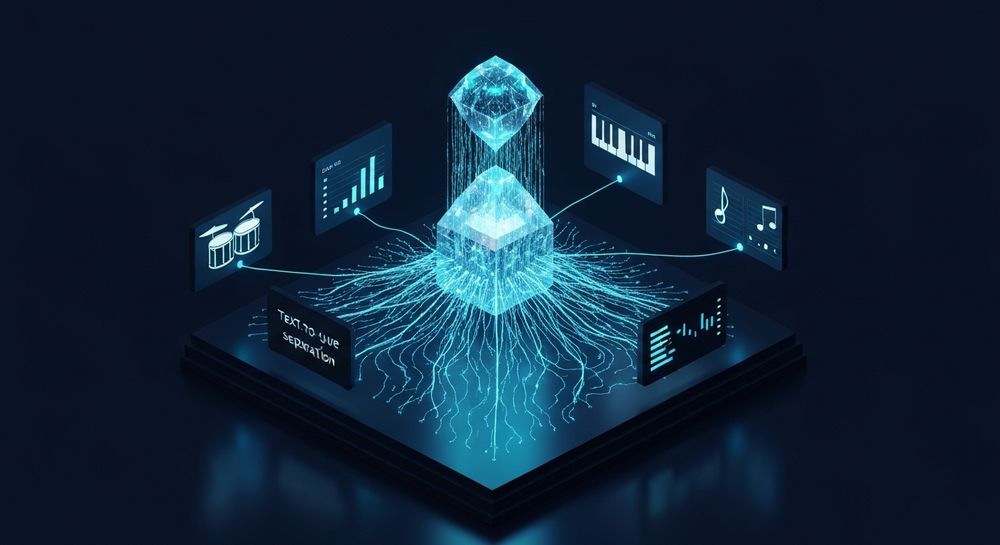
Soundverse’s AI Music Generator is a next-generation tool designed to help creators produce fully composed instrumental tracks simply by describing what they want. This feature transforms text prompts into immersive music compositions, making it ideal for anyone who wants to experiment with styles or supplement their workflow.
Core Features
- Text-to-Music Conversion: Generate instrumental music based on descriptive prompts.
- Loop Mode: Create seamless, repeatable loops suitable for video backgrounds, game soundtracks, or meditative sessions.
- Genre, Mood & Instrument Control: Specify music styles (trap, lo-fi, EDM, jazz, etc.), energy levels, and instruments to fine-tune your output.
- Model Options (V4 & V5): Choose between distinct AI models optimized for creative flexibility and detailed texture.
The AI Music Generator has proven invaluable for creating video background tracks, in-game soundscapes, advertising sound beds, and even meditation compositions. By integrating with complementary tools like Voice to Instrument, Stem Separator, and Inpainting, Soundverse offers a complete ecosystem for anyone learning how to produce a beat efficiently. For a deeper dive, watch our guide on creating Deep House music and explore the Soundverse Tutorial Series - How to Make Music.

Step 1: Feature Overview

Begin by navigating to the main Soundverse menu and selecting the AI Music Generator tool. This is your primary dashboard where you can start the beat-making process. The interface is straightforward, guiding producers from concept to final audio in structured steps. Accessing the tool is the foundation of every creative journey inside Soundverse.
Step 2: Description Input

Next, enter a text prompt describing the type of beat you wish to create. You can specify genre, mood, and instrumentation—for example, “a chill lo-fi beat with soft piano and vinyl crackle.” The AI then interprets your creative direction. This step lets you experiment with abstract ideas, such as thematic or cinematic moods, a common method highlighted in articles like How AI Generated Music Is Transforming the Music Industry.
Step 3: Style & Duration

In this stage, set your style preferences. Choose whether you want a trap beat, EDM drop, or jazzy groove—whatever fits your artistic vision. Specify duration, typically between 30 seconds and 5 minutes, depending on the project. For looping backgrounds or social media shorts, shorter durations work perfectly with the AI’s Loop Mode, ensuring seamless playback.
Step 4: Generation

Once parameters are set, initiate the music generation process. The AI Music Generator processes the prompt asynchronously—it doesn’t play or preview sound in real-time but after completion, the result becomes available for listening and download. This phase exemplifies cutting-edge music production in 2026, merging generative intelligence with practical creativity. For comparisons and inspiration, check out Generate AI Music with Soundverse Text-to-Music.
Step 5: Export Options

Finally, export your generated beat in your preferred format. Whether for commercial use, remixing, or adding layers in your digital audio workstation (DAW), Soundverse ensures compatibility with all major software tools. The exported track can be further enhanced using Stem Separator (see Soundverse Introduces Stem Separation AI Magic Tool) to isolate and edit specific beat components such as kicks, snares, or basslines.
What are the Essentials of Beat Making?
Producing a beat involves several fundamental principles beyond AI assistance. Understanding these will make your workflow smoother and more inventive:
- Home Studio Setup: A modern home studio doesn’t require massive investment. At minimum, you’ll need a decent laptop, audio interface, studio headphones, and a secure DAW software environment like Ableton Live, FL Studio, or Logic Pro.
- DAW Software Proficiency: Your DAW is the control room. It lets you arrange patterns, automate effects, and mix sounds. By pairing it with Soundverse-generated content, workflow speed dramatically increases.
- Sound Design Skills: Sound design affects the emotional impact of your beat. Manipulate texture through filters, EQs, and FX processing to add depth.
- Layering: Combine drums, bass, melody, and ambient effects to build dynamic arrangements.
- Mixing and Mastering: Balance frequency spectra, remove clashing frequencies, and apply compression to achieve crisp clarity.
How to Combine AI Tools for Personalized Music Production
Soundverse’s additional tools bring unmatched flexibility:
- Voice to Instrument: Turn vocal ideas or beatboxing into playable instrument tracks—helpful for those who prefer singing melodies into instruments.
- Stem Separator: Perfect for remix artists wanting to extract and rearrange instrumental sections.
- Inpainting: Correct mistakes or alter rhythmic sections surgically without affecting audio continuity.
These features make Soundverse an all-in-one platform for creators transitioning from basic beat making to professional music production. For a broader look at Soundverse’s creative suite, visit Soundverse AI Magic Tools: Create Content Quickly with AI.
Pro Tips for Producing Memorable Beats
- Experiment with Genre Fusion: Blend elements from different genres. This trend has grown since 2025 and continues to evolve in 2026.
- Use References Wisely: Study professional productions without copying. Focus on drum placement and frequency balance.
- Keep Arrangements Simple: Complexity can dilute groove. Minimal percussion with rich texture typically feels stronger.
- Automate Transitions: Smooth transitions give flow—rise effects, fades, and filter sweeps enhance production polish.
- Leverage AI for Inspiration: AI doesn’t replace creativity—it expands it. Use generated patterns as seeds for human touch and refinement.
Start Producing Beats with Soundverse AI Today
Unlock effortless beat creation with Soundverse’s AI-powered tools. Generate, arrange, and refine your sound instantly—no studio gear or music theory required.
Create Your First Beat
- Generate AI Music with Soundverse Text-to-Music: Learn how Soundverse’s text-to-music feature transforms ideas into complete soundtracks instantly.
- Soundverse AI Magic Tools: Create Content Quickly with AI: Discover the full suite of Soundverse AI Magic Tools and how they streamline your creative workflow.
- What Are Song Stems and Why Do You Need Them: Understand the importance of stems in beat production and remixing using Soundverse’s stem separation AI.
- Soundverse Assistant: Your AI Music Co-Producer: Meet your AI co-producer that helps refine beats, generate melodies, and simplify the production process.
Here's how to make AI Music with Soundverse
Video Guide

Here’s another long walkthrough of how to use Soundverse AI.
Text Guide
- To know more about AI Magic Tools, check here.
- To know more about Soundverse Assistant, check here.
- To know more about Arrangement Studio, check here.
Soundverse is an AI Assistant that allows content creators and music makers to create original content in a flash using Generative AI.
With the help of Soundverse Assistant and AI Magic Tools, our users get an unfair advantage over other creators to create audio and music content quickly, easily and cheaply.
Soundverse Assistant is your ultimate music companion. You simply speak to the assistant to get your stuff done. The more you speak to it, the more it starts understanding you and your goals.
AI Magic Tools help convert your creative dreams into tangible music and audio. Use AI Magic Tools such as text to music, stem separation, or lyrics generation to realise your content dreams faster.
Soundverse is here to take music production to the next level. We're not just a digital audio workstation (DAW) competing with Ableton or Logic, we're building a completely new paradigm of easy and conversational content creation.
TikTok: https://www.tiktok.com/@soundverse.ai
Twitter: https://twitter.com/soundverse_ai
Instagram: https://www.instagram.com/soundverse.ai
LinkedIn: https://www.linkedin.com/company/soundverseai
YouTube: https://www.youtube.com/@SoundverseAI
Facebook: https://www.facebook.com/profile.php?id=100095674445607
Join Soundverse for Free and Make Viral AI Music

We are constantly building more product experiences. Keep checking our Blog to stay updated about them!