How to Make Vocals Sound Professional: The Ultimate Guide for 2026
Master professional vocal mixing in 2026 with expert audio production tips.
How to Make Vocals Sound Professional
In the music industry of 2026, professional vocal mixing has become a defining skill for producers, engineers, and artists working in both home studios and commercial spaces. With advanced AI tools and accessible digital software, getting radio-ready vocals is no longer restricted to million-dollar studios. Whether you’re refining pop melodies, deep rap verses, or experimental textures, understanding how to make vocals sound professional involves mastering recording techniques, mixing balance, and post-processing artistry.
What is Professional Vocal Mixing and Why Does It Matter?
Professional vocal mixing refers to the process of adjusting, polishing, and enhancing recorded vocals so they fit naturally and powerfully within a track. This involves balance, tone correction, dynamics, and spatial processing. For producers leveraging home studio setups, mastering the fundamentals of sound engineering basics ensures that your projects sound clear, competitive, and commercially viable.
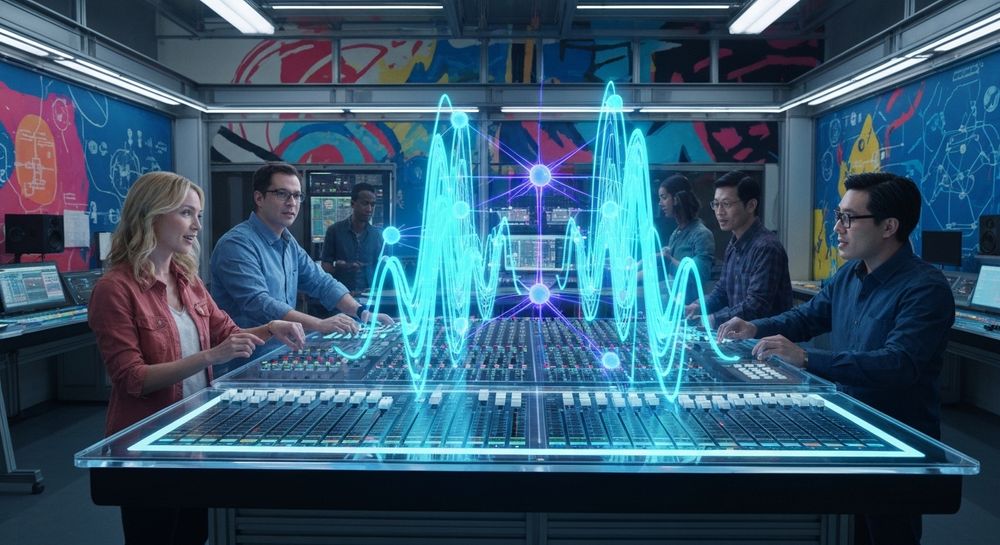
The balance between warmth, clarity, and emotional feel defines what listeners perceive as 'professional'. In 2026, mixing vocals has become highly AI-assisted, but human ears still make final creative judgments. Understanding these hybrid approaches gives you the creative edge needed for current industry standards.
What Are the Best Vocal Recording Techniques for 2026?
Before getting into mixing, professional vocals begin at recording. Here are the most effective recording steps used today:

- Room Treatment Matters: Even in a home studio setup, a properly treated room eliminates unwanted reflections, resonances, and ambient noise that distort recording quality.
- Microphone Choice and Placement: Large-diaphragm condensers remain a studio favorite, but 2026 has seen increased experimentation with AI-based mic modeling. Proper placement—roughly hand-width away, pop filter included—reduces plosives and maintains natural tones.
- Gain Staging and Monitoring: Aim for clean input gain; distortions during recording are harder to fix later. Avoid over-processing while tracking and focus on clarity.
- Multiple Takes and Layering: Recording more than one take gives flexibility. Layering slightly different performances creates richer textures, often used in pop, R&B, and cinematic soundtracks.
Incorporating these vocal recording techniques from the start ensures that mixing later becomes a stylistic refinement rather than a rescue operation.
How to Make Vocals Sound Professional with Soundverse AI Singing Generator

Soundverse’s AI Singing Generator revolutionizes how producers and artists approach professional vocal mixing. It can generate clean acapella performances directly from text or written lyrics, supporting multiple singing styles from Pop and Rock to Rap, Opera, and ASMR. This tool is especially useful for producers who need quick reference vocals, unique textures, or multilingual options for global productions.
The process is asynchronous — you upload or input your desired lyrics and select style preferences, then Soundverse’s AI processes and returns a polished acapella track. Each vocal is generated with natural timing, expressive nuance, and tone balance tailored to specific genres.
Core Capabilities Include:
- Text-to-singing generation from custom lyrics
- Diverse vocal styles: Pop, Rock, Rap, Opera, Whisper, and even playful ‘Meow Meow’ cat sounds.
- Reference audio support for style-matching with existing vocal performance.
- Clean acapella outputs ready for professional mixing and processing.
Producers often pair the AI Singing Generator with other Soundverse tools like Voice Swap (for identity replacement while keeping original expression), Inpainting (to surgically correct lyrics or timing errors), and Stem Separator (to isolate and remix specific parts). Learn how these tools combine in professional workflows.
Step 1: Access AI Singing Generator

Start by opening the Soundverse platform and selecting the AI Singing Generator from the tool menu. For those exploring Soundverse for the first time, it’s structured similar to their AI music generation tools. Choose this feature when your focus is on vocal elements rather than background music.
Step 2: Enter Lyrics or Text to Sing

Input your chosen lyrics or text. The generator allows you to customize each phrase for emotional tone or rhythmic variation. This is perfect for crafting engaging hooks or personalized vocal cues that align with your project’s mood. Need inspiration? Try adapting insights from How to Create Rap Music with AI to your vocal design.
Step 3: Choose Voice Style and Characteristics

Soundverse offers multiple genre-based presets and tonal variations. Select a Pop, Rock, Opera, or whisper-style vocal depending on your production’s vibe. If you want to simulate a reference track, use reference audio support to match singing style.
Step 4: Generate Singing Vocals from Text

Once your configuration is ready, click 'Generate'. The AI processes your input asynchronously and delivers a studio-quality acapella vocal performance. Each result is clean, aligned in pitch, and ready for downstream mixing workflows.
Step 5: Download Vocals and Integrate into Your Mix

Export the acapella vocals as high-quality audio files. You can now load them into your DAW for mixing and mastering using standard audio production tips.
For a deeper dive, watch our Soundverse Tutorial Series - How to Make Music and Soundverse Tutorial Series - Explore Tab to see how these workflows unfold in practice.
What Are the Key Audio Production Tips for Mixing Vocals Professionally?
After obtaining clean vocals—either recorded or generated—proper mixing balances emotion and clarity.
1. EQ Precision
Cut unnecessary low-end frequencies below 100 Hz to reduce rumble. Slightly boost the presence around 3–5 kHz for clarity and articulation. More techniques can be found in 14 Tips and Techniques for Mixing Vocals – From Basic to Advanced.
2. Compression Control
Use compression with moderate ratios (2:1 to 4:1) to balance dynamic range while retaining expression. In modern rap or pop mixes, parallel compression keeps vocals upfront. For dense mixes, explore advice on How To Mix Vocals to Sit Perfectly in a Dense Mix.
3. Reverb and Delay Shaping
Space effects make the vocal sit naturally in the mix. For intimate performance styles, use short reverbs; for theatrical genres like opera, use more expansive delay tails.
4. Automation
Automation enhances emotion—boosting choruses, lowering verses, or emphasizing transitions. It's a hallmark of professional vocal mixing.
5. De-essing and Tone Polish
To control sibilance, use dynamic EQs or specialized de-essers. For added warmth, slight saturation or harmonic enhancement helps blend digital precision with analog character. See ideas from Advanced Mixing Techniques: Achieving Professional Sound.
How a Home Studio Setup Can Rival Commercial Studios
By 2026, portable gear and AI-driven collaboration tools have closed the gap between home and professional recording spaces. Essential equipment includes an audio interface, condenser microphone, pop filter, headphones, and acoustic treatment panels. Combine these with software like Soundverse to reach commercial-quality outcomes quickly.
Those building their creative workflow can also learn from trends in Music Industry in 2026, where remote production and digital collaboration are becoming norms.
Pro Tips for Achieving Professional Vocal Mixes
Here are advanced tricks used by top producers:
- Layer Hybrid Vocals: Blend human recordings with AI-generated singing for modern textures.
- Use Voice Swap for Character Projects: Soundverse Voice Swap lets creators use celebrity or custom DNA voice models for storytelling, gaming, and animation.
- Use Stem Separator for Remixing: Extract stems from mixed tracks to reprocess specific vocals with precision.
- Continuous Reference Listening: Always compare your mix with commercial reference tracks.
- Dynamic Creative Experimentation: Integrate effects automation and style morphing for cross-genre influences.
Transform Your Vocal Mix with AI-Powered Precision
Elevate your vocal tracks using Soundverse’s advanced AI mixing tools—bringing studio-quality clarity, balance, and warmth to every performance.
Related Articles
- Soundverse Introduces Stem Separation AI Magic Tool: Learn how Soundverse’s stem separation feature lets you isolate and remix vocals for flawless, professional results.
- Soundverse AI Magic Tools: Create Content Quickly with AI: Discover how AI Magic Tools streamline your music workflow, from mixing vocals to mastering full tracks.
- Generate AI Music with Soundverse Text-to-Music: Explore how text-to-music technology can generate backing tracks that perfectly complement your professional vocal mix.
- What Are Song Stems and Why Do You Need Them: Understand how stems can elevate your mixing and mastering process, especially for achieving cleaner, more professional vocals.
Here's how to make AI Music with Soundverse
Video Guide

Here’s another long walkthrough of how to use Soundverse AI.
Text Guide
- To know more about AI Magic Tools, check here.
- To know more about Soundverse Assistant, check here.
- To know more about Arrangement Studio, check here.
Soundverse is an AI Assistant that allows content creators and music makers to create original content in a flash using Generative AI.
With the help of Soundverse Assistant and AI Magic Tools, our users get an unfair advantage over other creators to create audio and music content quickly, easily and cheaply.
Soundverse Assistant is your ultimate music companion. You simply speak to the assistant to get your stuff done. The more you speak to it, the more it starts understanding you and your goals.
AI Magic Tools help convert your creative dreams into tangible music and audio. Use AI Magic Tools such as text to music, stem separation, or lyrics generation to realise your content dreams faster.
Soundverse is here to take music production to the next level. We're not just a digital audio workstation (DAW) competing with Ableton or Logic, we're building a completely new paradigm of easy and conversational content creation.
TikTok: https://www.tiktok.com/@soundverse.ai Twitter: https://twitter.com/soundverse_ai Instagram: https://www.instagram.com/soundverse.ai LinkedIn: https://www.linkedin.com/company/soundverseai Youtube: https://www.youtube.com/@SoundverseAI Facebook: https://www.facebook.com/profile.php?id=100095674445607
Join Soundverse for Free and make Viral AI Music

We are constantly building more product experiences. Keep checking our Blog to stay updated about them!