How to Make Suno Use Your Voice: A 2026 Guide for Custom AI Vocals
Learn how to use your voice in Suno AI with ethical custom vocal generation powered by Soundverse DNA.
How to Make Suno Use Your Voice
Using your own voice in AI music creation has become one of the most exciting trends in 2026. With platforms like Suno AI empowering users to generate songs from prompts, many artists and creators want to know exactly how to use your voice in Suno AI for personalized results. This guide walks through everything from understanding AI voice inputs to cloning your sound ethically through Soundverse DNA.
Why Do Musicians Want to Use Their Own Voice in Suno AI?
Over the last few years, creators have increasingly sought authenticity in AI-generated content. Instead of generic vocal tracks, producers and singers want their true tone and timbre reflected in the music created by Suno AI. This approach helps maintain a unique identity, whether for album projects, branded jingles, or content creation.

Beyond providing customization, personal voice integration improves fan engagement, enabling listeners to connect with the artist's real vocal identity even in AI-generated works. It’s also a game-changer for creators who want to expand their sonic reach or test vocal ideas before recording in a studio.
What Do You Need Before You Use Your Voice in Suno AI?
Before getting started, here are a few foundations to ensure optimal results:
- High-Quality Audio Recording – Record clean vocals using at least a 44.1kHz sample rate and minimal background noise.
- Consistent Tone – Use similar microphone setups and vocal tones if compiling multiple recordings.
- Copyright Safety – Ensure that any vocal material used is owned by you. Suno AI and Soundverse DNA only support ethically sourced and licensed data.
- Understanding Model-Based Voice Generation – Suno doesn’t directly clone voices instantly; the system learns from uploaded samples and applies its model in asynchronous processing.
If you want real control over how your sung or spoken voice integrates into AI tracks, the next step is understanding how custom vocal DNA works.
What Is Voice Cloning and Why Is It Important in 2026?
Voice cloning is the AI-driven process of capturing a vocal signature — timbre, pitch, vibrato, and emotion — and replicating it for generating new content. As of 2026, ethical voice cloning is crucial because unauthorized cloning violates creative rights. Systems like Suno AI and Soundverse protect artists through consent-based data inputs.
The modern workflow ensures that creators either license their voice models or develop private ones through music DNA tech. This way, fans can use the artist’s unique voice DNA legally in their generated music, creating new monetization opportunities.
Step-by-Step Guide: How to Make Suno Use Your Voice
To truly personalize Suno outputs, you need to follow a structured workflow. Below are the official steps inspired by creation processes of ethical platforms such as Soundverse DNA.
Step 1: Overview
Before uploading data, understand what DNA mode does. It represents the artist’s unique musical and vocal identity. When training your own model, ensure recordings accurately reflect your singing or speaking style.
Step 2: Dashboard
Access the main dashboard to manage all your DNA assets. This area will show your existing models and allow you to create a new one dedicated to voice cloning.
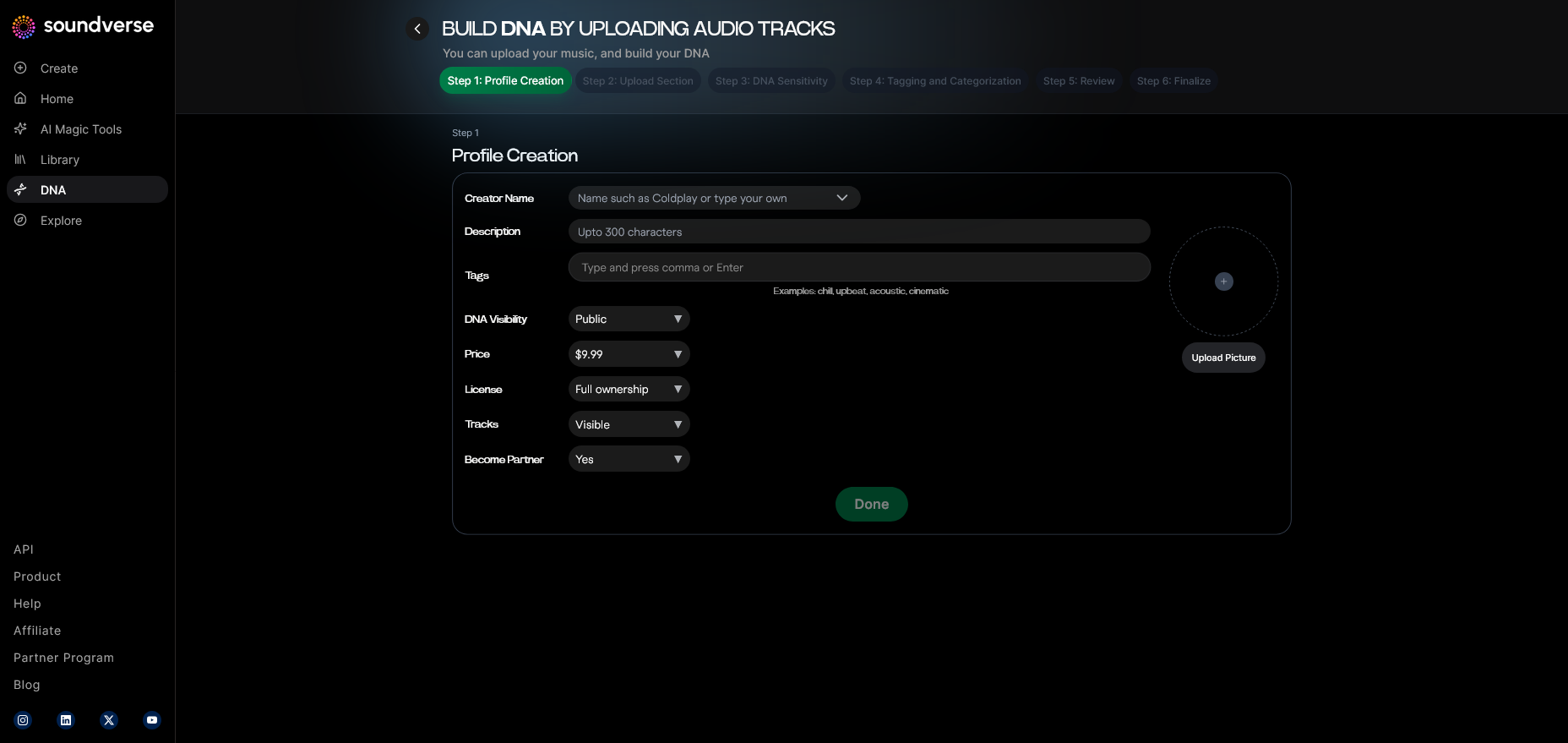
Step 3: Creator Profile
Complete your creator profile. Include name, genre, and license settings for your vocal DNA to track monetization and rights management.
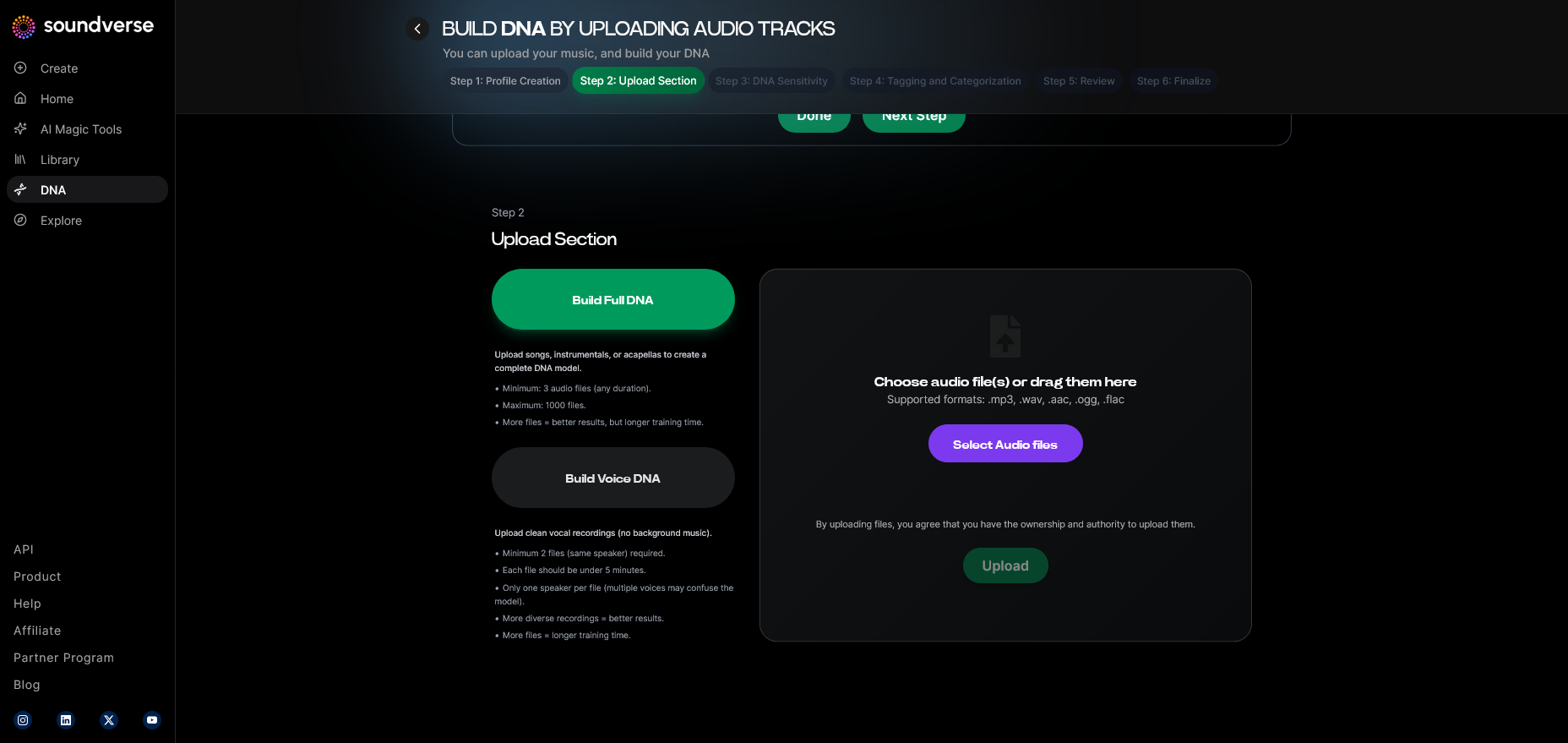
Step 4: DNA Type Selection
Select Voice DNA instead of Full DNA. Voice DNA isolates and trains only the vocal sound characteristics, ideal for custom singing or narration generation.
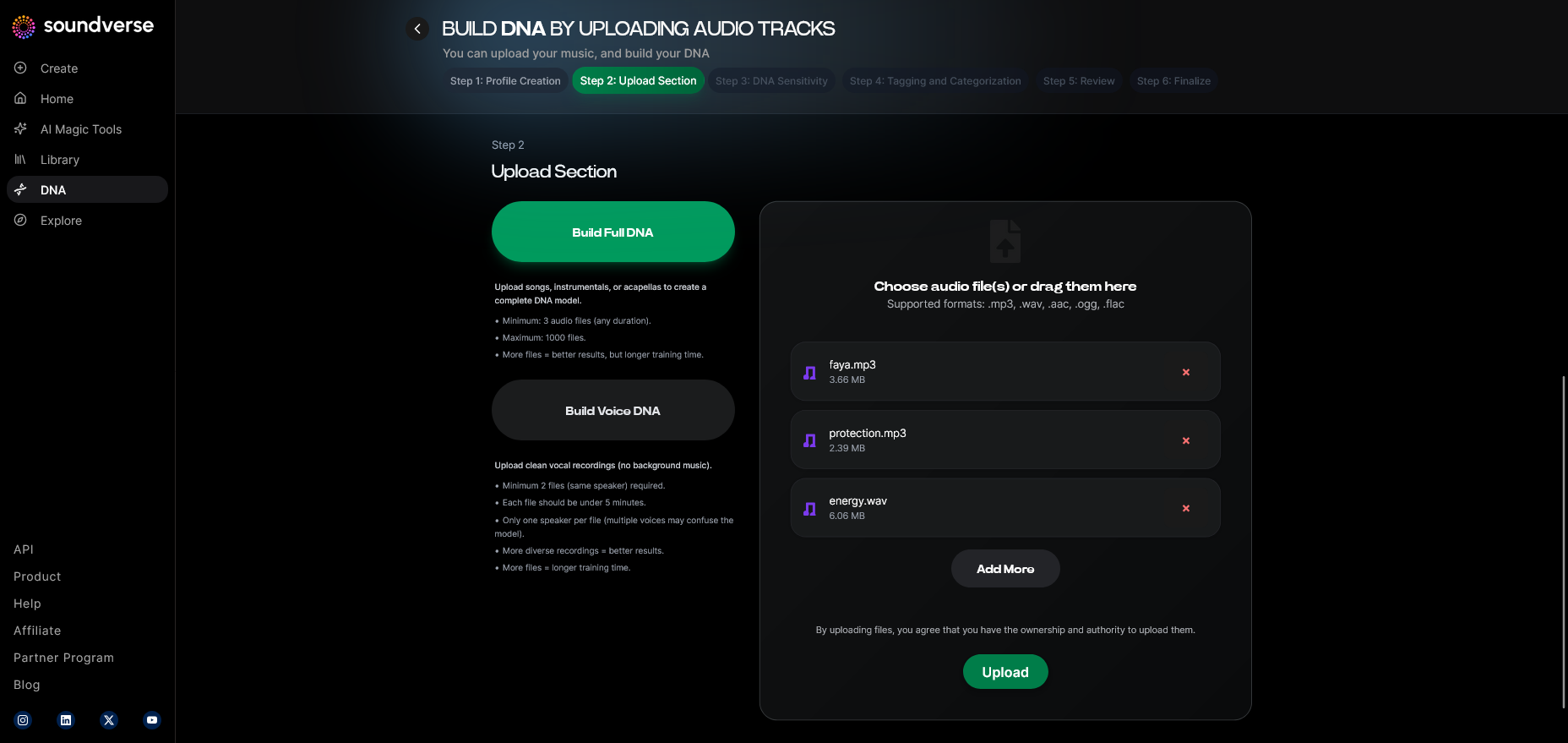
Step 5: Upload Files
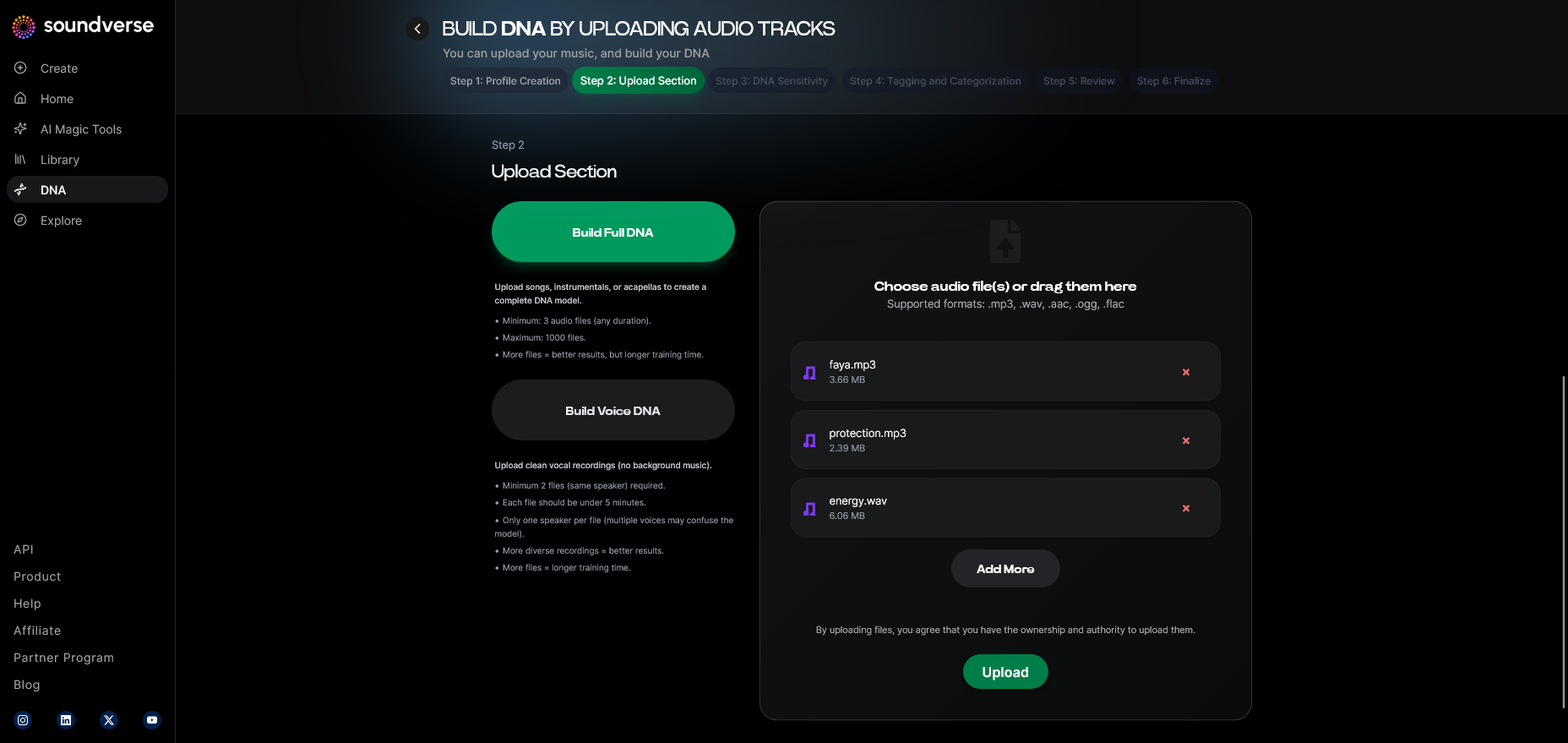
Upload your vocal recordings. These should be direct takes without effects such as reverb or compression. The system analyzes pitch dynamics and patterns.
Step 6: Sensitivity Setting
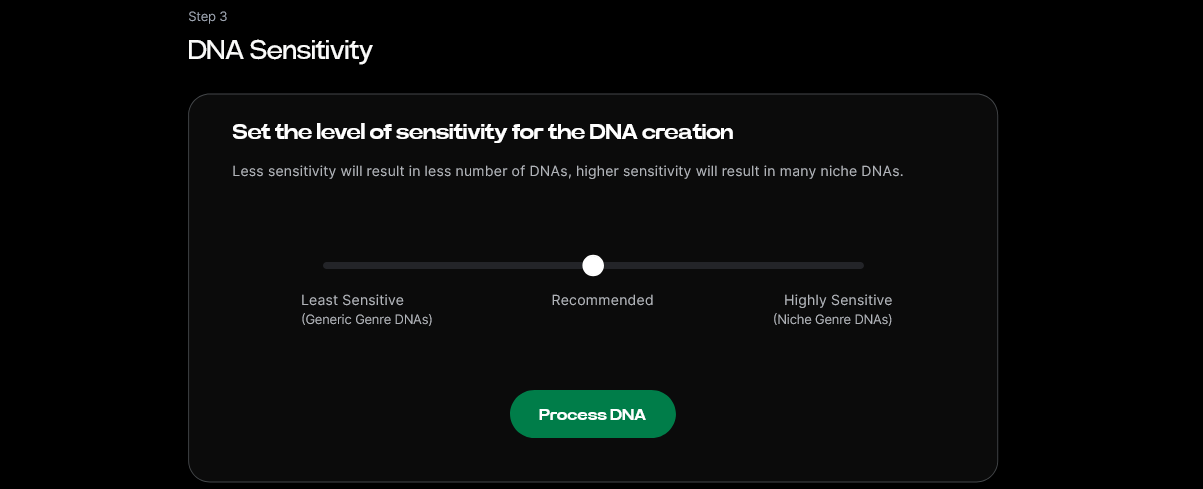
Adjust the sensitivity slider to control how deeply the system models stylistic variations. Lower levels produce consistent tonality; higher levels capture expressive inflections.
Step 7: Auto Tagging
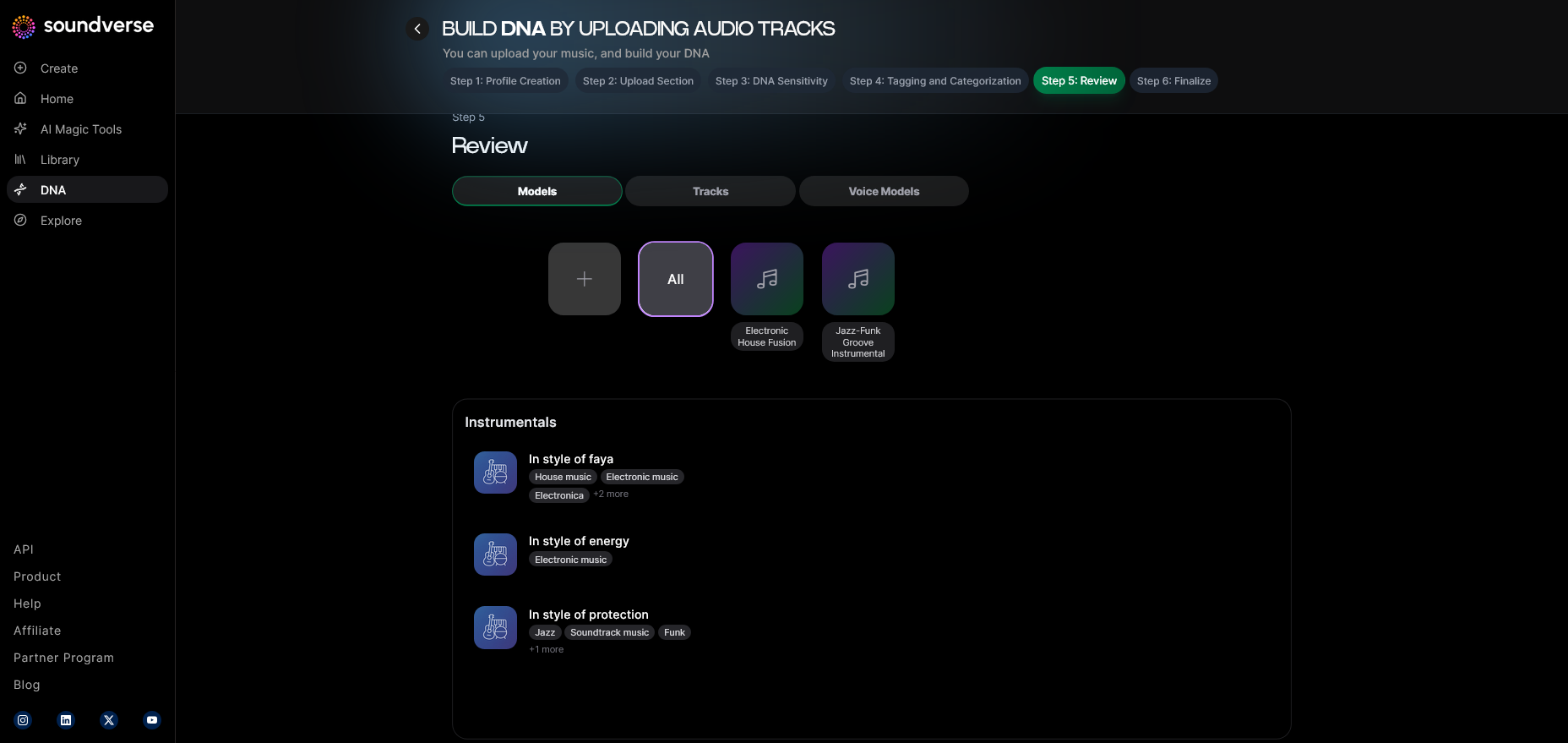
Allow the system to auto-tag metadata such as genre, mood, vocal range, and decade style. These help categorize your DNA for future use.
Step 8: Review & Publish
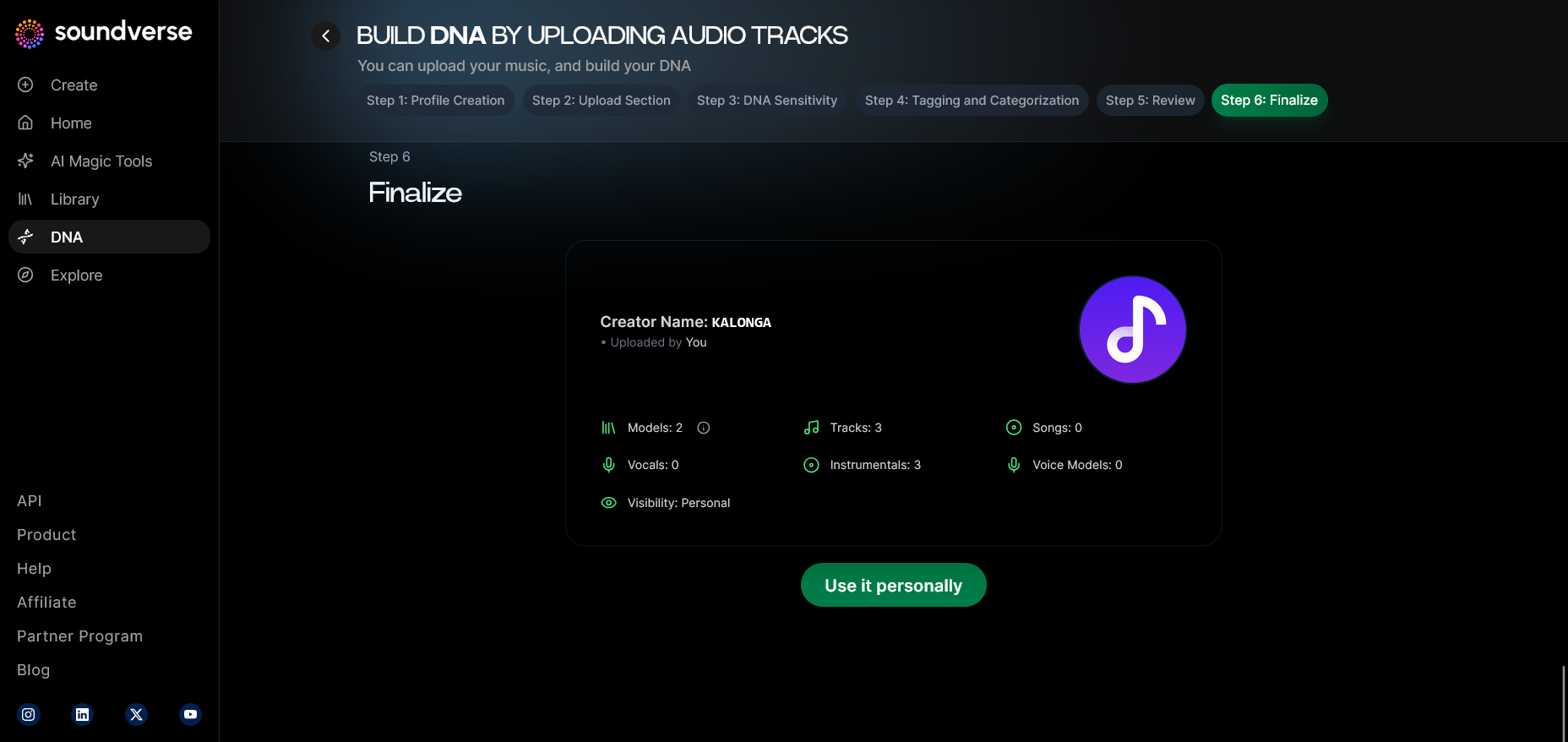
Check all uploaded assets and metadata. Once verified, publish your vocal DNA. This enables you or collaborators to generate tracks using your unique sound.
Step 9: Generation Panel
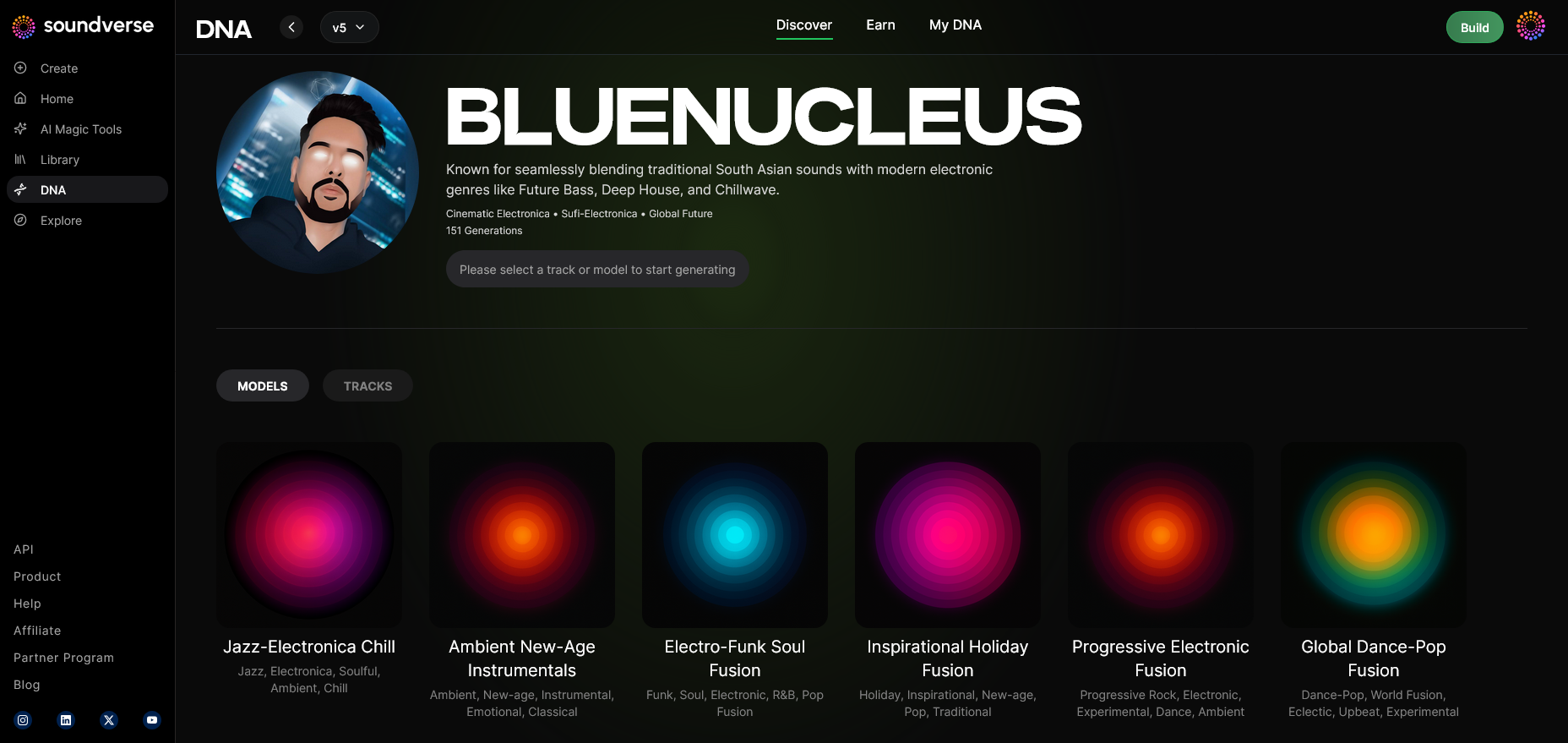
Navigate to the generation panel to start creating. Here, you can use prompts describing mood, tempo, and concept.
Step 10: Model-Based Mode
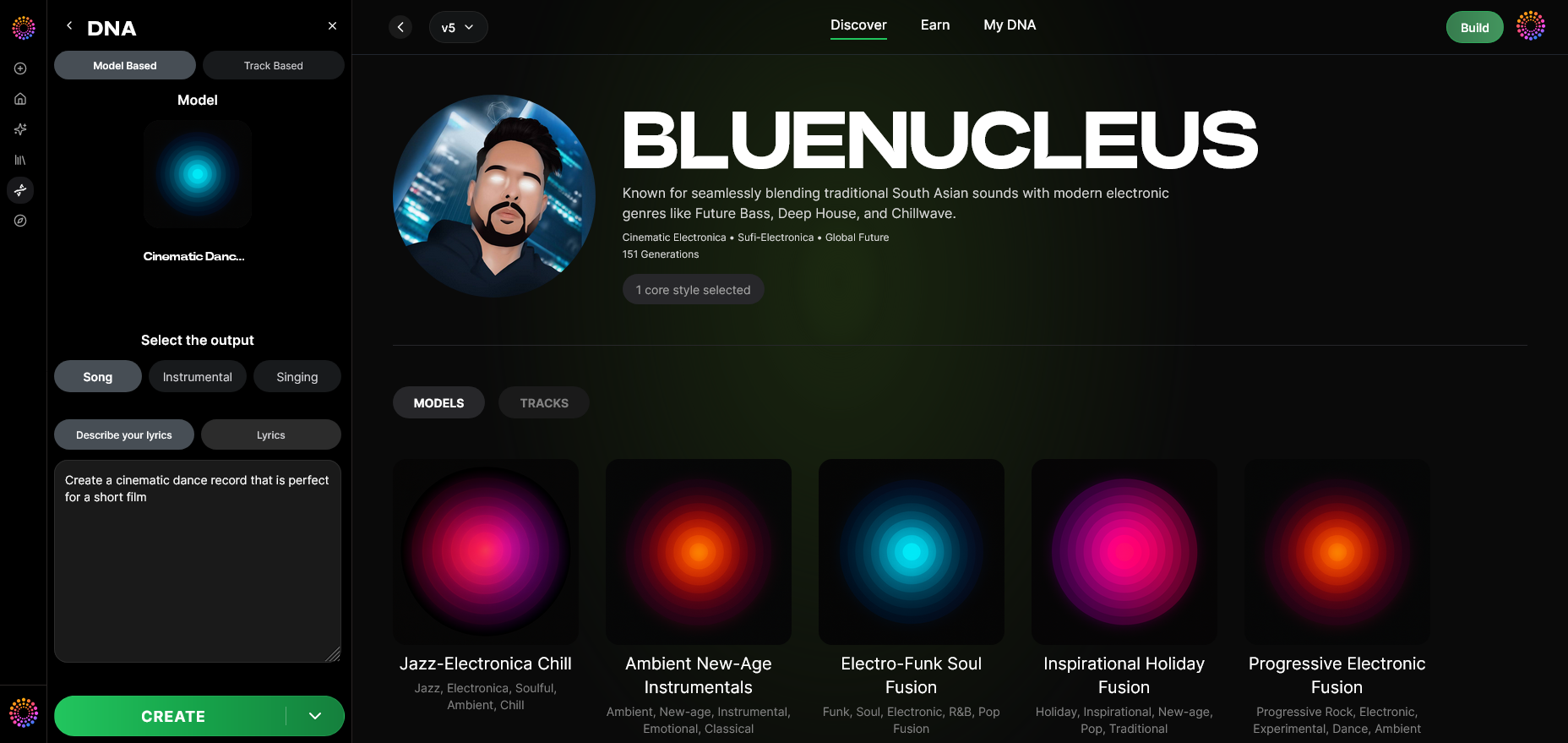
Enable the model-based mode so Suno AI – or when cross-integrated, Soundverse – knows to utilize your uploaded voice DNA in the generation process.
Step 11: Output Type
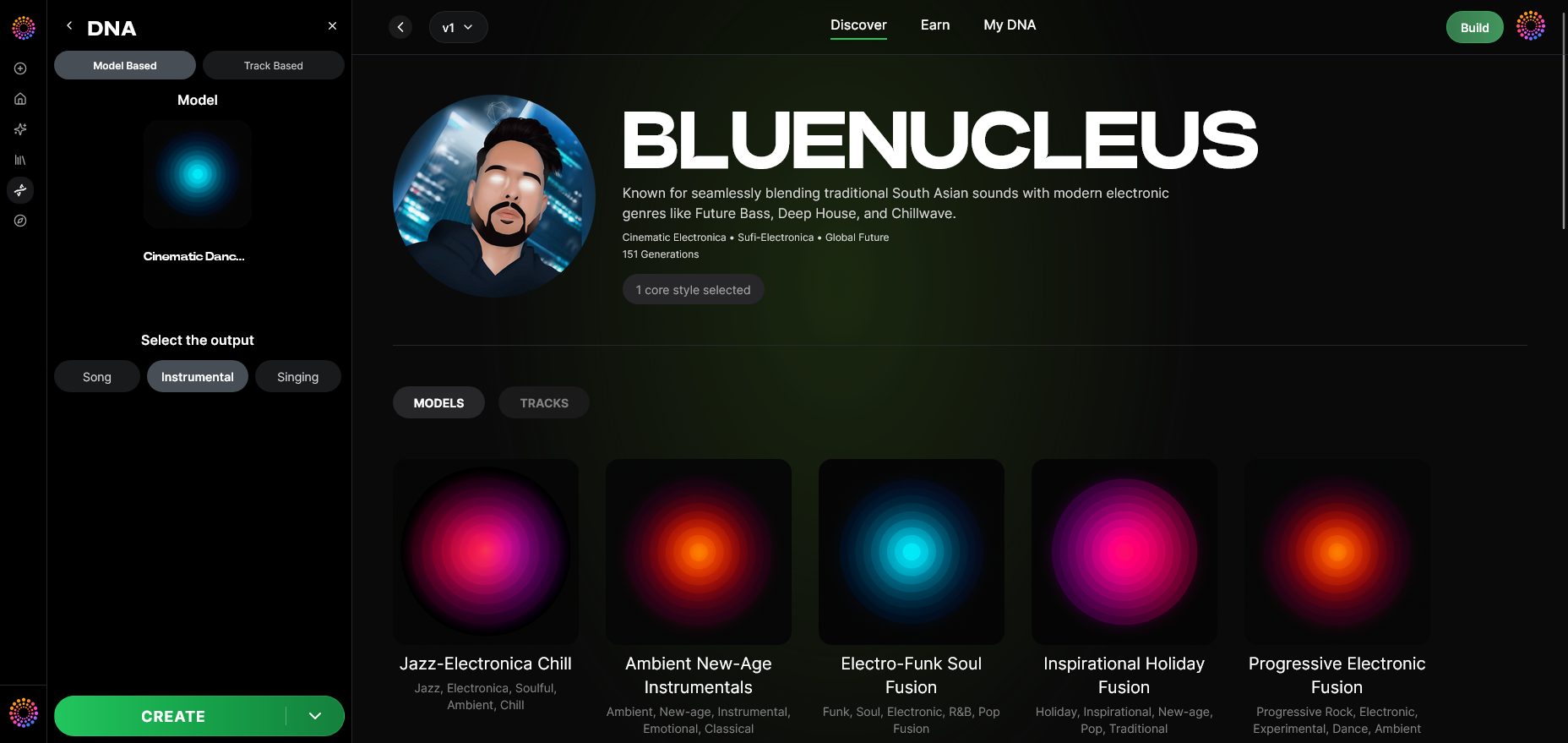
Choose whether to create a full Song, Instrumental, or Singing Output. To feature your voice, select the singing mode.
Step 12: Prompt Type
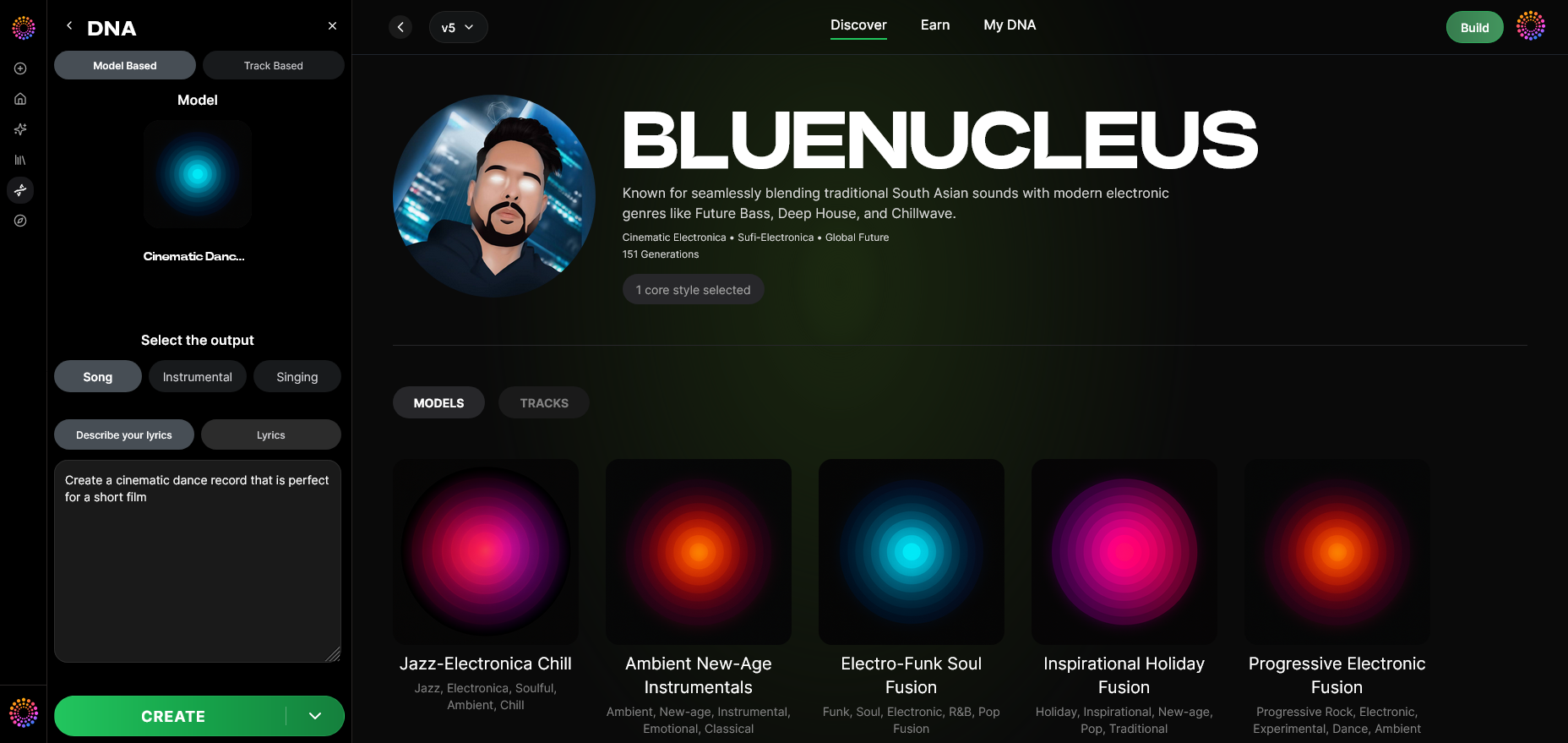
Enter text prompts that direct lyrical and musical style generation (e.g., emotional pop ballad, futuristic synth track).
Step 13: Generation Complete
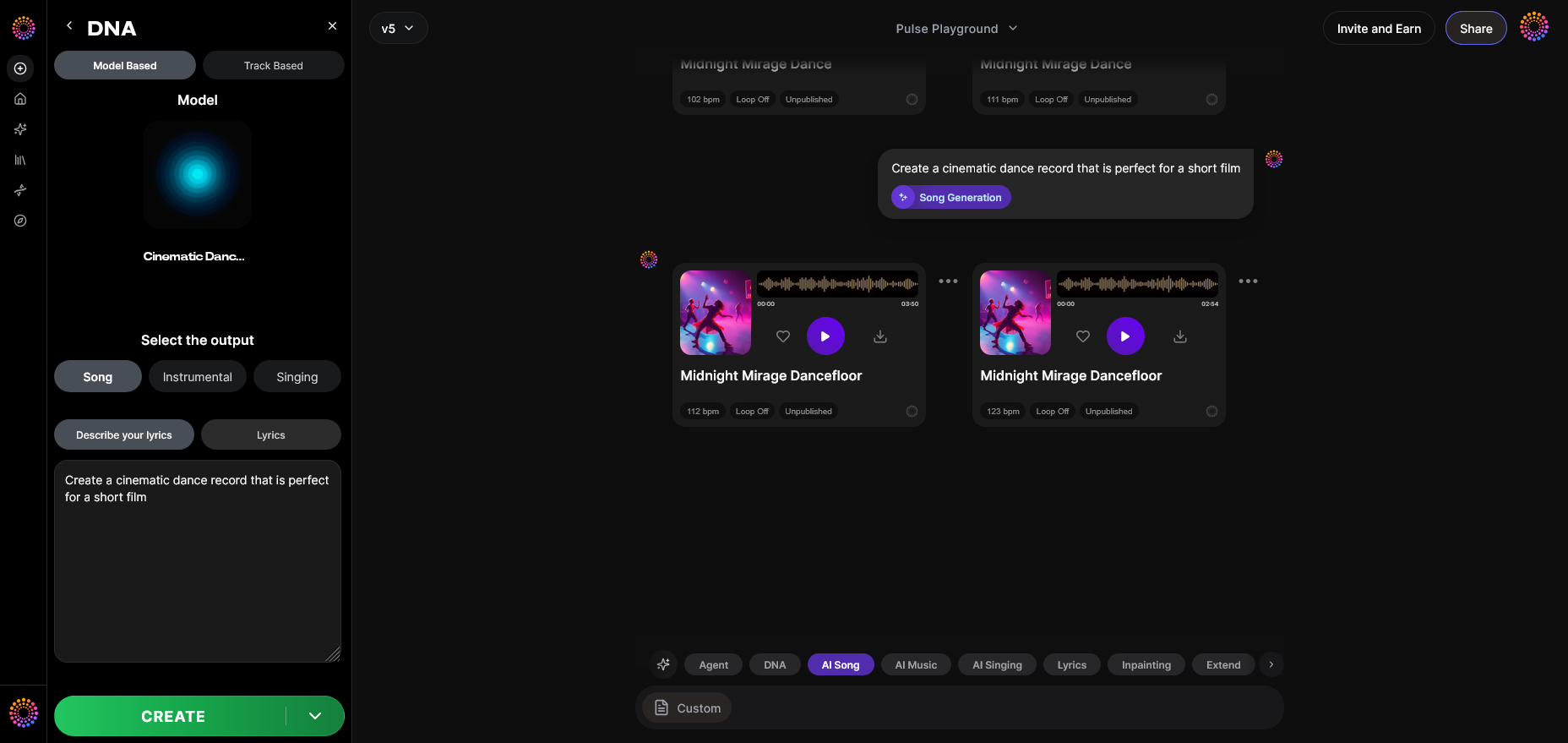
After processing, review the generated audio. You’ll hear your vocal style embedded in new music compositions.
Step 14: Export Options
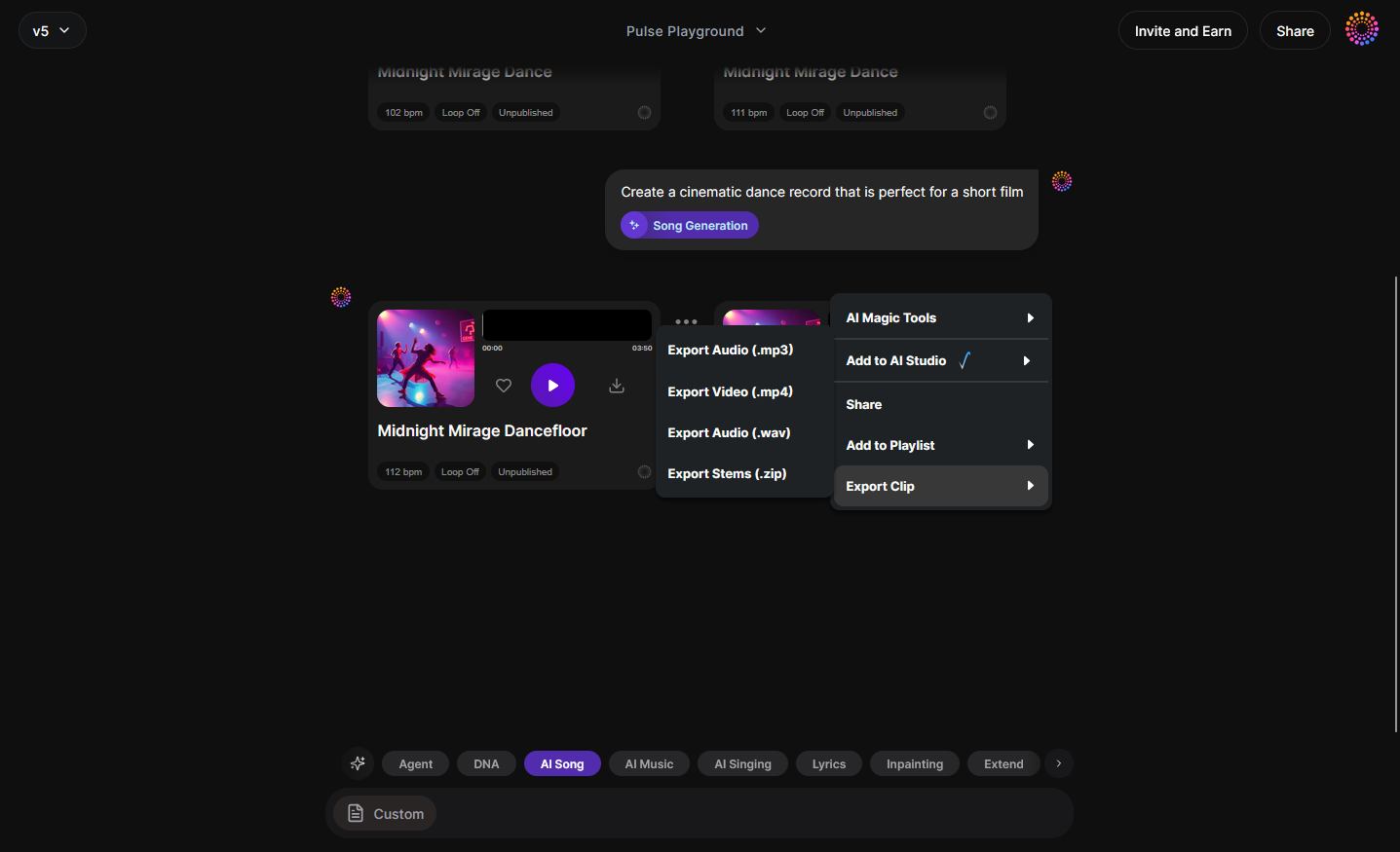
Download your new tracks or prepare them for collaboration. Asynchronous generation ensures you get polished, studio-ready output each time.
This workflow ensures ethical and accurate replication of your voice through Suno’s AI systems. It makes AI singing both creative and protected. For visual learners, check out Soundverse’s tutorial on making music or explore their Deep House guide.
Best Practices for Creating Songs with Your Voice on Suno
Here are some advanced recommendations for musicians and creators:
- Regularly update your vocal DNA with new recordings to maintain quality.
- Use dynamic but controlled vocal sessions for clarity.
- Avoid celebrity imitation; focus on authentic voice DNA for originality.
- Experiment with Suno AI’s voice style parameters to fine-tune expression.
- Try pairing Suno with other generation tools, such as Soundverse’s AI Magic Tools, for genre-specific results.
- For interface navigation tips, watch the Explore Tab tutorial.
For more inspiration, check these related guides: Generate AI Music with Soundverse Text to Music, How to Create Rap Music with AI, and Music Industry Trends.
How to Make Suno Use Your Voice with Soundverse Soundverse DNA
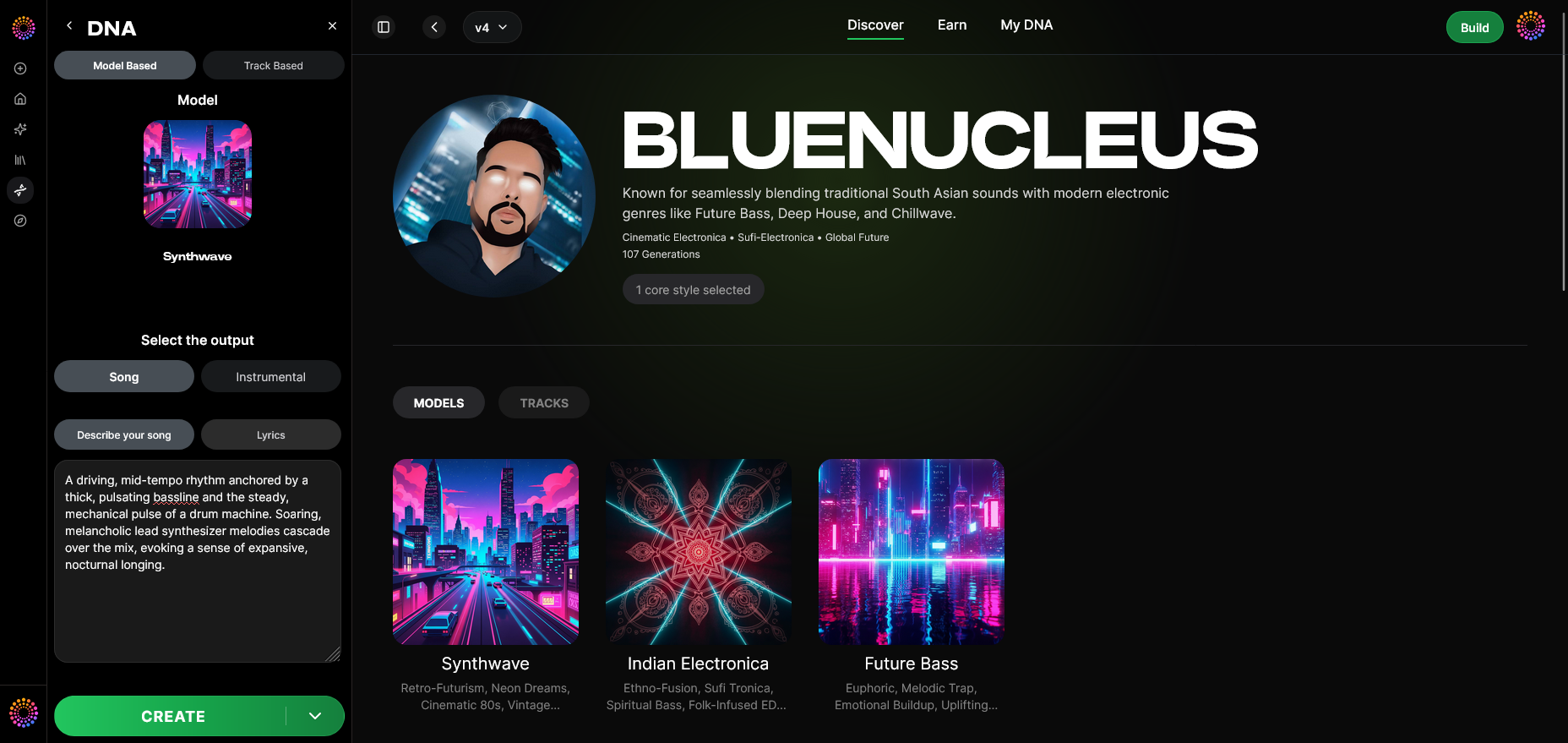
Now that you understand how to use your voice in Suno AI, let’s explore how Soundverse DNA enhances it.
Soundverse DNA is an artist-trained AI music generation system built for creating original songs and vocals from licensed catalogs. Its ethical structure ensures all voice DNA are monetizable and copyright-safe. You can define your sonic identity and license your voice style through the DNA Marketplace, enabling others to co-create while you earn.
Soundverse DNA offers key features like:
- Voice DNA for vocal timbre modeling.
- Sensitivity Selector to set detail levels.
- Private Mode for secure co-creation.
- Full DNA for holistic artist sound replication.
- DNA Marketplace to legally share styles.
For musicians aiming to clone or stylize their own voice, Soundverse acts as the next-level companion platform to Suno AI. You can craft your vocal model, then generate countless songs where your sound remains distinct and ethically licensed.
In addition, Soundverse integrates complementary tools such as Voice Swap, which allows you to change the vocal identity of an existing recording while preserving expression, and Similar Singing Generator, which creates fresh performances matching your emotional tone.
To learn more about Soundverse DNA’s creative workflow, explore Soundverse Introduces Stem Separation AI Magic Tool or How AI-Generated Music Is Transforming the Music Industry.
Start Creating AI Music That Sounds Like You!
Turn your own voice into music effortlessly using Soundverse AI. Build custom tracks, experiment with styles, and bring your unique sound to life — no studio required.
Related Articles:
- Best Suno Alternative – Soundverse AI (Free Sign-Up): Discover why Soundverse is the top free alternative to Suno AI for creating personalized voice-driven music.
- Soundverse Introduces Stem Separation AI Magic Tool: Learn how Soundverse’s AI Magic Tool lets you isolate vocals and instruments for remixing or editing with ease.
- Soundverse AI Revolutionizing Music Creation for New-Age Content Creators: Explore how Soundverse AI empowers modern creators to produce professional-grade music effortlessly.
- Generate AI Music with Soundverse Text-to-Music: Find out how to use Soundverse’s text-to-music generator to compose tracks from simple prompts.
Here's How to Make AI Music with Soundverse
Video Guide

Here’s another long walkthrough of how to use Soundverse AI.
Text Guide
- To know more about AI Magic Tools, check here.
- To know more about Soundverse Assistant, check here.
- To know more about Arrangement Studio, check here.
Soundverse is an AI Assistant that allows content creators and music makers to create original content in a flash using Generative AI. With the help of Soundverse Assistant and AI Magic Tools, our users get an unfair advantage over other creators to create audio and music content quickly, easily and cheaply. Soundverse Assistant is your ultimate music companion. You simply speak to the assistant to get your stuff done. The more you speak to it, the more it starts understanding you and your goals. AI Magic Tools help convert your creative dreams into tangible music and audio. Use AI Magic Tools such as text to music, stem separation, or lyrics generation to realise your content dreams faster. Soundverse is here to take music production to the next level. We're not just a digital audio workstation (DAW) competing with Ableton or Logic, we're building a completely new paradigm of easy and conversational content creation.
TikTok: https://www.tiktok.com/@soundverse.ai
Twitter: https://twitter.com/soundverse_ai
Instagram: https://www.instagram.com/soundverse.ai
LinkedIn: https://www.linkedin.com/company/soundverseai
Youtube: https://www.youtube.com/@SoundverseAI
Facebook: https://www.facebook.com/profile.php?id=100095674445607
Join Soundverse for Free and Make Viral AI Music

We are constantly building more product experiences. Keep checking our Blog to stay updated about them!