How to Make Royalty-Free AI Music for YouTube Videos
Learn how to make royalty-free AI music for your YouTube videos using Soundverse’s AI Music Generator in 2026.
How to Make Royalty-Free AI Music for YouTube Videos
In 2026, YouTube creators are producing more content than ever before, and the demand for royalty-free AI music has reached new heights. High-quality background music not only sets the tone for a video but also strengthens brand identity. Whether you’re a vlogger, a gaming YouTuber, or a lifestyle filmmaker, having access to copyright-free and customizable soundtracks is critical for keeping your videos engaging and monetizable. However, navigating music licensing has always been tricky—using copyrighted music can lead to takedowns or demonetization. That’s where royalty-free AI music enters the scene.
Artificial intelligence is changing how content creators make music by providing easy, cost-effective, and legal tools for generating original instrumental tracks. Today, we’ll walk you through how to make royalty-free AI music for YouTube videos using the Soundverse AI Music Generator, one of the leading AI audio creation platforms designed specifically for content creators.
How to Make Royalty-Free AI Music with Soundverse AI Music Generator
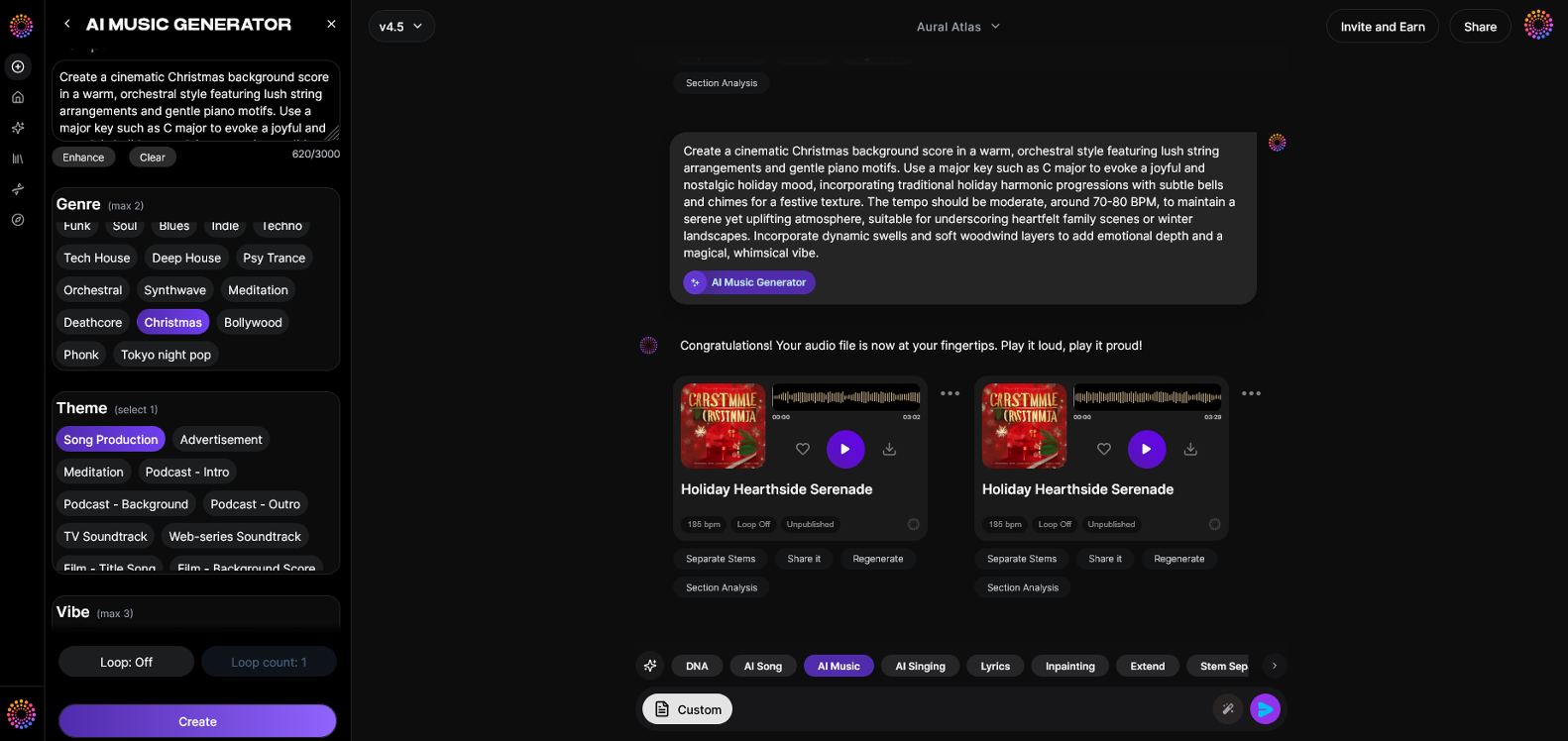
The Soundverse AI Music Generator is a professional-grade AI tool that lets creators generate fully produced instrumental tracks from simple text descriptions. It’s built to make YouTube background music, advertising soundscapes, or game loops—all copyright-free. Unlike traditional royalty-free libraries, every track you generate is unique and royalty-free, meaning it’s safe to monetize on platforms like YouTube without worrying about copyright strikes.
Key Features of Soundverse AI Music Generator:
- Text-to-Music: Describe the vibe, tempo, and genre you want—Soundverse generates an original composition instantly.
- Loop Mode: Perfect for creating seamless background loops that play smoothly in longer videos.
- Genre, Mood, and Instrument Control: Customize your production with precision to match your video style.
- Model Options: Choose between V4 and V5 models for different audio aesthetics and fidelity.
Whether you’re designing calm acoustic music for travel vlogs or cinematic scores for storytelling videos, these features make Soundverse a versatile tool for all creators. If you want to explore similar tools, check our post on best AI music generators to compare features. For a deeper dive, watch our guide on how to make music from the Soundverse Tutorial Series.
Step 1: Feature Overview
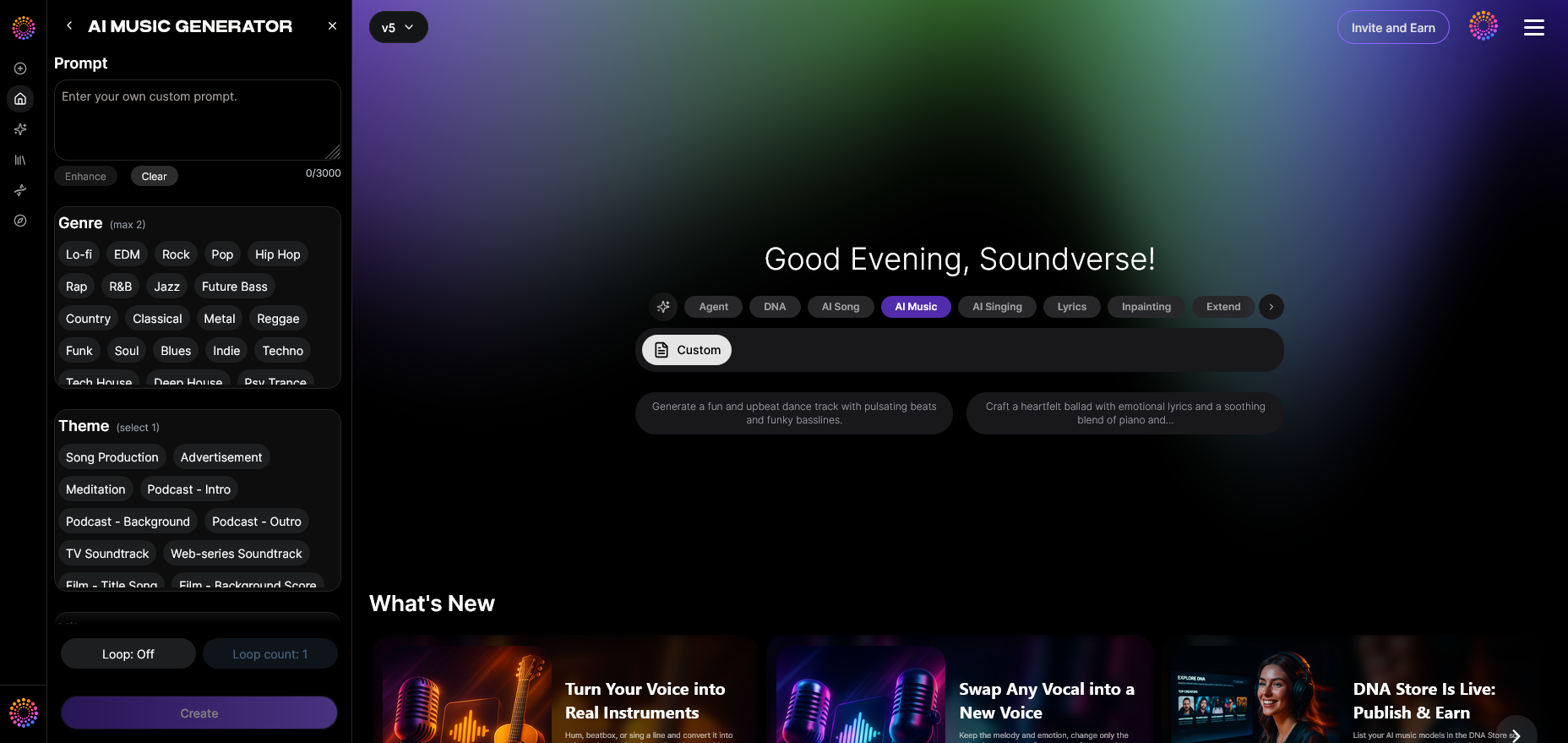
Begin by logging into your Soundverse account. From the main dashboard, select AI Music Generator under the primary menu. This feature is designed for creating instrumental and background tracks suitable for YouTube videos, podcasts, and brand promotions. Once opened, you’ll find a clean interface ready for detailed prompt input.
Step 2: Description Input
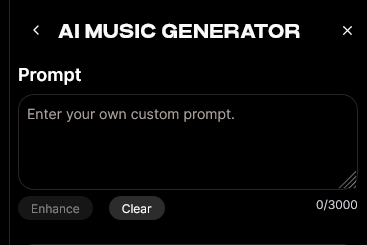
Now, enter your text prompt describing the kind of music you want. For instance, you might type: “uplifting electronic beat with ambient synths for a travel montage.” The generator uses your text description to understand the ideal vibe, pacing, and mood for your video.
Be specific with adjectives and genres—mention whether you want something like chill pop, lofi, or cinematic orchestral. The more detailed your input, the more accurate your generated soundtrack will be. For more inspiration on prompt writing, see 100 text-to-music prompts for viral music.
Step 3: Style & Duration
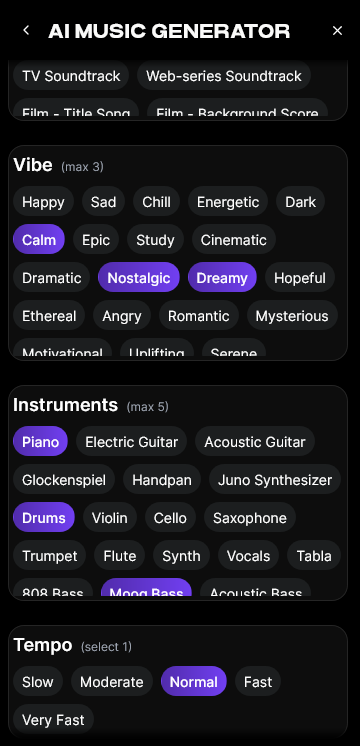

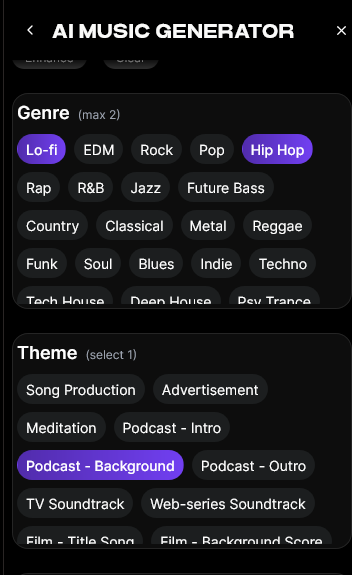
Next, choose the track style and duration. You can select from a range of genres such as ambient, jazz, electronic, or classical. The duration can be tailored to your video’s length, typically ranging from short intros (15–30 seconds) to full-length soundtracks (3–5 minutes). Longer video creators can enable Loop Mode for continuous playback—ideal for streams and long-form videos.
Step 4: Generation
Once your descriptions and music settings are ready, click the Generate button. The AI will then process your request and create a fully produced instrumental track. Within minutes, you’ll have an original soundtrack that captures your specified tone. As a bonus, Soundverse’s underlying models (V4 and V5) ensure consistent, high-fidelity production quality every time.
Step 5: Export Options
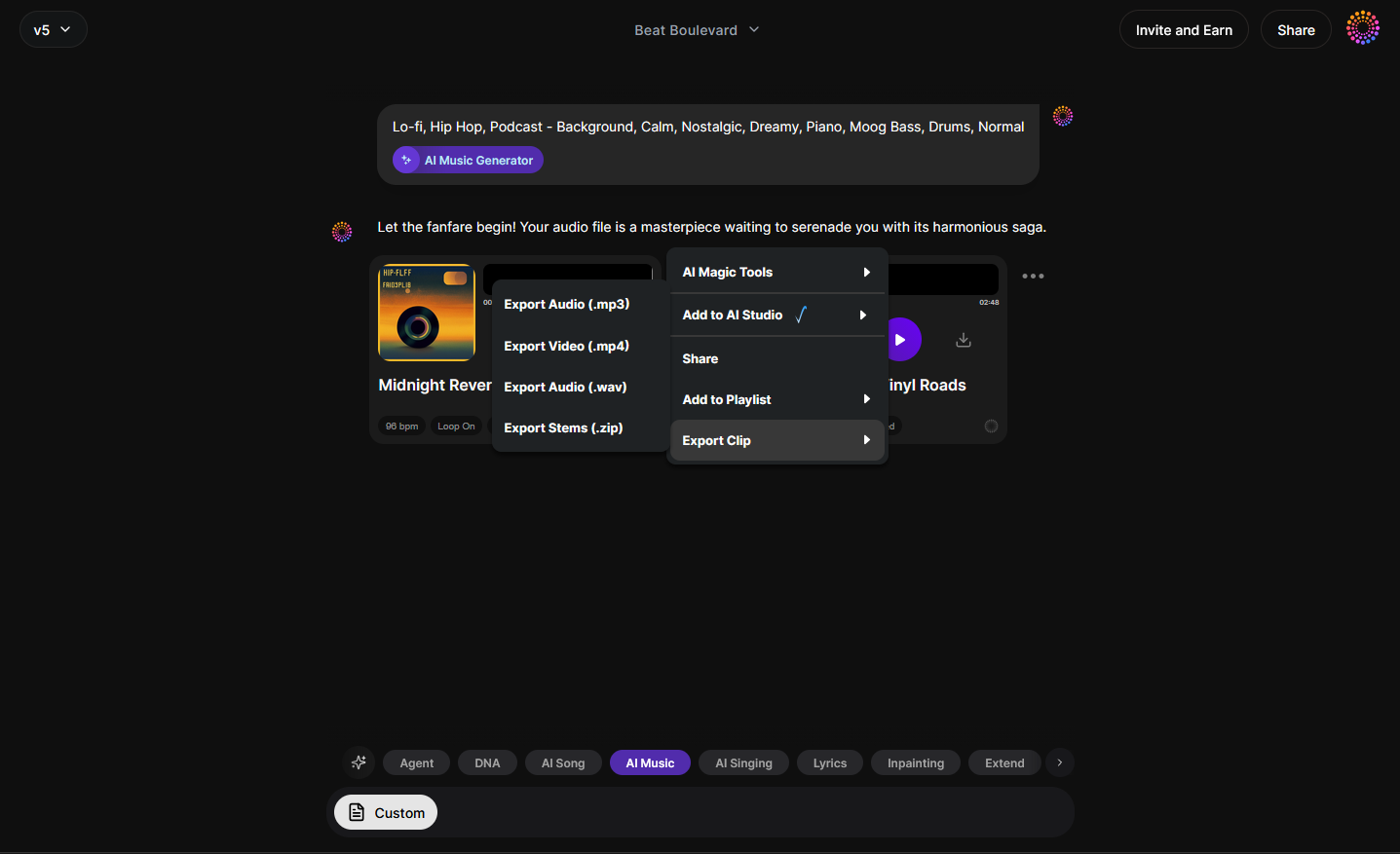
After generation, preview your track and proceed to download. Soundverse provides export options in standard audio formats suitable for direct YouTube upload or integration into your preferred video editing software. You can also organize your generated library by project, making it easy to reuse or modify tracks for future content. To enhance your workflow, watch our tutorial on creating Deep House music and explore how different genres respond to various prompts.
Pro Tips for Making Royalty-Free AI Music That Fits Your YouTube Videos
- Match Music to Visual Tempo: Your soundtrack’s rhythm should align with your video’s pacing. A fast electronic beat fits travel vlogs, while mellow acoustic guitar is perfect for storytelling.
- Use Loop Mode for Seamless Backgrounds: Repetitive but seamless loops help maintain focus without distracting viewers.
- Leverage Music Variations: Generate multiple variations of the same prompt to provide flexibility during editing.
- Avoid Overly Complex Compositions: Simpler melodies tend to work better as unobtrusive background elements.
- Stay Consistent with Your Brand Sound: Just like your logo and visuals, consistent audio branding helps viewers recognize your channel identity.
For detailed examples of applying these principles, check our resource on enhancing YouTube content with royalty-free and copyright-free music. You can also explore our “Explore” Tab tutorial for additional insights.
Why Royalty-Free AI Music Matters in 2026
By 2026, YouTube’s monetization policies and Content ID systems are more stringent than ever. Even using background songs that are labeled as “free” online can still carry hidden claims. Royalty-free AI music eliminates that uncertainty because everything you generate through Soundverse is created from scratch—giving you complete usage rights.
Beyond compliance, AI-generated soundtracks also save creators both time and money. Instead of searching hours through libraries, you can prompt Soundverse to produce the exact sound you’re envisioning in just minutes. Interested in understanding how AI is revolutionizing production workflows? Visit our article on how AI-generated music is transforming the music industry.
Beyond AI Music Generation: Creating a Complete Sound Ecosystem
Soundverse’s ecosystem extends beyond the AI Music Generator. Tools like Similar Song Generator allow users to craft songs inspired by reference tracks without infringing copyrights, maintaining originality. Meanwhile, Soundverse Trace embeds source attribution and rights management data into each audio file, ensuring transparent distribution and ethical AI creation. Through its Content Partner Program, Soundverse also compensates rights-holders who provide training data—maintaining a fair balance between innovation and artist equity.
For creators, that ecosystem means using AI confidently without worrying about ownership or originality. This unified approach demonstrates why Soundverse has become one of the top Mubert alternatives for serious content professionals.
Start Creating Royalty-Free AI Music Today!
Transform your YouTube content with custom AI-generated tracks. Save time, stay copyright-safe, and instantly give your videos the professional polish they deserve.
Related Articles:
- Enhancing YouTube Content with Royalty-Free and Copyright-Free Music Using Soundverse AI: Discover how Soundverse helps creators find copyright-safe music for their YouTube videos effortlessly.
- Navigating the World of Royalty-Free and Copyright-Free Music Using Soundverse AI: Learn the differences between royalty-free and copyright-free music and how to make smarter choices with AI tools.
- Generate AI Music with Soundverse Text-to-Music: Explore how Soundverse’s text-to-music feature lets you create unique tracks just by typing a few words.
- The Benefits of Composing with AI Music Generator: Understand why AI composition tools are changing the game for content creators and musicians alike.
Here's how to make AI Music with Soundverse
Video Guide

Here’s another long walkthrough of how to use Soundverse AI.
Text Guide
- To know more about AI Magic Tools, check here.
- To know more about Soundverse Assistant, check here.
- To know more about Arrangement Studio, check here.
Soundverse is an AI Assistant that allows content creators and music makers to create original content in a flash using Generative AI.
With the help of Soundverse Assistant and AI Magic Tools, our users get an unfair advantage over other creators to create audio and music content quickly, easily and cheaply.
Soundverse Assistant is your ultimate music companion. You simply speak to the assistant to get your stuff done. The more you speak to it, the more it starts understanding you and your goals.
AI Magic Tools help convert your creative dreams into tangible music and audio. Use AI Magic Tools such as text to music, stem separation, or lyrics generation to realise your content dreams faster.
Soundverse is here to take music production to the next level. We're not just a digital audio workstation (DAW) competing with Ableton or Logic, we're building a completely new paradigm of easy and conversational content creation.
TikTok: https://www.tiktok.com/@soundverse.ai
Twitter: https://twitter.com/soundverse_ai
Instagram: https://www.instagram.com/soundverse.ai
LinkedIn: https://www.linkedin.com/company/soundverseai
Youtube: https://www.youtube.com/@SoundverseAI
Facebook: https://www.facebook.com/profile.php?id=100095674445607
Join Soundverse for Free and make Viral AI Music

We are constantly building more product experiences. Keep checking our Blog to stay updated about them!