How to Make Music with Your Voice in 2026: A Complete Beginner’s Guide
Learn how to make music with your voice in 2026 using vocal techniques and Soundverse AI tools for beginners.
How to Make Music with Your Voice
Music creation has changed rapidly in recent years, and 2026 stands as a milestone for vocal-driven innovation. Aspiring musicians no longer need full studios or expensive instruments to turn ideas into songs. If you’ve ever hummed a melody or beatboxed a rhythm and wondered how to make music with your voice, this guide is for you. By mastering vocal techniques, understanding recording basics, and leveraging AI platforms such as Soundverse, you can turn pure voice into complete musical compositions.
Why Making Music with Your Voice Is a Game-Changer in 2026
The art of transforming vocal expression into full production has evolved with new tools and approaches. In 2024 and 2025, AI-assisted music creation emerged as a key trend. Now, in 2026, these technologies have matured—making it easier for beginners and professionals alike to craft studio-quality songs using only voice input.
Making music with your voice simplifies the creative process because you don’t need instrumental proficiency. Your voice becomes the instrument itself—capable of generating melodies, harmonies, and percussive beats. This approach encourages spontaneity, helping creators capture ideas immediately rather than losing them in complex workflows.
What Are the Core Techniques to Make Music with Your Voice?
To begin creating vocal-based music, you need a mix of practical skills and a creative mindset. Here are the most important techniques:
1. Beatboxing Techniques
Beatboxing replicates drum and rhythm patterns using mouth sounds. Start with basic percussive sounds—kick ("b"), snare ("pf"), and hi-hat ("ts"). Combine these in consistent sequences to form beats. Over time, add texture with breathing sounds or build layers using vocal loops. Modern creators use AI music generators and recording apps to turn beatboxing into structured rhythm tracks. For a deeper dive, watch our guide on making music.
2. Vocal Loops and Layers
Looping allows you to record short vocal segments that repeat continuously. By stacking loops, you can build complex, textured arrangements—melody lines on top of rhythm and harmonies underneath. Tools like loop stations or digital audio workstations (DAWs) make this possible, but AI platforms simplify the process even further by auto-arranging loops into full compositions.
3. Voice Recording Tips for Quality Sound
Clean recordings are crucial for vocal music production. Follow these basic recording best practices:
- Use a pop filter and record in a quiet space.
- Keep a consistent distance from the microphone.
- Record multiple takes—each with slightly different tone or volume.
- Avoid over-processing; preserve the natural timbre of your voice.
You can read more about optimizing studio sound quality in Soundverse’s music industry trends article.
4. Tone, Timbre, and Expression
Your emotional delivery matters as much as technical quality. Experiment with vocal textures—soft humming for ambience, sharp consonants for rhythm, or sustained vowels for melody. An expressive approach helps AI tools interpret your input correctly, producing more organic musical results.
Step-by-Step Guide: How to Make Music with Your Voice
This tutorial will walk you through the practical process, designed for beginners or vocal creators exploring digital transformation.
Step 1: Feature Overview — Access Voice to Instrument Tool
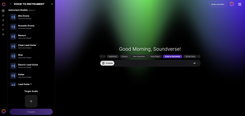
Start by opening Soundverse and selecting the Voice to Instrument feature. This tool specializes in converting vocal input—singing, humming, or beatboxing—into realistic instrumental sounds. If you’ve never worked with AI-driven music creation before, reading through the introduction to Soundverse AI tools will help you understand the environment.
Step 2: Instrument Selection — Choose Target Instrument Type
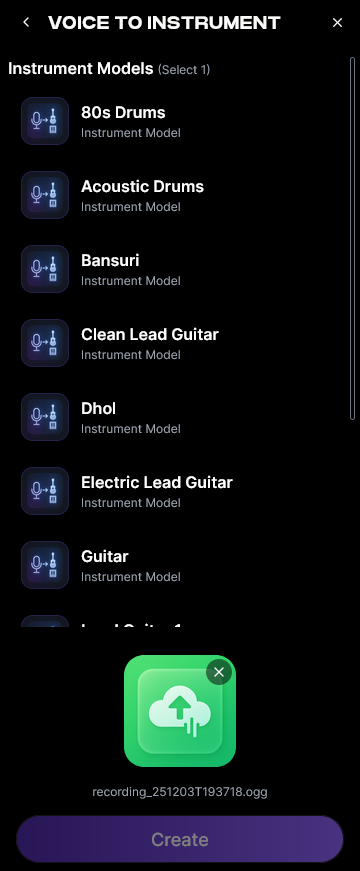
Select the instrument that best matches your creative idea. Whether it’s Guitar, Sitar, Drums, or Flute, each transfer preserves the phrasing and rhythm of your vocal performance. This stage determines the timbre transformation that defines how your voice “mimics” an instrument’s characteristics.
Step 3: Upload Target Audio — Provide Vocal Input
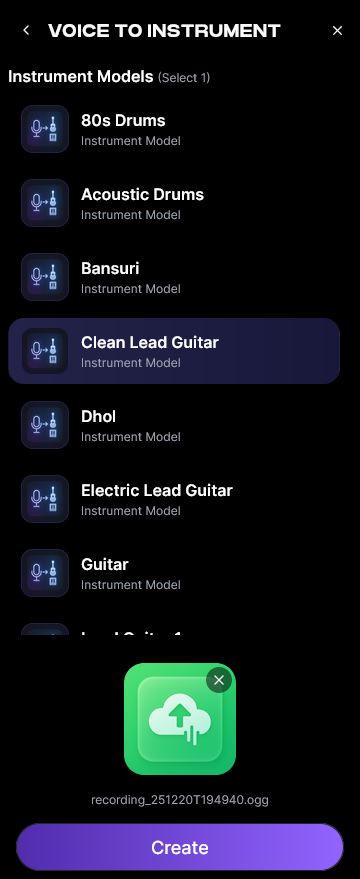
Record your vocal part—a melody, rhythmic beatbox pattern, or mixed texture—and upload it into the interface. The workflow is asynchronous, meaning the AI processes once you upload, not live. Ensure clarity and precision; your recorded voice directly influences the output quality.
Step 4: Generation — Convert Vocals to Selected Instrument
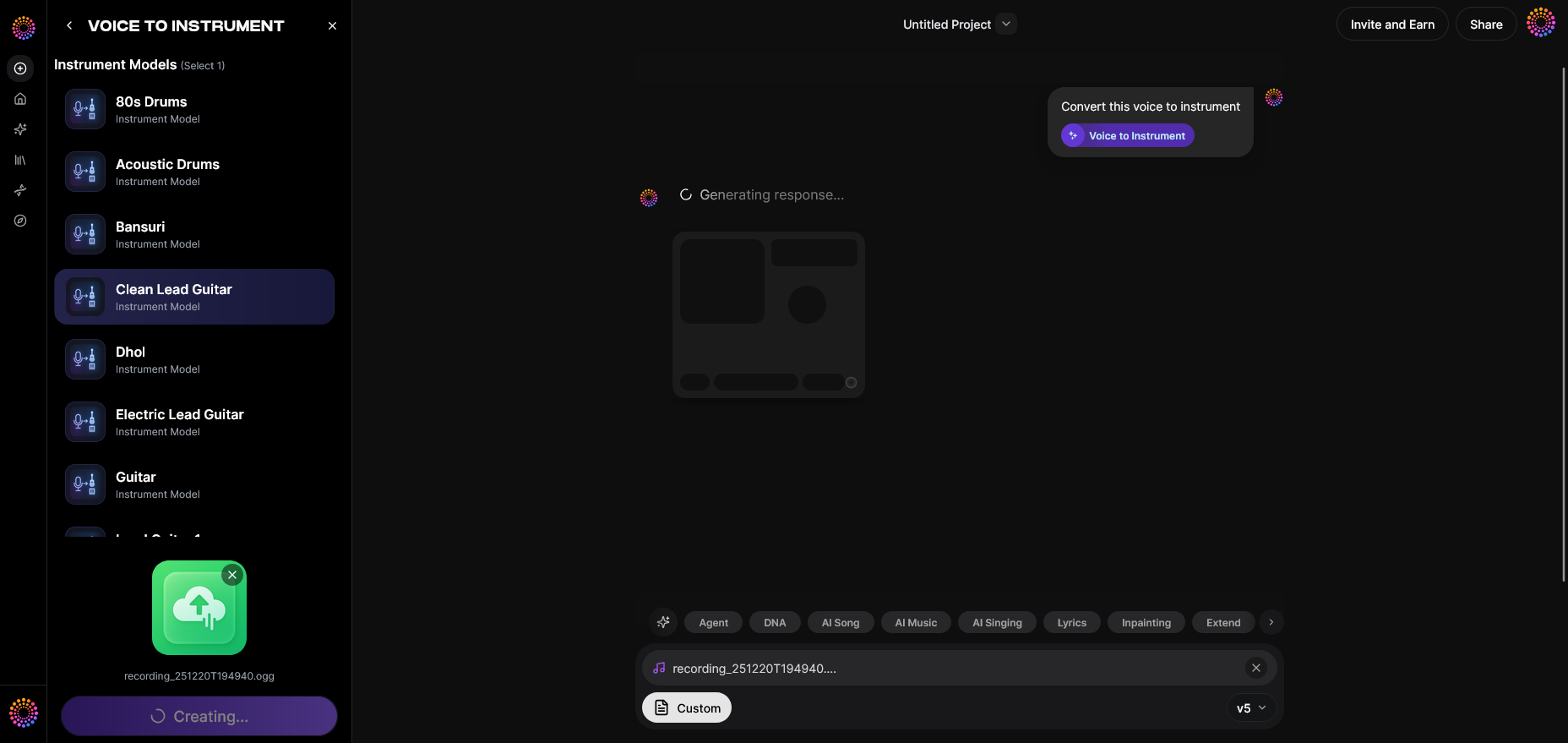
The Voice to Instrument model analyzes your voice for pitch and phrasing, converting each nuance into corresponding instrument notes. Within seconds, your simple hum can become a sitar riff, or your beatboxing a dynamic drum groove. Unlike traditional plugins that render samples, Soundverse re-creates musical intent from vocal performance.
Step 5: Download Result — Export Instrument Version

Once processing is complete, export the generated instrumental file. You can then integrate it into DAW sessions or upload it for further arrangement in the Melody to Song Generator, which builds complete tracks around your converted instruments. For related workflows, see how creators build country or jazz songs using AI in this guide. For more hands-on learning, check the Explore Tab tutorial from Soundverse Channel.
How to Make Music with Your Voice for Different Genres
Voice-based music creation adapts easily across genres. Here’s how the approach varies:
- Pop: Use layered harmonies and rhythmic syllables. AI generators can auto-arrange pop chord progressions around your voice.
- Electronic: Combine short vocal snippets with filters and effects for ambient synth-style sounds.
- Hip-Hop: Focus on beatboxing and rhythm; your vocal percussion can replace traditional drum samples.
- World Music: Integrate humming and vocal drones. Voice-to-Instrument can convert these tones into ethnic textures like Bansuri or Tabla.
You can explore global vocal influences further in how to create music evoking the desert.
The Modern Shift in Vocal Music Production
By 2026, music creation tools have become more voice-centric. Even platforms such as Mubert and Soundraw offer AI-driven composition, but Soundverse remains unique for its humanized approach—allowing direct conversion of vocal emotion into instrument realism. This convergence of technology and authenticity defines the new standards of vocal production.
Soundverse’s AI Singing Generator extends possibilities further by creating acapella performances from text or lyrics. It supports traditional singing styles and experimental sounds, enabling creators to blend realistic and surreal textures for multimedia art, gaming soundtracks, or virtual performances.
How to Make Music with Your Voice Using Soundverse Voice to Instrument
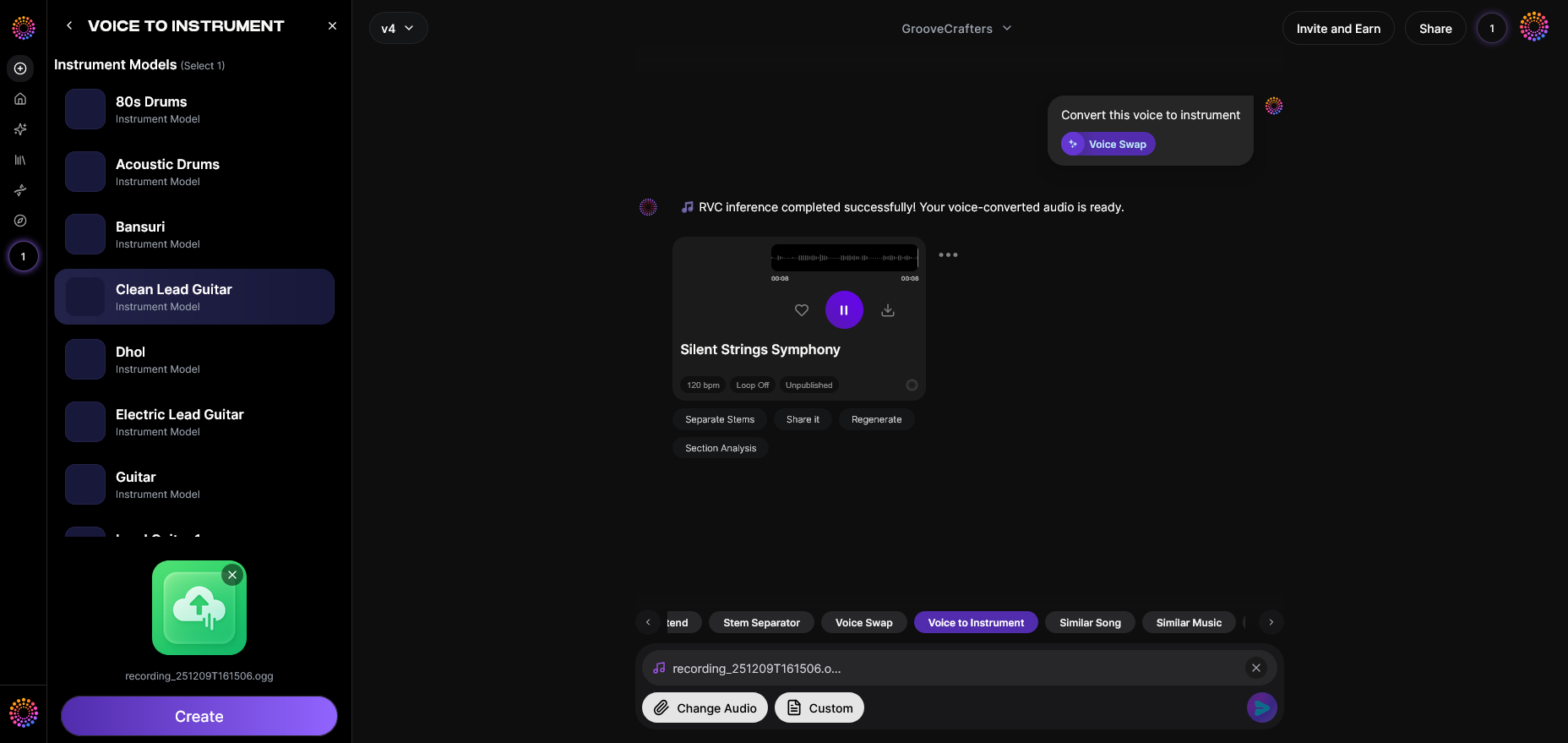
Now that you understand the fundamentals of vocal creation, here’s how Soundverse accelerates your process. The Voice to Instrument feature transforms your voice into lifelike instrumental renditions, enabling melodic and rhythmic exploration even without formal training.
Core Capabilities:
- Timbre Transfer: Converts tonal character of your voice into authentic instrument sound.
- Wide Instrument Library: Covers Western and ethnic sets, including Guitar, Drums, Flute, Sitar, and more—ideal for world music production.
- Supports Melodic and Rhythmic Input: Whether you hum or beatbox, both formats are processed for accurate musical mapping.
Primary Use Cases:
- Sketch instrumental ideas using voice without needing instruments.
- Create demos or concept tracks for content creators and songwriters.
- Design custom sound textures for film, TV, or digital art.
Soundverse aligns creativity with accessibility, merging advanced AI sound transformation and intuitive workflows. Combined with complementary tools like Melody to Song Generator and AI Song Generator, your voice becomes a complete production system—from idea to final mix.
Start Making Music with Soundverse AI
Turn your voice into full compositions, beats, and soundscapes in minutes. Unlock AI-powered creativity and produce unique music effortlessly—no instruments required.
Related Articles
- Generate AI Music with Soundverse Text-to-Music – Learn how Soundverse transforms text prompts into complete music tracks using AI intelligence.
- Soundverse Introduces Stem Separation AI Magic Tool – Discover how Soundverse’s AI tool lets you isolate vocals and instruments to remix or rebuild songs with ease.
- Soundverse Assistant – Your AI Music Co-Producer – Explore how Soundverse Assistant helps creators produce music by suggesting the right tools and effects automatically.
- How to Create Rap Music with AI – Step into the future of hip-hop creation and see how AI can assist in producing authentic rap music with your voice.
Here's how to make AI Music with Soundverse
Video Guide

Here’s another long walkthrough of how to use Soundverse AI.
Text Guide
- To know more about AI Magic Tools, check here.
- To know more about Soundverse Assistant, check here.
- To know more about Arrangement Studio, check here.
Soundverse is an AI Assistant that allows content creators and music makers to create original content in a flash using Generative AI. With the help of Soundverse Assistant and AI Magic Tools, our users get an unfair advantage over other creators to create audio and music content quickly, easily and cheaply. Soundverse Assistant is your ultimate music companion. You simply speak to the assistant to get your stuff done. The more you speak to it, the more it starts understanding you and your goals. AI Magic Tools help convert your creative dreams into tangible music and audio. Use AI Magic Tools such as text to music, stem separation, or lyrics generation to realise your content dreams faster. Soundverse is here to take music production to the next level. We're not just a digital audio workstation (DAW) competing with Ableton or Logic, we're building a completely new paradigm of easy and conversational content creation.
TikTok: https://www.tiktok.com/@soundverse.ai
Twitter: https://twitter.com/soundverse_ai
Instagram: https://www.instagram.com/soundverse.ai
LinkedIn: https://www.linkedin.com/company/soundverseai
Youtube: https://www.youtube.com/@SoundverseAI
Facebook: https://www.facebook.com/profile.php?id=100095674445607
Join Soundverse for Free and make Viral AI Music

We are constantly building more product experiences. Keep checking our Blog to stay updated about them!