How to Make Music for AR Projection Experiences in 2026
Learn how to make immersive music for AR projection experiences using Soundverse AI Music Generator in 2026.
How to Make Music for AR Projection Experiences
Augmented reality (AR) has rapidly evolved from a tech novelty into a powerful tool for immersive storytelling, interactive installations, and live experiences. As AR projections become increasingly popular at events, exhibitions, and entertainment venues in 2026, the demand for expertly crafted music for AR projection experiences has grown exponentially. This combination of sound and visual design brings digital content to life — surrounding audiences in synchronized environments where music feels tangible and emotionally resonant.
In this guide, we’ll explore how to create impactful soundscapes, textures, and AR soundtracks that enhance projection-based AR experiences. We’ll walk through the tools and techniques to build immersive audio environments, then show how to generate such compositions easily using Soundverse’s AI Music Generator.
Why is music important in AR projection experiences?
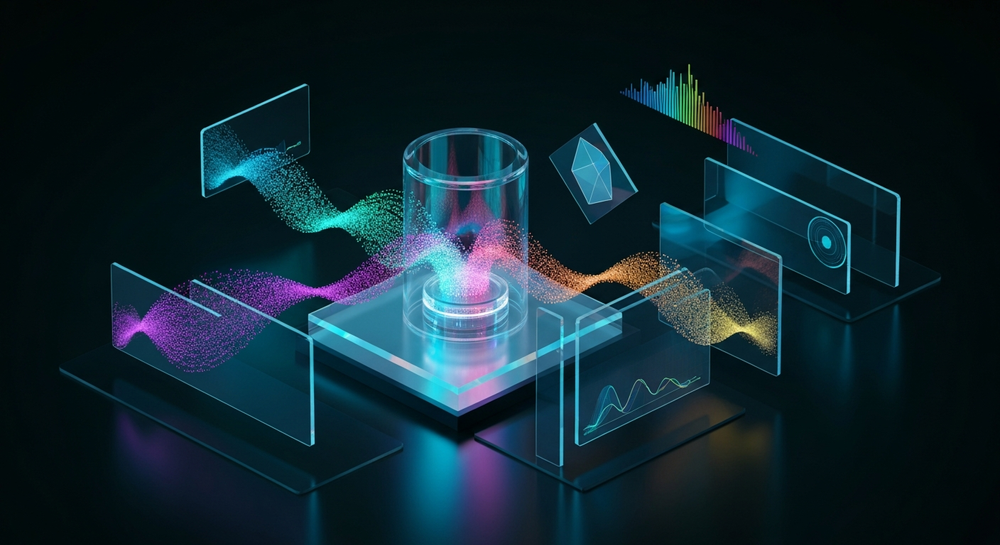
Music in AR spaces acts as the emotional bridge between the viewer and the digital layer they are interacting with. When done right, the projection music drives immersion, controls pacing, and strengthens the illusion of presence. A well-designed score makes users believe that the digital visuals are part of their reality.
In 2026, AR projection has expanded well beyond museums. Festivals, retail stores, and urban art installations now rely on synchronized soundtracks to craft unified, multi-sensory experiences. Whether it's a 3D projection mapping event on a building façade or a fashion runway with holographic overlays, music determines how people emotionally perceive the visuals. For more details on the immersive possibilities of projection design, see Mastering LED Walls & Projection Mapping in 2026.
What makes music for AR projection experiences unique?
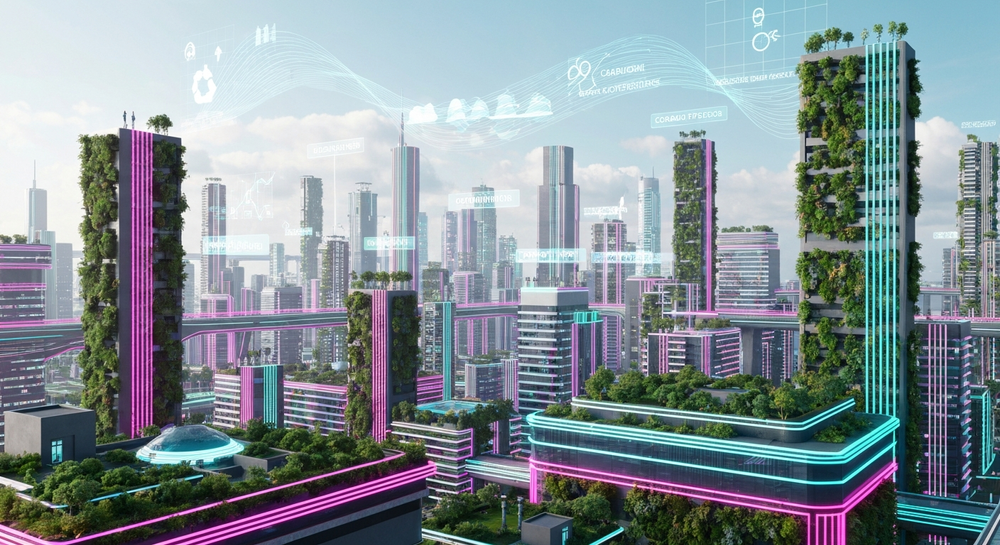
Unlike traditional film scoring or video game composition, music for AR projections must respond to both space and movement. Here’s why that’s critical:
- Spatial Awareness: AR projections often appear across multiple surfaces or physical areas. The soundtrack needs to account for how sound propagates in the real-world environment.
- Dynamic Emotional Flow: The audience can move freely. The music must remain engaging without forcing a single perspective.
- Loop Compatibility: Since many AR exhibits run continuously or in repeating sequences, music should loop seamlessly.
- Blend of Real and Virtual: The sound design should merge natural sounds with synthetic textures to reflect the hybrid environment.
These factors create the blueprint for producing augmented reality audio — compositions that not only accompany visuals but also shape perception. Advanced workflows similar to those described in AI Music Creation 2026: Hybrid Workflows for Composers can give insight into this new approach.
How to make music for AR projection experiences with Soundverse AI Music Generator
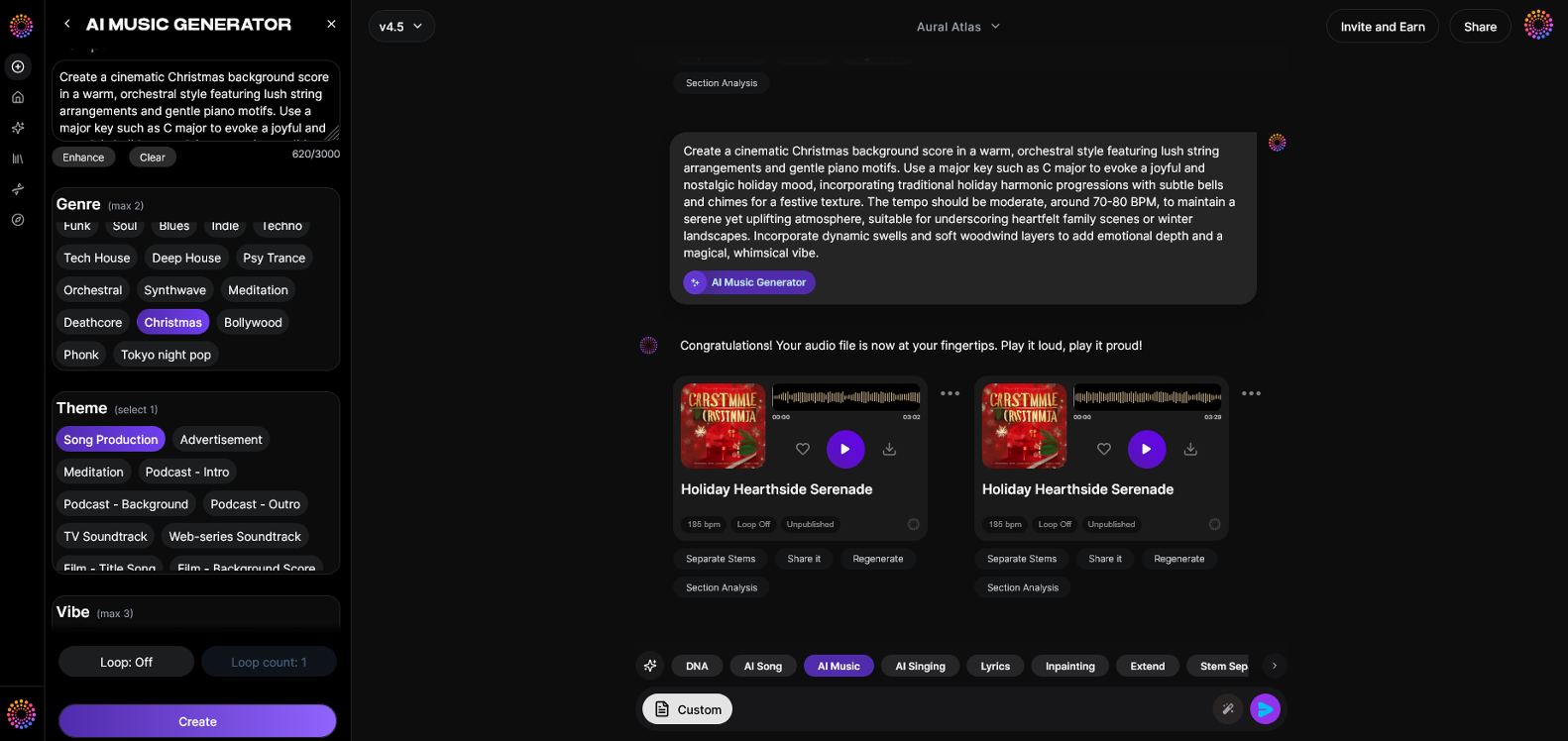
The Soundverse AI Music Generator Overview
Soundverse’s AI Music Generator allows creators to produce fully instrumental music directly from text prompts. It is specifically engineered for background soundscapes, beats, and immersive instrumental compositions without vocals — making it ideal for AR projection experiences.
Core capabilities include:
- Text-to-Music Generation: Type a description (“ambient electronic soundscape with spatial chimes”) and generate a complete track.
- Loop Mode: Create seamless loops perfect for continuous AR installations.
- Genre, Mood, and Instrument Control: Tailor each layer of your composition to match the vibe of your projection mapping or interactive display.
- V4 and V5 Model Options: Choose between Soundverse’s AI generations for more nuanced sound synthesis or bold, cinematic scoring styles.
Primary use cases: background scores for video, games, meditation, advertising, and very importantly, AR projection soundscapes.
For a deeper dive, watch our tutorial on how to make music or explore the “Explore” tab walkthrough on Soundverse’s official YouTube channel.
Now, let’s go step-by-step on how to generate professional-grade music for AR projection experiences using Soundverse.
Step 1: Feature Overview
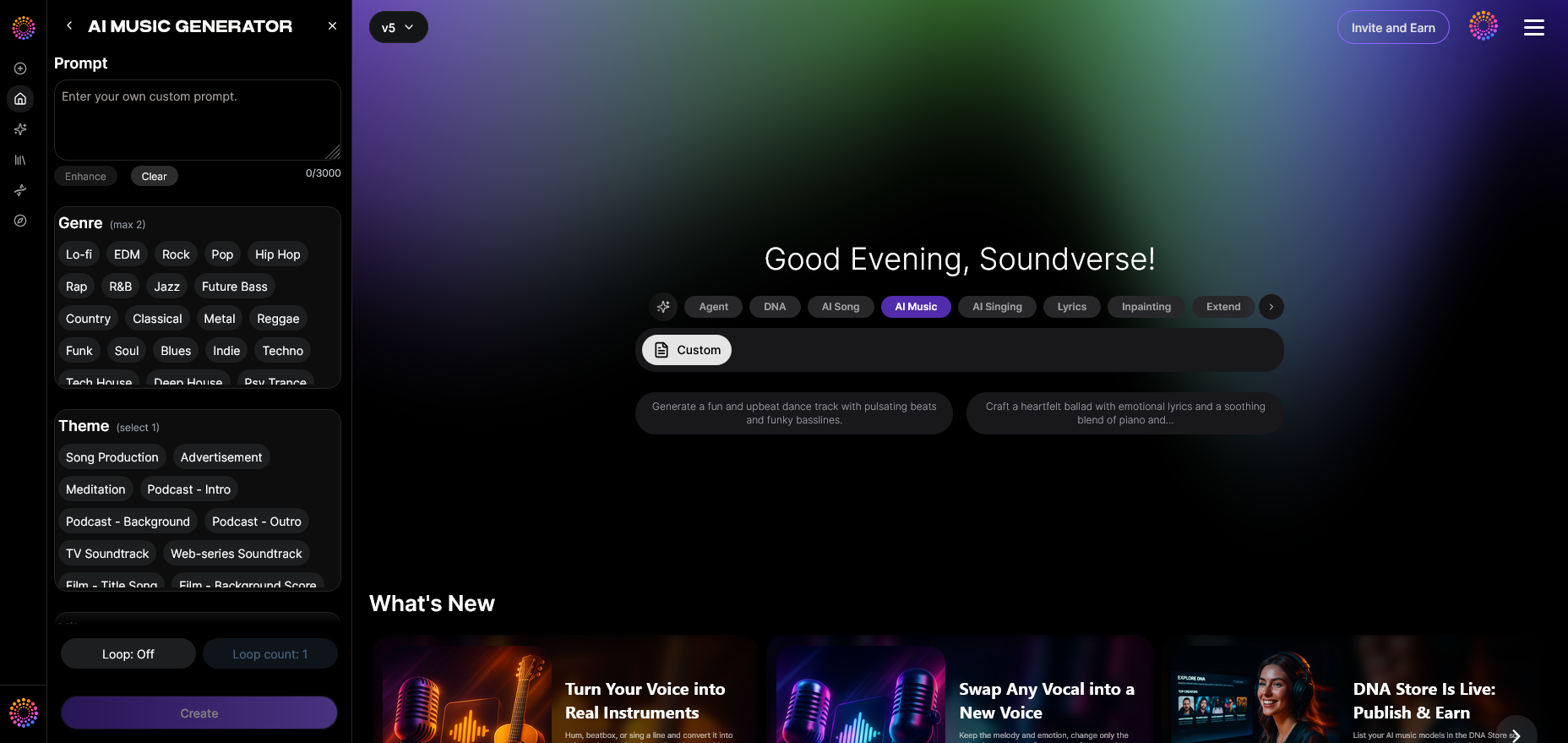
Access the AI Music Generator from the main menu in your Soundverse dashboard. The intuitive interface is designed to help producers experiment quickly — whether they need atmospheric drones or rhythmic pulses.
Step 2: Description Input
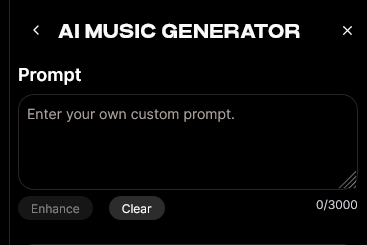
Enter a vivid text description of the music you want to create. Be specific with adjectives and environments. For instance:
“Ethereal ambient soundscape with soft pads, deep sub-bass, and shimmering textures to accompany holographic projections.”
The better your description, the more accurate the AI interpretation. Use sensory terms like metallic, lush, spatial, or vaporous to guide the model’s music generation. More on how AI interprets rhythmic complexity can be found in How AI Handles Complex Time Signatures in Music Composition.
Step 3: Style & Duration
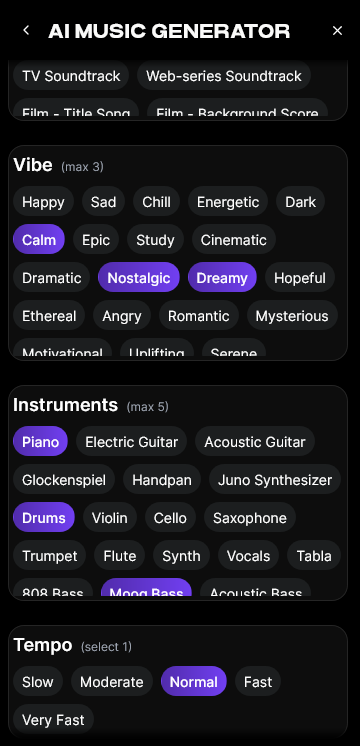
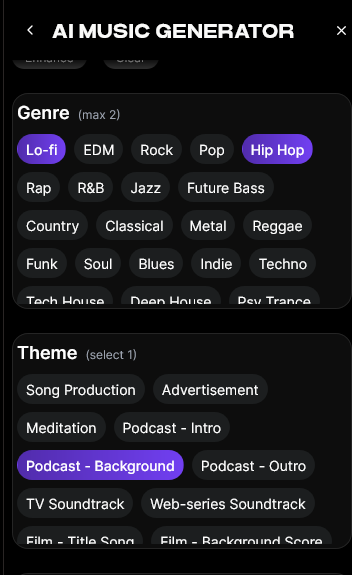
Select music style and desired length. For continuous AR projection, looping soundscapes between 1–3 minutes are ideal. Soundverse’s Loop Mode ensures that transitions sound natural, with no audible seams when repeated.
You can experiment with musical styles like:
- Minimalist electronic
- Orchestral ambience
- Experimental glitch
- Organic acoustic layering
Step 4: Generation
Click Generate and wait for Soundverse to process your request. The platform synthesizes music based on your text prompt, producing an original, copyright-free composition fully owned by you.
Because this is an asynchronous process, the music is rendered first and then made available for preview and download after processing.
Step 5: Export Options

Once your track is complete, download the instrumental in your preferred format. You can then test it in your projection environment — aligning it with visual beats, spatial animations, or interactive AR triggers.
If you need longer durations, Soundverse’s Extend Music feature allows you to expand your audio seamlessly without losing the style or key of the original composition.
How to design effective AR music environments
After generating your base track, you can refine the listening experience by focusing on how sound interacts with space:
- Spatial Panning: Use binaural or ambisonic techniques to simulate motion in sound. This gives the illusion that audio is moving in the same 3D space as visuals.
- Frequency Sculpting: Lower-frequency elements (bass drones, sub-ambients) can sync with lighting or projection dimming, while upper-frequency textures can highlight transitions or bright effects.
- Timed Cues: AR projections often have timed projection cues. Use Soundverse’s looping capability to build patterns that can be easily synchronized with interactive triggers.
- Environmental Integration: Record background room tones or localized ambiences and mix them with your AR soundtrack. This helps unify the digital and physical elements. For an academic perspective, see the 2026 6th International Conference on Audio for Virtual and Augmented Reality and Immersive Games.
Pro Tips for music producers creating AR soundtracks
- Combine AI with Live Inputs: Use the Voice to Instrument tool to convert your own humming or beatboxing into instrumental layers that match the generated music.
- Prototype Quickly: If you need multiple variations that evoke a similar mood, Soundverse’s Similar Music Generator helps you produce consistent sets of soundtracks inspired by a reference.
- Lengthen Without Repetition: For longer installations, Extend Music ensures the loop maintains creative flow without noticeable cuts.
- Stay Genre-Aware: Knowing current music industry trends helps ensure your soundtrack resonates with modern audiences.
- Optimize for Context: For calm exhibitions, use ambient minimalism. For retail AR projections, upbeat rhythmic compositions perform better.
Real-world applications of AR projection sound design in 2026
In the current creative scene, immersive projections are being utilized in multiple industries:
- Live Performances: Musicians use projection mapping to augment stage visuals. Custom loops generated from Soundverse enhance these sets with emotion-tailored backdrops.
- Museums & Galleries: Curators leverage looping ambient pieces built with AI for longer-running installations.
- Education & Science Exhibits: AR projections demonstrate concepts with sonic atmospheres that aid spatial memory retention.
- Advertising & Fashion: Brands create 360° campaigns merging digital imagery with unique, AI-generated soundscapes.
Creators have also reported using Soundverse tools to supplement workflows originally managed by competitors like Mubert or Soundraw. For insight, check out our internal reviews: Mubert Alternatives and Soundraw Alternative.
Soundverse’s expanding AI ecosystem
Beyond generating music for AR projection experiences, Soundverse offers a full ecosystem of tools. If your AR exhibit involves dynamic scenes or multi-part compositions, pair AI Music Generator with the Stem Separation AI Magic Tool for post-processing. This allows for custom mixing or rebalancing of different track layers.
For more genre-specific guidance, explore:
- How to Create EDM with Soundverse AI
- How to Create Healing Meditation Music with Soundverse AI
- Generate AI Music with Soundverse Text-to-Music
Bring Your AR Music Ideas to Life with Soundverse AI
Create immersive, royalty-free music tailored for augmented reality experiences in just minutes. Transform your creative vision into dynamic soundscapes with AI tools designed for modern creators.
Start Creating with Soundverse
Related Articles
- The Role of AI Music in Film and Television: Discover how AI-generated music is reshaping the soundtracks and scoring process for modern visual media.
- How an AI Music Generator Inspires Creative Fusion: Explore how Soundverse’s AI music tools push creative boundaries across visual and interactive projects.
- Enhancing YouTube Content with Royalty-Free and Copyright-Free Music Using Soundverse AI: Learn how you can elevate your video content with AI-generated music that’s safe and easy to use.
- AI Music Generator and Human Composers: A Future Together: Understand how AI is supporting human creativity rather than replacing it in music composition.
Here's how to make AI Music with Soundverse
Video Guide

Here’s another long walkthrough of how to use Soundverse AI.
Text Guide
- To know more about AI Magic Tools, check here.
- To know more about Soundverse Assistant, check here.
- To know more about Arrangement Studio, check here.
Soundverse is an AI Assistant that allows content creators and music makers to create original content in a flash using Generative AI.
With the help of Soundverse Assistant and AI Magic Tools, our users get an unfair advantage over other creators to create audio and music content quickly, easily and cheaply.
Soundverse Assistant is your ultimate music companion. You simply speak to the assistant to get your stuff done. The more you speak to it, the more it starts understanding you and your goals.
AI Magic Tools help convert your creative dreams into tangible music and audio. Use AI Magic Tools such as text to music, stem separation, or lyrics generation to realise your content dreams faster.
Soundverse is here to take music production to the next level. We're not just a digital audio workstation (DAW) competing with Ableton or Logic, we're building a completely new paradigm of easy and conversational content creation. TikTok: https://www.tiktok.com/@soundverse.ai Twitter: https://twitter.com/soundverse_ai Instagram: https://www.instagram.com/soundverse.ai LinkedIn: https://www.linkedin.com/company/soundverseai Youtube: https://www.youtube.com/@SoundverseAI Facebook: https://www.facebook.com/profile.php?id=100095674445607
Join Soundverse for Free and make Viral AI Music

We are constantly building more product experiences. Keep checking our Blog to stay updated about them!