How to Make Extended Versions of Songs: A Complete Guide for 2026
Learn how to create extended versions of songs with professional song remixing tips and music editing techniques.
How to Make Extended Versions of Songs
In 2026, extending songs is not just for DJs cutting vinyl or producers looping beats—it’s a core part of modern music creation and live set design. Whether you want a longer intro for your club mix, a seamless bridge between verses, or a cinematic version for film scoring, knowing how to create extended versions of songs can be an indispensable skill.
Why Would You Want to Create Extended Versions of Songs in 2026?
Extended versions are essential for various reasons. DJs use them to match song lengths in sets and create smoother transitions, while music producers rely on extended mixes for projects that need longer durations—like a dance break or background ambiance. In 2026’s streaming-driven industry, extended versions can help with engagement by keeping listeners immersed longer.
Some common applications include:
- DJ Sets: Building seamless transitions across tracks.
- Video Editing: Synchronizing music with scene length.
- Loop Development: Turning short motifs into full-length compositions.
- Game Audio: Creating looping music tracks that never feel repetitive.

What Are the Most Effective Song Remixing Tips for Extended Versions?
Song remixing in 2026 has benefited from AI-assisted tools, but the creative principles remain timeless. Extending songs means preserving the flow of rhythm, respecting existing arrangement structures, and adding variation to prevent listener fatigue. Here are key remixing tips:
- Start with stem separation: Extract main elements (vocals, drums, bass, synth) to isolate parts you can loop or rearrange. Tools like Soundverse’s Stem Separator simplify this process.
- Identify structural boundaries: Use section analysis to locate the intro, verse, chorus, and bridge timestamps. This roadmap enables clean extensions.
- Layer new patterns subtly: Don’t overwhelm the composition; instead, build continuity with added percussion, ambient pads, or reversed effects.
- Preserve tonal consistency: Match key, tempo, and groove to maintain a coherent feel.
- Test extensions for flow: Play the full track through your DAW to ensure transitions are organic.

What Music Editing Techniques Help in Extending Tracks?
Music editing is as much about precision as creativity. Here are advanced methods often used by professional producers:
- Crossfading and Overlapping: Used to ensure seamless section transitions.
- Reverb and Delay Tail Management: Adds natural decay to keep extended regions smooth.
- Tempo Automation: Adjust tempo slightly for dynamic energy shifts.
- Rearrangement through DAW Tools: Slice and loop segments in Ableton Live, FL Studio, or Logic Pro.
- AI-Based Continuation Tools: In 2026, tools like Soundverse Extend Music automate this step efficiently by generating new audio in matching style.
For more insight into AI-powered production, explore how AI-generated music is transforming the music industry.
For a deeper dive, watch our guide on creating Deep House music or learn from the tutorial on how to make music on the Soundverse YouTube channel.
How Do DJs Approach Extended Mixes?
DJ extended mixes have always served practical purposes—either to elongate crowd engagement or create more mixable intro/outro segments. Modern DJs now use both manual looping and AI generation:
- Intro/Outro Extensions: Adding 16-beat segments for better mix control.
- Energy Curve Management: Adjusting builds and drops to sustain dance floor momentum.
- Track Blending: Aligning two tracks’ keys and tempos using beatmatching software like rekordbox or Serato DJ.
- AI Extension: Allowing creative continuity with AI to fill ambient space smoothly.
What Are the Best Methods for Song Length Extension in 2026?
Song length extension methods have evolved significantly, especially with musicians seeking streamlined workflows.
- Loop Extension: Duplicate musical phrases while integrating subtle variations like filters or effects automation.
- Instrumental Reinforcement: Layer complementary instruments to expand sections.
- AI Song Continuation: Use AI models that generate new material adhering to the song’s original rhythm and tone.
- Stem Modification: Replace or regenerate certain sections using as-needed stem regeneration.
- Section Analysis and Arrangement Automation: Employ AI section labeling tools to plan accurate extensions.
For creative inspiration, check out how producers use text-to-music prompts to develop unique tracks.
How to Make Extended Versions of Songs Manually
If you’re building extended mixes traditionally, follow these fundamentals:
- Identify expansion points: Usually at transitions or repeating choruses.
- Duplicate and rearrange loops: Use your DAW’s copy features, ensuring clean alignment.
- Create variation: Add small nuances—like cymbal lifts or drum fills—to avoid redundancy.
- Adjust mixing balance: Extended tracks require re-mixing to ensure consistency.
- Master for length: Apply compression and EQ to smooth out longer playtime.
How to Make Extended Versions of Songs with Soundverse Extend Music
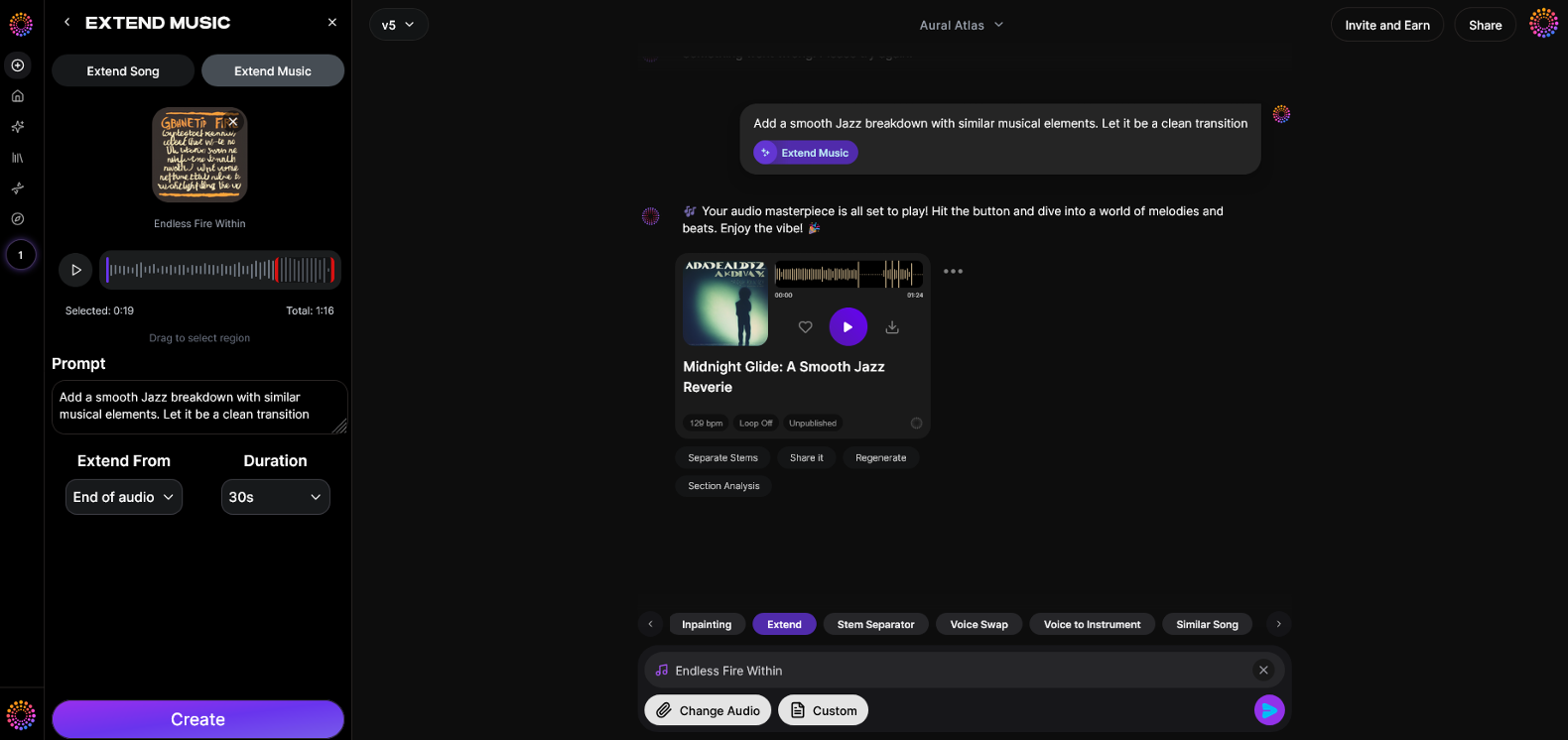
Now that you understand how to make extended versions manually, here's how you can create them instantly using Soundverse Extend Music.
Step 1: Feature Overview
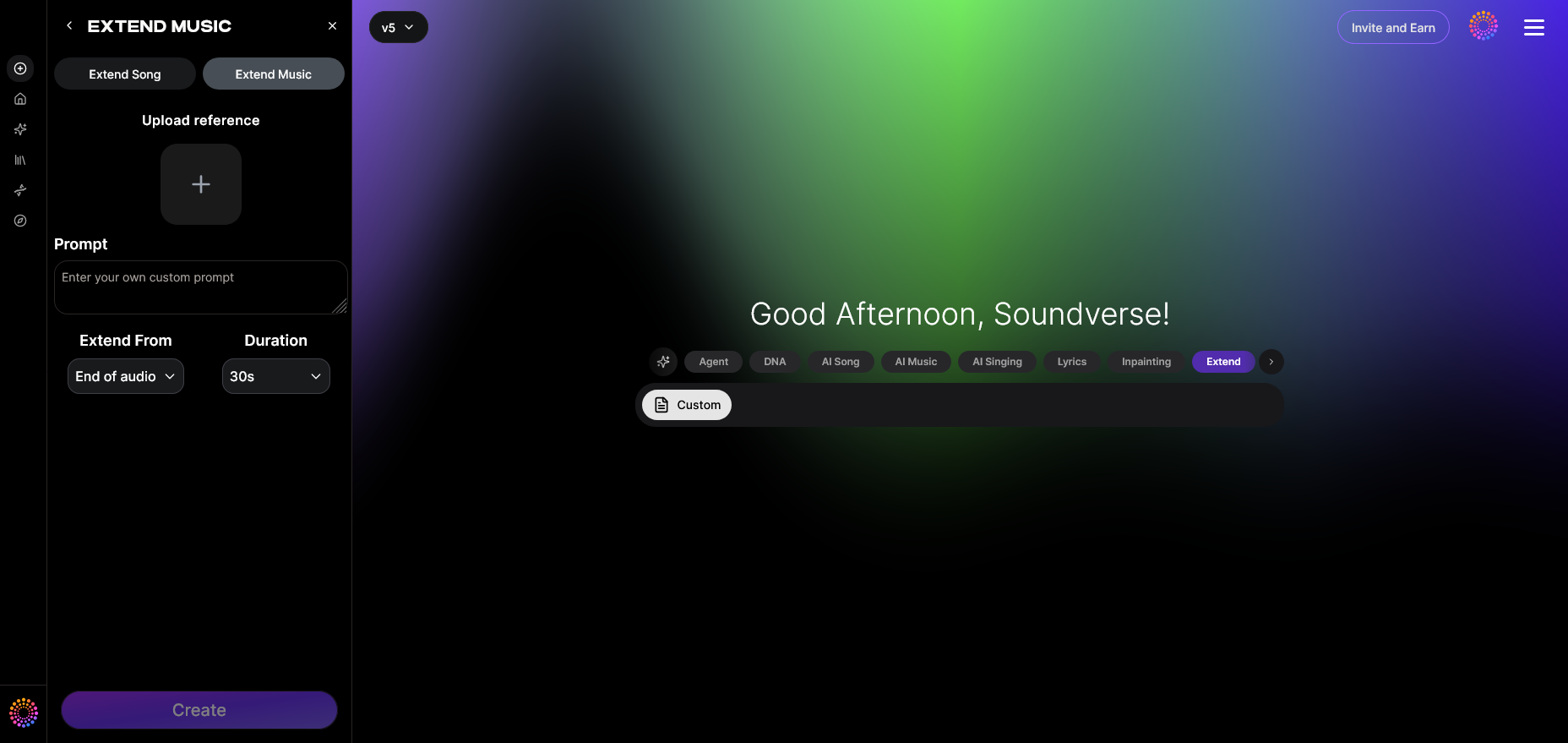
Access the Extend Music tool inside Soundverse. It’s designed to seamlessly lengthen existing tracks by generating new material that matches the style, tempo, and key of the original.
Step 2: Upload Track
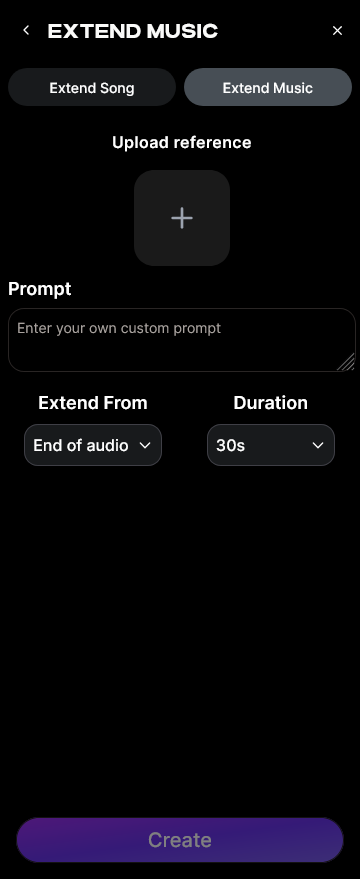
Upload your audio file—whether it's a mastered song or a stem set. You can choose to extend either the full track or just instrumental segments.
Step 3: Duration Setting
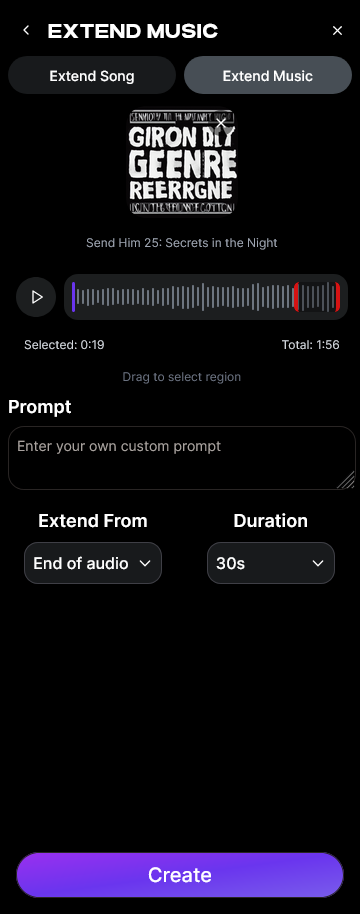
Define your preferred extension range from 15 seconds up to 3 minutes. Soundverse allows precise control so you can tailor the duration for DJ edits, video soundtracks, or loop expansions.
Step 4: Generation
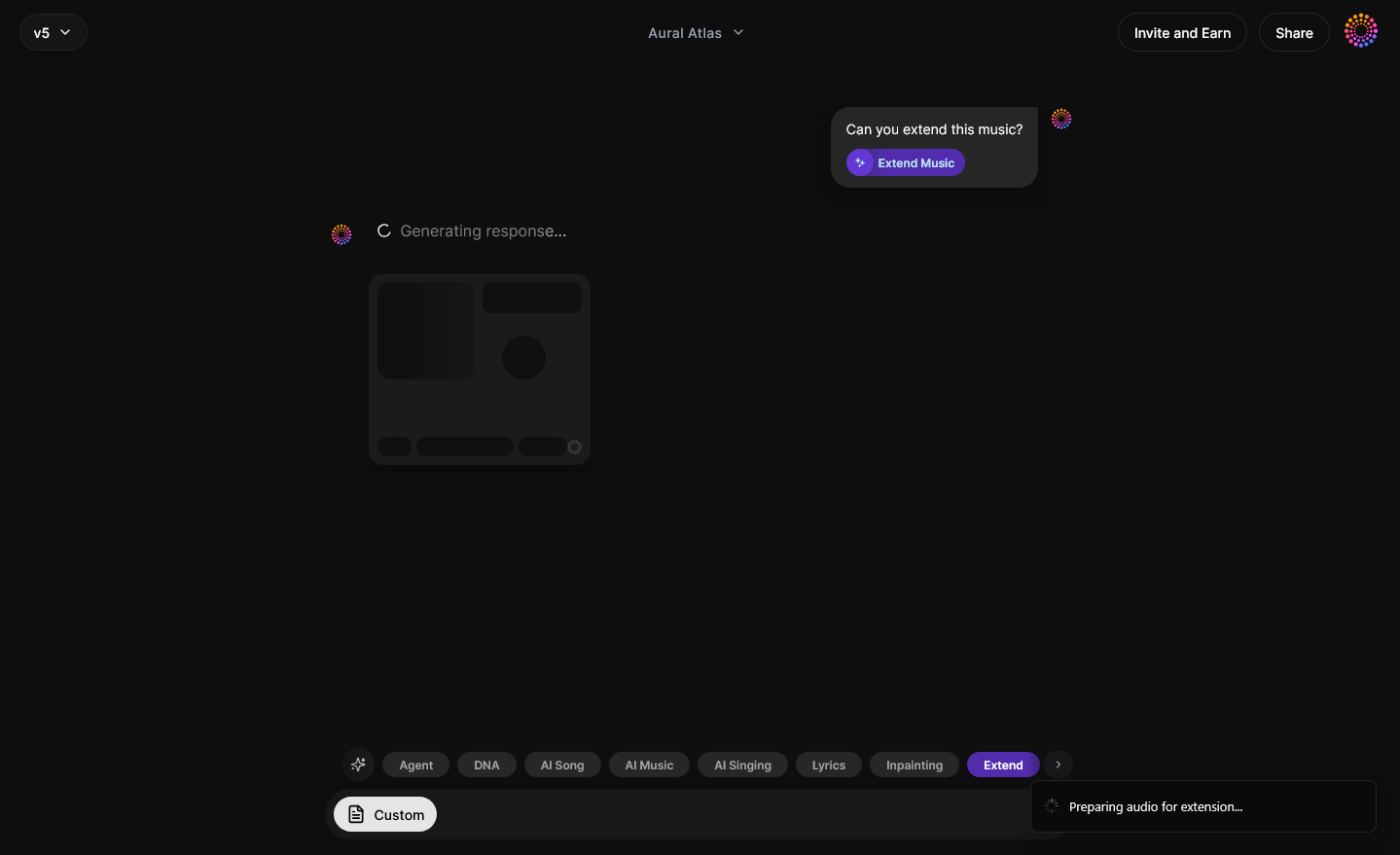
Soundverse’s AI processes the track asynchronously to generate new music that blends seamlessly into the original—preserving rhythm, style, and tonal cohesion.
Step 5: Download Extended
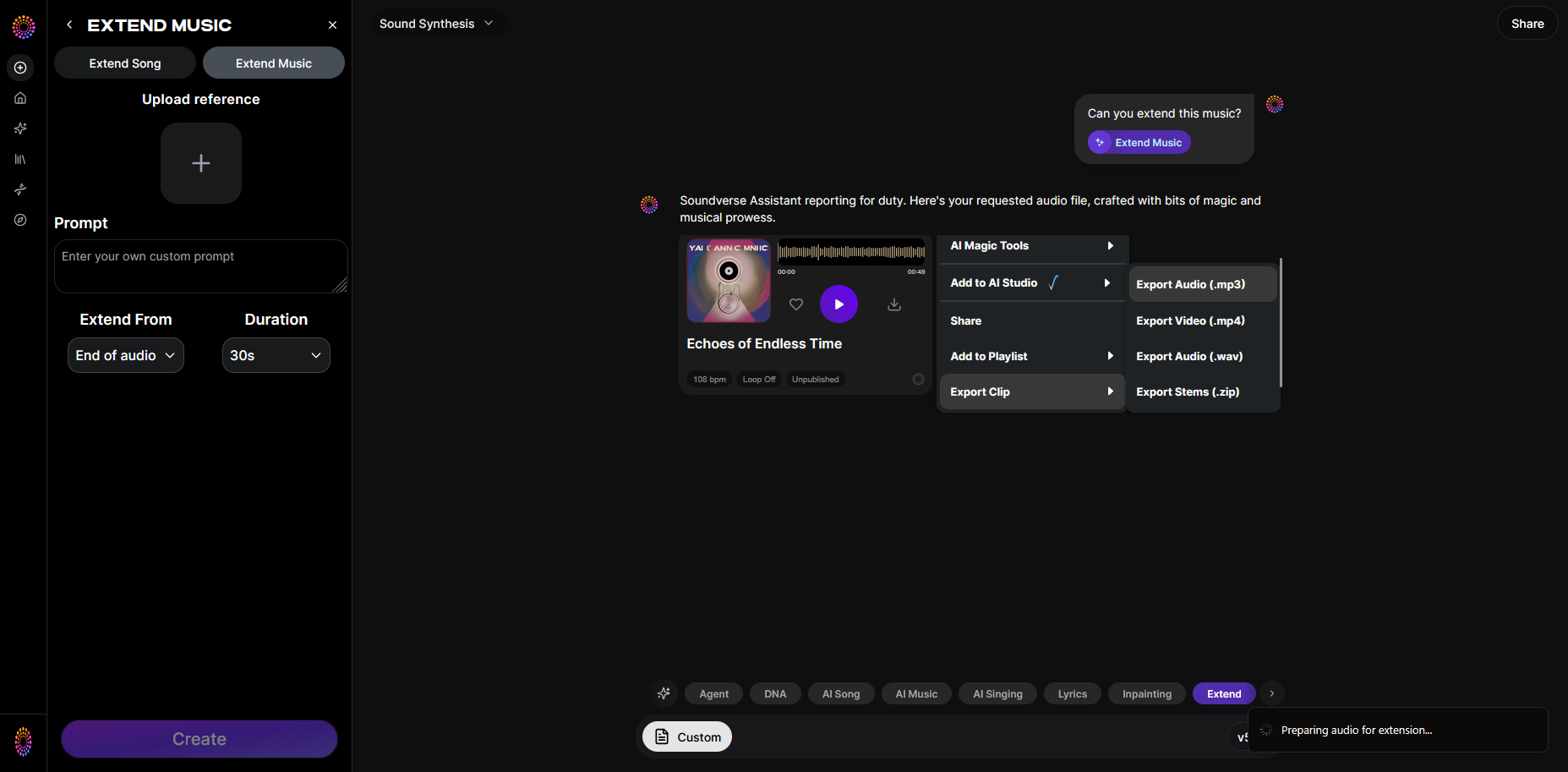
Once complete, download the extended version of your song and incorporate it into your project, DJ set, or album release.
Integrate Related Tools for Professional Output
Enhance your results by combining these tools:
- Inpainting: Perfect sections by regenerating small regions of the track.
- Stem Separator: Edit vocals and instruments independently.
- Section Analysis: Automatically detect sections for precision expansion planning.
You can also explore related resources like Soundverse Assistant or learn how the Soundverse Arrangement Studio helps producers structure complex tracks effortlessly.
Start Creating Extended Versions with AI Today!
Unlock limitless creativity with Soundverse’s AI-driven music tools. Whether you’re extending a favorite track or producing a remix, elevate your sound instantly with smart stem separation and arrangement technology.
Related Articles
- Soundverse Introduces Stem Separation AI Magic Tool: Discover how Soundverse’s stem separation feature helps you isolate vocals, instruments, and beats to craft advanced song extensions.
- What Are Song Stems and Why Do You Need Them: Learn the importance of song stems and how they empower producers to remix or extend songs with precision.
- Soundverse AI Magic Tools: Create Content Quickly with AI: Explore Soundverse’s suite of AI Magic Tools designed to enhance your music production workflow and creativity.
- Best AI Music Generator: Top Picks and Review: Compare the best AI music generators available today and see how Soundverse stands out for professional creators.
Here's how to make AI Music with Soundverse
Video Guide

Here’s another long walkthrough of how to use Soundverse AI.
Text Guide
- To know more about AI Magic Tools, check here.
- To know more about Soundverse Assistant, check here.
- To know more about Arrangement Studio, check here.
Soundverse is an AI Assistant that allows content creators and music makers to create original content in a flash using Generative AI.
With the help of Soundverse Assistant and AI Magic Tools, our users get an unfair advantage over other creators to create audio and music content quickly, easily and cheaply.
Soundverse Assistant is your ultimate music companion. You simply speak to the assistant to get your stuff done. The more you speak to it, the more it starts understanding you and your goals.
AI Magic Tools help convert your creative dreams into tangible music and audio. Use AI Magic Tools such as text to music, stem separation, or lyrics generation to realise your content dreams faster.
Soundverse is here to take music production to the next level. We're not just a digital audio workstation (DAW) competing with Ableton or Logic, we're building a completely new paradigm of easy and conversational content creation.
TikTok: https://www.tiktok.com/@soundverse.ai
Twitter: https://twitter.com/soundverse_ai
Instagram: https://www.instagram.com/soundverse.ai
LinkedIn: https://www.linkedin.com/company/soundverseai
Youtube: https://www.youtube.com/@SoundverseAI
Facebook: https://www.facebook.com/profile.php?id=100095674445607
Join Soundverse for Free and make Viral AI Music

We are constantly building more product experiences. Keep checking our Blog to stay updated about them!