How to Make Electronic Dance Music: A Complete Guide for 2026
Learn how to make electronic dance music with expert EDM production tips, tutorials, and AI tools in 2026.
How to Make Electronic Dance Music
Electronic Dance Music (EDM) continues to dominate clubs, festivals, and streaming platforms in 2026. What makes it so powerful is its ability to fuse rhythm, emotion, and technology into one electrifying experience. If you’ve wondered how to make electronic dance music and want to start producing your own tracks, this comprehensive guide walks you through every step of the process—from basic EDM production to advanced techniques using modern tools like the Soundverse AI Music Generator.
What Is Electronic Dance Music and Why Is It Popular in 2026?
Electronic Dance Music encompasses a broad range of styles, including house, techno, trance, drum & bass, and dubstep. It’s music created primarily for dance-oriented environments, blending repetitive beats, melodic synths, and energetic drops. In 2026, EDM production has become more accessible thanks to innovations in software, tutorials, and AI-powered tools that simplify beat making for EDM.
EDM remains popular because it’s adaptable—it borrows from pop, hip-hop, world music, and experimental electronic forms. Producers are now shaping new subgenres by using AI music tools to design dynamic soundscapes not just for clubs but also for online content, gaming, and virtual concerts.
What Do You Need to Start Making EDM Music?
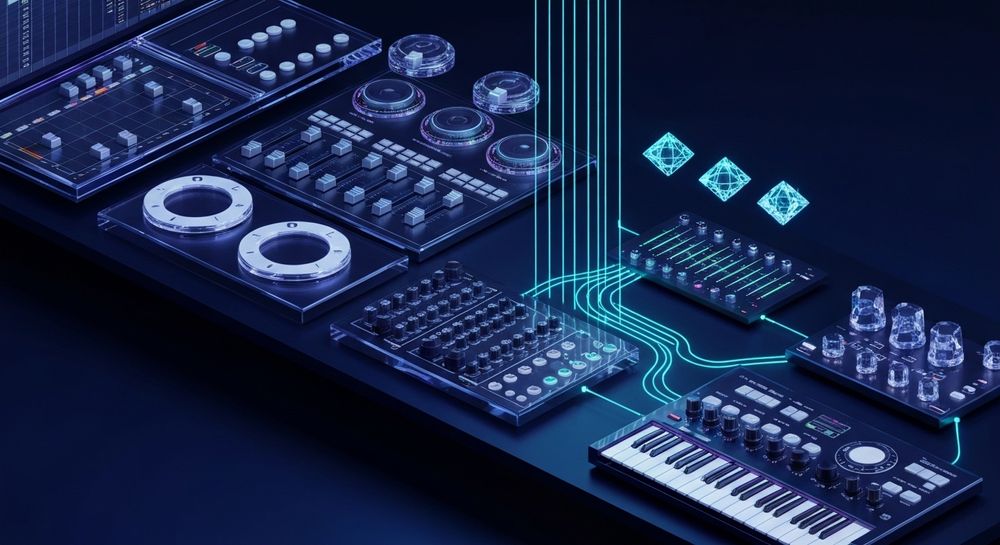
To start producing electronic dance music, you’ll need three essential elements:
- A Digital Audio Workstation (DAW) – Examples include Ableton Live, FL Studio, and Logic Pro. These applications allow you to arrange beats, record synths, and mix audio.
- Quality Headphones or Studio Monitors – Monitoring your mix accurately ensures your track translates well on any sound system.
- Good Samples and Plugins – You’ll use drum kits, synthesizers, and effects to shape your signature sound.
In addition to traditional DAWs, beginners can explore AI-assisted tools such as Soundverse to kickstart creativity without complicated setup or hardware.
How to Make Electronic Dance Music (Step-by-Step Tutorial)
Creating an EDM track involves artistry and technical precision. Here’s a structured approach you can follow.
Step 1: Establish Your Vision and Genre Style

Decide what kind of EDM you want to create. Each genre has its own vibe—house emphasizes groove, trance focuses on atmosphere, and dubstep revolves around heavy basslines. Identify the mood, tempo, and energy level you’re aiming for. Research popular trends using online electronic music tutorials and analyze tracks you admire. For a deeper dive, watch our tutorial on making Deep House music from the Soundverse Channel.
Step 2: Build Your Beat Foundation

Every EDM track begins with the beat. Start by laying down a four-on-the-floor kick pattern using drum samples. Add hi-hats, snares, and percussion to fill out the rhythm. Many producers use DAW step sequencers for intuitive beat making for EDM.
For realistic layering, experiment with swing or velocity adjustments. This gives your production a more human feel even in digital environments. You can also explore the AI Beat Maker by Soundverse to jumpstart your patterns.
Step 3: Design Melodies and Chord Progressions

Melodies and chords define emotion. Use synthesizers like Serum, Massive, or free alternatives to craft bright leads and lush pads. Focus on creating a hook that can repeat without feeling tiresome. If you’re new to this, check out guides like how to create rap music with AI or how to create country music with Soundverse AI to understand genre adaptation.
Step 4: Arrange Sections and Build Energy

Structure your track into key sections—Introduction, Build-up, Drop, Breakdown, and Outro. EDM relies on tension and release. During the build-up, raise intensity through risers or drum rolls, and release it with a powerful drop filled with bass and synths.
Returning motifs or loops keep listeners engaged. Many producers extend their tracks with variations that evolve across time.
Step 5: Mix and Master for Professional Sound

Mixing balances all elements to sound cohesive. Adjust volume levels, equalization (EQ), compression, and reverb. Mastering polishes your final mix so it’s loud and clear across streaming platforms.
You can also automate transitions or use stem separation tools like Soundverse introduces Stem Separation AI Magic Tool for isolating vocals or instruments to remix your material. For visual learners, explore the How to Make Music tutorial.
Advanced Music Production Tips for EDM Producers in 2026
Modern EDM producers often employ creative and technological strategies to stand out:
- Use AI-powered plugins for sound design – These tools can generate complex synth textures or rhythmic samples instantly.
- Collaborate with virtual artists – AI vocal generators are changing how producers work with singers. Explore Soundverse AI Singing Generator for synthetic or stylistic vocals.
- Experiment with genre fusion – Mix EDM with jazz, lo-fi, or world music textures to create hybrid forms.
- Apply real-world samples and field recordings – Incorporating ambient sounds adds personality and realism.
- Stay up-to-date with music industry trends – Learn more at Music Industry Trends to understand how artists are evolving alongside technology.
In 2026, AI-assisted composition workflow speeds up creation while expanding human creativity. Producers leverage machine learning not as a replacement but as inspiration.
How to Make Electronic Dance Music with Soundverse AI Music Generator

Now that you understand EDM production fundamentals, here’s how you can create music instantly using Soundverse.
Step 1: Feature Overview
Access the AI Music Generator from the Soundverse main menu. It specializes in producing instrumental music including EDM loops, background tracks, and dynamic beats without vocals. According to AI EDM & Electronic Music: How Artificial Intelligence Is Reshaping Sound, the tool allows users to generate instrumental music directly from prompts.
Step 2: Description Input
Enter a detailed text prompt describing the style and mood. Example: "energetic progressive house beat with euphoric synths and driving bass for a summer festival." Learn more in How to Create Electronic Dance Music (EDM) with Soundverse AI.
Step 3: Style & Duration
Choose the EDM subgenre such as deep house, techno, or trance. Then select track length or enable Loop Mode for seamless repetitions suited for DJ sets or video integrations.
Step 4: Generation
Click Generate, and Soundverse’s AI creates instrumental electronic music based on your description using advanced V4 or V5 models. The asynchronous workflow ensures high-quality audio after processing.
Step 5: Export Options
Download your file in the desired format for integration into your DJ software or mixing project. The AI Music Generator simplifies beat making for EDM by handling composition, structure, and sound design instantly. Because it doesn’t include vocals, it’s ideal for instrumental sets and content creators looking for royalty-free background tracks.
For users who wish to expand their music, Soundverse’s Extend Music feature can lengthen existing tracks naturally, while the AI Song Generator can add AI-generated vocals to turn instrumentals into complete songs. Explore how tools like the Soundverse Assistant can even auto-select ideal AI Magic Tools for your workflow. To explore further features, watch Explore Tab Tutorial.
Start Creating Your EDM Tracks Instantly with Soundverse AI
Produce high-energy electronic dance music without complex gear or software. Turn your ideas into polished tracks using AI-powered tools designed for both beginners and pros.
Related Articles
- How to Create EDM with Soundverse AI — Discover how to generate electrifying EDM tracks effortlessly using Soundverse’s intelligent music creation platform.
- 50 Hand-Picked Deep House Text-to-Music AI Music Generation Prompts — Explore curated prompts to help you craft deep house and dance-inspired tracks using AI music tools.
- Generate AI Music with Soundverse Text-to-Music — Learn how to turn text descriptions into full music compositions with Soundverse’s text-to-music AI generator.
- Now Generate Music with Filters Such as Genre, Theme, Instruments, or Even Vibe — Find out how Soundverse lets you tailor every track to match your preferred genre, mood, and instrumentation.
Here's how to make AI Music with Soundverse
Video Guide

Here’s another long walkthrough of how to use Soundverse AI.
Text Guide
- To know more about AI Magic Tools, check here.
- To know more about Soundverse Assistant, check here.
- To know more about Arrangement Studio, check here.
Soundverse is an AI Assistant that allows content creators and music makers to create original content in a flash using Generative AI.
With the help of Soundverse Assistant and AI Magic Tools, our users get an unfair advantage over other creators to create audio and music content quickly, easily and cheaply.
Soundverse Assistant is your ultimate music companion. You simply speak to the assistant to get your stuff done. The more you speak to it, the more it starts understanding you and your goals.
AI Magic Tools help convert your creative dreams into tangible music and audio. Use AI Magic Tools such as text to music, stem separation, or lyrics generation to realise your content dreams faster.
Soundverse is here to take music production to the next level. We're not just a digital audio workstation (DAW) competing with Ableton or Logic, we're building a completely new paradigm of easy and conversational content creation.
TikTok: https://www.tiktok.com/@soundverse.ai Twitter: https://twitter.com/soundverse_ai Instagram: https://www.instagram.com/soundverse.ai LinkedIn: https://www.linkedin.com/company/soundverseai Youtube: https://www.youtube.com/@SoundverseAI Facebook: https://www.facebook.com/profile.php?id=100095674445607
Join Soundverse for Free and make Viral AI Music

We are constantly building more product experiences. Keep checking our Blog to stay updated about them!