How to Make Beats Online for Free in 2026: A Complete Beginner’s Guide
Learn step-by-step how to make beats online for free using easy tools and Soundverse’s AI Music Generator.
How to Make Beats Online for Free
Making beats online for free has become one of the most exciting ways for creators to enter the world of music production. In 2026, the barrier to entry has nearly disappeared thanks to browser-based beat making software and AI-powered platforms that let anyone create music online without expensive gear or downloads. Whether you’re experimenting with hip hop rhythms, lo-fi grooves, or cinematic soundscapes, learning how to make beats online free can be your first step toward becoming a music producer.
Why Making Beats Online for Free Is So Popular in 2026
The music industry continues to evolve rapidly. What started as home-based digital audio workstations (DAWs) in the 2010s turned into fully online studios by 2026. Today’s online beat makers provide virtual instruments, sound libraries, drum sequencers, and automation tools directly in your browser. For beginners, this is a major advantage — you can skip downloads, avoid licensing fees, and start producing instantly.
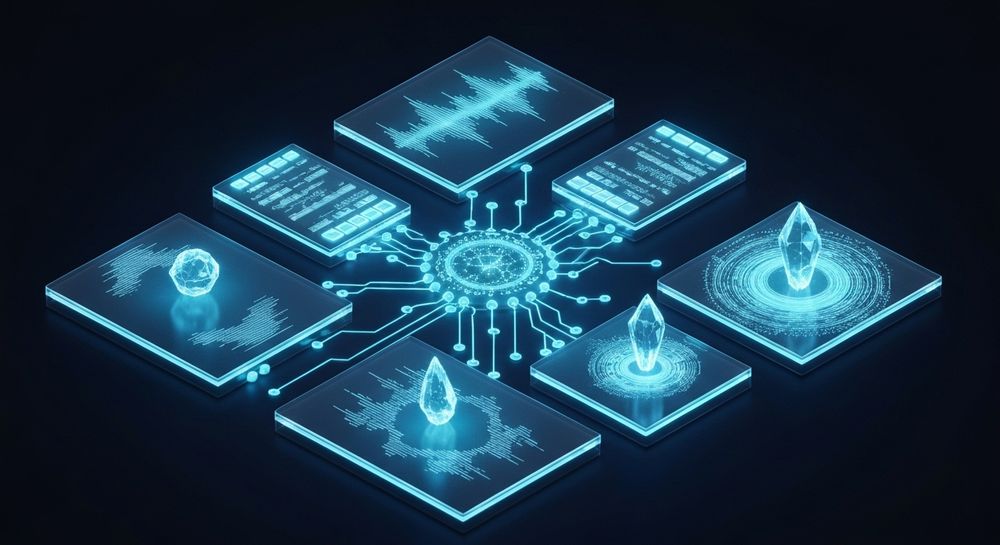
Moreover, the integration of AI into music creation tools has made producing high-quality beats easy for anyone. Platforms such as Soundverse, which uses text-to-music generation technology, have transformed the process from manual sequencing into intuitive creative direction based on simple commands.
What Do You Need to Make Beats Online Free?
You don’t need specialized hardware or paid software to begin beat making online. Here are the essentials:
- A Computer or Mobile Device: Any modern browser works well.
- Internet Connection: Since online beat makers process sound remotely, stable connectivity is key.
- Headphones or Monitors: To hear your mix clearly.
- Free Music Production Tools: Choose from sites that let you create music online through drum patterns, synths, or AI-based composition.
Popular platforms and apps to explore include Soundverse, BandLab, and Soundtrap.

What Are the Best Free Online Beat Making Tools in 2026?
When it comes to producing beats online free, your choice depends on your goal — are you making trap beats, lo-fi chill tracks, or cinematic soundscapes? Here are some top free tools this year:
- Soundverse AI Music Generator – The most advanced AI tool for generating instrumental tracks from text prompts. It’s ideal for creators who want high-quality background music and loops.
- BandLab – A browser-based DAW with built-in sequencers and collaboration features.
- Soundtrap – Offers an interactive online studio where you can record, mix, and collaborate. Especially strong for beginners.
- Audiotool – A complex but rewarding online production environment similar to professional DAWs.
- PatternSketch – A free drum machine for electronic and hip hop beat enthusiasts.
For more comparisons, check Top Free Beat Making Software for Aspiring Producers – Oreate AI, The 10 Best Beat Making Apps to Try Anywhere in 2026 – LANDR Blog, and Top 7 Free Sites To Make Music Online (2026) – Musitechnic.
If you want to learn how these AI tools are shaping the future of creation, check out How AI-Generated Music Is Transforming the Music Industry and Soundverse AI Revolutionizing Music Creation for New Age Content Creators.
How to Make Beats Online for Free (Step-by-Step Guide)
Creating a beat doesn’t have to be intimidating. Follow these actionable steps to start producing right now:
Step 1: Feature Overview

Access Soundverse’s AI Music Generator from the main menu. This feature allows you to generate fully produced instrumental music without vocals, using only a text prompt. Unlike traditional beat makers that require you to place every drum manually, Soundverse automates arrangement and mixing with advanced models (V4 and V5) for realistic results.
Step 2: Description Input

Enter a description of the beat you want to create. Include the genre, mood, and instruments. For example: “An energetic trap beat with deep 808s and crisp hi-hats.” The AI processes this data and begins crafting a unique instrumental that fits your description.
Step 3: Style & Duration

Select your preferred style and track duration. You can choose between genres like lo-fi, EDM, hip hop, jazz, or ambient—perfectly aligned with modern 2026 trends. Duration settings allow you to produce short loops or full-length instrumentals depending on your needs.
Step 4: Generation

Click ‘Generate.’ The AI Music Generator will process your description using Soundverse’s advanced models. It applies genre-specific rhythm patterns, harmonies, and textures that result in a professional-quality beat. This step happens asynchronously, meaning the AI creates your track in the background and returns the finished result when it’s ready. For a deeper dive, watch our guide on creating Deep House music.
Step 5: Export Options

Once generated, you can download your beat directly from Soundverse. Export features make it easy to reuse your instrumental for videos, podcasts, or performance content. You can also loop sections effortlessly thanks to Loop Mode, ideal for background tracks or game soundscapes.
For deeper insight into creating genre-specific music, explore guides such as How to Create EDM with Soundverse AI and How to Create Jazz Music with Soundverse AI.
Beginner Beat Making Tips for Online Producers
- Start Simple: Use basic drum patterns and work your way up.
- Play With Genres: Experiment beyond hip hop—try cinematic or ambient beats.
- Use Loops Wisely: Loop your best segments, but vary the arrangement for interest.
- Learn from References: Study how beats evolve across different genres; check resources like Music Industry Trends.
- Layer Instruments: Combine synths, percussion, and bass to add depth.
- Utilize AI Tools: The most significant advancement in 2026 is AI-assisted sound generation. Tools like Soundverse automate creativity but still let you personalize results.
- Save Your Work Frequently: Online platforms sometimes refresh sessions; exporting regularly avoids data loss.
How to Make Beats Online Free with Soundverse AI Music Generator

Now that you understand how beat making works in principle, here’s how to create instantly using Soundverse’s AI Music Generator:
Soundverse allows you to generate complete instrumentals from simple text prompts — for example, type “moody lo-fi beat with tremolo guitar” and the AI returns a polished track ready to use. You can refine outcomes through detailed genre, mood, and instrument controls, and enable Loop Mode for seamless repetition.
Using its V4 and V5 Models, Soundverse crafts music that feels human-like in timing and texture, perfect for video background music, game soundtracks, meditation tracks, or commercial scoring. Unlike manual DAW workflows, no prior experience or equipment is required. Just log in, describe your sound, and export your beat.
For creators who want to combine vocals or add melodic lines, Soundverse also offers related tools including:
- AI Song Generator: Turns lyrics or text into full songs with vocals and instrumental backing.
- Voice to Instrument: Converts singing or humming into realistic instruments such as drums or guitar.
To explore these features further, you can read Generate AI Music with Soundverse Text-to-Music and Soundverse Assistant: Your AI Music Co-Producer.
Start Making Beats Online for Free Today!
Turn your creative ideas into full tracks using Soundverse’s AI music tools. No expensive software or equipment required—just your imagination and a few clicks.
Create Free Beats Now
Related Articles
- Generate AI Music with Soundverse Text-to-Music: Discover how to instantly produce complete songs just by describing the vibe or genre you want using Soundverse’s text-to-music tool.
- Soundverse AI Revolutionizing Music Creation for New Age Content Creators: Learn how Soundverse AI is changing the way artists and creators produce music—faster, smarter, and completely copyright-free.
- 100 Text-to-Music Prompts That Will Help You Create Viral Music: Get inspired with 100 creative prompts that can help spark unique and trending music ideas with Soundverse’s AI tools.
- Best AI Music Generator: Top Picks and Review: Compare top AI music generators and find the best solution to make beats online free without sacrificing creativity or quality.
Here's how to make AI Music with Soundverse
Video Guide

Here’s another long walkthrough of how to use Soundverse AI.
Text Guide
- To know more about AI Magic Tools, check here.
- To know more about Soundverse Assistant, check here.
- To know more about Arrangement Studio, check here.
Soundverse is an AI Assistant that allows content creators and music makers to create original content in a flash using Generative AI.
With the help of Soundverse Assistant and AI Magic Tools, our users get an unfair advantage over other creators to create audio and music content quickly, easily and cheaply.
Soundverse Assistant is your ultimate music companion. You simply speak to the assistant to get your stuff done. The more you speak to it, the more it starts understanding you and your goals.
AI Magic Tools help convert your creative dreams into tangible music and audio. Use AI Magic Tools such as text to music, stem separation, or lyrics generation to realise your content dreams faster.
Soundverse is here to take music production to the next level. We're not just a digital audio workstation (DAW) competing with Ableton or Logic, we're building a completely new paradigm of easy and conversational content creation.
TikTok: https://www.tiktok.com/@soundverse.ai
Twitter: https://twitter.com/soundverse_ai
Instagram: https://www.instagram.com/soundverse.ai
LinkedIn: https://www.linkedin.com/company/soundverseai
Youtube: https://www.youtube.com/@SoundverseAI
Facebook: https://www.facebook.com/profile.php?id=100095674445607
Join Soundverse for Free and make Viral AI Music

We are constantly building more product experiences. Keep checking our Blog to stay updated about them!