How to Make an Event-Specific Song in Any Language Using AI
Learn how to make custom event songs in any language using an AI song generator in 2026.
How to Make an Event-Specific Song in Any Language Using AI
In 2026, events have become global experiences—conferences connecting continents, weddings uniting cultures, and festivals bringing together speakers of dozens of languages. With this rise in multicultural gatherings, the demand for music that speaks to diverse audiences has intensified. Yet, creating a multilingual song tailored for an event often required teams of composers, vocalists, and language experts. This is where the power of artificial intelligence enters the stage.
Using an AI song generator, event organizers, marketers, and musicians can now create professional-quality, event-specific songs in any language with just a few inputs. Whether it’s a corporate anthem in English and Spanish or a birthday jingle in French, Hindi, and Korean, AI music creation tools make it possible in minutes.
Let's explore how to make custom multilingual songs for your next big event using modern AI technology and specifically, the Soundverse AI Song Generator.
How to make event-specific songs with Soundverse AI Song Generator

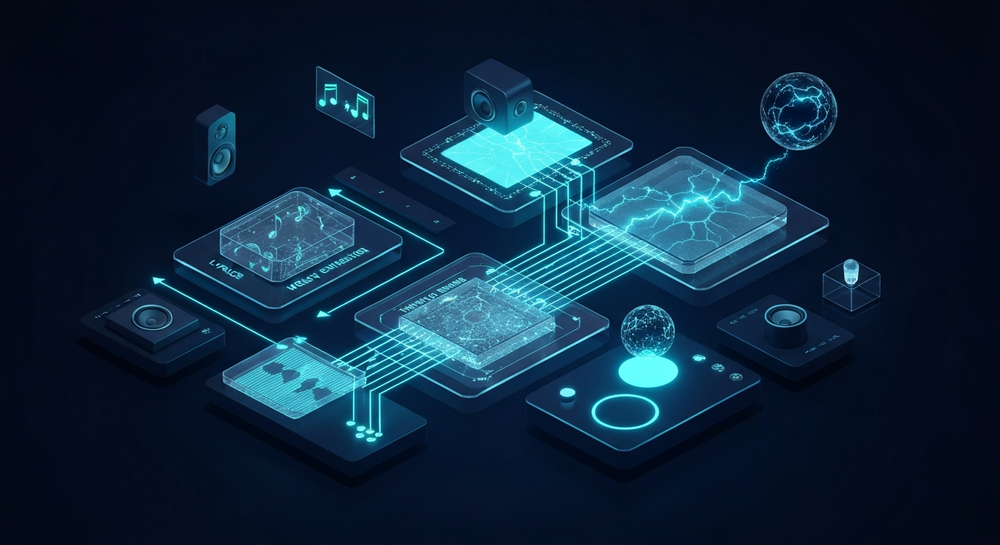
The AI Song Generator from Soundverse is designed to translate your creative ideas into full musical compositions. This flagship feature allows users to turn text descriptions or lyrics into complete songs featuring AI-generated vocals and instrumentals. The process works through a multi-stage system that handles lyrics generation, melody building, arrangement, and mixing automatically.
Key functions that make Soundverse a top choice for personalized AI compositions include:
- Describe Your Song mode: Input a short description like “a lively pop track welcoming attendees from around the world” and the AI creates lyrics, melodies, and vocals that match the vibe.
- Custom mode: If you already have lyrics prepared, simply paste them and customize genre, mood, or instrument style.
- Reference Audio support: Upload a reference track or vocal performance to guide the tone and tempo.
- Quick Style Selection: Choose instantly from genres such as Pop, EDM, Rock, Jazz, or Classical.
Because Soundverse was developed with multilingual content creation in mind, it can generate songs in over ten languages—an advancement made practical by the ethical AI foundation called Soundverse DNA, ensuring all training data comes from licensed, monetizable sources.
Once you’re ready to produce your event-specific song, follow the step-by-step process below.
Step 1: Feature Overview

Access the AI Song Generator from the main Soundverse dashboard. If you’re new to the platform, you can sign up for free and explore additional tools such as the AI Lyrics Writer for early lyric brainstorming.
Step 2: Lyrics Input
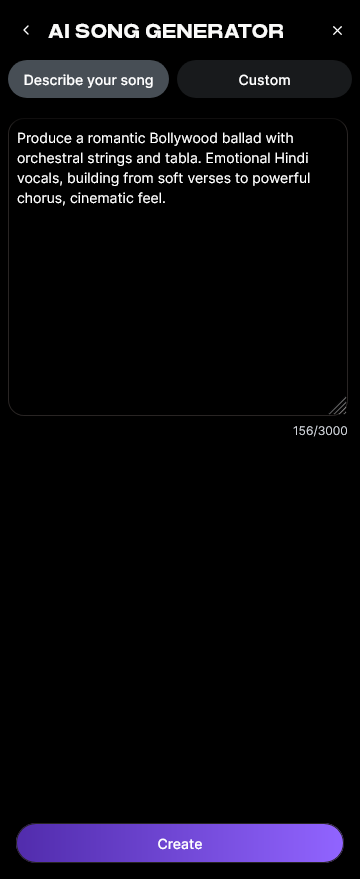
Enter or paste your event lyrics. For a multilingual celebration, consider including two or more language segments—for instance, a chorus in English and verses in Spanish or Mandarin. The AI can interpret and handle multiple languages seamlessly, ensuring linguistic accuracy through its trained phonetic models.
Step 3: Style Selection

Select your musical style. Whether it’s upbeat Latin pop for a summer festival or elegant classical strings for a gala, Soundverse’s Quick Style Selection makes genre customization easy. If you need inspiration, check guides like How to Create EDM with Soundverse AI or How to Create Jazz Music with Soundverse AI to match your event’s mood.
Step 4: Configuration

Adjust key generation parameters: choose tempo (fast, medium, slow), mood (joyful, romantic, corporate), and instrumentation preferences (keyboard, guitar, drums, orchestral). These configurations help the AI generate output closer to your artistic or brand identity.
Step 5: Generation

Click “Generate Song.” Behind the scenes, Soundverse’s multi-stage AI pipeline transforms your text inputs into lyrics, melody, harmonized arrangement, and vocal layers. Unlike traditional composition that may take days, this step completes in minutes. While you wait, browse the AI Magic Tools guide to see how you can combine different AI modules for advanced production. For a deeper dive, watch our guide on creating Deep House music.
Step 6: Generation Complete

Once processing is done, your finished track appears in the results panel. You can listen, make adjustments, or request alternate versions. The platform allows you to experiment—perhaps generating one pop version and one acoustic mix to see which fits the event atmosphere best. To learn more about workflow setup, check out our Soundverse Tutorial - 9. How to Make Music.
Step 7: Export Results

When satisfied, export the generated song in multiple formats like MP3, WAV, or stereo stems for further editing. If you plan to remix or blend styles, explore the Soundverse Stem Separation AI tool to isolate vocals or instrument tracks. You can also view our “Explore” Tab tutorial for creative community sharing.
Why multilingual AI music matters for events in 2026
In 2026, inclusion is at the heart of global event planning. A multilingual event song makes participants from different regions feel recognized. Hybrid conferences use multilingual intros to create belonging, while international weddings blend family languages to symbolize unity.
This shift has been fueled by the convergence of AI songwriting tools and affordable cloud processing. Modern platforms like Soundverse can quickly create multilingual songs with natural-sounding pronunciation, bridging cultures through intelligent voice synthesis. It’s no surprise that multilingual AI music is among the top industry trends explored in resources like music industry trends or external insights such as AI Song Generator for Global and Multilingual Audiences in 2026, which highlight cross-genre evolution and cultural blending.
Pro Tips for Creating the Perfect AI Event Song
- Start with a story. Every song—whether for a product launch or festival—works best when built on an emotional theme. Feed your prompt with context like “a song celebrating teamwork for a global summit.”
- Leverage bilingual hooks. Repeating the hook phrase in two languages can make the track instantly memorable.
- Experiment with genre crossovers. Global events often blend genres. Try mixing EDM beats with regional instruments to reflect inclusivity, just as seen in AI trend reports like The Complete Guide to Making Language-Specific Songs Using AI.
- Use consistent tonal branding. If you represent a brand or company, align lyrics and style with its audio identity.
- Take advantage of Soundverse’s ecosystem. Pair the AI Song Generator with the AI Singing Generator to create custom vocal tones, or use Soundverse DNA for stylistic continuity across campaigns.
The role of ethical AI in personalized music creation
A major concern in creative AI workflows has been copyright and artist rights. Traditional AI models sometimes trained on unlicensed music, raising fair use debates. Soundverse’s approach—using licensed catalogs that compensate artists—solves this by generating copyright-safe compositions. Every event-specific track you make is clear for commercial and public use, a vital benefit for professional organizers.
Ready to compose your song for the world? Visit Soundverse.ai and let your ideas transform into multilingual music that every guest can feel—no matter what language they speak.
Create Your First AI-Generated Event Song Today
Bring every event to life with personalized music crafted by AI. In minutes, you can generate unique soundtracks in any language that perfectly match your vibe.
Start Creating with AI
Related Articles
- How to Make AI-Generated Music: Learn the essential steps to turn your ideas into fully produced tracks using AI music tools.
- The Benefits of Composing with an AI Music Generator: Discover how AI composition tools can enhance creativity, speed, and musical diversity for creators of all levels.
- What AI Can Generate Songs: Explore the different types of AI that can compose original songs and how they’re transforming modern music creation.
- Soundverse AI Revolutionizing Music Creation for New Age Content Creators: See how Soundverse is changing the game for musicians, producers, and creators looking to make professional music instantly.
Here's how to make AI Music with Soundverse
Video Guide

Here’s another long walkthrough of how to use Soundverse AI.
Text Guide
- To know more about AI Magic Tools, check here.
- To know more about Soundverse Assistant, check here.
- To know more about Arrangement Studio, check here.
Soundverse is an AI Assistant that allows content creators and music makers to create original content in a flash using Generative AI.
With the help of Soundverse Assistant and AI Magic Tools, our users get an unfair advantage over other creators to create audio and music content quickly, easily and cheaply.
Soundverse Assistant is your ultimate music companion. You simply speak to the assistant to get your stuff done. The more you speak to it, the more it starts understanding you and your goals.
AI Magic Tools help convert your creative dreams into tangible music and audio. Use AI Magic Tools such as text to music, stem separation, or lyrics generation to realise your content dreams faster.
Soundverse is here to take music production to the next level. We're not just a digital audio workstation (DAW) competing with Ableton or Logic, we're building a completely new paradigm of easy and conversational content creation. TikTok: https://www.tiktok.com/@soundverse.ai Twitter: https://twitter.com/soundverse_ai Instagram: https://www.instagram.com/soundverse.ai LinkedIn: https://www.linkedin.com/company/soundverseai Youtube: https://www.youtube.com/@SoundverseAI Facebook: https://www.facebook.com/profile.php?id=100095674445607
Join Soundverse for Free and make Viral AI Music

We are constantly building more product experiences. Keep checking our Blog to stay updated about them!