How to Make an EDM Song: A Complete 2026 Guide for Beginners
Learn how to make an EDM song from start to finish using modern production tools and Soundverse’s AI Song Generator.
How to Make an EDM Song
Electronic Dance Music (EDM) continues to dominate global playlists in 2026. Whether you dream of performing on big festival stages or simply want to create danceable tracks for online platforms, learning how to make an EDM song is easier and more accessible than ever. This guide walks you through the full process — from shaping ideas to mastering your track — and shows you how to accelerate everything using the Soundverse AI Song Generator.
What defines the sound of modern EDM in 2026?
EDM in 2026 embraces high-energy grooves, euphoric chord progressions, and AI-powered production. Artists blend subgenres like Progressive House, Future Bass, and Techno with innovative textures created through artificial intelligence. Producers combine analog synth sounds with AI-processed layers to achieve both warmth and precision. If you’re just starting in music creation, understanding these sonic foundations will help you build authentic EDM tracks.
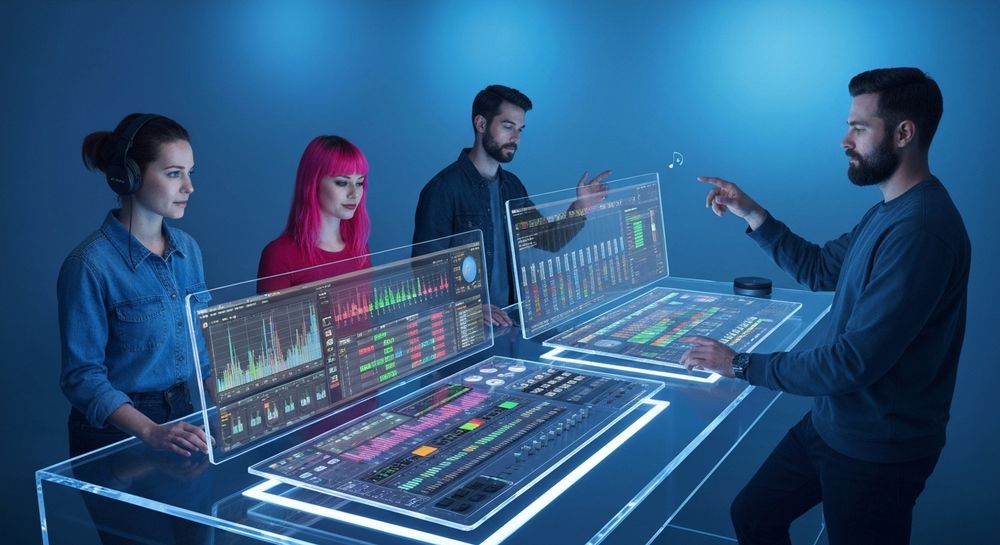
What equipment and software do you need to make an EDM song?
To start your electronic music creation journey, you don’t need a high-end studio. A basic setup includes:
- Digital Audio Workstation (DAW): Common choices in 2026 include Ableton Live, FL Studio, and Logic Pro X — still the industry standards for electronic music production. Selecting the right DAW for EDM gives you tools for sequencing, mixing, and manipulating audio with plugins.
- MIDI Controller or Keyboard: For real-time performance or melodic exploration.
- Studio Headphones or Monitors: Accurate monitoring is essential for balanced mixes.
- Plugins and Samples: Many producers rely on free or paid packs, but AI-generated samples are trending this year.
- Soundverse account: With Soundverse, you can create instrumentals or full AI songs in EDM style instantly, especially useful when you want to test ideas fast.

How do you start composing an EDM track?
EDM creation begins with a strong concept. Think of the vibe, emotion, and intended environment (club, festival, or online playlist). Here’s a simple breakdown:
- Choose a tempo: Most EDM sits between 120–140 BPM. Try slight variations depending on the subgenre.
- Define your key and chord progression: Minor keys are often used for emotional intensity.
- Select your main synth lead: Choose a sound that stands out — whether it’s a shimmering pad or a punchy lead.
- Build your rhythm: Start with a four-on-the-floor kick drum, then layer snare, hi-hats, and percussion.
- Structure the song: Typical EDM structures include intro, build-up, drop, breakdown, and outro.
What are essential EDM production tips for 2026?
EDM production has evolved considerably since 2024 and 2025. Today’s producers use AI tools and smart plugins to shape their mix.
Here are some vital tips:
- Leverage AI to inspire creativity: Editors and generators like Soundverse or Soundraw simplify brainstorming.
- Focus on sound design: Use automation and modulation to add life to static synths.
- Layer your sounds: Multiple synths blended creatively create the powerful ‘wall of sound’ effect.
- Reference tracks: Compare your mix with professional productions to adjust EQ and loudness.
- Sidechain compression: Keep the kick punchy by ducking other channels slightly.
- Use stem separation for edits: Soundverse recently introduced a Stem Separation AI Magic Tool, perfect for isolating vocals or instruments.
What is the easiest DAW for beginner music production?
For beginners, FL Studio often wins for its visual workflow, while Ableton Live is favored for performance and sampling. Both seamlessly integrate with AI plugins or online music generation tools. The choice depends on your personal creative style — experimentation matters more than gear in 2026. For simpler workflow access, some creators skip traditional DAWs altogether, opting for cloud platforms like Soundverse that handle composition, arrangement, and mixing automatically.
How do you arrange and mix your EDM track?
Arrangement defines the emotional flow of your song. Keep tension and release in mind. Build anticipation before the drop, then fade gently in the outro. Use contrast — loud versus quiet, dense versus minimal — to maintain listener interest.
When mixing:
- EQ out unnecessary frequencies.
- Compress thoughtfully; avoid flattening natural dynamics.
- Pan instruments for stereo width.
- Add reverb cautiously; it can easily muddy the kick’s punch.
If mixing feels complex, you can reference online tutorials like How AI-Generated Music Is Transforming the Music Industry for insights into modern mixing workflows.
For a deeper dive, watch our guide on creating Deep House music and tutorial on how to make music from the Soundverse channel.
How can AI speed up electronic dance music creation?
AI-assisted tools dramatically reduce production bottlenecks. Platforms such as Soundverse transform plain text into music. For instance, you can type “energetic festival EDM with female vocals” and receive a complete instrumental and vocal track that can be edited or remixed. This automation allows producers to focus on creative direction rather than technical setup.
AI music creation also supports multilingual content — key for international dance hits in 2026. Need a Spanish or Korean EDM hook? AI generators can deliver accurate pronunciation and tone instantly.
How to make an EDM song with Soundverse AI Song Generator

Now that you understand EDM foundations, here’s how to make an EDM song effortlessly using Soundverse.
Step 1: Feature Overview

Access the AI Song Generator from the Soundverse main menu. This tool transforms text or lyrics into full songs with vocals and instrumentals. It operates through a multi-stage pipeline — melody, arrangement, and mixing.
Step 2: Lyrics Input
Enter or paste your lyrics into the input field. You can also use the integrated AI Lyrics Writer to generate verses inspired by your theme or emotion. For EDM, short, catchy phrases and repetition work well.
Step 3: Style Selection

Choose “EDM” from the quick style selection panel. Other available genres include pop, rock, and more, but EDM triggers energetic melodic synthesis and rhythmic layering typical of dance music.
Step 4: Configuration

Set generation parameters such as bpm range, vocal gender, and mood (e.g., euphoric, deep, or festival-ready). These let Soundverse match your lyrical tone and desired vibe.
Step 5: Generation

Click to generate. The AI constructs melody, harmony, and rhythm automatically, combining vocals and instrumental backing. The workflow is asynchronous — upload or describe, wait for results, and then review your completed track.
Step 6: Generation Complete

When the process finishes, the platform displays a complete song preview. You can listen, make notes, and decide whether to re-generate or refine specific sections.
Step 7: Export Results

Finally, download your EDM song in multiple formats (MP3, WAV, etc.) for distribution or further mixing in your DAW. You can also use the Inpainting tool to surgically modify sections — perfect for changing drop intensity or fixing small lyrics.
Soundverse’s ecosystem integrates with other features like AI Music Generator for instrumental-only tracks and Stem Separation Magic Tool for remixing finished materials.
Why Soundverse is ideal for beginner music production
Soundverse bridges creativity and technology. Beginners can prototype songs without extensive production experience, and experienced producers can accelerate workflow through AI collaboration. Its multilingual capability, genre flexibility, and reference-audio support make it a smart choice for modern creators aiming for precision and speed.
For further inspiration, explore related guides such as How to Create EDM with Soundverse AI, Generate AI Music with Soundverse Text-to-Music, and Soundverse AI Magic Tools Create Content Quickly with AI.
Final Thoughts
By understanding rhythm arrangement, sound design, and modern AI workflows, you can create an EDM song that feels professional even as a beginner. In 2026, music creation isn’t just about mastering plugins — it’s about harnessing smart systems like Soundverse to turn your ideas into ready-to-share tracks faster than ever. Experiment boldly, mix intelligently, and let AI amplify your creativity.
Start Creating Your EDM Tracks Instantly with Soundverse AI
Turn your ideas into powerful electronic beats in seconds. Soundverse helps you craft professional-quality EDM songs effortlessly—no studio or complex tools needed.
Related Articles
- How to Create EDM with Soundverse AI: Discover how Soundverse AI simplifies the process of making energetic EDM tracks from text prompts.
- Generate AI Music with Soundverse Text-to-Music: Learn how to instantly transform written ideas into full songs using Soundverse's text-to-music technology.
- Best AI Music Generator: Top Picks and Review: Compare the leading AI music creation tools and find out what makes Soundverse stand out from the rest.
- Soundverse AI Revolutionizing Music Creation for New Age Content Creators: Explore how Soundverse is empowering modern creators to compose studio-quality music through AI innovation.
Here's how to make AI Music with Soundverse
Video Guide

Here’s another long walkthrough of how to use Soundverse AI.
Text Guide
- To know more about AI Magic Tools, check here.
- To know more about Soundverse Assistant, check here.
- To know more about Arrangement Studio, check here.
Soundverse is an AI Assistant that allows content creators and music makers to create original content in a flash using Generative AI.
With the help of Soundverse Assistant and AI Magic Tools, our users get an unfair advantage over other creators to create audio and music content quickly, easily and cheaply.
Soundverse Assistant is your ultimate music companion. You simply speak to the assistant to get your stuff done. The more you speak to it, the more it starts understanding you and your goals.
AI Magic Tools help convert your creative dreams into tangible music and audio. Use AI Magic Tools such as text to music, stem separation, or lyrics generation to realise your content dreams faster.
Soundverse is here to take music production to the next level. We're not just a digital audio workstation (DAW) competing with Ableton or Logic, we're building a completely new paradigm of easy and conversational content creation.
TikTok: https://www.tiktok.com/@soundverse.ai
Twitter: https://twitter.com/soundverse_ai
Instagram: https://www.instagram.com/soundverse.ai
LinkedIn: https://www.linkedin.com/company/soundverseai
YouTube: https://www.youtube.com/@SoundverseAI
Facebook: https://www.facebook.com/profile.php?id=100095674445607
Join Soundverse for Free and make Viral AI Music

We are constantly building more product experiences. Keep checking our Blog to stay updated about them!