How to Make an Audio File Longer: A Complete Guide to Extending Audio Length in 2026
Learn how to extend audio length seamlessly using advanced AI tools for music, podcasts, and sound design.
How to Make an Audio File Longer
Creating longer audio files has become an essential part of digital production in 2026. Whether you’re a podcaster aiming to stretch an intro, a musician crafting an extended mix, or a content creator trying to match your background music to video length, understanding how to extend audio length efficiently is crucial. Modern AI-based tools now allow you to lengthen a sound file without losing quality, rhythm, or tonal consistency.
Why Would You Want to Extend Audio Length?
There are several creative and technical reasons to increase audio duration:
- Video or film synchronization: Often, creators need background tracks to align perfectly with their video timelines.
- Podcast and intros: Podcasters may need longer opening themes or looping soundscapes that fill gaps during conversation edits.
- DJ mixes and live performances: Musicians might want extended versions of songs for transitions or prolonged instrumentals.
- Game sound design: Developers frequently require seamless looping audio that lasts as long as gameplay action.
By mastering the art of extending audio length, creators can maintain flow and engagement without abrupt stops or fade-outs.

What Are the Best Audio Editing Tips for Extending Audio?
Before using AI-based or automated tools, understanding traditional editing methods helps refine your workflow.
- Loop seamlessly: The simplest way to make a soundtrack longer is by looping sections that naturally repeat, ensuring the loop point is smooth and rhythmic.
- Time stretching without pitch distortion: Professional editors use time stretch options in software like Audacity, Adobe Audition, or FL Studio while protecting the pitch integrity.
- Layer ambient elements: Adding soft pads, background textures, or transitional effects can make the sound file extension sound organic and continuous.
- Use fade transitions: Crossfading between loops avoids noticeable breaks and creates fluid continuity.
These techniques form a strong base before transitioning to automated AI systems.

How Does Looping Audio Work for Creators in 2026?
Looping audio continues to be one of the most practical methods of extending music tracks. In 2026, most DAWs and AI music tools provide automated looping alignment. Here’s the process:
- Select a segment of the track with consistent rhythm or tone.
- Match the end waveform to the beginning of the same segment.
- Apply a short crossfade (typically 50–200 milliseconds) to blend the edges.
- Ensure tempo remains constant across repeats.
This method works well for ambient music, gaming backgrounds, and electronic genres where repetition strengthens immersion. For a deeper dive, watch our guide on creating Deep House music.
What Is Sound File Extension and Why It Matters in 2026
Sound file extension refers to the deliberate process of increasing an audio file’s duration while preserving its sonic identity. Modern advancements allow AI systems to generate new music sections that fit naturally with the original composition. Instead of mechanical looping, these tools can synthesize new chord progressions, percussive layers, or lyrical extensions that expand creatively.
Tools like Soundverse AI have revolutionized how professionals extend music. When combined with the proper editing techniques discussed earlier, sound file extension transforms static tracks into dynamic, evolving compositions suitable for YouTube videos, podcasts, advertisements, and social media reels.
How Can You Stretch a Music Track Without Losing Quality?
Stretching a music track requires balancing tempo and pitch integrity. In outdated methods, speeding up or slowing down an audio file caused unwanted artifacts or distorted vocals. In 2026, software uses spectral analysis to reconstruct missing data during stretching.
Here are a few strategies:
- Use tempo-synced time stretching rather than linear speed changes.
- Avoid extreme stretch ratios; keep modifications below 20% for most natural results.
- Apply multi-band stretching for complex tracks with both vocals and instruments.
- Test different interpolation algorithms (elastic, phase vocoder, or granular synthesis).
This ensures your stretched music track maintains clarity and coherence.
How Do AI Tools Help Increase Audio Duration in 2026?
AI music platforms have matured significantly over the past two years. Earlier versions in 2024–2025 introduced basic looping capabilities, but recent tools in 2026 go further, generating new segments aligned with a track’s musical DNA.
AI-powered sound file extension automates tempo detection, key matching, and style continuation. Instead of manually looping or cutting, creators can instruct the AI to generate additional verses, instrumental bridges, or outros. This saves hours of editing and maintains professional-grade output suitable for distribution.
Need to extend a song to fit your video or project? Audjust uses AI-powered audio analysis to seamlessly lengthen your tracks. Creators can also learn how to extend songs using AI tools and songwriting techniques.
If you are interested in how AI tools influence the broader music industry, visit Soundverse’s article on trends or explore how AI-generated music is transforming creation workflows.
For more insights, check out our Soundverse tutorial on making music.
Step-by-Step Guide: How to Make an Audio File Longer Using Modern AI Techniques
Step 1: Feature Overview
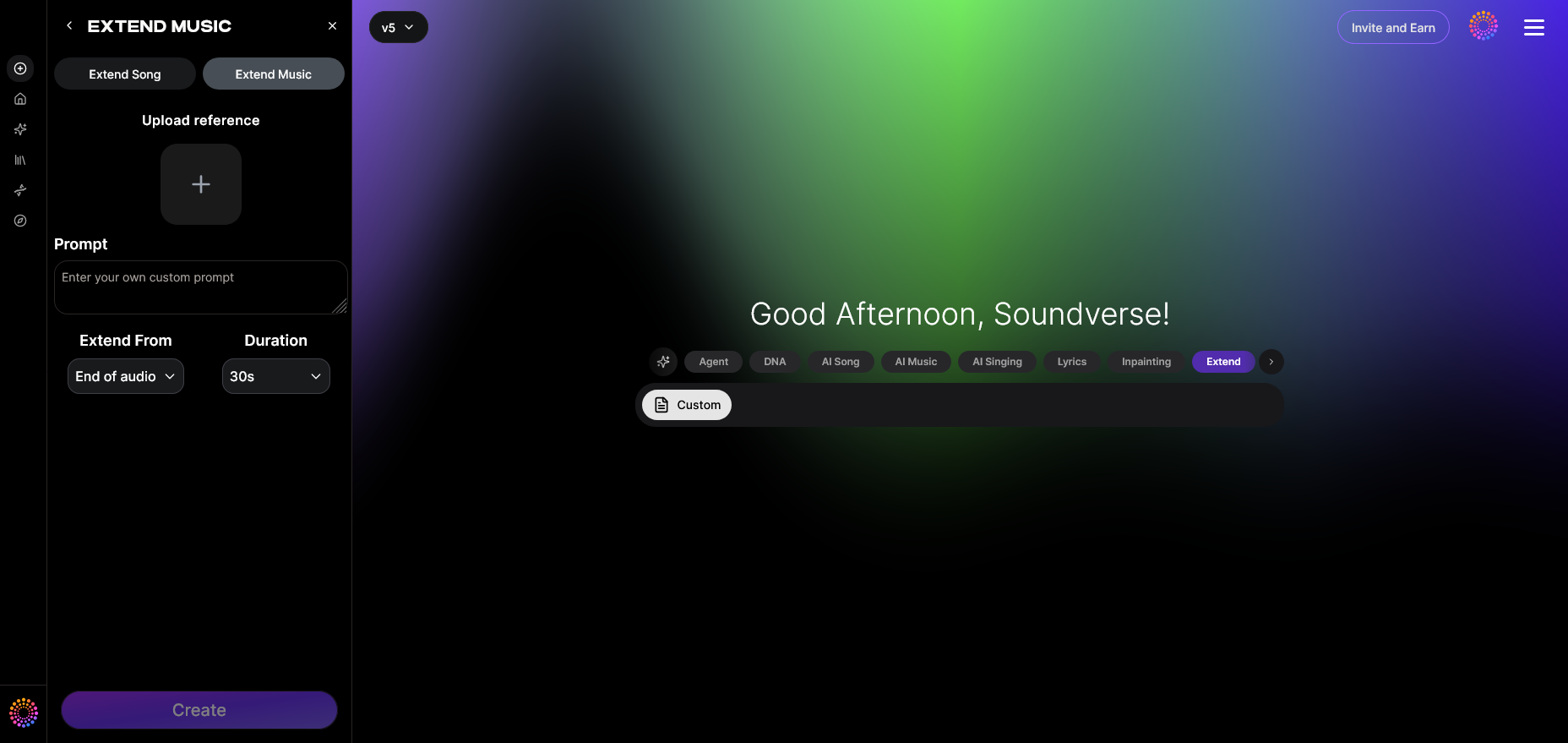
Access your editing platform and choose a tool specialized for sound file extension. In Soundverse, this is the Extend Music feature, designed to seamlessly lengthen existing audio tracks without losing character.
Step 2: Upload Track
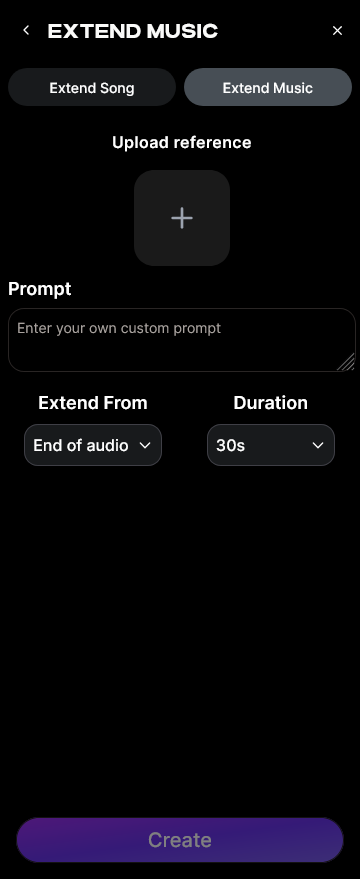
Upload the existing sound file you wish to lengthen. It can be a vocal song, instrumental loop, or background audio. The AI analyzes tempo, key, and mood to prepare custom extensions.
Step 3: Duration Setting
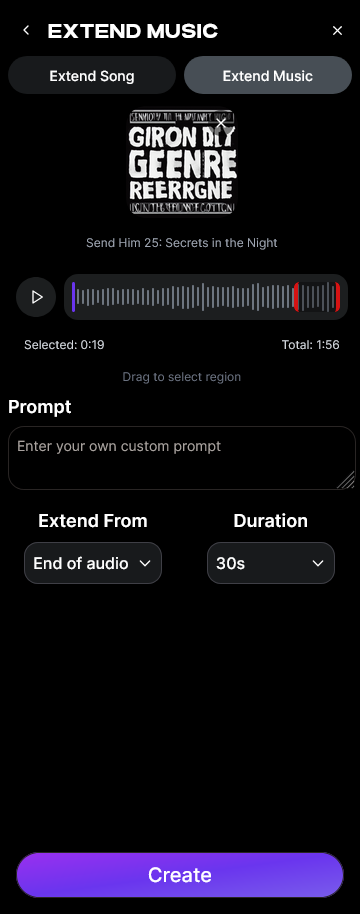
Choose how much longer you want your track to be. You can add between 15 seconds and 3 minutes per extension depending on project needs. Creators often match music length precisely to video duration using this control.
Step 4: Generation
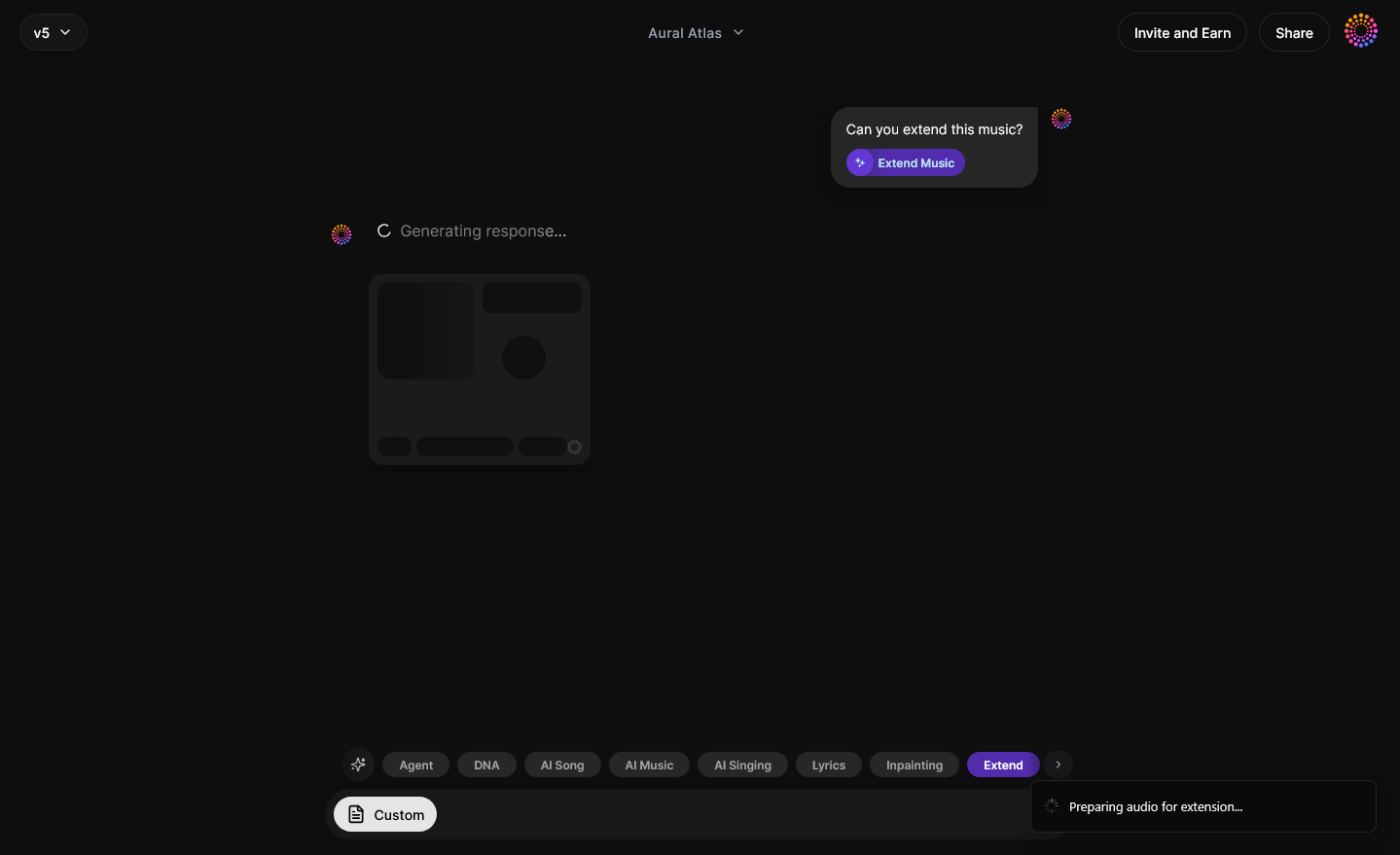
The platform’s AI engine creates new material based on the original file. This may be instrumental continuation, lyrical expansion, or looping extension. The process ensures seamless repetition or creative development without audible cuts.
Step 5: Download Extended
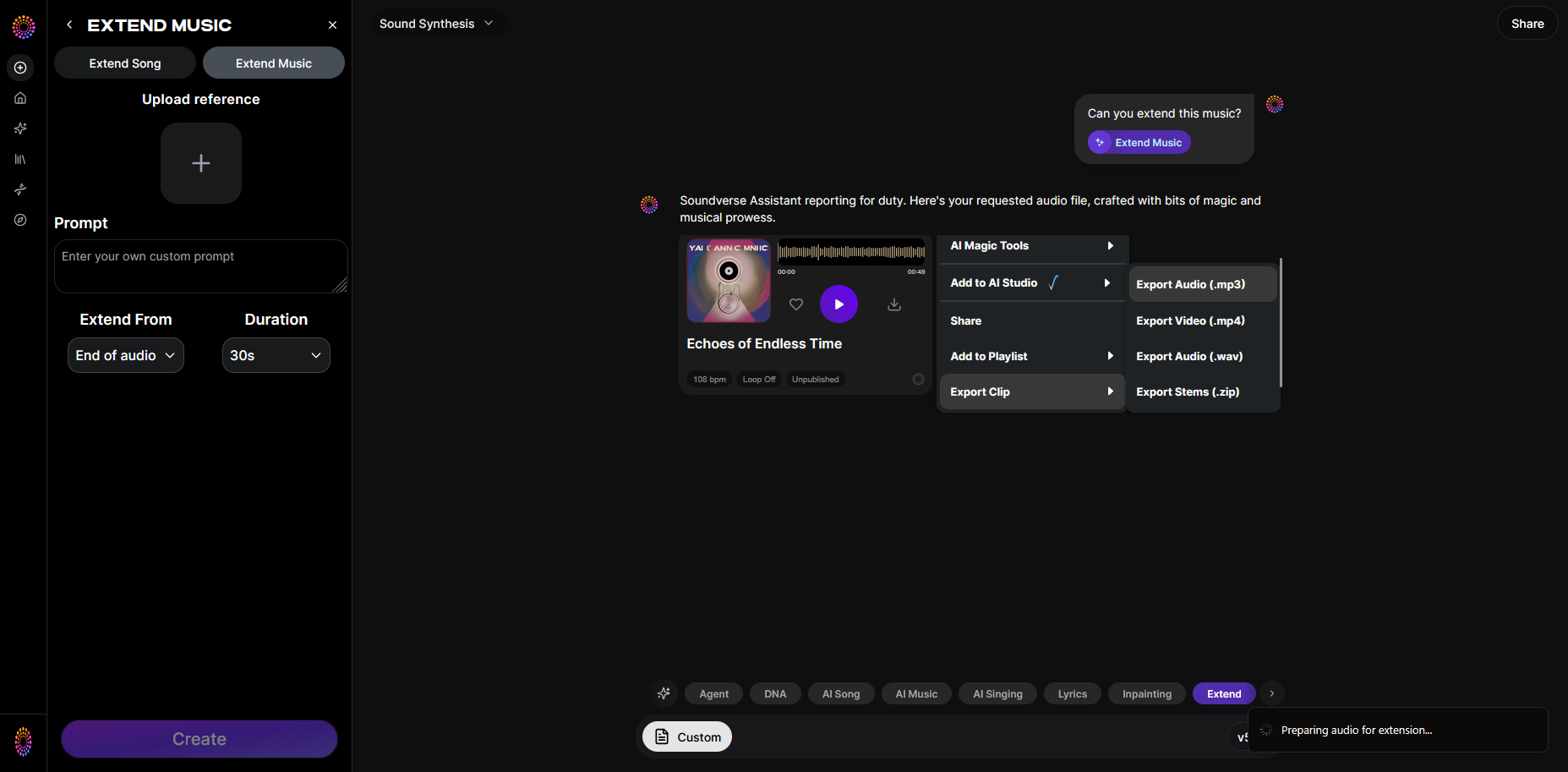
Once processing is complete, export and download your enhanced track. You now have an extended, professionally balanced sound ready for use in your mix, video, or podcast.
How to Make an Audio File Longer with Soundverse Extend Music
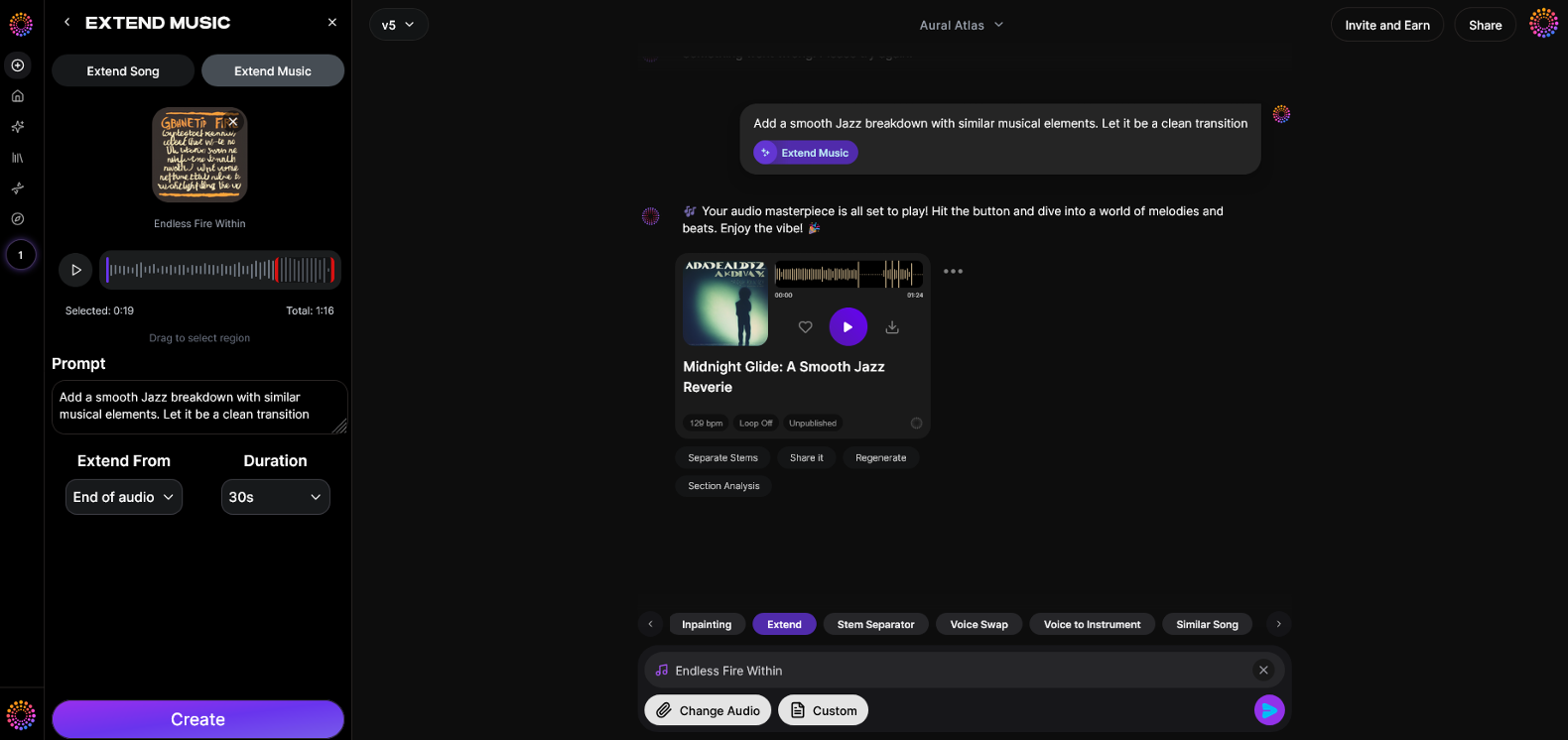
Soundverse’s Extend Music feature is built specifically to extend audio length for creators who need quality expansions. It provides:
- Extend Song (Vocals + Music) for complete tracks.
- Extend Music (Instrumental only) for background or beat continuation.
- Duration Control allowing 15-second to 3-minute increments.
- Loop Extension options for smooth playback in gaming or ambient environments.
Soundverse analyzes the original track’s style, tempo, and key, then generates new content that fits seamlessly. It’s perfect for DJs developing long mixes, video editors synchronizing background music, or musicians expanding short loops. Unlike manual editing, the process preserves professional cohesion.
Those interested in further AI-powered sound tools can read Soundverse Assistant—Your AI Music Co-Producer or explore the AI Magic Tools Suite for deeper creative integrations.
For practical workflow demos, explore our “Explore” Tab tutorial.
Bonus Tips for Audio Editors
- If extending a complex composition, consider using Soundverse’s Inpainting tool to refine specific segments or fix imperfect transitions.
- When creating new music from scratch, the AI Music Generator complements extensions by building original instrumentals from text prompts.
- To expand your creative library, browse Soundverse’s genre-based tutorials to keep your sounds fresh.
Extend Your Audio Length Seamlessly with Soundverse AI
Create longer, perfectly looped tracks or extend ambient soundscapes effortlessly using Soundverse’s AI-powered tools. Enhance your projects with precision and creativity—all in minutes.
- Generate AI Music with Soundverse Text-to-Music: Discover how to turn text prompts into full-length AI-generated songs that match your creative vision.
- Soundverse Introduces Stem Separation AI Magic Tool: Learn how to isolate vocals, instruments, and beats to modify or extend your audio projects easily.
- Soundverse AI Magic Tools: Create Content Quickly with AI: Explore Soundverse’s suite of AI tools designed to speed up your creative workflow and perfect your audio output.
- Enhancing YouTube Content with Royalty-Free and Copyright-Free Music Using Soundverse AI: Find out how Soundverse helps creators enhance their YouTube videos with extended, copyright-free audio tracks.
Here's how to make AI Music with Soundverse
Video Guide

Here’s another long walkthrough of how to use Soundverse AI.
Text Guide
- To know more about AI Magic Tools, check here.
- To know more about Soundverse Assistant, check here.
- To know more about Arrangement Studio, check here.
Soundverse is an AI Assistant that allows content creators and music makers to create original content in a flash using Generative AI.
With the help of Soundverse Assistant and AI Magic Tools, our users get an unfair advantage over other creators to create audio and music content quickly, easily and cheaply.
Soundverse Assistant is your ultimate music companion. You simply speak to the assistant to get your stuff done. The more you speak to it, the more it starts understanding you and your goals.
AI Magic Tools help convert your creative dreams into tangible music and audio. Use AI Magic Tools such as text to music, stem separation, or lyrics generation to realise your content dreams faster.
Soundverse is here to take music production to the next level. We're not just a digital audio workstation (DAW) competing with Ableton or Logic, we're building a completely new paradigm of easy and conversational content creation.
TikTok: https://www.tiktok.com/@soundverse.ai
Twitter: https://twitter.com/soundverse_ai
Instagram: https://www.instagram.com/soundverse.ai
LinkedIn: https://www.linkedin.com/company/soundverseai
Youtube: https://www.youtube.com/@SoundverseAI
Facebook: https://www.facebook.com/profile.php?id=100095674445607
Join Soundverse for Free and make Viral AI Music

We are constantly building more product experiences. Keep checking our Blog to stay updated about them!