How to Make an AI Voice Assistant: Complete Guide to AI Voice Assistant Development in 2026
Learn AI voice assistant development using Soundverse Agent with step-by-step tutorials and pro tips.
How to Make an AI Voice Assistant
In 2026, AI voice assistant development has evolved into one of the most dynamic fields in machine learning and natural language processing. From smart home devices to music generation assistants, developers and tech startups are leveraging voice interfaces to deliver seamless, conversational experiences. If you've ever wondered how to build voice assistant systems that understand spoken commands, perform tasks, or even create music, this comprehensive guide will walk you through every step.
The combination of AI voice technology and machine learning for voice apps is pushing innovation boundaries faster than ever. Voice assistants like Alexa or Google Assistant have popularized speech recognition tutorials, while emerging platforms such as Soundverse are redefining what an intelligent, creative AI can do.
What is AI Voice Assistant Development?

AI voice assistant development involves building systems capable of understanding natural language input, interpreting intent, and performing tasks through speech commands. Developers typically use a combination of speech recognition engines, natural language understanding (NLU) models, and text-to-speech (TTS) generation.
In practical terms, to create virtual assistants, you combine data preprocessing, model training, and interface integration. The result is an AI that listens, processes, and responds intelligently. In 2026, thanks to advances in transformer-based architectures and multimodal AI, developers can build systems that not only respond to voice but also interpret context, emotion, and task hierarchy.
Why Voice-Based Interfaces Are Driving App Innovation
Consumers demand faster, hands-free experiences, especially for creative workflows and daily tasks. AI voice technology enables startups to design products that interact conversationally rather than through static menus. For example, creative tools that generate music using verbal prompts—such as "make a pop song, then remove the drums"—represent the next frontier of intelligent voice automation.
How to Make an AI Voice Assistant with Soundverse Agent
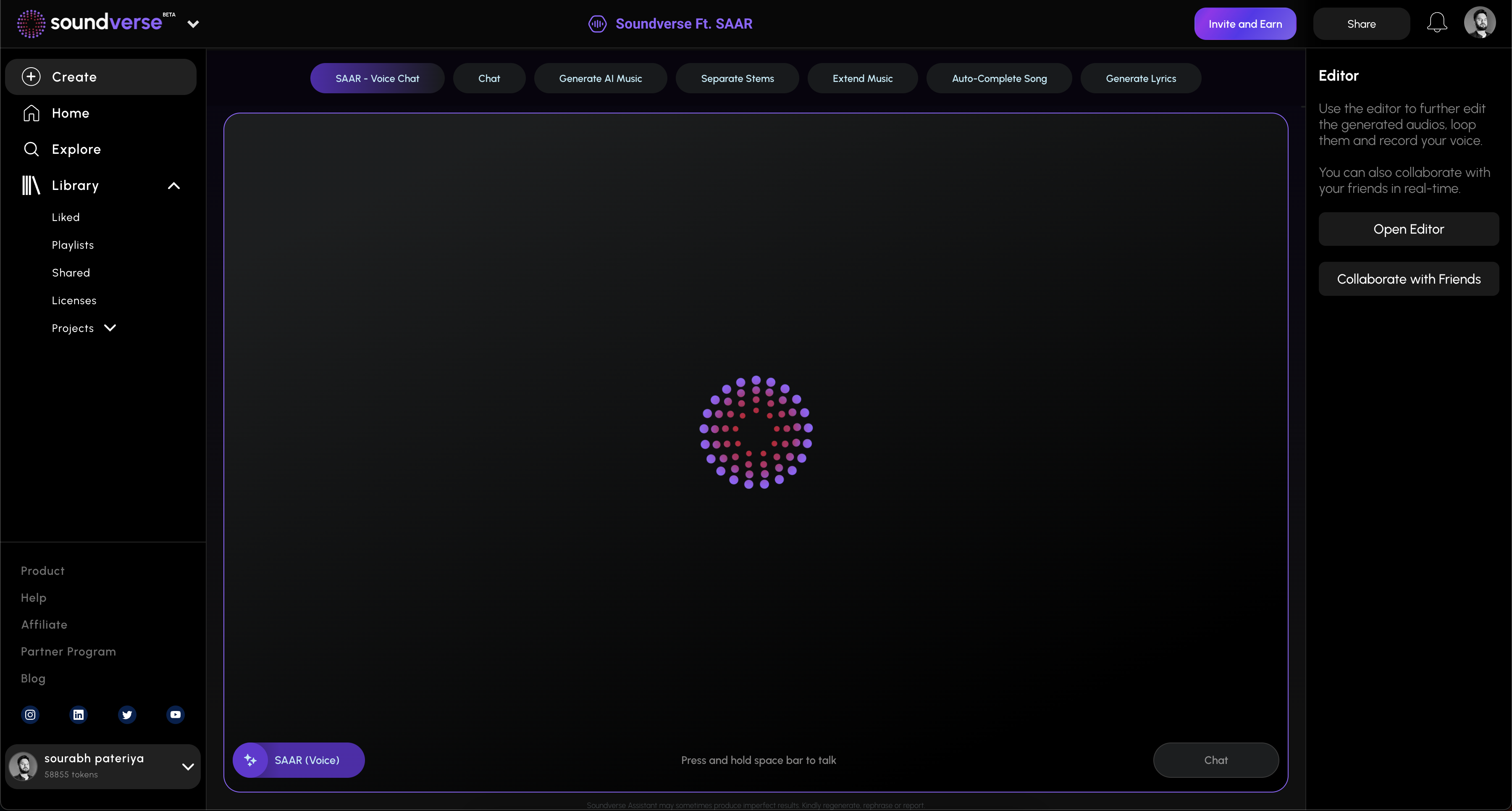

Soundverse Agent is a conversational AI music assistant designed as a centralized controller for the Soundverse platform. It’s a powerful embodiment of modern AI voice assistant development, combining multi-step reasoning and cross-tool automation.
The Agent understands natural language requests, orchestrates Soundverse’s underlying music generation tools, and manages context across multiple interactions. Users can ask the Agent to generate songs, separate stems, or remove specific instruments—all through voice input.
Core Capabilities of Soundverse Agent
- Multi-step tool orchestration: The Agent coordinates multiple AI modules within Soundverse to accomplish complex tasks sequentially.
- Contextual memory: It remembers previous requests, enabling musicians and developers to continue conversations without repeating inputs.
- Voice input support: Users interact using voice commands, allowing hands-free operation.
- Cross-tool workflow automation: The Agent integrates music generation, vocal modification, and stem editing tools seamlessly within one project.
For a deeper dive, watch the Soundverse Tutorial Series - 9. How to Make Music and Soundverse Tutorial Series - 10. Make Deep House Music for context on how Soundverse automates voice interaction with complex workflows.
Primary Use Cases
- For beginners: Create music without technical skills using conversational instructions.
- For producers: Automate repetitive multi-step tasks like generating, separating, and extending musical tracks.
- For educators: Facilitate interactive learning in music theory and production.
- For rapid prototyping: Quickly generate multiple musical variations for creative exploration.
Now, let’s explore how developers can use these capabilities to learn from Soundverse's workflow and apply similar design principles when building voice assistants in general.
Step 1: Overview — Understanding the Main Agent Interface and Setup
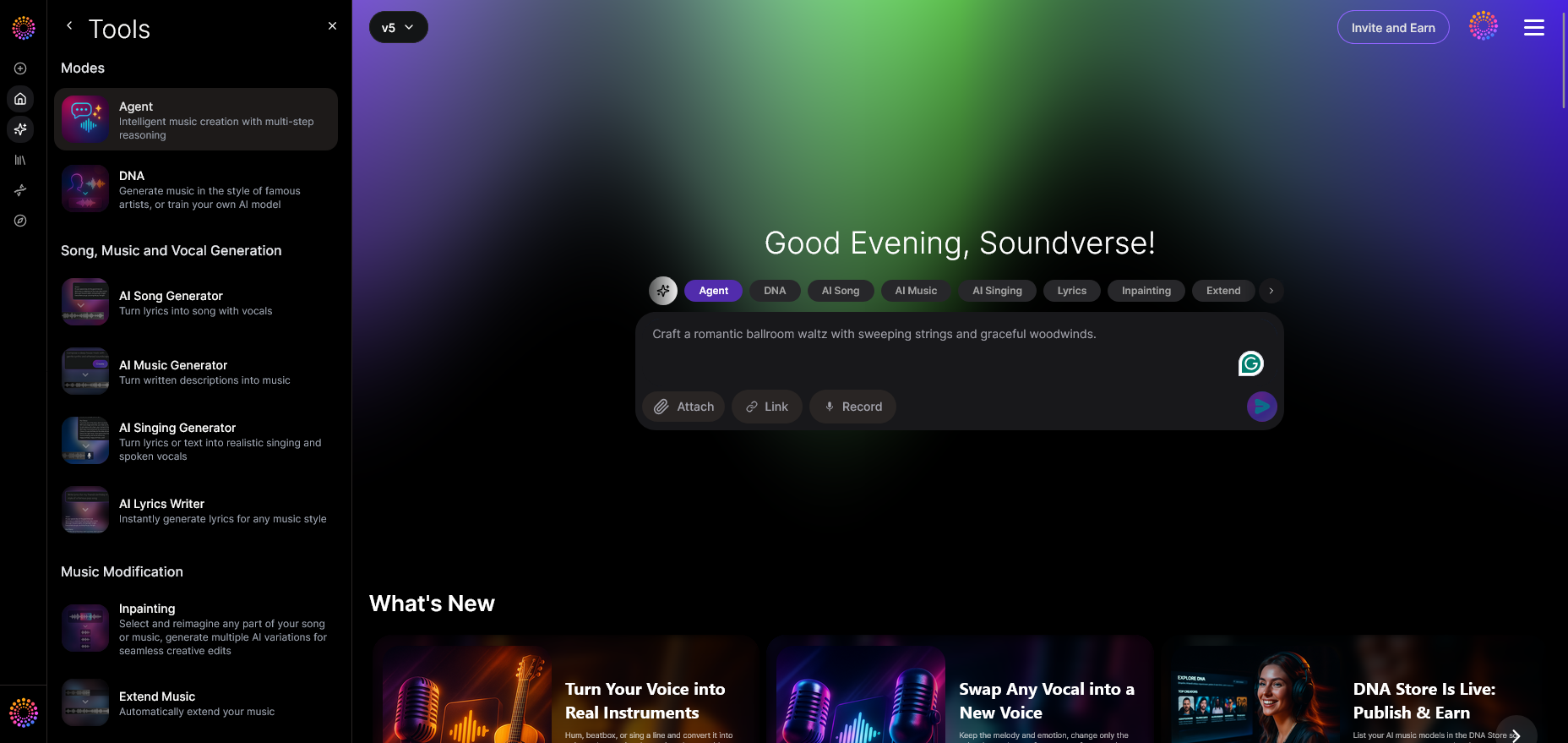
The first step is to familiarize yourself with the interface where the AI receives voice or text requests. The Agent’s setup shows how a conversational controller can unify multiple back-end AI tools. In your own application, consider creating a centralized hub that handles voice input, intent interpretation, and multi-tool communication.
Learn more about how similar design patterns are used in rising tech tutorials like How to Build an AI Voice Agent: 2026 Complete Guide, which details core setup architecture and speech-to-intent flows.
Step 2: Reference Audio — Adding Reference Audio to Prompts
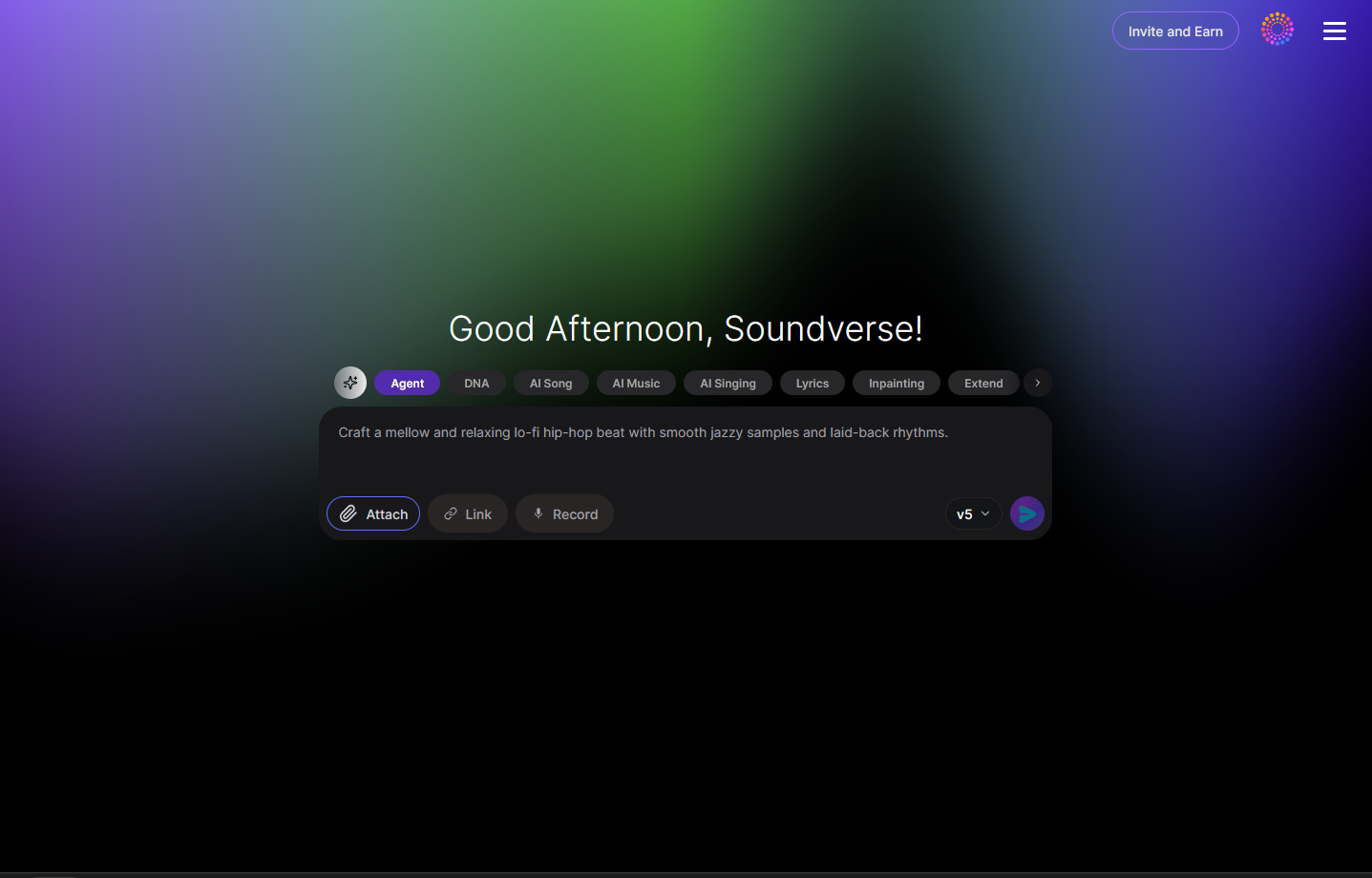
Soundverse allows users to include reference audio files so the AI can analyze sound patterns or match style preferences. This principle applies broadly in voice assistant development—context-based input enhances accuracy. Whether you are building a music tool or a general virtual assistant, designing input flexibility improves user personalization.
Comparable practices are covered in How to Build an AI Voice Chat with No Code in 2026, highlighting multimodal input benefits.
Step 3: Attach Button — File Attachment Dialog Interface
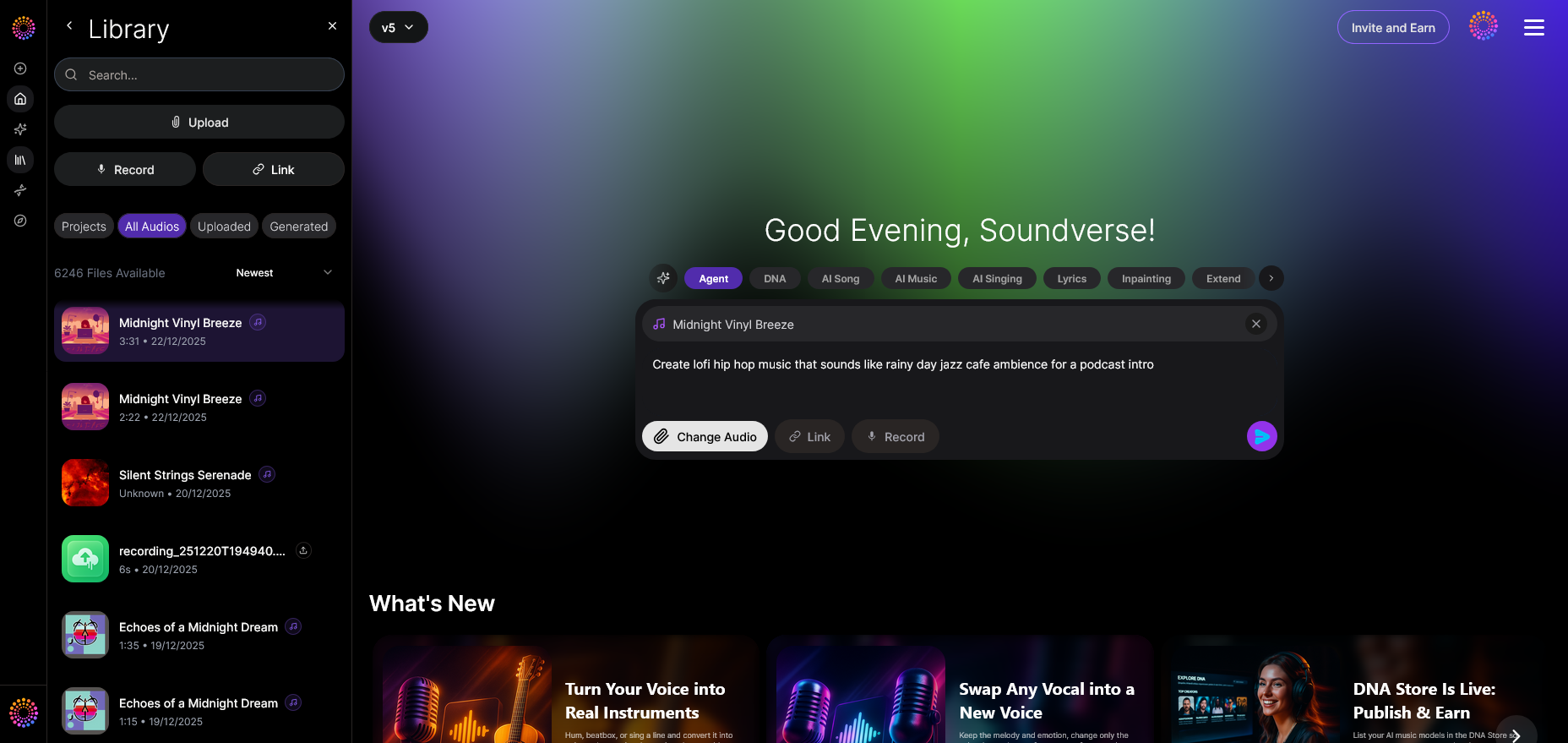
The attach button in Soundverse’s design demonstrates how a simple UI element bridges voice and file interaction. For AI voice developers, integrating multimodal commands—combining spoken instructions with file uploads—creates richer functionality.
Step 4: Submit Request — Sending the Voice Command
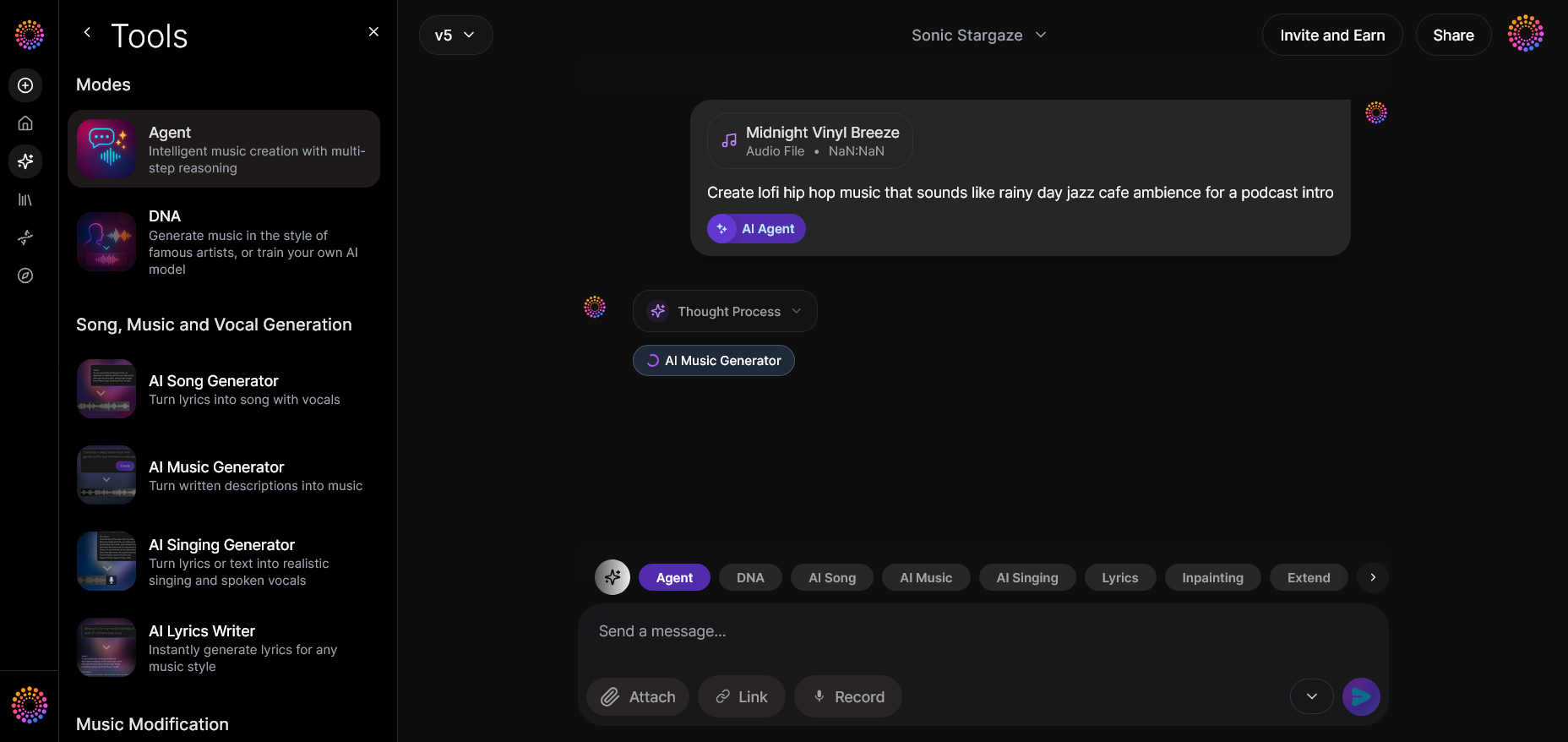
Submission triggers the AI’s understanding sequence. Behind the scenes, Soundverse’s Agent interprets user intent and executes logical tasks using trained reasoning models. In open-source or custom environments, developers can replicate this using NP-hard reasoning flows or large language model inference APIs to process requests.
See how educational resources like Step-by-Step AI Voice Assistant Project Tutorial detail similar inference mechanisms for smart control.
Step 5: Review Output — Generated Audio Output Display
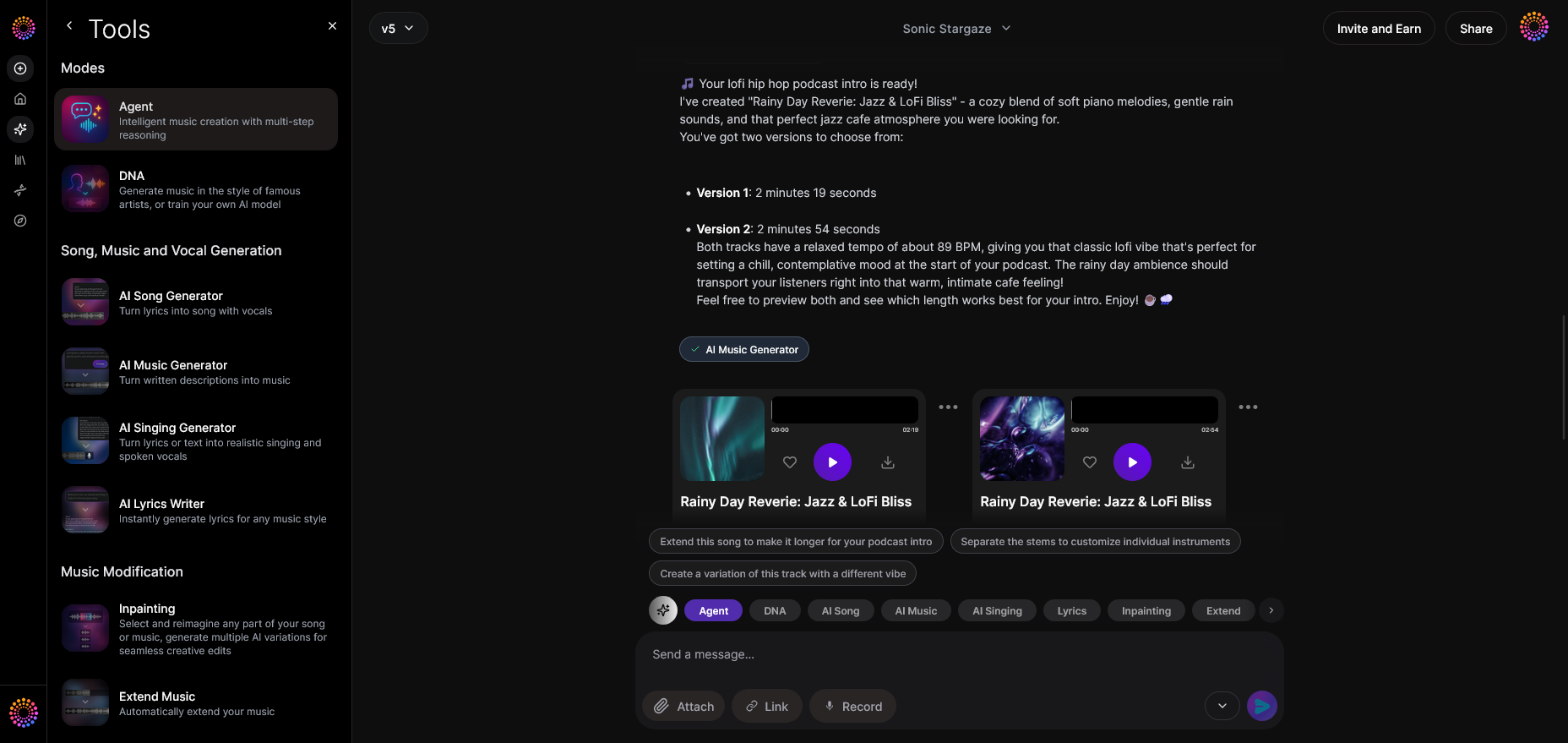
Once the AI processes the command, results are displayed asynchronously. The concept of asynchronous response is crucial: do not expect real-time audio feedback until the process completes. This design ensures high-quality output and scalability.
Step 6: Refine Conversation — Iterative Refinement Interface
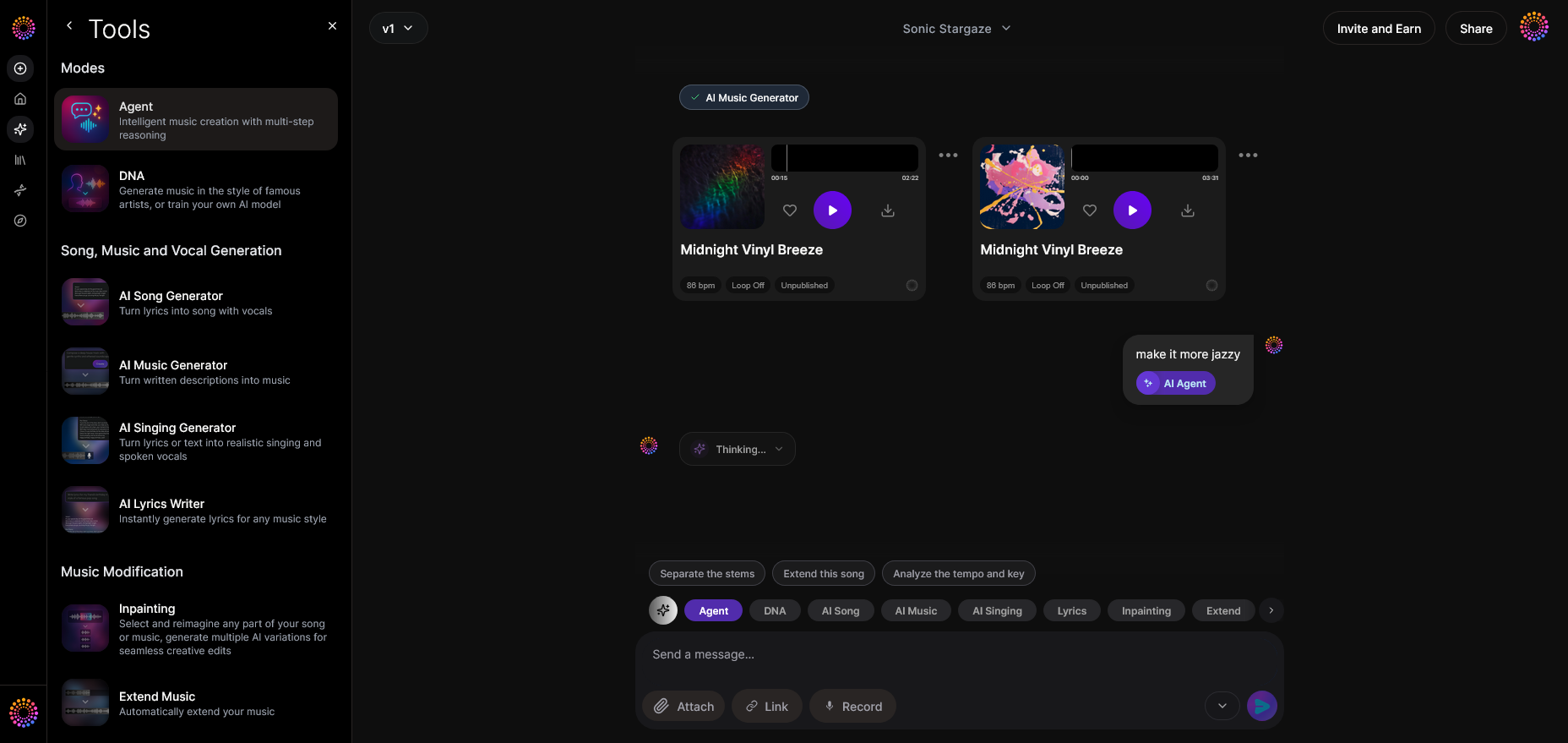
Soundverse Agent supports follow-up questions like “extend the melody” or “replace vocals.” This refinement loop is a major element of effective AI voice assistant development. Instead of single-turn commands, create a memory-backed dialogue system where each conversation retains contextual data.
If you want practical examples, check How To Build A Free AI Assistant: Complete Guide For 2026 to see how iterative memory affects performance.
Step 7: Advanced Controls — Tool Selection and Customization
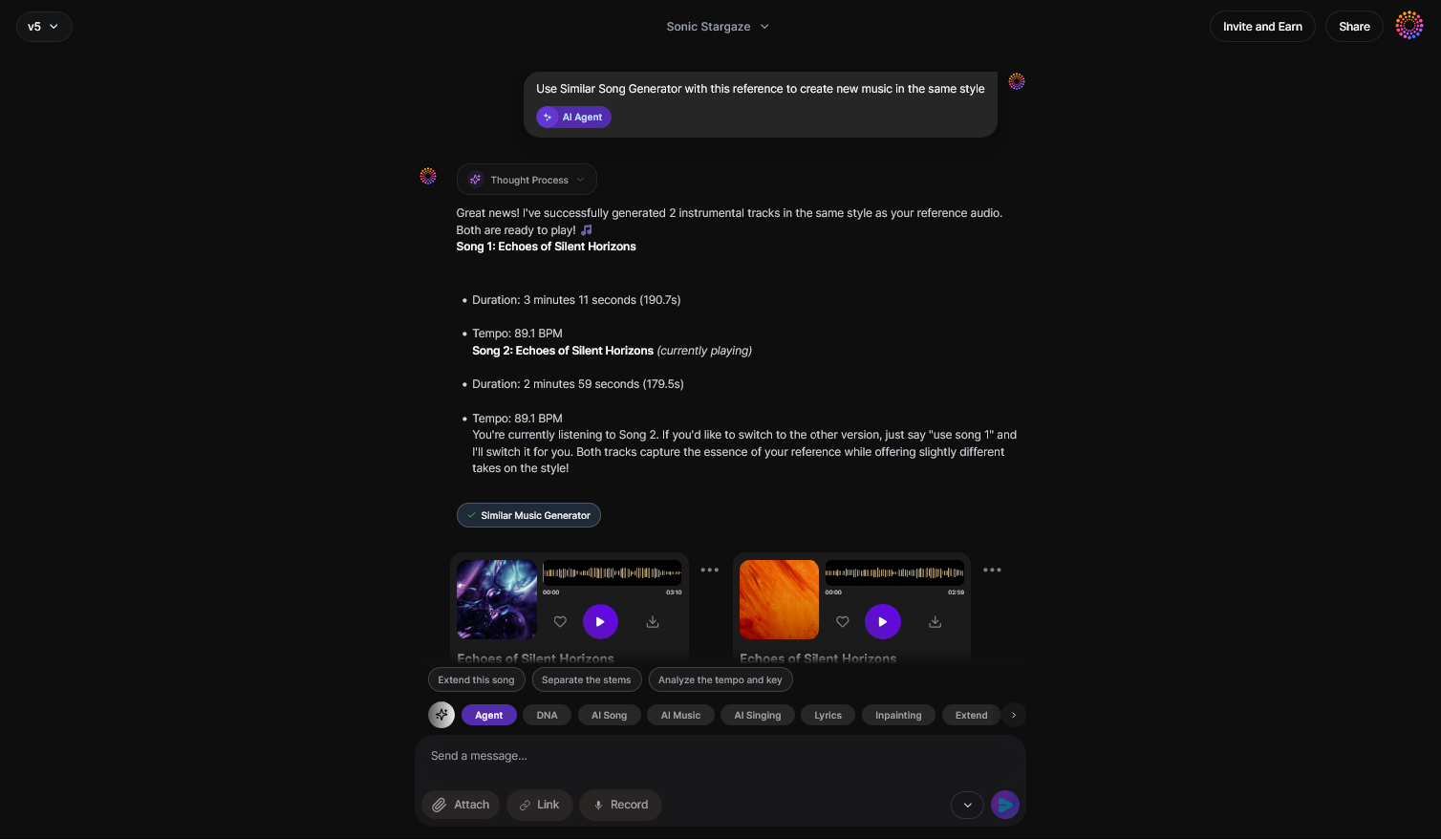
Advanced users can select specific production tools or modules. Developers can design modular architectures where voice commands trigger different APIs or synthetic models. Flexibility improves the overall user experience.
Step 8: Export Options — Output Management and Formatting
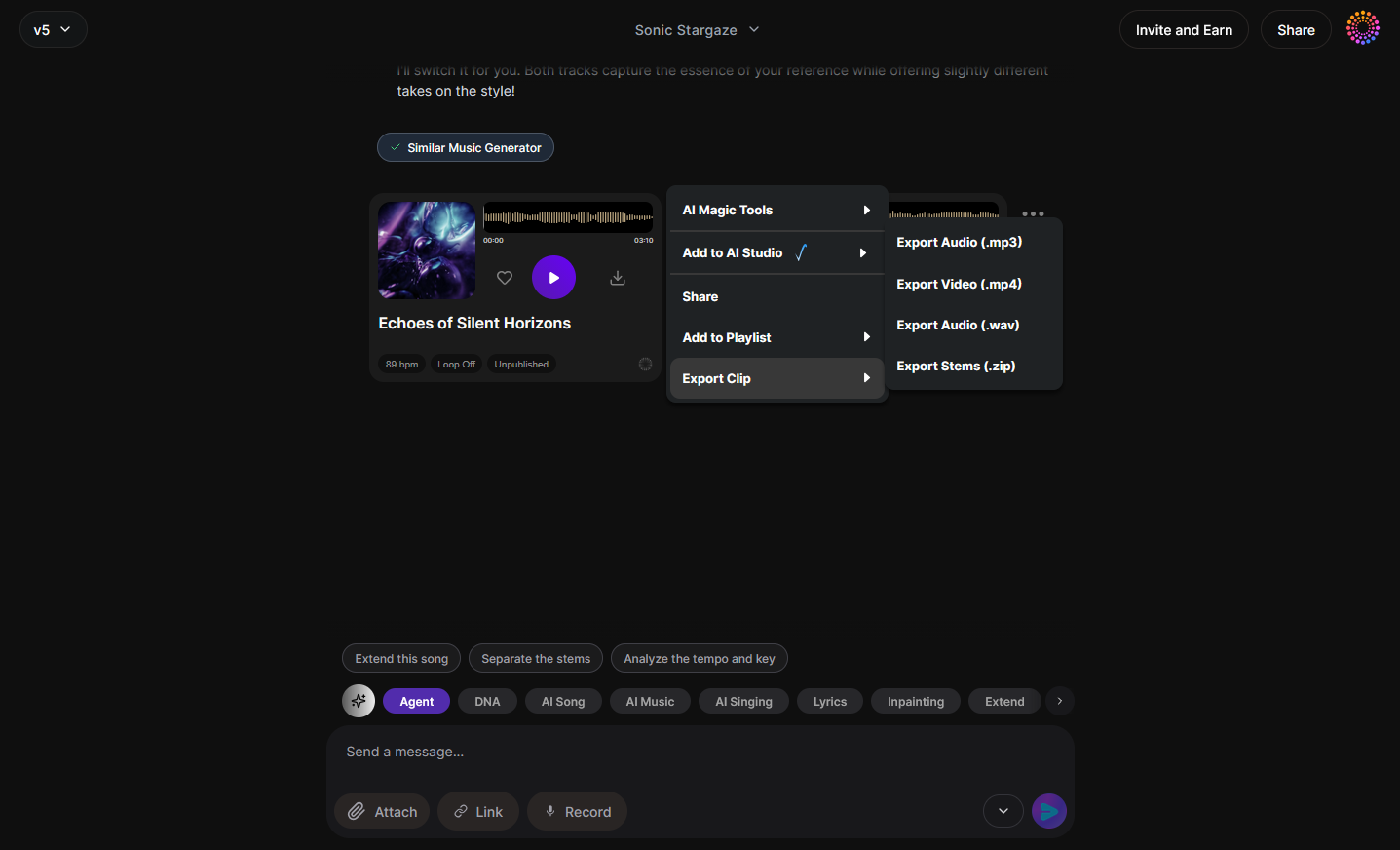
Once tasks are completed, users can export results in the desired format. The same applies in voice assistant apps—ensure data portability and clear export channels.
Step 9: New Conversation — Start a Fresh Context
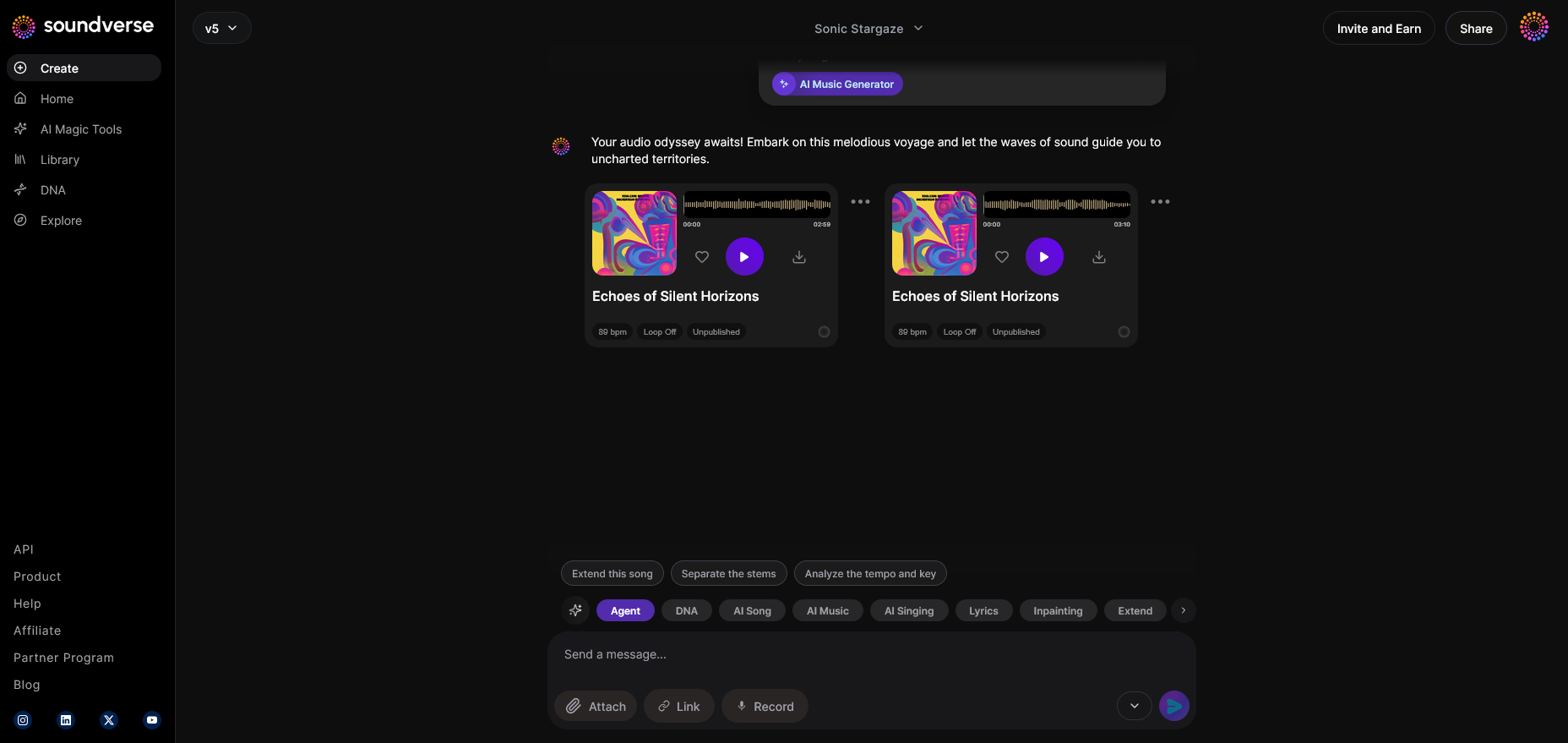
The New Conversation step resets the memory and starts a new project. This principle generalizes well for any conversational AI system. Context isolation prevents cross-session confusion and maintains precision.
Pro Tips for AI Voice Assistant Development in 2026
- Implement contextual AI memory: Retaining session history helps users continue projects seamlessly.
- Design multimodal inputs: Combine text, voice, and file-based commands.
- Focus on asynchronous execution: Avoid claims of real-time preview; prioritize reliable, scalable responses.
- Train domain-specific models: Custom datasets drive accuracy for niche applications (e.g., music creation, healthcare).
- Use open frameworks wisely: Libraries like TensorFlow, PyTorch, or edge inference engines support scalability.
- Integrate ethical AI principles: Respect user privacy and obtain consent for voice data collection.
For deeper insights into how AI shapes creative industries, explore how AI-generated music is transforming the music industry and Soundverse AI Magic Tools for rapid content creation.
How Soundverse Bridges Music and Machine Learning
Aside from Agent, Soundverse offers an ecosystem of tools that underline how AI voice technology connects to creative output:
- Soundverse API: Enterprise-grade integration enabling programmatic access to music generation and modification tools.
- AI Singing Generator: Transforms text into professional-grade acapella vocals with experimental tones.
- Voice Swap: Allows users to replace vocals with different AI personas while preserving expression and timing.
These components show how the conversational Agent orchestrates intricate AI music workflows, merging reasoning and artistry. Developers can derive powerful ideas from this architecture to build voice assistants that operate across complex ecosystems.
For examples of applied AI creativity, check out How to Create Country Music with Soundverse AI and Generate AI Music with Soundverse Text-to-Music.
Start Building Your Own AI Voice Assistant Today
Unlock the tools and technology you need to design and deploy intelligent, natural-sounding voice assistants. From concept to execution, Soundverse empowers your creativity and innovation.
Related Articles
- Soundverse SAAR: AI Voice Assistant — Discover how Soundverse SAAR is redefining the future of voice interaction with powerful AI-driven capabilities.
- Soundverse Assistant: Your AI Music Co-Producer — Learn how the Soundverse Assistant helps creators streamline music production using smart AI collaboration.
- Soundverse AI Magic Tools: Create Content Quickly with AI — Explore the suite of AI tools that accelerate your creative workflow—from voice generation to AI composition.
- How AI Generated Music is Transforming the Music Industry — Uncover how advancements in AI-driven sound generation are reshaping the music landscape globally.
Here's how to make AI Music with Soundverse
Video Guide

Here’s another long walkthrough of how to use Soundverse AI.
Text Guide
- To know more about AI Magic Tools, check here.
- To know more about Soundverse Assistant, check here.
- To know more about Arrangement Studio, check here.
Soundverse is an AI Assistant that allows content creators and music makers to create original content in a flash using Generative AI. With the help of Soundverse Assistant and AI Magic Tools, our users get an unfair advantage over other creators to create audio and music content quickly, easily and cheaply. Soundverse Assistant is your ultimate music companion. You simply speak to the assistant to get your stuff done. The more you speak to it, the more it starts understanding you and your goals. AI Magic Tools help convert your creative dreams into tangible music and audio. Use AI Magic Tools such as text to music, stem separation, or lyrics generation to realise your content dreams faster. Soundverse is here to take music production to the next level. We're not just a digital audio workstation (DAW) competing with Ableton or Logic, we're building a completely new paradigm of easy and conversational content creation.
TikTok: https://www.tiktok.com/@soundverse.ai
Twitter: https://twitter.com/soundverse_ai
Instagram: https://www.instagram.com/soundverse.ai
LinkedIn: https://www.linkedin.com/company/soundverseai
Youtube: https://www.youtube.com/@SoundverseAI
Facebook: https://www.facebook.com/profile.php?id=100095674445607
Join Soundverse for Free and make Viral AI Music

We are constantly building more product experiences. Keep checking our Blog to stay updated about them!