How to Make an AI Singer: A Complete Guide to AI Singer Creation in 2026
Learn AI singer creation using Soundverse’s AI Singing Generator for realistic vocal synthesis.
How to Make an AI Singer
Artificial intelligence is reshaping how music is created, performed, and produced. In 2026, one of the most fascinating applications of AI in music production is the rise of digital singers—virtual performers who sing human-like vocals generated by deep learning models. If you’ve ever wondered how to make an AI singer that performs your lyrics as naturally as a real vocalist, this guide breaks down the process from start to finish.
Why AI Singer Creation Is Transforming Music Production in 2026
The concept of AI vocal synthesis isn’t new, but the quality and realism achieved today make 2026 a milestone for this technology. Musicians and producers are increasingly turning to AI singing tools to overcome common creative limitations—no access to a vocalist, tight production timelines, or the need to experiment with styles beyond human capability.
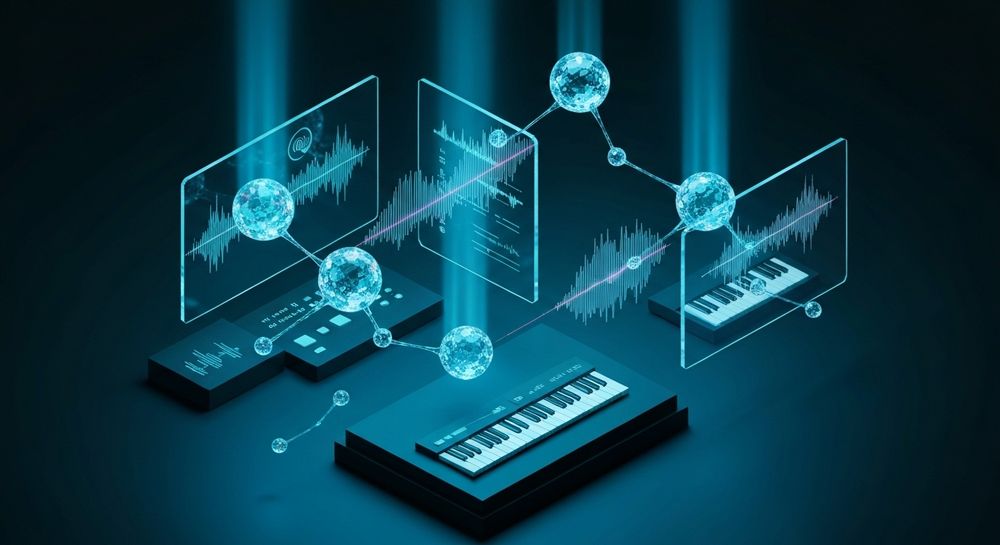
AI singer creation combines several intersecting fields: machine learning, digital signal processing, and music composition. Tools trained on thousands of vocal performances can generate full singing outputs from textual prompts, imitating different genres and emotional nuances with astonishing precision. This evolution reflects broader music industry trends that celebrate efficiency, diversity, and ethical AI content generation.
What Technologies Power AI Vocal Synthesis?
The foundation of AI singer creation lies in deep learning voice generators. These models use neural networks to understand pitch, tone, vibrato, and emotional delivery. When producers input lyrics, the network interprets the words phonetically and expresses them as melodic phrases.
Advanced systems also offer reference audio capabilities, meaning the model can learn from a specific performance to emulate stylistic traits while singing new material. This enables consistent vocal character creation—a must for virtual pop stars who must retain their tone across multiple tracks.
Multilingual output, genre-specific phrasing, and experimental techniques such as whisper or ASMR-style vocals are now part of the producer’s toolkit thanks to the progress in AI vocal synthesis. Compared to 2024 or 2025 versions of similar technologies, modern systems in 2026 deliver greater expressiveness and dynamic range.
How to Make an AI Singer with Soundverse AI Singing Generator

Soundverse’s AI Singing Generator is one of the most advanced tools available for musicians seeking to create virtual singers from text. Let’s explore how this technology can transform your workflow.
What Soundverse’s AI Singing Generator Does
- Text-to-singing conversion: Simply enter lyrics or text to generate accurate acapella vocals.
- Multiple styles supported: Pop, rock, opera, rap, and even creative sound design effects such as ASMR or cat-meow textures.
- Reference audio feature: Match a target style or vocal characteristic by uploading existing voice samples.
- Clean acapella output: Perfect for music producers looking to mix, chop, or remix without background noise.
It’s designed for use cases like creating vocal references, electronic music vocal chops, character voices for animation or gaming, and multilingual singing tracks. The intelligent processing is asynchronous, meaning you upload text and parameters, allow the model to process, and receive professionally rendered vocals ready to download. You can also learn more about full AI pop star workflows from tutorials such as I Built a FULL AI Pop Star in 2026 (Voice, Hit Song + Music Video).
Step 1: Access the AI Singing Generator

Sign in to your Soundverse account and navigate to the AI Singing Generator feature. The platform organizes tools efficiently within a dashboard that connects several creation modules, including the Similar Singing Generator and Voice Swap. This central interface makes AI singer creation intuitive even for beginners.
Step 2: Enter Lyrics or Text

This step determines the lyrical material your digital singer will perform. You can type your lyrics directly or paste text from your songwriting document. For best results, keep phrasing natural and rhythmic. If you’re working on genre-based compositions—like EDM or jazz—you can explore templates in guides such as How to Create EDM with Soundverse AI or How to Create Jazz Music with Soundverse AI. These help you align lyrical flow to rhythmic structures.
Step 3: Choose Voice Style and Characteristics

In this step, you select from diverse singing styles such as pop, rock, opera, rap, and others. You can also refine the vocal texture, for example, choosing whisper or cat sound options for creative projects. The platform’s reference audio feature allows matching an existing singer’s tone—a powerful method for building a recurring vocal identity.
Soundverse gives flexibility for creating a virtual pop star persona. Through consistent tone modeling, you can release several tracks featuring the same digital singer, just like real artists maintain branding consistency.
Step 4: Generate Singing Vocals from Text

Click Generate to let the AI interpret your lyrics into musical phrasing. Behind the scenes, algorithms handle pitch control, duration mapping, and emotional delivery, all derived from extensive neural modeling. The process is not real-time; instead, Soundverse processes your request and sends you a rendered acapella file when complete.
As this step completes, you get studio-quality vocal synthesis suitable for electronic music production, film scoring, or virtual concerts. If you’re curious about other creative AI workflows, Soundverse AI Magic Tools outline how similar asynchronous processes generate and modify content. For a visual walkthrough, check the Soundverse Tutorial Series - 9. How to Make Music.
Step 5: Download Vocals

After generation, the finished vocal is ready for export. The acapella file comes clean—without background instrumentation—making it easy to mix in your digital audio workstation or apply processing effects. You can also pair it with the Voice Swap feature to replace vocal identity while maintaining original timing and expression or use Soundverse DNA to create backing tracks consistent with your singer’s sonic identity.
Pro Tips for AI Singer Creation Success
- Create expressive lyrics: AI models render better melodies when text conveys emotion or rhythmically balanced lines.
- Experiment with genre blends: Combine pop phrasing with opera-style vibrato or rap cadence for hybrid sound design.
- Use multilingual options: 2026 audiences respond well to global content—generate verses in multiple languages.
- Integrate stem tools: Pair acapella output with Soundverse’s Stem Separation AI Magic Tool to remix existing instrumental layers.
- Maintain ethical standards: Soundverse trains models on licensed catalogs, ensuring copyright-safe AI music generation—perfect for commercial releases. Learn more about multi-singer workflows from How to Create AI Music Videos for Multiple Singers (2026 Workflow).
The Role of Artificial Intelligence in Music Production 2026
Artificial intelligence now drives creative collaboration rather than mere automation. It provides musicians with augmented composition tools, enabling them to imagine new sonic worlds. Producers in 2026 are integrating AI singer creation within broader workflows for music video personalization and interactive experiences.
Emerging projects combine AI-generated vocals with motion-captured visual avatars, forming digital pop stars who perform on virtual stages. These innovations align with how AI-generated music is transforming the music industry. For independent creators, AI singers lower barriers to entry—professional vocals no longer require studio recording sessions. You can also explore Best AI Music Generators in 2026: Create Professional Audio with AI for comparisons to other AI platforms.
Soundverse Ecosystem: Building Full AI Music Production Pipelines
Beyond the AI Singing Generator, Soundverse offers interconnected modules like:
- Similar Singing Generator: Ideal when you need multiple songs performed by the same virtual voice.
- Soundverse DNA: Artist-trained music creation engine ensuring coherent identity and copyright-safe production.
- Voice Swap: Changes vocal identity while preserving emotion and timing.
These combine to build complete AI-driven vocal production systems. For deeper creative integrations, Soundverse also provides features for text-to-music generation and arrangement tools that you can explore in Generate AI Music with Soundverse Text-to-Music or learn workflow tricks in Soundverse Assistant Your AI Music Co-Producer. For a deeper dive, watch the Soundverse Tutorial Series - 10. Make Deep House Music.
Start Creating Your Own AI Singer Today
Bring your musical ideas to life with Soundverse’s intuitive AI music tools. Generate unique vocal tracks, experiment with styles, and shape the perfect AI performer for your next hit.
- AI Ranks Soundverse’s AI Singer #1: The Ultimate AI Singing Platform Dominating 2025: Explore how Soundverse's AI Singer is shaping the future of music creation with next-gen vocal generation technology.
- Generate AI Music with Soundverse Text-to-Music: Learn how to transform text prompts into complete musical compositions using Soundverse’s advanced AI system.
- Soundverse Assistant: Your AI Music Co-Producer: Discover how Soundverse Assistant helps streamline your creative workflow and supports you like a real music producer.
- What AI Can Generate Songs: Dive into the capabilities of different AI models and how they create full songs from lyrics and melodies.
Here's how to make AI Music with Soundverse
Video Guide

Here’s another long walkthrough of how to use Soundverse AI.
Text Guide
- To know more about AI Magic Tools, check here.
- To know more about Soundverse Assistant, check here.
- To know more about Arrangement Studio, check here.
Soundverse is an AI Assistant that allows content creators and music makers to create original content in a flash using Generative AI.
With the help of Soundverse Assistant and AI Magic Tools, our users get an unfair advantage over other creators to create audio and music content quickly, easily and cheaply.
Soundverse Assistant is your ultimate music companion. You simply speak to the assistant to get your stuff done. The more you speak to it, the more it starts understanding you and your goals.
AI Magic Tools help convert your creative dreams into tangible music and audio. Use AI Magic Tools such as text to music, stem separation, or lyrics generation to realise your content dreams faster.
Soundverse is here to take music production to the next level. We're not just a digital audio workstation (DAW) competing with Ableton or Logic, we're building a completely new paradigm of easy and conversational content creation.
TikTok: https://www.tiktok.com/@soundverse.ai Twitter: https://twitter.com/soundverse_ai Instagram: https://www.instagram.com/soundverse.ai LinkedIn: https://www.linkedin.com/company/soundverseai Youtube: https://www.youtube.com/@SoundverseAI Facebook: https://www.facebook.com/profile.php?id=100095674445607
Join Soundverse for Free and make Viral AI Music

We are constantly building more product experiences. Keep checking our Blog to stay updated about them!