How to Make AI Music Videos That Feel Cinematic
Learn how to use AI music video creation tools to make cinematic videos with film style visuals and storytelling.
How to Make AI Music Videos That Feel Cinematic
Creating cinematic music videos has evolved dramatically by 2026—thanks to AI technology that simplifies filmmaking, blending creativity with intelligent automation. Independent musicians, digital artists, and video editors are turning to AI music video creation to craft stunning visuals that look like movie scenes without massive budgets. Whether you’re an indie artist creating your first visual story or a content creator seeking a professional edge, understanding how to make your AI music videos feel cinematic is essential for standing out.
Why Do Cinematic AI Music Videos Matter in 2026?
Audiences in 2026 are no longer satisfied with basic visuals set to music. They crave emotion, narrative, and immersion. Cinematic AI music videos deliver that visual richness through storytelling, dynamic camera effects, and cohesive sound design. AI-driven production tools now handle the heavy lifting—from generating music to styling shots—allowing creators to focus on narrative depth and artistic tone rather than technical limitations.
The global shift towards visual storytelling with AI has democratized filmmaking, allowing anyone to create videos with film style visuals. The combination of intelligent editing, cinematic grading, and AI-generated music scores enables creators to evoke emotions and cinematic tension comparable to what you see in indie films and high-end productions.
How to Make AI Music Videos That Feel Cinematic (Step-by-Step Guide)

Before diving into editing, sound design, and storytelling, it’s essential to understand the AI tools that form the backbone of your project.
How to Make Cinematic AI Music Videos with Soundverse AI Music Generator
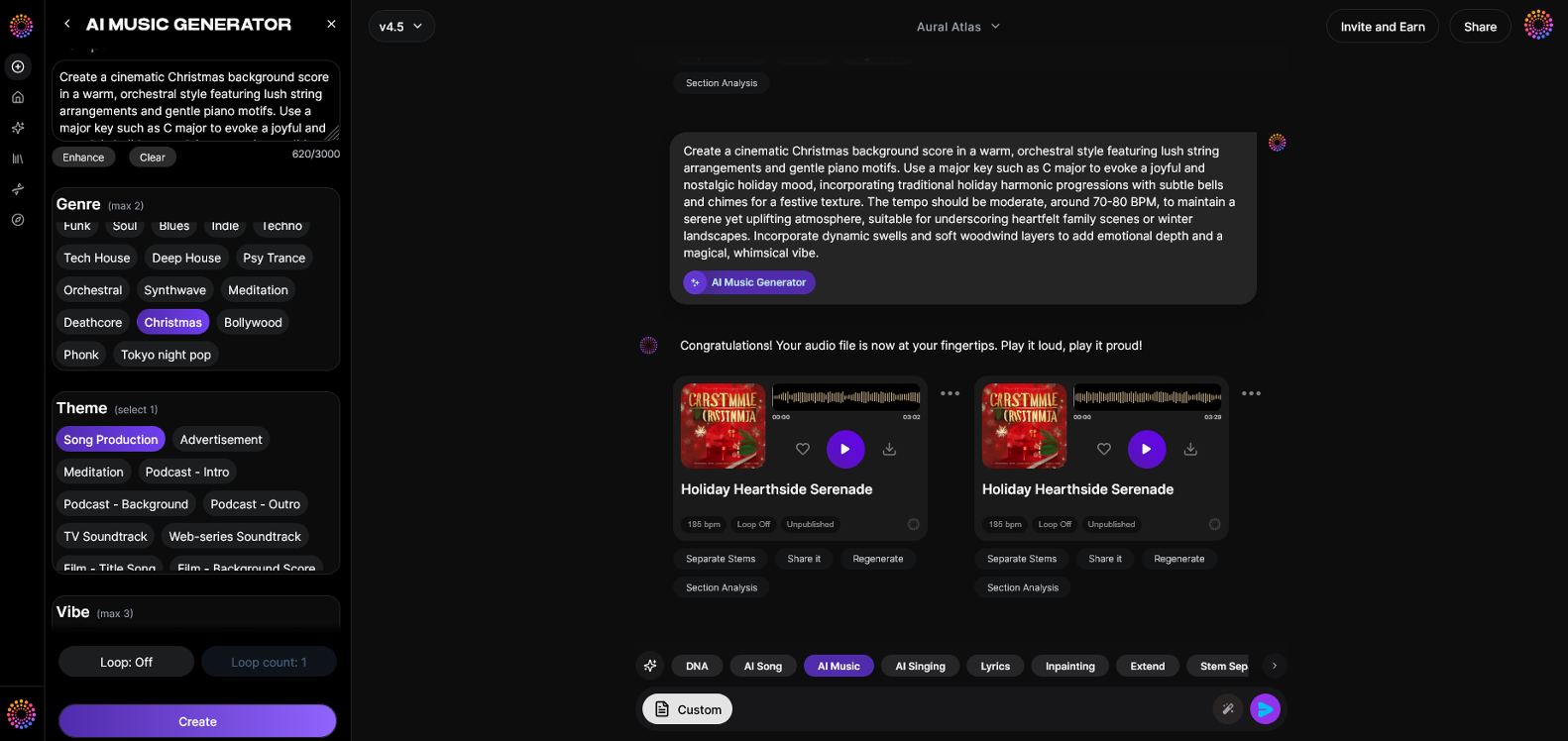
Soundverse’s AI Music Generator is ideal for creating immersive soundtracks that serve as the emotional foundation of any visual story. It allows users to create fully produced instrumental music from text prompts, making it perfect for AI music video creation.
Official Description: Soundverse’s AI Music Generator crafts instrumental compositions directly from text input. You can describe your scene or emotion, and the AI will create tailored background tracks, beats, and soundscapes—no studio required. It features detailed genre, mood, and instrument control, with seamless looping capabilities for long sequences.
Core Capabilities:
- Text-to-Music: Describe your vibe or scene, and Soundverse turns it into music.
- Loop Mode: Perfect for endless, seamless playback in cinematic sequences.
- Advanced Control: Choose instruments, tempo, and mood.
- Model Options (V4/V5): Different AI models provide distinct sound textures for creative flexibility.
These features make it easy to generate customized cinematic music for each scene—whether you’re creating a synth-heavy futuristic clip or a slow, emotional piano-led short.
Step 1: Feature Overview — Access AI Music Generator from the Main Menu
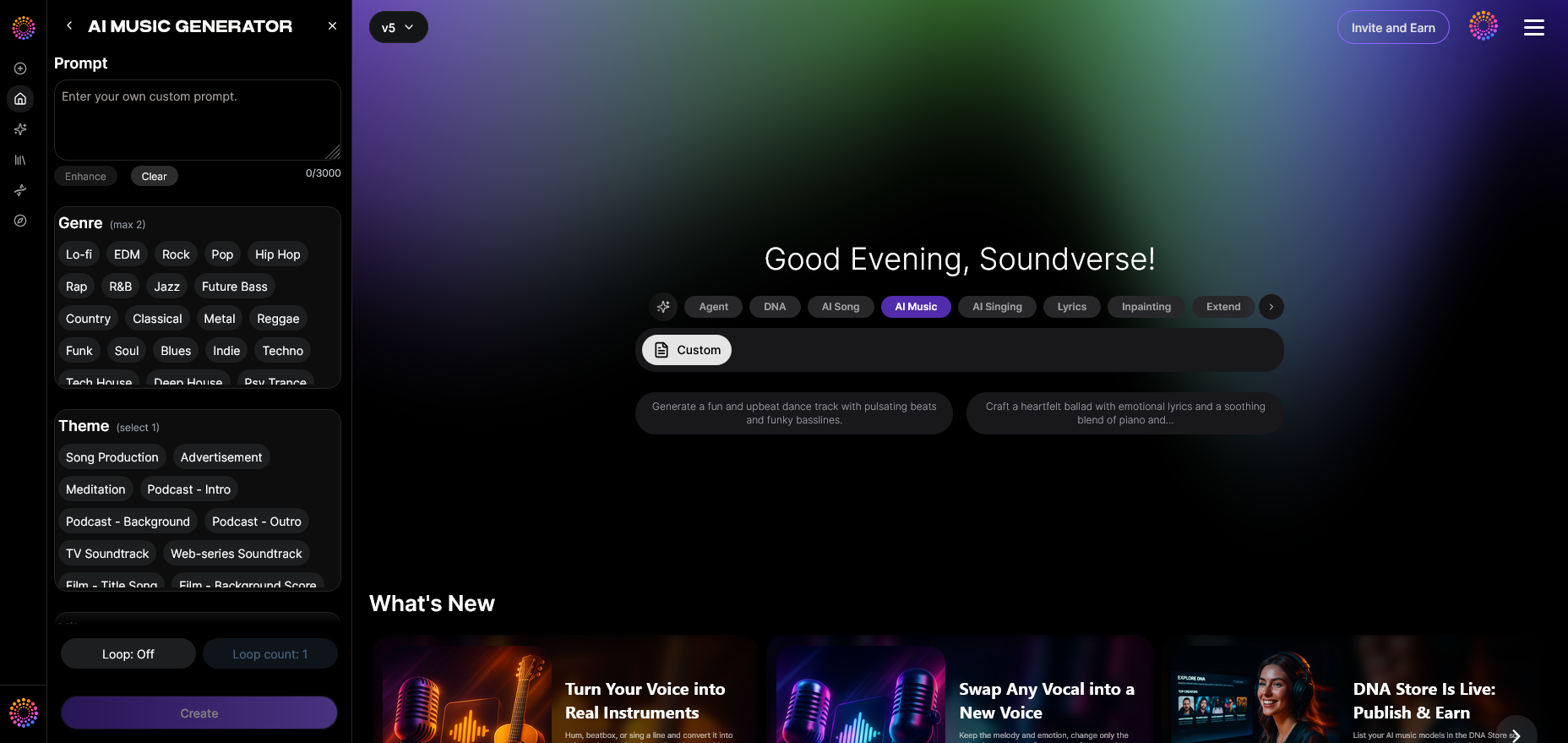
Access the AI Music Generator in Soundverse’s main dashboard. Once inside, you’ll find a simple user interface designed for fast creativity. Whether you’re crafting a scene of tension or a calm emotional landscape, this is your creative hub for original soundtrack generation.
Step 2: Description Input — Enter a Text Description of Desired Music
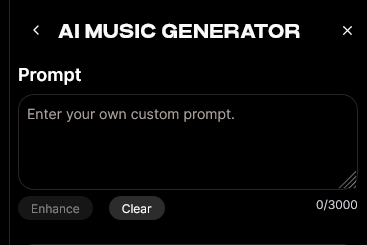
This is where your creativity truly drives the outcome. Input a description such as “ambient strings with subtle electronic beats for a futuristic city skyline” or “soft acoustic melody with hopeful undertones.” The AI interprets the tone, genre, and energy level from your prompt to compose matching instrumentals.
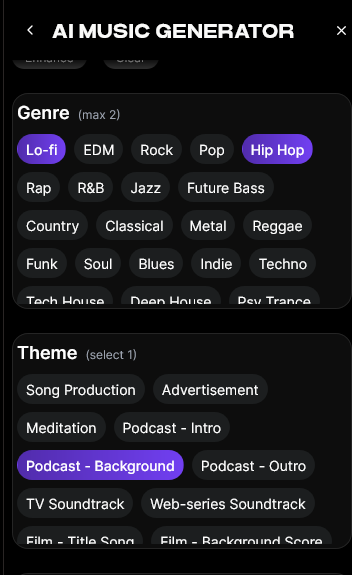
Step 3: Style & Duration — Select Music Style and Track Duration
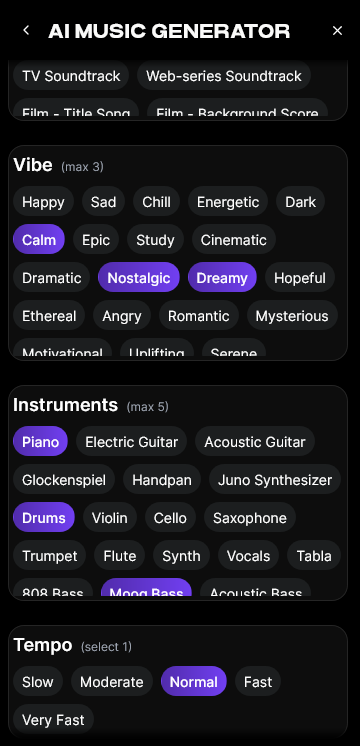
Choose genre options (like cinematic, electronic, orchestral, or lo-fi) and set your duration depending on the video length. This ensures your chosen music fits perfectly with your narrative pacing, a critical skill in cinematic editing techniques.
Step 4: Generation — Generate Instrumental Music Based on Description
Click “Generate” to produce your soundtrack. Soundverse processes the description text and creates a unique composition. You can listen, modify, or regenerate the track to match cinematic intent. Once satisfied, the piece can serve as the emotional tone for your video project.
Step 5: Export Options — Download Generated Instrumental Music
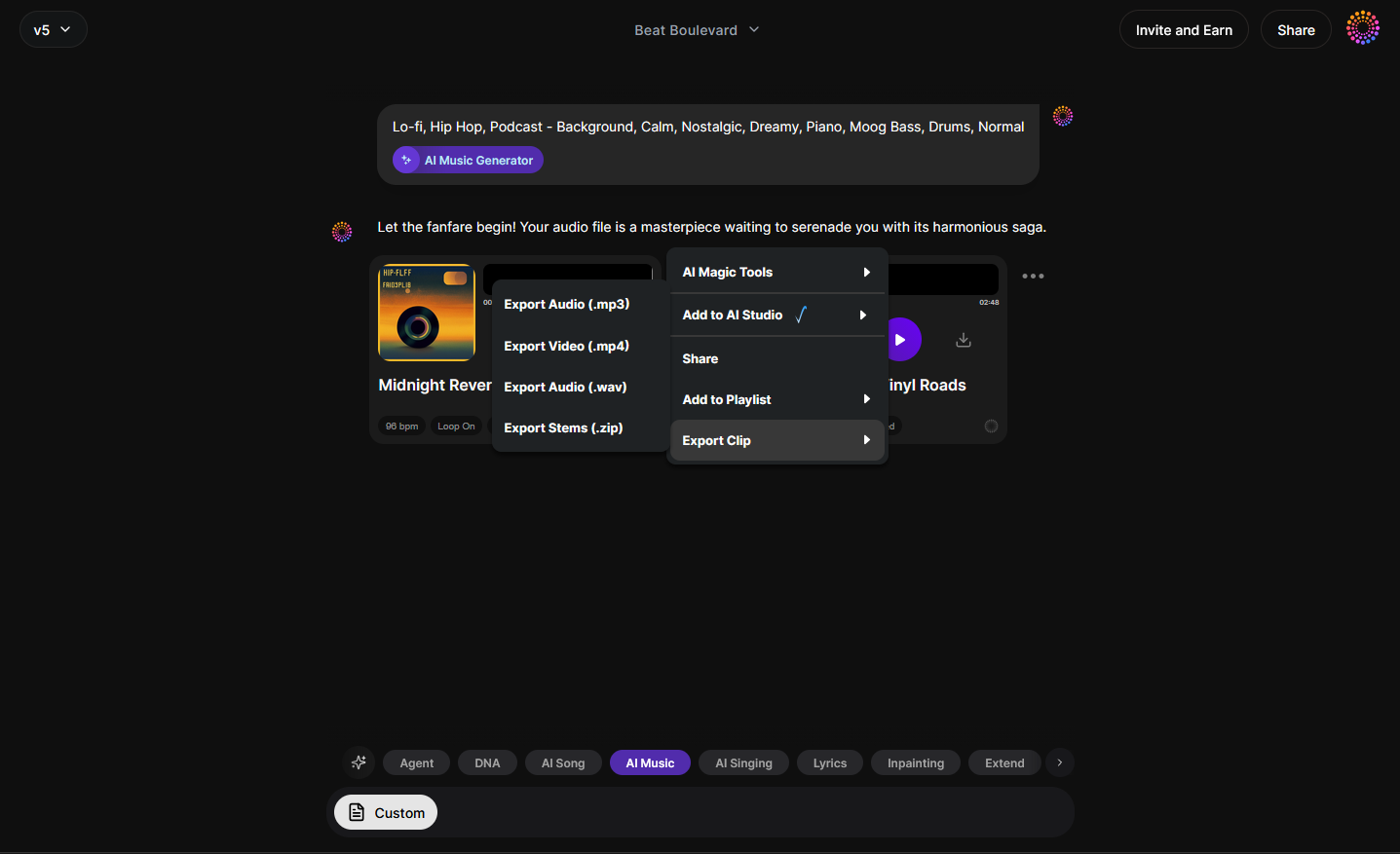
After finalizing your AI-made track, export it in your preferred format. You can easily import it into your video editing software to sync visuals and sound.
What Editing Techniques Make an AI Music Video Feel Cinematic?
Once you have your soundtrack, achieving a cinematic tone relies heavily on your editing approach. Here are core cinematic editing techniques and visual storytelling principles to follow:
- Color Grading: Apply color tones that support the mood—cool desaturated blues for melancholy scenes, warm tones for nostalgic or romantic moments.
- Aspect Ratio and Framing: Use classic cinematic ratios like 2.35:1 to add film appeal. Compose shots using the rule of thirds or negative space for drama.
- Transitions with Intent: Replace random cuts with deliberate fades, match cuts, or motion transitions that serve narrative flow.
- Sound Design Synchronization: Align audio transitions, beats, or crescendos precisely with visual changes. Even subtle adjustments create professional polish.
- Lighting and Texture Simulation: When using AI video tools, focus on lighting realism—soft shadows or textured grain can transform a synthetic clip into something filmic. Check out realistic rendering solutions featured in Best AI Video Generators in 2026 (Most Realistic) - YouTube.
What AI Video Tools Can Enhance Visual Storytelling?
AI expansion tools in 2026 go beyond simple clip generation. Here are essential elements you can combine with your Soundverse soundtrack:
- Runway ML: Great for scene expansion and visual storytelling using natural language prompts, as discussed in Best AI Music Video Generators [2026] - Shai Creative.
- Pika Labs: Perfect for creating dynamic character-driven visuals.
- Kaiber: Useful for stylized animations and texture overlays for film style visuals described by AI Music Video Generator: Create Music Videos With AI | LTX Studio.
These platforms let you merge your instrumental output from Soundverse with motion-rich video content that mirrors cinematic realism. Watch our Soundverse Tutorial Series - 9. How to Make Music for tips on integrating compositions into video workflows.
For deeper music insight, explore articles like How AI Music is Transforming the Industry or What AI Can Generate Songs to better understand AI’s expanding role in creative media.
Pro Tips: Bringing Cinematic Emotion into AI Music Video Creation
- Develop a Visual Narrative: Even short clips benefit from a clear story arc—setup, conflict, resolution.
- Match Rhythm to Movement: When crafting AI-driven visuals, align visual tempo to audio rhythm using beat mapping.
- Blend Tools: Combine Soundverse’s music with other AI editing tools like color correctors or visual stylizers for a fuller cinematic palette.
- Iterate Intentionally: AI outputs improve with specific prompts. Don’t be afraid to refine descriptions for both visuals and sound.
- Use Extend Music: Expand shorter tracks seamlessly using Soundverse’s Extend Music feature, ensuring perfect scene fit.
If you’re exploring new genres, check out how creators use prompts to build thematic compositions in guides such as Now Generate Music with Filters such as Genre, Theme, Instruments, or Even Vibe or 50 Hand-Picked Deep House Text-to-Music AI Prompts. You can also enhance your creative flow with the Soundverse Tutorial Series - 10. Make Deep House Music.
Visual Storytelling with AI: The Future of Music Videos
Looking ahead to 2026 and beyond, the integration of AI into filmmaking workflows continues to accelerate. Instead of being an experimental novelty, AI-driven editing and music production have become professional standards. The synergy of machine precision with human creativity enables small teams and solo artists to produce videos rivaling high-end studios.
Creators using Soundverse’s ecosystem—like Similar Music Generator for reference-based scoring or Section Analysis for precise structural timing—are finding unprecedented control in pacing and visual rhythm. This modular workflow enhances cinematic editing techniques through automation without losing creative direction.
Start Creating Cinematic AI Music Videos Today
Bring your vision to life with Soundverse—generate original AI music, sync it seamlessly with visuals, and captivate your audience with professional-grade video soundtracks.
Related Articles
- The Role of AI Music in Film and Television — Discover how AI-generated music is shaping the future of soundtracks and bringing new creative possibilities to filmmakers.
- Enhancing YouTube Content with Royalty-Free and Copyright-Free Music Using Soundverse AI — Learn how Soundverse helps creators elevate video projects with original, copyright-safe music tracks.
- Soundverse AI Revolutionizing Music Creation for New-Age Content Creators — Explore how Soundverse empowers modern creators with tools to compose, mix, and produce music effortlessly using AI.
- Generate AI Music with Soundverse Text-to-Music — See how Soundverse turns text prompts into powerful music compositions for videos, podcasts, and creative projects.
Here's how to make AI Music with Soundverse
Video Guide

Here’s another long walkthrough of how to use Soundverse AI.
Text Guide
- To know more about AI Magic Tools, check here.
- To know more about Soundverse Assistant, check here.
- To know more about Arrangement Studio, check here.
Soundverse is an AI Assistant that allows content creators and music makers to create original content in a flash using Generative AI. With the help of Soundverse Assistant and AI Magic Tools, our users get an unfair advantage over other creators to create audio and music content quickly, easily and cheaply. Soundverse Assistant is your ultimate music companion. You simply speak to the assistant to get your stuff done. The more you speak to it, the more it starts understanding you and your goals. AI Magic Tools help convert your creative dreams into tangible music and audio. Use AI Magic Tools such as text to music, stem separation, or lyrics generation to realise your content dreams faster. Soundverse is here to take music production to the next level. We're not just a digital audio workstation (DAW) competing with Ableton or Logic, we're building a completely new paradigm of easy and conversational content creation.
TikTok: https://www.tiktok.com/@soundverse.ai
Twitter: https://twitter.com/soundverse_ai
Instagram: https://www.instagram.com/soundverse.ai
LinkedIn: https://www.linkedin.com/company/soundverseai
Youtube: https://www.youtube.com/@SoundverseAI
Facebook: https://www.facebook.com/profile.php?id=100095674445607
Join Soundverse for Free and make Viral AI Music

We are constantly building more product experiences. Keep checking our Blog to stay updated about them!