How to Make a Wedding Highlight Song Using AI
Learn how to make a wedding highlight song using AI wedding song creation tools for personalized memories.
How to Make a Wedding Highlight Song Using AI
In 2026, personalized wedding content has become more sophisticated than ever, and music is no exception. Couples and wedding videographers are now embracing AI wedding song creation to craft emotional, unique highlight music that perfectly captures the spirit of the big day. Whether it’s the background track for a cinematic wedding video or a custom love song written just for the couple, AI tools are transforming how we tell love stories through sound.
Wedding highlight videos have become one of the most shared pieces of content after a ceremony. But finding the perfect song—one that’s both meaningful and copyright-safe—used to be a significant challenge. Now, with AI-powered solutions like Soundverse, anyone can create personalized wedding soundtracks that feel professionally produced and deeply personal at the same time.
How to make a wedding highlight song with Soundverse AI Song Generator

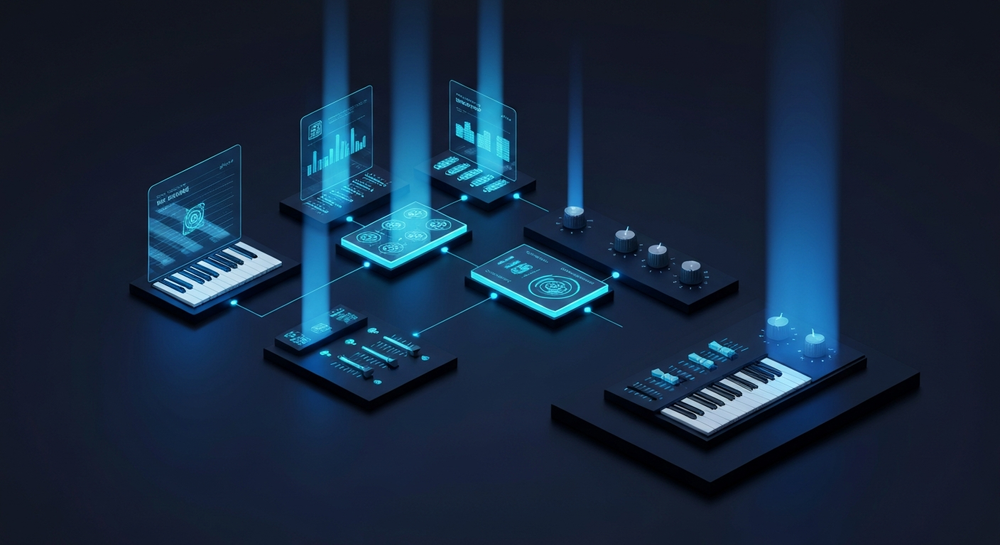
The Soundverse AI Song Generator is a multifunctional system that allows creators to transform lyrical ideas or text-based descriptions into complete songs. It uses a multi-stage pipeline covering lyrics generation, melody creation, arrangement, and professional-grade mixing.
Soundverse offers two creation modes:
- Describe Your Song Mode: Enter a text prompt describing your desired vibe or story (e.g., "an emotional acoustic pop song celebrating a wedding").
- Custom Mode: Input your own lyrics and select configuration settings to tailor the song exactly to your vision.
Additional features include Reference Audio support, letting you use existing music or vocal performances to guide the style without copying copyright-protected elements. You can also quickly choose a Style Selection such as Pop, Rock, Country, or EDM, ensuring your wedding highlight matches the genre of your video perfectly.
This AI tool isn’t only for musicians—it’s ideal for videographers, editors, and couples looking for an authentic soundtrack to accompany their memories. For a step-by-step walkthrough of AI creation tools, watch our tutorial on making music with Soundverse.
Step 1: Feature Overview

Start by accessing the AI Song Generator from the Soundverse main menu. It is located under the creation tools section and acts as the hub for generating complete vocal and instrumental compositions tailored to your project.
When you open the generator, you’ll see options to create songs from descriptions or detailed custom settings—useful whether you’re an advanced sound editor or simply exploring wedding music ideas for the first time.
Step 2: Lyrics Input
Next, decide what story you want your song to tell. If you already have lyrics—perhaps a poem written for the wedding—you can paste them directly into the lyrics field. Alternatively, use Soundverse’s AI Lyrics Writer feature to instantly craft verses and choruses in line with your chosen tone and theme.
For example, input a line such as “Celebrate our forever in soft acoustic harmony,” and let the AI expand it into full lyrical structure suitable for a highlight reel. This integration speeds up songwriting while maintaining emotional authenticity.
If you are short on inspiration, tools like the AI Lyrics Writer in Soundverse can help you explore lyrical creativity without starting from scratch.
Step 3: Style Selection

Once the lyrics are ready, move on to choosing the music style. The choice of genre can dramatically influence how the song supports visuals.
For a wedding highlight video, Pop, Acoustic, R&B, or Soft Indie are popular genres that fit emotional storytelling. However, if the wedding had a party atmosphere, you could choose EDM or Rock to bring energy to reception footage.
Soundverse offers quick selection presets, balancing tempo, instrument mix, and vocal warmth. These genre templates align with the type of visual mood you want to convey—romantic, joyous, or cinematic. For guidance on AI-generated genre moods, read this detailed article about creating EDM music with Soundverse AI.
Step 4: Configuration

In this stage, you can adjust generation parameters like tempo, vocal gender, and arrangement depth. If you’re editing a wedding video and need the song to align with clip transitions, you can match the tempo to the video’s pacing.
For instance, set a steady 90–100 BPM tempo for romantic montages or 120 BPM for upbeat reception scenes. You can even upload a reference track using Soundverse’s Reference Audio support feature—this guides the AI to emulate the same musical mood without infringing copyright.
This flexibility allows creators to align emotional pacing with visual storytelling in wedding highlight production.
Step 5: Generation

After configuring the settings, click Generate Song. The AI will process lyrics, melody, arrangement, and mixing through its pipeline. Within a few moments, your complete wedding highlight song will be ready for review.
Unlike live-generation systems, Soundverse operates asynchronously—meaning it analyzes all musical components before outputting a balanced professional result. This improves quality consistency and ensures production-level sound suitable for cinematic use.
Creators looking to compare different versions can easily re-generate new iterations using modified lyrics or style variations until they find the perfect blend. For additional creative insights, watch our Soundverse tutorial on exploring project tools.
Step 6: Generation Complete

Once processing finishes, Soundverse provides a fully mixed track preview. You’ll hear vocals blended with instrumentals at optimized loudness levels, ensuring playback stability across devices.
The generated track can now act as your main wedding highlight score, or you can use additional Soundverse tools—like the Extend Music feature—to lengthen the song if your video is longer.
To learn about generating extended versions for cinematic continuity, check out Soundverse AI Magic Tools.
Step 7: Export Results

Finally, export your completed song. You can download it in multiple formats compatible with video editing tools such as MP4, WAV, or MP3. Once exported, sync it with your wedding highlight footage using standard editing software.
Your custom AI-generated track will now serve as the emotional centerpiece of your wedding film—romantic, authentic, and entirely unique.
Pro Tips for Wedding Videographers and Creators
- Start from Emotion: Instead of looking for generic royalty-free music, prompt Soundverse with a personal story: how the couple met, their favorite places, or even lines from the vows.
- Incorporate Visual Mood: Match the genre and tempo of your AI song with your video’s editing rhythm. Soft beats for romantic scenes, dynamic pulsation for celebrations.
- Use Reference Audio Wisely: If clients love a particular artist or track, upload it as a reference to capture similar energy while keeping the final output original and copyright-safe.
- Extend Tracks for Consistency: If your highlight video runs longer than expected, use the Extend Music feature to generate seamless extensions without noticeable looping.
- Experiment with Multilingual Creation: Soundverse supports over 10 languages. Perfect for multicultural weddings or bilingual couples wanting verses in multiple languages for inclusivity.
Why AI Wedding Song Creation Is the Trend in 2026
The rise of AI-driven creativity tools in 2026 has normalized the use of digital co-producers. Instead of paying high fees for custom compositions or combing through endless royalty-free libraries, creators now simply generate AI wedding video music tailored to their vision.
This approach gives uniqueness without licensing issues. Each AI track is generated originally, free of copyright restrictions. Moreover, the emotional alignment AI provides makes every production one-of-a-kind.
AI-powered sound creation also streamlines post-production timelines. A highlight reel that used to take hours of sound synchronization can now be finished in minutes, thanks to automated tempo and arrangement analysis.
To explore more about how artificial intelligence is transforming the music and media industries, browse AI-generated music trends in 2026 for deeper insights.
Create Your Perfect AI Wedding Song Today!
Turn your special moments into unforgettable music with Soundverse’s AI-powered songwriting tools. Easily generate romantic melodies, harmonies, and lyrics tailored to your love story in minutes.
Start Creating Now
Related Articles
- How to Make AI-Generated Music: Explore how to transform your creative ideas into full tracks using AI tools designed for effortless music generation.
- Enhancing YouTube Content with Royalty-Free and Copyright-Free Music Using Soundverse AI: Learn how to elevate your video projects with customized, royalty-free soundtracks using AI tools from Soundverse.
- The Role of AI Music in Film and Television: Discover how AI-generated compositions are reshaping emotional storytelling in film and TV sound design.
- Soundverse AI Revolutionizing Music Creation for New Age Content Creators: Find out how Soundverse empowers modern creators to produce professional-grade music faster and smarter.
Here's how to make AI Music with Soundverse
Video Guide

Here’s another long walkthrough of how to use Soundverse AI.
Text Guide
- To know more about AI Magic Tools, check here.
- To know more about Soundverse Assistant, check here.
- To know more about Arrangement Studio, check here.
Soundverse is an AI Assistant that allows content creators and music makers to create original content in a flash using Generative AI.
With the help of Soundverse Assistant and AI Magic Tools, our users get an unfair advantage over other creators to create audio and music content quickly, easily and cheaply.
Soundverse Assistant is your ultimate music companion. You simply speak to the assistant to get your stuff done. The more you speak to it, the more it starts understanding you and your goals.
AI Magic Tools help convert your creative dreams into tangible music and audio. Use AI Magic Tools such as text to music, stem separation, or lyrics generation to realise your content dreams faster.
Soundverse is here to take music production to the next level. We're not just a digital audio workstation (DAW) competing with Ableton or Logic, we're building a completely new paradigm of easy and conversational content creation.
TikTok: https://www.tiktok.com/@soundverse.ai
Twitter: https://twitter.com/soundverse_ai
Instagram: https://www.instagram.com/soundverse.ai
LinkedIn: https://www.linkedin.com/company/soundverseai
Youtube: https://www.youtube.com/@SoundverseAI
Facebook: https://www.facebook.com/profile.php?id=100095674445607
Join Soundverse for Free and make Viral AI Music

We are constantly building more product experiences. Keep checking our Blog to stay updated about them!