How to Make a Song Beat: A Complete 2026 Guide for Beginners
Learn how to make a song beat using modern 2026 techniques and AI tools like Soundverse.
How to Make a Song Beat
In 2026, creating music has become more accessible than ever thanks to the rise of AI-driven production tools. For aspiring producers and hobbyists, learning how to make a song beat no longer requires expensive studio setups or years of technical training. Whether you want to craft hip-hop grooves, electronic pulses, or cinematic soundscapes, understanding the fundamentals of beat making can help you turn a melody into a full musical experience.
What Does It Mean to Make a Song Beat?
A song beat is the foundational rhythm or instrumental backdrop upon which melodies, harmonies, and vocals are built. It combines drums, basslines, and percussive elements to give the song its movement and energy. From simple lo-fi patterns to complex trap arrangements, the beat sets the emotional tone and tempo.
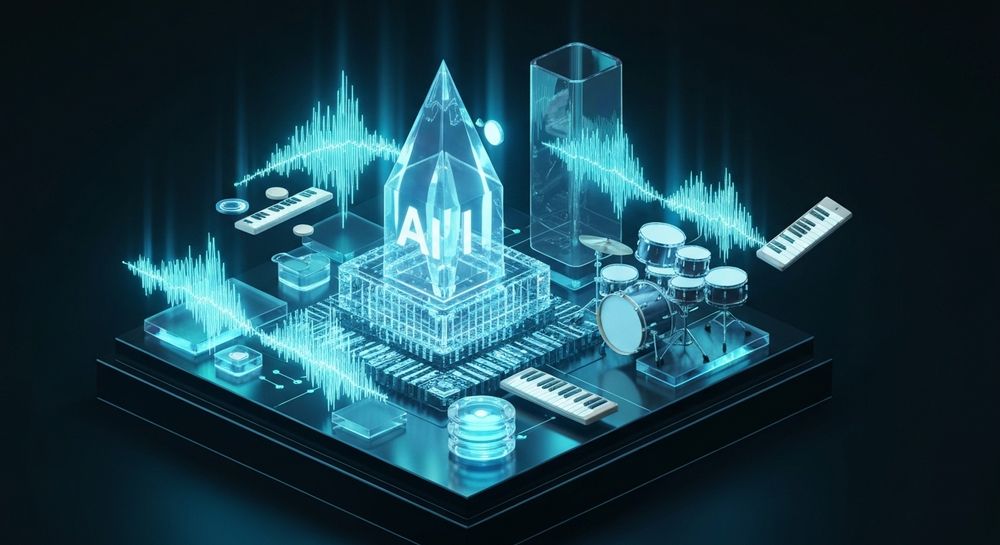
For beginners, learning how to make a song beat involves understanding timing, layering, and music composition basics. You don’t need a full studio setup; with the right software and creativity, you can produce beats from your laptop or mobile device.
How to Make Song Beats with Soundverse AI Music Generator

Soundverse’s AI Music Generator simplifies beat creation by transforming your written ideas into fully produced instrumental tracks. Using text-to-music technology, you can describe the desired sound and style, and Soundverse automatically generates the beat.
Overview of the AI Music Generator
- Core Capabilities: Text-to-music input, customizable genre and mood, instrument control, and two model variations — V4 and V5.
- Primary Use Cases: Ideal for creating background tracks for videos, game sound loops, meditation soundscapes, or commercial scoring.
- Loop Mode: For beat makers, this feature ensures seamless repetition, perfect for rhythm-focused tracks.
Unlike traditional software, Soundverse doesn’t require prior production knowledge. It allows users to specify a musical style, such as hip-hop, lo-fi, or EDM, and instantly generates a professional-quality instrumental.
For a deeper dive, watch our guide on creating Deep House music or explore another tutorial on making music with Soundverse.
Step 1: Feature Overview — Access AI Music Generator from the Main Menu

Begin by logging into your Soundverse dashboard and selecting AI Music Generator. It’s part of the suite that also includes AI Song Generator, Voice to Instrument, and Similar Music Generator. This tool focuses on instrumental creation without vocals, making it the ideal choice for beat development.
Step 2: Description Input — Enter Text Description of Desired Music

Here’s where creativity meets simplicity. You type a short prompt describing your beat. For example: “Chill lo-fi beat with soft drums and vinyl crackle” or “Upbeat pop rhythm with synth bass and catchy percussion.” The AI interprets your text and adjusts tempo, instrument mix, and groove accordingly.
For inspiration, check out 100 text-to-music prompts that help you create viral music.
Step 3: Style & Duration — Select Music Style and Track Duration

You can choose genres like hip-hop, jazz, EDM, pop, or cinematic, all crucial for controlling the overall vibe of your beat. The duration setting allows short loops for social content or longer tracks for full compositions. If you’re unsure, loop mode provides a continuous rhythm ideal for remixing or sampling.
To better understand genre control in Soundverse, explore now generate music with filters such as genre, theme, instruments, or vibe.
Step 4: Generation — Generate Instrumental Music Based on Description

After configuring settings, click Generate. Soundverse processes your request and delivers a complete beat. Since it’s asynchronous, the system analyzes your text before producing the track. Wait briefly for your output, similar to exporting a rendered file.
Your beat will reflect real instrument dynamics and genre nuances—perfect for aspiring producers learning composition basics.
For producers wanting hands-on tutorials, see Beat Making 101: How to Make a Beat - iZotope or Beat Production 101: Make a Beat from Start to Finish - Splice.
Step 5: Export Options — Download Generated Instrumental Music

Once the AI finalizes your track, you can export it as a downloadable audio file. It’s ready for use in music projects, podcasts, or digital uploads. You can also bring it into other DAWs for manual mixing or editing.
If you plan to craft full songs with vocals, transition to the AI Song Generator tool, which adds AI-generated vocals to your beats. Learn more by visiting what AI can generate songs.
What Equipment Do You Need for DIY Music Creation?
In 2026, a home studio setup can be minimal yet powerful. Beginners typically start with:
- Laptop or PC — For running production software.
- Headphones or Studio Monitors — To accurately hear your mix.
- MIDI Controller — Optional for live input and rhythm precision.
- Digital Audio Workstation (DAW) — If layering or editing samples.
- Soundverse Account — For AI-generated beats and loops.
These elements form a modern, cost-effective home setup, aligning perfectly with the trend of DIY music creation popular in digital communities.
For deeper insight into modern producer setups, review music industry trends that highlight how creators now use AI tools to accelerate production.
Expert Music Production Tips for Beginners
Once you've started generating beats, refining your creative approach makes all the difference. Here are sound strategies:
- Start Simple: Focus on rhythm consistency. A great beat often relies on subtle variations within a clear tempo.
- Play with Layers: Use multiple percussion or melodic elements, but avoid overcrowding the mix.
- Experiment with Genres: Try cross-genre fusions—like jazz-infused hip-hop or ambient EDM—to discover your unique sound.
- Understand Song Composition Basics: Every beat complements a song’s structure. Learn verse, chorus, and bridge transitions.
- Stay Inspired: Use reference prompts and remix existing AI compositions to hone your craft.
For more on how AI influences creativity, visit how an AI music generator inspires creative fusion.
Why Use Soundverse for Beat Making in 2026?
The biggest advantage of Soundverse’s AI Music Generator is speed and accessibility. You don’t need to spend hours arranging or mixing. Instead, describe your musical vision, and the tool translates it into a coherent, loopable piece ready for export.
Combined with related tools like Voice to Instrument, Soundverse offers creators total flexibility to innovate from home. The integration of genre, mood, and instrument control ensures every beat reflects your intended atmosphere.
Professional creators also leverage Soundverse for media projects—advertising, wellness tracks, background scoring, and educational content. This versatility has made it one of the top alternatives to traditional platforms like Soundraw and Mubert.
Start Creating Your Own Beats with Soundverse AI Today!
Unlock limitless creativity and craft professional-quality song beats in minutes. Whether you’re a seasoned producer or just starting out, Soundverse AI helps you effortlessly bring your music ideas to life.
Create Your Beat Now
Related Articles
- How to Make AI-Generated Music — Discover how to turn your musical ideas into real songs using AI tools that simplify every step of the creation process.
- Generate AI Music with Soundverse Text to Music — Learn how Soundverse’s text-to-music feature can help you instantly produce custom tracks from simple text prompts.
- The Benefits of Composing with AI Music Generator — See how AI-powered music generators streamline composition and open new creative possibilities for musicians and creators.
- Soundverse Assistant: Your AI Music Co-Producer — Explore how Soundverse’s intelligent assistant can guide you through beat-making, arrangement, and full song production.
Here's how to make AI Music with Soundverse
Video Guide

Here’s another long walkthrough of how to use Soundverse AI.
Text Guide
- To know more about AI Magic Tools, check here.
- To know more about Soundverse Assistant, check here.
- To know more about Arrangement Studio, check here.
Soundverse is an AI Assistant that allows content creators and music makers to create original content in a flash using Generative AI.
With the help of Soundverse Assistant and AI Magic Tools, our users get an unfair advantage over other creators to create audio and music content quickly, easily and cheaply.
Soundverse Assistant is your ultimate music companion. You simply speak to the assistant to get your stuff done. The more you speak to it, the more it starts understanding you and your goals.
AI Magic Tools help convert your creative dreams into tangible music and audio. Use AI Magic Tools such as text to music, stem separation, or lyrics generation to realise your content dreams faster.
Soundverse is here to take music production to the next level. We're not just a digital audio workstation (DAW) competing with Ableton or Logic, we're building a completely new paradigm of easy and conversational content creation.
TikTok: https://www.tiktok.com/@soundverse.ai
Twitter: https://twitter.com/soundverse_ai
Instagram: https://www.instagram.com/soundverse.ai
LinkedIn: https://www.linkedin.com/company/soundverseai
Youtube: https://www.youtube.com/@SoundverseAI
Facebook: https://www.facebook.com/profile.php?id=100095674445607
Join Soundverse for Free and make Viral AI Music

We are constantly building more product experiences. Keep checking our Blog to stay updated about them!