How to Make a Lo-Fi Song Without Copyright Issues in 2026
Learn how to make lo-fi music without copyright problems. Step-by-step guide for royalty-free lofi production using Soundverse in 2026.
How to Make a Lo-Fi Song Without Copyright Issues
Lo-fi music has evolved far beyond its early internet roots, becoming one of the most loved genres for relaxation, study sessions, and aesthetic background soundtracks in 2026. But with the rise in popularity comes one persistent concern that has challenged independent artists for years: how can you make lo-fi music without copyright issues? Whether you’re producing beats for YouTube, streaming on Spotify, or crafting ambient soundscapes for your next short film, ensuring your music is legally clean is not optional—it’s essential.
In this complete guide, we’ll explore practical steps, industry insights, and easy-to-follow techniques to help you create lofi beats free for use, produce royalty-free tracks, and publish music without fear of takedowns.
What makes lo-fi music unique in 2026?

Lo-fi (short for “low fidelity”) combines imperfect production textures—vinyl crackles, tape hiss, and mellow instruments—with emotional nostalgia. Over the past few years, particularly since 2024, the genre has exploded across platforms like YouTube, Spotify, and TikTok. In 2026, creators are gravitating toward ambient blends of chillhop, jazz-inspired chords, and cinematic samples that maintain emotional depth while remaining minimalistic.
However, a big challenge persists: sample-heavy lo-fi tracks often borrow snippets from copyrighted songs, movies, or recordings, unintentionally violating legal regulations. This issue has led many producers to seek copyright-free lofi sounds and royalty-free lofi production methods.
Why do copyright issues occur in lo-fi music?

The simplicity of lo-fi invites experimentation with samples—old records, jazz loops, vinyl rips—but not every sample can be legally reused. Copyright problems arise when:
- You sample from copyrighted music without permission.
- You use drum loops or melodies from royalty-managed libraries.
- You remix audio that resembles existing songs too closely.
- You release music through monetized channels (YouTube, Spotify) using unlicensed materials.
Platforms use automated detection tools to flag such infringements, sometimes months after upload. The safest way to create lo-fi music in 2026 is to rely entirely on original compositions or royalty-free sound libraries.
For deeper insight into current copyright trends, you can read AI Music in the USA or explore Navigating the World of Royalty-Free and Copyright-Free Music Using Soundverse AI.
How can you make lo-fi music without copyright issues?
Let’s break down the process into actionable steps that ensure you can legally create and release lofi beats free for use across your projects.
Step 1: Feature Overview — Access Similar Song Generator
Begin by exploring tools that help you generate original, copyright-free lo-fi compositions. The Soundverse Similar Song Generator is specifically designed for this purpose. It generates complete original songs inspired by a reference track’s mood, tempo, and genre. The result is a “sound-alike” composition that retains the vibe of your chosen track without infringing on the original rights.
Independent artists use it to produce royalty-free alternatives to popular lo-fi tracks for ads, podcasts, and background music. Unlike generic beat makers, it performs deep reference audio analysis to capture style nuances and transform them into entirely new compositions.
For a deeper dive, watch our Soundverse Tutorial Series - How to Make Music.
Step 2: Reference Selection — Upload or Select Reference Song
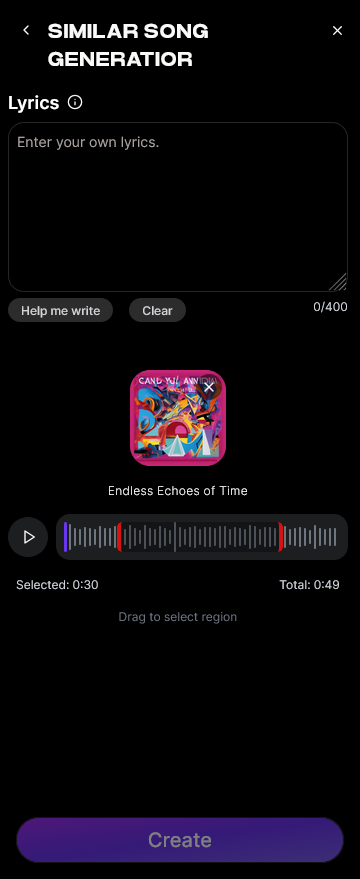
To make lofi music without copyright concerns, upload a reference track whose aesthetic inspires you. This doesn’t mean copying melodies but rather analyzing textures, tempo, and mood. The Similar Song Generator studies these attributes to replicate style—not content.
You can select from any lo-fi sub-genre such as chillhop, ambient, or cinematic lo-fi. Many creators in 2026 use custom playlists for inspiration—often referencing legally safe tracks from public domains or royalty-free libraries.
If you want more ideas, explore 40 Hand-Picked Lo-Fi Text-to-Music Prompts for All Occasions to help spark new directions.
Step 3: Generation — Create Song in Similar Style
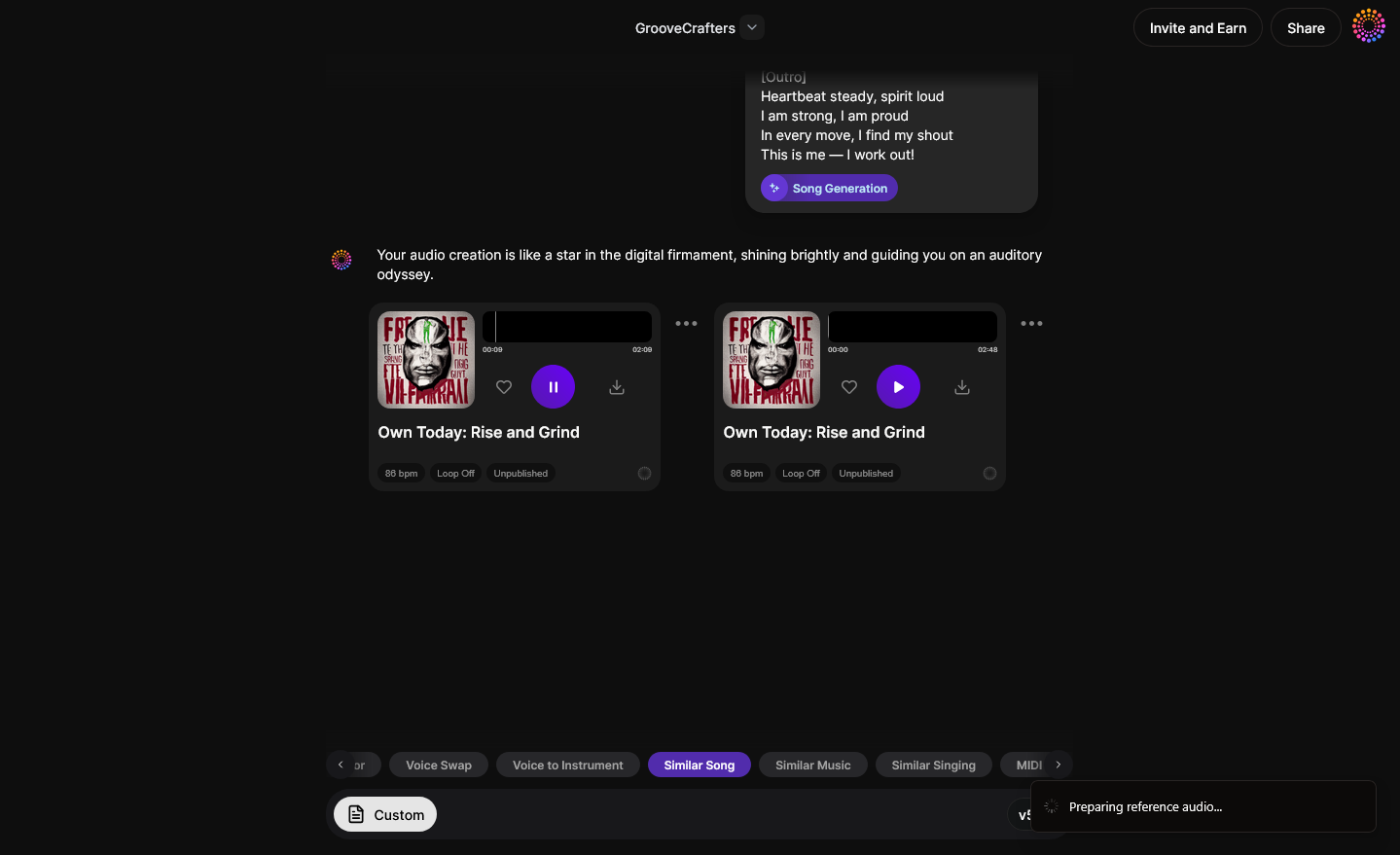
Once your reference is uploaded, initiate the generation process. The AI will interpret the desired elements—genre, tempo, harmony density, and rhythm structure—to create a brand-new song. It ensures the final output is fully original and royalty-free.
This process is asynchronous; rather than real-time monitoring, Soundverse analyzes and processes your reference before delivering the result. In just minutes, you receive a clean copy that can be safely distributed for commercial or non-commercial purposes.
For additional Soundverse insights, check out the Explore Tab walkthrough from the tutorial series.
Step 4: Download Song — Export Generated Song
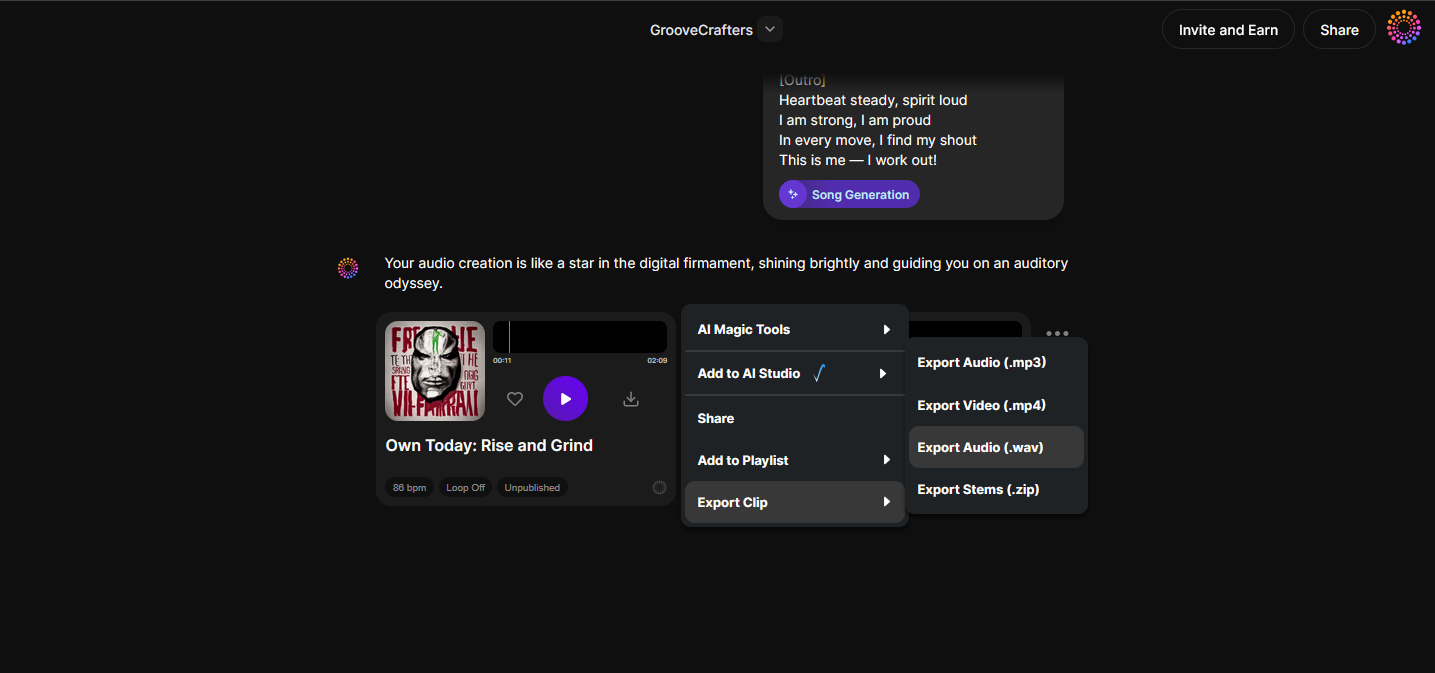
After generation, you can download your creative output. Export the track and integrate it into your workflow: mix it, master it, or combine multiple stems using tools like Soundverse introduces Stem Separation AI Magic Tool.
Since all generated content is royalty-free, you’ll never face copyright takedowns. You can also build full tracks using the AI Music Generator, which produces instrumental lo-fi loops perfect for YouTube study mixes or ambient short-film scores.
DIY Lo-Fi Music Tips for Legal Production
- Use royalty-free samples: Stick to public domain sources or libraries explicitly labeled for free commercial use.
- Create your own textures: Record ambient sounds—raindrops, vinyl clicks, soft synth pads—to build authentic sonic layers.
- Avoid remixing modern songs: Even minimal edits on copyrighted melodies can trigger content ID claims.
- Keep track metadata clean: When distributing, include disclaimers that all sounds are original or licensed.
- Test with AI-powered audio analysis: Platforms like Soundverse provide deep trace verification through Soundverse Trace, ensuring your dataset remains legally compliant.
For more music creation tactics, check out How to Make AI-Generated Music or Soundverse AI Revolutionizing Music Creation for New Age Content Creators.
How to make lo-fi music with Soundverse Similar Song Generator
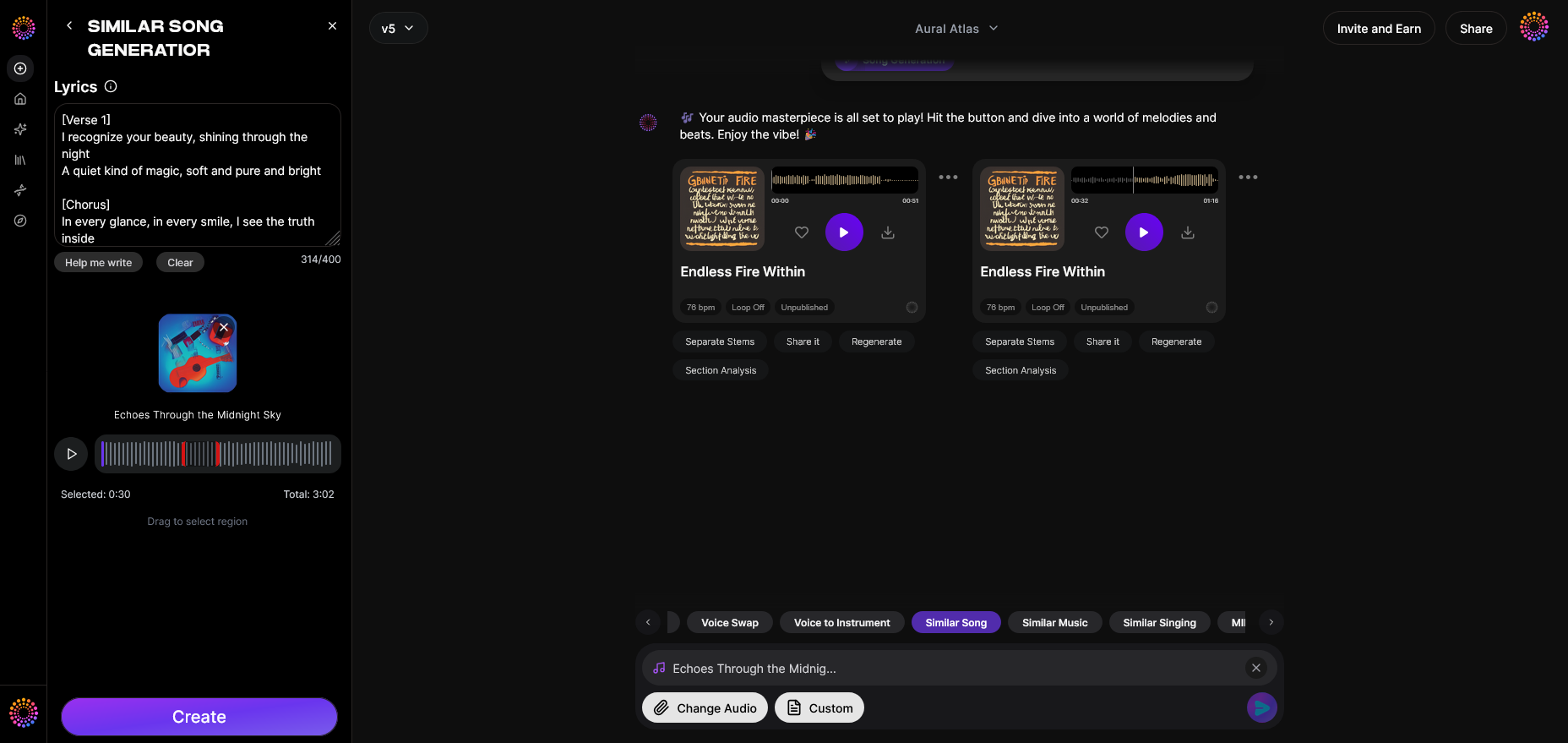
Now that you understand how to create lo-fi tracks safely, here’s how Soundverse simplifies the process:
The Similar Song Generator automatically produces royalty-free lo-fi compositions inspired by your selected references. Using deep audio analysis and style transfer technology, it examines genre, tempo, and emotional energy to recreate the feel of your reference—not the copyrighted structure. This ensures you can create lofi beats free to use commercially.
It’s ideal for:
- Musicians generating royalty-free lo-fi production quickly.
- Creators needing consistent mood music for branded campaigns.
- YouTubers or streamers seeking copyright-free background loops.
Soundverse also integrates seamlessly with companion tools:
- AI Music Generator – text-to-music production for lo-fi loops and instrumentals without vocals.
- Soundverse Trace – a rights management layer verifying that your generated content is 100% safe and properly attributed.
For a complete view of how AI generation works for other genres, watch our Soundverse Tutorial Series - Make Deep House Music.
In short, with Soundverse, making lo-fi music without copyright violations becomes effortless, transparent, and future-proof for 2026 and beyond.
Final Thoughts
Copyright compliance isn’t an afterthought—it’s part of creative freedom. As music creation continues to merge with AI innovation, artists have the unique chance to build songs that evoke nostalgia while remaining legally sound. By leveraging tools like Soundverse’s Similar Song Generator and following smart DIY lo-fi music tips, any creator can confidently produce chill, balanced tracks that belong entirely to them.
Whether you’re preparing your next study playlist or designing a soundtrack for brand storytelling, remember: originality never goes out of style. In 2026, that truth is clearer than ever.
Start Creating Copyright-Free Lo-Fi Beats Today
Generate unique, royalty-free lofi tracks in minutes using Soundverse AI’s intuitive text-to-music tools. Your creativity stays yours—100% original, ready for streaming or content use.
Create Music Now
Related Articles
- 40 Hand-Picked Lo-Fi Text-to-Music Prompts for All Occasions — Explore curated prompts that help you instantly generate the perfect lo-fi vibe using Soundverse AI.
- Enhancing YouTube Content with Royalty-Free and Copyright-Free Music Using Soundverse AI — Learn how to elevate your videos with legal, copyright-safe tracks made effortlessly through AI.
- Navigating the World of Royalty-Free and Copyright-Free Music Using Soundverse AI — Understand the difference between royalty-free and copyright-free music while mastering legal sound creation.
- Best AI Music Generator: Top Picks and Review — Compare leading AI music tools and discover why Soundverse stands out for originality and quality.
Here's how to make AI Music with Soundverse
Video Guide

Here’s another long walkthrough of how to use Soundverse AI.
Text Guide
- To know more about AI Magic Tools, check here.
- To know more about Soundverse Assistant, check here.
- To know more about Arrangement Studio, check here.
Soundverse is an AI Assistant that allows content creators and music makers to create original content in a flash using Generative AI.
With the help of Soundverse Assistant and AI Magic Tools, our users get an unfair advantage over other creators to create audio and music content quickly, easily and cheaply.
Soundverse Assistant is your ultimate music companion. You simply speak to the assistant to get your stuff done. The more you speak to it, the more it starts understanding you and your goals.
AI Magic Tools help convert your creative dreams into tangible music and audio. Use AI Magic Tools such as text to music, stem separation, or lyrics generation to realise your content dreams faster.
Soundverse is here to take music production to the next level. We're not just a digital audio workstation (DAW) competing with Ableton or Logic, we're building a completely new paradigm of easy and conversational content creation.
TikTok: https://www.tiktok.com/@soundverse.ai
Twitter: https://twitter.com/soundverse_ai
Instagram: https://www.instagram.com/soundverse.ai
LinkedIn: https://www.linkedin.com/company/soundverseai
Youtube: https://www.youtube.com/@SoundverseAI
Facebook: https://www.facebook.com/profile.php?id=100095674445607
Join Soundverse for Free and make Viral AI Music

We are constantly building more product experiences. Keep checking our Blog to stay updated about them!