How to Make a Beat for Free: A Complete Guide for Beginners (2026 Edition)
Learn how to make beats for free using online tools and AI music generators in 2026.
How to Make a Beat for Free
Making your first beat doesn’t have to cost anything. In 2026, numerous online tools and AI-powered platforms make it easier than ever to create high-quality music without purchasing expensive hardware or software. Whether you’re an aspiring producer or a musician exploring music production for beginners, learning how to make beats for free can unlock creative potential and open new paths in your music journey.
What Do You Need to Make Beats for Free?
To start making beats, all you need is a computer or smartphone, an internet connection, and creativity. Free beat making software and online beat makers now provide full suites with drum kits, virtual instruments, and mixing interfaces—all available without payment.
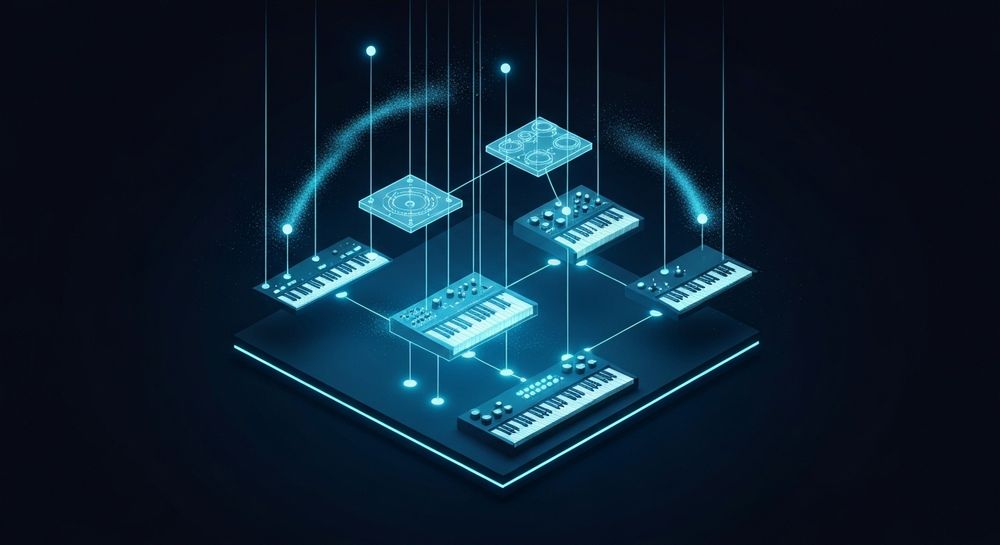
Popular tools include:
- Soundverse AI Music Generator (featured below)
- BandLab – Browser-based digital audio workstation with real-time collaboration.
- Soundtrap – Offers instruments and effects for beginners.
- LMMS – Desktop app for beat sequencing and MIDI editing.
- Audiotool – Includes samples and modular synths for online beat creation.
Each platform caters to slightly different workflows. Beginners often start with drag-and-drop beat making or prebuilt drum loops before moving into full composition using MIDI sequencing and sampling.
How Does Beat Making Work?

When you build a beat, you layer rhythmic and melodic elements—drums, basslines, chords, and melodies—to form a cohesive pattern. A typical beat loop is 4 to 8 bars long and repeats throughout a song, evolving through arrangement and mixing.
Understanding beat structure:
- Kick & Snare: Establish rhythm and groove.
- Hi-Hats & Percussion: Add motion and variation.
- Bassline: Defines harmonic depth.
- Chords & Melody: Provide musical emotion.
Learning these fundamentals helps you design beats that appeal to listeners across genres.
Why Are Free Beat Making Tools So Popular in 2026?
In previous years, producers relied heavily on expensive plugins and DAWs. However, by 2026, AI-driven music tools have democratized music creation. Platforms like Soundverse and other Mubert alternatives allow creators to generate professional-grade instrumentals instantly.
Free tools have evolved in several ways:
- Cloud-based access: No installation required.
- AI assistance: Intelligent rhythm and melody generation.
- Collaboration: Real-time sharing and remixing.
- Integrated export options: From MP3 to WAV in one click.
These changes reflect a broader music industry trend toward accessibility and creative independence.
For a deeper dive, watch our guide on creating Deep House music and Soundverse tutorial on how to make music.
Step-by-Step Tutorial: How to Make Beats for Free
Now, let’s explore the practical process for DIY beat creation. Follow these steps if you’re using any free beat making software or an online beat maker.
Step 1: Choose a Platform or Tool

Start by selecting a platform that matches your skill level and creative goals. If you want hands-on control, software like LMMS or GarageBand works well. If you prefer AI assistance, tools like Soundverse AI Music Generator handle much of the production automatically.
Step 2: Set Your Tempo and Genre

Decide what kind of beat you want to create—hip-hop, EDM, pop, or lo-fi. Tempo (beats per minute, or BPM) defines your song’s energy. Beginners often start between 80–120 BPM. A slower tempo produces chill or trap vibes, while faster tempos energize dance tracks.
Step 3: Build the Drum Pattern

Lay down your rhythm using kick and snare samples. Many free online beat makers provide prearranged drum kits. Experiment with variations of 2-step or 4-step patterns to create movement.
Step 4: Add Melody and Bassline

Use virtual instruments or built-in synths to layer melodic elements over your drums. Basslines help anchor the rhythm and give depth. Try simple three-note patterns or experiment with guide scales—minor keys are often used in trap or lo-fi beats.
Step 5: Arrange and Loop Your Beat

Combine your elements into structured sections: intro, verse, chorus, and outro. Most free beat tools let you loop your base beat and build sections by muting or soloing tracks.
Step 6: Mix and Export Your Music
Mixing balances the sound levels, EQ, and panning for clarity. Some AI platforms automatically handle this step. When satisfied, export your track to share or upload directly to streaming platforms.
These simple steps complete a full DIY beat creation workflow.
How to Make Beats for Free Using AI Tools
AI technology in music creation enhances efficiency and quality. Instead of manually sequencing, you can describe the music you want. This innovation suits both beginners and advanced creators seeking speed and inspiration.
AI systems generate music by processing your descriptions—like “a chilled lo-fi beat with soft percussion and jazz chords”—and produce instrumentals that capture that mood. It’s no surprise that AI music generators are becoming a dominant trend in 2026.
How to Make Beats with Soundverse AI Music Generator

Now that you understand how beats are structured and created manually, here’s how to generate full instrumentals instantly using Soundverse.
Step 1: Feature Overview
Access the AI Music Generator from the main Soundverse menu. This tool specializes in creating instrumental music from text prompts—perfect for background tracks, beats, or soundscapes.
Step 2: Description Input
Enter a short description of your desired music. For example: “Energetic hip-hop beat with deep bass and crisp percussion.” The AI interprets this to design rhythm, mood, and instrumentation automatically.
Step 3: Style & Duration
Choose your preferred genre, mood, and track length. You can set upbeat electronic beats or chill acoustic loops that fit your project’s tone.
Step 4: Generation
Click Generate to produce music. The AI Music Generator creates a polished instrumental track using the selected model—V4 or V5—optimized for realism and creativity.
Step 5: Export Options
Once processed, you can download your generated instrumental music. Exported tracks are fully loopable and ready for use in videos, podcasts, or game soundtracks.
The Soundverse AI Music Generator also provides precise control over instruments and genres. Combined with other tools like Voice to Instrument, Stem Separator, and Extend Music, it offers a full production ecosystem. Learn more about advanced features in Soundverse introduces Stem Separation AI Magic Tool and Soundverse AI Magic Tools: Create Content Quickly with AI.
For extra guidance, check out our “Explore” Tab tutorial from the Soundverse YouTube channel.
Tips for Better DIY Beat Creation in 2026
- Experiment with genres: Use prompts that describe mood or vibe to diversify your creation.
- Use layering creatively: Combine percussion samples with AI-generated melodies.
- Listen to references: Analyze modern sound design trends to guide your tone.
- Enhance arrangement: Use Soundverse’s Extend Music to progress your beat naturally.
Why Soundverse Is Ideal for Beginners
Soundverse’s text-to-music functionality removes technical barriers such as MIDI sequencing or sound design. You simply describe, generate, and export. Whether you’re producing lo-fi tracks for meditation or dynamic EDM beats for commercials, Soundverse ensures professional results within minutes.
With AI-driven performance and creative control, Soundverse marks the future of DIY beat creation—making professional music accessible to everyone in 2026.
Start Making Beats for Free with Soundverse AI
Turn your ideas into studio-quality music—without paying for costly gear or software. Soundverse lets you create, mix, and download your beats instantly using AI-powered tools.
Related Articles
- Generate AI Music with Soundverse Text-to-Music: Discover how Soundverse’s text-to-music feature can turn your creative prompts into complete songs instantly.
- Best AI Music Generator: Top Picks and Review: Explore the top AI music generators available today and see why Soundverse stands out for creators.
- Soundverse AI Revolutionizing Music Creation for New Age Content Creators: Learn how Soundverse is transforming the way creators compose, produce, and share music with AI-driven innovation.
- Now Generate Music with Filters Such as Genre, Theme, Instruments or Even Vibe: Find out how to customize your beat creation using genre and vibe filters to craft unique tracks in seconds.
Here's how to make AI Music with Soundverse
Video Guide

Here’s another long walkthrough of how to use Soundverse AI.
Text Guide
- To know more about AI Magic Tools, check here.
- To know more about Soundverse Assistant, check here.
- To know more about Arrangement Studio, check here.
Soundverse is an AI Assistant that allows content creators and music makers to create original content in a flash using Generative AI.
With the help of Soundverse Assistant and AI Magic Tools, our users get an unfair advantage over other creators to create audio and music content quickly, easily and cheaply.
Soundverse Assistant is your ultimate music companion. You simply speak to the assistant to get your stuff done. The more you speak to it, the more it starts understanding you and your goals.
AI Magic Tools help convert your creative dreams into tangible music and audio. Use AI Magic Tools such as text to music, stem separation, or lyrics generation to realise your content dreams faster.
Soundverse is here to take music production to the next level. We're not just a digital audio workstation (DAW) competing with Ableton or Logic, we're building a completely new paradigm of easy and conversational content creation.
TikTok: https://www.tiktok.com/@soundverse.ai
Twitter: https://twitter.com/soundverse_ai
Instagram: https://www.instagram.com/soundverse.ai
LinkedIn: https://www.linkedin.com/company/soundverseai
Youtube: https://www.youtube.com/@SoundverseAI
Facebook: https://www.facebook.com/profile.php?id=100095674445607
Join Soundverse for Free and make Viral AI Music

We are constantly building more product experiences. Keep checking our Blog to stay updated about them!