How to Make a Beat for Free: The 2026 Beginner Guide to Online Beat Making
Learn how to make beats online free using top tools and Soundverse AI Music Generator.
How to Make a Beat for Free
Making music in 2026 has become more accessible than ever. With modern AI tools and free beat making software available online, learning how to make a beat for free is no longer reserved for professional producers. Whether you want to create music beats for fun or dive into online music production seriously, this guide will walk you through the steps, resources, and tools that make it possible.
Why Make Beats Online Free in 2026?
Creating beats is how many artists begin their journey in music production. It’s the foundation of most modern songs—from hip-hop and trap to EDM and pop. The rise of AI-driven platforms and free beat making apps has allowed anyone with creativity and an internet connection to produce high-quality instrumentals.
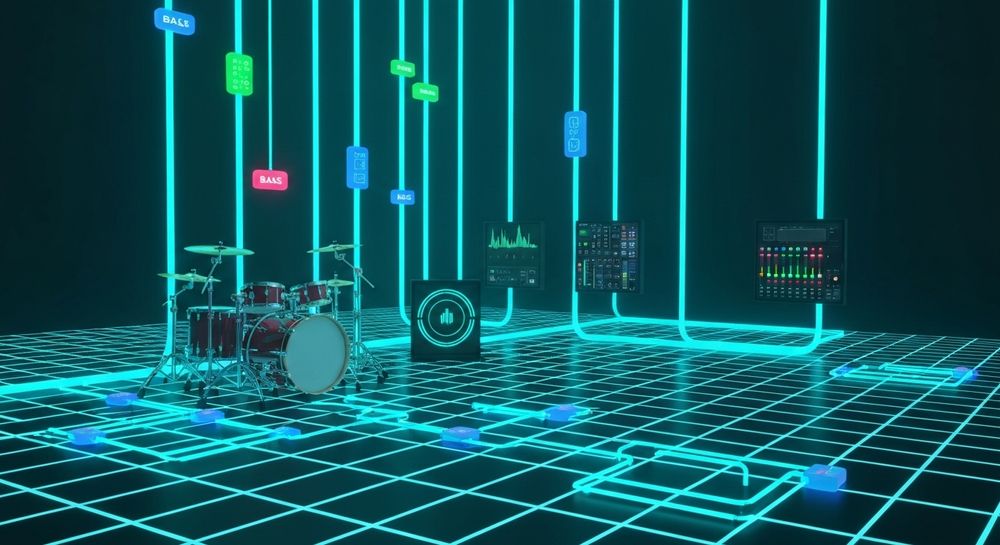
The best part? You don’t need an expensive studio setup or premium software licenses. Free tools in 2026 are powerful enough to handle sampling, drum programming, mixing, and exporting with ease.
What Do You Need to Start Making Beats for Free?
Before diving into the process, it helps to understand the essentials of beat making. Producing music today involves three key components:
- Digital Audio Workstations (DAWs) – These are the software environments where music creation happens (e.g., patterns, loops, instruments).
- Sounds and Samples – Royalty-free loops, drum kits, and instrument samples that form the building blocks of your track.
- Creativity and Experimentation – No tool can replace imagination. Whether you're making trap beats or lo-fi soundscapes, the style you choose defines the character of your music.
What Are the Best Free Beat Making Software Options Today?

Here are some popular free software platforms for making beats in 2026:
- BandLab – A cloud-based DAW perfect for beginners, featuring mixing tools, loops, and collaborative features (Top Free Sites To Make Music Online - Musitechnic).
- Soundtrap by Spotify – Online beat maker with easy MIDI editing and high-quality samples (My Top 5 Free Music Production Software (DAWs) - Just Producer).
- LMMS (Linux MultiMedia Studio) – An open-source DAW with full editing abilities, suitable for more technical users (10 Best Free Music Making Software for Beginners [2026] - Movavi).
- GarageBand (Mac only) – A classic beginner-friendly app for music creation (The 10 Best Beat Making Apps to Try Anywhere in 2026 - LANDR Blog).
- Soundverse AI Music Generator – A text-to-music platform that lets you create instrumental beats from simple descriptions instantly.
For a comparison of AI tools, explore Mubert alternatives on Soundverse and Soundraw alternative insights to see how intelligent composition tools stack up in 2026.
How to Produce Beats Without Paying for Software
Free online production tools eliminate most barriers. But understanding the process is still key. Every beat usually consists of:
- Drums: The rhythm foundation (kick, snare, hats).
- Bassline: Provides depth and groove.
- Melody: The memorable element made using synths, pianos, or guitars.
- Structure: Arrangement of intro, verse, chorus, and outro.
These elements are combined inside the software, sequenced over bars to create a complete instrumental. Beginners often start with loop-based setups or AI-assisted beat generation. For visual learners, check our Soundverse Tutorial Series - 9. How to Make Music.
How Can AI Help You Make Beats Online Free?
In recent years, AI has become central to music creation. Instead of manually layering percussion and melodies, AI can interpret your textual idea like “dark trap beat with heavy bass” and turn it into a complete instrumental automatically.
Soundverse is leading this transformation, making it possible to create fully polished beat tracks based on text prompts. For emerging producers, this reduces time spent in technical editing and allows focus on creativity. Watch our guide on creating Deep House music to see advanced AI workflows in action.
Beginner Beat Making Guide: Step-by-Step Process
If you’re starting from scratch, here’s a simple guide to making your first free beat.
Step 1: Define Your Style

Choose what kind of beat you want—hip-hop, EDM, trap, pop, or ambient. Identify your tempo range and mood. For instance, upbeat tempos are great for dance, while slower tempos fit chill or lo-fi vibes.
Step 2: Gather Free Samples

Download royalty-free drum kits and loops. Many websites and apps like BandLab offer free samples legally. You can also explore AI-generated material using prompts on Soundverse.
Step 3: Build Your Drum Pattern

Lay down the rhythm first—kick, snare, and hi-hats. Experiment with syncopation and groove. This sets the foundation for your beat.
Step 4: Add Bass and Melody

Use plugins or AI generators to create melodic hooks and basslines. Beginners can experiment with simple synth patterns or chord progressions.
Step 5: Arrange and Mix

Structure the track into an intro, drop, verse, and outro. Use equalization and volume balance to make each part sound polished.
Step 6: Export Your Beat
Once satisfied, export the file in WAV or MP3. Many platforms allow you to publish directly to social media or streaming platforms.
If you’re curious how professional arrangements differ, check the Soundverse AI Magic Tools article for workflow optimization techniques.
How to Make a Beat Online Using AI Music Tools
For those seeking a faster path to results, AI generators automate most of these steps. Text-to-music tools can convert your description directly into a beat. Instead of building everything manually, you prompt the system and receive ready-to-use music loops.
Now that you understand the basics of making beats for free, let’s see how to do it instantly using Soundverse.
How to Make Beats Online Free with Soundverse AI Music Generator

Soundverse’s AI Music Generator is purpose-built for creating instrumental tracks and loops—ideal for those learning how to produce beats.
Step 1: Feature Overview
Access the AI Music Generator from Soundverse’s main menu. It’s designed to produce instrumental music from text prompts.
Step 2: Description Input
Enter a short description of the beat you want. Example: “Energetic trap beat with deep bass and crisp hi-hats.” The AI interprets this to generate matching rhythms and tones.
Step 3: Style & Duration
Select the genre (trap, lo-fi, pop, EDM, etc.) and set your track duration. You can also opt for Loop Mode if you want a seamless repeated beat for games, meditation, or videos.
Step 4: Generation
Click to generate music. Soundverse uses advanced models (V4 and V5) to convert your text into a detailed instrumental track matching your described mood and tempo.
Step 5: Export Options
Once your beat is generated, you can download it instantly in your preferred format and start using it in your projects—no extra cost involved.
Additional Tools to Enhance Your Beat Creation
Soundverse integrates with related tools:
- Voice to Instrument: Convert humming or beatboxing to instruments like Drums or Guitar.
- Agent: A conversational AI assistant that coordinates complex workflows—it can handle multi-step requests like “create a pop beat, then remove the piano.”
For more on advanced production workflows, read Let Soundverse Assistant Auto-Select the Right AI Magic Tool for You.
Also check our Soundverse Tutorial Series - 8. "Explore" Tab for an overview of creative exploration tools.
Why Soundverse Is Perfect for Beginners
Beginners often struggle with equipment and software learning curves. Soundverse removes those obstacles by letting you:
- Generate music via text-only prompts.
- Fine-tune genres, moods, and instruments easily.
- Create looping beats suitable for social media, streaming, or background music.
Combined with the free tier access, Soundverse stands out among free beat making software, enabling creators to express their ideas in minutes.
Final Thoughts: Beat Making Is Easier Than Ever
As 2026 continues to blur the lines between technology and art, online music production is becoming the standard for global creativity. Free beat making platforms and AI tools like Soundverse empower everyone—from seasoned producers to first-time creators—to make professional-quality music instantly.
Whether you’re building your first trap rhythm or ambient lo-fi loop, exploring Soundverse can help you skip technical hurdles and focus purely on the art itself. Ready to make beats online free? Your creative journey starts now.
For further inspiration on genre-specific production, check How to Create EDM with Soundverse AI and How to Create Jazz Music with Soundverse AI.
Start Making Beats Online for Free Today!
Join Soundverse and explore AI-powered tools that help you create, remix, and arrange music effortlessly—all without spending a dime. Perfect for aspiring producers and seasoned musicians alike.
- Generate AI Music with Soundverse Text-to-Music — Learn how to transform your ideas into full tracks using Soundverse’s Text-to-Music tool in minutes.
- Soundverse AI Magic Tools: Create Content Quickly with AI — Discover the fastest way to produce beats, melodies, and background music using Soundverse’s AI Magic Toolkit.
- Best Udio Alternative – Soundverse AI Free Sign-Up — Find out why Soundverse is the best free alternative to Udio for creating unique music online.
- Soundverse Assistant: Your AI Music Co-Producer — Meet Soundverse Assistant, the smart AI that helps you refine your beats and perfect your music production workflow.
Here's how to make AI Music with Soundverse
Video Guide

Here’s another long walkthrough of how to use Soundverse AI.
Text Guide
- To know more about AI Magic Tools, check here.
- To know more about Soundverse Assistant, check here.
- To know more about Arrangement Studio, check here.
Soundverse is an AI Assistant that allows content creators and music makers to create original content in a flash using Generative AI.
With the help of Soundverse Assistant and AI Magic Tools, our users get an unfair advantage over other creators to create audio and music content quickly, easily and cheaply.
Soundverse Assistant is your ultimate music companion. You simply speak to the assistant to get your stuff done. The more you speak to it, the more it starts understanding you and your goals.
AI Magic Tools help convert your creative dreams into tangible music and audio. Use AI Magic Tools such as text to music, stem separation, or lyrics generation to realise your content dreams faster.
Soundverse is here to take music production to the next level. We're not just a digital audio workstation (DAW) competing with Ableton or Logic, we're building a completely new paradigm of easy and conversational content creation.
TikTok: https://www.tiktok.com/@soundverse.ai
Twitter: https://twitter.com/soundverse_ai
Instagram: https://www.instagram.com/soundverse.ai
LinkedIn: https://www.linkedin.com/company/soundverseai
Youtube: https://www.youtube.com/@SoundverseAI
Facebook: https://www.facebook.com/profile.php?id=100095674445607
Join Soundverse for Free and make Viral AI Music

We are constantly building more product experiences. Keep checking our Blog to stay updated about them!