How to Make a Beat for a Song: A Complete Guide for Beginners in 2026
Learn how to make a beat step-by-step, master song composition, and create music with Soundverse AI.
How to Make a Beat for a Song
Creating your own beat is one of the most rewarding processes in music production. Whether you're an aspiring producer or a songwriter looking to give your lyrics life, understanding how to make a beat is the foundation of all modern music creation. In 2026, the landscape of beat production has evolved drastically thanks to the rise of AI-assisted tools, flexible home studio setups, and a growing community of independent creators.
What does it mean to make a beat for a song?
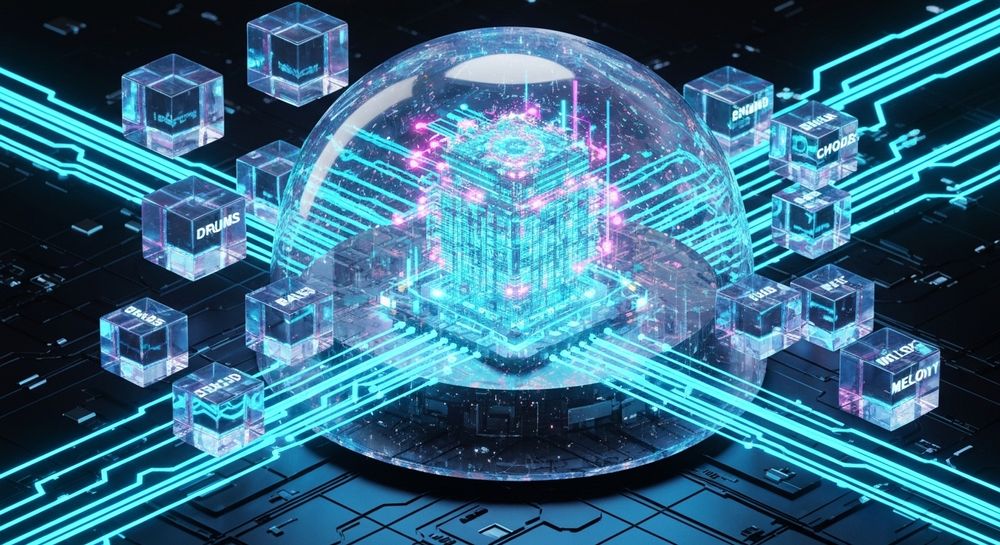
Making a beat refers to composing the rhythmic and harmonic foundation of a track. It typically includes drums, basslines, chords, and melody patterns that set the mood and groove for vocals or instruments to build upon. For beginners, beat making might sound intimidating, but it’s actually an exciting blend of experimentation and structure that can be learned gradually.
The beat is what gives the song its pulse—whether it’s a pop hit, trap banger, or lo-fi chill tune. Understanding tempo, rhythm, and layering is essential before diving into software or equipment.
What equipment do you need for beat making at home in 2026?
In 2026, home studio setups have become more accessible than ever. You can start making beats with just a laptop and headphones. However, adding a few essentials can improve your workflow dramatically:
- Computer or Laptop – The engine of your setup. Most DAWs (Digital Audio Workstations) like Ableton Live, FL Studio, Logic Pro X, or GarageBand work efficiently on moderate hardware.
- Audio Interface – Provides cleaner sound input/output for recording and playback.
- MIDI Controller or Keyboard – Allows you to play drum patterns and melodies naturally.
- Studio Monitors – For accurate sound reproduction.
- Headphones – Critical for mixing when you can’t use speakers.
- DAW Software – The digital workspace for arranging, editing, and mixing your track.
For producers seeking a faster workflow or creative boost, AI-assisted tools like the Soundverse AI Music Generator have become popular additions to modern music workflows.

What are the key elements of a beat?
Every beat usually includes a few common layers. Understanding these components is crucial to crafting a balanced song:
- Drums and Percussion: These are the backbone of the beat. Kicks, snares, hi-hats, and percussion loops define the rhythm and movement. For beginners, explore guides such as Beat Making 101: How to Make a Beat for rhythmic techniques.
- Bassline: Adds depth and energy to the track. The bass links rhythm and harmony, driving the mood.
- Chords and Harmony: Provide the emotional color. Experiment with different chords to feel the emotional flow.
- Melody: The memorable element that often sticks in listeners’ minds.
- Effects and Transitions: Sound design touches like risers, drops, and filters make beats dynamic and professional.
Developing familiarity with these components will help you shape your musical ideas into a cohesive composition.
How to Make a Beat for a Song: Step-by-Step Process
Step 1: Feature Overview

Access your chosen production environment. In the case of Soundverse, begin by selecting the AI Music Generator from the main menu. This tool enables you to generate fully produced instrumental tracks based on text prompts—a great way to jump-start creative ideas.
Step 2: Description Input

Enter a detailed text description of the beat you want to make. For instance, describe the genre and mood: “a mellow lo-fi hip-hop beat with vinyl crackle and relaxed drums.” The better your prompt, the closer the AI output matches your vision. For guidance on prompt-based composition, check examples in Beat Production 101: Make a Beat from Start to Finish - Splice.
Step 3: Style & Duration

Select your preferred genre (pop, hip-hop, EDM, acoustic, etc.), BPM, and duration. These configuration choices help define the tempo and structure of your beat. For loop-based songs, enable Soundverse’s Loop Mode for seamless repetition—a fantastic option for producers crafting background tracks or game soundscapes.
Step 4: Generation

Generate the instrumental beat using Soundverse’s models (V4 or V5). The AI processes your text description and creates a unique instrumental composition tailor-made for your project. Because the workflow is asynchronous, you’ll receive your result after the generation is complete rather than through real-time preview.
Step 5: Export Options

Once your beat is generated, you can download it as a high-quality instrumental file. You may further edit it in your DAW, add vocals, or layer additional instruments. The beat can easily serve as the foundation for video scoring, advertisement soundtracks, or song production. For a demonstration, watch Soundverse Tutorial Series - 9. How to Make Music on YouTube.
What are some essential music production tips for beginners?
For those new to beat making, learning how to blend creativity with technical skill is key. Here are several practical tips you should keep in mind:
- Start Simple: Don’t overload your session. A great beat can come from a kick, snare, and simple melody.
- Learn Basic Music Theory: Chords, scales, and rhythm patterns help you create more cohesive songs.
- Experiment with Samples: Combine drum samples with original melodic ideas to give texture.
- Reference Professional Tracks: Compare volume, frequency balance, and structure.
- Use Soundverse Tools: Combine your generated beats with the Stem Separator for deeper remixing or the Voice to Instrument tool to convert vocal hums into instrumental sound layers.
How does AI help in beat making for beginners?
By 2026, AI technology has become central to music creation. Instead of relying solely on manual composition, producers now use AI generators to handle repetitive tasks and spark inspiration. These tools interpret text prompts or reference tracks to deliver genre-specific arrangements that you can refine further.
AI doesn’t replace creativity—it enhances it. For beginners, overcoming creative blocks is easier with tools that instantly produce foundational beats or musical sketches. Soundverse’s platform exemplifies this trend by merging intelligent text-to-music generation with customization options ideal for both professionals and hobbyists. For visual examples, see Soundverse Tutorial Series - 10. Make Deep House Music.
How Soundverse AI Music Generator Makes Beat Creation Effortless

Now that you understand how to make a beat, here’s how Soundverse empowers you to do it instantly.
The Soundverse AI Music Generator lets you create complete instrumental compositions directly from a text description. Whether crafting hip-hop loops or cinematic backgrounds, its design centers on flexibility and ease of use. With Loop Mode, seamless repetition becomes effortless, supporting continuous playback for social videos, live performances, or mindfulness content.
You can adjust genre, mood, and instrumentation before generating the music, allowing detailed control over the final result. Choose between the V4 and V5 models based on your creative preference—each fine-tuned for producing realistic and immersive soundscapes.
For creators seeking deeper editing, Soundverse’s ecosystem integrates perfectly with related features:
- Similar Music Generator: Enables production inspired by a reference track.
- Voice to Instrument: Converts your vocal ideas or beatboxing into instrumental textures.
- Stem Separator: Extracts elements from mixed songs for remixing and composition refinement.
These integrations make Soundverse a powerful all-in-one workstation for modern music producers.
Why Soundverse is shaping the future of beat making
Soundverse doesn’t just speed up production—it redefines creativity. With its text-to-music generator, even someone without formal music theory can craft professional-grade instrumentals. That accessibility has fueled massive growth in independent artistry by 2026, democratizing music composition and removing technical barriers.
Through educational resources like AI Music Industry Trends and innovation updates such as AI Magic Tools for Quick Music Creation, Soundverse continues to lead this evolution.
If you’ve always wanted to make a beat for your own song but felt lost, start exploring how AI can enhance your creative voice. With a few descriptive words, you’ll have a professionally produced instrumental ready for your next masterpiece.
Start Creating Your Own Beats with AI Today
Turn your musical ideas into full-fledged tracks using Soundverse’s intuitive text-to-music and beat creation tools. Produce high-quality, royalty-free music effortlessly—no studio required.
Create Music Now
Related Articles
- How to Create Rap Music with AI: Discover how to build rap beats and complete tracks using AI-powered composition tools in Soundverse.
- Generate AI Music with Soundverse Text-to-Music: Learn how Soundverse transforms your ideas or lyrics into professional-quality music through advanced text-to-music technology.
- How to Make AI-Generated Music: Master the process of creating unique sounds and full compositions with the power of AI music generators.
- Soundverse Assistant: Your AI Music Co-Producer: Explore how Soundverse Assistant helps musicians and creators streamline beat-making and song production from start to finish.
Here's how to make AI Music with Soundverse
Video Guide

Here’s another long walkthrough of how to use Soundverse AI.
Text Guide
- To know more about AI Magic Tools, check here.
- To know more about Soundverse Assistant, check here.
- To know more about Arrangement Studio, check here.
Soundverse is an AI Assistant that allows content creators and music makers to create original content in a flash using Generative AI.
With the help of Soundverse Assistant and AI Magic Tools, our users get an unfair advantage over other creators to create audio and music content quickly, easily and cheaply.
Soundverse Assistant is your ultimate music companion. You simply speak to the assistant to get your stuff done. The more you speak to it, the more it starts understanding you and your goals.
AI Magic Tools help convert your creative dreams into tangible music and audio. Use AI Magic Tools such as text to music, stem separation, or lyrics generation to realise your content dreams faster.
Soundverse is here to take music production to the next level. We're not just a digital audio workstation (DAW) competing with Ableton or Logic, we're building a completely new paradigm of easy and conversational content creation.
TikTok: https://www.tiktok.com/@soundverse.ai
Twitter: https://twitter.com/soundverse_ai
Instagram: https://www.instagram.com/soundverse.ai
LinkedIn: https://www.linkedin.com/company/soundverseai
Youtube: https://www.youtube.com/@SoundverseAI
Facebook: https://www.facebook.com/profile.php?id=100095674445607
Join Soundverse for Free and make Viral AI Music

We are constantly building more product experiences. Keep checking our Blog to stay updated about them!