How to Make a Beat for a Song: A Complete Beginner’s Guide (2026)
Learn how to make a beat for a song using Soundverse AI Music Generator. Step-by-step guide for beginners.
How to Make a Beat for a Song
Creating music today has never been more accessible. If you have ever wondered how to make a beat for a song and start crafting your own instrumentals, 2026 is the perfect time to begin. Thanks to advanced digital tools and AI assistance, even beginners can produce professional-quality tracks from scratch. This guide will walk you through the essentials of beat making, covering music production basics, song composition, and using the Soundverse AI Music Generator for quick, creative results.
What does “making a beat” mean?
A beat is the rhythmic and musical foundation of a song. It often includes percussion, basslines, and instrumental layers that give a track its mood and drive. For genres like hip-hop, pop, EDM, and lo-fi, the beat largely determines how listeners feel and move with the music. Learning how to make a beat means understanding rhythm, layering, sound design, and how all these elements interact to support vocals or melodies.
Why learning how to make a beat matters in 2026
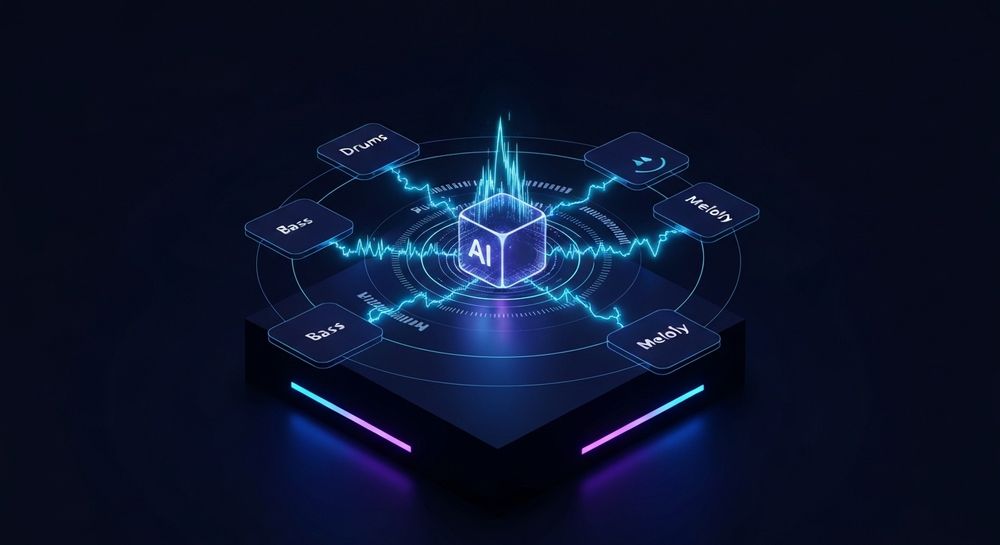
Music production has changed dramatically over the past few years. While 2024 and 2025 saw continued growth of home studios and new software, 2026 marks a turning point where AI tools now empower creators to achieve professional sound quality effortlessly. The emphasis is on creativity and expression, not just technical skill. Platforms like Soundverse are redefining how beginners learn, experiment, and create without steep learning curves.

Understanding music production basics for beat making
Before diving into software or AI tools, it’s important to grasp the fundamentals of music production:
- Tempo & Rhythm: The tempo (BPM) determines how fast or slow your beat feels. Hip-hop typically ranges between 80–100 BPM, while dance music can go up to 130–140 BPM.
- Layering: Beats are built from multiple layers — drums, bass, chords, and melodic accents.
- Arrangement: The structure of your beat—intro, verse, chorus, bridge—keeps listeners engaged.
- Sound Selection: Choosing the right instruments and samples differentiates a dynamic track from a dull one.
These are the pillars of creating instrumentals that feel professional and emotionally resonant.
Essential tools you’ll need for beat making
Every producer relies on a few key tools:
- Digital Audio Workstation (DAW for beginners): Programs like FL Studio, Ableton Live, GarageBand, or Logic Pro are popular. They allow you to record, edit, and mix music.
- MIDI Controller: A keyboard or pad for creating rhythms and melodies easily.
- Audio Samples: Drum kits, sound packs, and instrument loops form the backbone of your beat.
- Plugins: Virtual instruments and effects expand creative possibilities.
In 2026, many producers pair these traditional tools with intelligent AI music generators for inspiration and speed.
How to make beats with Soundverse AI Music Generator

Soundverse’s AI Music Generator simplifies the creative process dramatically. You can create fully produced instrumental music from simple text prompts — ideal for generating beats or background tracks. It specializes in beat creation, soundscapes, and loops, making it a perfect companion for beginners exploring music composition. Learn more in The Complete Guide to AI Music Creation in 2026 - Soundverse AI.
Key Features:
- Text-to-Music Generation: Simply type a description — for example, “Energetic pop beat with electronic drums and groovy bass” — and the AI transforms your idea into a sound.
- Loop Mode: Generates seamless loops for practice, performance, or content creation.
- Genre, Mood, and Instrument Control: You can fine-tune elements to build your perfect beat.
- V4 and V5 Model Options: Choose between models optimized for detailed soundscapes or beat precision.
Primary Use Cases:
- Video background music
- Game and soundtrack loops
- Meditation and wellness tracks
- Advertising and commercial compositions
With Soundverse, making beats is no longer restricted to those who master complex software—it’s open to anyone with creative ideas. For a deeper dive, watch our guide on creating Deep House music.
Step 1: Feature Overview

Access the AI Music Generator from the Soundverse main menu. This section of the platform is dedicated to creating instrumental and beat-based music using text prompts. Learn more in How to Create Beats for Free in 2026.
Step 2: Description Input

Enter a text description of the music you envision. Be specific about genre, mood, and instruments. For example: “A chill lo-fi beat with soft piano chords and mellow drums.” The AI uses this input to understand your creative direction. Read more on How to Make Beats Online.
Step 3: Style & Duration

Select your desired style (hip-hop, electronic, acoustic, etc.) and track duration. For beginners, start with short loops (15–30 seconds) to focus on patterns before full compositions.
Step 4: Generation

Generate your instrumental track. The system processes your input asynchronously, meaning it takes a moment to analyze and render the full beat. You’ll then receive your finished version—ready for listening or editing.
Step 5: Export Options

Once satisfied, download your beat. Soundverse provides flexible download options so you can import your file into a DAW for further arrangement or use it directly in your projects.
Pro Beat Making Tips for Beginners
- Start Simple: Focus first on timing and groove before layering complex melodies.
- Use Reference Tracks: Compare your beats with existing songs to understand professional mixing levels.
- Experiment with Soundverse Variations: Slightly modify text prompts to explore new sonic possibilities.
- Learn Song Composition: Study how intros, drops, and bridges create emotional flow.
- Combine Tools: Use Soundverse-generated instrumentals as inspiration and refine them in your DAW.
For complementary guidance, you can explore related learning materials such as music industry trends or creative tutorials like how to make AI-generated music and generate AI music with Soundverse text-to-music. Each deepens your understanding of the modern production landscape. For more insights, watch our Soundverse Tutorial - How to Make Music.
Integrating AI tools into traditional beat making workflows
AI doesn’t replace personal creativity—it enhances it. You can use Soundverse to generate a foundational beat, then modify drum patterns, melodies, or basslines within your DAW. This workflow combines human emotion with machine precision, saving hours typically spent on trial and error.
Soundverse also offers complementary tools for creative expansion:
- Voice to Instrument: Converts humming or beatboxing into realistic instrumental lines like guitar or drums.
- Similar Music Generator: Creates new compositions inspired by a reference track—perfect for matching existing vibes or project themes.
These features elevate the user experience, adding more flexibility for artists who want deeper control over their compositions.
How beginners can evolve their music production skills
Once you master basic beat making, focus on polishing your technical ear. Learn EQ balancing, compression, and arrangement techniques. Follow blogs such as Soundverse AI revolutionizing music creation for new age content creators or how an AI music generator inspires creative fusion to stay informed about evolving production trends.
Start Making Your First Beat with Soundverse AI
Turn your musical ideas into full tracks effortlessly. With Soundverse, you can generate beats, separate stems, and refine your mix—all powered by AI innovation.
Create Beats Now
Related Articles
- Generate AI Music with Soundverse Text-to-Music: Learn how Soundverse’s text-to-music tool transforms written ideas into fully produced beats and compositions.
- Soundverse Introduces Stem Separation AI Magic Tool: Discover how to isolate and manipulate song components with Soundverse’s innovative stem separation technology.
- How to Create Rap Music with AI: Explore the step-by-step process of using AI-powered tools to craft professional rap beats and instrumentals.
- The Benefits of Composing with AI Music Generator: See how AI composition enhances creativity and simplifies music production for artists and producers alike.
Here's how to make AI Music with Soundverse
Video Guide

Here’s another long walkthrough of how to use Soundverse AI.
Text Guide
- To know more about AI Magic Tools, check here.
- To know more about Soundverse Assistant, check here.
- To know more about Arrangement Studio, check here.
Soundverse is an AI Assistant that allows content creators and music makers to create original content in a flash using Generative AI.
With the help of Soundverse Assistant and AI Magic Tools, our users get an unfair advantage over other creators to create audio and music content quickly, easily and cheaply.
Soundverse Assistant is your ultimate music companion. You simply speak to the assistant to get your stuff done. The more you speak to it, the more it starts understanding you and your goals.
AI Magic Tools help convert your creative dreams into tangible music and audio. Use AI Magic Tools such as text to music, stem separation, or lyrics generation to realise your content dreams faster.
Soundverse is here to take music production to the next level. We're not just a digital audio workstation (DAW) competing with Ableton or Logic, we're building a completely new paradigm of easy and conversational content creation.
TikTok: https://www.tiktok.com/@soundverse.ai
Twitter: https://twitter.com/soundverse_ai
Instagram: https://www.instagram.com/soundverse.ai
LinkedIn: https://www.linkedin.com/company/soundverseai
Youtube: https://www.youtube.com/@SoundverseAI
Facebook: https://www.facebook.com/profile.php?id=100095674445607
Join Soundverse for Free and make Viral AI Music

We are constantly building more product experiences. Keep checking our Blog to stay updated about them!