How to Make a Rap Beat: A Step-by-Step Guide for 2026
Learn how to make a rap beat in 2026 with Soundverse AI using easy steps and pro beat-making tips.
How to Make a Beat for a Rap
In 2026, the art of hip hop and rap beat production has evolved far beyond classic drum machines and analog samplers. Today, with the rise of AI-based tools like Soundverse, aspiring rappers and producers can create studio-quality instrumentals without complex setups or expensive software. Whether you’re new to music production or exploring the next frontier of DIY rap beats, understanding how to make a rap beat efficiently is essential.
Why learning how to make a rap beat matters in 2026
Hip hop remains one of the most influential music genres globally, and rap instrumentals dominate digital streaming platforms. Knowing how to produce a rap beat not only helps you define your sound but also gives you creative independence. Modern rap is rhythm-driven, often characterized by unique patterns, tight bass lines, and melodic samples. In 2026, with AI-assisted beat generation, even beginners can shape drum patterns, manipulate loops, and mix elements that once required technical mastery.
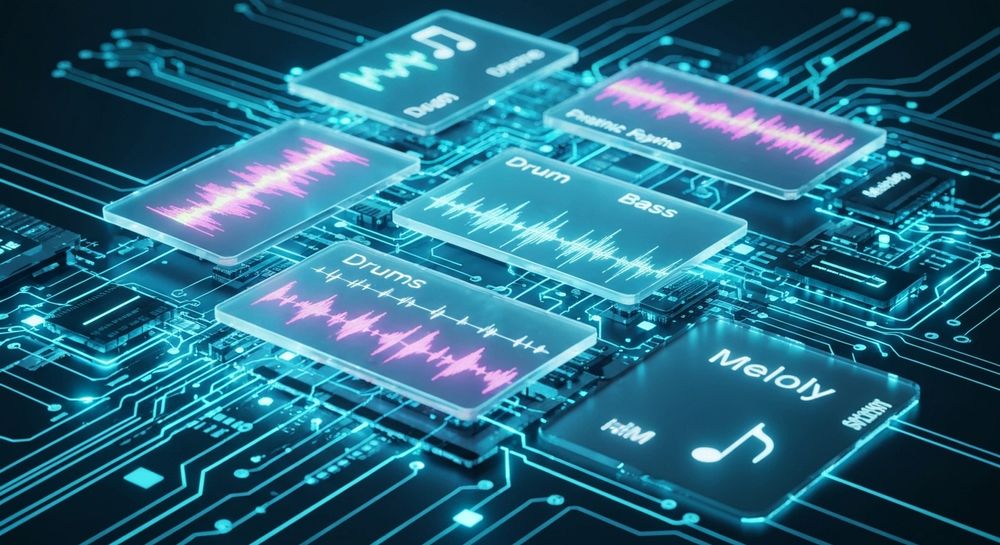
How to make rap beats with Soundverse AI Music Generator

Soundverse’s AI Music Generator simplifies beat creation by turning text prompts into fully produced instrumentals. Instead of manually layering drums, bass, and melodies, users can type a description like “hard-hitting trap beat with dark piano chords and deep 808 bass.” The tool then produces a complete beat ready for recording. It specializes in background tracks, beats, and soundscapes—perfect for rappers who want instrumental foundations.
Core capabilities that make Soundverse perfect for rap beat production:
- Text-to-music generation: Just describe the vibe and the desired genre.
- Loop Mode: Ideal for creating seamless repeating sections common in rap instrumentals.
- Detailed genre/mood/instrument control: Choose styles like old-school hip hop, trap, drill, or lo-fi.
- V4 and V5 Model options: Each version offers different sound textures and generation fidelity.
For example, if you want a classic boom-bap vibe, you could enter a description like “90s-style rap beat with vinyl crackle and jazzy keys.” If your goal is something contemporary, you might opt for “2026 melodic trap with ambient synths and layered drums.” The result is an instrumental that fits perfectly within modern music production for rappers. For more tutorials, check out our Soundverse Tutorial Series - How to Make Music on YouTube.

Step 1: Feature Overview

To start your beat-making journey, you first access AI Music Generator from the main Soundverse menu. This is the core tool for generating instrumental music from text prompts. Once opened, you’ll see sections for description input, genre selection, and output options. This setup allows clear, structured navigation—even if you’re new to digital production.
Step 2: Description Input
The description field is where the creative process begins. Here, enter a text description of what your desired music should sound like. Examples include “energetic trap beat with heavy bass and sharp hi-hats” or “chill lo-fi hip hop beat with jazzy undertones.” The AI interprets keywords like genre, emotion, and instrument suggestions to structure the composition. Thinking carefully about your description ensures a high-quality outcome that matches your rap style.
Step 3: Style & Duration

After providing the description, select the music style and set the duration. You might go for 2-minute loops ideal for writing verses or full 3–4-minute beats for complete song production. This customization enables flexibility for rappers who need instrumentals tailored to freestyle sessions or full-track mixes.
Step 4: Generation

Next, trigger the generation process. Soundverse’s AI will analyze your prompt and produce a full instrumental beat. The system builds structured layers—drums, bass, melody, and effects—according to your chosen vibe. Unlike manual production that can take hours, AI completes the task in minutes, letting you focus on creative flow instead of technical setup.
Step 5: Export Options

Finally, once you’re satisfied with the generated music, export the track. Soundverse provides downloadable instrumental files compatible with most DAWs (Digital Audio Workstations). You can further refine the track, record vocals, or use additional AI tools within Soundverse.
For example, with the Stem Separator (Soundverse Stem Separation Magic Tool), you can dissect the beat into stems like drums, bass, and melody to tweak elements individually. The Inpainting Tool is another advanced option that allows surgical music editing—regenerating specific sections of the track without remaking the entire beat.
What makes a great rap beat?
A rap beat should have a rhythmic backbone and space for vocals. Below are important components to consider:
- Drum Pattern: Crisp kicks and snappy snares drive the beat. The groove should sync perfectly with the tempo at around 80–100 BPM for classic rap or 130–150 BPM for trap.
- Bassline: Deep 808s or sub-bass layers help add weight and punch. Soundverse allows describing bass characteristics directly in prompts.
- Melody and Samples: Integrate catchy hooks—either synthetic leads, piano keys, or ambient pads.
- Arrangement: Rap beats should usually be loopable to accommodate verses, hooks, and transitions.
- Mixing and Space: Always leave dynamic range for vocals. Compression and EQ adjustments keep the instrumental polished.
Pro beat making tips for rappers and producers
- Keep your workflow simple: Using tools like Soundverse eliminates unnecessary steps.
- Experiment with moods and genres: AI beats can blend styles like drill and lo-fi hip hop seamlessly.
- Use prompt layering: Combine multiple elements in one text input, e.g., “dark trap mixed with cyberpunk synths.”
- Iterate and remix: Utilize additional Soundverse features such as Voice to Instrument to convert beatboxing ideas into real drum kits.
- Deconstruct AI-generated music: Use the Stem Separator for hands-on control over individual musical layers.
For deeper learning, see Soundverse’s educational guides like How to Create Rap Music with AI and Generate AI Music with Soundverse Text-to-Music which show how to integrate beats into full vocal tracks.
Why Soundverse stands out among AI beat tools in 2026
Unlike generic generators, Soundverse is built to serve professional use cases—from video soundtracks to full music production. With models V4 and V5, it provides refined sound fidelity. Its Loop Mode offers repeatable instrumental sections suited for rap hooks or freestyle sessions—an important requirement for smooth transitions. Compared to other platforms highlighted in Mubert Alternatives or Soundraw Alternatives, Soundverse focuses on genre authenticity and user customization.
While tools like Udio and Splash Pro also support AI-generated music, Soundverse’s integrated ecosystem—combining beat generation, instrument transformation, and stem separation—makes it ideal for rappers aiming for control and creativity.
Start Making Your Rap Beats with AI Today
Bring your creativity to life using Soundverse’s intuitive AI music generator. Whether you’re crafting hard-hitting beats or smooth flows, our tools empower you to create professional-quality rap tracks instantly.
Try Soundverse Free
Related Articles
- How to Create Rap Music with AI: Discover how AI can amplify your rap music creation process with rhythm, melody, and flow that match your style.
- How to Make Good Rap Lyrics: Learn techniques and AI-assisted methods to craft rap lyrics that resonate and captivate listeners.
- Generate AI Music with Soundverse Text-to-Music: Explore how to create beats and full tracks from text prompts using Soundverse’s AI music generator.
- Soundverse Assistant: Your AI Music Co-Producer: Meet your AI co-producer that helps you refine, mix, and generate professional-quality beats in minutes.
Here's how to make AI Music with Soundverse
Video Guide

Here’s another long walkthrough of how to use Soundverse AI.
Text Guide
- To know more about AI Magic Tools, check here.
- To know more about Soundverse Assistant, check here.
- To know more about Arrangement Studio, check here.
Soundverse is an AI Assistant that allows content creators and music makers to create original content in a flash using Generative AI.
With the help of Soundverse Assistant and AI Magic Tools, our users get an unfair advantage over other creators to create audio and music content quickly, easily and cheaply.
Soundverse Assistant is your ultimate music companion. You simply speak to the assistant to get your stuff done. The more you speak to it, the more it starts understanding you and your goals.
AI Magic Tools help convert your creative dreams into tangible music and audio. Use AI Magic Tools such as text to music, stem separation, or lyrics generation to realise your content dreams faster.
Soundverse is here to take music production to the next level. We're not just a digital audio workstation (DAW) competing with Ableton or Logic, we're building a completely new paradigm of easy and conversational content creation.
TikTok: https://www.tiktok.com/@soundverse.ai
Twitter: https://twitter.com/soundverse_ai
Instagram: https://www.instagram.com/soundverse.ai
LinkedIn: https://www.linkedin.com/company/soundverseai
Youtube: https://www.youtube.com/@SoundverseAI
Facebook: https://www.facebook.com/profile.php?id=100095674445607
Join Soundverse for Free and make Viral AI Music

We are constantly building more product experiences. Keep checking our Blog to stay updated about them!