How to Get Into Music Production: A Beginner’s Guide for 2026
Learn music production for beginners with tips, software, and Soundverse Agent to start producing music easily at home.
How to Get Into Music Production
If you’ve ever dreamed of creating your own beats, soundscapes, or full songs from scratch, there has never been a better time to start. In 2026, music production for beginners is more accessible than ever — powered by intuitive software, AI-driven tools, and affordable home studio setups. This guide will help you understand how to start producing music, the gear you need, and how Soundverse Agent can accelerate your creative learning.
Why Music Production for Beginners Is Easier Than Ever in 2026
Two years ago, learning how to produce music often required complex software knowledge and large budgets. But the barrier to entry has drastically dropped. Thanks to advancements in AI music generation and online learning resources, artists without any technical background can now make professional-quality tracks. From text-to-music generation tools to easy drag‑and‑drop editing interfaces, music creation has become democratized.
This guide focuses on beginner music production tips, starting from core principles and ending with modern AI solutions like Soundverse.
What Do You Need to Start Producing Music at Home?
1. A Computer or Laptop
Every music production journey starts with a reliable computer. For 2026 standards, any modern laptop with a multi-core processor and at least 8GB RAM can run most beginner-friendly digital audio workstations (DAWs).
2. Music Production Software
Learning music production begins with understanding DAWs (Digital Audio Workstations). Some leading options include:
- GarageBand (macOS) – Perfect for entry-level users.
- FL Studio (Image-Line) – Known for its intuitive beat-making layout.
- Ableton Live (Ableton) – Loved by electronic producers for performance features.
- Reaper (Cockos) – Affordable and lightweight.
For users exploring AI-powered workflows, Soundverse provides a streamlined alternative: instead of manually layering instruments, you can describe the music you want, and the Agent orchestrates the creation automatically.
For comparison, if you’re considering alternatives to text-to-music platforms, read Best AI Music Generator: Top Picks and Review to understand where Soundverse stands in 2026’s market.
These tools align closely with recommendations from Best Music Production Software for Beginners in 2026 - Boris FX and Top Music Production Software for Beginners: Your Creative Journey Starts Here where entry-level producers often benefit from software like GarageBand and Ableton.
3. Audio Interface and Headphones
An audio interface lets you record instruments and vocals while improving playback quality. Beginners can use compact interfaces from Focusrite or Universal Audio. Combine that with a good pair of monitoring headphones and you’re good to go.
4. Home Studio Setup
A simple home studio setup may include:
- Laptop or desktop computer
- Audio interface
- MIDI keyboard
- Microphone
- Headphones
- Acoustic panels or foam
With minimal investment, you can transform your bedroom into a functional music creation space.
Beginner Music Production Tips for 2026
If you’re starting from scratch, remember that producing music involves three key elements: creativity, sound selection, and arrangement. Here are essential beginner music production tips:
- Learn song structure: Understand verse, chorus, and bridge formats.
- Experiment regularly: Don’t wait for perfection; try new genres using text prompts with AI generators.
- Use presets wisely: They’re great learning tools but tweak them for uniqueness.
- Reference professional tracks: Listening to commercial songs for tonal balance helps shape your ear.
- Take advantage of AI assistants: Modern conversational AI like Soundverse Agent can simplify tedious workflow steps.
For more context on how AI is shaping musical creation, check How AI-Generated Music Is Transforming the Music Industry. You can also watch our guide on creating Deep House music or how to make music for beginners from the Soundverse Tutorial Series.
How to Make Music Production for Beginners Easier with Soundverse Agent
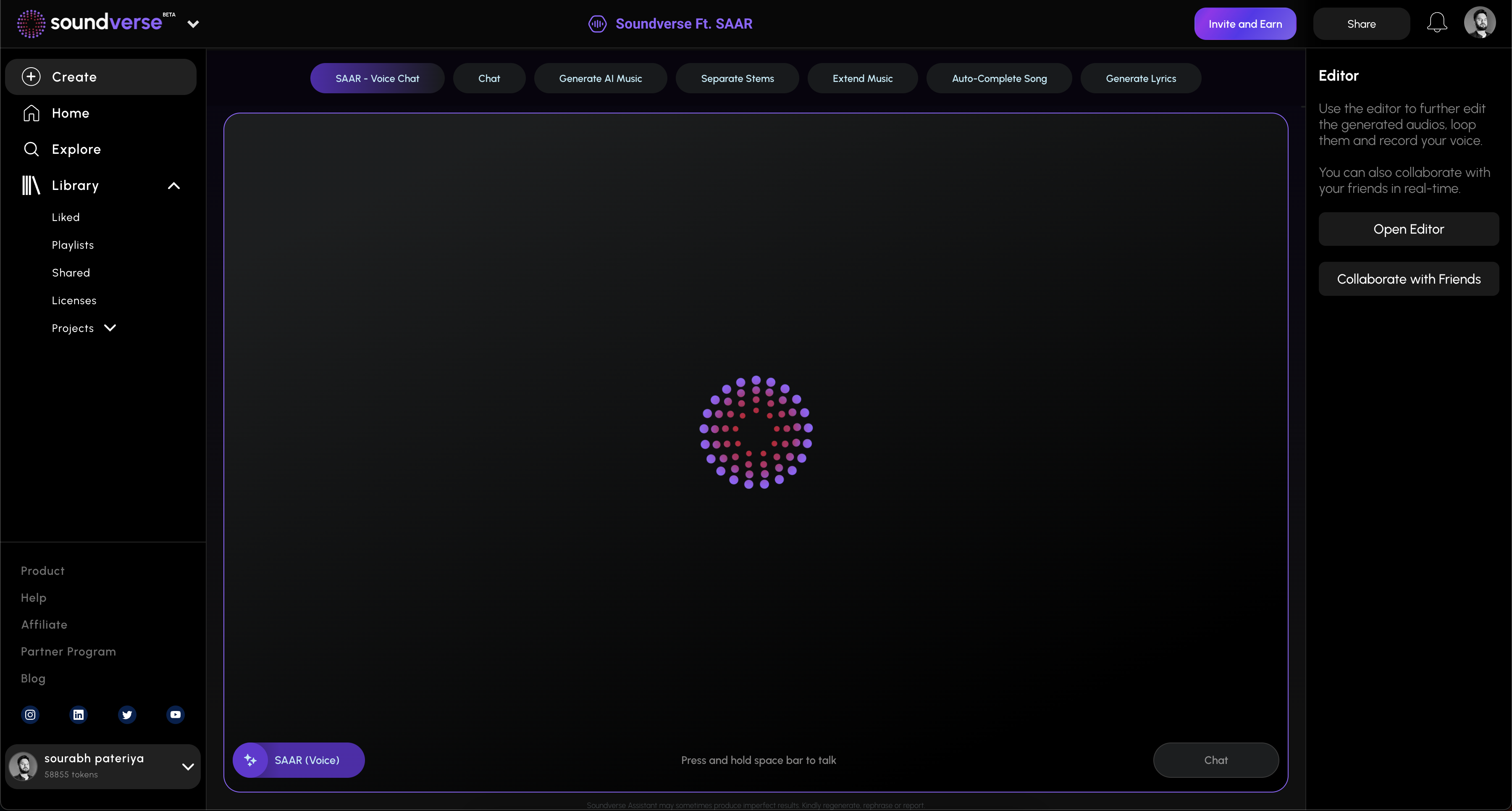
Soundverse Agent is the centerpiece of Soundverse’s creative ecosystem. It acts as a conversational AI music assistant capable of understanding natural language requests and executing multi-step tasks automatically. Instead of manually configuring plug-ins, routing instruments, and editing mix settings, the Agent orchestrates these tasks via multi-step reasoning.
What Makes Soundverse Agent Unique?
- Multi-Step Tool Orchestration: You can ask, “Create a pop track, then remove the drums,” and the Agent executes each step.
- Contextual Memory: It remembers your previous requests, enabling ongoing project refinement.
- Voice Input Support: Speak your creative ideas directly.
- Cross-Tool Automation: Integrates AI Music Generator, AI Song Generator, and Arrangement Studio to streamline workflows.
This built-in orchestration makes music production for beginners incredibly intuitive. Even if you don’t understand audio engineering, you can start producing music through natural conversation.
Integrations You Should Know About
Soundverse Agent connects seamlessly with related tools like:
- AI Music Generator – Generates instrumental tracks from text prompts.
- AI Song Generator – Turns written lyrics or descriptions into complete vocalized songs.
- Arrangement Studio – Offers detailed track arrangement after generation.
If you’d like to explore text-prompt-based creation, check Generate AI Music with Soundverse Text-to-Music. Also, see our Explore Tab tutorial for guidance on browsing AI music genres.
Step-by-Step Guide: How to Get Into Music Production Using Soundverse Agent
Below is the structured workflow that beginners can follow to create their first song using Soundverse.
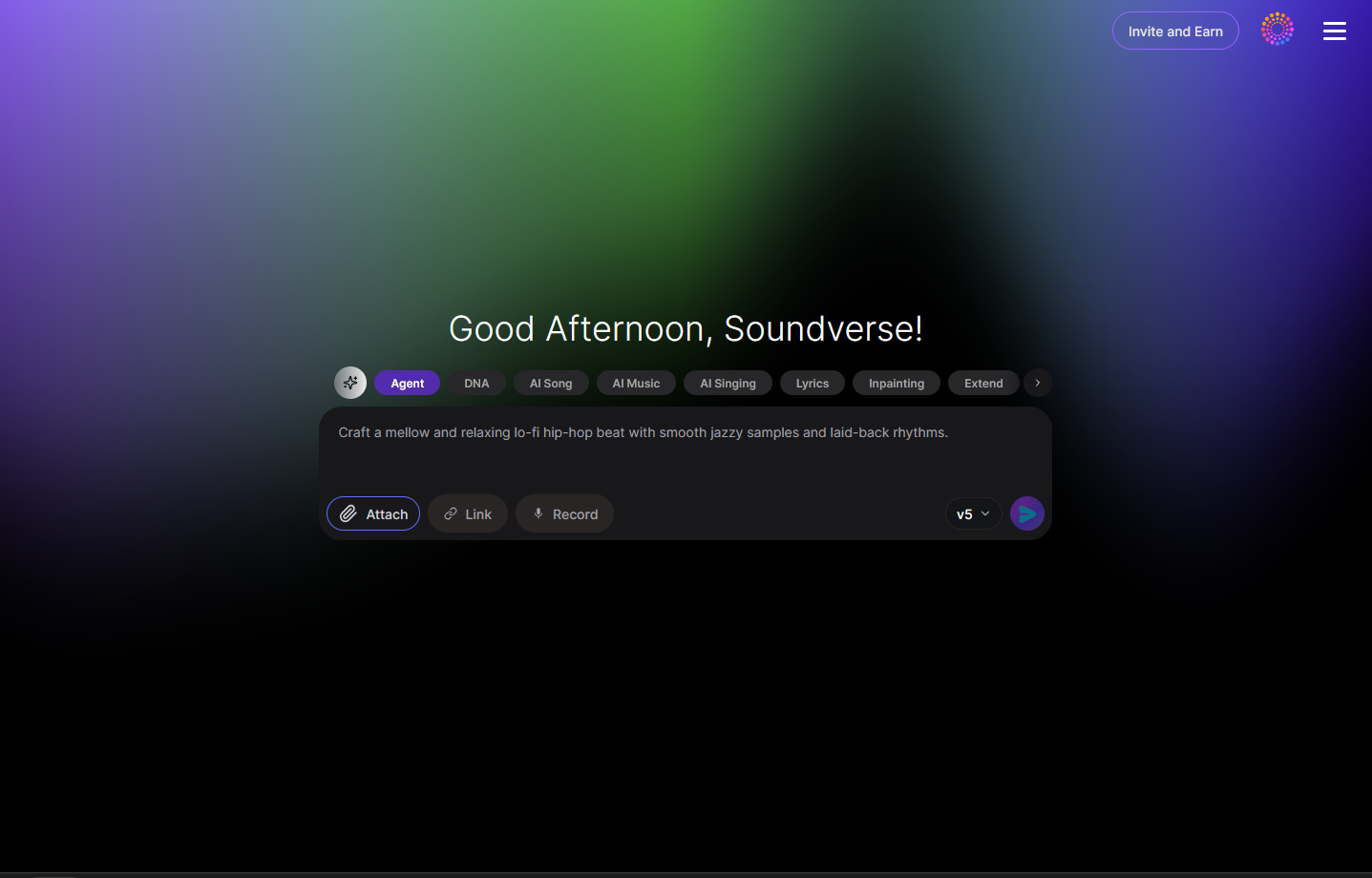
Step 1: Overview
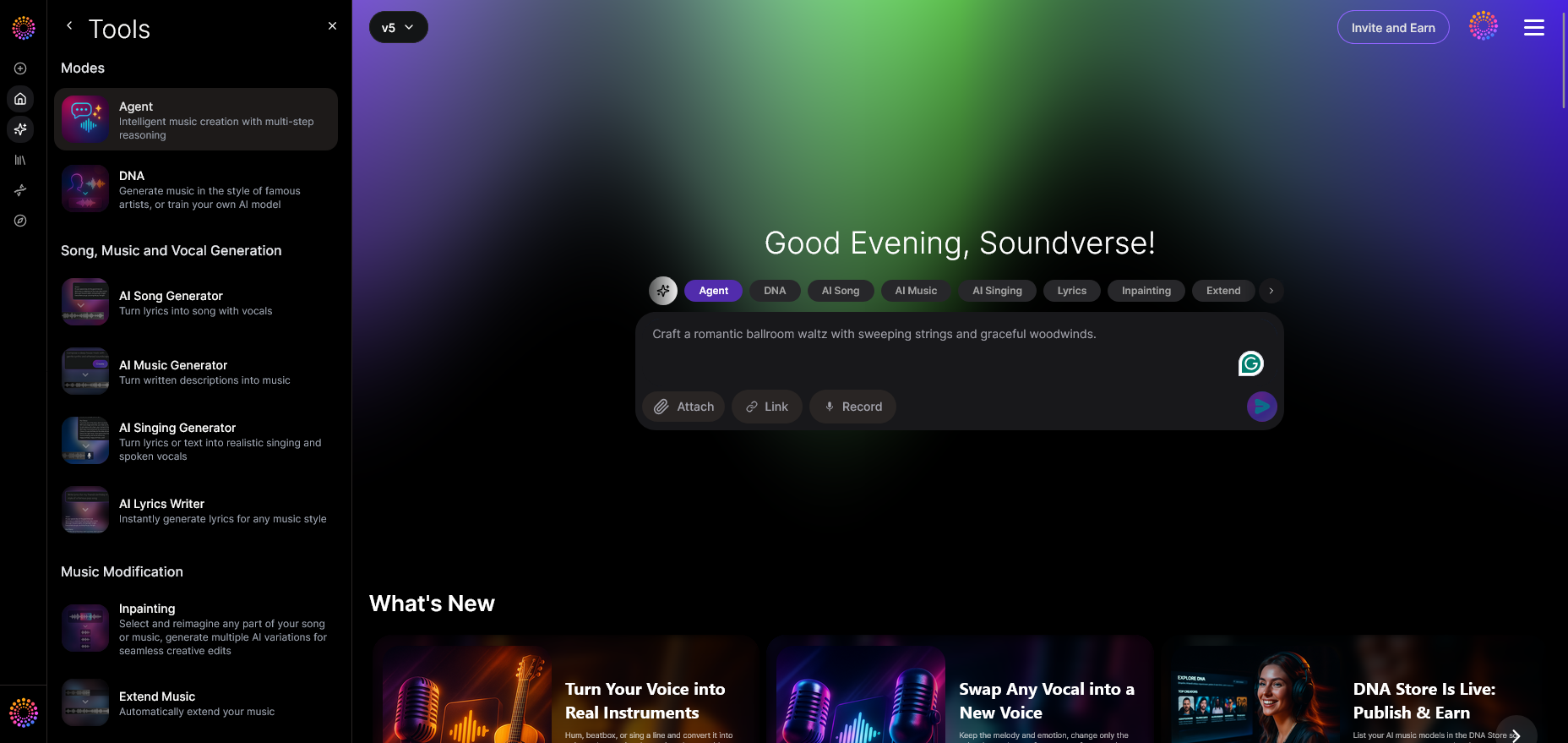
Start by opening the main Agent interface on Soundverse. This dashboard acts as your creative hub. You’ll see conversational input fields where you can type requests like “make a chill lo-fi beat” or “create a trap instrumental.”
Step 2: Reference Audio
Attach an existing song or reference file to define the style or sonic texture you want. It helps the Agent understand your vibe.
Step 3: Attach Button
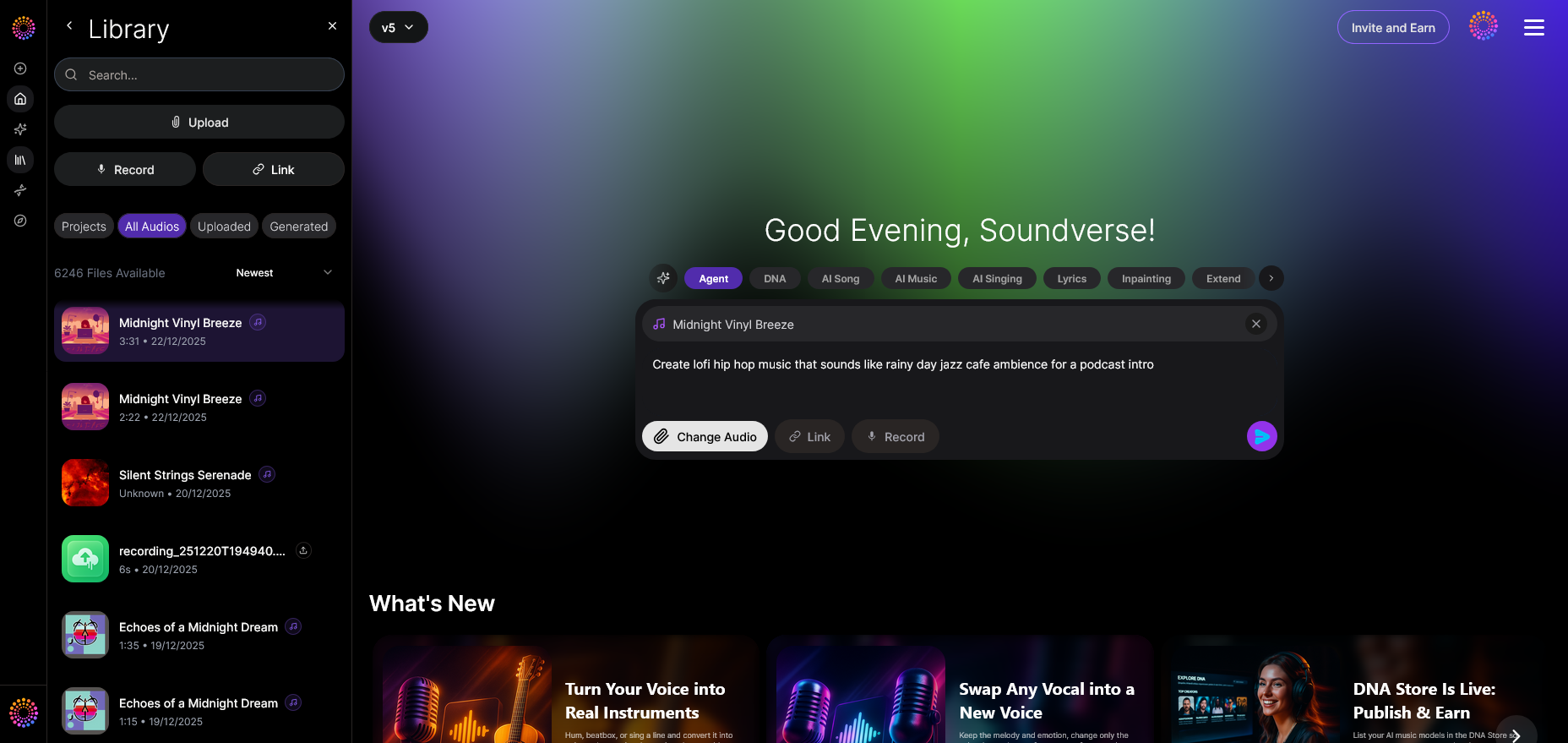
Use the file attachment dialog to upload additional stems or vocal recordings. The drag-and-drop functionality ensures simplicity, even for non-technical users.
Step 4: Submit Request
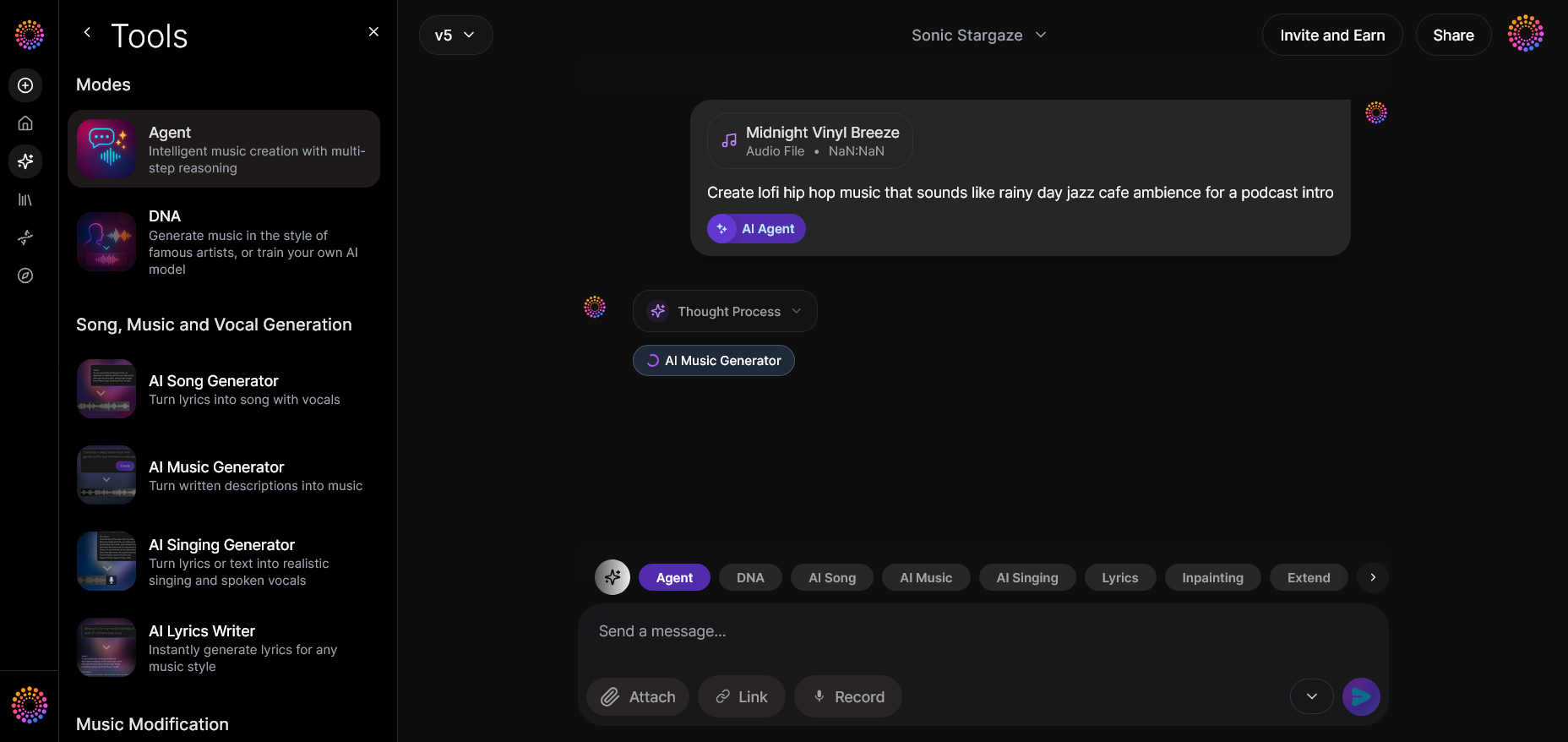
After describing what you want, press Send. The Agent processes your inputs asynchronously — meaning it analyzes and then generates your requested music.
Step 5: Review Output
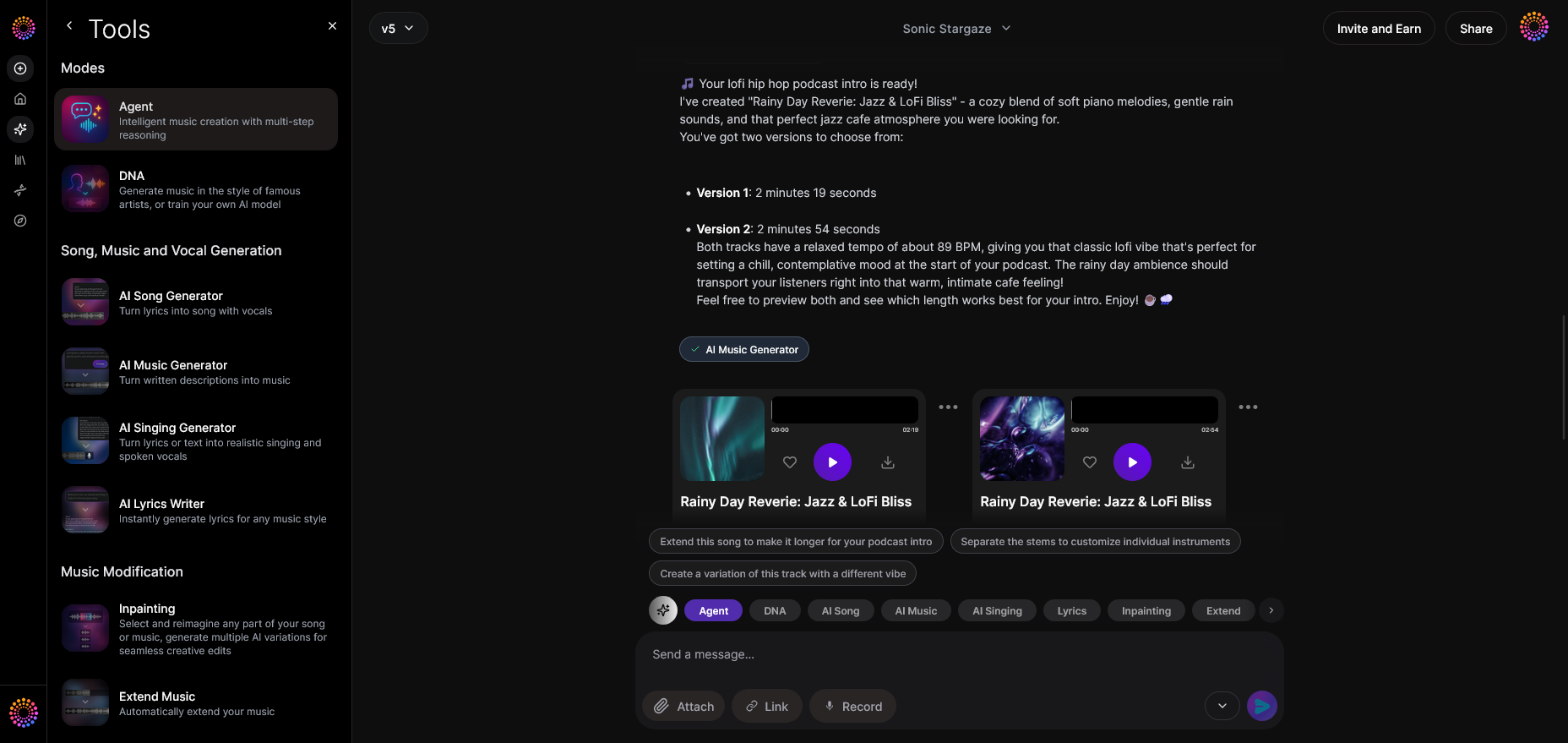
Once your track is ready, Soundverse displays the generated audio output. You can play it back and examine how it aligns with your original concept.
Step 6: Refine Conversation
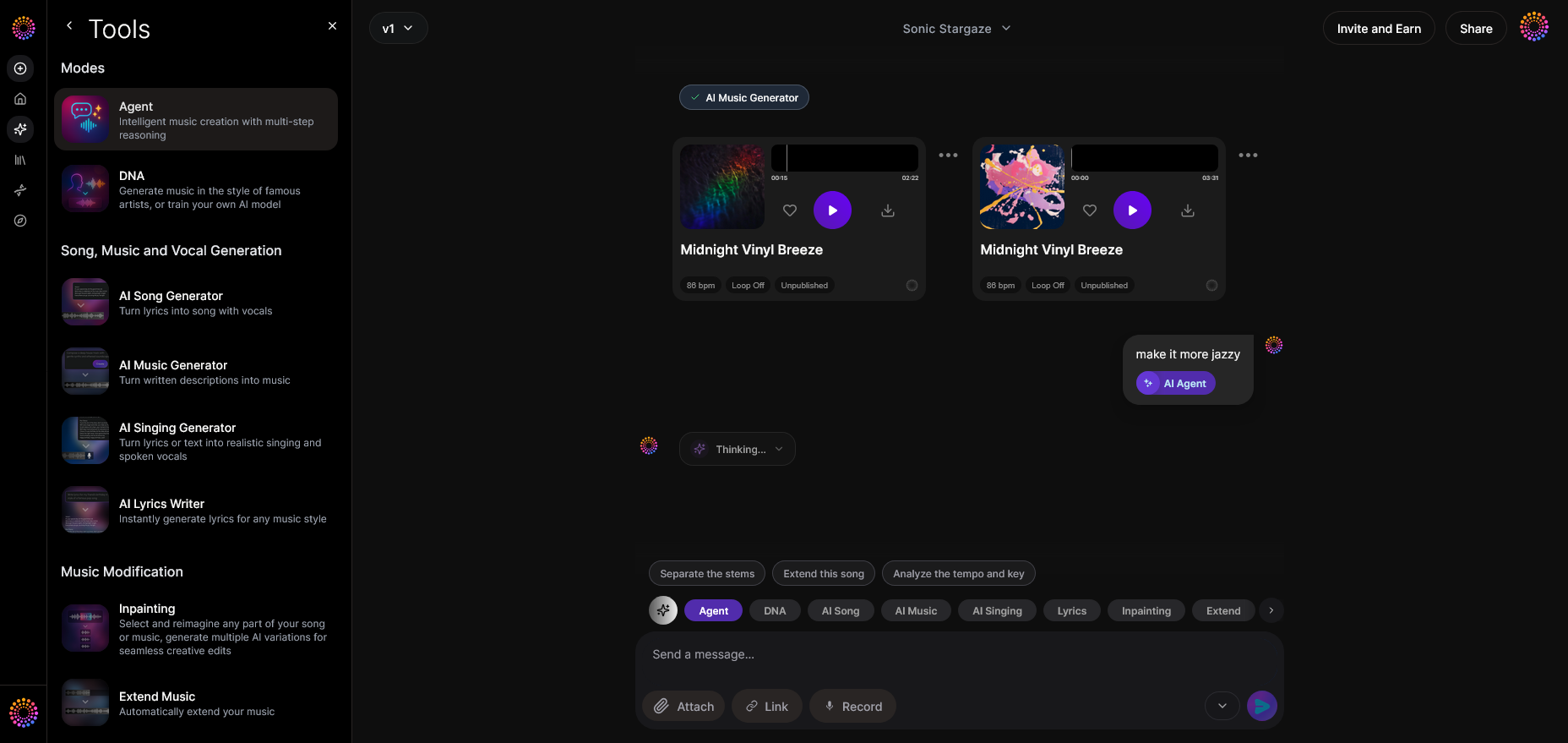
Want to make adjustments? You can refine the song by following up conversationally: “Add more percussion,” or “Extend the outro.” The Agent’s contextual memory ensures it remembers details from your previous queries.
Step 7: Advanced Controls
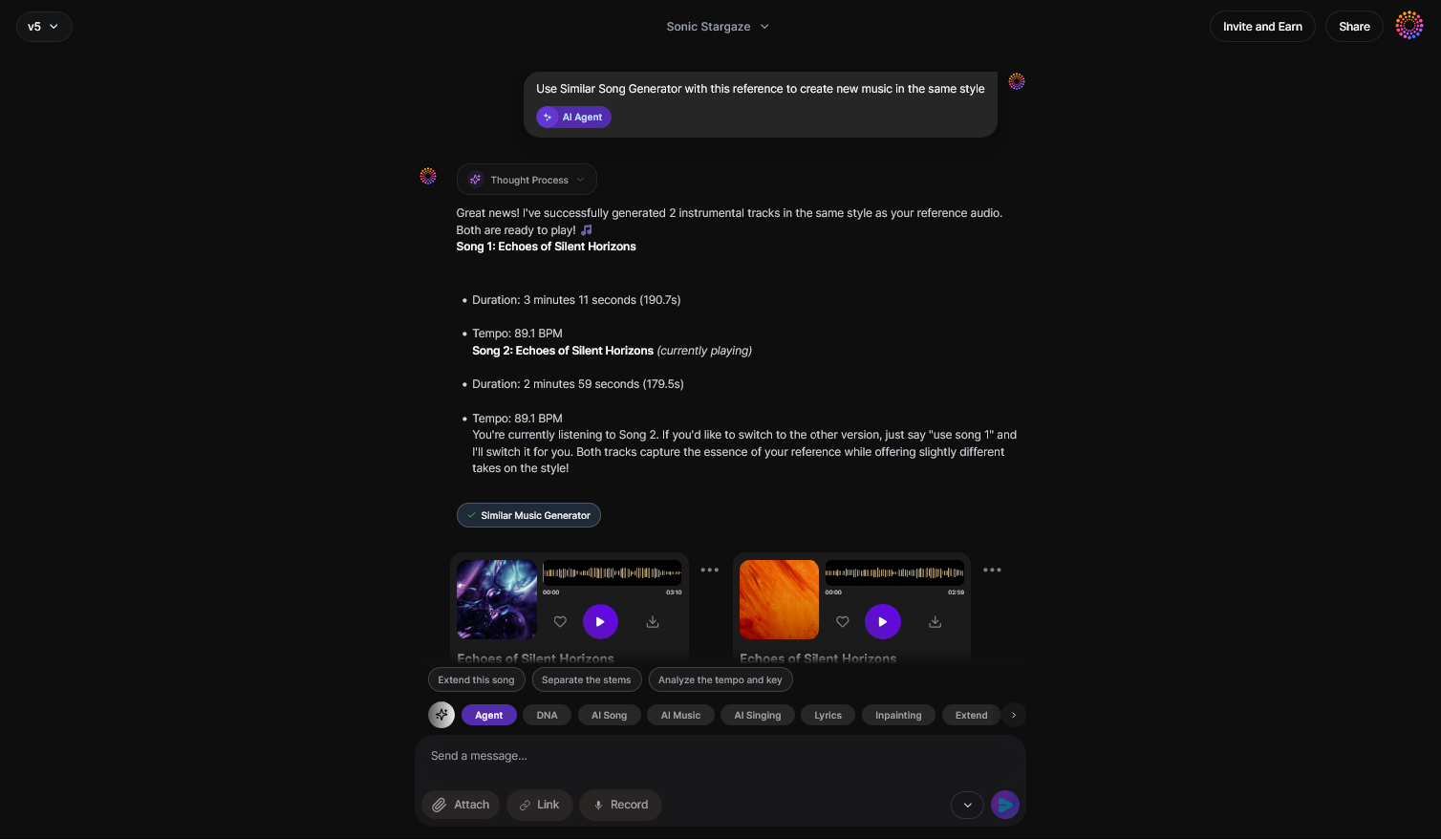
For deeper control, you can use advanced tool options to select specific genres, instruments, or effects. This layer helps transition from basic music production for beginners toward more professional results.
Step 8: Export Options
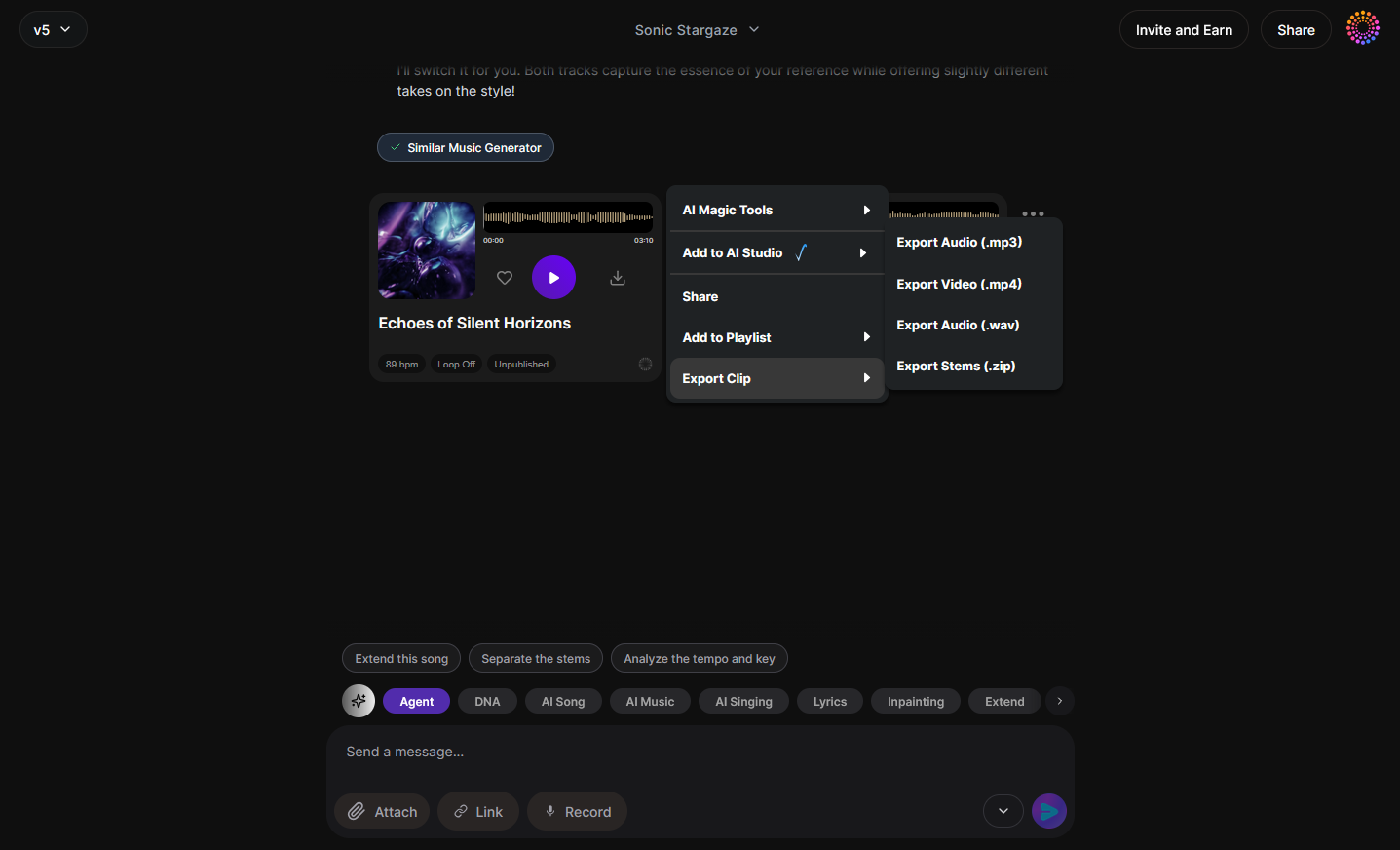
Once satisfied with the output, export your track in various formats — from WAV to MP3. These files are production-ready and can be imported into other DAWs if desired.
Step 9: New Conversation
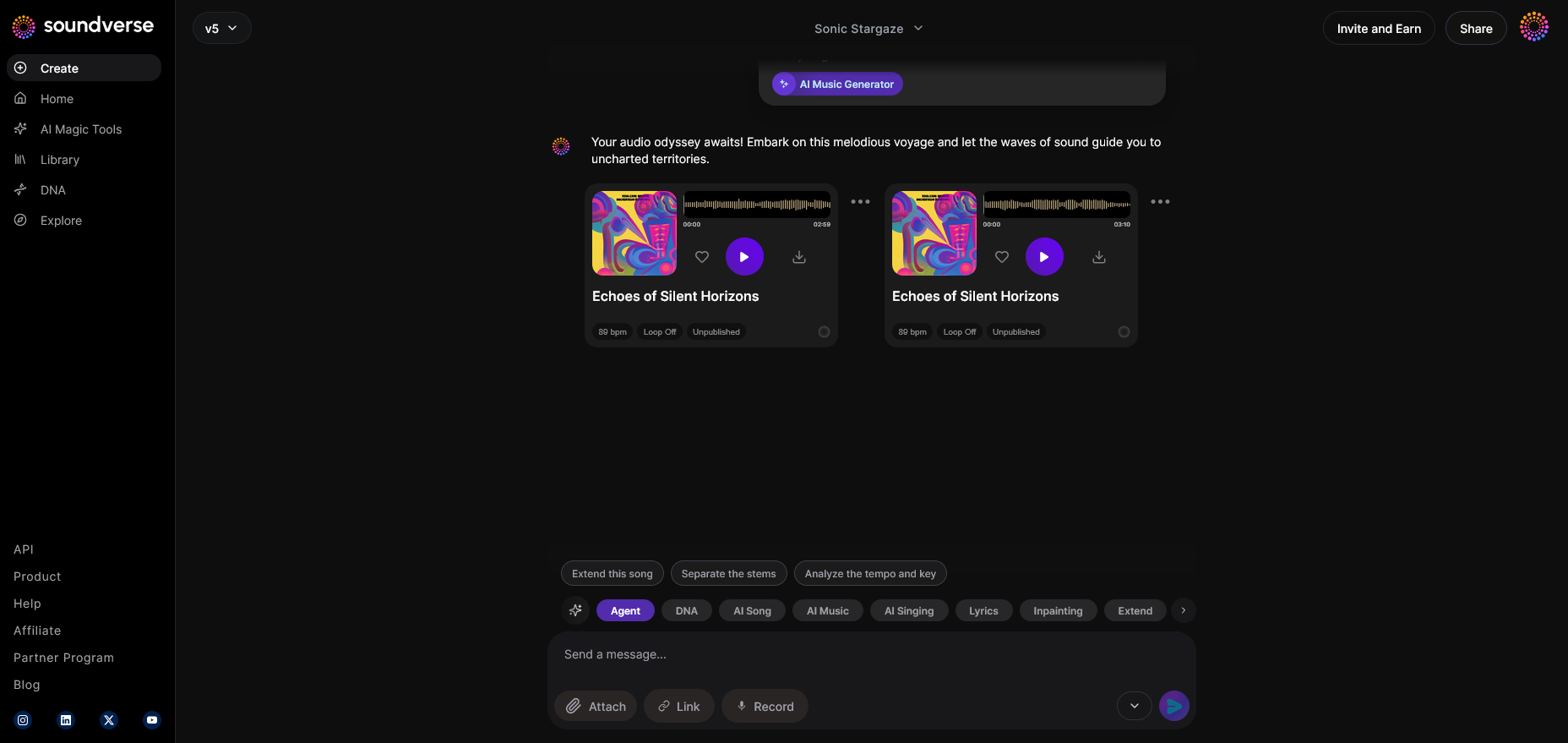
When finished with one song, simply start a new project. Each new conversation initializes a fresh creative space, helping beginners build a library of personal compositions.
Pro Tips to Learn Music Production Faster
The journey into music production is ongoing. Here are some strategies for getting better quickly:
- Build daily habits: Create one short beat or sound loop each day.
- Collaborate online: Platforms in 2026 offer real-time collaboration features for sharing ideas.
- Study mixing basics: Balance frequencies and learn about EQ, compression, and stereo imaging.
- Experiment with stems: Understanding song stems is crucial — read Soundverse Introduces Stem Separation AI Magic Tool to learn how stems can transform your workflow.
- Join communities: Engage with socials or music forums where beginners and pros share feedback.
Start Your Music Production Journey Today
Unlock the power of AI and create your first track even if you’re new to music production. Soundverse simplifies everything—helping you compose, mix, and master effortlessly.
Sign Up Free & Create Music
Related Articles
- Generate AI Music with Soundverse: Text-to-Music Made Simple — Learn how to turn your words into complete music tracks using Soundverse’s advanced AI text-to-music technology.
- Soundverse AI Magic Tools: Create Content Quickly with AI — Discover how Soundverse’s AI Magic Tools help creators produce professional-quality music in minutes.
- The Benefits of Composing with an AI Music Generator — Explore how AI music generators are transforming the creative process and empowering new musicians worldwide.
- Soundverse Assistant: Your AI Music Co-Producer — Meet your new creative partner—Soundverse Assistant—to guide you through composing, mixing, and mastering your tracks.
Here's how to make AI Music with Soundverse
Video Guide

Here’s another long walkthrough of how to use Soundverse AI.
Text Guide
- To know more about AI Magic Tools, check here.
- To know more about Soundverse Assistant, check here.
- To know more about Arrangement Studio, check here.
Soundverse is an AI Assistant that allows content creators and music makers to create original content in a flash using Generative AI.
With the help of Soundverse Assistant and AI Magic Tools, our users get an unfair advantage over other creators to create audio and music content quickly, easily and cheaply.
Soundverse Assistant is your ultimate music companion. You simply speak to the assistant to get your stuff done. The more you speak to it, the more it starts understanding you and your goals.
AI Magic Tools help convert your creative dreams into tangible music and audio. Use AI Magic Tools such as text to music, stem separation, or lyrics generation to realise your content dreams faster.
Soundverse is here to take music production to the next level. We're not just a digital audio workstation (DAW) competing with Ableton or Logic, we're building a completely new paradigm of easy and conversational content creation.
TikTok: https://www.tiktok.com/@soundverse.ai
Twitter: https://twitter.com/soundverse_ai
Instagram: https://www.instagram.com/soundverse.ai
LinkedIn: https://www.linkedin.com/company/soundverseai
Youtube: https://www.youtube.com/@SoundverseAI
Facebook: https://www.facebook.com/profile.php?id=100095674445607
Join Soundverse for Free and make Viral AI Music

We are constantly building more product experiences. Keep checking our Blog to stay updated about them!