How to Get AI to Sing Your Lyrics: A Complete Guide for 2026 Musicians
Learn how to make AI sing your lyrics with deep learning voice software and Soundverse AI Singing Generator.
How to Get AI to Sing Your Lyrics
Artificial intelligence has completely transformed how musicians and producers create vocal performances. As of 2026, AI singing lyrics technology allows anyone—from indie songwriters to studio engineers—to have their words sung beautifully by synthetic voices powered by machine learning. Whether you are a vocalist designing backing harmonies or a producer needing quick acapella stems, understanding how to get AI to sing your lyrics is one of the most valuable skills in modern music creation.
Why Do Musicians Use AI to Sing Their Lyrics?
The main reason artists use AI singing lyrics tools today is the freedom they provide. Instead of waiting on a vocalist or paying high recording fees, creators can instantly turn written words into professional vocals. These systems use deep learning voice software trained on thousands of hours of singing data, enabling realistic tone, phrasing, and expressiveness.
AI music generation and vocal synthesis tools are also helpful in experimenting with genres or moods. For instance, a songwriter may want to hear how their rock lyrics sound delivered in pop style or opera tone. With modern algorithms, the system can switch between multiple singing styles almost effortlessly.
In the past few years, platforms like Soundverse have popularized these capabilities, combining text-to-singing models and AI song creation pipelines. By 2026, this approach has become mainstream in music production workflows.
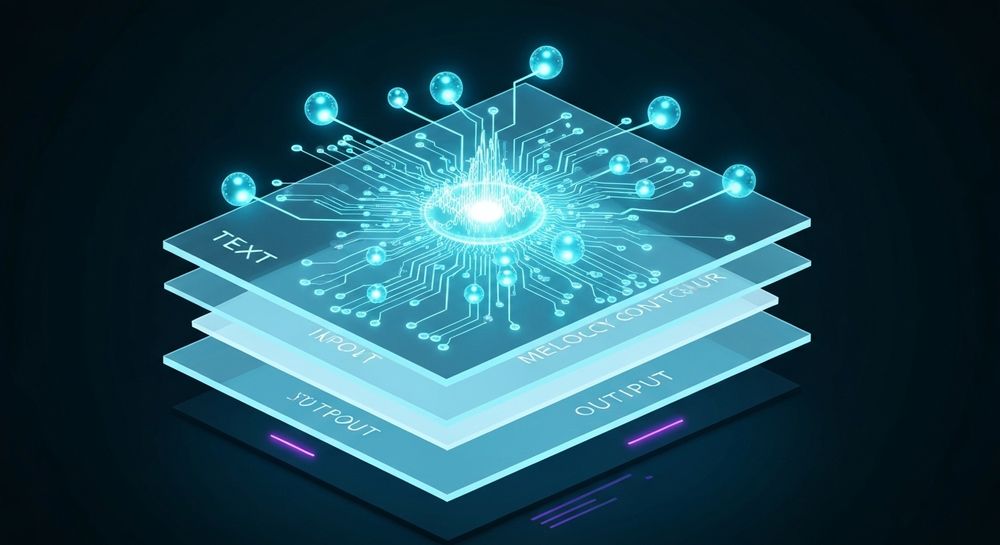
What Technology Powers AI Singing Lyrics Tools?
At the core of every AI singing engine is a mix of machine learning for music and neural vocoders. The process involves three major layers:
- Text-to-Melody Conversion: The algorithm analyzes lyrics and predicts melody contours or phoneme timing based on musical context.
- Voice Synthesis Models: Deep neural networks emulate human vocal timbre using trained datasets of singers.
- Post-Processing and Mixing: Generated vocals undergo EQ, reverberation, and compression to sound polished.
This architecture supports everything from straightforward pop singing to experimental textures like whispering or robotic harmonics. The technology has matured rapidly after 2024, especially with improved multilingual modeling and high-resolution audio generation.
How Does AI Singing Compare to Human Performance?
In 2026, AI voices are nearly indistinguishable from real singers under most mixing setups. However, the main advantage lies not in imitation but in flexibility. Machine voices never tire, can sing in multiple languages, and allow tone-shaping down to breath intensity.
Many studios now use AI-generated vocals for demos, film scores, and background harmonies because of the consistent pitch accuracy and emotional reproducibility. Some producers combine human and machine vocals for richer textures, creating a hybrid sound that defines contemporary electronic music.
For more insights into this technological fusion, read how AI-generated music is transforming the music industry and AI music generator and human composers: a future together. For a deeper dive into production workflow, watch our guide on creating Deep House music or explore our tutorial on how to make music.
How to Get AI to Sing Your Lyrics — Step-by-Step Guide
If your goal is to convert your written words into sung vocals, follow these key steps common across modern platforms.
Step 1: Feature Overview — Access AI Singing Generator

To begin, access an AI Singing Generator capable of transforming text into vocal performance. These tools provide a clear interface where you can input lyrics and choose from singing styles like pop, rock, rap, or opera.
Step 2: Lyrics/Text Input — Enter Lyrics or Text to Sing

Paste your lyrics or write directly into the text input field. Keep structure clear—verses, chorus, bridges—so the AI can interpret phrasing accurately. Avoid informal punctuation or random spacing, as the model uses these cues for rhythm.
Step 3: Voice Selection — Choose Voice Style and Characteristics

Next, select the vocal style or tone. Deep learning voice software offers presets ranging from soulful pop singers to experimental ASMR whisperers. Some systems allow reference audio uploads for style matching, ensuring the generated vocal resembles a chosen tone.
Step 4: Generation — Generate Singing Vocals from Text

After settings are finalized, trigger the generation process. The AI analyzes text and converts it into melody plus vocal expression asynchronously. This means the vocals are created after processing and delivered as downloadable audio rather than in real time.
Step 5: Download Vocals — Export Generated Singing Vocals

Once generation completes, download the clean acapella output. This can be imported into your DAW for mixing, editing, or integration with instrumentals. Many creators then use other tools such as the AI Song Generator (which creates full instrumental arrangements) to build complete compositions.
For detailed workflows on merging stems and instrumentals, see Soundverse introduces stem separation AI Magic Tool and AI Magic Tools help you create content quickly with AI. For further learning, check our Explore Tab tutorial for creative workflow control.
What Are the Best Practices When Using AI Singing Generators?
To get optimal results when producing vocals through AI singing lyrics technology, consider these guidelines:
- Write Singable Lines: AI models interpret syllables and rhythms best with concise phrasing. Overly long sentences may sound mechanical.
- Choose Matching Style: Select a genre output that suits your composition. Pop and EDM usually benefit from bright voices, while jazz or classical styles favor warm tones.
- Reference Audio: If possible, upload a reference vocal to achieve emotional consistency, especially for animated or gaming characters.
- Polish with Effects: Apply appropriate mixing—reverb, delay, or harmonizer—to blend machine-generated vocals naturally.
- Experiment Across Languages: Multilingual capability introduced after 2025 makes automatic translation and singing in various languages possible, expanding your creative reach.
What Are the Broader Trends in AI Singing and Music Generation in 2026?
The music industry now views AI singing as integral to production pipelines. In 2026, trends include:
- Integration of AI vocal modules directly inside DAWs.
- Cross-lingual vocal models for global collaborations.
- Realistic breath and inflection modeling.
- Widespread use in advertising jingles and virtual concerts.
This cultural adoption mirrors findings in music industry trends and reflects how technology, artistry, and accessibility merge to redefine music creation.
How to Make AI Sing Your Lyrics with Soundverse AI Singing Generator

Now that you understand how AI singing lyrics tools function, here is how to create it instantly using Soundverse.
Soundverse AI Singing Generator lets you generate professional-quality acapella performances directly from text or lyrics. It supports diverse singing styles including pop, rock, rap, opera, and ASMR. You can use reference audio to match vocal tone or have fun experimenting with unique textures like whispering or even 'Meow Meow' cat sounds.
Soundverse’s system operates asynchronously: you upload lyrics, select desired vocal characteristics, start generation, and then receive the downloadable vocal file. Each result is clean and ready for use in production, games, or animation.
Beyond singing, Soundverse offers related tools:
- AI Song Generator: Converts lyrics into full songs with instruments, arrangement, and mixing.
- Similar Singing Generator: Creates vocals that match the tone and emotion of any reference voice, useful for maintaining consistent character voices.
To explore more AI-powered music workflows, check generate AI music with Soundverse text-to-music and join the Soundverse affiliate program.
Transform Your Lyrics into AI Sung Vocals Instantly
Use Soundverse to bring your written lyrics to life with realistic AI vocals. Generate, tune, and experiment with expressive voices in minutes—no equipment or singing required.
Start Creating with Soundverse
Related Articles
- AI Ranks Soundverse’s AI Singer #1: The Ultimate AI Singing Platform Dominating 2025 — Explore how Soundverse’s AI Singer leads the 2025 revolution in vocal generation and creative performance.
- Generate AI Music with Soundverse Text-to-Music — Learn how Soundverse’s text-to-music feature turns your lyrical ideas into full songs with AI-powered precision.
- What AI Can Generate Songs — Discover the top AI systems capable of turning text prompts into fully realized songs and compositions.
- Soundverse Assistant: Your AI Music Co-Producer — Meet Soundverse Assistant, the smart co-producer that helps refine your songs, mix vocals, and enhance arrangements with AI.
Here's how to make AI Music with Soundverse
Video Guide

Here’s another long walkthrough of how to use Soundverse AI.
Text Guide
- To know more about AI Magic Tools, check here.
- To know more about Soundverse Assistant, check here.
- To know more about Arrangement Studio, check here.
Soundverse is an AI Assistant that allows content creators and music makers to create original content in a flash using Generative AI. With the help of Soundverse Assistant and AI Magic Tools, our users get an unfair advantage over other creators to create audio and music content quickly, easily and cheaply. Soundverse Assistant is your ultimate music companion. You simply speak to the assistant to get your stuff done. The more you speak to it, the more it starts understanding you and your goals. AI Magic Tools help convert your creative dreams into tangible music and audio. Use AI Magic Tools such as text to music, stem separation, or lyrics generation to realise your content dreams faster. Soundverse is here to take music production to the next level. We're not just a digital audio workstation (DAW) competing with Ableton or Logic, we're building a completely new paradigm of easy and conversational content creation.
TikTok: https://www.tiktok.com/@soundverse.ai Twitter: https://twitter.com/soundverse_ai Instagram: https://www.instagram.com/soundverse.ai LinkedIn: https://www.linkedin.com/company/soundverseai Youtube: https://www.youtube.com/@SoundverseAI Facebook: https://www.facebook.com/profile.php?id=100095674445607
Join Soundverse for Free and make Viral AI Music

We are constantly building more product experiences. Keep checking our Blog to stay updated about them!