How to Extend Songs Using Suno AI: The Complete 2026 Guide
Learn how to extend songs with Suno AI and Soundverse for seamless music continuation in 2026.
How to Extend Songs Using Suno AI
In 2026, artificial intelligence has become an integral part of music production, enabling artists to shape, refine, and enhance their creations with unprecedented precision. One of the most compelling innovations available to musicians and producers today is the ability to extend songs with Suno AI — a technique that lets creators lengthen their compositions while maintaining the original rhythm, key, and emotional depth of the track.
This comprehensive guide will walk you through how to extend songs using Suno AI, explore creative applications for musical extension, and finally, show how you can achieve even greater results using Soundverse's Extend Music feature.
What does it mean to extend songs with Suno AI?
Extending songs with Suno AI means using artificial intelligence to generate additional sections for existing audio tracks. Whether you have a short loop, a demo, or a finished piece, Suno AI can produce new segments that blend seamlessly with the original recording. The process relies on machine learning models trained on vast amounts of musical data, enabling accurate continuation of melody, harmony, and groove.

For example, if a producer needs to turn a 2-minute track into a 3-minute extended mix for a DJ performance, or loop a section perfectly for a video background, AI-generated extensions can save significant time compared to traditional manual composition.
This innovation aligns with broader industry trends highlighted in Soundverse’s 2026 music industry forecast, where adaptive audio generation is transforming how creators prepare music for streaming, gaming, and interactive experiences.
Why are musicians using Suno AI for song extension in 2026?
Musicians across the globe have embraced AI-based song extension techniques for several key reasons:

- Efficiency: Instead of spending hours composing new parts manually, AI tools like Suno generate coherent extensions in minutes.
- Consistency: The extended sections retain the same tempo, key, and style as the original, ensuring musical uniformity.
- Experimentation: Artists can explore creative transitions—like adding a new instrumental bridge or a second chorus—without rewriting the entire piece.
- Versatility: Extended tracks can be tailored to suit videos, live sets, and digital content formats.
- Integration: Tools such as Suno AI work alongside modern mixing and mastering workflows, fitting naturally into the digital studio environment that dominates music production in 2026.
These advantages resonate with the rise of AI-generated music tools, which go beyond simple automation to become creative collaborators. According to this Soundverse article, modern AI systems empower creators to reimagine the boundaries of sound design, arrangement, and emotional storytelling through technology.
How do you extend songs with Suno AI?
If you’re ready to use Suno AI to lengthen your track, follow this simplified workflow used by professionals and AI enthusiasts alike:
Step 1: Feature Overview
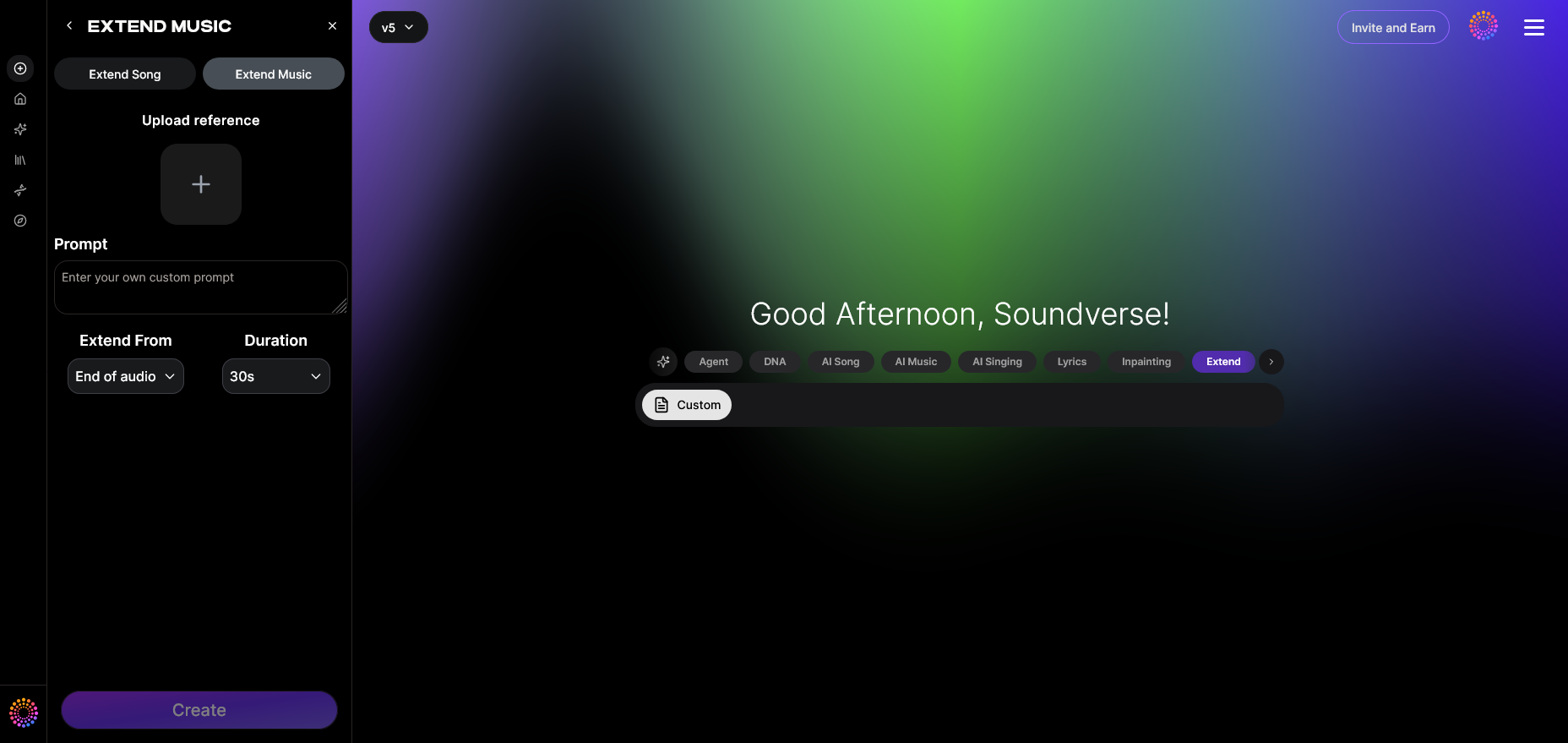
First, ensure you understand the purpose of Suno AI’s music extension capability. This feature is designed to allow seamless song continuation that matches your track’s original structure, making it ideal for DJs, game developers, and independent creators.
Step 2: Upload Track
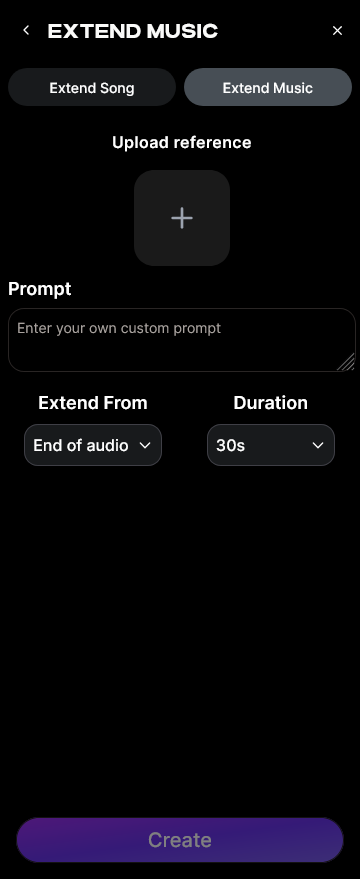
Upload the audio file you wish to extend. The AI analyzes its key musical attributes—like tempo, tonality, and rhythm—to prepare a stylistically aligned continuation.
Step 3: Duration Setting
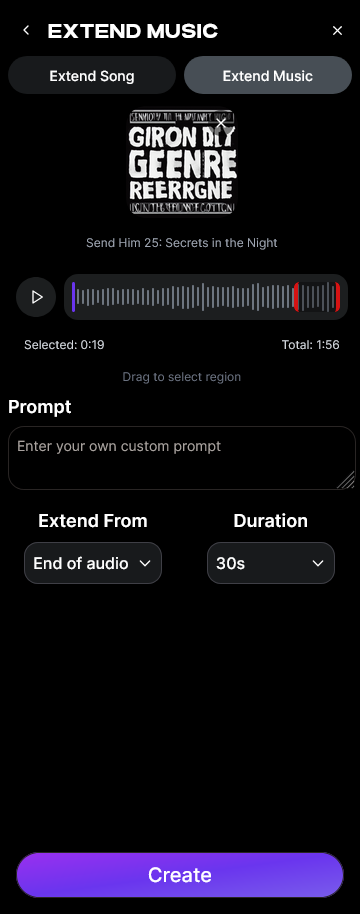
Select how long you want the extension to be. Most creators experiment with 15-second increments, but AI tools can allow extensions of up to several minutes depending on usage goals.
Step 4: Generation
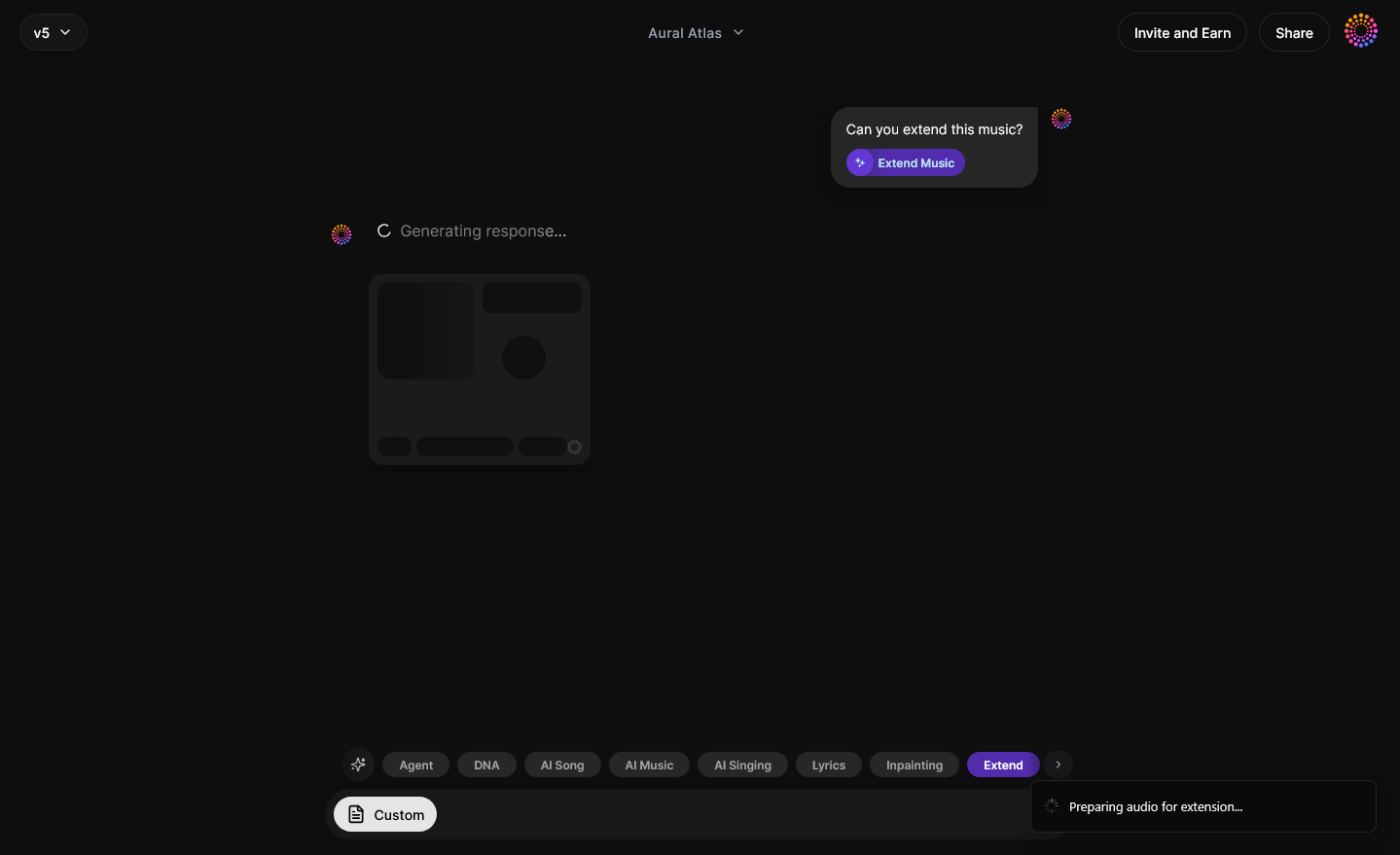
Once the parameters are defined, initiate the generation process. The AI will analyze the track and produce an extended section that can contain instrumental layers, vocals, or both. While Suno AI handles generation, similar platforms such as Soundverse focus on seamless musical coherence and mastering, giving you an even smoother end result.
Step 5: Download Extended
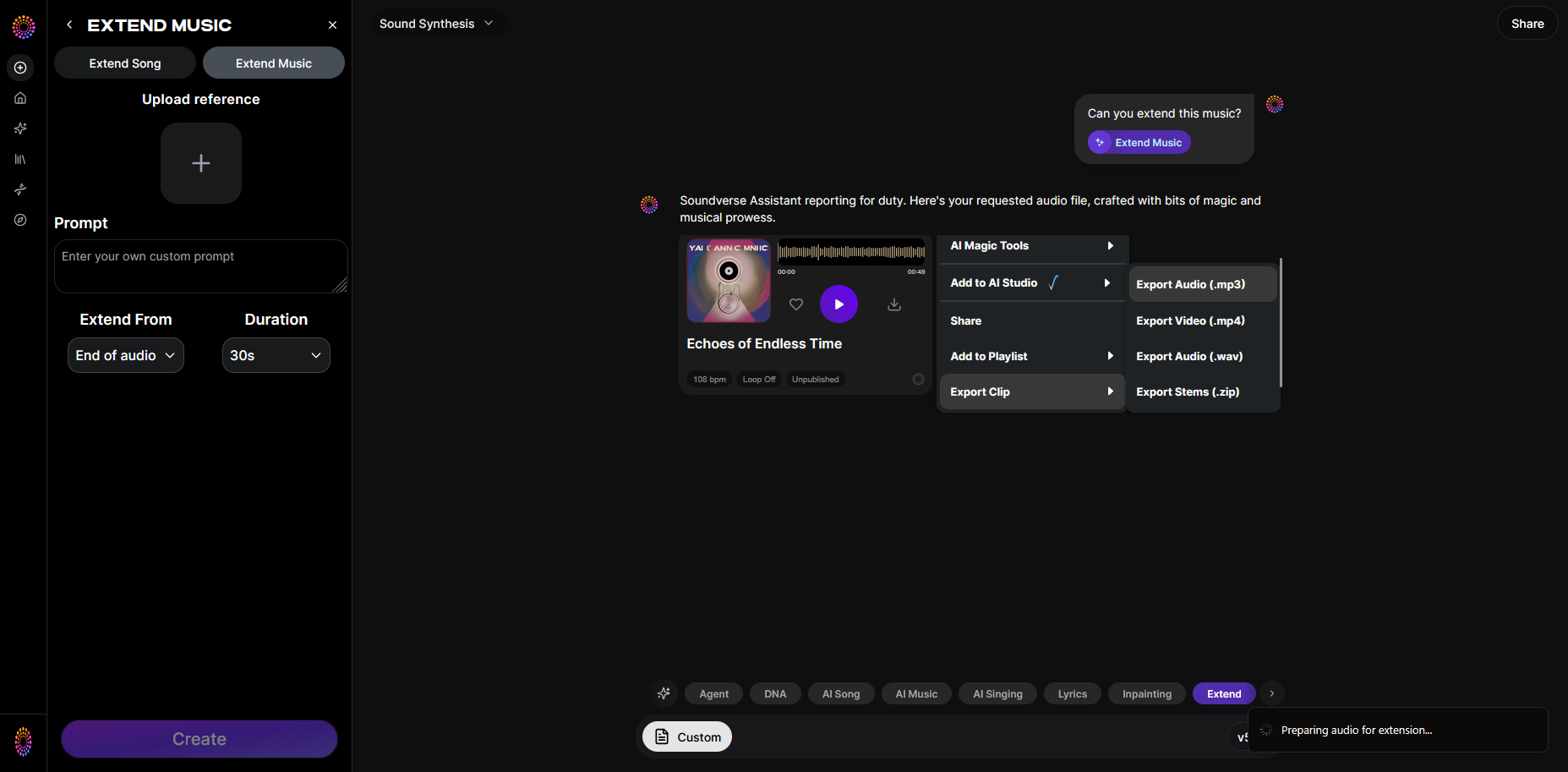
After generation, review the output. When satisfied, download the final version in your preferred format. You can then integrate it into your mixing workflow or use precision editing tools (like those found in Soundverse) to polish transitions and tonal blending. For a deeper dive, watch our Soundverse Tutorial Series - How to Make Music and Soundverse Tutorial Series - Explore Tab.
What are the creative ways to use Suno AI song extension?
AI song extension has found diverse real-world applications among creators in 2026:
- Extended DJ mixes: Craft longer dancefloor-ready tracks that keep energy levels consistent.
- Loop-based compositions: Turn short loops into full-length compositions for streaming or cinematic scoring.
- Game audio: Generate looping background tracks that adapt dynamically to gameplay scenes.
- Content synchronization: Extend music lengths to perfectly match video timelines for advertising or social content.
- Remixes and vocal experimentation: Use extensions to explore alternate arrangements or additional lyric content within an existing track structure.
As explained in the Soundverse stem separation essay, combining extension techniques with stem manipulation allows for deeper re-engineering of song parts—expanding possibilities for remixing and evolution in digital sound environments.
What are the best practices for using AI music creation tools in 2026?
While extending songs is straightforward, mastering the craft of AI-assisted creation requires best practices:
- Maintain original intent: Ensure that the AI-generated portions support your song’s mood and message.
- Use duration controls wisely: Overextending a track can reduce impact; balance length with engagement.
- Combine AI features: Mix song extension with tools for section analysis and inpainting edits for precise control.
- Preserve sonic quality: Always re-master extended sections to keep consistent loudness and clarity.
- Check copyright and usage rights: Utilize AI responsibly, ensuring generated music follows the latest licensing rules in the streaming era.
These principles align closely with modern AI composition techniques discussed in Soundverse’s AI Magic Tools overview, which emphasize speed, creativity, and copyright-safe workflows for all music creators.
How to make extended songs with Soundverse Extend Music
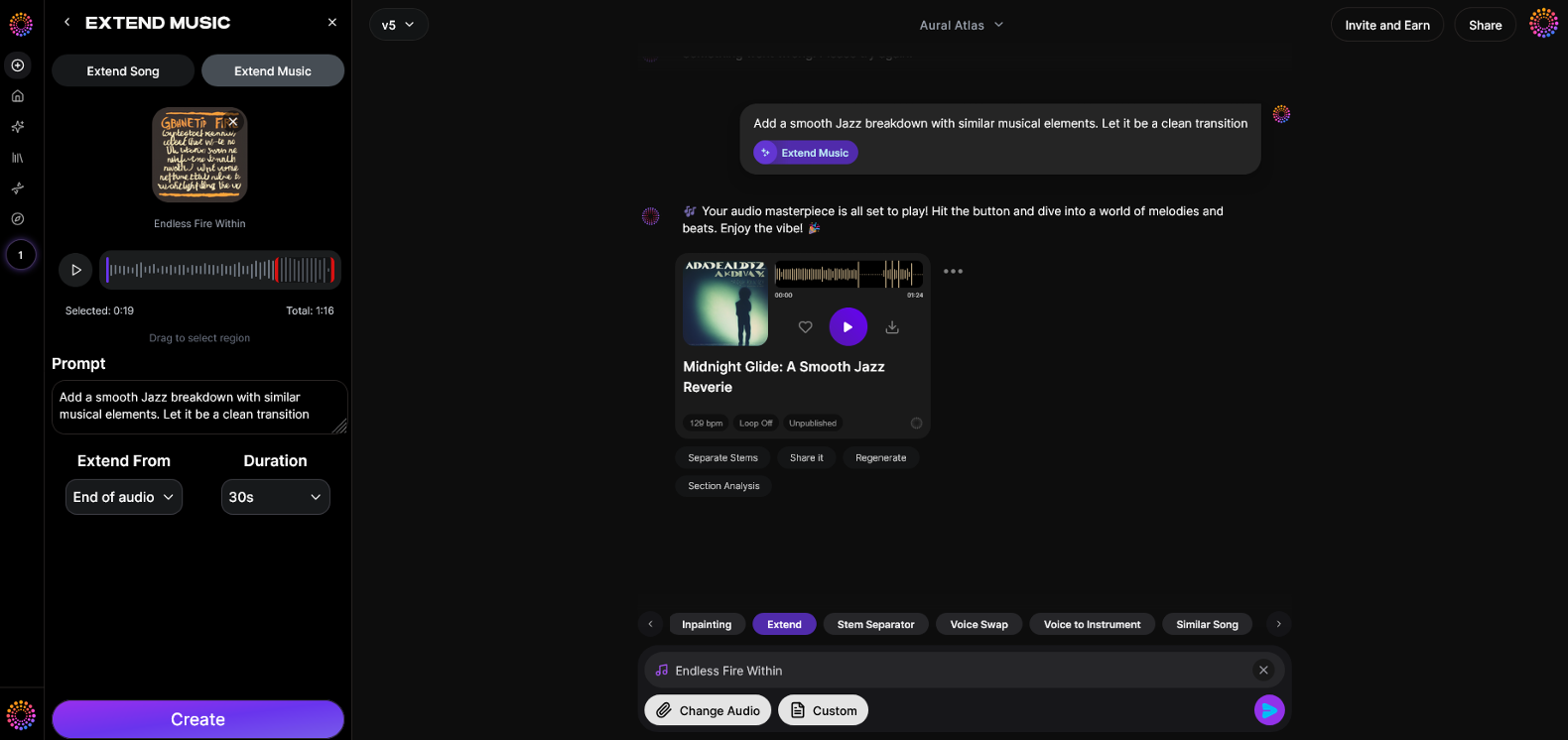
Now that you understand how to extend songs with Suno AI and the creative logic behind AI-powered extension, here’s how you can achieve the same—and even better—results using Soundverse’s Extend Music feature.
Extend Music in Soundverse is designed for professional-grade song continuation, offering precision and stylistic harmony that’s ideal for any genre or production setting. This tool seamlessly lengthens existing tracks by generating new material that matches the style, tempo, and key of your original. You can choose between extending a full song (vocals + music) or just the instrumental base.
Core Capabilities:
- Extend Song (Vocals + Music): Continue vocal sections naturally across new verses or choruses.
- Extend Music (Instrumental only): Ideal for loop creation or ambient background scoring.
- Duration Control: Choose extensions ranging from 15 seconds to 3 minutes.
- Loop Extension: Perfect for games and continuous-play soundtracks.
Practical Use Cases:
- Creating extended mixes for DJs to maintain crowd energy.
- Fitting music perfectly to a video timeline or advertising segment.
- Turning short loops into dynamic, complete songs for release.
- Generating seamless background loops for games or meditation apps.
By combining Extend Music with complementary Soundverse tools like Section Analysis (to identify song structures) and Inpainting (to regenerate lyrics or adapt arrangements), creators can perform intricate modifications effortlessly.
Soundverse’s asynchronous workflow ensures studio-quality generation without live preview—upload your file, let the AI process the music, and download your professionally extended track when ready.
For creators seeking higher flexibility than what Suno AI currently provides, visiting Soundverse’s AI music generation page reveals a wider toolkit for composition, arrangement, and production enhancement.
Final Thoughts: The Future of Song Extension
By 2026, the art of extending music has evolved into a defining technique for digital musicians. Tools like Suno AI have paved the way for automated song continuation, but platforms such as Soundverse extend this practice further—with structured duration control, in-depth analysis, and creative integration into broader production ecosystems.
For musicians and producers looking to blend innovation with authenticity, combining AI-powered song extension workflows ensures both creative freedom and professional polish. Whether you are crafting tracks for TikTok, DJ sets, or immersive gaming experiences, mastering song extension via Suno AI and Soundverse stands as an essential skill for the modern music creator.
To explore practical applications and inspiration, check out related guides like How to Create EDM with Soundverse AI, How to Create Jazz Music with Soundverse AI, and Best Suno Alternative – Soundverse AI Free Sign-Up. Together, these resources highlight the limitless creative potential of AI-assisted music shaping in 2026.
Start Creating Extended Tracks with AI Today!
Unlock the ability to seamlessly extend your songs, remix compositions, and refine your sound using Soundverse’s advanced AI tools — built for creators who want more control and innovation in their music.
- Best Suno Alternative – Soundverse AI Free Sign Up: Discover how Soundverse stacks up as a top alternative to Suno AI for extending and generating songs with powerful precision.
- Generate AI Music with Soundverse Text-to-Music: Learn how to transform text prompts into unique musical compositions instantly with Soundverse’s AI text-to-music engine.
- Soundverse AI Magic Tools: Create Content Quickly with AI: Explore a suite of AI Magic Tools that let you modify, extend, and personalize your music with just a few clicks.
- Join the Soundverse Affiliate Program: Earn rewards by sharing the Soundverse platform with your creative community and helping others discover AI-powered music creation.
Here's how to make AI Music with Soundverse
Video Guide

Here’s another long walkthrough of how to use Soundverse AI.
Text Guide
- To know more about AI Magic Tools, check here.
- To know more about Soundverse Assistant, check here.
- To know more about Arrangement Studio, check here.
Soundverse is an AI Assistant that allows content creators and music makers to create original content in a flash using Generative AI.
With the help of Soundverse Assistant and AI Magic Tools, our users get an unfair advantage over other creators to create audio and music content quickly, easily and cheaply.
Soundverse Assistant is your ultimate music companion. You simply speak to the assistant to get your stuff done. The more you speak to it, the more it starts understanding you and your goals.
AI Magic Tools help convert your creative dreams into tangible music and audio. Use AI Magic Tools such as text to music, stem separation, or lyrics generation to realise your content dreams faster.
Soundverse is here to take music production to the next level. We're not just a digital audio workstation (DAW) competing with Ableton or Logic, we're building a completely new paradigm of easy and conversational content creation.
TikTok: https://www.tiktok.com/@soundverse.ai Twitter: https://twitter.com/soundverse_ai Instagram: https://www.instagram.com/soundverse.ai LinkedIn: https://www.linkedin.com/company/soundverseai Youtube: https://www.youtube.com/@SoundverseAI Facebook: https://www.facebook.com/profile.php?id=100095674445607
Join Soundverse for Free and make Viral AI Music

We are constantly building more product experiences. Keep checking our Blog to stay updated about them!