How to Extend MP3 Length: A Complete Guide for Audio Creators in 2026
Learn how to extend MP3 length seamlessly with Soundverse Extend Music and other editing tools.
How to Extend MP3 Length
Extending an MP3 length has become an essential skill for content creators, musicians, and audio editors in 2026. Whether you’re preparing a soundtrack for a video, looping music for a game, or crafting an extended mix for your DJ set, understanding how to extend MP3 length effectively can save time and enhance creative output. The process involves either adding new material that fits the original mood or looping sections seamlessly to increase audio duration without losing fidelity.
Why Would You Want to Extend an MP3 File?
There are many reasons artists and creators choose to extend an MP3. Video editors might need a longer track to fit a specific scene. DJs often prefer extended versions for smoother transitions. Musicians may want to build a short loop into a full-length composition. Audio designers for games and apps also rely on music length extenders to ensure smooth looping and consistency.
Extending an MP3 isn't just about repeating sections—it’s about maintaining artistic integrity while achieving a technical goal. In 2026, creative workflows demand high-quality results without distortion, timing issues, or clunky edits.

What Are Common Methods to Increase Audio Duration?
Before using AI-powered tools like Soundverse, traditional techniques are still valuable. Here are several ways to increase audio duration manually or semi-automatically:
- Looping sections – The simplest way to extend MP3 length is by looping a segment. Tools like Audacity or GarageBand allow easy selection and repetition of sections.
- Combining multiple MP3 tracks – You can combine MP3 tracks by aligning them back-to-back or layering complementary sections to create a continuous mix.
- Stretching audio – Pitch and time-stretching plugins can lengthen a track while maintaining pitch. However, aggressive stretching may distort the sound.
- Inserting silence or fade-outs – Sometimes, adding quiet sections can help balance transitions without noticeable changes.
- Remixing or regenerating segments – Using AI tools available in 2026, creators can now remix or regenerate the last few bars to make extensions blend naturally.
These techniques provide flexibility but require patience and some level of audio editing skill. For those seeking faster solutions, new AI tools streamline these tasks effortlessly.

What Tools Can Help You Edit MP3 Files?
Editing MP3 files used to demand multiple apps and plugins. Today, AI platforms such as Soundverse integrate several audio file editing functions under one ecosystem. While you can still use conventional DAWs, AI-driven approaches in 2026 have redefined convenience and precision.
Mid-level editors might still rely on free tools like Audacity or WavePad, whereas professional creators often turn to Soundverse Extend Music, Adobe Audition, or Logic Pro for advanced projects.
If you’re exploring modern approaches, check out other Soundverse guides such as How AI-generated music is transforming the music industry, Soundverse AI Revolutionizing Music Creation for New Age Content Creators, and Soundverse Assistant: Your AI Music Co-Producer.
For a deeper dive, watch our guide on how to make music and create seamless transitions with extended tracks.
How to Extend MP3 Length Step-by-Step
Now let’s walk through how to extend MP3 length using modern tools in 2026. These steps align perfectly with the Soundverse Extend Music workflow but also apply as general guidance for audio length modification.
Step 1: Feature Overview
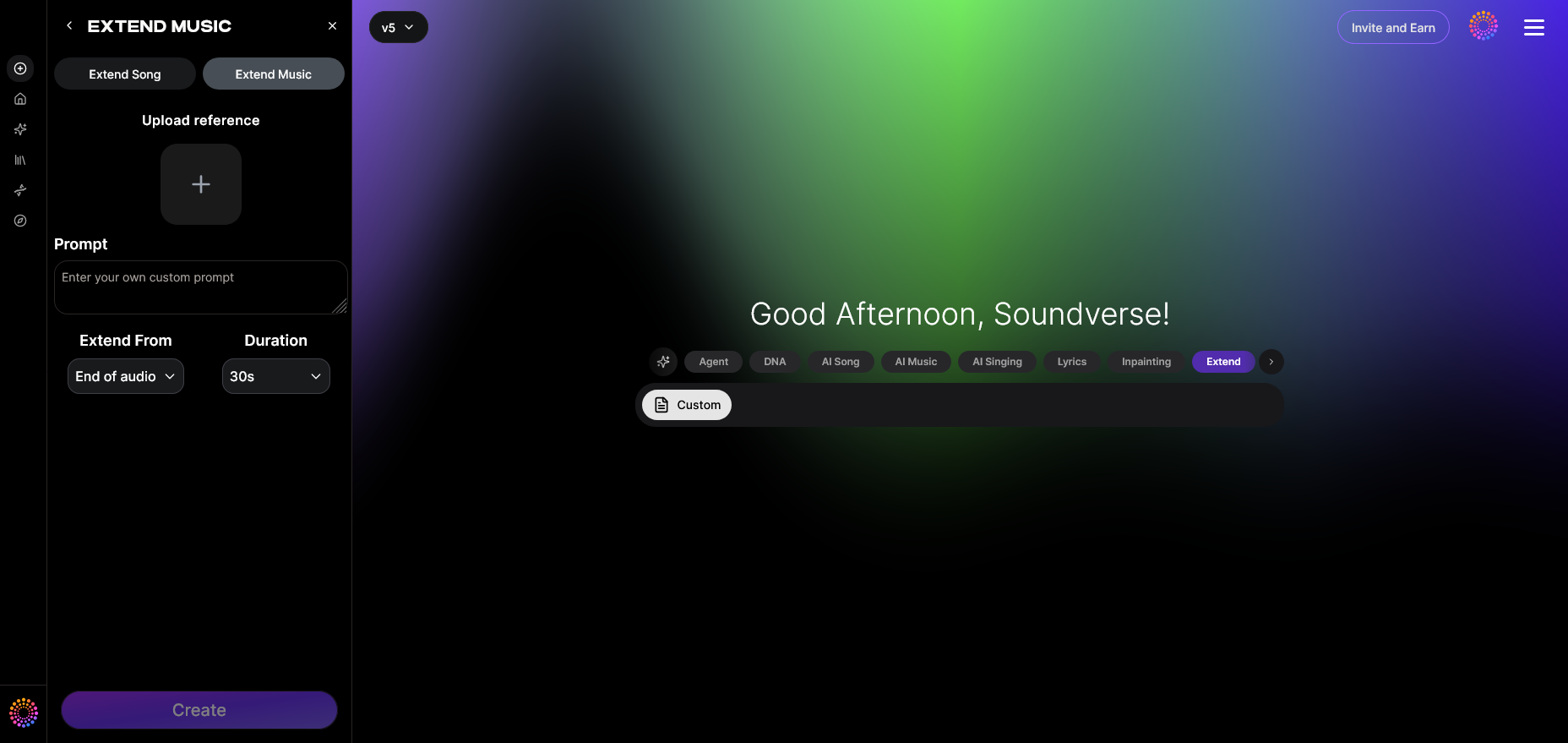
Access an audio editing platform that supports song or music extension. Soundverse’s Extend Music tool is engineered specifically for this purpose—it seamlessly lengthens tracks while preserving their key, tempo, and style. Begin by navigating to the tool interface where you can upload your song.
Step 2: Upload Track
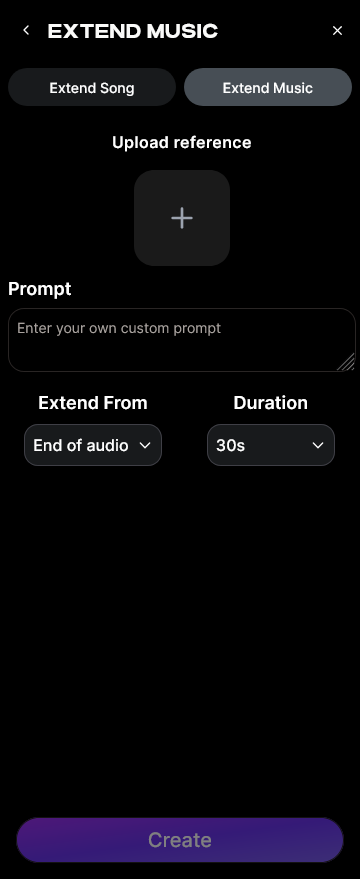
Choose the MP3 file you’d like to expand. Uploading ensures that the system analyzes tonal, rhythmic, and structural details. For creators working on remixes, pairing this step with Soundverse’s Stem Separator helps isolate vocals or instruments before extending specific parts.
Step 3: Duration Setting
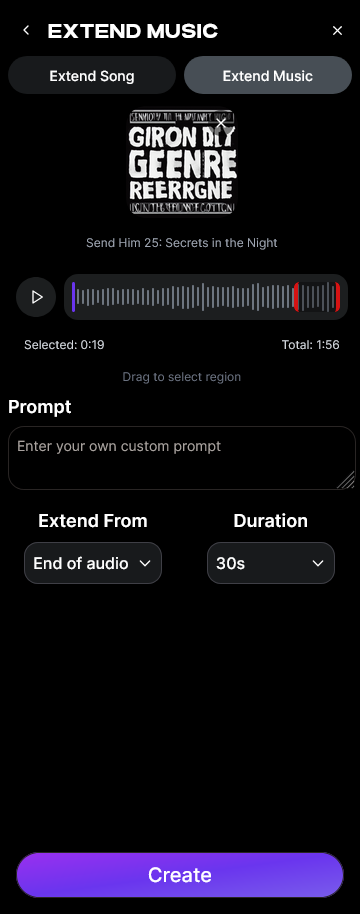
Set your desired extension length. The duration control typically ranges from 15 seconds to 3 minutes per extension. This option makes audio file editing precise, letting you match the extended track perfectly to video timing or set segment lengths.
Step 4: Generation
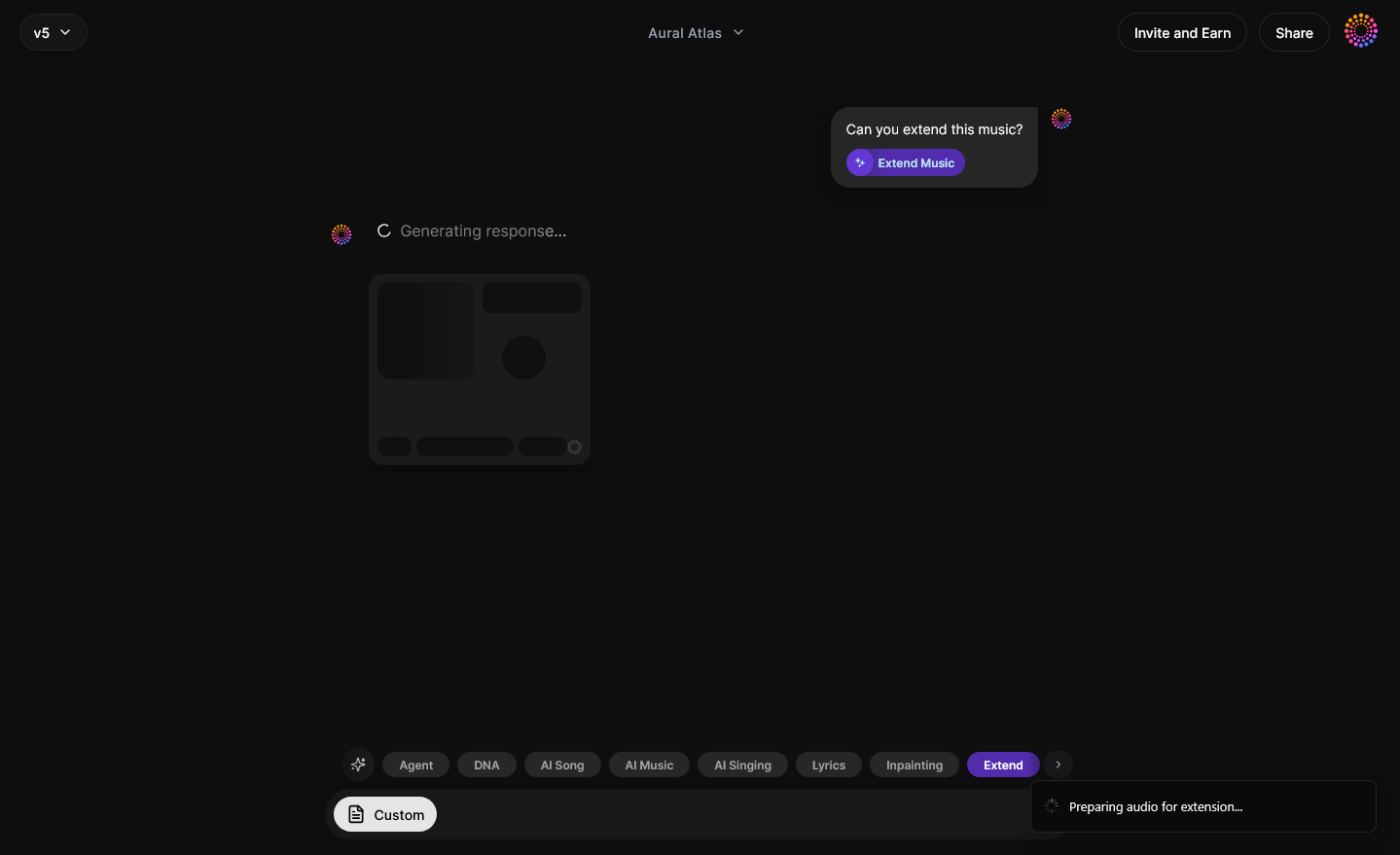
This is where AI does the heavy lifting. The system generates new audio that matches your original piece. Unlike manual looping, the AI learns your file’s musical attributes—such as rhythm patterns, chords, and vocal tone—then extends it seamlessly. Whether you choose Extend Song (Vocals + Music) or Extend Music (Instrumental only), the generated portion will blend naturally with existing content.
Step 5: Download Extended
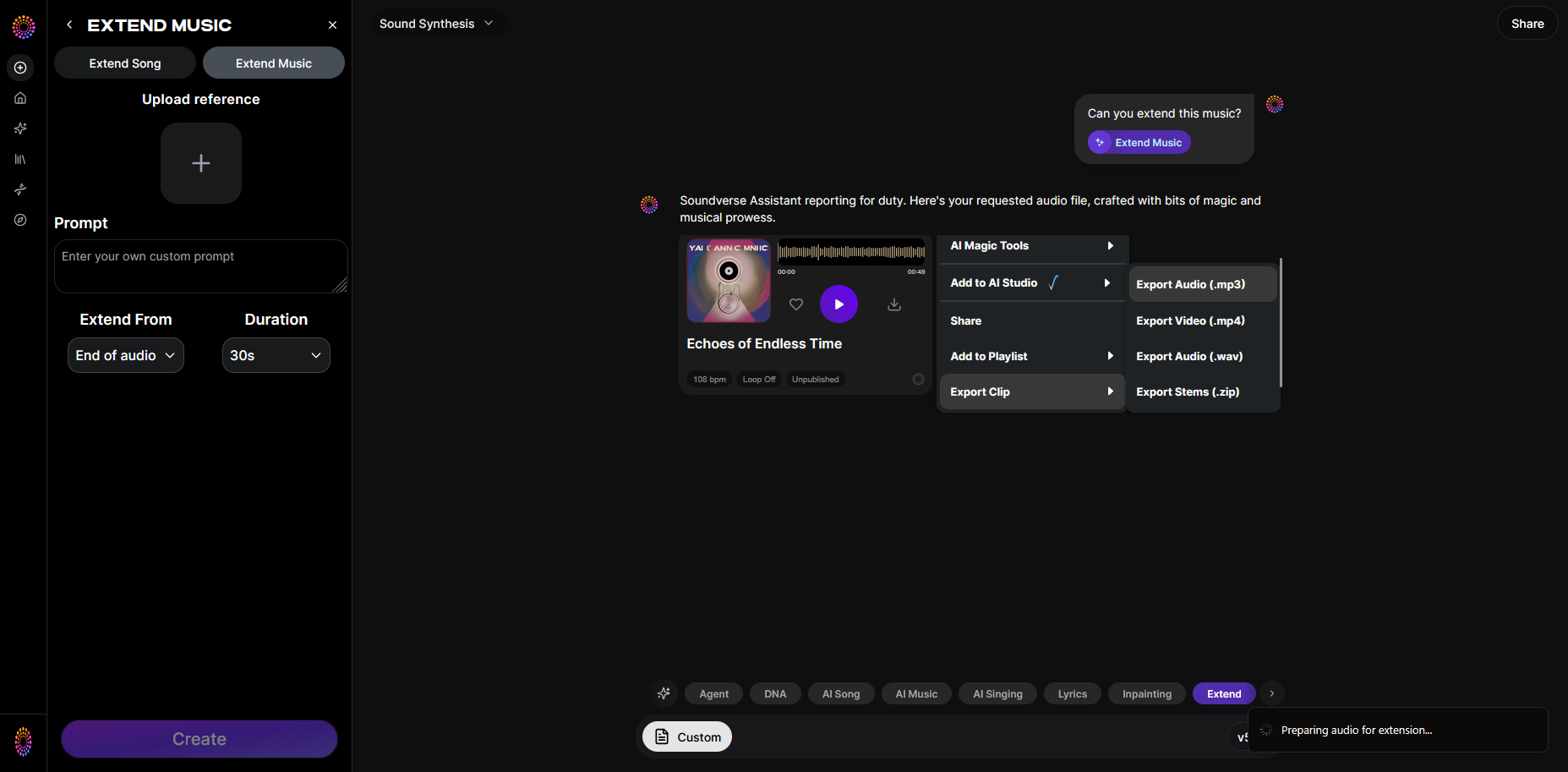
After processing, download your completed track. You now have an extended MP3 file ready for use. From here, you can integrate it into videos, mix it into a DJ set, or keep editing further using additional Soundverse tools such as Inpainting for fixing minor segments or Section Analysis for mapping song structure.
What Are the Benefits of Using AI to Extend MP3 Length?
- Style consistency: AI ensures the new material sounds like it belongs in the same song.
- Time savings: Extending MP3s manually might take hours; AI cuts that to minutes.
- Creative control: Duration and tonal settings make it customizable.
- Professional quality: Audio extensions maintain clarity without noticeable looping artifacts.
Creators in 2026 increasingly adopt Soundverse for integrated production needs due to its advanced understanding of musical structures and seamless blending technology.
How to Make Extended MP3s Instantly with Soundverse Extend Music
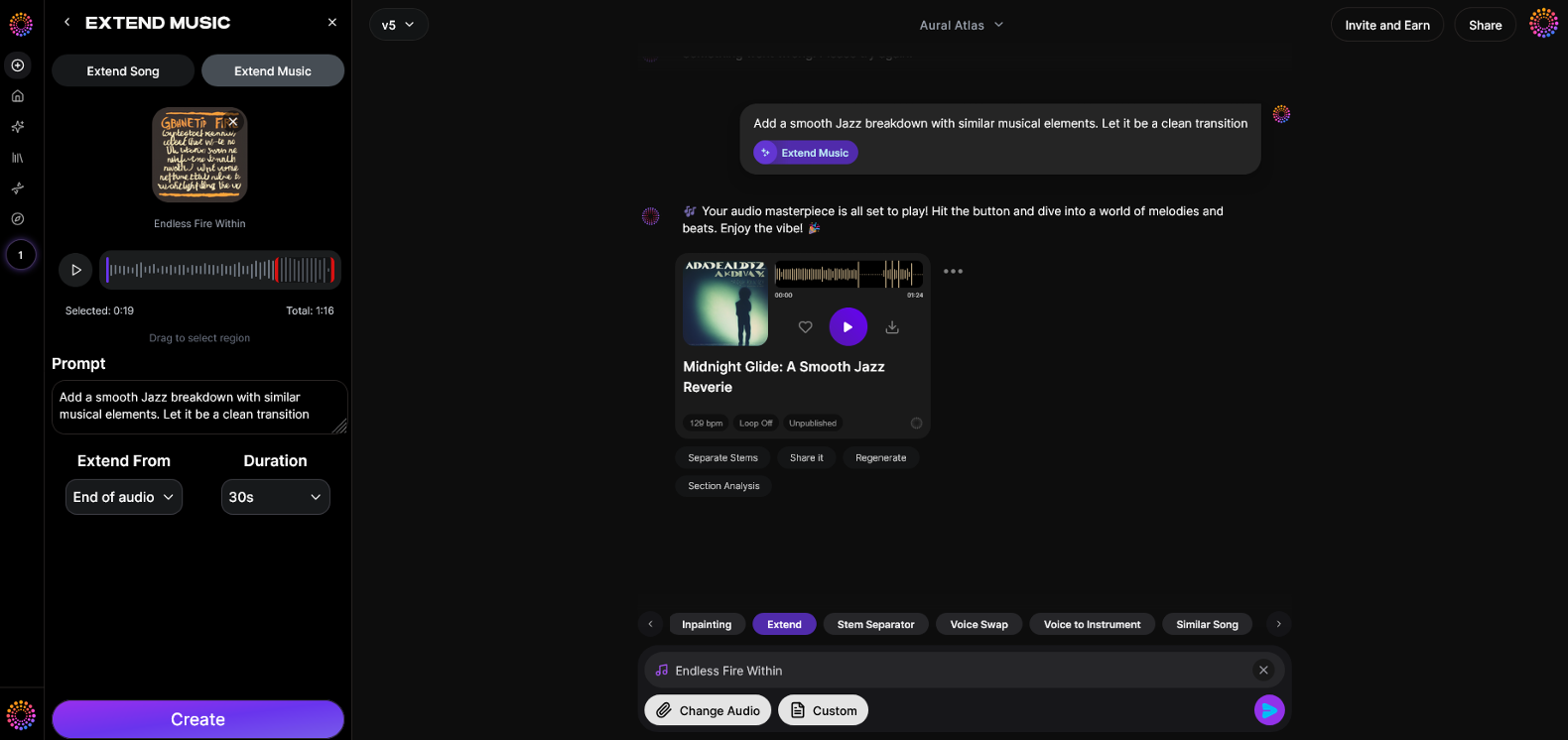
Now that you understand how to effectively extend MP3 length, here is how to create it instantly using Soundverse Extend Music.
Soundverse’s Extend Music feature allows users to seamlessly lengthen existing audio tracks by generating new material that matches their original song's style, tempo, and key. Whether you’re working on instrumental pieces or full songs with vocals, Soundverse automatically produces organic extensions that fit naturally.
Core Capabilities:
- Extend Song (Vocals + Music)
- Extend Music (Instrumental only)
- Duration control (15s to 3m per extension)
- Loop extension for games and DJ mixes
Primary Use Cases:
- Fitting music to video lengths
- Creating extended mixes for DJs
- Developing short loops into full compositions
- Game audio looping
By combining Extend Music with tools like Stem Separator, Inpainting, and Section Analysis, Soundverse provides complete end-to-end audio file editing capabilities. This ecosystem empowers creators to go from idea to polished soundtracks within minutes.
Want more AI music guides? Explore Generate AI Music with Soundverse Text to Music, Best AI Music Generators: Top Picks and Review, or What is Soundverse Arrangement Studio and What Does It Do.
Extend Your Music with AI Precision
Effortlessly lengthen, remix, and adapt your MP3 tracks using Soundverse’s AI-powered tools. Create seamless, high-quality transitions and expand your audio creativity today.
Related Articles
- Soundverse Introduces Stem Separation AI Magic Tool – Discover how Soundverse’s stem separation technology lets you isolate vocals and instruments to remix and extend your tracks easily.
- Soundverse AI Magic Tools: Create Content Quickly with AI – Learn how Soundverse’s suite of AI Magic Tools can help you edit, mix, and extend your music tracks in minutes.
- Generate AI Music with Soundverse Text-to-Music – Explore how text-to-music generation can help you craft longer, richer compositions directly from prompts.
- Best AI Music Generator: Top Picks and Review – Compare leading AI music generators to find the best tool for extending and enhancing your MP3s effortlessly.
Here's how to make AI Music with Soundverse
Video Guide

Here’s another long walkthrough of how to use Soundverse AI.
Text Guide
- To know more about AI Magic Tools, check here.
- To know more about Soundverse Assistant, check here.
- To know more about Arrangement Studio, check here.
Soundverse is an AI Assistant that allows content creators and music makers to create original content in a flash using Generative AI.
With the help of Soundverse Assistant and AI Magic Tools, our users get an unfair advantage over other creators to create audio and music content quickly, easily and cheaply.
Soundverse Assistant is your ultimate music companion. You simply speak to the assistant to get your stuff done. The more you speak to it, the more it starts understanding you and your goals.
AI Magic Tools help convert your creative dreams into tangible music and audio. Use AI Magic Tools such as text to music, stem separation, or lyrics generation to realise your content dreams faster.
Soundverse is here to take music production to the next level. We're not just a digital audio workstation (DAW) competing with Ableton or Logic, we're building a completely new paradigm of easy and conversational content creation.
TikTok: https://www.tiktok.com/@soundverse.ai Twitter: https://twitter.com/soundverse_ai Instagram: https://www.instagram.com/soundverse.ai LinkedIn: https://www.linkedin.com/company/soundverseai Youtube: https://www.youtube.com/@SoundverseAI Facebook: https://www.facebook.com/profile.php?id=100095674445607
Join Soundverse for Free and make Viral AI Music

We are constantly building more product experiences. Keep checking our Blog to stay updated about them!