How to Extend Audio: Best Methods for Lengthening Sound Files
Learn how to extend audio seamlessly and lengthen sound files for production, editing, and creative projects in 2026.
How to Extend Audio: Best Methods for Lengthening Sound Files
Extending an audio track is one of the most common tasks in modern music production and content creation. Whether you're a video editor trying to make a soundtrack fit perfectly, or a music producer expanding a short loop into a full-length piece, learning how to extend audio properly is essential. In 2026, audio manipulation technology has become far more advanced, allowing creators to preserve the natural flow, mood, and texture of a track while extending it intelligently.
Why Should You Extend Audio in 2026?
Extending audio isn’t simply about making a song longer. It’s about maintaining continuity and emotional tone across an entire project. With the rise of platforms like TikTok, YouTube Shorts, and VR media, content durations vary widely, leading creators to seek flexible music length solutions. Instead of finding another track or fading out abruptly, professionals now rely on digital tools that allow them to lengthen sound files seamlessly.

Some common reasons include:
- Adjusting a track to match video timing.
- Creating extended DJ mixes or ambient loops.
- Producing game soundtracks that require smooth looping.
- Evolving short clips into complete compositions for release.
In past years (2024 and 2025), audio stretching often involved basic looping or reverb fills that sounded unnatural. Now, 2026 technologies go beyond that — using intelligent algorithms to create new matching material while preserving tempo, tone, and core rhythm.
What Are the Best Techniques to Extend Audio Naturally?

Before using any software or AI-powered tools, it is crucial to understand the fundamental methods of lengthening sound files. Each technique has unique advantages depending on your workflow.
1. Traditional Looping
Looping has been the simplest method of extending music for decades. You repeat sections of an instrumental or rhythm pattern to fill more time. This technique works best for ambient or background tracks, but can sometimes make transitions feel repetitive if applied without variations.
To improve naturalness, use crossfades between loop points. This smooths out abrupt transitions and helps maintain flow. Many producers combine automation effects (like gradual EQ changes or subtle reverb updates) to make loops sound alive.
2. Time-Stretching
Time-stretching enables you to change duration without altering pitch. Modern DAWs like Ableton Live or Logic Pro use sophisticated algorithms to maintain sound quality. However, significant stretching can sometimes produce digital artifacts. For vocals or complex harmonies, try extending shorter phrases and blending with unprocessed takes. Advanced techniques are explained in Time-stretching, tape stops and transition effects: 10 tips for bending and Time Stretching and Audio Warping in Ableton Live.
3. Layered Repetition with Variation
Instead of copying a loop directly, copy it with slight variations in percussion or texture. Add new elements every few bars — such as a pad, subtle beat, or occasional fill. This keeps listener interest while doubling the track's length.
4. Regenerative Audio Extension (AI-Driven Technique)
AI audio editing tools now extend songs intelligently by analyzing the track’s musical DNA — tempo, key, rhythm, and dynamic structures — then generating new content consistent with the original. This approach moves beyond traditional looping. It creates brand-new material that fits organically, similar to how live musicians would continue the idea.
You can read more about how AI is transforming the music industry and enabling creators to compose faster than ever. For a deeper dive, watch our guide on creating Deep House music or explore our tutorial on how to make music with Soundverse.
5. Creative Sound Manipulation
Manipulate stems (individual audio components) to produce a fresh extended version. Separate vocals, drums, bass, and accompaniment using a stem separator, then reconstruct and extend each independently. This technique is particularly helpful when remixing or reimagining your track. Learn how this concept powers innovative remix workflows with Soundverse’s Stem Separation Magic Tool.
6. Audio Loop Extension for Games and Ambient Media
For game developers and ambient producers, loop extension must be imperceptible. Loops should continue indefinitely without any noticeable start or end. AI extensions preserve musical coherence and harmonics, making transitions invisible — ideal for interactive settings.
How Does Audio Editing Help When You Extend Tracks?
Audio editing plays an important part in extending any track effectively. After extending your file, spend time refining transitions, applying EQ adjustments, and balancing dynamics. Even small tone differences between original and generated material can stand out. Use equalization and mastering tools to unify sonic texture.
Popular audio editing actions include:
- Trimming excess reverb or tails.
- Normalizing volume consistency.
- Crossfading extended segments.
- Adding atmospheric layers or subtle effects.
When working on genres like EDM or Hip-Hop, explore composition depth by using AI-assisted arrangement ideas from articles such as How to Create EDM with Soundverse AI or How to Create Rap Music with AI. You can also find inspiration via our Explore Tab walkthrough video.
What Are Common Challenges When You Lengthen Sound Files?
While technology makes extending audio easier, challenges remain:
- Maintaining musical coherence: AI must match tempo and chord progression precisely.
- Preserving tonal quality: Compression misalignments may cause sound discrepancies.
- Avoiding repetitive structures: Over-looping can make music predictable.
- Matching dynamic energy: Extended sections should maintain emotional impact.
Today’s advanced audio editing tools allow precise control over these aspects, preventing awkward transitions and ensuring the expanded segment sounds handcrafted.
How to Make Perfectly Extended Audio with Soundverse Extend Music
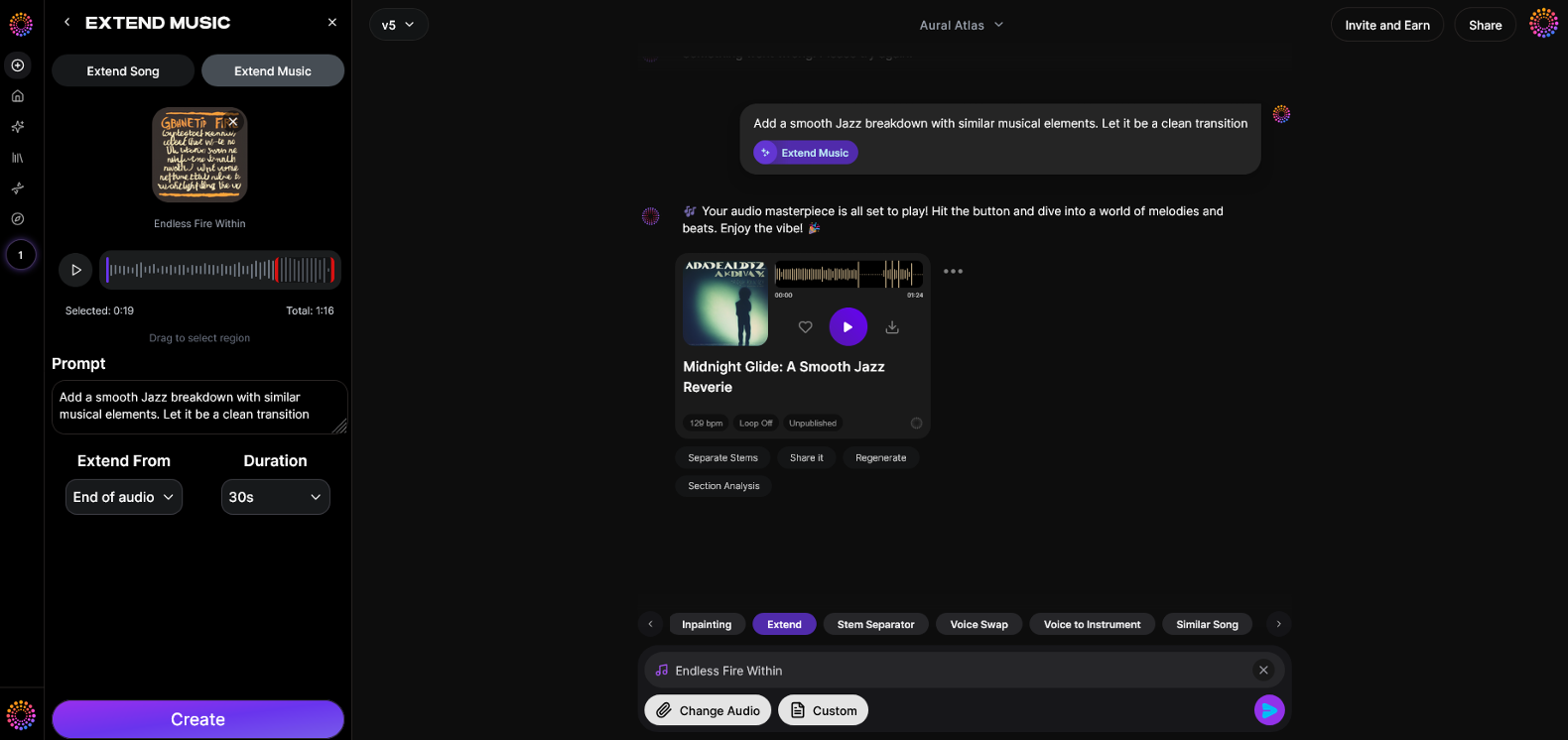
Now that you understand the best practices and methods for extending sound files, here’s how you can create professional-quality extended audio instantly using Soundverse’s Extend Music feature — built specifically for creators, producers, and editors who need seamless musical continuity.
Step 1: Feature Overview
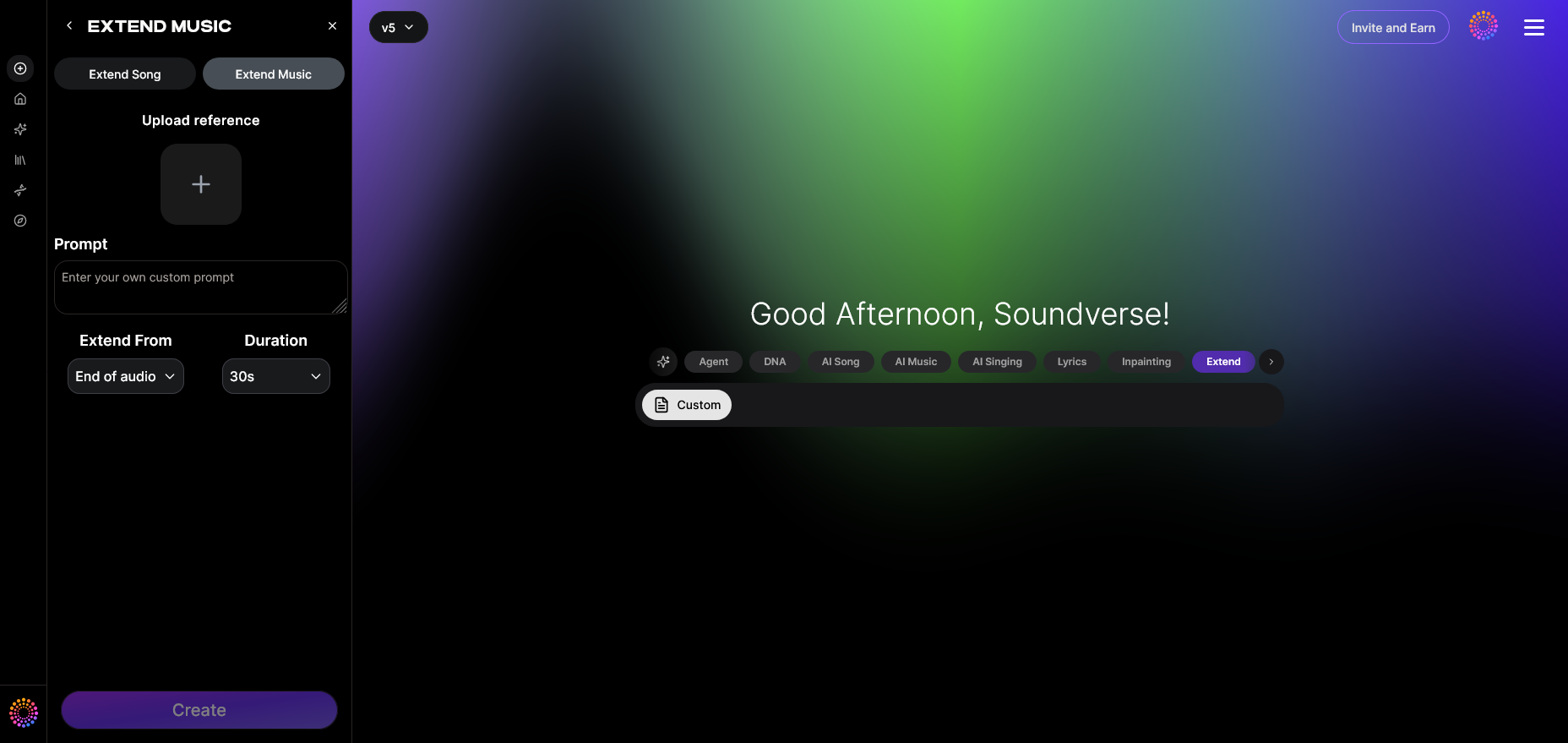
Access the Extend Music tool from your Soundverse dashboard. This feature allows seamless song continuation and instrumental extension, designed to match your track’s style, tempo, and key exactly.
Step 2: Upload Track
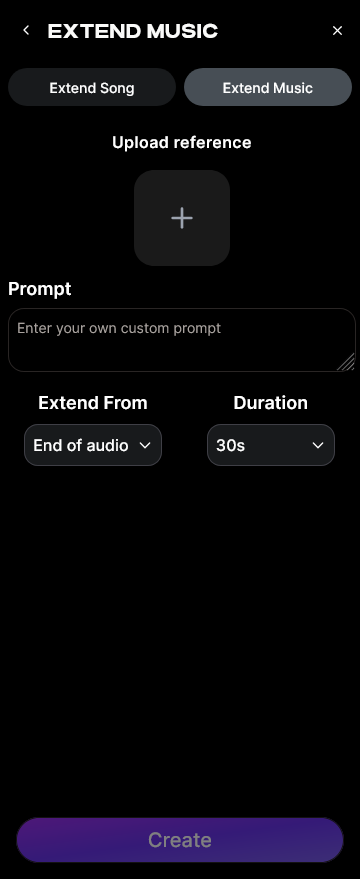
Upload the audio file you wish to extend. You can choose full songs with vocals or purely instrumental pieces depending on your project.
Step 3: Duration Setting
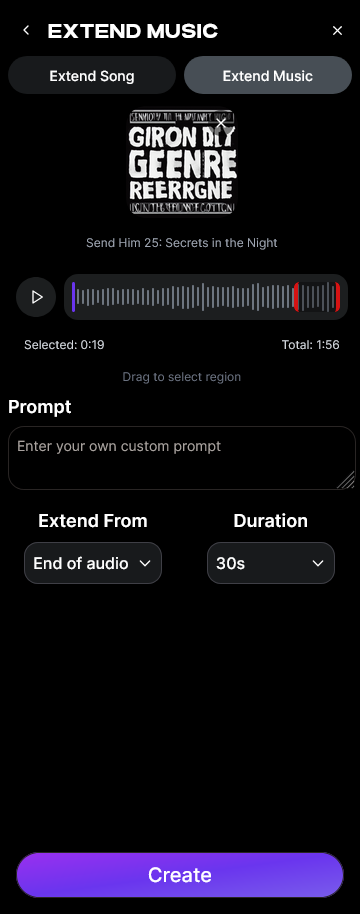
Select how much longer you want the track to be. Soundverse supports duration extension from 15 seconds up to 3 minutes per generation. This flexibility allows precise timing control for video synchronization or DJ sets.
Step 4: Generation
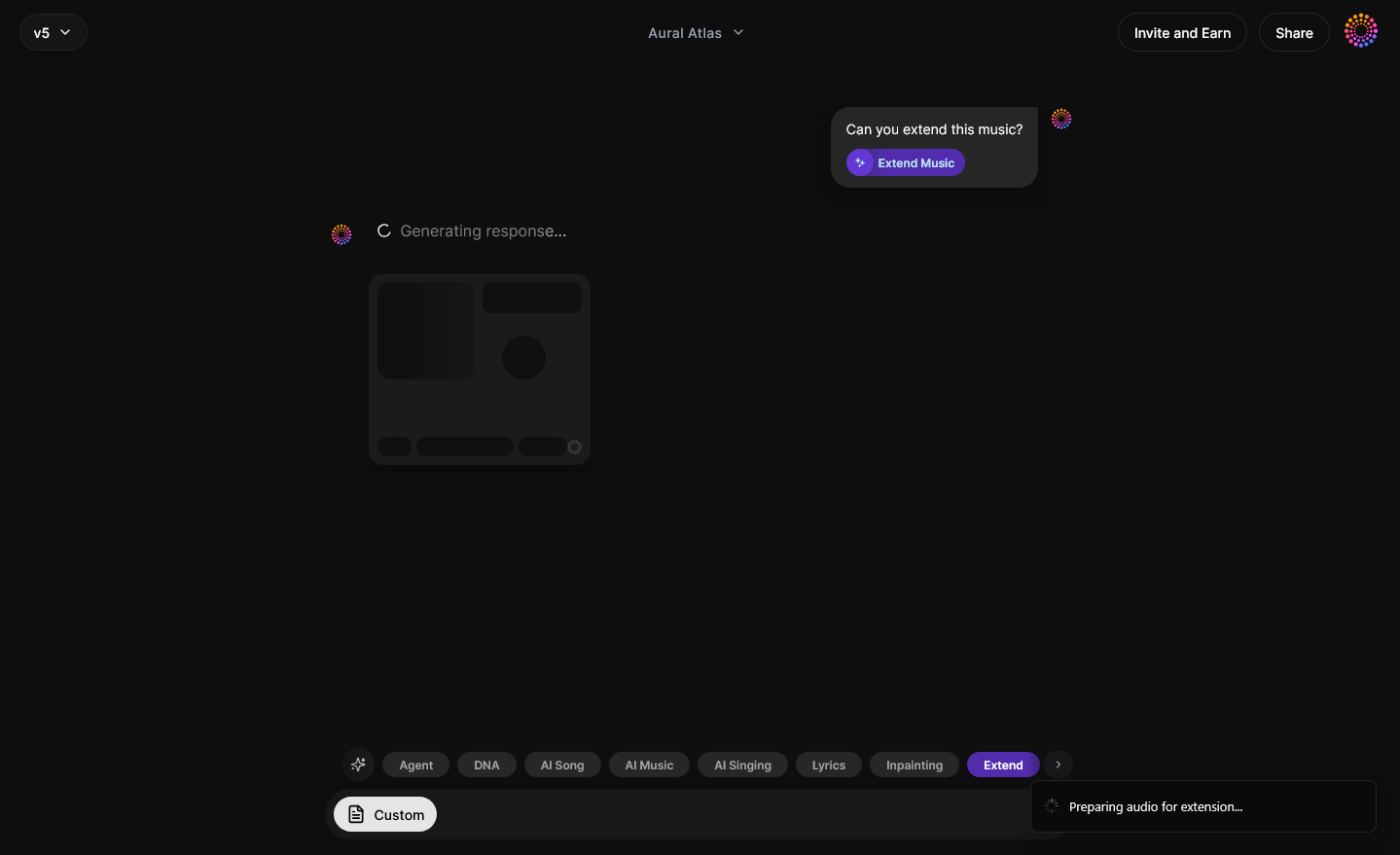
After setting your preferences, the AI analyzes the song’s structural and stylistic elements. It then generates new matching material that continues the natural flow. This process is asynchronous — you submit the file, and Soundverse returns the extended version once processed.
Step 5: Download Extended
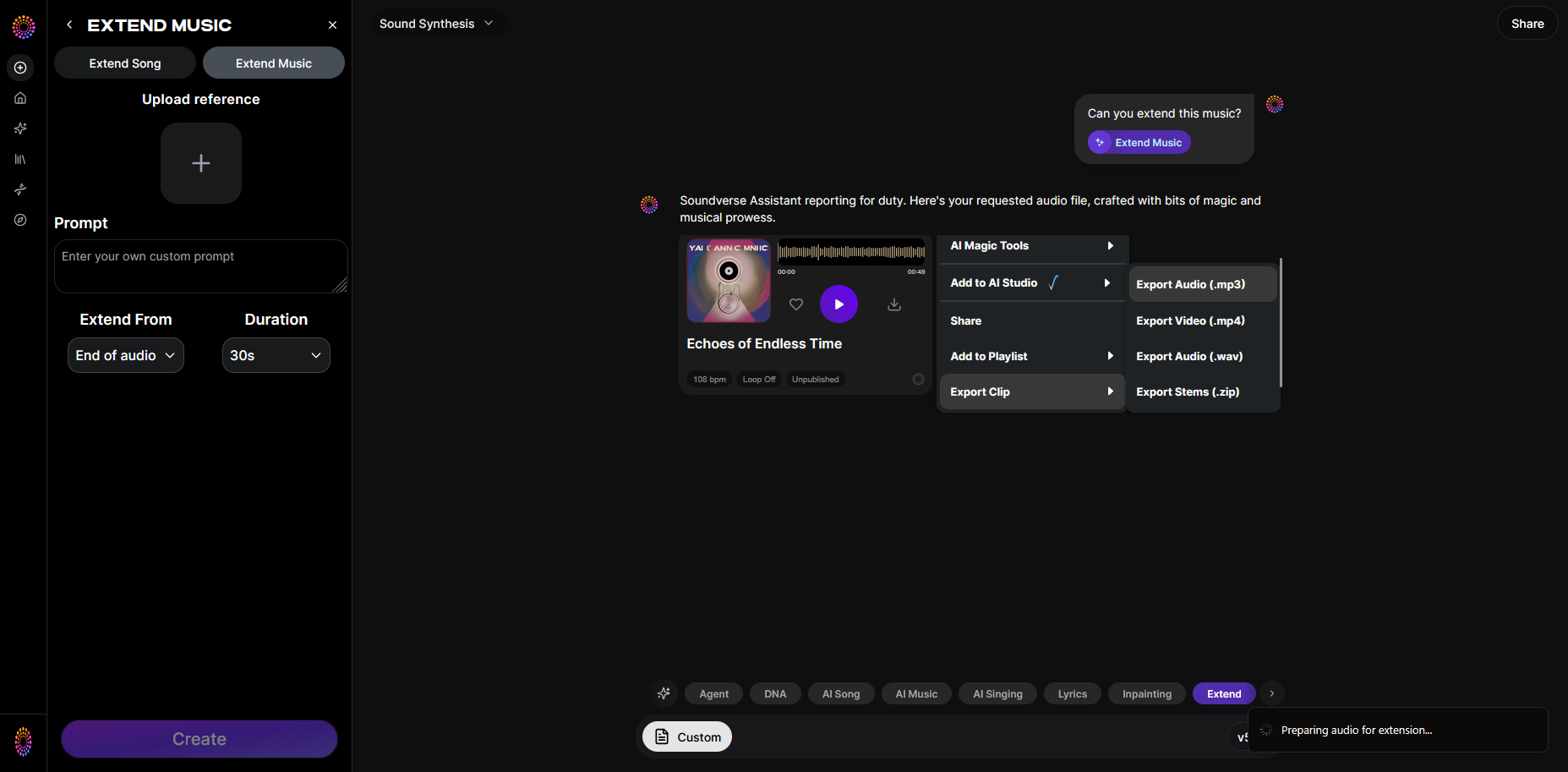
Once generation completes, download the extended audio. You can further refine it using Soundverse’s Inpainting tool, which lets you surgically edit or regenerate small sections for perfection.
You can explore more creative integrations across Soundverse’s product suite in Soundverse AI Magic Tools Create Content Quickly with AI and Soundverse Assistant: Your AI Co-Producer.
Create Longer, More Engaging Tracks with Soundverse
Extend your audio effortlessly using Soundverse’s AI-powered tools. Generate new sections, loops, and transitions that keep your music flowing seamlessly—all with just a few clicks.
Related Articles
- Soundverse Introduces Stem Separation AI Magic Tool: Discover how Soundverse’s stem separation feature lets you isolate vocals, beats, and instruments for more flexible editing options.
- Soundverse AI Magic Tools: Create Content Quickly with AI: Learn how Soundverse’s AI Magic Tools simplify complex music production tasks and boost creative speed.
- Generate AI Music with Soundverse Text-to-Music: Turn simple text prompts into fully produced tracks with Soundverse’s advanced AI music generation engine.
- What Are Song Stems and Why Do You Need Them: Understand the role of song stems in remixing, editing, and enhancing your audio projects.
Here's how to make AI Music with Soundverse
Video Guide

Here’s another long walkthrough of how to use Soundverse AI.
Text Guide
- To know more about AI Magic Tools, check here.
- To know more about Soundverse Assistant, check here.
- To know more about Arrangement Studio, check here.
Soundverse is an AI Assistant that allows content creators and music makers to create original content in a flash using Generative AI.
With the help of Soundverse Assistant and AI Magic Tools, our users get an unfair advantage over other creators to create audio and music content quickly, easily and cheaply.
Soundverse Assistant is your ultimate music companion. You simply speak to the assistant to get your stuff done. The more you speak to it, the more it starts understanding you and your goals.
AI Magic Tools help convert your creative dreams into tangible music and audio. Use AI Magic Tools such as text to music, stem separation, or lyrics generation to realise your content dreams faster.
Soundverse is here to take music production to the next level. We're not just a digital audio workstation (DAW) competing with Ableton or Logic, we're building a completely new paradigm of easy and conversational content creation.
TikTok: https://www.tiktok.com/@soundverse.ai
Twitter: https://twitter.com/soundverse_ai
Instagram: https://www.instagram.com/soundverse.ai
LinkedIn: https://www.linkedin.com/company/soundverseai
Youtube: https://www.youtube.com/@SoundverseAI
Facebook: https://www.facebook.com/profile.php?id=100095674445607
Join Soundverse for Free and make Viral AI Music

We are constantly building more product experiences. Keep checking our Blog to stay updated about them!