How to Extend a Music Track: A Complete Guide for 2026 Producers
Learn how to extend a music track using professional editing and DAW techniques.
How to Extend a Music Track
Extending a music track has become a vital skill for modern producers, especially in 2026 when content creators, game developers, and sound engineers regularly adapt music to fit dynamic formats. Whether you’re preparing an extended mix for live performance or tailoring a soundtrack to match video timing, knowing how to extend a music track properly ensures seamless transitions and maintains consistent energy across versions.
Why do producers need to extend a music track?
Music producers often need longer versions for promotional edits, cinematic underscoring, or immersive gaming soundscapes. DJs, in particular, utilize extended tracks for smooth transitions between songs. In sync licensing, brands might request a specific duration, prompting engineers to stretch or re-compose segments. Extending audio is no longer a simple repetition of loops—it’s a combination of technical skill and creative balance.

What are the key music editing techniques to extend a track?
There are several ways to extend a music track effectively using music editing techniques. Below are the most common approaches used in 2026:
- Looping a song smoothly – Looping sections is fundamental but requires precision. A mistake in timing or phase can result in unnatural jumps. Producers ensure perfect loop points by aligning beats within their DAW grid.
- Adding transitional elements – White noise sweeps, risers, and drums create continuity between sections when extending. They preserve listener engagement and smooth out transitions.
- Rearranging sections – Using DAW editing, you can rearrange verses, choruses, or instrumental bridges. The Section Analysis tool available on Soundverse helps identify the ideal points for rearrangement.
- Overlaying new instruments – Producers may insert new background pads or ambient layers to extend the atmosphere while keeping tonal consistency.
- Stem separation and re-composition – With stem separation tools (like Soundverse’s AI Magic Stem Separator), you can extract specific instruments for individualized adjustment, helping you rebuild the song organically instead of copying sections. See more about this process in Soundverse AI Magic Tools.

How does looping a song influence track lengthening?
Looping is the most direct way to extend a music track, especially when you aim to maintain rhythm and continuity. In 2026, DAWs have evolved to offer advanced loop quantization and automatic tempo matching, making the process effortless. The key is to preserve groove integrity. Overlapping one or two bars before a section repeat keeps the musical flow natural.
Loops work impeccably for electronic genres such as techno, house, and lo-fi. If you’re creating chill background loops, check AI Music Generation Prompts For All Occasions for inspiration. Looping transforms short motifs into continuous textures, ideal for podcasts or long-form video content.
For a deeper dive into creative DAW looping, watch our guide on creating Deep House music and how to make music efficiently on the Soundverse YouTube channel.
What are the best audio production tips for extending songs in 2026?
Professional audio engineers use advanced DAW editing tools to craft seamless extensions. Here are top audio production tips followed in 2026:
- Match the key and tempo precisely: Always ensure extensions remain consistent with the original tempo, especially when dealing with vocal passages.
- Use fade-ins and fade-outs subtly: These smooth temporal joins and help avoid abrupt transitions.
- Employ automation creatively: Filter sweeps, volume rides, and reverbs add realism during longer sections.
- Check frequency balance: Extended parts might exaggerate low or high frequencies; EQ adjustments keep the balance stable.
- Use compression wisely: It maintains dynamics throughout the lengthened track while preventing unwanted amplitude fluctuation.
Audio production today integrates machine learning assistance, enabling features like adaptive regeneration. Many producers now combine DAW techniques with intelligent composition aids such as Soundverse’s Extend Music feature, which learns the style of your track and expands it intelligently.
How to make track lengthening feel natural instead of repetitive?
Avoiding monotony is essential when you extend a music track. Repeated loops can feel robotic if not layered thoughtfully. Add minor rhythmic variations, dynamic swells, or harmonic bridges. Use subtle percussion, evolving pads, or change instrumentation every 8 or 16 bars. These small nuances keep listener attention while keeping recognizable motifs.
2026’s production trend emphasizes listener immersion. Game and media composers often rely on evolving loops that adapt dynamically. You’ll see examples in adaptive video sound design covered in The Role of AI Music in Film and Television.
What DAW editing techniques make track extension easier?
Modern DAWs simplify this process immensely. Producers rely on flexible editing environments like Ableton Live, Logic Pro, FL Studio, and Reaper. Common DAW editing workflows include:
- Duplicate and merge clips: Creating repeated patterns.
- Slice and rearrange: Cutting loops for dynamic arrangement.
- Warp and time-stretch: Adjust duration without changing pitch.
- Groove extraction: Match timing across new and old sections.
- Layer automation lanes: Coordinate volume and panning throughout extensions.
DAW editing also interfaces smoothly with AI tools. Producers combine manual adjustments and generative models to achieve professional results quickly. For hybrid workflows, check AI Music Generator and Human Composers: A Future Together.
For visual walkthroughs of workflow setup, explore our video “Explore” Tab demonstration.
How to make track extensions fit video or game length accurately?
Fitting music precisely into time-coded environments, such as cinematic trailers or in-game scenes, requires accuracy. You can time-stretch audio or regenerate the outro to align perfectly. As 2026 game audio engines demand loop consistency, producers use seamless loop markers and fade boundaries to make transitions imperceptible. High-level synchronization involves checking start and end frames with tempo grids—ensuring beats land in sync with visuals.
The Extend Music feature aids this by letting users define exact durations—from 15 seconds to three minutes—matching production briefs instantly.
How to make longer mixes for DJs and live sets?
Extended mixes are vital in club and live performance settings. DJs use longer intros and outros for smoother beatmatching transitions. To extend a mix properly:
- Lengthen percussive sections for blending.
- Add breakdown segments to control crowd energy.
- Maintain harmonic consistency using reference keys.
Sound engineers often regenerate missing stems or intros using inpainting features that repair or adjust specific sections without disturbing the full mix.
How to make audio loops become full tracks?
Creating full compositions from short loops is an art. Producers start with a motif or hook, then gradually expand it with arrangement enhancement. Add transitions, bridges, and alternate chords that complement the core idea. Combining looping techniques with modern AI regeneration tools allows rapid transformation of micro loops into finished work.
For example, Soundverse’s Extend Music and Inpainting tools can develop micro loops into structured songs by analyzing your existing motifs.
How to make extended music with Soundverse Extend Music
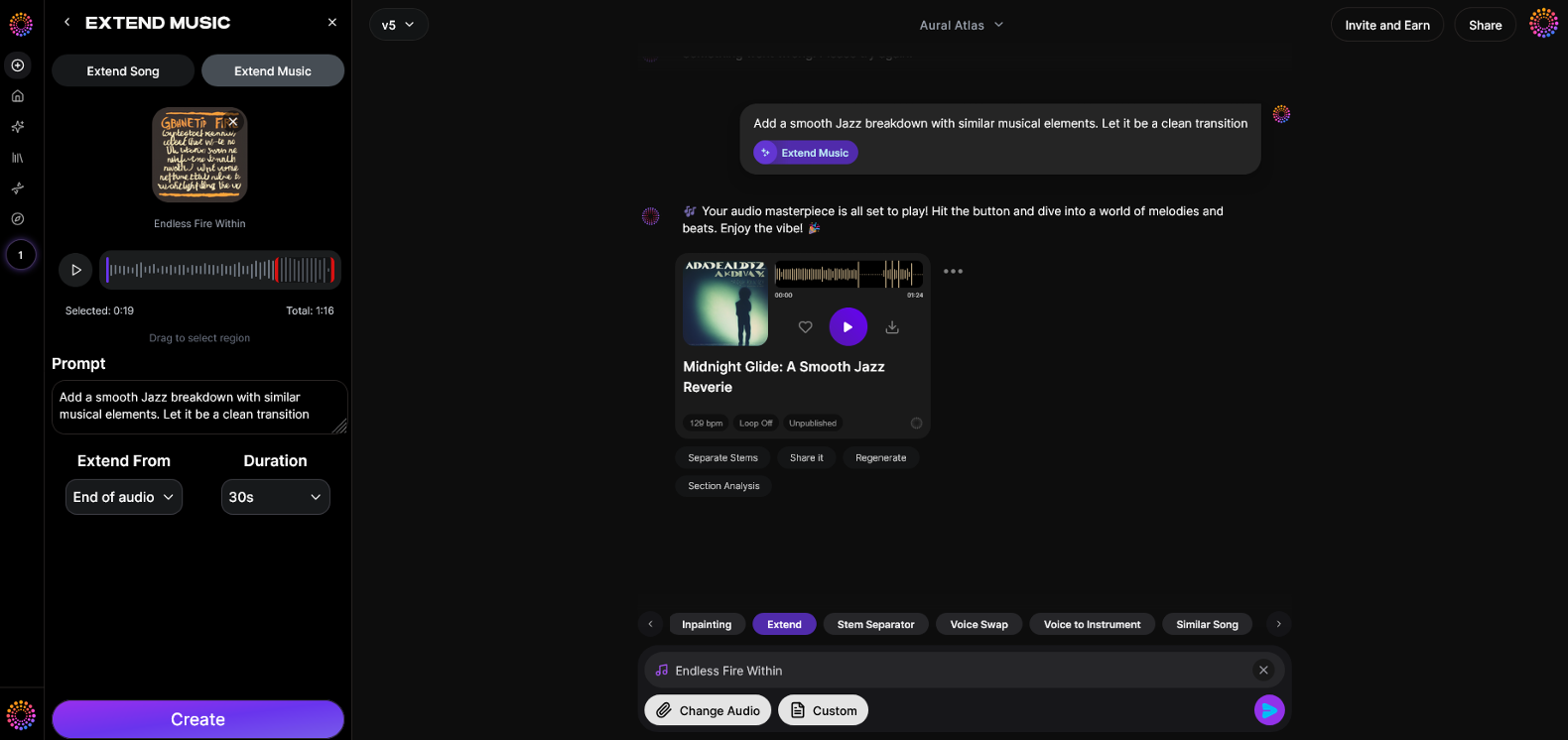
Now that you understand how to extend a music track manually, here is how to create it instantly using Soundverse.
Soundverse’s Extend Music feature is designed to seamlessly lengthen existing tracks by generating new sections that match your original style, tempo, and key. It supports both instrumental and full-song (vocals + music) continuation, enabling producers to control duration between 15 seconds and three minutes per extension. It’s perfect for DJs crafting longer mixes, video editors needing duration alignment, and game developers shaping endless loops.
Step 1: Feature Overview
Access the Extend Music tool from the Soundverse workspace. It allows producers to expand audio intelligently, maintaining tone and rhythm authenticity.
Step 2: Upload Track
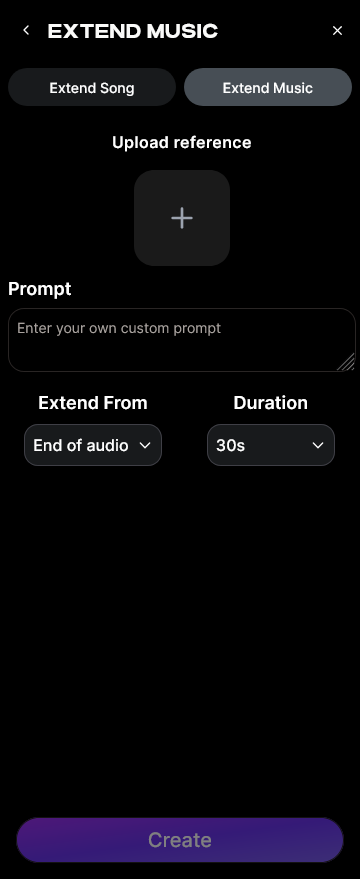
Upload your audio file—this can be a vocal, instrumental, or mixed track. The system analyzes your original composition for tempo, scale, and tonality.
Step 3: Duration Setting
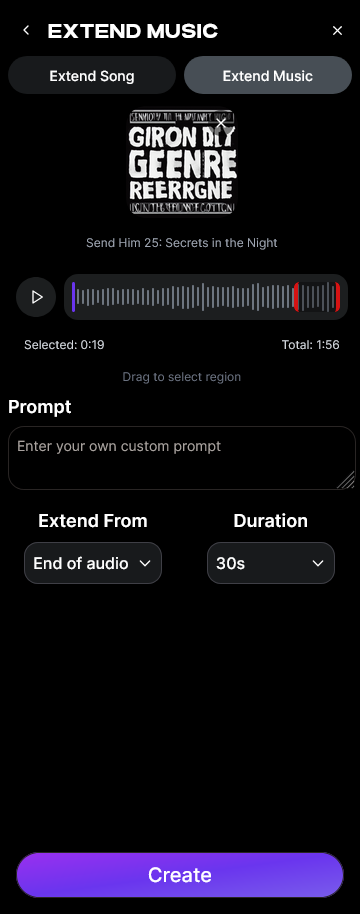
Set your desired extension duration. Options range between 15 seconds and 3 minutes, making it easy to fit commercial or cinematic requirements.
Step 4: Generation
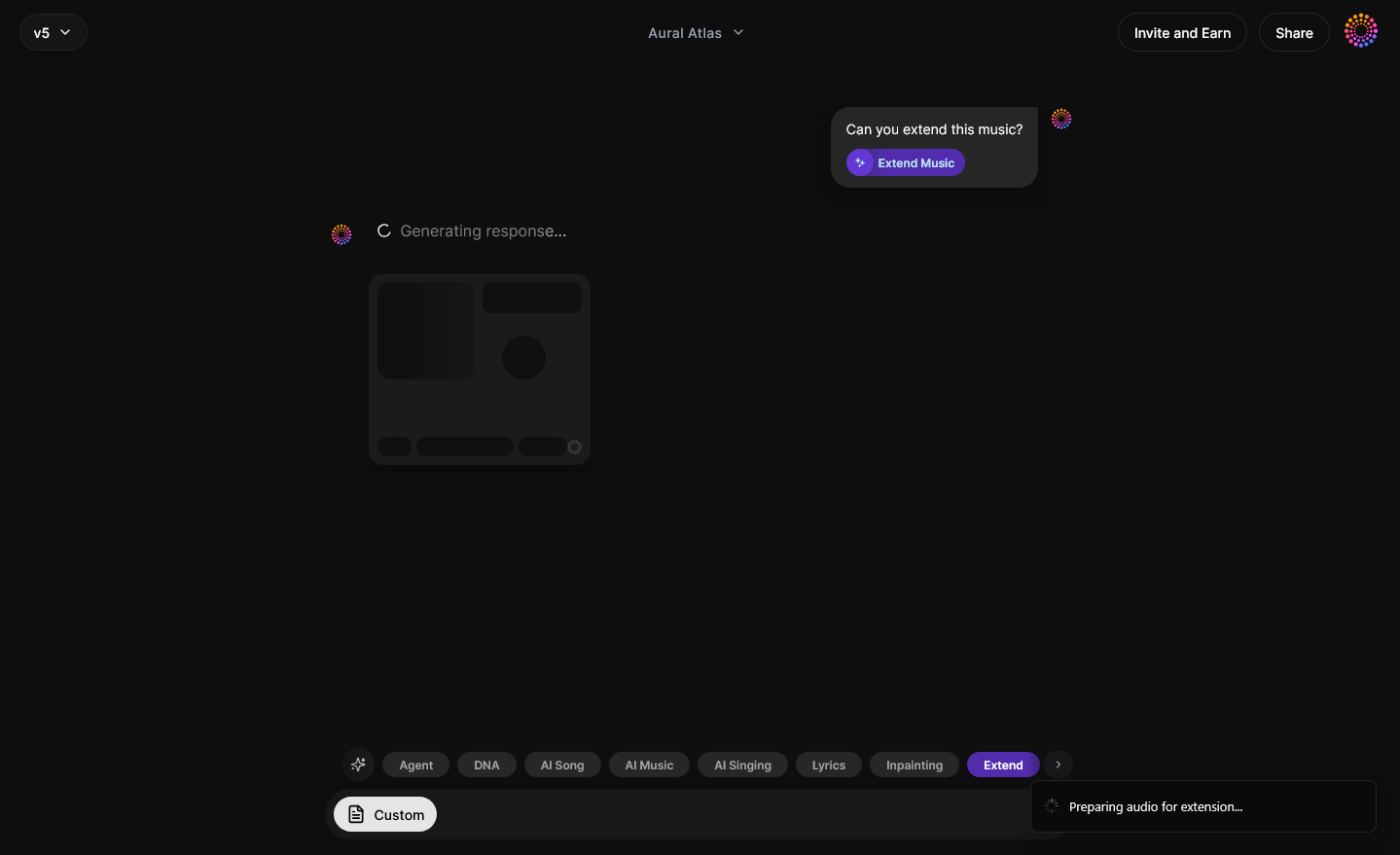
Soundverse’s AI processes your uploaded track, generating seamless new content that matches the original composition. The engine merges sections naturally with no audible cut edges.
Step 5: Download Extended
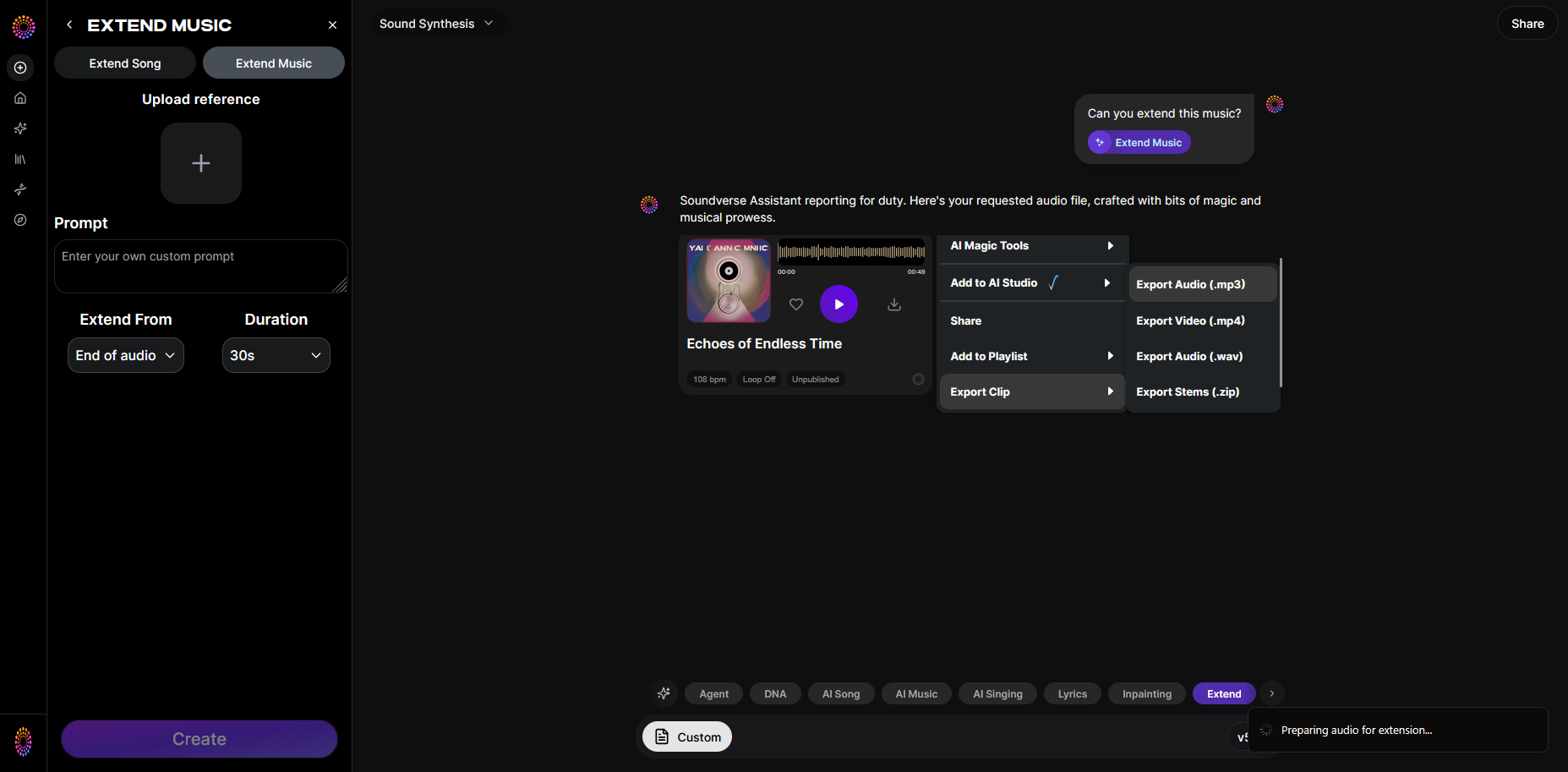
Once generation completes, download your brand-new extended song or instrumental segment. The results maintain coherence and professional quality suitable for release or mixing.
For more about creative music building workflows, explore related guides like How to Create Jazz Music with Soundverse AI and Generate AI Music with Soundverse Text-to-Music.
Start Extending Your Tracks with Soundverse AI
Discover how Soundverse lets you seamlessly extend any music track, refine loops, and customize arrangement length with just a few clicks—saving time while keeping creativity flowing.
Try Soundverse Free
Related Articles
- How AI-Generated Music is Transforming the Music Industry — Explore how AI tools are reshaping composition, production, and distribution for modern creators.
- Soundverse AI Magic Tools: Create Content Quickly with AI — Learn how Soundverse’s AI Magic Tools accelerate your creative process and help build music assets effortlessly.
- What is Soundverse Arrangement Studio and What Does It Do — Get a deep dive into Soundverse’s Arrangement Studio and learn how it helps creators structure, edit, and extend music tracks.
- Generate AI Music with Soundverse Text-to-Music — Turn your creative ideas into full-length songs by generating music directly from text prompts.
Here's how to make AI Music with Soundverse
Video Guide

Here’s another long walkthrough of how to use Soundverse AI.
Text Guide
- To know more about AI Magic Tools, check here.
- To know more about Soundverse Assistant, check here.
- To know more about Arrangement Studio, check here.
Soundverse is an AI Assistant that allows content creators and music makers to create original content in a flash using Generative AI.
With the help of Soundverse Assistant and AI Magic Tools, our users get an unfair advantage over other creators to create audio and music content quickly, easily and cheaply.
Soundverse Assistant is your ultimate music companion. You simply speak to the assistant to get your stuff done. The more you speak to it, the more it starts understanding you and your goals.
AI Magic Tools help convert your creative dreams into tangible music and audio. Use AI Magic Tools such as text to music, stem separation, or lyrics generation to realise your content dreams faster.
Soundverse is here to take music production to the next level. We're not just a digital audio workstation (DAW) competing with Ableton or Logic, we're building a completely new paradigm of easy and conversational content creation.
TikTok: https://www.tiktok.com/@soundverse.ai
Twitter: https://twitter.com/soundverse_ai
Instagram: https://www.instagram.com/soundverse.ai
LinkedIn: https://www.linkedin.com/company/soundverseai
Youtube: https://www.youtube.com/@SoundverseAI
Facebook: https://www.facebook.com/profile.php?id=100095674445607
Join Soundverse for Free and make Viral AI Music

We are constantly building more product experiences. Keep checking our Blog to stay updated about them!