How to Create Talking Product Photos with Background Music Using AI
Learn how to make AI talking product photos and add background music for dynamic marketing videos.
How to Create Talking Product Photos with Background Music Using AI
In 2026, digital marketing and e-commerce content have evolved beyond static photography. Interactive visuals, powered by artificial intelligence, are now the norm. One of the most compelling innovations is the creation of AI talking product photos, where still images speak, move, and narrate while background music enhances the emotional appeal. This technique combines visual storytelling with audio engagement, making products feel alive and more relatable in social media, product pages, and advertisements.
Why AI Talking Product Photos Are Transforming Marketing in 2026
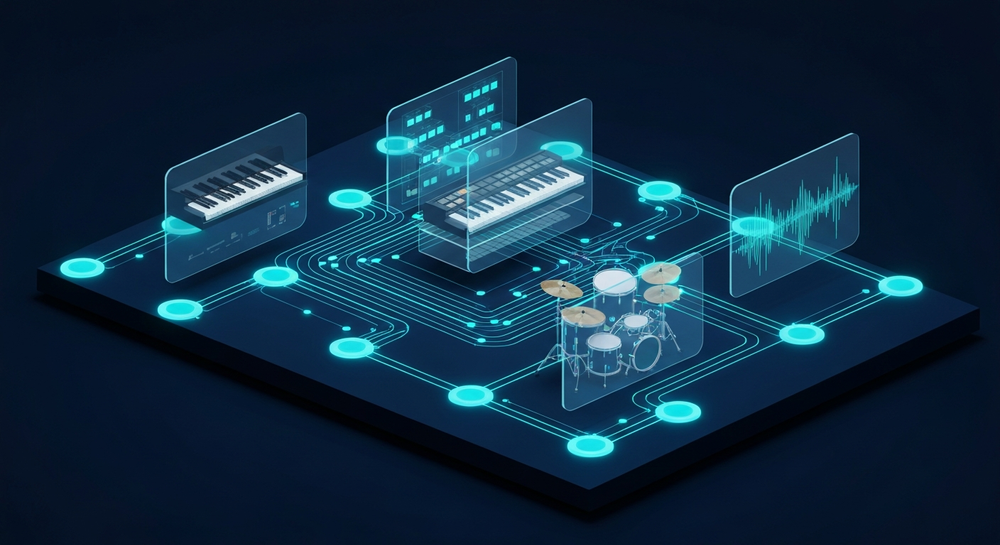
Traditional product photography struggles to capture attention in a feed full of reels and short videos. AI talking photos bridge this gap by transforming static visuals into dynamic presentations. Content creators and brands can combine AI voiceover for product images, expressive facial animations, and a musical backdrop to deliver emotionally charged campaigns.
Instead of hiring actors, video editors, and sound engineers, marketers can now use end-to-end AI tools that automate the process—from generating a realistic AI voice to composing royalty-free background music using text descriptions. This trend represents the next evolution in AI product video creation and AI marketing content, where automation meets high-quality storytelling. More creators are now exploring AI product photo generators and AI photography tools to integrate with music and voice-driven content.
How to Make Talking Product Photos with Soundverse AI Music Generator


To bring these talking product visuals to life, background music plays a crucial role. It sets the mood, defines the tone, and enhances engagement. Soundverse, a leading AI music creation platform, provides an ideal solution for this requirement through its AI Music Generator feature.
What Is Soundverse AI Music Generator?
Soundverse’s AI Music Generator allows users to create fully produced instrumental tracks from text prompts. It excels in generating background soundscapes, loops, and genre-specific beats without any vocals—perfect for marketing videos where narration or voiceovers take the lead.
Key Capabilities:
- Text-to-Music Generation: Simply type a description of the desired mood or theme, such as “uplifting acoustic pop for product reveal,” and Soundverse converts it into professional-quality music.
- Loop Mode: Enables seamless repetition ideal for videos or ads that require continuous background playback.
- Detailed Genre and Instrument Control: Users can fine-tune the composition by specifying genres, instruments, or mood tones (e.g., soft piano, upbeat synths).
- Version Options (V4 & V5 Models): Access improved musical depth and realism through Soundverse’s advanced generation models.
Primary Use Cases:
- Advertisement scoring and commercial videos
- Game soundtracks and interactive visuals
- Meditation or wellness background loops
- E-commerce product showcases and social campaigns
For a deeper dive, watch our guide on creating Deep House music or explore the tutorial on making music with Soundverse.
Now, let’s dive into the actual process of creating talking product photos with background music using Soundverse.
Step 1: Access AI Music Generator from Main Menu

After logging into your Soundverse account, navigate to the AI Music Generator from the main dashboard. This tool is specifically designed for instrumental and background music generation, making it ideal for product presentation videos.
Step 2: Enter Text Description of Desired Music

In the input field, describe the kind of music you want. For example, “gentle electronic soundscape for skincare product video” or “energetic rock loop for tech gadget showcase.” Think about your brand message—the music should reflect both product identity and audience emotion.
Step 3: Select Music Style and Track Duration

Next, choose the music’s length, tempo, and genre. For short product highlights on social platforms, 15–30 seconds may suffice. For extended video ads or website visuals, opt for longer durations. You can fine-tune the level of intensity or calmness depending on your narrative.
Step 4: Generate Instrumental Music Based on Description

Click Generate, and Soundverse’s AI models (V4 or V5) will process your prompt. Within moments, you’ll receive an instrumental composition aligned with your text description. The platform’s asynchronous workflow ensures quality production—no real-time preview is involved.
Step 5: Download Generated Instrumental Music

Once your track is ready, select your preferred export option and download it. You can then import this background music into your video editing tool or product animation software.
Integrating Voiceover and Product Animation
While Soundverse handles the music, users can combine it with other AI-powered tools to complete their talking photo setup.
- AI Voiceover for Product Images: Platforms such as ElevenLabs or Play.ht enable realistic synthetic narration. Upload your script and choose a voice that matches your brand persona.
- Facial Animation Tools: Software like D-ID or HeyGen animates static product faces or spokesperson photos so they appear to talk naturally.
- Video Editing and Synchronization: Merge your Soundverse background track, AI-generated voiceover, and animated photo into a cohesive product video using tools like CapCut or Adobe Premiere.
Together, this workflow creates interactive visual storytelling that captures audience attention and elevates product perception.
Pro Tips for Perfect AI Talking Photos
- Match Mood with Message: For luxury products, use ambient or cinematic background tones generated by Soundverse. For playful consumer goods, opt for upbeat or lo-fi moods.
- Leverage Loop Mode: Create seamless playback for social ads or landing pages. Soundverse’s loop feature prevents abrupt musical cuts.
- Test Multiple Prompts: Try variations of text prompts (e.g., “bright acoustic with minimal percussion”) to find the track that best complements your visuals.
- Maintain Audio Hierarchy: Ensure the AI voiceover remains clear over music. Adjust background levels during editing.
- Incorporate Storytelling Elements: Combine emotion-driven music with key brand messaging to build stronger connections.
Broader Impact of Visual Storytelling with AI
In 2026, AI-driven visual storytelling has become a defining trend in digital marketing. Brands that integrate motion, narration, and music can drive significantly higher engagement rates compared to static imagery. The convergence of AI product video creation, generative voiceovers, and intelligent sound design tools such as Soundverse democratizes multimedia advertising.
AI-generated music also helps avoid traditional licensing hurdles—every piece composed with Soundverse is royalty-free and created from scratch through machine learning models. This allows marketers to publish across YouTube, Instagram, and TikTok without copyright concerns.
If you’re exploring the world of AI-generated music further, check related resources such as generate AI music with Soundverse text-to-music, Soundverse AI revolutionizing music creation for new age content creators, and best AI music generator top picks and review to see how various generations of the platform compare.
Turn Any Product Photo Into a Talking Visual Now
Bring your images to life with dynamic voiceovers and music using Soundverse AI. Create eye-catching, engaging, and conversion-ready product content in minutes—without any professional editing skills required.
Create Your First Talking Photo
Related Articles
- Soundverse Introduces Stem Separation AI Magic Tool — Discover how Soundverse’s Stem Separation tool helps you split music into vocals and instruments for deeper customization.
- Enhancing YouTube Content with Royalty-Free and Copyright-Free Music Using Soundverse AI — Learn how YouTubers can elevate their videos with tailor-made, royalty-free AI-generated music that fits every mood.
- Soundverse AI Magic Tools: Create Content Quickly with AI — Explore Soundverse’s suite of AI Magic Tools that let you generate voice, video, and music content at lightning speed.
- The Role of AI Music in Film and Television — See how AI-driven music creation is revolutionizing soundscapes for film and TV production.
Here's how to make AI Music with Soundverse
Video Guide

Here’s another long walkthrough of how to use Soundverse AI.
Text Guide
- To know more about AI Magic Tools, check here.
- To know more about Soundverse Assistant, check here.
- To know more about Arrangement Studio, check here.
Soundverse is an AI Assistant that allows content creators and music makers to create original content in a flash using Generative AI. With the help of Soundverse Assistant and AI Magic Tools, our users get an unfair advantage over other creators to create audio and music content quickly, easily and cheaply. Soundverse Assistant is your ultimate music companion. You simply speak to the assistant to get your stuff done. The more you speak to it, the more it starts understanding you and your goals. AI Magic Tools help convert your creative dreams into tangible music and audio. Use AI Magic Tools such as text to music, stem separation, or lyrics generation to realise your content dreams faster. Soundverse is here to take music production to the next level. We're not just a digital audio workstation (DAW) competing with Ableton or Logic, we're building a completely new paradigm of easy and conversational content creation.
TikTok: https://www.tiktok.com/@soundverse.ai
Twitter: https://twitter.com/soundverse_ai
Instagram: https://www.instagram.com/soundverse.ai
LinkedIn: https://www.linkedin.com/company/soundverseai
Youtube: https://www.youtube.com/@SoundverseAI
Facebook: https://www.facebook.com/profile.php?id=100095674445607
Join Soundverse for Free and make Viral AI Music
 We are constantly building more product experiences. Keep checking our Blog to stay updated about them!