How to Create Music Beats: A Step-by-Step Guide for Aspiring Producers in 2026
Learn how to create music beats using modern tools and Soundverse AI Music Generator for professional music production.
How to Create Music Beats
Creating music beats is one of the most exciting aspects of modern music production. Whether you're diving into hip-hop, EDM, lo-fi, or cinematic compositions, beat making allows you to define rhythm and groove — the foundation of any track. In 2026, technology has transformed the way aspiring music producers approach beat creation. Digital Audio Workstations (DAWs), AI-powered generators, and smart production tools have made professional-level beats accessible to anyone with creativity and a computer.
What does it mean to create music beats?
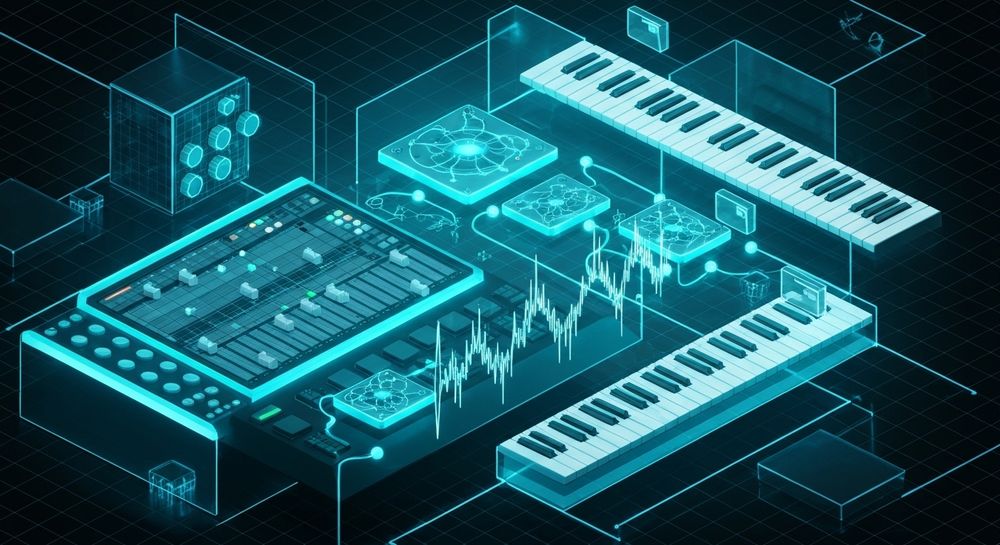
Creating music beats involves developing rhythmic patterns and instrumental arrangements that serve as the backbone of a song. Beats can be simple — like a drum loop and bassline — or complex, integrating layered percussions, melodic hooks, and ambient textures. The process combines art and technology, and mastering it requires understanding timing, sound design, and arrangement.
Each beat begins with rhythm. Producers use percussion instruments or drum machines, either real or virtual, to build a groove. From there, melodic elements like chords, basslines, and synth leads are added to create depth. With advancements in DAW software and AI platforms, this once labor-intensive process has become more intuitive and efficient.
Why is beat making essential in modern music production?
In today’s music scene, beats drive genres and define an artist’s signature sound. Whether it’s trap’s snappy hi-hats, EDM’s pulsating bass drops, or pop’s catchy percussive loops, a great beat sets the tone for the entire track. Producers who can create distinctive rhythms have greater creative control and commercial potential.
Music producers in 2026 benefit from the latest tools and software innovations. AI-assisted platforms and DAW updates integrate advanced sampling, looping, and mixing capabilities. For example, the rise of smart music assistants, as discussed in Soundverse Assistant: Your AI Co-Producer, illustrates how automation enhances creativity rather than replacing it.

How to Create Music Beats: A Step-by-Step Guide
If you're starting your journey as an aspiring beat maker, the following steps will guide you through the process of creating professional-quality beats from scratch.
Step 1: Choose your Digital Audio Workstation (DAW)

Your DAW software is your creative hub. Programs like Ableton Live, FL Studio, Logic Pro, and Reaper remain top choices among music producers. A DAW enables you to record, compose, arrange, and mix your track. In 2026, most DAWs include AI-assisted features that simplify beat making, from tempo matching to adaptive MIDI programming.
When selecting a DAW, consider your workflow preferences. FL Studio’s pattern-based interface is ideal for beat makers, while Ableton excels in live looping and performance setups. You can learn more about evolving software trends in Music Industry Trends. For a deeper dive, watch our guide on creating Deep House music.
Step 2: Build your rhythm foundation

Begin by laying down the drum pattern. Use kick, snare, hi-hat, and percussion elements to define the groove. Experiment with swing, syncopation, and layer variations to make your beat dynamic. Many DAWs come with built-in drum synthesizers and sample packs; however, adding custom drum sounds or recording live percussion can elevate your track.
For beginners, start with classic patterns — like a 4/4 rhythm — and expand creatively by adjusting velocities and timing. Plugins now use AI to suggest complementary percussion layers, further refining the groove.
Step 3: Add basslines and melodic components

A strong beat needs a solid bass foundation. Bass adds emotion, power, and movement. Use synthesizers or real instrument samples to craft basslines that fit the rhythm. Combine this with melodic elements — such as chords, keys, or lead synths — to complete the composition.
Modern synth plugins offer genre-specific presets that align with your desired sound, whether trap 808s or deep house plucks. To spark ideas, check out 100 Text-to-Music Prompts That Will Help You Create Viral Music. You can also see tips in How to Make Beats Online: A Complete 2026 Guide for Aspiring Producers.
Step 4: Arrange and layer your beat

Arrangement influences how listeners experience the beat. Use intros, breakdowns, and drops strategically. Layer complementary sounds like pads, effects, or vocal chops to enhance the texture. This stage may involve automation, EQ, and reverb adjustments to ensure all elements blend harmoniously.
Step 5: Mix and master your track

Mixing balances volume levels, frequency ranges, and stereo placement. It ensures that drums punch through the mix while melodies remain clear. Use EQ to clean up muddiness, compression to manage dynamics, and limiting for final loudness. Mastering finalizes the track for release.
Producers in 2026 often rely on automated mastering tools integrated into DAWs or platforms like Soundverse’s ecosystem. These tools offer quick mastering templates tailored for different genres.
Advanced Music Producer Tips for Beat Making in 2026
- Explore AI-powered production tools: Platforms such as Soundverse democratize professional music creation.
- Incorporate multi-stem editing: Learn how stem separation enhances remix potential. Check Soundverse Introduces Stem Separation AI Magic Tool.
- Use reference tracks: Study existing beats and replicate their rhythmic energy using similar instruments.
- Maintain your unique sound signature: Consistency builds recognition among listeners and collaborators.
- Stay updated with production trends: Explore how AI-generated music influences artists — see How AI Generated Music Is Transforming the Music Industry. For further tutorials, visit Soundverse Tutorial Series - How to Make Music.
How to Make Music Beats with Soundverse AI Music Generator

Now that you understand how beat making works in traditional workflows, here’s how to create it instantly using Soundverse.
Soundverse’s AI Music Generator enables users to create fully produced instrumental music from text prompts. It specializes in background tracks, beats, and soundscapes without vocals. This innovation eliminates the need for manual programming, allowing creators to turn ideas into audio effortlessly.
Step 1: Feature Overview
Access the AI Music Generator from Soundverse’s main menu. This feature is designed for creators who want instant instrumental music generation.
Step 2: Description Input
Enter a detailed text description of your desired music beat. For example: “Energetic trap beat with deep bassline, crisp hi-hats, and moody piano chords.” The AI interprets these descriptors to produce matching music.
Step 3: Style & Duration
Select your preferred genre, mood, and duration settings. Soundverse allows fine-tuning — from looping options to instrument emphasis — to align with your creative vision.
Step 4: Generation
Click Generate, and the system creates your instrumental beat asynchronously. There’s no live preview; the AI processes your input and delivers the final composition once complete.
Step 5: Export Options
Download the generated instrumental as a high-quality audio file. You can loop it seamlessly using Loop Mode for game soundtracks, video backgrounds, or content intros.
Why Soundverse is Ideal for Beat Makers
Soundverse stands out as a practical tool for producers who want precision and speed. Its text-to-music capability supports diverse genres and moods, while Model V4 and V5 versions offer advanced sound design options. Whether you produce custom commercial scores or meditative soundscapes, Soundverse bridges creativity and efficiency.
Soundverse’s extended ecosystem — including Voice to Instrument, Similar Music Generator, and Stem Separator — complements beat making perfectly. For instance, you can record vocal rhythms using Voice to Instrument to convert them into realistic drums or use the Stem Separator to edit specific beat layers.
In 2026, the fusion of AI technology and traditional production methods defines modern beat making. Tools like Soundverse empower producers to skip technical bottlenecks and focus on artistry.
Start Creating Music Beats Instantly with Soundverse AI
Generate custom beats and full tracks in seconds using Soundverse’s advanced AI music generator. Whether you’re a producer or hobbyist, unleash your creativity easily with intuitive tools.
Related Articles
- Generate AI Music with Soundverse Text-to-Music — Discover how to turn your words into unique songs with Soundverse’s text-to-music capabilities.
- How to Create Rap Music with AI — Learn how AI can help you design rap beats and flows effortlessly using smart musical prompts.
- How to Create EDM with Soundverse AI — Explore how Soundverse AI empowers you to craft energetic EDM tracks quickly and professionally.
- The Benefits of Composing with AI Music Generator — Find out how AI-assisted music creation enhances your creativity, workflow, and production quality.
Here's how to make AI Music with Soundverse
Video Guide

Here’s another long walkthrough of how to use Soundverse AI.
Text Guide
- To know more about AI Magic Tools, check here.
- To know more about Soundverse Assistant, check here.
- To know more about Arrangement Studio, check here.
Soundverse is an AI Assistant that allows content creators and music makers to create original content in a flash using Generative AI.
With the help of Soundverse Assistant and AI Magic Tools, our users get an unfair advantage over other creators to create audio and music content quickly, easily and cheaply.
Soundverse Assistant is your ultimate music companion. You simply speak to the assistant to get your stuff done. The more you speak to it, the more it starts understanding you and your goals.
AI Magic Tools help convert your creative dreams into tangible music and audio. Use AI Magic Tools such as text to music, stem separation, or lyrics generation to realise your content dreams faster.
Soundverse is here to take music production to the next level. We're not just a digital audio workstation (DAW) competing with Ableton or Logic, we're building a completely new paradigm of easy and conversational content creation.
TikTok: https://www.tiktok.com/@soundverse.ai
Twitter: https://twitter.com/soundverse_ai
Instagram: https://www.instagram.com/soundverse.ai
LinkedIn: https://www.linkedin.com/company/soundverseai
YouTube: https://www.youtube.com/@SoundverseAI
Facebook: https://www.facebook.com/profile.php?id=100095674445607
Join Soundverse for Free and make Viral AI Music

We are constantly building more product experiences. Keep checking our Blog to stay updated about them!