How to Create Electro Music: A Complete Beginner Guide for 2026
Learn how to create electro music with modern tools and AI. Step-by-step guide for beginners.
How to Create Electro Music
Electro music continues to captivate audiences in 2026 with its bold synthesizer-driven sound and futuristic vibe. Whether you are new to electronic music production or a growing producer exploring a new genre, learning how to create electro music is both exciting and rewarding. This article will guide you through essential techniques, tools, and sound design methods to craft your first electro track from scratch.
What Is Electro Music and Why Is It Still Popular in 2026?
Electro is a subgenre of electronic music that fuses machine-like rhythms, robotic textures, and funk-inspired energy. It first emerged in the 1980s, but advances in digital audio workstations (DAWs) and AI-powered music generators have helped revive it in recent years. In 2026, electro is found in everything from club tracks to game soundtracks and advertising, thanks to its energetic and experimental qualities.
Unlike mainstream EDM, electro typically features syncopated drum patterns, glitchy percussion, and synthetic basslines. Producers love electro’s versatility, as it blends elements of techno, synthpop, and hip-hop beat structures. With the right tools, you can create electro music that feels retro and futuristic at the same time.
What Equipment Do You Need for Electronic Music Production?
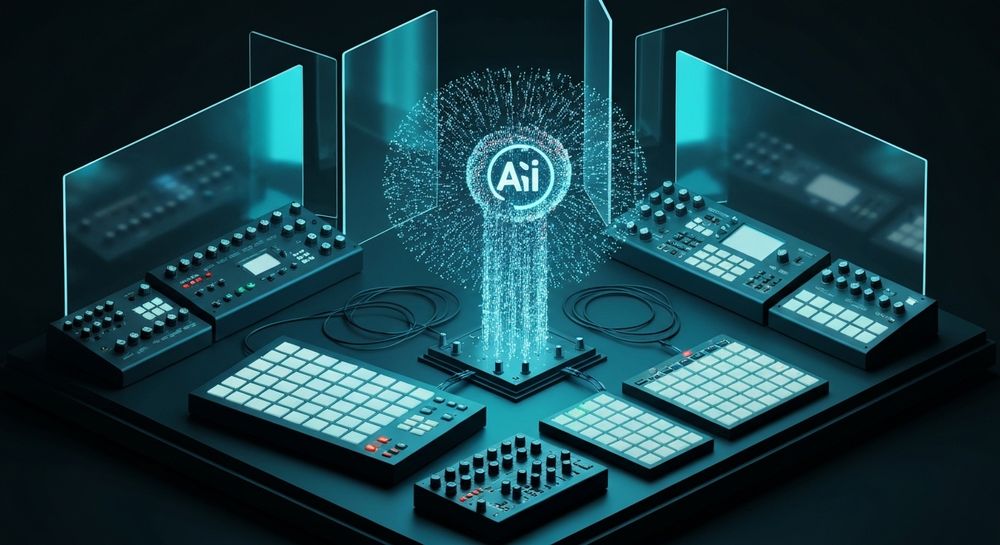
Before diving into production, you’ll need a basic setup. Here’s what you should have:
- DAW for Electronic Music: Your digital audio workstation is where everything happens. Popular choices include Ableton Live, FL Studio, and Logic Pro. These tools are perfect for loop-based composition and MIDI editing.
- Synthesizers and Samplers: Classic hardware synths like the Roland TR-808 or software emulations help you design electro sounds. Modern plugins such as Serum, Massive, and SynthMaster offer wide-ranging sound synthesis capabilities.
- Audio Interface and Headphones: A good audio interface ensures quality recording and playback. Studio headphones like Audio-Technica ATH-M50x provide a neutral mix reference.
- MIDI Controller: Helps you play virtual instruments and automate hands-on performance elements.
By setting up this production environment, you build a foundation for crafting professional-quality electro tracks.
How to Craft an Electro Groove and Rhythmic Foundation
Rhythm is the heartbeat of electro music. To create electro music that feels authentic, start with crisp drum machine patterns. The genre relies heavily on vintage drum kits—especially the TR-808 snare and kick.
Here’s how to build your groove:
- Kick and Snare: Use short, punchy kicks layered with snappy snares. Electro patterns often emphasize offbeat rhythms.
- Hi-Hats and Percussion: Experiment with metallic hats or digital blips. Subtle swing adds life.
- Claps and Fills: Occasionally place handclaps or glitch fills to add texture.
Modern producers also use smart tools for beat creation. To explore alternatives, check out Mubert alternatives or Soundraw alternative guides that describe how different AI technologies compare in music generation efficiency. For a deeper dive, watch our tutorial on how to make music from the Soundverse YouTube channel.
What Is Electro Sound Design and How Do You Master It?
Electro sound design focuses on synthetic tones and digital manipulation. To achieve that iconic metallic, robotic sound, follow these tips:
- Basslines: Craft your bass using subtractive synthesis. Reduce high frequencies to keep it gritty but deep.
- Leads and Pads: Use oscillators and filters creatively. Pitch modulation can make your lead “talk.”
- Effects: Ring modulators, bit crushers, and reverb help make sounds futuristic.
- Sampling Vintage Hardware: Many producers incorporate samples of old circuits or vocoders for character.
In 2026, electro sound design benefits from AI-assisted tools that accelerate experimentation. Specialized AI systems simplify creating loops and textures, helping you focus on creativity rather than manual programming.
What Are the Best Music Production Tips for Electro Beginners?
If you’re starting out, focus on workflow efficiency and creative play:
- Keep the mix clean: Electro thrives on clarity. Avoid over-compression.
- Use automation: Dynamic changes in filter cutoff or delay create movement.
- Reference tracks: Compare your mix to professional electro tracks for tonal balance.
- Stay organized: Label tracks clearly and save presets for reuse.
Also, explore innovative AI tools that reshape modern production methods, such as the Soundverse AI Magic Tools suite. These technologies are optimizing creative flow, providing solutions for stems, loops, and arrangements.
How to Make Electro Music: Step-by-Step Guide
Now let’s move into the practical part—how to create electro music step by step using modern workflow principles.
Step 1: Feature Overview

Open your preferred DAW or log into Soundverse’s AI Music Generator. This feature allows you to create instrumental tracks from text prompts. It’s accessible directly from the Soundverse main dashboard.
Step 2: Description Input

Enter a text description that outlines your desired electro vibe. Example: “Robotic electro groove with analog bass, sci-fi synths, and funky shuffle rhythm.” The tool analyzes your input to generate the base structure.
Step 3: Style & Duration

Select your music style (Electro, Synthwave, Techno, etc.) and track duration. Shorter loops (30–60 seconds) are perfect for content creators, while full-length tracks suit album projects.
Step 4: Generation

Soundverse AI Music Generator processes your text description into fully produced instrumental electro music. It uses advanced V4 or V5 models to refine sonic detail and rhythmic alignment.
Step 5: Export Options

Once the track is ready, you can download it as a high-quality instrumental file. Soundverse also offers Loop Mode for seamless repetition—ideal for game soundtracks or advertising clips.
How to Make Electro Music with Soundverse AI Music Generator

Now that you understand how electro tracks are structured, you can create them instantly using Soundverse.
The AI Music Generator is designed to produce fully arranged instrumental tracks from text prompts. It specializes in background beats, loops, and lush soundscapes without vocals, ensuring you stay within the instrumental domain of electro.
Core Capabilities Include:
- Text-to-Music: Describe the intended vibe to generate matching music.
- Loop Mode: Create perfectly repeating sections for games or mixes.
- Detailed Genre/Mood Control: Adjust instruments to shape your electro identity.
- V4 and V5 Models: Enhanced music quality with smart rhythmic precision.
Whether you’re developing video background music or need a game-ready loop, Soundverse accelerates production with simplicity and precision. Pair it with other Soundverse tools—like the AI Singing Generator for vocal experiments or the Similar Music Generator to match a temp score vibe when collaborating on media projects. For an extended overview, visit our Deep House tutorial and learn how Soundverse handles diverse genres.
For deeper insight into how AI shapes the music landscape, explore the article on how AI-generated music is transforming the music industry and see how Soundverse aligns with these trends.
Start Creating Electro Music with AI Today
Unlock endless creative possibilities with Soundverse’s AI-powered music generator. Produce professional electro tracks instantly, without needing complex software or advanced production skills.
Create Electro Music Now
Related Articles
- How to Create EDM with Soundverse AI: Discover how Soundverse enables you to craft powerful EDM beats and melodies using AI-driven music generation.
- Generate AI Music with Soundverse Text-to-Music: Learn how to turn written prompts into energetic, high-quality AI music tracks instantly with Soundverse’s text-to-music feature.
- What AI Can Generate Songs: Explore the technology behind AI music generators and how they create unique compositions across multiple genres.
- Soundverse AI Magic Tools: Create Content Quickly with AI: Find out how Soundverse’s AI Magic Tools help creators speed up production and enhance music quality effortlessly.
Here's how to make AI Music with Soundverse
Video Guide

Here’s another long walkthrough of how to use Soundverse AI.
Text Guide
- To know more about AI Magic Tools, check here.
- To know more about Soundverse Assistant, check here.
- To know more about Arrangement Studio, check here.
Soundverse is an AI Assistant that allows content creators and music makers to create original content in a flash using Generative AI.
With the help of Soundverse Assistant and AI Magic Tools, our users get an unfair advantage over other creators to create audio and music content quickly, easily and cheaply.
Soundverse Assistant is your ultimate music companion. You simply speak to the assistant to get your stuff done. The more you speak to it, the more it starts understanding you and your goals.
AI Magic Tools help convert your creative dreams into tangible music and audio. Use AI Magic Tools such as text to music, stem separation, or lyrics generation to realise your content dreams faster.
Soundverse is here to take music production to the next level. We're not just a digital audio workstation (DAW) competing with Ableton or Logic, we're building a completely new paradigm of easy and conversational content creation.
TikTok: https://www.tiktok.com/@soundverse.ai
Twitter: https://twitter.com/soundverse_ai
Instagram: https://www.instagram.com/soundverse.ai
LinkedIn: https://www.linkedin.com/company/soundverseai
Youtube: https://www.youtube.com/@SoundverseAI
Facebook: https://www.facebook.com/profile.php?id=100095674445607
Join Soundverse for Free and make Viral AI Music

We are constantly building more product experiences. Keep checking our Blog to stay updated about them!