How to Create EDM Music: A Complete Beginner’s Guide for 2026
Learn how to create EDM music in 2026 with easy production tips, software tools, and Soundverse AI.
How to Create EDM Music
Electronic Dance Music (EDM) has evolved into one of the most influential genres shaping modern soundscapes. Whether you're inspired by festival anthems or more introspective electronic tracks, learning how to create EDM music is easier than ever in 2026 thanks to innovation, tutorials, and AI-powered tools.
What is EDM and Why It Matters in 2026?
EDM refers to music produced electronically for dance settings—clubs, festivals, or digital platforms. From house to trap, trance to techno, this genre’s defining feature is its rhythmic pulse and synthesized energy. In 2026, EDM styles continue to dominate streaming charts and creator platforms because producers are blending AI integration with human creativity. The accessibility of AI, such as in Soundverse, allows beginners to create professional-grade tracks quickly.
According to Startle and MDLBEAST, EDM stands for Electronic Dance Music—a genre defined by electronic instruments, synthesizers, and digital techniques shaping rhythm-driven production.
What Equipment Do You Need to Create EDM Music?
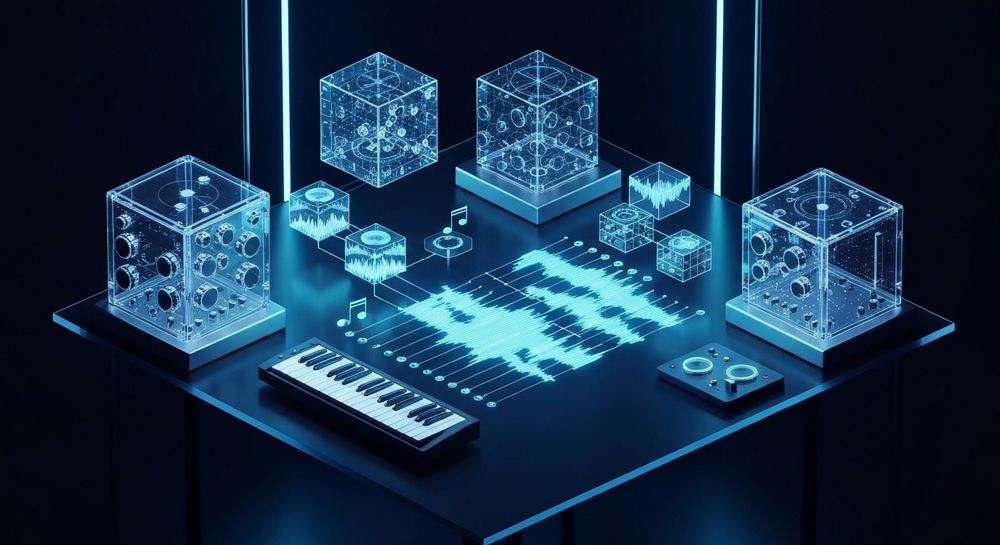
Before getting started, you need essential gear. Beginners often begin with a laptop, a MIDI keyboard, headphones, and music production software (known as a DAW). Popular DAWs include Ableton Live, FL Studio, and Logic Pro. These programs empower you to layer beats, synths, and melodies, making experimentation accessible.
Recommended Music Production Software for EDM
In 2026, DAWs offer more intuitive interfaces, real-time collaboration, and AI-assisted mixing. Here are popular options:
- Ableton Live 12 – Ideal for performance-based production.
- Logic Pro X (2026 Edition) – Great for Mac users with robust plugin support.
- FL Studio 22 – Renowned for its wide library of electronic sounds and quick automation features.
- Soundverse AI Tools – These AI-driven engines, such as Soundverse Arrangement Studio, simplify composing EDM for non-experts.
How to Create EDM Music Step-by-Step
Creating EDM is both technical and creative. As a beginner, focus on rhythm, melody, and dynamics.
Step 1: Feature Overview — Access Your Tools

Begin by opening your digital audio workstation or an AI-powered tool. EDM creation typically starts in a central workspace where you can record or generate beats. In Soundverse, accessing the AI Song Generator from the main menu launches your workspace for text-to-song production. For a deeper dive, watch our guide on creating Deep House music.
Step 2: Lyrics Input — Add or Write Lyrics
Even though many EDM tracks are instrumental, lyric-based EDM (vocal trance, progressive house, etc.) resonates with audiences. Insert your lyrics or phrases that inspire the mood. The Soundverse AI Song Generator allows you to paste lyrics directly, maintaining their rhythm and tone.
Step 3: Style Selection — Choose EDM Genre or Substyle

EDM is broad: house, drum & bass, trance, future bass, and dubstep are just examples. Choose your preferred style to define tempo and vibe. In Soundverse, you can select the EDM style instantly through Quick Style Selection. This aligns the AI arrangement with appropriate drops and synth layers.
Step 4: Configuration — Set Generation Parameters

Customization improves output precision. Adjust tempo (90–130 BPM for melodic EDM, 140+ for dubstep), choose key, and tweak the energy curve. Soundverse’s configuration mode makes this stage intuitive; users set generation parameters before the AI constructs the full arrangement.
Step 5: Generation — Build Your Song with Vocals and Instruments

Once settings are established, trigger generation. AI systems handle composition, melody integration, and mixing through a multi-stage pipeline. EDM generation includes dynamic layering—kick drums, basslines, pads, and lead synths. Unlike live preview tools, Soundverse processes audio asynchronously to ensure high-fidelity results.
Step 6: Generation Complete — Review Results

When generation completes, review the produced track. Analyze balance, momentum, and transitions. Beginners should listen for drop intensity and buildup timing. Soundverse displays complete results for preview and further adjustments. For additional guidance, explore our tutorial on how to make music.
Step 7: Export Results — Save and Share

Exporting lets you publish your song or refine it in external DAWs. Soundverse offers multiple audio formats, making it ideal for sharing on streaming platforms, YouTube, or social media.
Which Elements Make EDM Music Stand Out?
The defining aspects of EDM lie in its structure and sound design. Understanding them ensures a professional finish.
- Beat Foundation: Kick drums form the heartbeat. Layer percussion samples for groove.
- Synths and Pads: Use oscillators for evolving textures.
- Basslines: Essential for rhythm impact.
- Transitions: Builds and drops are emotional markers.
- Mix and Master: Clean mixes keep frequencies balanced for clubs and headphones.
For advanced exploration, producers often integrate AI-assisted composition or reference tracks. Apps such as Soundverse Stem Separation Tool isolate instrument layers, enabling precise mixing and remixing.
EDM’s evolution is well-documented in sources like Revolution935 and Wikipedia’s Electronic Dance Music page.
What Are the Best EDM Production Tips for 2026?
EDM production in 2026 thrives on hybrid creation—combining manual control with AI guidance. Here are practical EDM production tips:
- Start Simple: Focus on a rhythmic idea before complex layering.
- Reference Pro Tracks: Compare frequency balance from professional mixes.
- Use Automation Creatively: Dynamic modulation enhances immersion.
- Leverage AI: Soundverse can generate references or extend existing tracks with tools like Extend Music.
- Experiment: Emotional resonance often comes from unexpected chord progressions or sound effects.
You can also explore music trends through Music Industry Trends 2026 for inspiration on popular electronic styles.
How to Make EDM Beats Easily?
Beat-making starts with rhythm design. In your DAW, sequence a 4/4 kick drum pattern, add hi-hats in offbeats, and layer snare on the second and fourth beats. Experiment with swing, syncopation, and reverb. AI beat generators such as the Soundverse AI Music Generator simplify this for beginners—it builds beats directly from prompts or text descriptions. Watch our Explore tab tutorial to see how it works in action.
How to Make EDM with Soundverse AI Song Generator

Now that you understand the EDM creation process, here’s how to create complete songs instantly using Soundverse.
Soundverse’s AI Song Generator turns lyrics or text descriptions into full tracks with AI-generated vocals and electronic instrumental backing. Its multi-stage pipeline handles lyrics, melody, arrangement, and mixing—ideal for quick EDM prototyping, social media releases, or personalized gifts.
Key Features:
- Describe Your Song Mode: Enter text prompts like “high-energy festival EDM track” to generate instantly.
- Custom Mode: Upload lyrics and define settings.
- Reference Audio Support: Provide examples for sound alignment.
- Quick Style Selection: Choose EDM, Pop, Rock, and more.
Primary Use Cases:
- Songwriting demos: Great for beginners testing vocal-fit EDM ideas.
- Social Media content: Produce energetic snippets for platforms like TikTok.
- Multilingual creation: Generate EDM in over 10 languages.
For deeper integration, combine AI Song Generator with other Soundverse tools:
- AI Music Generator: Create instrumental EDM backing without vocals.
- AI Singing Generator: Add acapella vocals in various singing textures.
- Extend Music: Seamlessly lengthen EDM tracks maintaining tempo and key integrity.
By using Soundverse, beginners bypass technical limitations and quickly learn production through result-driven experimentation.
Final Thoughts: The Future of EDM Creation
As AI evolves, EDM production democratizes creativity. You no longer need expensive gear or years of learning; intuitive systems make music generation accessible for everyone. For example, new producers inspired by recent AI-assisted genres can check How AI-generated Music is Transforming the Music Industry to understand how AI reshapes soundcraft.
Soundverse bridges technical gaps, offering guided generation, lyrical experimentation, and professional output—all while fostering creativity in the electronic realm. In 2026, mastering how to create EDM music means embracing both artistry and technology, and with AI, the dance floor is only one click away.
Start Creating EDM Tracks Instantly with Soundverse AI
Turn your creative ideas into dynamic EDM compositions in minutes. With Soundverse’s AI-powered music creation tools, you can generate professional-quality tracks, customize styles, and experiment with endless possibilities.
Create Your First EDM Track Now
Related Articles
- How to Create EDM with Soundverse AI — Discover how Soundverse AI streamlines the process of making EDM music with genre-specific tools and customization.
- Generate AI Music with Soundverse Text-to-Music — Learn how to use text prompts to automatically generate high-quality EDM and other genres using Soundverse’s text-to-music engine.
- 50 Hand-Picked Deep House Text-to-Music AI Music Generation Prompts — Explore creative deep house prompts to inspire your next EDM or electronic production session.
- The Benefits of Composing with AI Music Generator — Understand how AI tools can accelerate your EDM production workflow and enhance creativity.
Here's how to make AI Music with Soundverse
Video Guide

Here’s another long walkthrough of how to use Soundverse AI.
Text Guide
- To know more about AI Magic Tools, check here.
- To know more about Soundverse Assistant, check here.
- To know more about Arrangement Studio, check here.
Soundverse is an AI Assistant that allows content creators and music makers to create original content in a flash using Generative AI.
With the help of Soundverse Assistant and AI Magic Tools, our users get an unfair advantage over other creators to create audio and music content quickly, easily and cheaply.
Soundverse Assistant is your ultimate music companion. You simply speak to the assistant to get your stuff done. The more you speak to it, the more it starts understanding you and your goals.
AI Magic Tools help convert your creative dreams into tangible music and audio. Use AI Magic Tools such as text to music, stem separation, or lyrics generation to realise your content dreams faster.
Soundverse is here to take music production to the next level. We're not just a digital audio workstation (DAW) competing with Ableton or Logic, we're building a completely new paradigm of easy and conversational content creation.
TikTok: https://www.tiktok.com/@soundverse.ai
Twitter: https://twitter.com/soundverse_ai
Instagram: https://www.instagram.com/soundverse.ai
LinkedIn: https://www.linkedin.com/company/soundverseai
Youtube: https://www.youtube.com/@SoundverseAI
Facebook: https://www.facebook.com/profile.php?id=100095674445607
Join Soundverse for Free and make Viral AI Music

We are constantly building more product experiences. Keep checking our Blog to stay updated about them!