How to Create an Amapiano Track Using AI Music in 2026
Learn how to create Amapiano tracks using AI music production tools with Soundverse’s AI Music Generator.
How to Create an Amapiano Track Using AI Music
Amapiano, born from South African dance culture, continues to dominate global clubs and playlists in 2026. Its signature blend of deep house, jazz-inspired chords, and log drum basslines has become a favorite for producers who value groove, atmosphere, and innovation. But while the genre remains rich with creativity, the process of producing authentic Amapiano soundscapes can take hours of sound design, sampling, and arrangement. This is where AI music production Amapiano tools step in—transforming how artists create, experiment, and finalize their tracks.
In this guide, you’ll learn exactly how to create an Amapiano track with AI, using Soundverse’s revolutionary AI Music Generator, and how it can help you produce high-quality, customizable instrumentals that retain the soul of the genre.
Why Amapiano and AI Music Are the Perfect Match in 2026
AI technology has deeply influenced creative workflows in electronic music. Producers who once spent days layering drums and piano riffs can now sketch a sound idea in seconds using AI beat making tools. By entering descriptive prompts—like “warm amapiano groove with deep log drum and soulful chords”—an AI can now produce structured musical pieces ready for mixing.
For Amapiano, this means streamlining the balance between rhythmic precision and emotional flow. In 2026, music creation using artificial intelligence is no longer an experimental feature but a staple tool in studios worldwide. Especially for DJs and independent producers, AI offers speed, flexibility, and inspiration that keeps up with fast-moving trends in Afro-fusion sound.

How to Make Amapiano Music with Soundverse AI Music Generator
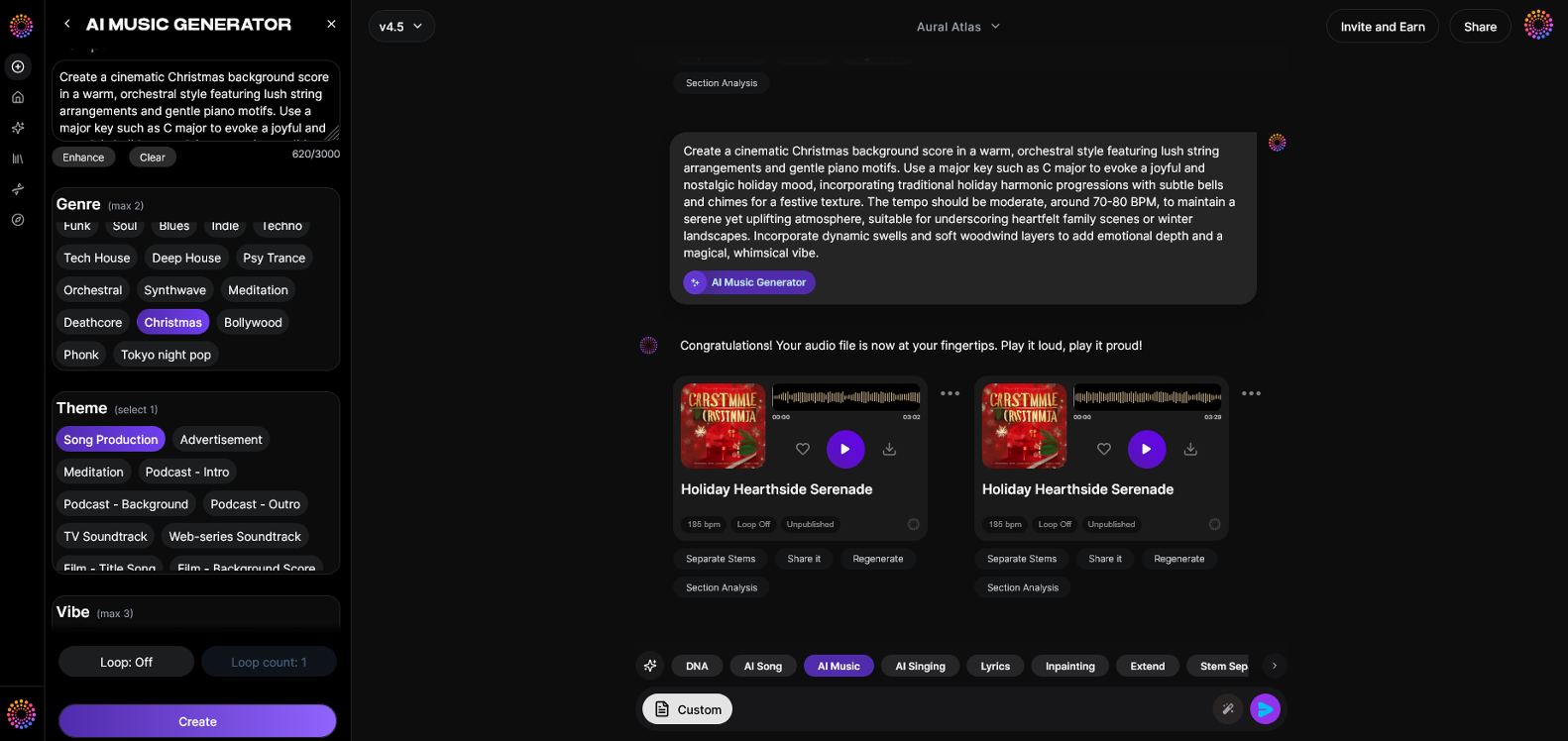
To understand how AI can help you create an authentic Amapiano track, let’s explore Soundverse’s primary AI Music Generator.
What is Soundverse AI Music Generator?
Soundverse’s AI Music Generator is a text-to-music engine that creates fully produced instrumental tracks from text prompts. It specializes in background tracks, beats, and seamless loops, which makes it perfect for Amapiano producers looking for endless rhythmic repetition.
Core capabilities include:
- Text-to-music creation for fast concept generation.
- Loop Mode for creating endless Amapiano grooves perfect for DJ mixing.
- Genre, mood, and instrument control—allowing you to specify log drums, rhodes, pads, or shakers.
- Two model options (V4 and V5) for different creative tones and textures.
While producers in the past had to rely on DAWs and plugins, in 2026 tools like Soundverse have become part of hybrid workflows. You can still bring generated tracks into your DAW for detailed arrangement or stem editing. For a deeper dive, watch our guide on creating Deep House music.

Step 1: Feature Overview
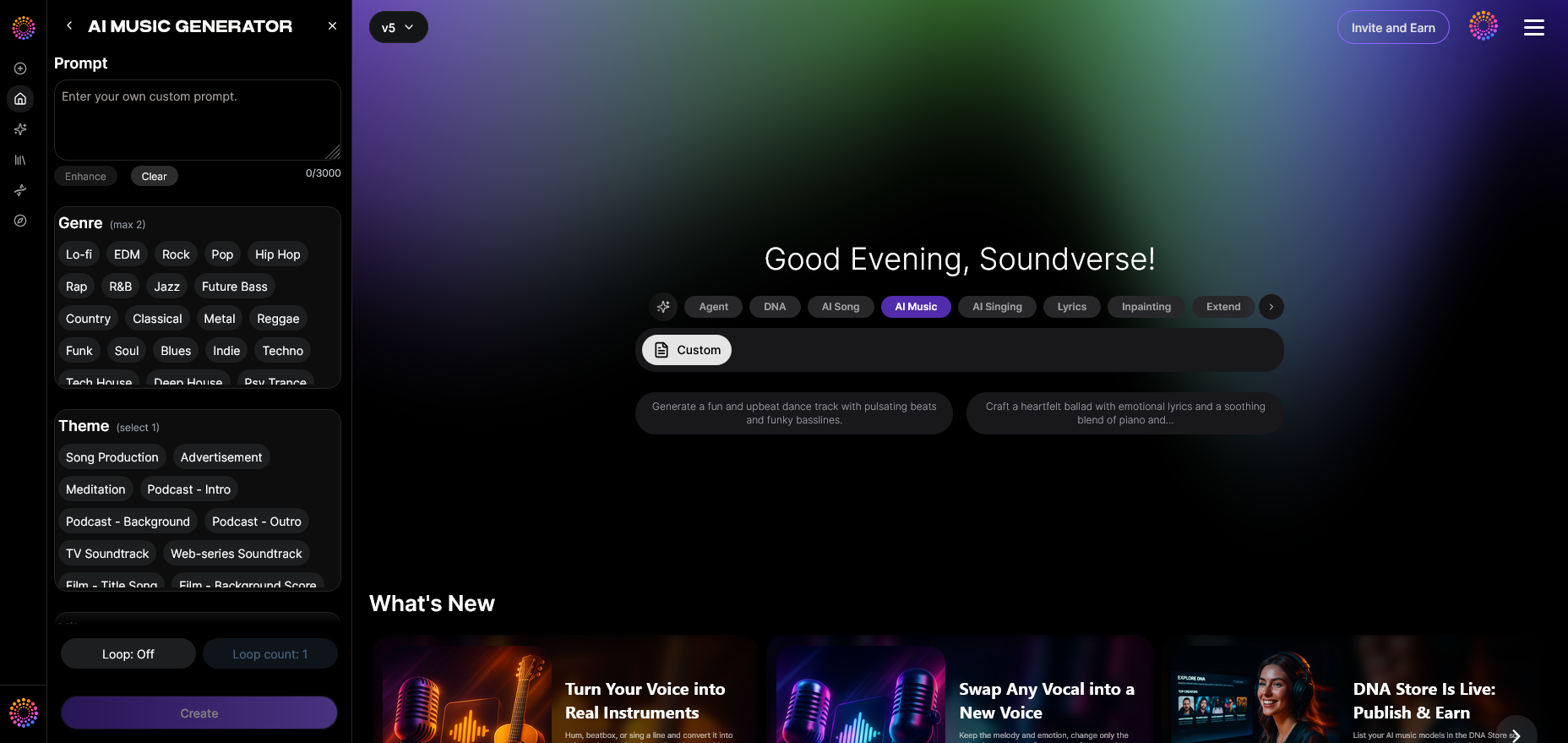
To start your AI music production Amapiano journey, log in to the Soundverse dashboard and access the AI Music Generator from the main menu. This feature serves as the foundation for generating instrumentals, making it ideal for DJs who want to produce new material quickly without manual sequencing.
Step 2: Description Input
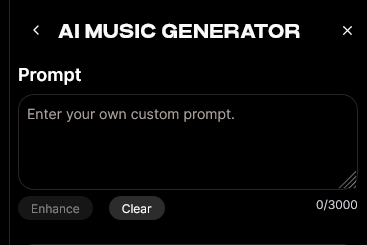
Enter a descriptive text prompt that defines the style, tempo, and vibe of your Amapiano track. For example:
“Groovy Amapiano beat with soulful chords, deep log drum bass, and uplifting percussive swing.”
Prompts help the AI understand the desired energy and tone, much like briefing a session musician.
If you’re new to prompt writing, check out Soundverse’s curated resources like 100 Text-to-Music Prompts That Will Help You Create Viral Music for inspiration.
Step 3: Style & Duration
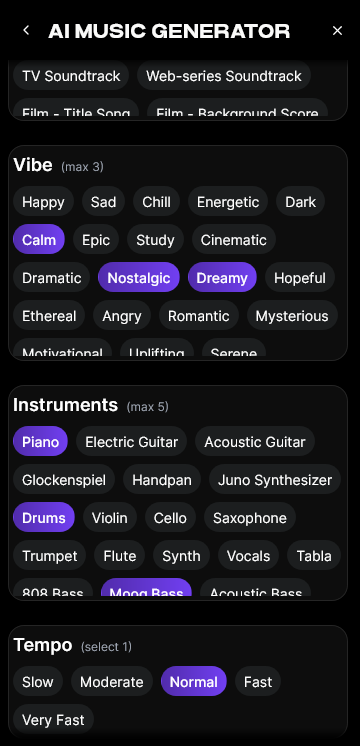
Next, choose your preferred music style and duration. For Amapiano, a medium tempo (around 110–118 BPM) fits perfectly. You can also define longer track loops that DJs can mix live during sets. The Loop Mode feature ensures your generated track repeats seamlessly, maintaining rhythmic continuity essential for Amapiano’s hypnotic feel.
Step 4: Generation
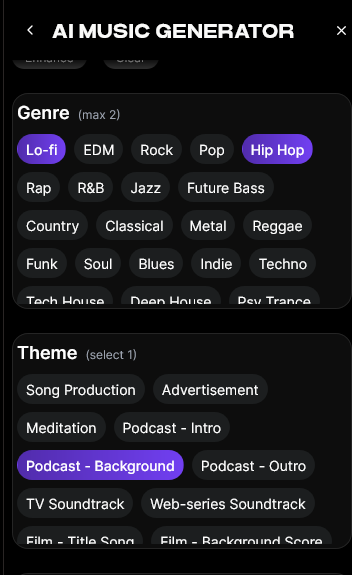
Once your parameters are locked, hit Generate. The system processes your prompt asynchronously—meaning the track is generated after brief preparation rather than live monitoring. You’ll receive a fully mixed instrumental aligned with your description, often ready for professional use or remixing.
Soundverse’s advanced models guarantee that your track exudes the right groove balance—syncopated drums, melodic Rhodes chords, and perfectly placed percussion layers.
Step 5: Export Options

After previewing your generated Amapiano instrumental, use the Export tab to download high-quality audio. You can choose loop versions for DJ sets or full-length versions for release projects. Many artists then import these into their DAWs for mastering or collaboration.
If you want to adjust sections, Soundverse’s ecosystem offers complementary tools:
- Stem Separator – Extracts editable stems (Drums, Bass, Keys, etc.) for remixing. Learn more here.
- Extend Music – Expands your track length with AI-generated continuity that matches timing and key.
- AI Singing Generator – Allows you to generate acapellas or vocal lines for an Amapiano vocal mix.
These integrated features create a full toolkit for modern producers aiming to merge creativity with automation.
Pro Amapiano Production Tips When Using AI
Even with cutting-edge AI, understanding the structure of Amapiano helps you get better results. Here are practical tips:
- Use Specific Adjectives: The more descriptive your prompt, the better your results. Include mood terms like “uplifting,” “groovy,” or “atmospheric.”
- Customize Drum Energy: Amapiano relies on percussive depth. Mention instruments like log drum, shakers, or congas.
- Layer Emotion Through Chords: Ask the AI for “jazzy chords,” “melancholic pads,” or “bright synth tones” to enhance the track’s emotional arc.
- Incorporate Loop Mode: Use loops for live performance flexibility.
- Add Vocals Later: Generate a vocal layer using Soundverse’s AI Singing Generator for catchy hooks.
Why Choose Soundverse Over Other AI Music Solutions
There are multiple AI music creation tools available in 2026, such as Mubert and Soundraw, but Soundverse excels in customization depth. You can define not just the genre but also the instrumentation and looping dynamics—essential for Amapiano producers who thrive on rhythmic subtlety and long-form grooves.
Moreover, Soundverse continues to evolve. Features like Arrangement Studio and AI Assistant simplify complex workflows. You can read about these innovations in Soundverse AI Revolutionizing Music Creation for New Age Content Creators or explore how AI music is transforming sound design in How AI-Generated Music Is Transforming the Music Industry.
Integrating AI Music with Human Creativity
Even though AI handles the initial creation, it doesn’t replace your artistic voice. Think of Soundverse as your digital co-producer—it provides the base melody, rhythm, and harmony, while you shape the final identity. Human intervention in mixing, vocal direction, and emotional storytelling ensures your tracks don’t sound robotic.
For example, many professional DJs use Soundverse to generate 8-bar Amapiano loops before layering vocals or additional percussion inside their DAW. Others rely on AI-generated stems for remixes, using Soundverse’s Stem Separator for clean extractions.
To explore this deeper, check out AI Music Generator and Human Composers: A Future Together, which discusses the evolution of this partnership in professional music studios.
Start Creating Your Own AI Amapiano Beats Today!
Explore the power of Soundverse AI to compose authentic Amapiano grooves, customize stems, and generate tracks ready for streaming. Take your music production workflow to the next level with intuitive AI support.
Related Articles
- How AI-Generated Music Is Transforming the Music Industry: Discover how artificial intelligence is reshaping the way artists produce, distribute, and collaborate in the modern music landscape.
- Soundverse Assistant: Your AI Music Co-Producer: Learn how Soundverse Assistant helps creators generate music effortlessly by offering intelligent suggestions and optimized workflow tools.
- How to Create EDM with Soundverse AI: Get a step-by-step breakdown on producing high-energy EDM tracks with AI-powered tools and smart arrangement features.
- Generate AI Music with Soundverse Text-to-Music: Turn your written ideas into full-length tracks using Soundverse’s text-to-music technology designed for creators and producers.
Here's how to make AI Music with Soundverse
Video Guide

Here’s another long walkthrough of how to use Soundverse AI.
Text Guide
- To know more about AI Magic Tools, check here.
- To know more about Soundverse Assistant, check here.
- To know more about Arrangement Studio, check here.
Soundverse is an AI Assistant that allows content creators and music makers to create original content in a flash using Generative AI. With the help of Soundverse Assistant and AI Magic Tools, our users get an unfair advantage over other creators to create audio and music content quickly, easily and cheaply. Soundverse Assistant is your ultimate music companion. You simply speak to the assistant to get your stuff done. The more you speak to it, the more it starts understanding you and your goals. AI Magic Tools help convert your creative dreams into tangible music and audio. Use AI Magic Tools such as text to music, stem separation, or lyrics generation to realise your content dreams faster. Soundverse is here to take music production to the next level. We're not just a digital audio workstation (DAW) competing with Ableton or Logic, we're building a completely new paradigm of easy and conversational content creation.
TikTok: https://www.tiktok.com/@soundverse.ai
Twitter: https://twitter.com/soundverse_ai
Instagram: https://www.instagram.com/soundverse.ai
LinkedIn: https://www.linkedin.com/company/soundverseai
Youtube: https://www.youtube.com/@SoundverseAI
Facebook: https://www.facebook.com/profile.php?id=100095674445607
Join Soundverse for Free and make Viral AI Music

We are constantly building more product experiences. Keep checking our Blog to stay updated about them!