How to Create AI Vocals for Your Song Demo
Learn how to create AI vocals for your song demo using modern AI voice generation tools.
How to Create AI Vocals for Your Song Demo
In 2026, artificial intelligence has become one of the most powerful tools in music production. Musicians and producers are no longer limited by traditional recording sessions or the need to hire session vocalists. Instead, they can use AI voice generation software to create professional-quality vocal tracks in minutes. If you’ve ever wondered how to create AI vocals for your song demo, this guide will walk you through the process step-by-step — from concept to final acapella export.
Why use AI vocals for your song demo?
Creating demos is a critical part of the songwriting and production process. They help artists test melodies, experiment with arrangements, and share previews with collaborators or labels. However, recording a demo vocalist can take time and budget. AI vocals for song demo creation solve this by generating expressive and realistic singing voices instantly. These tools allow you to focus on creativity without waiting for recording sessions.
Using AI singing software also opens creative doors for independent artists. You can produce multilingual tracks, simulate different genres, and even create character voices for animation or games. By 2026, artificial intelligence vocals are recognized across the industry for their accuracy, tone quality, and emotional delivery.
What is AI voice generation in music production?
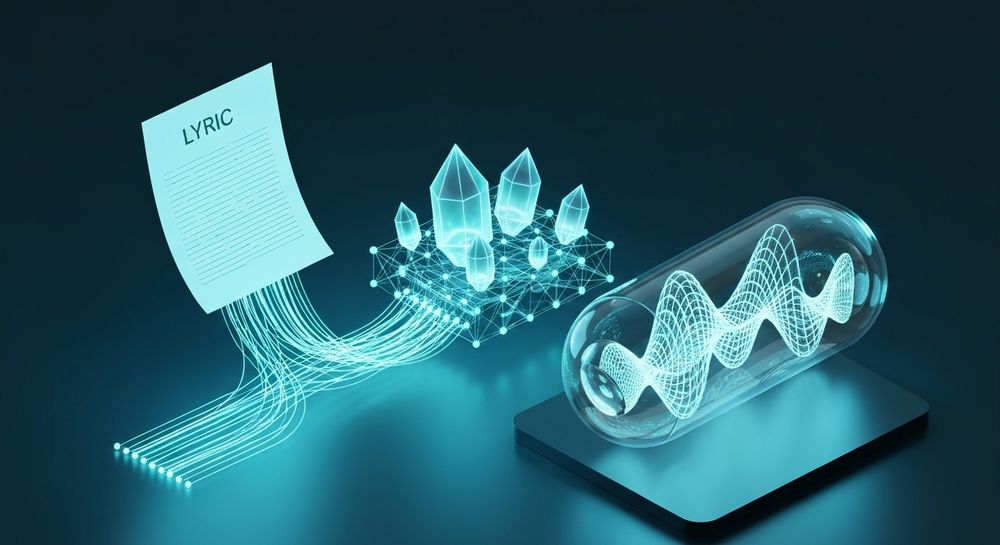
AI voice generation is the technology that synthesizes a human-like singing or speaking voice through machine learning models. It analyzes patterns of vocal tone, rhythm, and pitch, then recreates them using text or audio references. In music production with AI, this means you can enter lyrics and generate an expressive performance styled as Pop, Rock, Opera, or even experimental ASMR.
Music producers today use AI singing software for a variety of creative goals:
- To create vocal references for collaborators.
- To add synthetic voices in electronic or ambient tracks.
- To test harmonies before hiring vocalists.
- To create demo versions that sound fully polished.
AI vocals for song demo production fit perfectly within modern workflows built around digital audio workstations (DAWs). Once generated, the AI vocals can be imported into your DAW for mixing or effects processing, much like any other recorded audio.
How do AI vocals sound so real in 2026?
The realism of artificial intelligence vocals has drastically improved from 2024 and 2025 thanks to advancements in large-scale voice modeling. AI singing software now uses neural voice synthesis trained on multi-genre datasets. This allows for accurate pitch bending, vibrato, expression, and linguistic variation.
When producers talk about realism in AI voice generation, they refer to factors like:
- Dynamic phrasing: The AI adjusts notes to fit the music’s emotional flow.
- Expressive tone control: It simulates breath pressure and micro inflections.
- Stylistic adaptability: You can generate anything from smooth jazz vocals to aggressive rock leads.
Additionally, AI-driven reference audio matching (available in modern tools) allows users to imitate an existing performance’s style without copying its identity. This enables faster iteration while maintaining originality — perfectly suited for demo releases.
For a deeper dive, watch our guide on creating Deep House music or explore the Soundverse "Explore" Tab tutorial for workflow insights.
How do you create AI vocals for your song demo?
Creating AI vocals for song demo projects follows several clear stages. Below we guide you through the workflow using principles consistent with today’s professional AI music tools.
Step 1: Feature Overview — Access AI Singing Generator

To begin producing AI vocals, open your preferred AI singing tool. In the Soundverse ecosystem, that would be the AI Singing Generator. This feature allows you to create clean acapella vocals from your lyrics. The interface provides a text box where you can enter your words and select from various singing styles (Pop, Rock, Rap, Opera, and more). Understanding this overview ensures you know that the AI will process the input asynchronously — meaning you upload, wait for generation, and download your final vocal.
Step 2: Lyrics/Text Input — Enter lyrics or text to sing

Next, prepare your lyrics. You can either write original text or snippets for testing melody ideas. The choice of words influences rhythm and performance feel. Enter your lyrics directly in the generator’s input field. For demo creation, short phrases work great because they allow you to test multiple vocal ideas quickly. Artists making multilingual demos can input lyrics in various languages since modern generators support global phonetic transcription.
Step 3: Voice Selection — Choose voice style and characteristics

This is where you shape the emotion and sound of your demo. The AI Singing Generator includes diverse vocal styles, from expressive pop leads to operatic tones. You can also select experimental styles such as whispering or humorous cat-like sounds (‘Meow Meow’ textures) depending on your creative intent. Use this step to define the vocal identity that fits your genre. For example, if creating EDM, check our related guide on How to Create EDM with Soundverse AI.
Step 4: Generation — Generate singing vocals from text

Once your parameters are set, click the Generate button. The AI system now processes your text input and selected voice characteristics to synthesize a singing performance. This process happens asynchronously: it might take several seconds to a few minutes depending on complexity. The result is a high-fidelity vocal acapella that can be downloaded and layered in your DAW. If you’re exploring advanced production workflows, you might also enjoy reading about Soundverse AI Magic Tools which can automate parts of the mixing and arrangement stage.
Step 5: Download Vocals — Export generated singing vocals

After generation completes, export the final audio file. You can download it as an acapella WAV and import directly into your project. This allows flexible editing — adding reverb, compression, or chorus to fit your arrangement. Clean AI vocals offer clarity and tunable consistency, helping you preview exactly how a song might sound once a professional singer records it.
By completing these steps, you can produce AI vocals for song demo projects that sound polished and emotionally accurate.
How to make AI vocals for your song demo with Soundverse AI Singing Generator

Now that you understand the process, here’s how Soundverse makes it instant and precise. The Soundverse AI Singing Generator is designed for creators who need professional-quality acapella vocals quickly. It converts your lyrics to expressive singing with support for multiple genres like Pop, Rock, Rap, Opera, or ASMR.
Its capabilities include:
- Text-to-singing conversion: Enter any lyrics and generate singing instantly.
- Diverse styles: Choose from standard genres or experimental voices.
- Reference audio support: Match vocal style to existing performances.
- Clean acapella output: Perfect for remixing or vocal layer processing.
Soundverse also integrates seamlessly with AI Song Generator if you want a full instrumental backing. For those interested in swapping vocal identities later, the Voice Swap feature can replace a recorded voice with a different model while keeping performance timing intact.
Whether you’re producing indie demos or professional references for studio sessions, Soundverse ensures fast turnaround and creative freedom. Since music trends in 2026 emphasize hybrid production workflows between humans and AI, learning how to make AI voice for music now places artists at the forefront of innovation. Check recent insights about music industry trends to understand how vocal synthesis continues reshaping the creative process.
Create Studio-Quality AI Vocals Now
Bring your song demos to life with realistic AI vocals using Soundverse. Generate custom voices, refine tone, and experiment with style—no studio required.
Related Articles:
- How to Make AI-Generated Music — Discover how AI can transform your songwriting process and speed up music production.
- Soundverse Introduces Stem Separation AI Magic Tool — Learn how to isolate vocals and instruments with Soundverse’s revolutionary stem separation feature.
- Soundverse AI Revolutionizing Music Creation for New Age Content Creators — Explore how Soundverse empowers creators with powerful AI tools for seamless music creation.
- Soundverse Saar: AI Voice Assistant — Meet Soundverse Saar, your intelligent AI voice assistant designed for effortless vocal generation.
Here's how to make AI Music with Soundverse
Video Guide

Here’s another long walkthrough of how to use Soundverse AI.
Text Guide
- To know more about AI Magic Tools, check here.
- To know more about Soundverse Assistant, check here.
- To know more about Arrangement Studio, check here.
Soundverse is an AI Assistant that allows content creators and music makers to create original content in a flash using Generative AI. With the help of Soundverse Assistant and AI Magic Tools, our users get an unfair advantage over other creators to create audio and music content quickly, easily and cheaply. Soundverse Assistant is your ultimate music companion. You simply speak to the assistant to get your stuff done. The more you speak to it, the more it starts understanding you and your goals. AI Magic Tools help convert your creative dreams into tangible music and audio. Use AI Magic Tools such as text to music, stem separation, or lyrics generation to realise your content dreams faster. Soundverse is here to take music production to the next level. We're not just a digital audio workstation (DAW) competing with Ableton or Logic, we're building a completely new paradigm of easy and conversational content creation.
TikTok: https://www.tiktok.com/@soundverse.ai
Twitter: https://twitter.com/soundverse_ai
Instagram: https://www.instagram.com/soundverse.ai
LinkedIn: https://www.linkedin.com/company/soundverseai
Youtube: https://www.youtube.com/@SoundverseAI
Facebook: https://www.facebook.com/profile.php?id=100095674445607
Join Soundverse for Free and make Viral AI Music

We are constantly building more product experiences. Keep checking our Blog to stay updated about them!