How to Create AI Songs: Complete Guide for Musicians and Creators (2026)
Learn how to create AI songs using Soundverse AI Song Generator — step-by-step guide for musicians, producers & creators in 2026.
How to Create AI Songs
Artificial intelligence has completely transformed the way musicians, producers, and content creators approach songwriting and production. By 2026, AI music tools have evolved far beyond simple beat generators; they now handle lyrics, melody, vocals, and full arrangements in minutes. If you're looking to create AI songs that sound engaging and professional, this guide will walk you through everything you need to know — from concept to export — using Soundverse’s AI Song Generator.
Why are musicians turning to AI to create songs in 2026?
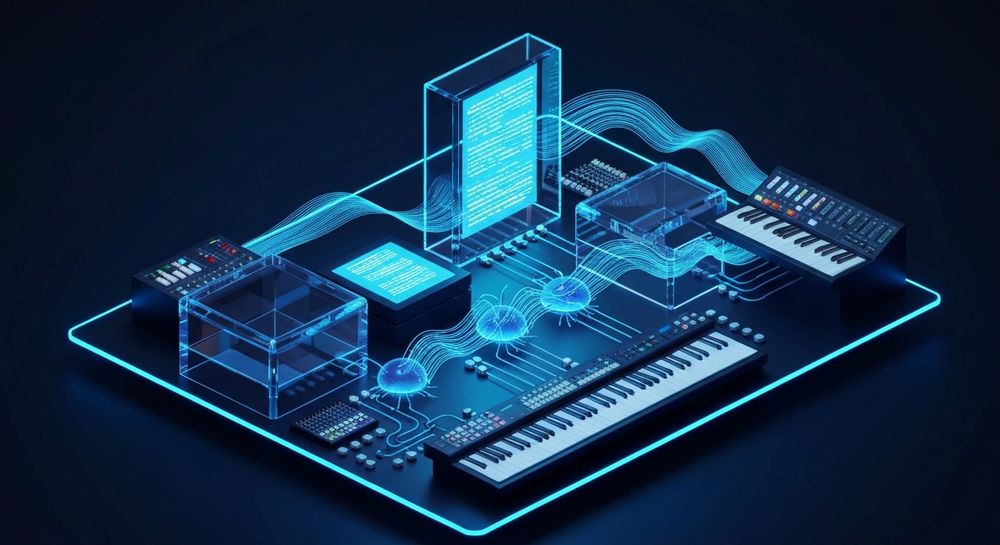
The rapid rise of AI technology between 2024 and 2025 paved the way for an explosion of creative possibilities in 2026. Tools like Soundverse, Udio, and Suno made it possible for anyone to write and produce music without expensive studio sessions. Today, AI music generation is more collaborative than ever — instead of replacing artists, it empowers them.
Musicians now use artificial intelligence songwriting techniques to:
- Generate demo tracks quickly for client pitches or social media content.
- Experiment with new genres or styles they wouldn’t normally compose.
- Produce multilingual songs and accessible music for global audiences.
- Save time by automating tedious production tasks like mixing and instrument layering.
As AI continues to mature, machine learning in music composition now adapts to human preferences. This means that AI doesn’t just create songs; it learns from your instructions and style over time.
How to make AI songs with Soundverse AI Song Generator

Soundverse’s AI Song Generator is designed as an end-to-end system that turns lyrics or text prompts into fully produced songs with AI-generated vocals and instrumentals. It operates through a multi-stage pipeline, including lyric analysis, melody building, arrangement composition, and mixing.
Core Capabilities of Soundverse AI Song Generator:
- Describe Your Song Mode: Enter a text description like “a retro pop ballad with emotional female vocals” and the AI interprets it into a full song.
- Custom Mode: Provide your own lyrics and adjust settings for vocal character, tempo, and instrumentation.
- Reference Audio Support: Upload a piece of music, vocal recording, or both so the AI can match your reference style.
- Quick Style Selection: Choose from genre presets such as Pop, EDM, Rock, Jazz, or Classical.
Main Use Cases:
- Songwriting demos and vocal prototyping
- Custom greetings and gifts
- Social media content creation
- Multilingual music production in more than ten languages
If you’re already curious about advanced functions, explore complementary Soundverse tools such as the AI Lyrics Writer, AI Singing Generator, and Melody to Song Generator. These integrate seamlessly with the AI Song Generator.
Step 1: Feature Overview

To begin creating AI songs, access the AI Song Generator from Soundverse’s main menu. The dashboard is designed for simplicity — you’ll see quick options for “Describe Your Song” and “Custom Mode.” You don’t need to install extra software since everything runs in the cloud.
Step 2: Lyrics Input
Enter or paste your song lyrics directly. If you don’t have any lyrics yet, you can use the AI Lyrics Writer to generate structured lyrics aligned with your genre and theme. For example, a producer working on Chill Pop can instantly get lyrics fitting that emotional mood. This step is vital because lyrics form the semantic foundation of AI music generation in Soundverse.
Step 3: Style Selection

Choose your desired music style from predefined options like Pop, EDM, Rock, Jazz, or Acoustic. Style selection determines the instrumentation and rhythm structure that accompany your lyrics. You can even apply genre filters like in Soundverse’s filter-based generation system to fine-tune your vibe.
Step 4: Configuration

After selecting your style, set generation parameters such as tempo, key, vocal tone, and background arrangement complexity. Configuration is where creators personalize results — deciding if they want cinematic depth, a stripped-down acoustic feel, or even multilingual vocals.
Step 5: Generation

Press “Generate Song,” and Soundverse begins the asynchronous AI creation process. The system models melody, harmony, and vocal structure together rather than one at a time. Users do not receive real-time previews — instead, the platform processes audio thoroughly before results appear.
Step 6: Generation Complete

Once ready, your completed AI song appears in your dashboard with options to listen, modify, or reprocess. At this stage, you can also view AI recommendations for mastering or variant generation — perfect for exploring alternative mixes or styles.
Step 7: Export Results

Finally, download your AI-generated song in multiple formats such as MP3, WAV, or stem-separated tracks. You can also leverage Soundverse’s Stem Separation Magic Tool for deeper remixing or video sync.
Pro Tips for making music with AI in 2026
- Refine your prompts carefully: The quality of your input dramatically affects AI output. Include details about genre, emotion, tempo, and vocal type.
- Use reference audio strategically: Uploading your humming or short instrumental clip helps guide the melody structure accurately.
- Experiment with style combinations: Blend genres like jazz-pop or EDM-rock using Soundverse’s cross-style generations.
- Utilize multilingual settings: Tap into Soundverse’s 10+ language options to appeal to diverse audiences worldwide.
- Integrate AI Singing Generator: Once your instrumental base is ready, pair it with personalized singing styles — even quirky textures like whispering or experimental vocal layers.
For a deeper dive, watch our guide on creating Deep House music or how to make music using Soundverse’s Explore Tab.
If you’re exploring specific genre workflows, check specialized guides such as How to Create EDM with Soundverse AI or How to Create Country Music with Soundverse AI.
How does AI songwriting actually work?
Under the hood, AI songwriting relies on machine learning models trained on millions of musical samples and lyric datasets. It understands harmonic patterns, rhyme structures, and genre-specific motifs. In Soundverse, this engine processes:
- Semantic Analysis: Understanding the meaning and tone of your lyrics.
- Melodic Generation: Building melodies that align with emotional cues.
- Instrument Arrangement: Orchestrating bass lines, rhythm sections, and harmonies.
- Vocal Rendering: Converting text into lifelike human singing performances.
The result is music that feels authentic, emotionally resonant, and professionally mixed — something impossible for creators to achieve so quickly without AI assistance.
Why Soundverse stands out in the AI music generation market
Soundverse’s ecosystem connects multiple creator needs seamlessly. While competitors like Mubert or Suno focus primarily on background or synthetic styles, Soundverse gives you complete control over lyrical structure, melody, and multilingual vocals.
This makes Soundverse one of the most comprehensive AI music platforms in 2026, further supported by its growing suite of tools covered in Soundverse AI Magic Tools and ongoing industry insights shared in Music Industry Trends.
Start Creating Your Own AI Songs Today
Discover how easy it is to generate unique music with Soundverse. Whether you’re a seasoned artist or experimenting for the first time, Soundverse’s AI tools help you turn your ideas into professional-quality tracks in minutes.
Related Articles
- Generate AI Music with Soundverse Text-to-Music: Learn how to transform words into melodies using Soundverse’s text-to-music generator—perfect for quick inspiration and effortless song creation.
- What AI Can Generate Songs: Explore different AI models and platforms that can generate full songs, helping you find the best fit for your creative workflow.
- Soundverse Assistant: Your AI Music Co-Producer: Meet Soundverse Assistant—the AI collaborator that helps artists arrange, mix, and perfect their tracks effortlessly.
- How AI-Generated Music Is Transforming the Music Industry: Discover the impact of AI on music creation, production, and distribution—and what it means for today’s artists and producers.
Here's how to make AI Music with Soundverse
Video Guide

Here’s another long walkthrough of how to use Soundverse AI.
Text Guide
- To know more about AI Magic Tools, check here.
- To know more about Soundverse Assistant, check here.
- To know more about Arrangement Studio, check here.
Soundverse is an AI Assistant that allows content creators and music makers to create original content in a flash using Generative AI.
With the help of Soundverse Assistant and AI Magic Tools, our users get an unfair advantage over other creators to create audio and music content quickly, easily and cheaply.
Soundverse Assistant is your ultimate music companion. You simply speak to the assistant to get your stuff done. The more you speak to it, the more it starts understanding you and your goals.
AI Magic Tools help convert your creative dreams into tangible music and audio. Use AI Magic Tools such as text to music, stem separation, or lyrics generation to realise your content dreams faster.
Soundverse is here to take music production to the next level. We're not just a digital audio workstation (DAW) competing with Ableton or Logic, we're building a completely new paradigm of easy and conversational content creation.
TikTok: https://www.tiktok.com/@soundverse.ai Twitter: https://twitter.com/soundverse_ai Instagram: https://www.instagram.com/soundverse.ai LinkedIn: https://www.linkedin.com/company/soundverseai Youtube: https://www.youtube.com/@SoundverseAI Facebook: https://www.facebook.com/profile.php?id=100095674445607
Join Soundverse for Free and make Viral AI Music

We are constantly building more product experiences. Keep checking our Blog to stay updated about them!