How to Create AI Music Videos That Match the Mood of the Song
Learn step-by-step how to create emotionally synced AI music videos using Soundverse tools.
How to Create AI Music Videos That Match the Mood of the Song
In 2026, AI music video creation has evolved into one of the most exciting intersections of technology and artistry. Musicians, producers, and video creators now have the ability to visualize emotions directly through AI—turning every beat, mood shift, and lyrical tone into moving imagery that speaks to the soul. But making sure those visuals truly match the emotional depth of a track requires more than just flashy effects; it demands precision, understanding, and creative synergy between sound and image.
This guide will walk you through the complete process of using AI tools to create mood-driven music videos—with a special focus on Soundverse's Similar Music Generator. Whether you're crafting a haunting visual for a melancholic ballad or a neon-glow motion clip for a euphoric EDM track, you'll learn how AI can analyze the emotional DNA of your music and transform it into fitting visuals.
Why matching the mood matters in AI music video creation in 2026
With AI-generated visuals and music becoming mainstream in 2026, simply producing an automated video isn’t enough. Viewers expect emotional alignment—an experience where the rhythm, tone, colors, and narrative feel fundamentally cohesive.
When your music video aligns with the song’s emotional core, it enhances viewer engagement and memorability. Streaming algorithms and social platforms increasingly prioritize content with high emotional authenticity, rewarding videos that provoke response or evoke shared sentiments.
This is why emotional visuals AI technology plays such a pivotal role. It doesn’t just interpret sound waves—it perceives intent. Pairing this with tools like Soundverse allows creators to synchronize both sonic atmosphere and visual storytelling seamlessly.
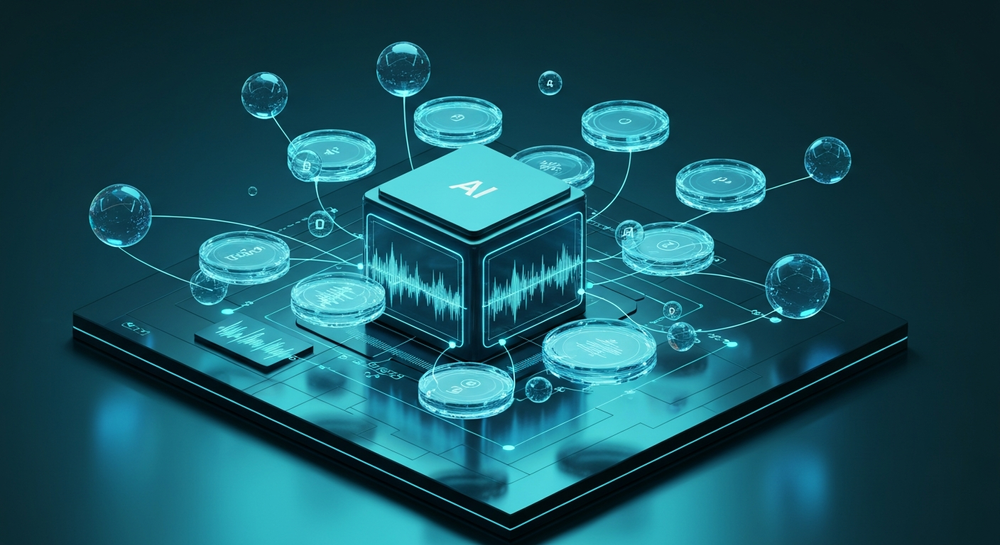
How to make AI music videos that match the mood with Soundverse Similar Music Generator
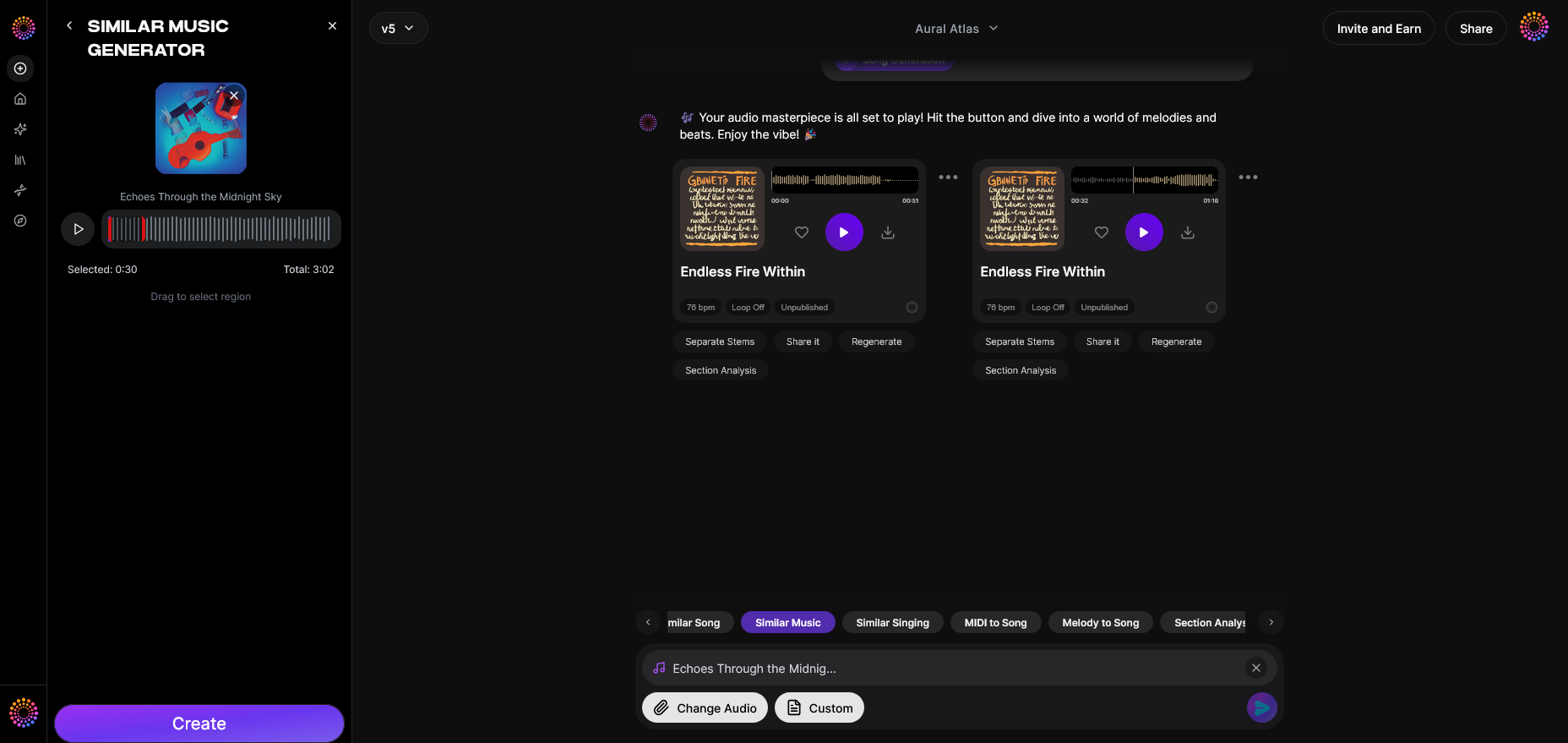
Soundverse’s Similar Music Generator is one of the most effective tools for creators who want music-driven AI visuals to feel cinematic and emotionally connected. Here’s how it works and how you can use it for precise music video mood matching.
Feature Overview: The Similar Music Generator produces original instrumental compositions inspired by a reference track. Ideal for creating background scores or alternate takes that preserve a director-approved vibe. It supports instrumental style transfer, detailed musical analysis of tempo, key, and mood, and creates seamless loops based on reference tracks.
Primary Use Cases: Film and TV scoring, game environment themes, and podcast sound branding—but its precision in mood matching makes it perfect for AI music video creation as well.

Step 1: Access Similar Music Generator
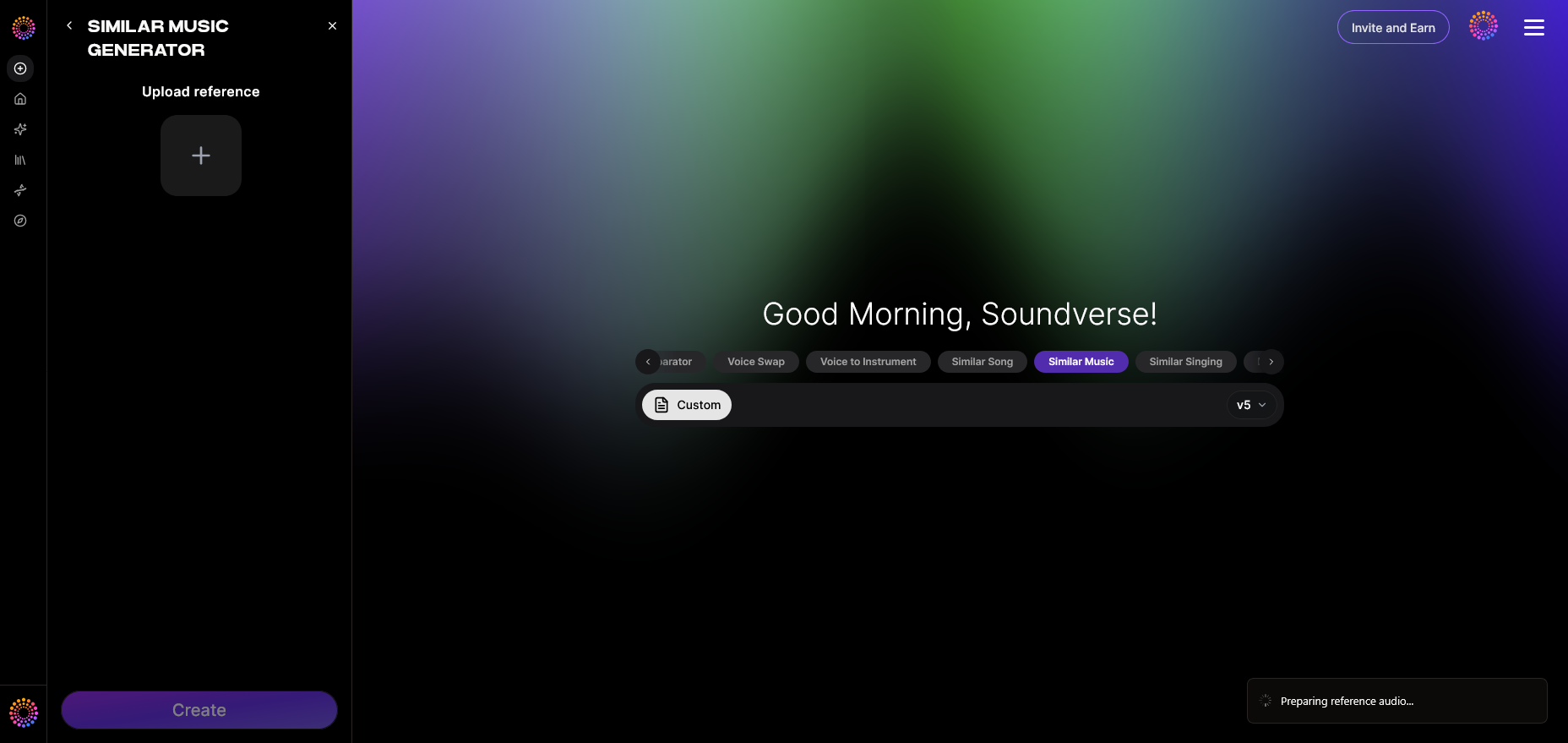
To begin, log in to Soundverse and navigate to the Similar Music Generator tool. This feature is part of Soundverse’s suite of AI music tools that revolutionize music creation for modern content creators. Once inside, you’ll be able to upload or reference the track whose mood and style you want to emulate.
Step 2: Upload a Reference Music Track
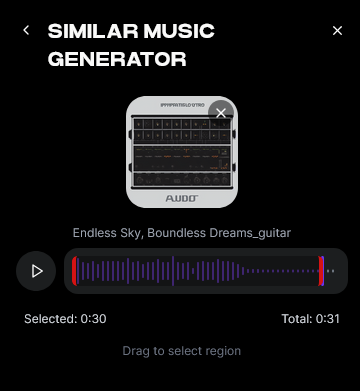
Upload the reference music that sets the emotional tone for your video project. The system will conduct detailed musical analysis—examining tempo, key, and mood indicators. This data informs how the generated composition will reflect your desired emotional energy, helping you achieve music video mood matching that feels cohesive.
Step 3: Generate Music in Similar Style
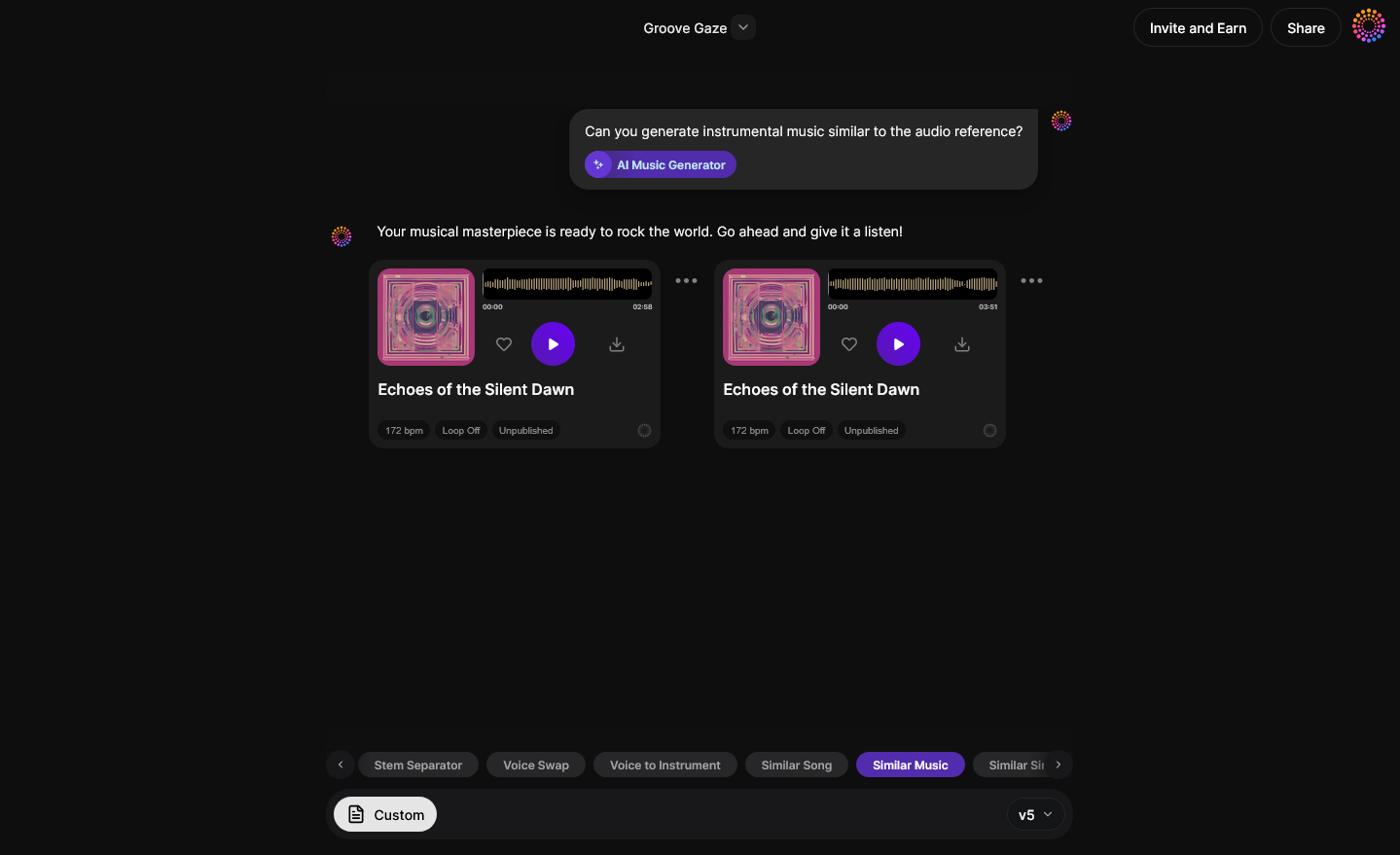
After the analysis, initiate the generation process. The AI models apply instrumental style transfer and create an original loop or composition in the same emotional space. This step ensures your visuals have consistent sonic cues—whether you’re animating transitions, syncing color palettes, or setting visual rhythm to beats.
Step 4: Download Music
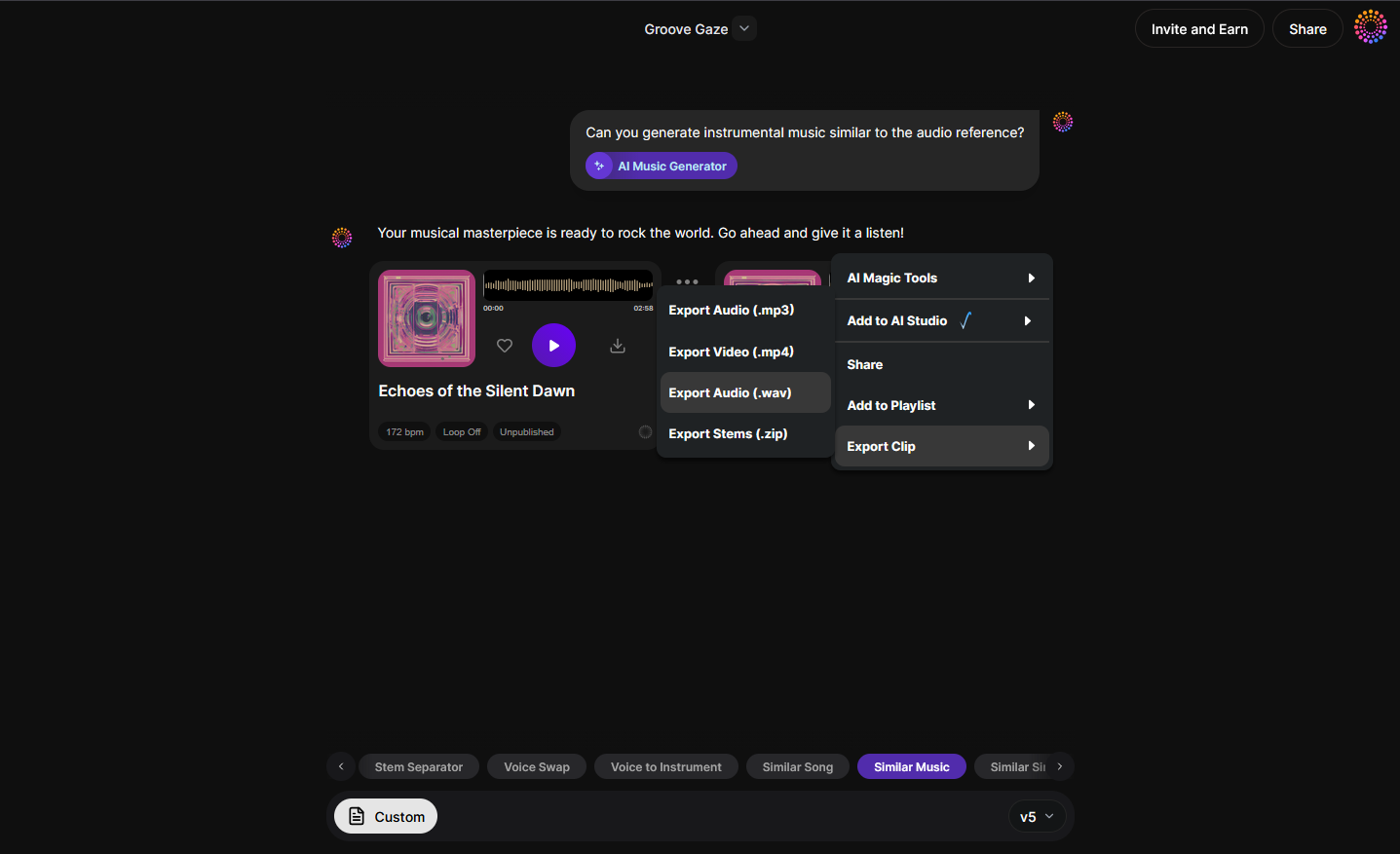
Once complete, export and download the generated instrumental. This composition can now serve as the audio backbone for your AI-generated visuals. Integrate it directly into your editing environment or upload it to AI video generation tools for synchronization. For hands-on tutorials, explore our Soundverse Tutorial Series - 9. How to Make Music and watch the Soundverse Tutorial Series - 10. Make Deep House Music.
How to design visuals that convey emotion effectively
Creating an emotionally synced video goes beyond matching BPM or tone. The visuals need to mirror the inner atmosphere of the track.
Here are essential strategies for achieving emotional visuals with AI:
- Map emotional intensity: Break down your track by emotional peaks—identify parts where intensity rises or falls. Use AI tools to correlate these shifts with visual pacing.
- Color psychology: Choose color schemes that resonate with specific moods. Blues evoke calm and reflection, reds amplify passion, and monochrome styles emphasize nostalgia.
- Motion rhythm: Adjust movement synchronization. A slow cinematic pan complements ambient or melancholic tracks, while quick cuts and strobe effects suit high-energy EDM.
- AI-assisted scene generation: Tools like Runway or Kaiber use text prompts to build scenes based on mood descriptors. Focus on emotional accuracy over visual complexity.
Integrating AI-generated visuals with music
Once your music is finalized, incorporate AI-generated visuals. Most creators now use layered workflows that combine Soundverse audio outputs with visual-generation tools that respond to sound frequencies. This strategy amplifies emotional immersion.
Cross-reference techniques from how AI-generated music is transforming the music industry, where AI’s ability to read nuance allows smoother integration across components. For workflow demonstrations, check out the Soundverse Tutorial Series - 8. "Explore" Tab.
Synchronization checklist:
- Ensure your AI visuals respond to tempo variance.
- Use frame markers to sync beat drops or melodic transitions.
- Employ keyframe color shifts that reflect emotional changes.
These methods help your AI music video feel deliberate rather than simply automated.
Pro tips for music video editing with AI in 2026
- Use multi-AI layering: Combine Soundverse’s composition outputs with AI video motion tools for texture depth.
- Leverage Soundverse’s ecosystem: Blend compositions from the Similar Song Generator when working with vocal tracks, or use Extend Music to stretch scenes smoothly across transitions.
- Avoid visual fatigue: Even with automation, maintain human oversight to adjust pacing and prevent repetitive imagery.
- Preserve authenticity: Emotional realism drives engagement. Ensure your AI visuals align with the artist’s original message.
Learn more about generating track variations in now generate music with filters such as genre, theme, instruments or even vibe, which helps tailor sound to visual and narrative objectives.
How other Soundverse tools support advanced music video projects
- Similar Song Generator: Ideal for full songs with vocals where matching mood and style is critical, ensuring cohesive sound identity without copyright issues.
- AI Music Generator: Perfect for mood-specific background tracks for videos or reels; use descriptive text prompts to evoke landscapes, emotions, or atmospheres.
- Extend Music: Seamlessly lengthen your track to fit longer visual sequences while keeping emotional flow intact.
Each of these tools integrates naturally with Soundverse’s workflow—empowering creators to maintain mood consistency across music and visuals. Explore more workflow enhancements via Soundverse AI Magic Tools Create Content Quickly with AI.
Start Creating AI Music Videos Today
Transform your songs into stunning visuals that capture every emotion. With Soundverse, you can craft dynamic AI music videos that perfectly match your song’s mood in minutes.
Create Your First AI Video
Related Articles
- The Role of AI Music in Film and Television: Discover how AI-generated music is revolutionizing soundtracks in movies and shows.
- Enhancing YouTube Content with Royalty-Free and Copyright-Free Music Using Soundverse AI: Learn how to elevate your YouTube videos with custom, royalty-free AI-generated music.
- Generate AI Music with Soundverse: Text-to-Music: Explore how simple text prompts can help you generate original tracks with Soundverse AI.
- Soundverse Introduces Stem Separation AI Magic Tool: Uncover how Soundverse’s stem separation tool helps creators remix, edit, and visualize songs effortlessly.
Here's how to make AI Music with Soundverse
Video Guide

Here’s another long walkthrough of how to use Soundverse AI.
Text Guide
- To know more about AI Magic Tools, check here.
- To know more about Soundverse Assistant, check here.
- To know more about Arrangement Studio, check here.
Soundverse is an AI Assistant that allows content creators and music makers to create original content in a flash using Generative AI. With the help of Soundverse Assistant and AI Magic Tools, our users get an unfair advantage over other creators to create audio and music content quickly, easily and cheaply. Soundverse Assistant is your ultimate music companion. You simply speak to the assistant to get your stuff done. The more you speak to it, the more it starts understanding you and your goals. AI Magic Tools help convert your creative dreams into tangible music and audio. Use AI Magic Tools such as text to music, stem separation, or lyrics generation to realise your content dreams faster. Soundverse is here to take music production to the next level. We're not just a digital audio workstation (DAW) competing with Ableton or Logic, we're building a completely new paradigm of easy and conversational content creation.
TikTok: https://www.tiktok.com/@soundverse.ai
Twitter: https://twitter.com/soundverse_ai
Instagram: https://www.instagram.com/soundverse.ai
LinkedIn: https://www.linkedin.com/company/soundverseai
Youtube: https://www.youtube.com/@SoundverseAI
Facebook: https://www.facebook.com/profile.php?id=100095674445607
Join Soundverse for Free and make Viral AI Music

We are constantly building more product experiences. Keep checking our Blog to stay updated about them!