How to Create AI Music Videos That Don’t Feel Generic
Learn AI music video creation tips to craft original visuals and standout creative aesthetics.
How to Create AI Music Videos That Don’t Feel Generic
In 2026, AI tools have transformed the way music videos are produced. From generative visuals to automated editing, creating compelling videos has become accessible for indie artists and producers worldwide. Yet, one challenge remains: many AI-generated music videos still look and feel generic. This guide explores practical strategies for AI music video creation that amplifies originality, focusing on visual storytelling with AI and creative AI aesthetics that connect emotionally with your audience.
Why do so many AI music videos look generic?
AI visuals often suffer from homogeneity because they rely on large datasets that prioritize average outcomes. Whether you're using generative video models or text-to-image systems, the algorithms tend to flatten unique styles into polished but impersonal outputs. If your video looks like what everyone else made last week, it’s probably because you're using the same prompt structures and default settings as thousands of other creators.
The solution begins by understanding your sonic identity. When your music carries a distinct sound, your visuals should echo that individuality. This is where connecting AI music generation and visual production becomes key.
How to make AI music videos that reflect your style
Before jumping into animation or AI video editing workflows, start with understanding the emotional and aesthetic layers of your music. Does your track feel cinematic, intimate, or surreal? Once defined, every AI prompt you generate—from environment textures to character expressions—should reinforce that emotion.
To avoid generic repetition, combine multiple AI tools strategically. You can use generative composition systems for music, style transfer models for video, and editing tools that integrate your narrative voice. Incorporating your artist DNA ensures each element feels part of a cohesive creative universe.
How to make AI music videos with Soundverse DNA
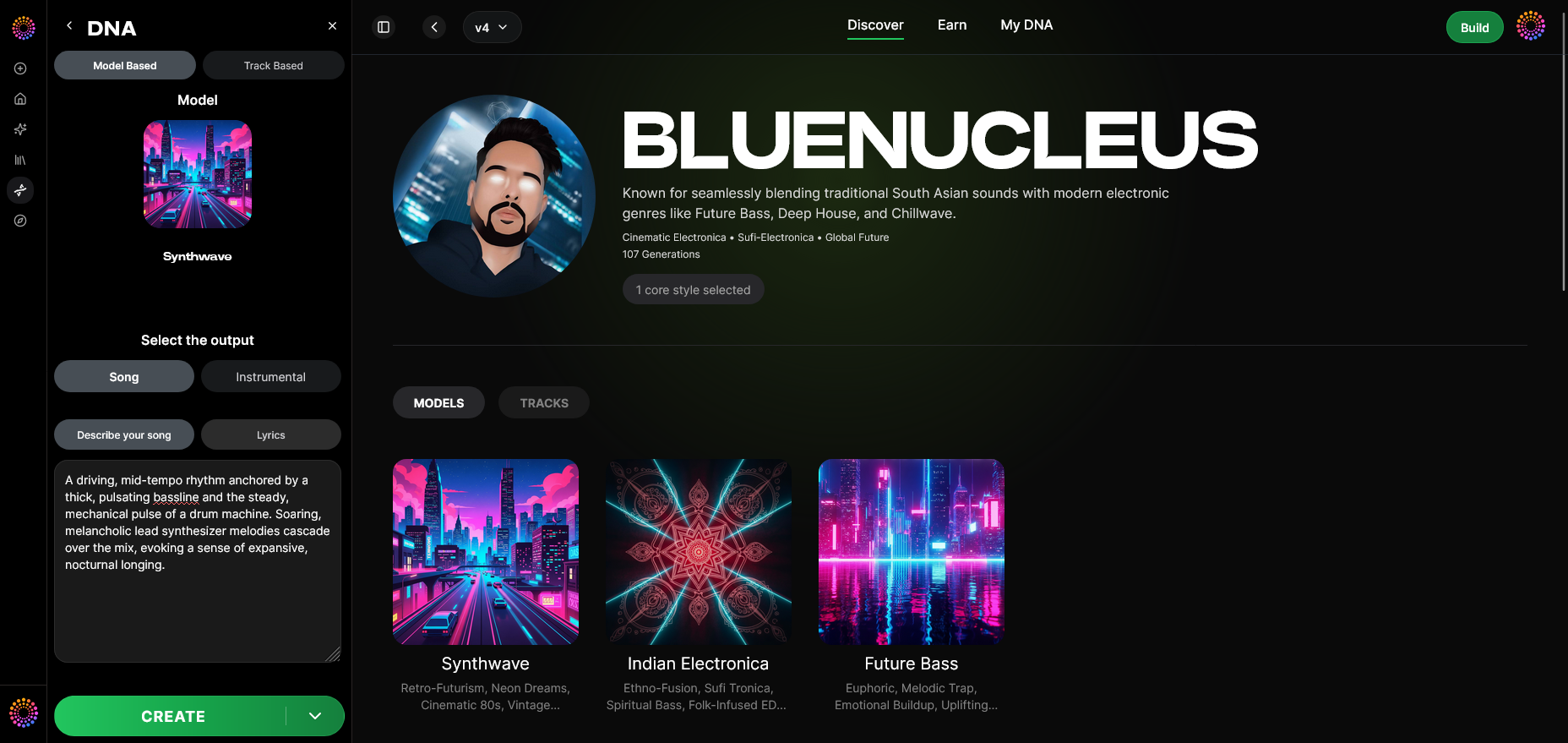
Soundverse DNA is designed to embody that uniqueness. It’s an artist-trained AI music generation system that builds fully original compositions based on sonic identity instead of random style imitation. Because Soundverse DNA trains exclusively on licensed catalogs, it enables artists to monetize their sound safely while users generate consistent, copyright-safe tracks for video production.
Key Capabilities for AI Music Video Creation
- Full DNA (Songs/Instrumentals): Generate music that pairs seamlessly with your video aesthetic.
- Voice DNA: Create vocal performances that match your narrative mood without violating copyright.
- DNA Marketplace: License your own DNA model to others, allowing creative collaborations.
- Sensitivity Selector: Cluster your catalog into creative eras or moods—perfect for matching video tones.
- Private Mode: Co-create securely when producing unreleased or experimental visuals.
Using Soundverse DNA ensures that your AI music videos begin with originality at their core. This gives your visuals strong contextual grounding to design around, reducing the risk of generic soundtracks or mismatched edits.
Step 1: Overview — Understanding DNA Mode Feature
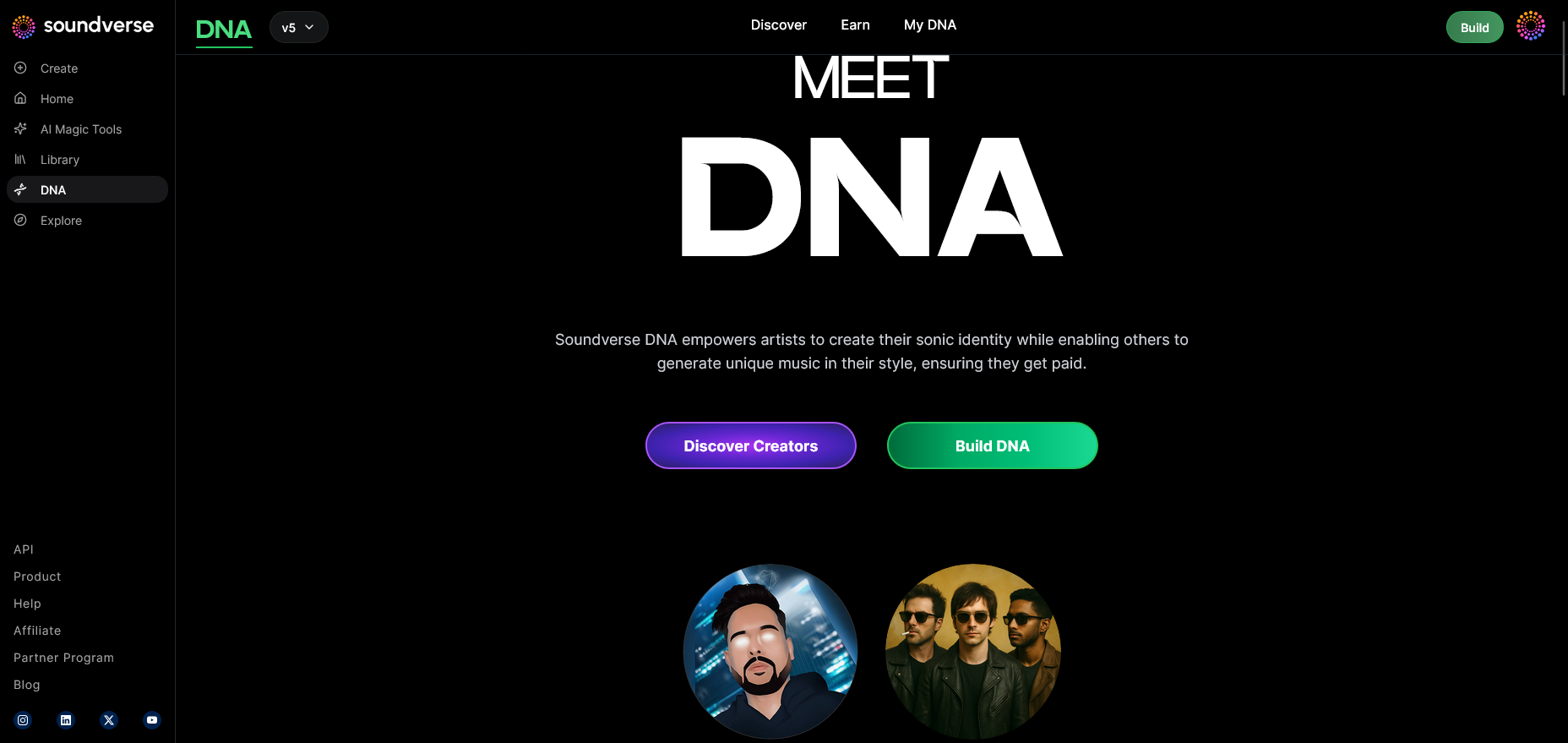
Begin your project by exploring the DNA mode overview inside Soundverse. This section introduces how the model captures artistic identity, allowing you to design your music video foundation around personalized sonic signatures.
Step 2: Dashboard — Managing DNA Models
Use the My DNA dashboard to organize your sound profiles. Here, you’ll control which sonic styles to use for a specific video project—ideal when matching specific moods like nostalgia or futuristic fantasy.
Step 3: Creator Profile — Setting Up Your Artistic Style
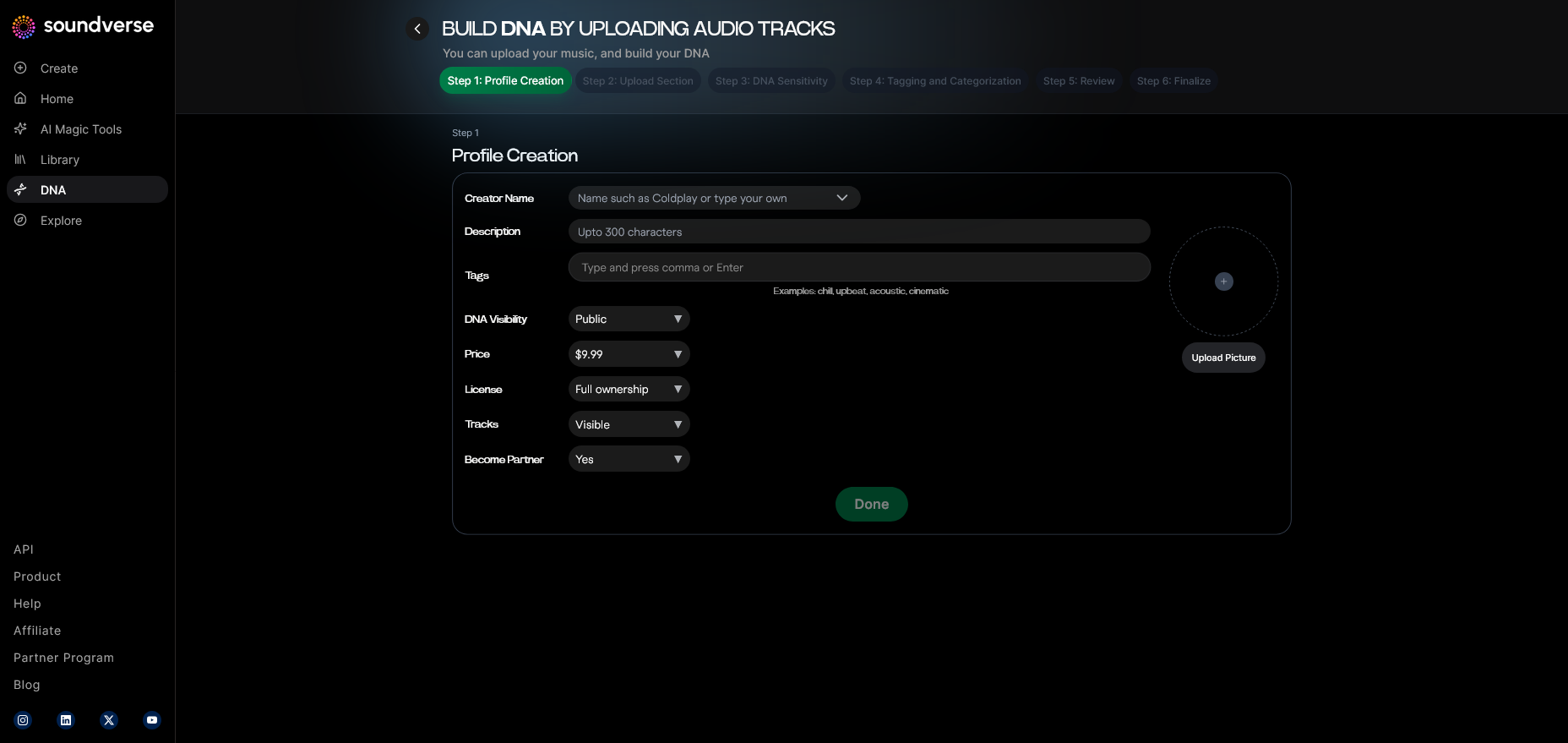
Customize your creator profile to reflect your visual and musical personality. This helps AI interpret your prompt inputs with contextual understanding.
Step 4: DNA Type Selection — Choose Between Full or Voice DNA
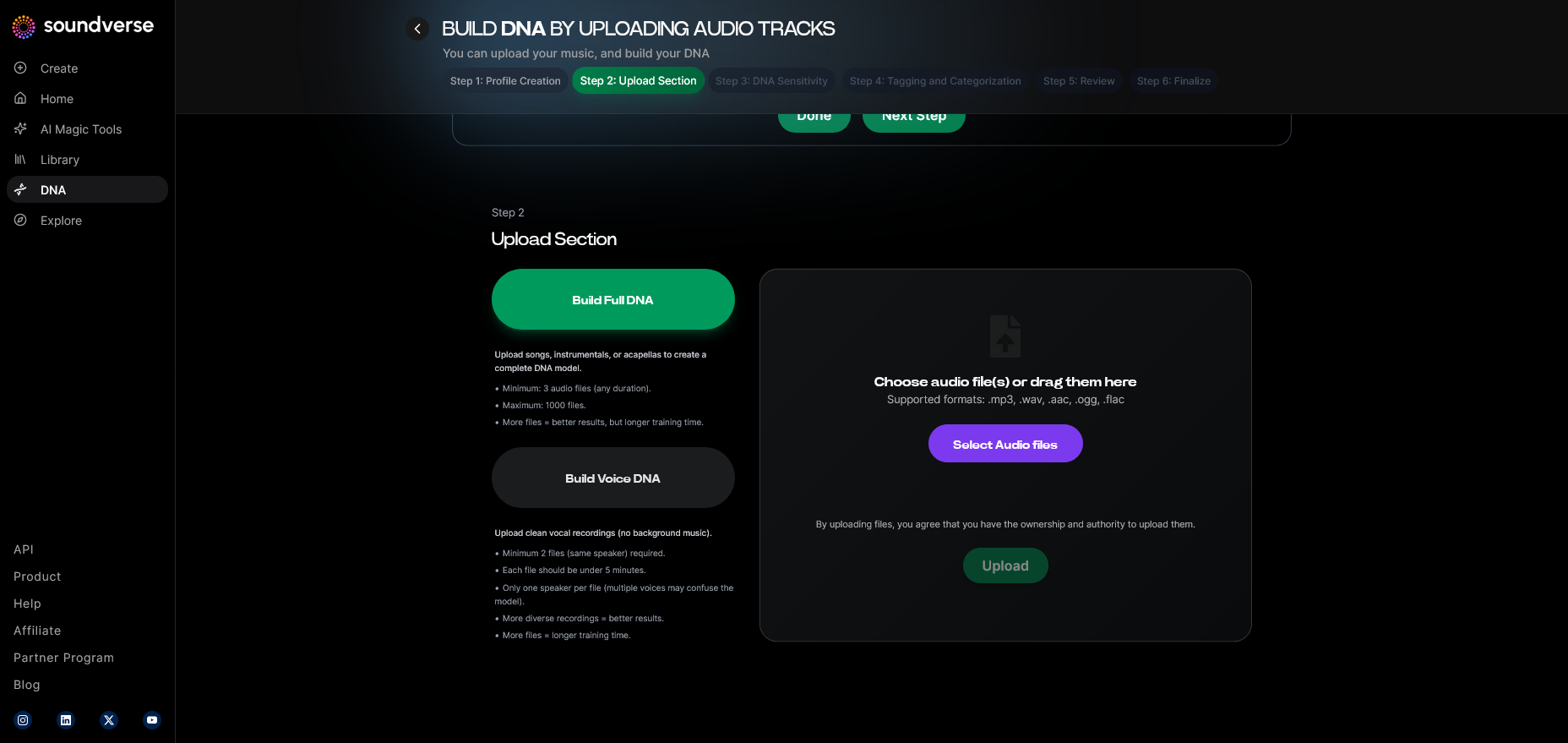
Select Full DNA if you need entire compositions for your video or Voice DNA if the project requires stylized vocal performances.
Step 5: Upload Files — Provide Reference Audio
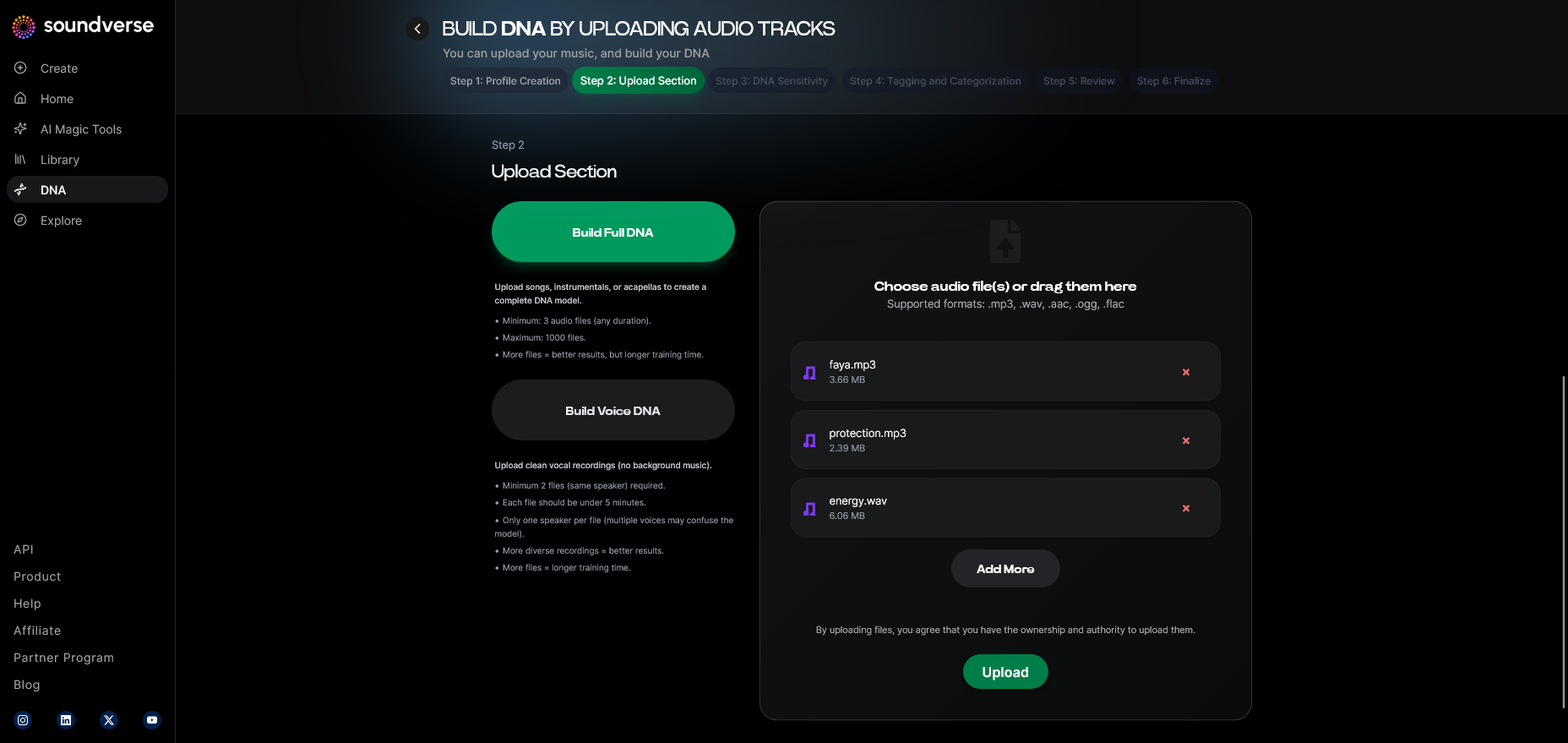
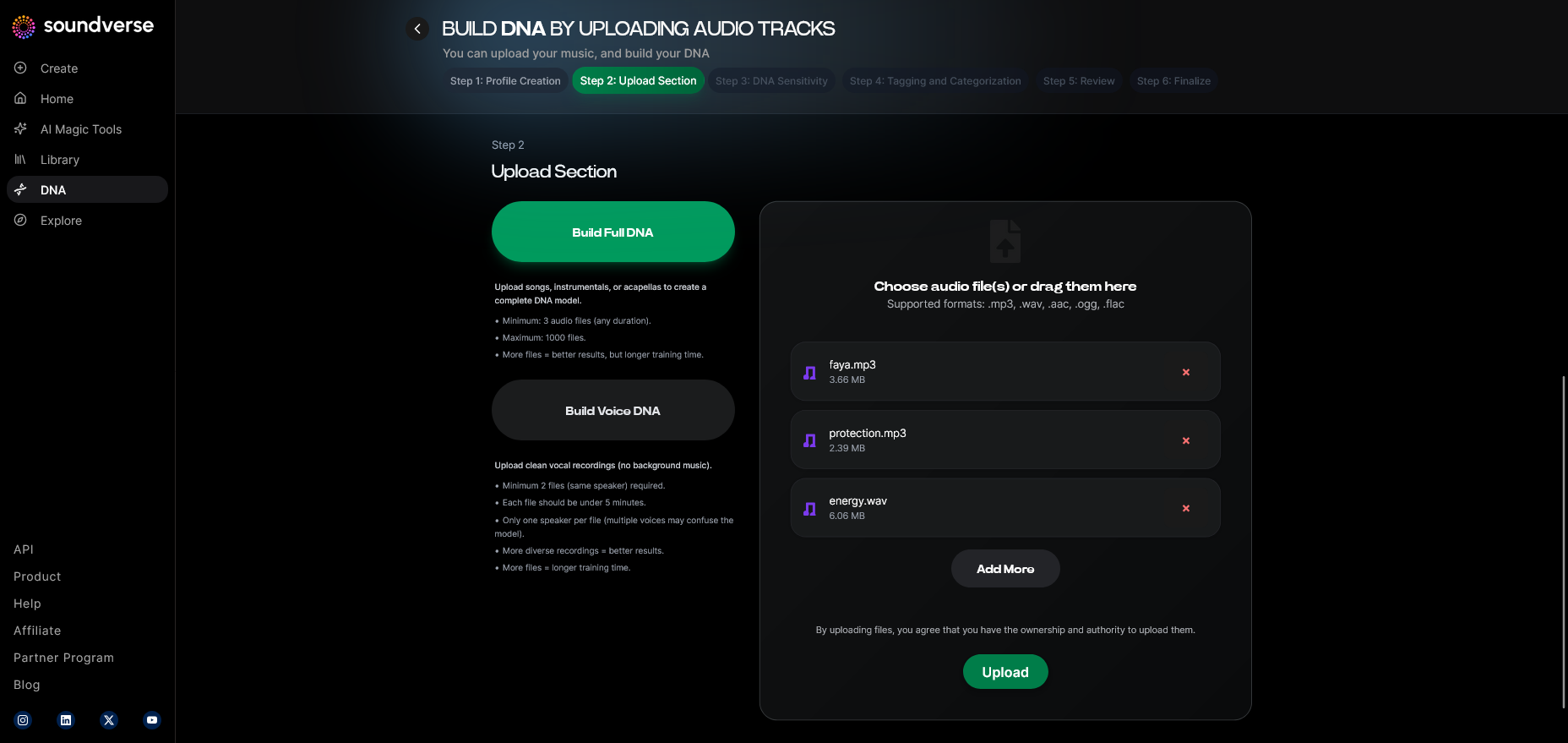
Upload recordings or previous tracks. Soundverse processes these asynchronously (not real-time), analyzing your sonic identity for later music generation.
Step 6: Sensitivity Setting — Adjust Emotional Tone
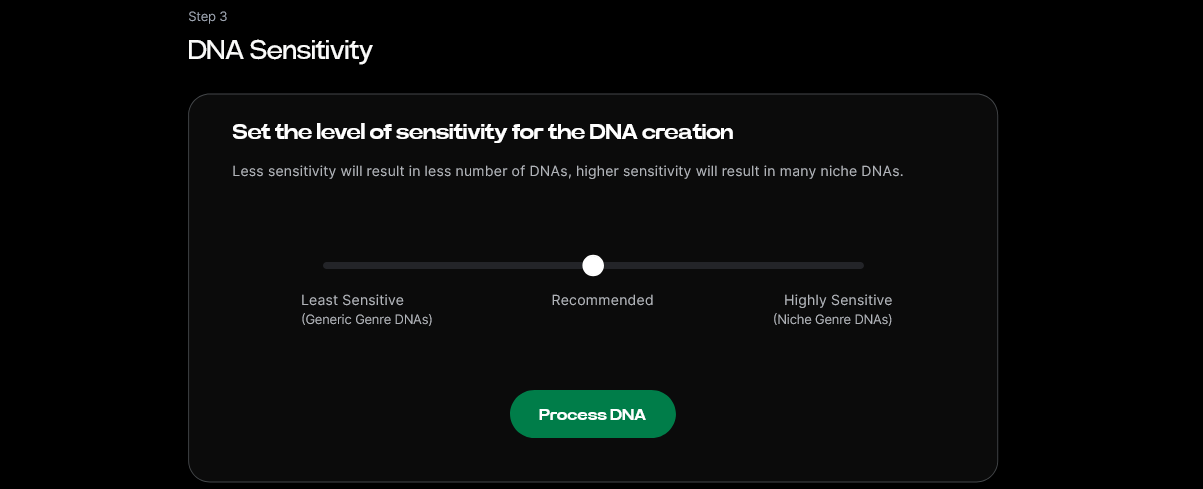
Use the sensitivity selector to define how detailed the AI should interpret musical eras, such as ‘early work’ or ‘recent releases.’ This improves thematic alignment between music and visual storytelling.
Step 7: Auto Tagging — Generating Metadata
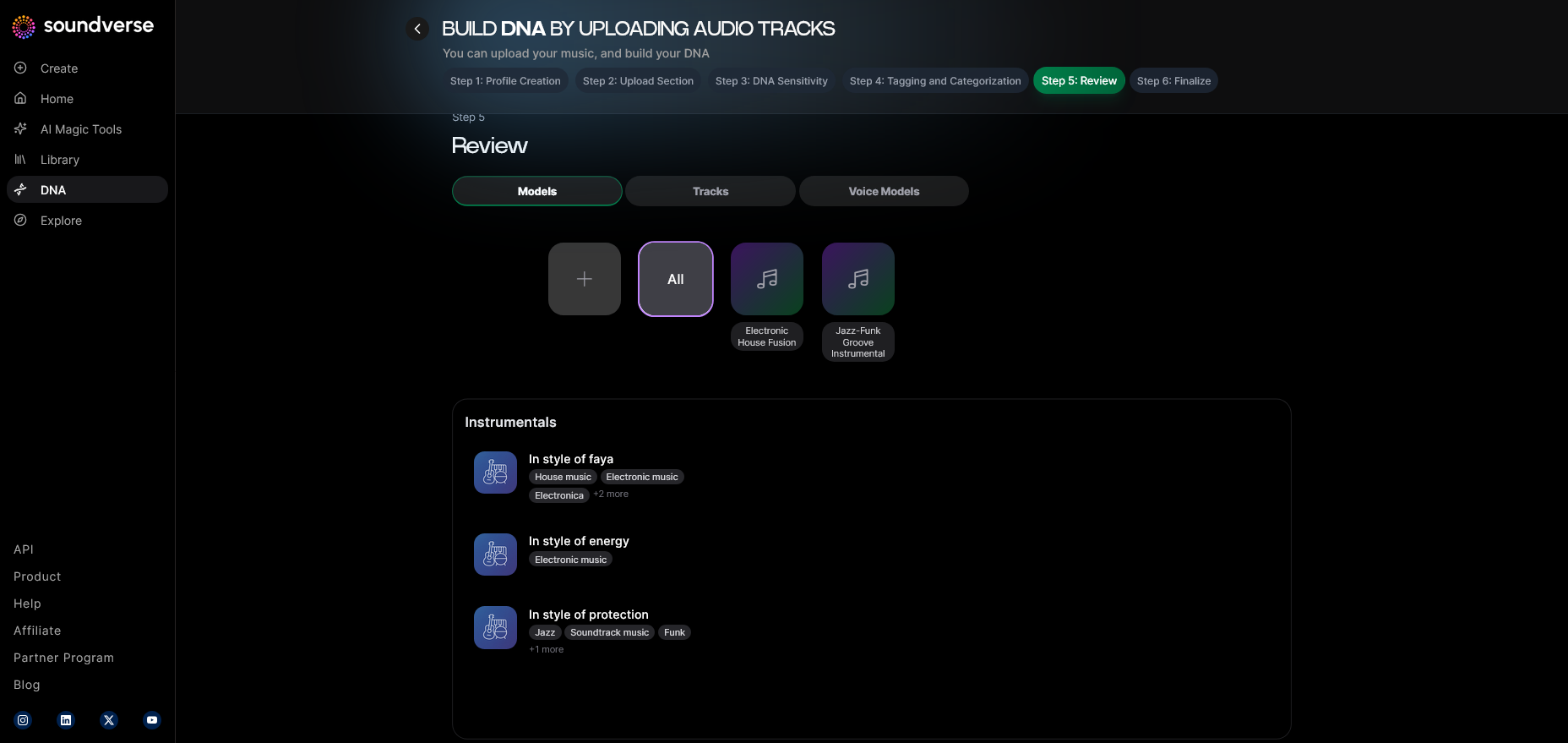
Soundverse automatically tags your music style, tempo, and emotion attributes. These tags simplify later searches and help when producing thematic videos.
Step 8: Review & Publish — Finalizing the DNA Profile
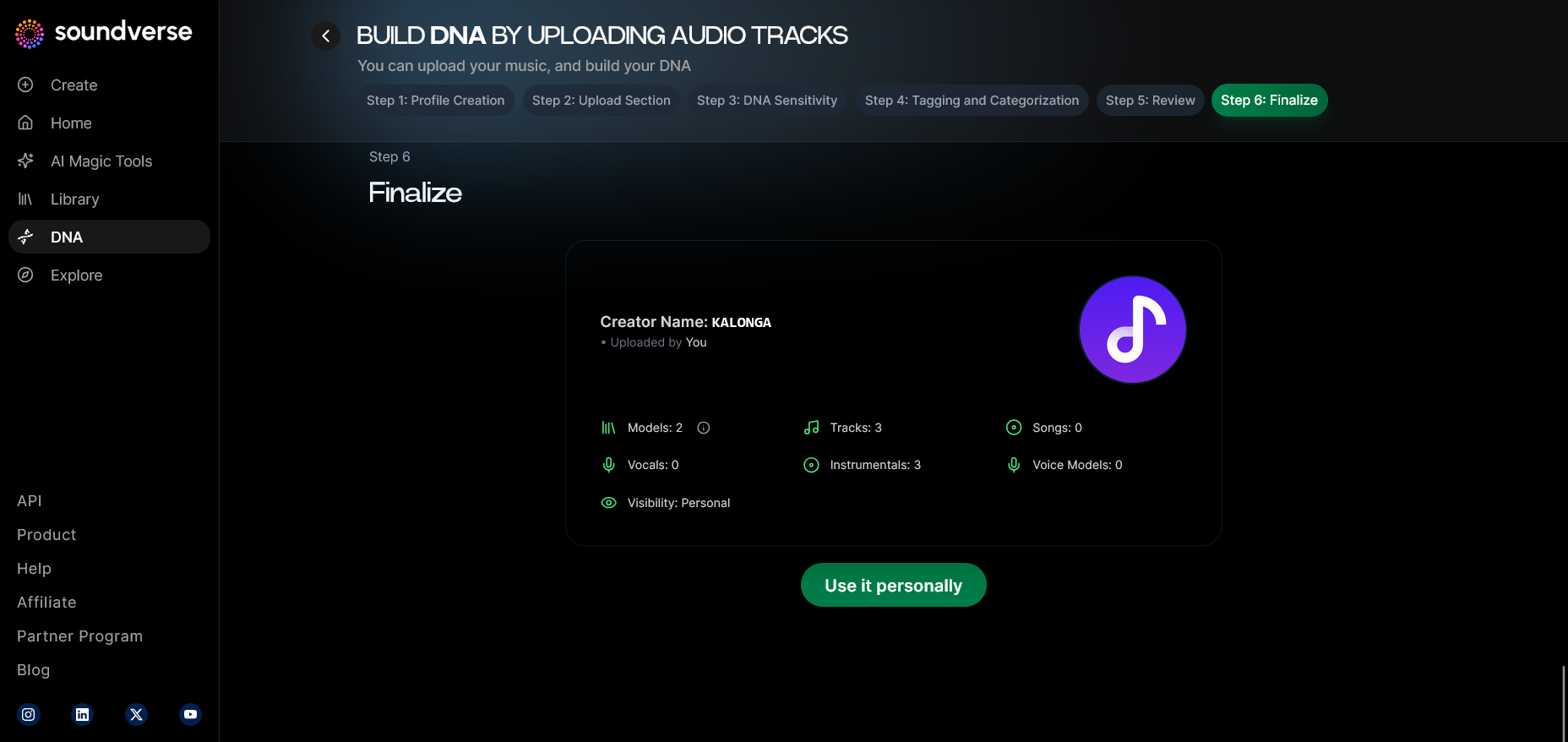
Before activating your DNA model, review and publish to ensure proper metadata and identity pairing. Published DNA models become available for private or marketplace use.
Step 9: Generation Panel — Creating Music for Your Video
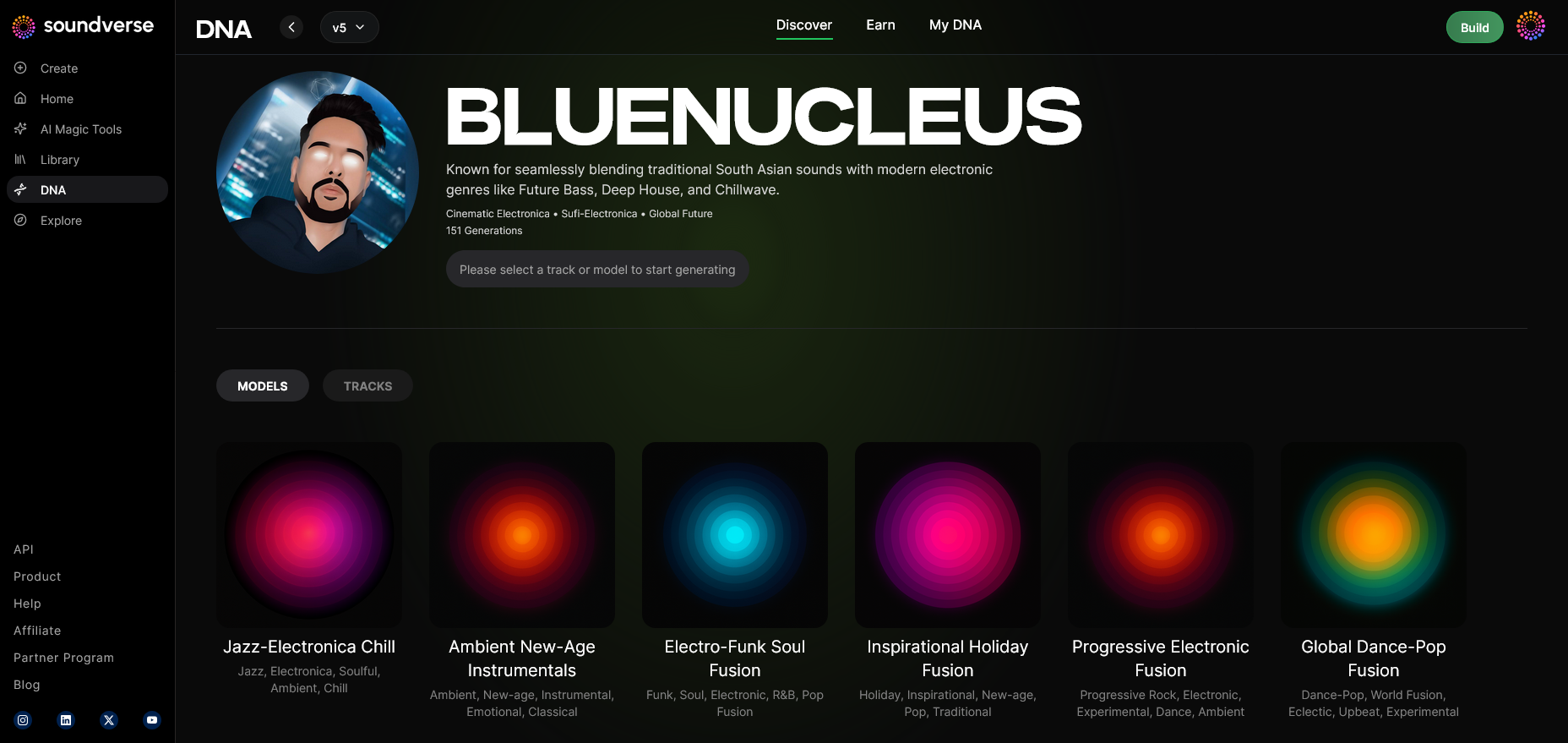
Access the generation panel to produce tracks that perfectly match your desired visual tone. You can toggle model-based modes for tighter synchronization with existing footage.
Step 10: Export Options — Using Music in Video Projects
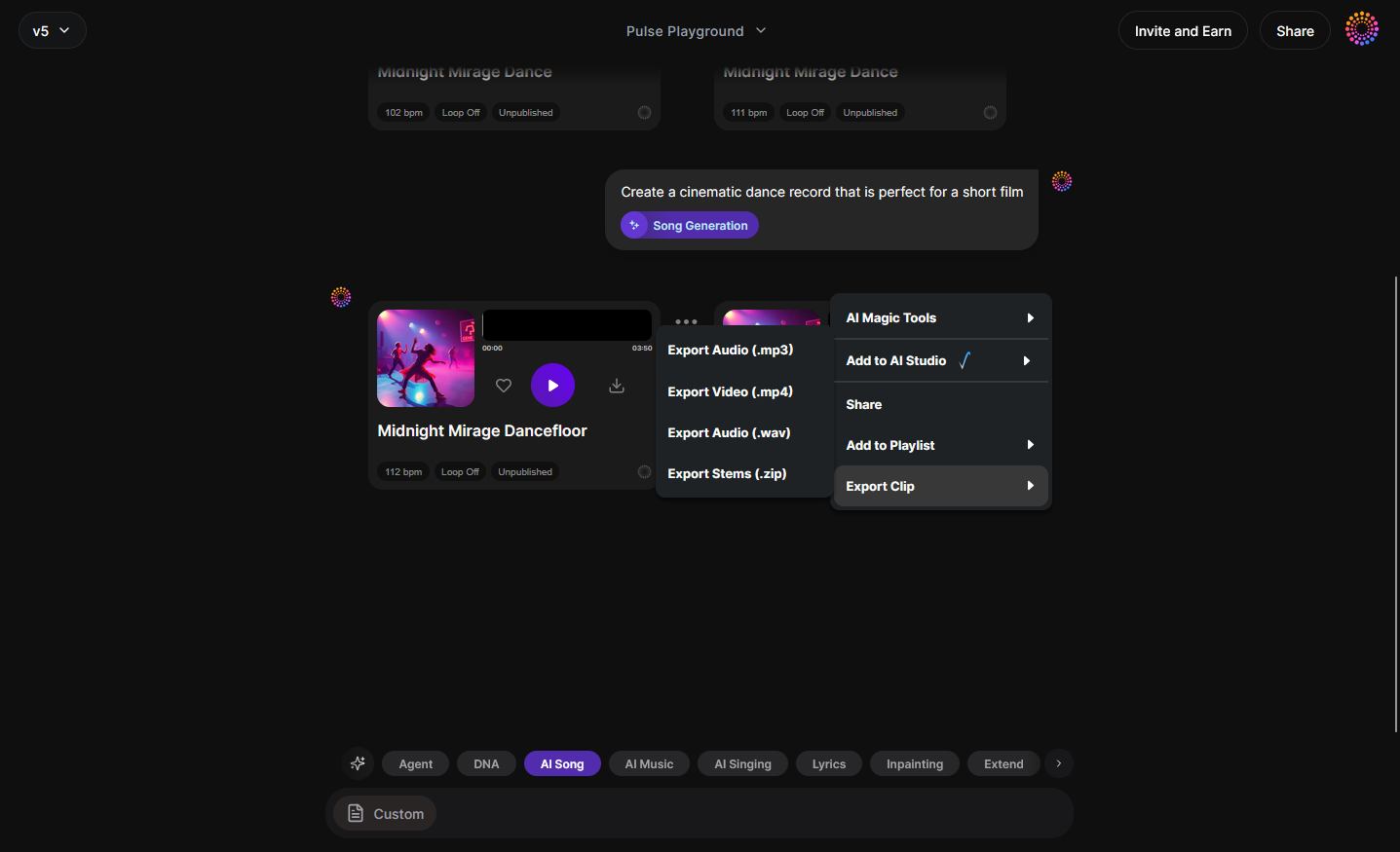
Once generated, export your track using integrated file options suitable for AI editing platforms or manual editing workflows.
Pro Tips to Keep Your AI Music Videos Engaging in 2026
- Blend human and AI storytelling: Include short video segments captured manually to anchor realism within generated scenes.
- Experiment with prompt layering: Instead of one long text prompt, stack several micro-prompts describing lighting, motion rhythms, and emotional objectives.
- Refer to time-based trends: AI aesthetics evolve yearly. For 2026, imagine motion graphics fused with neural texture mapping rather than basic generative animation.
- Balance simplicity and intrigue: Minimalism works, but too many generative filters can overwhelm your audience.
- Use post-editing AI smart tools: Pair Soundverse outputs with Soundverse AI Magic Tools to mix video soundscape elements smoothly. For a deeper dive, watch our guide on creating Deep House music.
Explore Complementary Creative Tools
Soundverse’s ecosystem contains multiple features improvising the AI music video pipeline. You can generate instrumentals using the AI Music Generator or use the Similar Song Generator to create stylistically inspired tracks. For precise corrections, Inpainting allows fine-tuned audio regeneration so you can perfect each cue before exporting. Those who want to learn genre-specific production may review guides like How to Create EDM with Soundverse AI and How to Create Country Music with Soundverse AI to bring stylistic diversity into video projects.
How Visual Storytelling with AI Has Evolved by 2026
Visual storytelling with AI now centers on emotive realism and narrative fluidity rather than generating random aesthetic scenes. Tools contextualize motion, lighting, and style based on the soundtrack’s identity. When paired with systems like Soundverse DNA, the relationship between music and visuals gains new coherence—the rhythm drives animation, and the harmony dictates palette shifts. Creators in 2026 are leveraging AI not to replace intuition but to amplify it. As a result, indie artists can produce music videos that rival studio-level productions without sacrificing creativity or emotional depth.
Start Creating AI Music Videos That Stand Out
Transform your ideas into visually and sonically stunning AI music videos. Use Soundverse to craft unique music that perfectly matches your visuals and style—no production skills required.
- Generate AI Music with Soundverse Text-to-Music — Discover how to turn your text prompts into full-fledged tracks using Soundverse’s innovative text-to-music tool.
- Enhancing YouTube Content with Royalty-Free and Copyright-Free Music Using Soundverse AI — Learn how creators elevate their videos with legally safe and professional-grade AI-generated music.
- The Role of AI Music in Film and Television — Explore how AI music tools are reshaping sound design and storytelling in entertainment media.
- Soundverse AI: Revolutionizing Music Creation for New-Age Content Creators — See how Soundverse empowers artists and filmmakers to blend human creativity with AI technology.
Here's how to make AI Music with Soundverse
Video Guide

Here’s another long walkthrough of how to use Soundverse AI.
Text Guide
- To know more about AI Magic Tools, check here.
- To know more about Soundverse Assistant, check here.
- To know more about Arrangement Studio, check here.
Soundverse is an AI Assistant that allows content creators and music makers to create original content in a flash using Generative AI. With the help of Soundverse Assistant and AI Magic Tools, our users get an unfair advantage over other creators to create audio and music content quickly, easily and cheaply. Soundverse Assistant is your ultimate music companion. You simply speak to the assistant to get your stuff done. The more you speak to it, the more it starts understanding you and your goals. AI Magic Tools help convert your creative dreams into tangible music and audio. Use AI Magic Tools such as text to music, stem separation, or lyrics generation to realise your content dreams faster. Soundverse is here to take music production to the next level. We're not just a digital audio workstation (DAW) competing with Ableton or Logic, we're building a completely new paradigm of easy and conversational content creation.
TikTok: https://www.tiktok.com/@soundverse.ai
Twitter: https://twitter.com/soundverse_ai
Instagram: https://www.instagram.com/soundverse.ai
LinkedIn: https://www.linkedin.com/company/soundverseai
Youtube: https://www.youtube.com/@SoundverseAI
Facebook: https://www.facebook.com/profile.php?id=100095674445607
Join Soundverse for Free and make Viral AI Music

We are constantly building more product experiences. Keep checking our Blog to stay updated about them!